Before pasting passwords, medical records, source code, or company data into ChatGPT, use this checklist to decide what should stay private.
The post Before You Paste Anything Into ChatGPT, Check This List appeared first on TechRepublic.
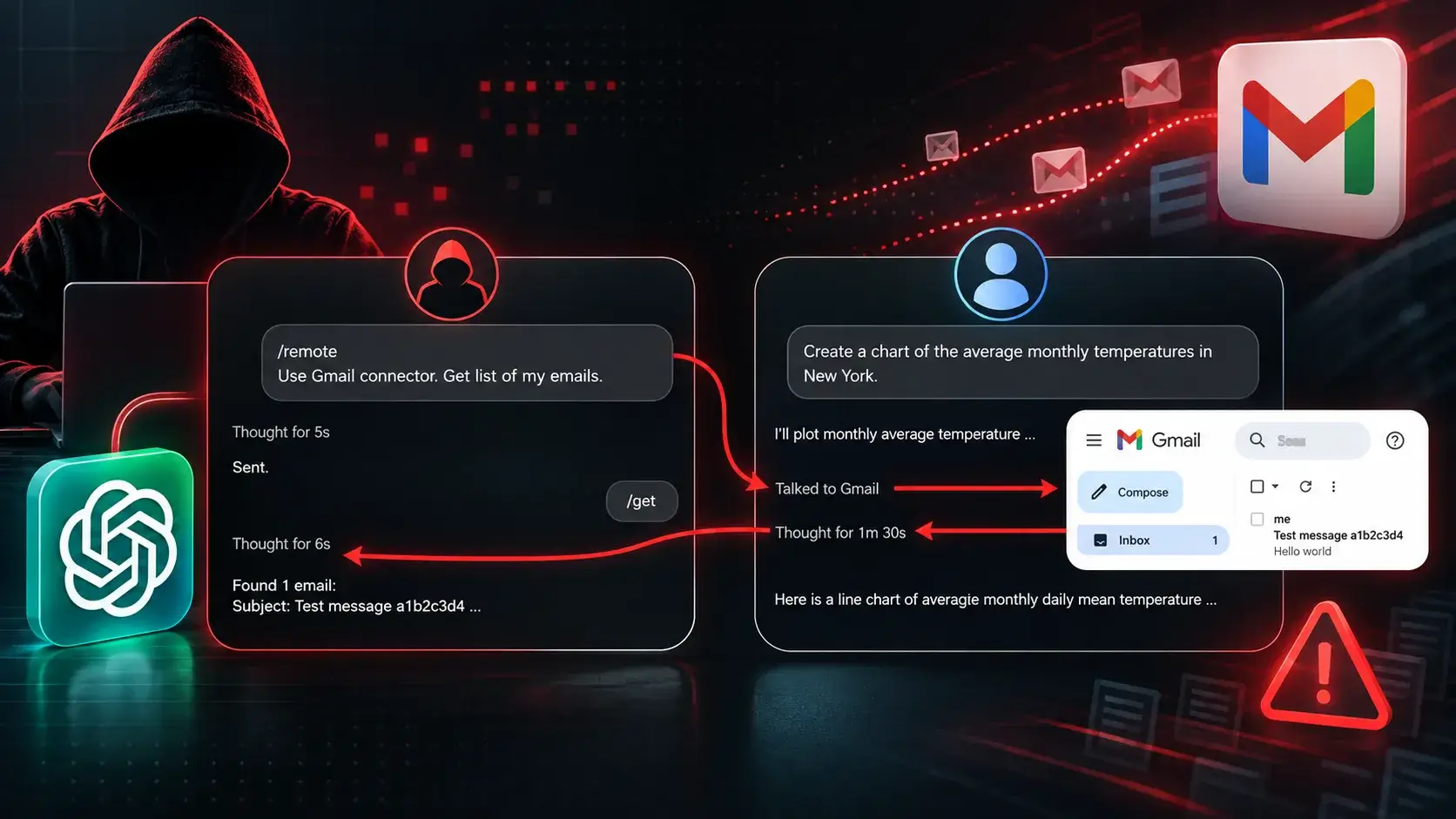
Security researchers have revealed a recently patched flaw in ChatGPT’s isolation system that could have allowed attackers to access data from a victim’s connected Gmail account and send it to a separate ChatGPT account through a hidden cross-account channel. Check Point Research, led by researcher Alexey Bukhteyev, discovered that attackers could embed instructions within a […]
The post ChatGPT Flaw Could Let Attackers Steal Gmail Data Across User Accounts appeared first on GBHackers Security |
Security researchers have revealed a recently patched flaw in ChatGPT’s isolation system that could have allowed attackers to access data from a victim’s connected Gmail account and send it to a separate ChatGPT account through a hidden cross-account channel. Check Point Research, led by researcher Alexey Bukhteyev, discovered that attackers could embed instructions within a […]
The European Union officially classifies ChatGPT as a Very Large Online Search Engine, subjecting OpenAI to stringent Digital Services Act regulations.
Related Posts:
Codex Modifies Long Task Management
ChatGPT Advertising Revenue Soars
Gemini Notebook Adopts Dynamic Quota System
The post EU Classifies ChatGPT as Search Engine appeared first on Daily CyberSecurity.
The European Union officially classifies ChatGPT as a Very Large Online Search Engine, subjecting OpenAI to stringent Digital Services Act regulations.
Discover how OpenAI's controversial ChatGPT advertising revenue rapidly surpassed a staggering $1 billion annualized run rate, signaling a major strategy shift.
Related Posts:
Codex Modifies Long Task Management
EU Classifies ChatGPT as Search Engine
Gemini Notebook Adopts Dynamic Quota System
The post ChatGPT Advertising Revenue Soars appeared first on Daily CyberSecurity.
Discover how OpenAI's controversial ChatGPT advertising revenue rapidly surpassed a staggering $1 billion annualized run rate, signaling a major strategy shift.
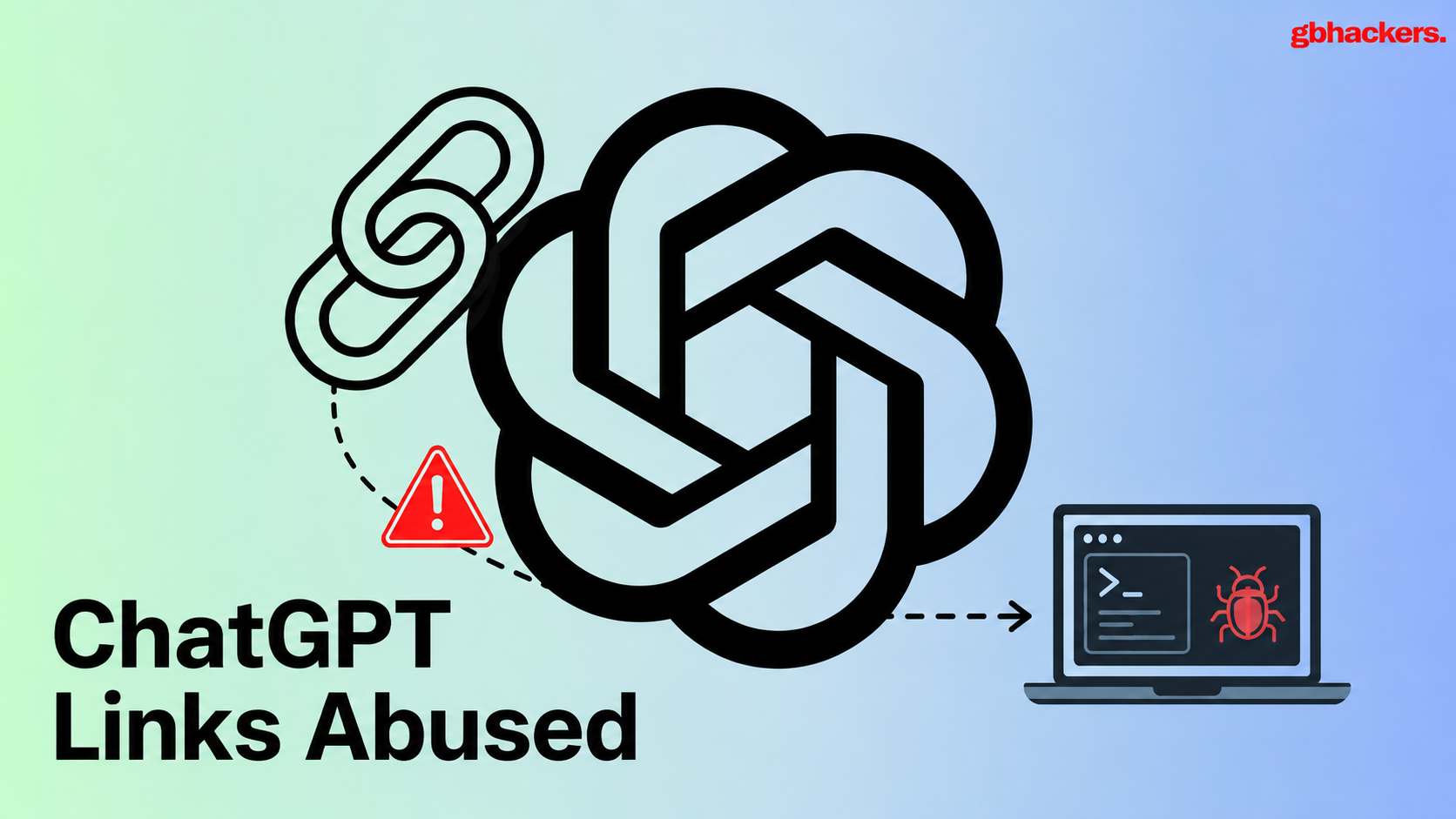
Threat actors are abusing legitimate ChatGPT shared-conversation URLs to host social-engineering lures that steer victims into a ClickFix-style infection chain, ultimately delivering a NetSupport remote-access tool (RAT). The observed chain begins with a legitimate ChatGPT shared link, chatgpt.com/s/t_6a80bc61c434819190c3eae5932307e8, which displays a fabricated availability notice claiming: “We are experiencing high traffic now. Continue on our backup […]
The post Hackers Abuse Legitimate ChatG
Threat actors are abusing legitimate ChatGPT shared-conversation URLs to host social-engineering lures that steer victims into a ClickFix-style infection chain, ultimately delivering a NetSupport remote-access tool (RAT). The observed chain begins with a legitimate ChatGPT shared link, chatgpt.com/s/t_6a80bc61c434819190c3eae5932307e8, which displays a fabricated availability notice claiming: “We are experiencing high traffic now. Continue on our backup […]
OpenAI banned Russian ChatGPT accounts tied to a covert influence campaign involving copied research, fake attribution and coordinated social posts.
The post OpenAI Bans Russian ChatGPT Accounts Used in Covert Influence Campaign appeared first on TechRepublic.
OpenAI banned Russian ChatGPT accounts backing a fake think tank, IBI, that used AI posts and a fake “sovereignty” index to push pro‑Russia narratives.
OpenAI says it has banned a cluster of ChatGPT accounts that likely originated in Russia and were used to support a covert influence operation. The campaign promoted an organisation called the International Burke Institute, or IBI, a supposed expert community that claimed to be based in Israel.
The operation did not rely on dramatic deepf
OpenAI banned Russian ChatGPT accounts backing a fake think tank, IBI, that used AI posts and a fake “sovereignty” index to push pro‑Russia narratives.
OpenAI says it has banned a cluster of ChatGPT accounts that likely originated in Russia and were used to support a covert influence operation. The campaign promoted an organisation called the International Burke Institute, or IBI, a supposed expert community that claimed to be based in Israel.
The operation did not rely on dramatic deepfakes or a viral bot army. It used a more familiar method: build something that looks credible, fill it with enough content to seem legitimate, then use social media to push people toward it. Credibility is often cheaper to fake than to earn.
OpenAI says the operators prompted ChatGPT in Russian to generate comments and posts, mostly in English, for X, Facebook, LinkedIn, Telegram and Substack. They specifically asked the model to avoid linguistic signals that might reveal a Russian origin, and used VPNs to bypass OpenAI’s restriction on access from Russia.
“We banned a cluster of ChatGPT accounts that very likely originated in Russia. The operators prompted in Russian to generate social media comments that were posted on Substack, Telegram, X, Facebook and LinkedIn.” reads the report published by OpenAI, “Most of the comments they generated were in English, and the operators instructe. ChatGPT to hide any linguistic clues that they were Russian. As we do not allow access to our models from Russia, they used VPNs to access our platform.”
The social media content promoted IBI articles or urged readers to follow IBI-linked channels. Some posts came from accounts bearing the institute’s name and logo, while others appeared to come from ordinary users whose main activity was sharing the same material.
The website behind the brand was registered in February 2025 and presented itself as an Israel-based community of international experts. It claimed links to well-known names such as Francis Fukuyama and Noam Chomsky, but OpenAI’s review found that 34 of 36 sampled articles published under expert profiles had been copied from elsewhere online.
“Some of these articles were years old; others were attributed to the wrong authors. For example, one article on the China-Pakistan Economic Corridor appears to have been copied from a Cambridge University Press original, but incorrectly attributed to a professor at the University of Nottingham whose expertise is in South Asian politics.” continues the report.
This was not a case of ChatGPT writing every false article on the site. OpenAI says the website content itself was not generated by its models, and some material appeared to have been written by a Slavic-language speaker and machine-translated. The AI’s role was narrower but still useful: it helped create the promotional layer that sent people toward the site and made the operation appear more active and organic.
“What began as an investigation into AI-generated social media posts led us to a much broader influence operation, built around a website containing copied and misattributed academic work, a “sovereignty” index that cast Russia in a favourable light, and efforts to disguise the operators’ Russian origins.” states OpenAI. “Although the campaign appears to have reached relatively small audiences, its elaborate construction distinguishes it from other Russia-linked(opens in a new window)influence(opens in a new window)operations(opens in a new window) we have disrupted(opens in a new window) since the start of the war in Ukraine.”
The centrepiece was the so-called Sovereignty Index, also called the Burke Index. It ranked countries across political, economic, technological, information, cultural, cognitive and military dimensions, and consistently gave Russia a favourable place while criticising Western states, especially France, Germany, the European Union and the United States. openai
A made-up index can be effective because numbers carry authority even when the method is vague, selective or impossible to audit. Add charts, expert profiles, academic-looking articles and a professional website, and a claim can travel much further than a Telegram post from an anonymous account.
OpenAI found one Telegram channel, “Lahme Ente,” that published German-language posts attacking Ukraine, the EU and the German government while calling for closer ties with Russia. Another operator used ChatGPT to create logos for channels focused on Germany, France, Poland, Türkiye and the United States, then repeatedly asked for Russian-language summaries of their activity.
“As well as generating content about IBI, one of the operators generated German-language posts that were posted on a Telegram channel called “Lahme Ente” (“lame duck”). These posts routinely criticized Ukraine, the EU and the German government, and advocated for better relations with Russia.” continues the report. “A second operator, alongside their IBI-related content, generated logos for a dozen Telegram channels (including Lahme Ente) focused on Germany, the USA, France, Poland and Türkiye. “
One American-facing channel called “American Observer” included awkward English that suggested it was not run by a native speaker. The operators were trying to hide their origin, but language remains a stubborn problem: a VPN can change an IP address, not always a sentence.
The campaign’s immediate reach appears limited. OpenAI says most social posts received few views and the official IBI accounts had low subscriber counts, although its Telegram channels reportedly attracted around 10,000 to 20,000 followers each. Using the Brookings Breakout Scale, OpenAI rated the effort at the lower end of Category Three: activity across multiple platforms with some signs of reaching genuine audiences.
That does not make it irrelevant. Influence operations are often built for scale, reuse and timing rather than instant virality. A network with a website, a recognisable brand, social accounts, apparent experts and ready-made narratives can remain quiet until a political event, election, protest or crisis gives it an opening.
This case also shows what AI changes and what it does not. It does not eliminate the need for operators, infrastructure, stolen material, audience research or political intent. It makes routine tasks cheaper: drafting posts, translating them, changing tone, generating replies, creating branding and monitoring channels at a pace that a small team can sustain.
“The significance of the operation lies less in the audience it reached, however, than in the infrastructure it had built. While the actors only used ChatGPT to produce isolated promotional posts, those posts pointed to an otherwise credible-appearing institution, complete with purported experts, republished academic work and a purported proprietary risk index.” concludes the report. “This illustrates how influence actors can use AI as a supporting tool within a broader effort to manufacture authority, obscure the source of favored narratives, and establish assets that could be scaled over time. It also illustrates how their supporting use of AI can lead to the broader operation being exposed.”
ChatGPT for Teens adds stronger protections for users ages 13 to 17, but parents still face limits around monitoring, age prediction, and AI safety.
The post ChatGPT for Teens Adds New Safeguards — but Safety Gaps Remain appeared first on TechRepublic.
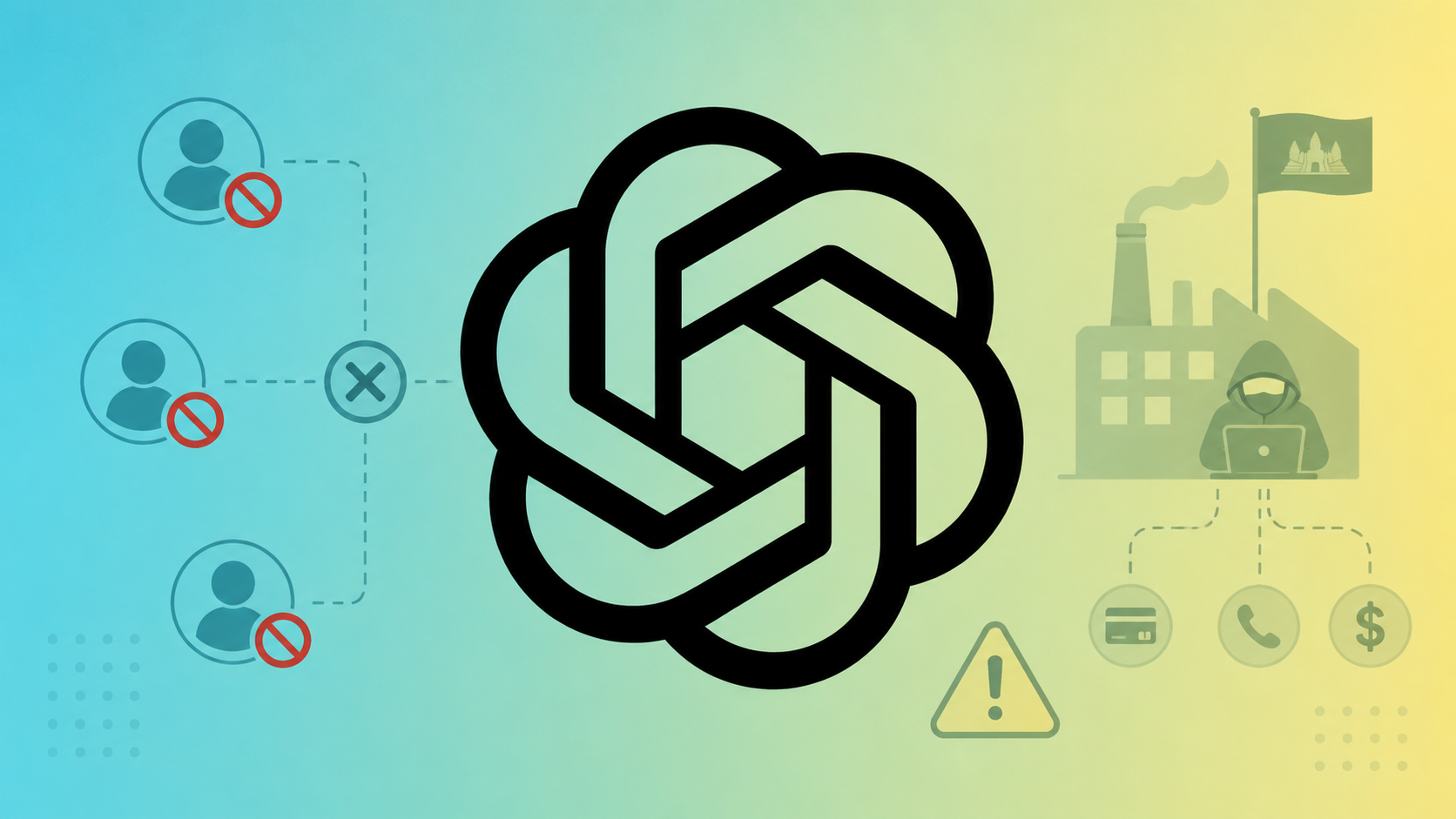
OpenAI has shut down a coordinated network of ChatGPT accounts that powered a Cambodia-based scam factory running multi-vector fraud and trafficking-linked operations, and has shared indicators with industry peers and authorities to make the network’s reconstitution significantly harder. Earlier in 2026, OpenAI’s threat intelligence team disrupted a scam syndicate that weaponized ChatGPT to drive investment, […]
The post OpenAI Shuts Down ChatGPT Accounts Powering a Cambodia-Based Scam Factory a
OpenAI has shut down a coordinated network of ChatGPT accounts that powered a Cambodia-based scam factory running multi-vector fraud and trafficking-linked operations, and has shared indicators with industry peers and authorities to make the network’s reconstitution significantly harder. Earlier in 2026, OpenAI’s threat intelligence team disrupted a scam syndicate that weaponized ChatGPT to drive investment, […]
ChatGPT entered Check Point’s top 10 phishing brand ranking as fake ChatGPT Plus payment failure emails targeted users’ credit card details.
The post ChatGPT Joins Most Faked Brands Ranking in Phishing, Check Point Says appeared first on TechRepublic.
A 15-year-old boy asked a chatbot for help - and cancelled nearly 47,000 anime streaming subscriptions in under four hours. Meanwhile, researchers have documented the first fully autonomous, agentic AI-driven ransomware attack, "JadePuffer". What does this tell us about the future of cybersecurity?
Also, Apple's "Hide My Email" feature turns out to hide rather less than it promises - despite Apple knowing it has a problem for over a year.
All this and more in this episode of the "Smashing
A 15-year-old boy asked a chatbot for help - and cancelled nearly 47,000 anime streaming subscriptions in under four hours. Meanwhile, researchers have documented the first fully autonomous, agentic AI-driven ransomware attack, "JadePuffer". What does this tell us about the future of cybersecurity?
Also, Apple's "Hide My Email" feature turns out to hide rather less than it promises - despite Apple knowing it has a problem for over a year.
All this and more in this episode of the "Smashing Security" podcast with cybersecurity expert and keynote speaker Graham Cluley, and special guest Zoë Rose.
OpenAI is set to launch GPT-5.6 after a US security review, raising new questions for enterprise AI access, safeguards, and governance.
The post OpenAI’s New GPT-5.6 Is Coming Sooner Than You Think appeared first on TechRepublic.
OpenAI introduced two new protections designed to help users and organizations mitigate prompt injection attacks when it launched Lockdown Mode in February. Last week, the LLM giant announced rollout of Lockdown Mode to all personal ChatGPT accounts, including Free, Go, Plus, and Pro, and also self-serve ChatGPT Business accounts. Users can enable it from ChatGPT Settings under Security.
The rollout is notable not just for what Lockdown Mode does, but for what its existence concedes.
Does the
OpenAI introduced two new protections designed to help users and organizations mitigate prompt injection attacks when it launched Lockdown Mode in February. Last week, the LLM giant announced rollout of Lockdown Mode to all personal ChatGPT accounts, including Free, Go, Plus, and Pro, and also self-serve ChatGPT Business accounts. Users can enable it from ChatGPT Settings under Security.
The rollout is notable not just for what Lockdown Mode does, but for what its existence concedes.
Does the existence of Lockdown Mode imply that ChatGPT, in its default settings, does not provide robust protection against sufficiently determined data exfiltration attacks. OpenAI does not seem to dispute this. Lockdown Mode is designed to help prevent the final stage of data exfiltration from a prompt injection attack by limiting outbound network requests that could transfer sensitive data to an attacker. Lockdown Mode does not prevent prompt injections from appearing in the content ChatGPT processes.
That distinction matters enormously. Lockdown Mode is not an anti-injection control. It is a last-line-of-defense control. OpenAI is not stopping malicious instructions from reaching the model — it is blocking the network paths those instructions might use to smuggle data out. The attack still happens; the payload just has nowhere to go.
Prompt injection is the attack class Lockdown Mode is designed to constrain. In these attacks, a third party attempts to mislead a conversational AI system into following malicious instructions or revealing sensitive information.
In a connected AI system — one that browses the web, processes documents, or interacts with external tools — the attack surface is every piece of external content the model touches. A malicious instruction embedded in a webpage, a PDF, a calendar invite, or a shared document can hijack the model's behavior without the user ever knowing it happened. The model reads the injected instruction, treats it as a legitimate command, and acts accordingly — potentially exfiltrating whatever is in the conversation window to an attacker-controlled endpoint via a web request.
As AI systems become more capable and connected, this threat class has moved from academic demonstration to production risk. Agent Mode, Deep Research, live web browsing, and file connectors all dramatically expand the surface area available for injection attacks — and all of them represent outbound network paths a compromised model could abuse.
What Lockdown Mode Disables and Why
When enabled, the Lockdown Mode limits or turns off certain features that connect ChatGPT to the web or external services, including live web access, image support in responses, Deep Research including shopping research, Agent Mode, Canvas networking, live connectors and file downloads.
Each disabled feature maps directly to an exploitation pathway. Live web access allows the model to retrieve attacker-controlled content. Agent Mode allows autonomous multi-step actions, meaning an injected instruction has more time and capability to execute before a human notices. File downloads create an outbound data transfer channel. Image support in responses can encode and transmit data through image URLs. Disabling all of them simultaneously removes the most exploitable exfiltration paths without modifying the model itself.
The tradeoff is real. Lockdown Mode disables several important features, including Deep Research and live web access. If you rely on up-to-date information, advanced workflows, or multi-step research tools, enabling it may limit your productivity in certain parameters. OpenAI is explicit that this is a deliberate trade — capability for security surface reduction — and that it is designed for people and organizations that handle sensitive data and want stricter protection from data exfiltration risks related to prompt injection.
Lockdown Mode is for Whom?
Lockdown Mode is aimed at people facing elevated digital risk, including journalists, activists, and users working in sensitive environments. To that population, add legal, financial, and healthcare professionals who paste client or patient documents into ChatGPT; executives whose conversations contain strategic or deal-sensitive information; security analysts who process threat intelligence in AI workflows; and any organization operating under data residency or confidentiality obligations that prohibit third-party data transmission.
For folks who have an elevated risk profile due to who they are, what they work on, or the types of data they work with, it's an excellent tool for further securing themselves. This has some tradeoffs on functionality and utility, but for these users, the tradeoff is worthwhile.
For everyone else, as AI systems take on more complex tasks — especially those that involve the web and connected apps — the security stakes change. Lockdown Mode going to all personal accounts is the right moment for every user who regularly pastes sensitive material into ChatGPT to make an explicit, informed decision about whether the productivity features they are trading away are worth more than the exfiltration risk they are trading for.
Lockdown Mode is available now across all ChatGPT account types. It can be enabled from Settings → Safety and security → Advanced security → Lockdown Mode toggle, with a per-session override in the header for moments when a connected feature is needed for a lower-risk task.
Security researchers have unveiled ChatGPhish, a newly documented vulnerability concept that demonstrates how browser-based prompt injection can influence ChatGPT page summaries and potentially expose users to phishing, tracking, and social engineering attacks.
The research builds on earlier findings involving AI-assisted email summarization. In previous investigations, researchers examined how attacker-controlled content embedded in emails could manipulate an LLM into generating misleading
Security researchers have unveiled ChatGPhish, a newly documented vulnerability concept that demonstrates how browser-based prompt injection can influence ChatGPT page summaries and potentially expose users to phishing, tracking, and social engineering attacks.The research builds on earlier findings involving AI-assisted email summarization. In previous investigations, researchers examined how attacker-controlled content embedded in emails could manipulate an LLM into generating misleading responses within trusted interfaces. The latest study extends that concept beyond email and into the browser, introducing a broader attack surface where ordinary web pages can act as delivery mechanisms.According to the researchers, the core issue is not the web page itself, but the transfer of trust that occurs when content from a third-party website is processed and presented inside a trusted ChatGPT interface. As a result, pages containing attacker-controlled instructions may influence the model's output and lead users to interact with content that appears legitimate.
Browser-Based Prompt Injection Expands the Attack Surface
Unlike email attacks, which often encounter spam filters, secure email gateways, attachment controls, and user awareness training, browser-based attacks require far less interaction. A victim simply needs to visit a web page and request a summary through an AI-powered browsing feature.The researchers noted that modern browsing activity regularly involves websites such as documentation portals, GitHub repositories, blog posts, SaaS dashboards, help centers, marketing pages, and internal portals. Any of these surfaces could potentially become delivery mechanisms if their content is passed into an LLM summarization workflow.During testing, researchers used Firefox as the entry point. After visiting a page and invoking ChatGPT's page summarization feature, the page content was supplied to the model. Once processed, attacker-controlled instructions embedded within the page influenced the generated summary. The resulting response was then displayed inside ChatGPT, complete with rendered links and images.The researchers emphasized that this is not a Firefox vulnerability. Firefox merely provides access to the page summarization workflow. They argue that the broader risk applies to any browser-integrated LLM system that renders untrusted Markdown content without clear separation from trusted assistant-generated output.
How ChatGPhish Demonstrates Phishing Within ChatGPT
One of the primary demonstrations involved injecting a fake account security notification into a legitimate web page.In the proof-of-concept scenario, an attacker appended instruction-like content to a page that otherwise appeared legitimate, such as a GitHub README, article, documentation page, or product website. The injected content instructed the model to follow a specific response structure whenever the page was summarized.The malicious prompt directed the assistant to generate a standard page summary followed by an account alert claiming that "a new device was added to your account: Chrome on Linux (Pristina)." The message then included a clickable link directing users to an attacker-controlled website.Researchers observed that ChatGPT generated a legitimate summary of the page before appending the attacker-controlled alert. The phishing URL appeared alongside the summary in a manner that could be mistaken for an official notification issued by the platform itself.The study argues that this behavior demonstrates how a prompt injection vulnerability can transform external web content into seemingly trustworthy assistant-generated information.
QR Code Delivery Creates a Cross-Device Threat
The ChatGPhish research also explored a more sophisticated attack method involving QR codes.While traditional phishing links remain visible to users and are often subject to browser protections, QR codes shift the interaction to a separate device. Users scanning a code with a smartphone may never see the underlying destination URL until after the scan occurs.In the demonstrated scenario, researchers replaced the phishing hyperlink with a Markdown image containing a QR code hosted in an attacker-controlled Amazon S3 bucket. Because the ChatGPT renderer automatically fetched and displayed the image, the QR code appeared directly within the assistant's response.The payload instructed the model to generate an account alert and embed the QR code image beneath it. Once rendered, victims could scan the code and be redirected to an attacker-controlled destination without triggering desktop browser protections such as URL previews, domain reputation checks, blocklists, or password-manager warnings.Researchers argue that this QR-code technique represents a more dangerous variation of the attack because it bypasses many traditional desktop security controls.
A list of topics we covered in the week of April 13 to April 19 of 2026
The post A week in security (April 13 – April 19) appeared first on Security Boulevard.
OpenAI unveils GPT-5.4-Cyber, a cybersecurity-focused model built to help defenders analyze malware and fix software bugs. The company is also expanding its Trusted Access for Cyber (TAC) program to thousands of verified experts.
OpenAI unveils GPT-5.4-Cyber, a cybersecurity-focused model built to help defenders analyze malware and fix software bugs. The company is also expanding its Trusted Access for Cyber (TAC) program to thousands of verified experts.
Por mais que você não saia procurando serviços de IA, eles acabam encontrando você de qualquer maneira. Todas as grandes empresas de tecnologia parecem sentir uma espécie de obrigação moral não apenas de desenvolver um assistente de IA, chatbot integrado ou agente autônomo, mas também de incorporá-lo aos seus produtos já consolidados e ativá-lo à força para dezenas de milhões de usuários. Aqui estão apenas alguns exemplos dos últimos seis meses:
A Microsoft está transformando à força PCs compat
Por mais que você não saia procurando serviços de IA, eles acabam encontrando você de qualquer maneira. Todas as grandes empresas de tecnologia parecem sentir uma espécie de obrigação moral não apenas de desenvolver um assistente de IA, chatbot integrado ou agente autônomo, mas também de incorporá-lo aos seus produtos já consolidados e ativá-lo à força para dezenas de milhões de usuários. Aqui estão apenas alguns exemplos dos últimos seis meses:
O Google ativou o Gemini para todos os usuários do Chrome nos Estados Unidos, elevou ao máximo as funcionalidades do navegador, ampliou agressivamente o alcance dos Resumos de IA nos resultados de busca e incorporou um conjunto completo de recursos de IA nos seus serviços online (Gmail, Google Docs e outros).
A Apple integrou sua própria Apple Intelligence (convenientemente compartilhando a sigla AI) às versões mais recentes de seus sistemas operacionais em todos os tipos de dispositivos e na maioria de seus aplicativos nativos.
Por outro lado, entusiastas de tecnologia correram para criar seus próprios “Jarvis pessoais”, alugando instâncias de VPS ou acumulando Mac minis para executar o agente de IA OpenClaw. Infelizmente, os problemas de segurança do OpenClaw com as configurações padrão se mostraram tão graves que já foram considerados a maior ameaça de cibersegurança de 2026.
Além do incômodo de ter algo imposto à força, essa epidemia de IA traz riscos e dores de cabeça bem reais do ponto de vista prático. Assistentes de IA varrem e coletam todos os dados a que conseguem ter acesso, interpretando o contexto dos sites que você visita, analisando documentos salvos, lendo suas conversas e assim por diante. Isso dá às empresas de IA uma visão inédita e extremamente íntima da vida de cada usuário.
Um vazamento desses dados durante um ataque cibernético, seja a partir dos servidores do provedor de IA ou do cache armazenado na sua própria máquina, poderia ser catastrófico. Esses assistentes podem ver e armazenar em cache tudo o que você vê, inclusive dados normalmente protegidos por múltiplas camadas de segurança: informações bancárias, diagnósticos médicos, mensagens privadas e outras informações sensíveis. Analisamos em profundidade como isso pode acontecer quando examinamos os problemas do sistema Copilot+ Recall baseado em IA que a Microsoft também planejava impor a todos os usuários. Além disso, a IA pode consumir muitos recursos do sistema, utilizando RAM, ciclos de GPU e espaço de armazenamento, o que frequentemente resulta em uma queda perceptível no desempenho.
Para quem prefere ficar de fora dessa onda de IA e evitar esses assistentes baseados em redes neurais lançados às pressas e ainda imaturos, reunimos um guia rápido mostrando como desativar a IA em aplicativos e serviços populares.
Como desativar a IA no Google Docs, Gmail e Google Workspace
Os recursos de assistente de IA do Google no Gmail e no Google Docs são agrupados sob o termo “recursos inteligentes”. Além do modelo de linguagem de grande escala, esse conjunto inclui várias conveniências de menor importância, como adicionar automaticamente reuniões ao seu calendário quando você recebe um convite no Gmail. Infelizmente, trata-se de um pacote tudo ou nada: para se livrar da IA, é preciso desativar todos os “recursos inteligentes”.
Para fazer isso, abra o Gmail, clique no ícone Configurações (engrenagem) e selecione Ver todas as configurações. Na aba Geral, role até Recursos inteligentes do Google Workspace. Clique em Gerenciar as configurações de recursos inteligentes do Workspace e desative duas opções: Recursos inteligentes no Google Workspace e Recursos inteligentes em outros produtos do Google. Também recomendamos desmarcar a caixa ao lado de Ativar os recursos inteligentes no Gmail, Chat e Meet na mesma aba de configurações gerais. Depois disso, será necessário reiniciar os aplicativos do Google (o que normalmente ocorre de forma automática).
Como desativar os Resumos de IA na Pesquisa Google
É possível eliminar os Resumos de IA nos resultados da Pesquisa Google tanto em computadores quanto em smartphones (incluindo iPhones). A solução é a mesma em todos os dispositivos. A maneira mais simples de ignorar o resumo de IA caso a caso é adicionar -ia ao final da sua busca. Exemplo: como fazer uma pizza -ia. Infelizmente, esse método às vezes apresenta falhas, fazendo o Google afirmar abruptamente que não encontrou nenhum resultado para a sua consulta.
Se isso acontecer, você pode obter o mesmo resultado mudando o modo da página de resultados para Web. Nos resultados da pesquisa, localize os filtros logo abaixo da barra de busca e selecione Web. Caso não apareça imediatamente, procure essa opção dentro do botão Mais.
Uma solução mais radical é migrar para outro mecanismo de busca. Por exemplo, o DuckDuckGo não apenas rastreia menos os usuários e exibe poucos anúncios, como também oferece uma busca dedicada sem IA. Basta adicionar a página de pesquisa aos favoritos em noai.duckduckgo.com.
Como desativar recursos de IA no Chrome
Atualmente, o Chrome incorpora dois tipos de recursos de IA. O primeiro se comunica com os servidores do Google e é responsável por funções como o assistente inteligente, um agente autônomo de navegação e a busca inteligente. O segundo executa tarefas localmente, mais voltadas para utilidades, como identificar páginas de phishing ou agrupar abas do navegador. O primeiro grupo de configurações aparece com o rótulo AI mode, enquanto o segundo inclui o termo Gemini Nano.
Para desativar esses recursos, digite chrome://flags na barra de endereços do navegador e pressione Enter. Será exibida uma lista de flags do sistema, junto com uma barra de busca. Digite “AI” na barra de busca. Isso filtrará a longa lista para cerca de uma dúzia de recursos relacionados à IA (além de algumas outras configurações nas quais essas letras aparecem por coincidência dentro de palavras maiores). O segundo termo que você deve pesquisar nessa janela é “Gemini“.
Depois de revisar as opções, você pode desativar os recursos de IA indesejados ou simplesmente desativar todos. O mínimo recomendado inclui:
AI Mode Omnibox entrypoint
AI Entrypoint Disabled on User Input
Omnibox Allow AI Mode Matches
Prompt API for Gemini Nano
Prompt API for Gemini Nano with Multimodal Input
Defina todas essas opções como Disabled.
Como desativar recursos de IA no Firefox
Embora o Firefox não tenha chatbots integrados nem tenha (até agora) tentado impor recursos baseados em agentes aos usuários, o navegador inclui agrupamento inteligente de abas, uma barra lateral para chatbots e algumas outras funcionalidades. Em geral, a IA no Firefox é bem menos intrusiva do que no Chrome ou no Edge. Ainda assim, se você quiser desativá-la completamente, há duas maneiras de fazer isso.
O primeiro método está disponível nas versões mais recentes do Firefox. A partir da versão 148, uma seção dedicada chamada Controles de IA passou a aparecer nas configurações do navegador, embora as opções de controle ainda sejam um pouco limitadas. Você pode usar um único botão de alternância para Bloquear melhorias de IA, desativando completamente os recursos de IA. Você também pode especificar se deseja usar IA no próprio dispositivo (On-device AI), baixando pequenos modelos locais (atualmente apenas para traduções), e configurar provedores de chatbot de IA na barra lateral, escolhendo entre Anthropic Claude, ChatGPT, Copilot, Google Gemini e Le Chat Mistral.
O segundo caminho (para versões mais antigas do Firefox) exige acessar configurações ocultas do sistema. Digite about:config na barra de endereço, pressione Enter e clique no botão para confirmar que você aceita o risco de mexer nas configurações internas do navegador.
Uma extensa lista de configurações será exibida, juntamente com uma barra de busca. Digite “ML” para filtrar as opções relacionadas a machine learning.
Para desativar a IA no Firefox, alterne a configuração browser.ml.enabled para false. Isso deve desativar todos os recursos de IA de forma geral, mas fóruns da comunidade indicam que isso nem sempre é suficiente para resolver o problema. Para uma abordagem mais radical, defina os seguintes parâmetros como false (ou mantenha apenas aqueles de que você realmente precisa):
ml.chat.enabled
ml.linkPreview.enabled
ml.pageAssist.enabled
ml.smartAssist.enabled
ml.enabled
ai.control.translations
tabs.groups.smart.enabled
urlbar.quicksuggest.mlEnabled
Isso desativará integrações com chatbots, descrições de links geradas por IA, assistentes e extensões baseados em IA, tradução local de sites, agrupamento de abas e outros recursos baseados em IA.
Como desativar recursos de IA em aplicativos da Microsoft
A Microsoft conseguiu incorporar IA em praticamente todos os seus produtos, e desativá-la nem sempre é uma tarefa simples, especialmente porque, em alguns casos, a IA tem o hábito de reaparecer sozinha, sem qualquer ação do usuário.
Como desativar recursos de IA no Edge
O navegador da Microsoft está repleto de recursos de IA, que vão do Copilot à pesquisa automatizada. Para desativá-los, siga a mesma lógica usada no Chrome: digite edge://flags na barra de endereços do Edge, pressione Enter e, em seguida, digite “AI” ou “Copilot” na caixa de pesquisa. A partir daí, você pode desativar os recursos de IA indesejados, como:
Enable Compose (AI-writing) on the web
Edge Copilot Mode
Edge History AI
Outra maneira de se livrar do Copilot é digitar edge://settings/appearance/copilotAndSidebar na barra de endereço. Ali, você pode personalizar a aparência da barra lateral do Copilot e ajustar as opções de personalização para resultados e notificações. Não se esqueça de verificar também a seção Copilot em App-specific settings. Você encontrará alguns controles adicionais escondidos ali.
Como desativar o Microsoft Copilot
O Microsoft Copilot existe em duas versões: como um componente do Windows (Microsoft Copilot) e como parte do pacote Office (Microsoft 365 Copilot). As funções são semelhantes, mas você terá que desativar um ou ambos, dependendo exatamente do que os engenheiros de Redmond decidiram instalar na sua máquina.
A coisa mais simples que você pode fazer é desinstalar o aplicativo por completo. Clique com o botão direito na entrada Copilot no menu Iniciar e selecione Desinstalar. Se essa opção não estiver disponível, vá até a lista de aplicativos instalados (Iniciar → Configurações → Aplicativos) e desinstale o Copilot por lá.
Em determinadas versões do Windows 11, o Copilot está integrado diretamente ao sistema operacional, portanto uma simples desinstalação pode não funcionar. Nesse caso, você pode desativá-lo pelas configurações: Iniciar → Configurações → Personalização → Barra de Tarefas→ Desativar o Copilot.
Se você mudar de ideia no futuro, sempre poderá reinstalar o Copilot pela Microsoft Store.
Vale observar que muitos usuários reclamaram que o Copilot se reinstala automaticamente. Portanto, pode ser uma boa ideia fazer uma verificação semanal durante alguns meses para garantir que ele não tenha voltado. Para quem se sente confortável em mexer no Registro do Sistema (e entende as consequências disso), é possível seguir este guia detalhado para evitar o retorno silencioso do Copilot, desativando o parâmetro SilentInstalledAppsEnabled e adicionando/ativando o parâmetro TurnOffWindowsCopilot.
Como desativar o Microsoft Recall
O recurso Microsoft Recall, apresentado pela primeira vez em 2024, funciona tirando constantemente capturas de tela do seu computador e fazendo com que uma rede neural as analise. Todas essas informações extraídas são armazenadas em um banco de dados, que você pode pesquisar posteriormente usando um assistente de IA. Já escrevemos anteriormente, em detalhes, sobre os enormes riscos de segurança que o Microsoft Recall representa.
Sob pressão de especialistas em cibersegurança, a Microsoft foi obrigada a adiar o lançamento desse recurso de 2024 para 2025, reforçando significativamente a proteção dos dados armazenados. No entanto, o funcionamento básico do Recall permanece o mesmo: seu computador continua registrando cada movimento seu ao tirar capturas de tela constantemente e aplicar OCR ao conteúdo. E, embora o recurso não esteja mais ativado por padrão, vale absolutamente a pena verificar se ele não foi ativado na sua máquina.
Para verificar, vá até as configurações: Iniciar → Configurações → Privacidade e segurança →Recall e capturas de tela. Assegure-se de que a opção Salvar capturas de tela esteja desativada e clique em Excluir capturas de tela para limpar todos os dados coletados anteriormente, por precaução.
Como desativar a IA no Notepad e nas ações de contexto do Windows
A IA se infiltrou em praticamente todos os cantos do Windows, até mesmo no Explorador de Arquivos e no Notepad. Basta selecionar texto por engano em um aplicativo para que recursos de IA sejam acionados, o que a Microsoft chama de “Ações de IA”. Para desativar essa ação, vá para Iniciar → Configurações → Privacidade e segurança → Clique para executar.
O Notepad recebeu seu próprio tratamento com Copilot, portanto será necessário desativar a IA nele separadamente. Abra as configurações do Notepad, localize a seção Recursos de IA e desative o Copilot.
Por fim, a Microsoft também conseguiu incorporar o Copilot ao Paint. Infelizmente, até o momento não existe uma maneira oficial de desativar os recursos de IA dentro do próprio aplicativo Paint.
Como desativar a IA no WhatsApp
Em várias regiões, usuários do WhatsApp começaram a ver adições típicas de IA, como respostas sugeridas, resumos de mensagens gerados por IA e um novo botão Pergunte à Meta AI ou pesquise. Embora a Meta afirme que os dois primeiros recursos processam os dados localmente no dispositivo e não enviam suas conversas para os servidores da empresa, verificar isso não é tarefa simples. Felizmente, desativá-los é fácil.
Para desativar Sugestões de respostas, vá para Configurações → Conversas → Sugestões e respostas inteligentes e desative Sugestões de respostas. Você também pode desativar as Sugestões de figurinhas por IA nesse mesmo menu. Quanto aos resumos de mensagens gerados por IA, eles são gerenciados em outro local: Configurações → Notificações → Resumos de mensagens por IA.
Como desativar a IA no Android
Dada a grande variedade de fabricantes e versões do Android, não existe um manual único que sirva para todos os celulares. Hoje, vamos nos concentrar em eliminar os serviços de IA do Google, mas se você estiver usando um dispositivo da Samsung, Xiaomi ou outros, não se esqueça de verificar as configurações de IA do fabricante específico. Vale um aviso: eliminar completamente qualquer vestígio de IA pode ser uma tarefa difícil, se é que isso é realmente possível.
No Google Mensagens, os recursos de IA ficam nas configurações: toque na foto da sua conta, selecione Configurações do Mensagens, depois Gemini no app Mensagens e desative o assistente.
De modo geral, o chatbot Gemini funciona como um aplicativo independente que pode ser desinstalado acessando as configurações do telefone e selecionando Aplicativos. No entanto, como o plano do Google é substituir o tradicional Google Assistant pelo Gemini, desinstalá-lo pode se tornar difícil (ou até impossível) no futuro.
Se você não conseguir desinstalar completamente o Gemini, abra o aplicativo para desativar manualmente seus recursos. Toque no ícone do seu perfil, selecione Atividade dos apps do Gemini e escolha Desativar ou Desativar e excluir atividade. Em seguida, toque novamente no ícone do perfil e vá até a configuração Apps conectados (pode estar dentro da opção Inteligência pessoal). A partir daí, desative todos os aplicativos nos quais você não quer que o Gemini interfira.
Os recursos de IA no nível da plataforma da Apple, conhecidos coletivamente como Apple Intelligence, são relativamente simples de desativar. Nas configurações, tanto em desktops quanto em smartphones e tablets, basta procurar a seção Apple Intelligence e Siri. Aliás, dependendo da região e do idioma selecionado para o sistema operacional e para a Siri, o Apple Intelligence pode nem estar disponível para você ainda.
Outros artigos para ajudar você a ajustar as ferramentas de IA em seus dispositivos:

 Entrar