❌

Visualização normal

Antes de ontemCyber Threat Intel
  • ✇Malwarebytes
  • Microsoft fixes record 964 flaws, including 2 exploited zero-days
    Microsoft’s September 2026 Patch Tuesday addresses 964 CVEs, including 104 rated Critical and 860 rated Important, making it the company’s largest Patch Tuesday release on record. Microsoft lists 974 CVEs in its full September security release. However, 10 of those affect cloud services or involve fixes that Microsoft applies itself, leaving 964 vulnerabilities that customers need to patch. The release includes fixes for two actively exploited Windows zero-days. Both are local elevation-o
     

Microsoft fixes record 964 flaws, including 2 exploited zero-days

9 de Setembro de 2026, 07:01

Microsoft’s September 2026 Patch Tuesday addresses 964 CVEs, including 104 rated Critical and 860 rated Important, making it the company’s largest Patch Tuesday release on record.

Microsoft lists 974 CVEs in its full September security release. However, 10 of those affect cloud services or involve fixes that Microsoft applies itself, leaving 964 vulnerabilities that customers need to patch.

The release includes fixes for two actively exploited Windows zero-days. Both are local elevation-of-privilege vulnerabilities that could allow an attacker who already has access to a device to gain SYSTEM privileges. Neither provides remote access by itself, but SYSTEM-level access is valuable to malware operators after they gain an initial foothold through phishing, stolen credentials, or another method.

How to apply patches and check if you’re protected

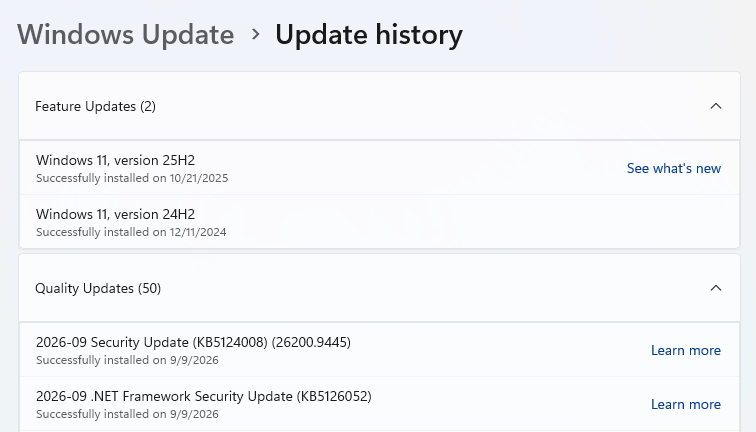
These updates fix security problems and help keep your Windows PC protected. Here’s how to make sure you’re up to date:

  • Click the Start button, then open Settings.
  • Select Windows Update (usually at the bottom of the menu on the left).
  • Click Check for updates. Windows will search for the latest security updates. If you’ve enabled Get the latest updates as soon as they’re available under More options, you may be prompted to restart immediately to complete the update. Otherwise, continue to the next step.
Windows 11 up to date
  • If updates are available, they’ll start downloading automatically. When they’re ready, click Install or Restart now if prompted. Your computer may need a restart to finish the update.
  • After restarting, go back to Windows Update and check again. If it says You’re up to date, you’re all set.
    Windows up to date

Technical details

The unusually large batch also includes high-severity remote-code-execution vulnerabilities in Windows DNS Server and Remote Desktop Services, as well as fixes affecting Exchange Server, SharePoint, SQL Server, Office, and core Windows components.

Let’s take a closer look at the two zero-day vulnerabilities. Microsoft classifies a vulnerability as a zero-day if it was publicly disclosed or actively exploited before an official fix became available.

The first is a Windows Update Stack elevation-of-privilege (EoP) vulnerability with a CVSS score of 7.8 out of 10, tracked as CVE-2026-81963. The description says:

“Improper link resolution before file access (‘link following’) in Windows Update Stack allows an authorized attacker to elevate privileges locally.”

This means Windows can be persuaded to open or modify the wrong file because it follows a shortcut-like pointer without properly checking where that pointer leads. Microsoft says attackers exploited the bug before a patch was available.

The second zero-day, tracked as CVE-2026-85880, also has a CVSS score of 7.8 out of 10. Microsoft describes it as:

“heap-based buffer overflow in Windows ALPC allows an authorized attacker to elevate privileges locally.”

Microsoft says an attacker who can execute code in a low-privilege AppContainer could exploit the vulnerability locally to escape the sandbox and elevate their privileges on the affected system. No additional user interaction is required.

Windows ALPC is an internal messaging system in the Windows operating system that allows different programs on the same computer to communicate with each other quickly.

A buffer overflow occurs when an area of memory within a software application reaches its boundary and data spills into an adjacent memory region. The heap is a region of memory used for dynamic memory allocation.

These are not the kinds of bugs a typical victim triggers merely by opening a malicious document or visiting a website. But local privilege escalation is a critical part of many attack chains: After malware runs with limited rights, a SYSTEM-level exploit can help an intruder disable defenses, access protected data, establish persistence, or move through a network.


From reporting threats to removing them.

Cybersecurity risks should never spread beyond a headline. Keep threats off your devices by downloading Malwarebytes today.

  • ✇Malwarebytes
  • Two critical Chrome flaws put users at risk on malicious websites
    Update September 4, 2026 Shortly after this article was published, Google released another Chrome update that patches an actively exploited flaw in the V8 JavaScript engine, tracked as CVE-2026-85046. Google rates the vulnerability as high severity and says an exploit already exists in the wild. An attacker could use a crafted HTML page to execute arbitrary code inside the Chrome sandbox. Because it is already being exploited, HKCERT rates the overall risk as extremely high. After ins
     

Two critical Chrome flaws put users at risk on malicious websites

2 de Setembro de 2026, 08:15

Update September 4, 2026

Shortly after this article was published, Google released another Chrome update that patches an actively exploited flaw in the V8 JavaScript engine, tracked as CVE-2026-85046.

Google rates the vulnerability as high severity and says an exploit already exists in the wild. An attacker could use a crafted HTML page to execute arbitrary code inside the Chrome sandbox. Because it is already being exploited, HKCERT rates the overall risk as extremely high.

After installing the latest update, Chrome should be at version 152.0.7977.82/.83 on Windows and Mac, or 152.0.7977.82 on Linux.

Chrome is rolling out an update for its desktop browser. The update includes 26 security fixes, two of which Google rates as critical use-after-free vulnerabilities.

How to update Chrome

If you don’t want to wait for the rollout to reach you, manually updating is easy.

The easiest option is to allow Chrome to update automatically. But you can end up lagging behind if you never close your browser or if something goes wrong with the update.

To update manually, click the More menu (three dots), then go to Settings > About Chrome. If an update is available, Chrome will start downloading it automatically. Restart Chrome to complete the update, and you’ll be protected against these vulnerabilities.

You can find an explanation of the version numbering system and step-by-step instructions in our guide: How to update Chrome on every operating system.

Technical details

Let’s look at the two critical vulnerabilities. Both are use-after-free (UAF) vulnerabilities. A use-after-free vulnerability occurs when a program attempts to access a memory location after it has been freed. That can cause crashes or, in some cases, allow an attacker to run their own code.

The first, tracked as CVE-2026-84353, was found in Shared Tab Groups and could allow a remote attacker using social engineering to execute arbitrary code outside the browser sandbox via a crafted HTML page. Here, social engineering likely means an attacker would have to lure you to a malicious website or open an email in HTML format.

The other critical vulnerability, tracked as CVE-2026-84352, was found in WebGL. WebGL, short for Web Graphics Library, is a browser technology that lets websites display interactive 2D and 3D graphics. The vulnerability could allow a remote attacker to execute arbitrary code outside the sandbox via a crafted HTML page.

Chrome vulnerabilities that enable remote code execution outside the browser sandbox are particularly valuable to attackers because they can turn a visit to a malicious or compromised website into direct code running on the underlying operating system, often without requiring additional exploitation steps.


Stop threats before they can do any harm.

Malwarebytes Browser Guard blocks phishing pages and malicious sites automatically. Free, one click to install. Add it to your browser →

❌
❌