
Visualização normal

Antes de ontemMalwarebytes
  • ✇Malwarebytes
  • StreamRat Android malware spreads through Meta and TikTok ads
    A malicious advertising campaign promoting a fake free TV-streaming service reached roughly 570,000 Meta users. The researchers who discovered the campaign found that its streaming-themed ads were aimed at Spanish-speaking users, with most observed victims located in Spain. One Meta campaign ran from June 11 through July 3, 2026, and the same banners were also used to distribute the malware through TikTok. The available data shows the ads’ reach, not the number of downloads or infections,
     

StreamRat Android malware spreads through Meta and TikTok ads

3 de Setembro de 2026, 13:04

A malicious advertising campaign promoting a fake free TV-streaming service reached roughly 570,000 Meta users.

The researchers who discovered the campaign found that its streaming-themed ads were aimed at Spanish-speaking users, with most observed victims located in Spain. One Meta campaign ran from June 11 through July 3, 2026, and the same banners were also used to distribute the malware through TikTok.

The available data shows the ads’ reach, not the number of downloads or infections, but it demonstrates how quickly paid advertising can put a scam in front of a very large audience.

The ads promoted an Android banking Trojan and infostealer called StreamRat. It can monitor what’s on screen, capture information typed into apps, show convincing fake screens to steal usernames and passwords, and allow attackers to control the device remotely.

We often warn people not to click suspicious links in unexpected texts or emails. But malicious advertising is harder to recognize because it appears in the same feeds where people expect to find promotions, videos, and recommendations.

This campaign is a perfect demonstration of why “after-the-fact” ad checks are inadequate when it comes to protecting social media users. Attackers used familiar social media advertising and carefully tailored instructions to turn casual interest in free entertainment into a risky app installation.

How the attack worked

The ad led victims to a website posing as a streaming platform. The site checked whether a visitor was using Android. Non-Android visitors were simply prevented from downloading anything, while Android users were shown an app download option. This is a common way for scammers to concentrate their efforts on devices their malware can infect.

The site also identified whether someone had arrived through Instagram, TikTok, Facebook, or a regular browser. It then displayed instructions suited to that situation, including steps to allow the browser to install apps from “unknown sources.” In other words, this was not a generic malicious download page: It was designed to coach people through the security warnings that would normally make them stop and think.

StreamRat is an Android banking Trojan and infostealer. It can monitor what’s on screen, capture information typed into apps, show convincing fake screens to collect usernames and passwords, and enable attackers to operate the device remotely. The researchers also found options to cover the screen with a black page or fake Android update screen. These can distract victims while criminals interact with the phone behind the scenes.

How to stay safe

While this campaign targeted Spanish-speaking people, primarily in Spain, the following guidelines can help anyone avoid similar attacks.

  • Avoid installing Android apps from ads, direct-download websites, social media messages, sponsored search results, or links sent by strangers.
  • Download apps through Google Play whenever possible, and check the developer’s name, reviews, and app history rather than relying on an ad.
  • Before enabling installation from “unknown sources,” read our guide, Sideloading on Android: What it is, why it’s risky, and how to do it more safely.
  • Be very cautious when an app asks for Accessibility access, screen-sharing permission, Device Admin privileges, or permission to become the default launcher. Permissions that don’t line up with the intended use of the app are very suspicious.
  • Use an up-to-date, real-time anti-malware solution on all your devices.

What to do if you installed a suspicious app

If you installed a suspicious APK and granted it Accessibility access, disconnect the phone from Wi-Fi and mobile data. If possible, revoke the app’s Accessibility access and remove it. Use another device to change relevant passwords and contact your bank if you used banking apps on the infected phone. A factory reset may be necessary if you cannot confidently remove the infection.

Malwarebytes for Android detects the components of StreamRat as Android/Trojan.Agent.ACRAEEF8A36H36, Android/Trojan.Agent.ACR02DB0614H7, and Android/Trojan.Dropper.ACR9B7ECE83D1.


Scammers know more about you than you think. 

Malwarebytes Mobile Security protects you from phishing, scam texts, malicious sites, and more. With real-time AI-powered Scam Guard built right in. 
Download for iOS → Download for Android → 

  • ✇Malwarebytes
  • Fake virus alerts are invading mobile games
    Sometimes it happens. You’re happily playing a game on your phone or laptop when suddenly alarms pop up out of nowhere: “Your device is infected!” “Your iCloud is full!” “Your account is restricted for watching porn!” Some games can be played for free if you agree to watch ads, and in others you can get extra lives, perks, or boosters by watching ads. That’s fine, as long as you’re given a choice and the ads are legitimate. Unfortunately, cybercriminals sometimes manage to buy adv
     

Fake virus alerts are invading mobile games

2 de Junho de 2026, 06:03

Sometimes it happens. You’re happily playing a game on your phone or laptop when suddenly alarms pop up out of nowhere:

“Your device is infected!”

“Your iCloud is full!”

“Your account is restricted for watching porn!”

Some games can be played for free if you agree to watch ads, and in others you can get extra lives, perks, or boosters by watching ads. That’s fine, as long as you’re given a choice and the ads are legitimate.

Unfortunately, cybercriminals sometimes manage to buy advertising space and use it to defraud gamers.

Let’s look at some examples.

The iCloud storage scam, or its OneDrive equivalent, is a well-known and long-running scam that claims you need to expand your storage or all your files will be deleted. The websites these messages link to come in many forms, but they all ask for personal and payment details to complete the upgrade.

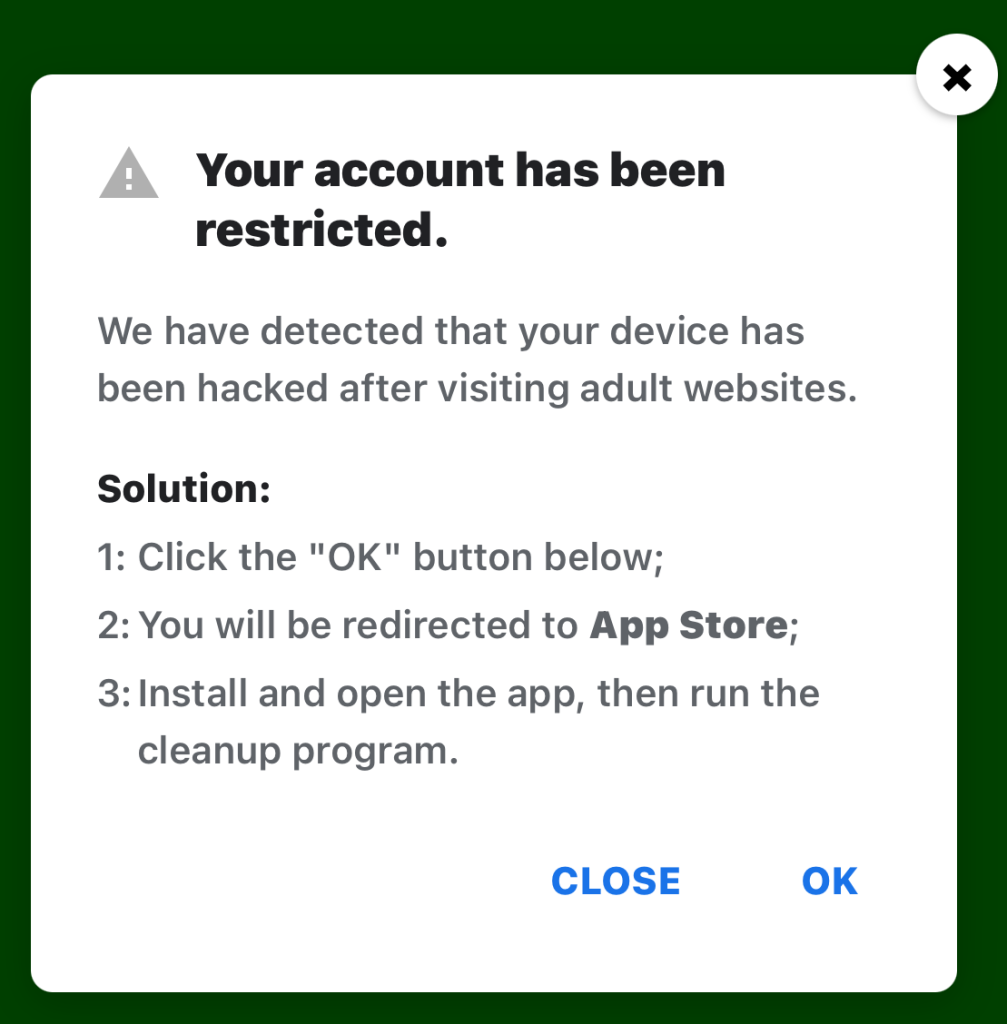
Restricted account

“Your account has been restricted.
We have detected that your device has been hacked after visiting adult websites.
Solution:
1:Click the “OK” button below;

2:You will be redirected to App Store;

3:Install and open the app, then run the cleanup program.”

This ad is a scam and uses a classic scare tactic. It falsely claims your device has been hacked and tries to pressure you into clicking “OK” and installing a cleanup app.

Messages like this sometimes claim to be from your ISP, a “Security Department,” or a generic “Safety Center.”

 Fake Apple security alert

“Apple Security Alert
8 viruses have been detected on your iPhone. Now iOS is damaged by 72%. Further damage to the system will result in device lockup and loss of all data within two minutes.
Please click the button below to remove all viruses.”

This is another fake warning, commonly used by scammers to trick users into clicking links or downloading unnecessary or harmful software. Apple doesn’t send alerts like this, and these messages use vague threats to get your attention.

What kind of app you’re really installing if you follow the instructions depends on your device and your location. If you’re “lucky,” it’s just adware, but you might just as easily end up with an infostealer.

In many cases, you’ll end up with fleeceware, a type of deceptive mobile app where developers lure users in with short free trials that quickly convert into hidden subscription fees, sometimes costing hundreds of dollars per month. These apps often offer some functionality to stay on the barely legal side of things, but at wildly inflated prices.

How to stay safe

The best response to these messages is simply to ignore them.

Real system alerts come from the OS, not from inside a game window or browser tab. Here’s a simple test: If you can switch apps and the “warning” disappears with the browser/game, it was not a system‑level alert.

Check the destination URLs before proceeding. Apple, Google, and major ISPs use predictable domains. A familiar-looking URL is not proof that a message is legitimate, but if the URL looks suspicious, it should definitely be treated as a scam.


Scam or legit? Scam Guard knows.


You may arrive at something that looks like the official App Store or Google Play Store. Be wary of lookalike app stores and unofficial download sites, but if you are on the real store, the app is generally safer to install. However, it’s still worth checking reviews, permissions, and the developer before proceeding.

Visit the official website of the organization the message claims to be from and log in there. If there’s a genuine problem with your account, storage, or device, you’ll find information about it through official channels.

Use an up-to-date, real-time anti-malware solution on your devices that can detect and block malicious apps.


Scammers know more about you than you think. 

Malwarebytes Mobile Security protects you from phishing, scam texts, malicious sites, and more. With real-time AI-powered Scam Guard built right in. 

Download for iOS → Download for Android → 

❌
❌