Visualização normal

Antes de ontemMalwarebytes
  • ✇Malwarebytes
  • Patch Tuesday: Update now to fix 421 flaws, including three zero-days
    Microsoft’s August 2026 Patch Tuesday addresses 421 Microsoft vulnerabilities, including 62 rated Critical. One Windows vulnerability has been exploited in the wild by the Lazarus group to gain SYSTEM privileges. The August update is smaller than July’s record-breaking release, but it’s still among Microsoft’s largest Patch Tuesday batches. More importantly, it includes several flaws likely to attract attacker interest: a publicly disclosed Windows privilege escalation flaw with a proof-of-co
     

Patch Tuesday: Update now to fix 421 flaws, including three zero-days

12 de Agosto de 2026, 10:48

Microsoft’s August 2026 Patch Tuesday addresses 421 Microsoft vulnerabilities, including 62 rated Critical. One Windows vulnerability has been exploited in the wild by the Lazarus group to gain SYSTEM privileges.

The August update is smaller than July’s record-breaking release, but it’s still among Microsoft’s largest Patch Tuesday batches. More importantly, it includes several flaws likely to attract attacker interest: a publicly disclosed Windows privilege escalation flaw with a proof-of-concept (PoC), a newly completed unauthenticated SharePoint remote code execution (RCE) chain, and a potentially wormable Windows DNS Server flaw.

How to apply patches and check if you’re protected

These updates fix security problems and help keep your Windows PC protected. Here’s how to make sure you’re up to date:

  • Click the Start button, then open Settings.
  • Select Windows Update (usually at the bottom of the menu on the left).
  • Click Check for updates. Windows will search for the latest security updates. If you’ve enabled Get the latest updates as soon as they’re available under More options, you may be prompted to restart immediately to complete the update. Otherwise, continue to the next step.
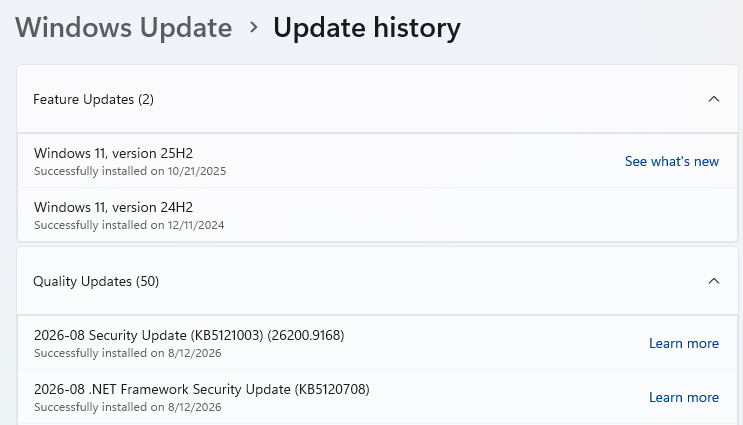
Windows update history - August 12, 2026
  • If updates are available, they’ll start downloading automatically. When they’re ready, click Install or Restart now if prompted. Your computer may need a restart to finish the update.
  • After restarting, go back to Windows Update and check again. If it says You’re up to date, you’re all set.
Windows up to date

Technical details

Windows Deployment Services (WDS) users should prioritize CVE-2026-62893 (CVSS score 9.8 out of 10), an unauthenticated RCE flaw in the TFTP (Trivial File Transfer Protocol) server. TFTP normally runs on UDP port 69 and has no built-in authentication. It is primarily an enterprise and school network issue, but it could enable lateral movement where WDS is deployed.

Microsoft also fixed CVE-2026-62832, a publicly disclosed elevation of privilege (EoP) vulnerability in the Windows User Profile Service. It maps to the issue researchers called LegacyHive, for which a limited public proof of concept was released in July.

The PoC demonstrates how a local authenticated attacker could abuse the service’s registry hive handling to load another user’s hive, potentially including an administrator’s. The released demonstration is deliberately constrained and requires credentials for another user, but the availability of code and the broad Windows footprint make this one a strong candidate for exploitation attempts.

Another good reason to promptly update is the number (I counted 48) of remote code execution (RCE) fixes for Office applications and components, including Excel, Word, Outlook, PowerPoint, and the Office graphics component. Document-borne vulnerabilities are attractive to phishing operators because email attachments and shared documents provide delivery mechanisms that people are likely to open.


CNET Editors' Choice Award 2026

“One of the best cybersecurity suites on the planet.” 

According to CNET. Read their review


  • ✇Malwarebytes
  • July 2026 Patch Tuesday fixes 622 Microsoft CVEs, including three zero-days
    Just one month ago, June 2026 Patch Tuesday broke Microsoft’s previous record with 206 CVEs and three zero‑days. July now triples that count, reinforcing that the era of “small” Patch Tuesdays may be over as AI‑driven vulnerability discovery ramps up. The update includes 59 critical vulnerabilities, as well as three publicly disclosed zero-days. Microsoft classifies these as zero-days because information about the vulnerabilities became public before patches were available. Two are known to b
     

July 2026 Patch Tuesday fixes 622 Microsoft CVEs, including three zero-days

15 de Julho de 2026, 09:21

Just one month ago, June 2026 Patch Tuesday broke Microsoft’s previous record with 206 CVEs and three zero‑days. July now triples that count, reinforcing that the era of “small” Patch Tuesdays may be over as AI‑driven vulnerability discovery ramps up.

The update includes 59 critical vulnerabilities, as well as three publicly disclosed zero-days. Microsoft classifies these as zero-days because information about the vulnerabilities became public before patches were available. Two are known to be actively exploited by attackers.

How to apply patches and check if you’re protected

These updates fix security problems and keep your Windows PC protected. Here’s how to make sure you’re up to date:

1. Open Settings

  • Click the Start button, then open Settings.

2. Go to Windows Update

  • Select Windows Update (usually at the bottom of the menu on the left).

3. Check for updates

  • Click Check for updates. Windows will search for the latest security updates.
  • If you’ve enabled Get the latest updates as soon as they’re available under More options, you may be prompted to restart immediately. If so, restart your computer to complete the update. Otherwise, continue to the next step.
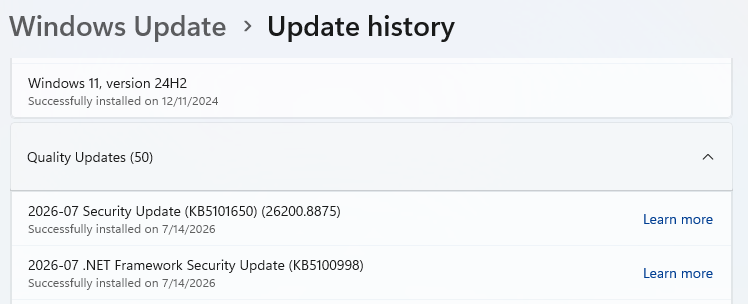
    Windows Update History for July 2026

4. Download and install

  • If updates are available, they’ll start downloading automatically. When they’re ready, click Install or Restart now if prompted. Your computer may need a restart to finish the update.

5. Double-check you’re up to date

  • After restarting, go back to Windows Update and check again. If it says You’re up to date, you’re all set.
Windows is up to date

Technical details

Let’s look at the three zero-days.

First is a Windows BitLocker security feature bypass vulnerability, tracked as CVE-2026-50661. It is not known to be actively exploited. Microsoft describes it as:

“Protection mechanism failure in Windows BitLocker allows an unauthorized attacker to bypass a security feature with a physical attack.”

In other words, even if you’ve encrypted your machine with BitLocker, an attacker could exploit this vulnerability to access your data if they have physical access to your computer.

Next is the actively exploited CVE-2026-56155, an Active Directory Federation Services (ADFS) elevation of privilege (EoP) vulnerability. ADFS is a Microsoft software component that provides single sign-on (SSO) and federated access. It acts as a trust broker between an organization’s Active Directory and applications. An attacker who successfully exploited this vulnerability could gain administrator privileges. Reportedly, Microsoft discovered the vulnerability while investigating active attacks.

Last but not least is CVE-2026-56164, a Microsoft SharePoint Server elevation of privilege vulnerability. SharePoint Server is the on-premises version of Microsoft’s web-based collaboration and document management platform. A missing authentication check in Microsoft Office SharePoint could allow an attacker to elevate privileges over a network.

Both actively exploited vulnerabilities have been added to the Cybersecurity and Infrastructure Security Agency (CISA) Known Exploited Vulnerabilities (KEV) Catalog, which sets patch deadlines for Federal Civilian Executive Branch (FCEB) agencies. CISA has also urged organizations using SharePoint Server to implement hardening measures after the latest exploitations.


CNET Editors' Choice Award 2026

“One of the best cybersecurity suites on the planet.” 

According to CNET. Read their review


  • ✇Malwarebytes
  • Microsoft’s biggest-ever Patch Tuesday fixes 206 bugs, including 3 zero-days
    This month’s Patch Tuesday fixes 206 security flaws in Microsoft software, making it the biggest Patch Tuesday release ever. The update includes 32 critical vulnerabilities, as well as three publicly disclosed zero-days. Microsoft classifies these as zero-days because information about the vulnerabilities became public before patches were available. None are known to have been actively exploited by attackers. The huge number of fixed vulnerabilities makes this the largest Patch Tuesday sin
     

Microsoft’s biggest-ever Patch Tuesday fixes 206 bugs, including 3 zero-days

10 de Junho de 2026, 09:43

This month’s Patch Tuesday fixes 206 security flaws in Microsoft software, making it the biggest Patch Tuesday release ever.

The update includes 32 critical vulnerabilities, as well as three publicly disclosed zero-days. Microsoft classifies these as zero-days because information about the vulnerabilities became public before patches were available. None are known to have been actively exploited by attackers.

The huge number of fixed vulnerabilities makes this the largest Patch Tuesday since Microsoft launched the program in October 2003. The company introduced the monthly update schedule after the Blaster worm caused disruption in the early days of Windows.

How to apply patches and check if you’re protected

These updates fix security problems and keep your Windows PC protected. Here’s how to make sure you’re up to date:

1. Open Settings

  • Click the Start button (the Windows logo at the bottom left of your screen).
  • Click on Settings (it looks like a little gear).

2. Go to Windows Update

  • In the Settings window, select Windows Update (usually at the bottom of the menu on the left).

3. Check for updates

  • Click the button that says Check for updates.
  • Windows will search for the latest Patch Tuesday updates.
  • If you have selected to get the latest updates as soon as they’re available, you may see this under More options.
    In which case you may see a Restart required message. Restart your system and the update will complete.
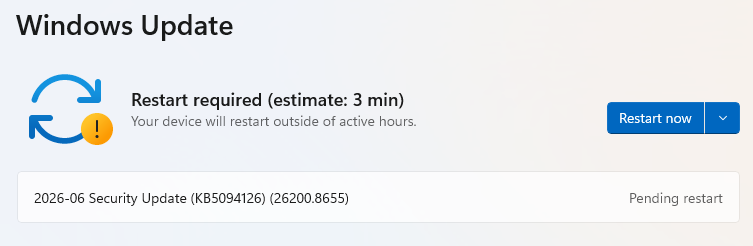
    restart required
  • If not, continue with the steps below.

4. Download and install

  • If updates are found, they’ll start downloading automatically. Once complete, you’ll see a button that says Install or Restart now.
  • Click Install if needed and follow any prompts. Your computer will usually need a restart to finish the update. If it does, click Restart now.

5. Double-check you’re up to date

  • After restarting, go back to Windows Update and check again. If it says You’re up to date, you’re all set!
Windows up to date

Technical details

One publicly disclosed vulnerability is important to mention. This flaw in Windows BitLocker is tracked as CVE-2026-50507 (CVSS score: 6.8 out of 10) and its description states:

“a protection mechanism failure in Windows BitLocker allows an unauthorized attacker to bypass a security feature with a physical attack.”

BitLocker is a built-in Windows security feature that encrypts your entire hard drive, securing your data from unauthorized access if your device is lost or stolen. However, this vulnerability could allow an attacker with physical access to bypass BitLocker Device Encryption and gain access to encrypted data.

Another is CVE-2026-49160 (CVSS score: 7.5 out of 10) in HTTP.sys. This vulnerability can be exploited to launch a remote denial-of-service attack against major web servers using a technique called HTTP/2 Bomb.

The third to discuss is CVE-2026-45586 (CVSS score: 7.8 out of 10) in the Windows Collaborative Translation Framework (CTFMON). An attacker who successfully exploited this vulnerability could gain SYSTEM privileges. These elevation of privilege (EoP) vulnerabilities are especially valuable to attackers because they can be combined with other flaws to gain full control of a compromised system.


We don’t just report on threats—we remove them

Cybersecurity risks should never spread beyond a headline. Keep threats off your devices by downloading Malwarebytes today.

❌
❌