❌

Visualização normal

Antes de ontemCyber Security News
  • ✇Cyber Security News
  • GitHub Launches Copilot Fusion for Smarter and Cheaper AI Coding Abinaya
    GitHub has launched Copilot Fusion, a system that automatically selects AI models for coding tasks, helping developers balance code quality, speed, and cost. Instead of choosing a model for every request, users select Fusion and let it decide how to handle the work. It is generally available in Visual Studio Code, Copilot CLI, the GitHub Copilot app, and JetBrains IDEs. Fusion is a model router and coordinator, not a new standalone model. It checks each request for reasoning, code generati
     

GitHub Launches Copilot Fusion for Smarter and Cheaper AI Coding

29 de Outubro de 2026, 07:06

GitHub has launched Copilot Fusion, a system that automatically selects AI models for coding tasks, helping developers balance code quality, speed, and cost.

Instead of choosing a model for every request, users select Fusion and let it decide how to handle the work. It is generally available in Visual Studio Code, Copilot CLI, the GitHub Copilot app, and JetBrains IDEs.

Fusion is a model router and coordinator, not a new standalone model. It checks each request for reasoning, code generation, debugging, and tool needs, then chooses the models and steps needed to produce one final answer. It also considers system health and model availability when making those choices.

Fusion uses three execution patterns. In Single mode, one model completes the task. Cascade starts with an efficient model, then uses a judge to inspect the draft and decide whether a stronger model should take over.

Critique sends a draft to several models for independent reviews before the original model revises its answer using their combined feedback.

These patterns can change within the same conversation. A simple request may use one model, while a difficult follow-up may trigger extra review.

GitHub Launches Copilot Fusion

GitHub says choosing a pattern adds little delay, although Cascade and Critique take longer because they involve additional model calls. Developers can follow progress and inspect which models contributed to the final response.

Fusion Standard selects one model for everyday work. Fusion High supports larger, clearly defined tasks, including difficult bug fixes and changes across several files.

Fusion Max targets work needing deeper reasoning. Fusion Fast serves speed-sensitive requests in Visual Studio Code inline chat and cannot be selected directly by users.

According to GitHub’s documentation, paid Copilot users get a 30% discount on Fusion model costs through November 30, 2026, though High and Max can consume more AI credits than Standard.

Fusion keeps the main conversation on the same model where possible to preserve cached tokens. Supporting models receive only the context they need.

Model selection also follows subscription limits, administrator restrictions, data residency rules, and FedRAMP requirements. Supported local models can participate through Fusion Standard in a public preview.

Extra AI review should not be mistaken for a security guarantee. Earlier reporting on GitHub Copilot prompt injection and the RoguePilot repository takeover flaw shows why untrusted project content remains a concern. Both issues were patched, and neither report establishes a vulnerability in Fusion.

GitHub also warns that discarding a draft does not automatically undo file edits that draft already made. Developers must review workspace changes before committing them. Fusion works separately from subagents and doesn’t launch them, so its role is coordination rather than independent agent management.

Give your SOC the alert context to stops incidents quickly. Integrate Threat Intel from 16K SOCs.

The post GitHub Launches Copilot Fusion for Smarter and Cheaper AI Coding appeared first on Cyber Security News.

  • ✇Cyber Security News
  • Microsoft Unveils New OneDrive Command-Line Tool to Manage Sync Deployments Guru Baran
    Microsoft has introduced a new command-line tool that gives IT admins a faster way to check and manage OneDrive sync across company devices. Microsoft introduced the OneDrive Sync Client Command Line Interface (CLI) at the OneDrive + Copilot event held today. It is aimed at teams that look after large Microsoft 365 setups. The tool runs with a simple command called odsync and can be used from PowerShell. In the live demo, Microsoft’s Andrey Esipov showed how admins can pull detailed device he
     

Microsoft Unveils New OneDrive Command-Line Tool to Manage Sync Deployments

21 de Outubro de 2026, 06:38

Microsoft has introduced a new command-line tool that gives IT admins a faster way to check and manage OneDrive sync across company devices. Microsoft introduced the OneDrive Sync Client Command Line Interface (CLI) at the OneDrive + Copilot event held today. It is aimed at teams that look after large Microsoft 365 setups.

The tool runs with a simple command called odsync and can be used from PowerShell. In the live demo, Microsoft’s Andrey Esipov showed how admins can pull detailed device health information without clicking through settings screens or digging through log files.

According to the demo, the CLI lists every OneDrive account set up on a device, including machines with more than one account, and it can narrow the results down to a single account. It also shows the version of both the sync client and the CLI, whether OneDrive is running, and how it was installed on the system.

Admins can also see Folder Backup settings, including which folders are being backed up to the cloud. One of the most useful features for security teams is the ability to view the Group Policy settings applied to the sync client. This helps confirm that a device actually follows company rules.

The tool also reports overall status at the client, account, and Folder Backup level. When something goes wrong, admins can switch on verbose output for deeper troubleshooting.

Built for Scripts, Automation and AI Agents

A key detail is that the CLI can return results in JSON format. This makes it easy to plug the output into scripts, Microsoft Intune remediation jobs, or reporting tools. Microsoft says the tool works in both interactive and non-interactive modes. It is designed for admins, developers, scripts, and AI agents such as GitHub Copilot CLI.

For example, an admin could run a script across many devices to spot machines where Folder Backup is turned off or where OneDrive is not running at all. Until now, this kind of check often needed custom scripts, registry checks, or third-party utilities.

OneDrive sync is a common blind spot in many companies. Settings that drift away from policy can leave sensitive files outside approved storage or sync them to places they should never reach.

Cyber Security News has earlier reported how OneDrive auto-sync exposed enterprise secrets in SharePoint Online, showing how small sync mistakes can grow into real data leaks. Threat actors have also abused the sync client itself, as seen when hackers exploited OneDrive.exe through DLL sideloading to run malicious code.

A tool that quickly shows the sync client’s real state on each device gives defenders better visibility. It also helps them catch weak setups before they turn into security incidents.

The OneDrive Sync CLI is not yet generally available. Microsoft says it is coming soon to private preview. The company has not shared a public release date, the supported platforms, or a full list of commands. Based on what has been shown so far, the tool focuses on reading and reporting device state rather than changing settings.

Admins who want to get ready can review Microsoft’s guidance on planning file sync for SharePoint and OneDrive and watch the official OneDrive sync release notes for updates.

Update defenses against new malware as soon as it appears. Integrate TI Feeds with data from 16K SOCs.

The post Microsoft Unveils New OneDrive Command-Line Tool to Manage Sync Deployments appeared first on Cyber Security News.

  • ✇Cyber Security News
  • Revolut Outage Disrupts Payments and Banking Services as Google Cloud Reports London Issues Guru Baran
    Revolut suffered a major service outage on Tuesday, October 20, 2026, disrupting payments, cash withdrawals, and access to its banking app. The digital bank said customer money and data remained safe while engineers worked to restore affected services. The disruption came as Google Cloud reported problems in its London region. Reuters reported that a person familiar with the matter linked Revolut’s outage to the Google Cloud disruption. Google said its engineering team was investigating an is
     

Revolut Outage Disrupts Payments and Banking Services as Google Cloud Reports London Issues

20 de Outubro de 2026, 08:37

Revolut suffered a major service outage on Tuesday, October 20, 2026, disrupting payments, cash withdrawals, and access to its banking app. The digital bank said customer money and data remained safe while engineers worked to restore affected services. The disruption came as Google Cloud reported problems in its London region.

Reuters reported that a person familiar with the matter linked Revolut’s outage to the Google Cloud disruption. Google said its engineering team was investigating an issue affecting europe-west2, its London cloud region. The reports did not establish the technical cause or provide a confirmed recovery time.

Banking Services Face Widespread Disruption

The outage affected everyday banking tasks rather than a single app feature. Revolut’s status page listed 28 services as partially unavailable, including account sign-ins, card payments, transfers, currency exchange, stock trading and live support chat. Reuters also reported disruption to ATM withdrawals.

For customers, that meant problems could extend beyond opening the app. An affected card payment could interrupt a purchase, while unavailable transfers or cash withdrawals could limit access to funds. Disruption to support chat also affected a channel customers would normally use to ask about payment failures or account access.

“We are currently experiencing a service disruption affecting multiple services. We can confirm that all our customers’ money and data are safe,” Revolut said. The company added that it had been working to fix the issue since identifying it that morning and apologized to affected customers.

The reported connection to Google Cloud places the focus on service availability and cloud dependencies. However, neither the Reuters report nor Revolut’s quoted statement identified malware, ransomware or an intrusion as the cause. The available evidence supports reporting this as an outage, not a confirmed cyberattack or data breach.

A banking service can become unavailable without customer records being stolen. Revolut’s statement addresses the safety of funds and data, while the service reports describe problems accessing banking functions. These are separate questions, and an investigation would need to establish what failed before assigning a more specific cause.

Previous incidents show why the underlying failure matters. Cybersecurity News covered a Google Cloud outage linked to its API management system in June 2025. That incident involved a software failure affecting request processing across services. There is no evidence in the reports reviewed that Tuesday’s disruption shares that cause.

The publication also reported Google Cloud’s accidental deletion of UniSuper’s private cloud account in 2024. Recovery involved rebuilding services and using backups held with another provider. That case offers a separate example of how cloud failures can disrupt financial services, rather than evidence explaining the current Revolut incident.

At the stage described in the cited reports, Google was investigating, and Revolut was working to restore service. Neither report supplied a complete technical explanation or a confirmed time for full recovery. Any later update should distinguish restored functions from services that remain partly unavailable.

For security and operations teams, the immediate issue is understanding the scope of the disruption without confusing downtime with compromise. The unanswered questions include which cloud component failed, how that failure affected Revolut’s services, and whether recovery measures restored all affected functions for affected customers. Those details will determine what lessons can reasonably be drawn from this incident.

An EDR alert reveals an attack. But can it tell the full story? Discover how to reconstruct the attack timeline.

The post Revolut Outage Disrupts Payments and Banking Services as Google Cloud Reports London Issues appeared first on Cyber Security News.

  • ✇Cyber Security News
  • Microsoft Confirms October Windows Updates Can Break Exchange Server Email Services Guru Baran
    Microsoft has confirmed that Windows Server security updates released on October 13, 2026, can disrupt Exchange Server email services, blocking webmail access and leaving messages undelivered. The issue affects some on-premises systems running Exchange Server 2016, Exchange Server 2019, and Exchange Server Subscription Edition. Microsoft has published a workaround and advises administrators not to uninstall the Windows updates. The failures stem from changes in Windows Server, not the sepa
     

Microsoft Confirms October Windows Updates Can Break Exchange Server Email Services

19 de Outubro de 2026, 00:39

Microsoft has confirmed that Windows Server security updates released on October 13, 2026, can disrupt Exchange Server email services, blocking webmail access and leaving messages undelivered.

The issue affects some on-premises systems running Exchange Server 2016, Exchange Server 2019, and Exchange Server Subscription Edition. Microsoft has published a workaround and advises administrators not to uninstall the Windows updates.

The failures stem from changes in Windows Server, not the separate October Exchange Server security updates. Servers can experience problems even without installing the latest Exchange patches, making the underlying operating system update the key factor when investigating these outages.

Affected Updates and Exchange Server Symptoms

Microsoft identified four Windows updates linked to the failures. These are KB5126646 for Windows Server 2025, KB5126655 for Windows Server 2022, KB5126651 for Windows Server 2019, and KB5126868 for Windows Server 2016. The impact depends on server workload, and some systems may never develop symptoms.

Users may be unable to sign in to Outlook on the web, while messages sent through Outlook remain stuck in the Outbox. Administrators may notice growing mail queues, failed mailbox access during replication, or problems with Database Availability Group members reaching quorum. Restarting an affected server may restore service temporarily.

One error administrators should watch for is MapiExceptionMdbOffline: Unable to make connection to the server. (hr=0x80004005, ec=1142). Affected systems may also record Event ID 1006 in the Application log, providing a useful sign when checking whether an outage matches Microsoft’s report.

According to Microsoft’s Windows release health notice, the October updates introduced a default limit of 512 simultaneous Endpoint Lookup calls. This limit controls memory use by Endpoint Mapper, a Windows component involved in remote procedure call communications. Heavy Exchange workloads can exceed the default allowance.

Increasing the limit allows Endpoint Mapper to use more memory to handle these calls. Microsoft currently lists the issue as mitigated rather than resolved and says its investigation remains ongoing. An additional mitigation is available through Microsoft Support for affected organizations.

Microsoft’s Registry Workaround

Microsoft’s Exchange Team advisory instructs administrators to open an elevated Command Prompt on the Exchange server and run reg add "HKLM\SOFTWARE\Microsoft\Rpc" /v EpmapSavedContextCap /t REG_DWORD /d 65536 /f. The server must then be restarted.

After the reboot, administrators should monitor the environment for recurring failures. Microsoft says the limit should be raised further if problems return, although its advisory does not specify a second value. The company reports that this approach has resolved the issue in customer cases it has handled.

Keeping security updates installed remains important. Cybersecurity News recently covered Microsoft’s reissued Exchange Server security update, highlighting the continuing need for supported patches.

The disruption also arrives as Exchange 2016 and 2019 approach the end of their final paid update period. Following earlier reporting on out-of-support Exchange servers, Microsoft says October 2026 marks their last scheduled ESU security release, with future updates limited to Subscription Edition.

An EDR alert reveals an attack. But can it tell the full story? Discover how to reconstruct the attack timeline.

The post Microsoft Confirms October Windows Updates Can Break Exchange Server Email Services appeared first on Cyber Security News.

  • ✇Cyber Security News
  • Microsoft Fixes Windows 11 Update Issue that Causes Black Screen Errors or Windows Explorer crash Abinaya
    Microsoft fixed a Windows 11 update issue that could leave users staring at a black screen after signing in or cause Windows Explorer to crash. The problem mainly affected Azure Virtual Desktop hosts using FSLogix, and some existing user profiles were more likely to fail to load the desktop. Microsoft marked the issue as resolved on October 13, 2026. The fix is included in KB5127646 for Windows 11 version 26H1 and later updates. Microsoft recommends installing the latest available update o
     

Microsoft Fixes Windows 11 Update Issue that Causes Black Screen Errors or Windows Explorer crash

15 de Outubro de 2026, 07:44

Microsoft fixed a Windows 11 update issue that could leave users staring at a black screen after signing in or cause Windows Explorer to crash.

The problem mainly affected Azure Virtual Desktop hosts using FSLogix, and some existing user profiles were more likely to fail to load the desktop. Microsoft marked the issue as resolved on October 13, 2026.

The fix is included in KB5127646 for Windows 11 version 26H1 and later updates. Microsoft recommends installing the latest available update on each device. Systems running the October 13 update or later no longer need the temporary workarounds for this issue.

According to Microsoft’s Windows release health notice, the problem began after the August 2026 non-security preview update, KB5120996. It continued through subsequent updates for Windows 11 version 26H1; that originating update carried OS Build 28000.2804.

Affected users could sign in but found their desktop session did not load automatically. Instead, a black screen appeared, leaving them unable to access the desktop until they started the session manually. Application event logs could also show Windows Explorer crashes, giving administrators a useful sign when checking affected systems.

Microsoft Fixes Windows 11 Update Issue

Microsoft lists Windows 11 versions 26H2, 26H1, 25H2, and 24H2 as affected client platforms. This issue does not affect Windows Server. Although reports mainly involved Azure Virtual Desktop environments using FSLogix, Microsoft did not describe every device running those Windows versions as affected.

Cybersecurity News previously covered the Windows 11 update bug causing black screens, including the temporary recovery steps available before this fix. The new resolution removes the need to rely on those measures once an affected device receives the appropriate update.

Users still running an update released before October 13 can temporarily restore desktop access by pressing Ctrl+Shift+Esc to open Task Manager. They can then select Run new task, enter explorer.exe, and choose OK. Microsoft provides this method as a workaround, not a replacement for installing the fix.

For enterprise-managed devices, administrators can also use Known Issue Rollback, or KIR, through a special Group Policy. The supplied notice identifies KB5124006 260924_20071 for Windows 11 26H1 and KB5124010 260924_20021 for Windows 11 26H2, 25H2, and 24H2.

Administrators must install and configure the policy that matches their Windows version, then restart affected devices. This turns off the change responsible for the issue.

Cybersecurity News also reported on another Windows 11 update fix that replaced a temporary rollback, showing why a workaround and a permanent update aren’t the same.

First, match the symptoms to Microsoft’s health notice and confirm the installed Windows version and update level. Reported signs include a black screen after sign-in, failure to load the desktop, and Windows Explorer crashes. The notice does not identify malware or an attack as the cause.

Microsoft’s Windows 11 release information lists KB5127646 as the October 13 security update for version 26H1, bringing it to Build 28000.3231. Administrators should use the update appropriate for each supported Windows release rather than assume the same package applies across every affected version

Update defenses against new malware as soon as it appears. Integrate TI Feeds with data from 16K SOCs.

The post Microsoft Fixes Windows 11 Update Issue that Causes Black Screen Errors or Windows Explorer crash appeared first on Cyber Security News.

Microsoft Exchange Admin Center Issue Blocks Web Portal Access to Admins With “Internal Server Error”

12 de Outubro de 2026, 07:52

Microsoft is investigating an Exchange admin center access issue that may prevent some administrators from opening the web portal used to manage Exchange Online. Affected admins may encounter an “Internal Server Error” message, according to the Microsoft 365 Status update provided for this report.

The company is tracking the incident under EX1500900 and has directed customers to the Microsoft 365 admin center for further information. The notice describes an access problem affecting some admins. It does not establish a global outage or confirm that users are unable to send and receive email.

“We’re investigating an issue in which some admins may be unable to access the Exchange admin center (EAC) and may encounter an ‘Internal Server Error’ message,” the supplied notice states.

Exchange Admin Center Issue

The Exchange admin center is Microsoft’s web-based console for managing Exchange Online. IT teams use it to manage mailboxes and groups, review mail flow reports, and handle migrations. Microsoft’s Exchange admin center documentation explains that available features depend on the administrator’s assigned roles and permissions.

Losing access can delay these tasks, particularly when teams need to review delivery problems or make urgent mailbox changes. However, an unavailable management portal does not, by itself, show that the underlying email service has stopped working. The supplied incident notice identifies admin access as the reported problem.

The brief announcement does not identify a root cause, affected regions, the number of impacted organizations, or a recovery timeline. It also does not announce a confirmed workaround. Those gaps mean the incident should not be described as a cyberattack or linked to a specific service change.

Administrators should check Health > Service health in the Microsoft 365 admin center and look for EX1500900. Microsoft’s service health guidance explains that this dashboard lists active incidents and advisories, with individual pages providing further details about each issue.

The Microsoft 365 Admin mobile app also supports service health updates and push notifications. This gives teams another way to follow Microsoft’s investigation without relying on the Exchange management interface itself. Updates should be checked against the incident record rather than inferred from reports about unrelated outages.

For essential work, Exchange Online PowerShell provides a separate command-line management interface. It supports Exchange Online administration, including security features. However, Microsoft’s supplied notice does not confirm that PowerShell is unaffected, so it should be treated as a possible alternative rather than a verified workaround.

Cybersecurity News previously covered a Microsoft Exchange admin center outage tracked as EX1051697. That incident involved HTTP 500 errors and reports of an alternative portal address helping some administrators. Those earlier findings do not establish a working fix for EX1500900.

The publication also reported a separate Exchange Online disruption tracked as EX1464935, which concerned broader service functionality. Its different incident number and reported impact underline why administrators should keep individual service events separate when assessing business disruption.

For now, the supported scope remains limited to the access failure described in the supplied announcement. Organizations should follow EX1500900 for confirmed impact, recovery progress, and any approved mitigation. Email delivery failures, if observed, need separate verification rather than being automatically attributed to this admin portal issue.

Cut every SOC alert investigation by 21 min. Power your SOC with instant IOC context for immediate response: Integrate TI Lookup into your SOC

The post Microsoft Exchange Admin Center Issue Blocks Web Portal Access to Admins With “Internal Server Error” appeared first on Cyber Security News.
  • ✇Cyber Security News
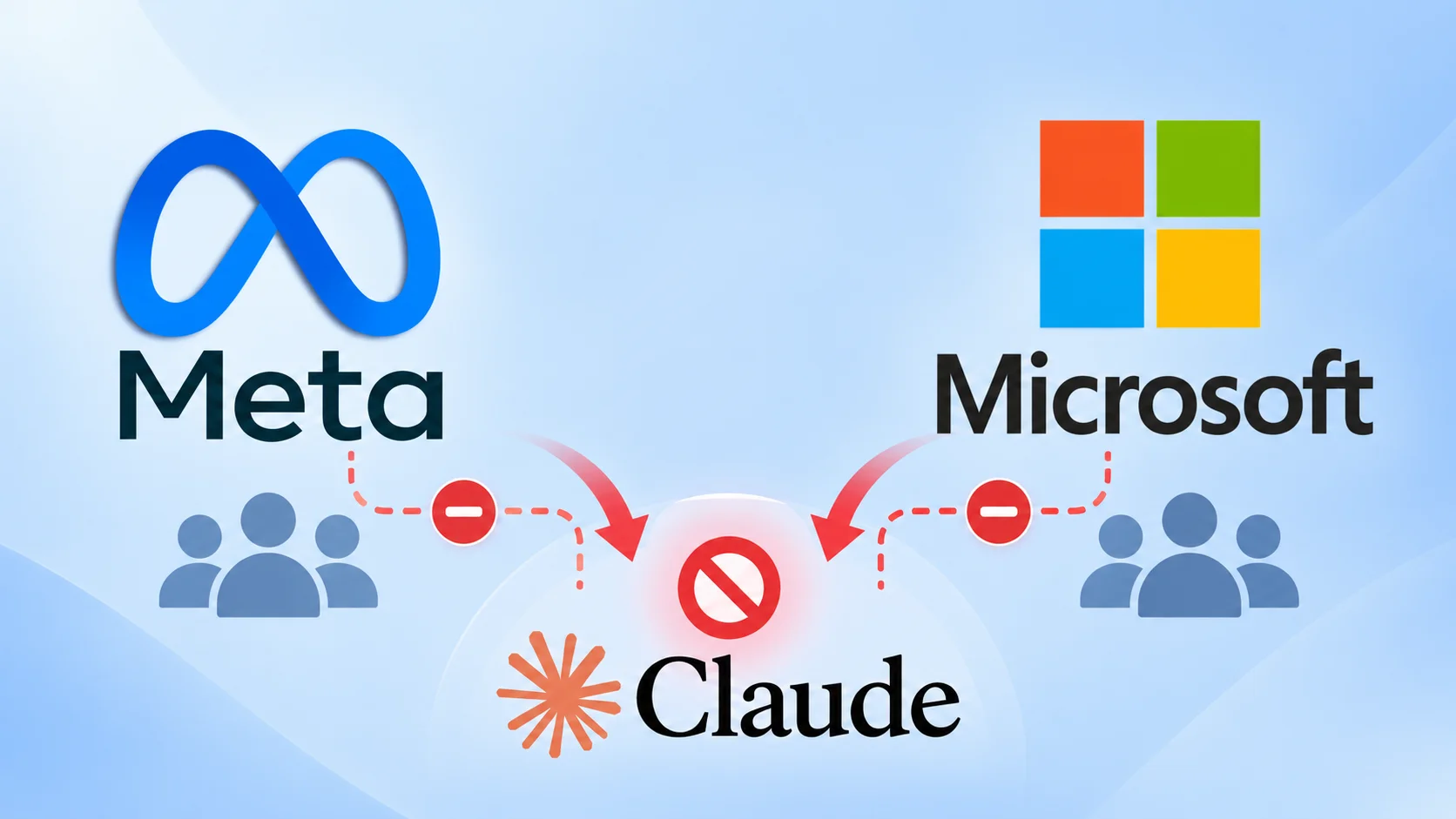
  • Meta and Microsoft are Actively Cutting Employee Use of Claude AI Guru Baran
    Meta and Microsoft are reducing employee use of Anthropic’s Claude AI while pushing their own coding tools, according to an October 5 report by The Information. The changes focus on internal spending and staff workflows, rather than ending customer access to Claude through Microsoft’s products. The shift highlights growing pressure to control AI costs as coding assistants become part of daily software work. Both companies remain major Anthropic customers, but they also compete with it. Their
     

Meta and Microsoft are Actively Cutting Employee Use of Claude AI

6 de Outubro de 2026, 07:23

Meta and Microsoft are reducing employee use of Anthropic’s Claude AI while pushing their own coding tools, according to an October 5 report by The Information. The changes focus on internal spending and staff workflows, rather than ending customer access to Claude through Microsoft’s products.

The shift highlights growing pressure to control AI costs as coding assistants become part of daily software work. Both companies remain major Anthropic customers, but they also compete with it. Their decisions show how AI spending, product strategy, and control over developer tools are becoming closely linked.

Microsoft Cuts AI Spending Limits

Microsoft previously expected internal spending on Anthropic technology to reach at least $1 billion annually. That projection has reportedly fallen by more than a third after leaders asked employees to reduce Claude use and rely more on Microsoft tools, including GitHub Copilot and OpenAI models.

Within Microsoft’s cloud and AI division, monthly AI spending limits reportedly dropped from $100,000 per employee to around $10,000 in most cases. These figures describe spending caps, not what every employee actually spent. The lower limits have frustrated some engineers who previously had greater freedom to test models.

The distinction matters: lower internal budgets do not mean Microsoft has removed Claude from customer products. Reports indicate that customer spending on Anthropic models through Microsoft’s enterprise platforms continues to grow, even as the company tightens its own employees’ use.

Meta Pushes Its Coding Tools

At Meta, Claude Code users reportedly fell from roughly 60,000 earlier this year to about 30,000. Layoffs contributed to the decline, but the report identifies Meta’s push toward its own AI tools as the larger factor. These include MetaCode and Muse Code, which use Meta models.

MetaCode reportedly had more than 30,000 internal users, while Muse Code had over 6,000 employee users. Meta began testing Muse Code with outside customers in August. Despite the shift, Meta reportedly spent more than $105 million on Claude Code during one 28-day period, showing that fewer users do not necessarily mean low spending.

For security teams, changing coding assistants does not remove the risks created by automated access to files, commands, and credentials. Cybersecurity News previously covered Claude Code vulnerabilities involving repository settings that could enable unauthorized execution and API key theft. Anthropic fixed those issues before disclosure.

Microsoft’s tools have faced similar concerns. The patched RoguePilot vulnerability showed how malicious instructions inside a GitHub Issue could lead to repository takeover. These findings underline the need for limited permissions, trusted project settings, and careful review of AI actions.

Anthropic’s reported $65 billion annualized revenue pace illustrates continuing demand. The pullback reflects tighter budgets and competition, not a complete break with Claude.

Cut every SOC alert investigation by 21 min. Power your SOC with instant IOC context for immediate response: Integrate TI Lookup into your SOC

The post Meta and Microsoft are Actively Cutting Employee Use of Claude AI appeared first on Cyber Security News.

  • ✇Cyber Security News
  • Hacker Group Claims to Have Stolen Trump Mobile Customers’ Personal Data Guru Baran
    Trump Mobile customers’ personal data has appeared on a dark web leak site after a ransomware group called BYOD claimed it breached the company. The published file reportedly contains 3,615 records, including names, email addresses, phone numbers, home addresses, and order details. Straight Arrow News reported the incident on October 5, 2026, after reviewing the leaked data and contacting people listed in it. Several individuals confirmed their details were accurate, although some denied bein
     

Hacker Group Claims to Have Stolen Trump Mobile Customers’ Personal Data

5 de Outubro de 2026, 23:41

Trump Mobile customers’ personal data has appeared on a dark web leak site after a ransomware group called BYOD claimed it breached the company. The published file reportedly contains 3,615 records, including names, email addresses, phone numbers, home addresses, and order details.

Straight Arrow News reported the incident on October 5, 2026, after reviewing the leaked data and contacting people listed in it. Several individuals confirmed their details were accurate, although some denied being customers. This supports the authenticity of some records, but does not confirm every entry.

The exposed information includes Eric Brunnett, vice president and chief information officer at the Trump Organization. His role covers the organization’s technology and information security. Straight Arrow found no Trump family members in the dataset.

Claimed Access Through Malware

A BYOD representative told Straight Arrow that the group gained access after infecting an employee at Florida-based Liberty Mobile with malware. Trump Mobile is owned by T1 Mobile and uses branding licensed from the Trump Organization.

BYOD also claimed it still had access to Trump Mobile’s backend dashboard and supplied a screenshot showing customer information. The malware family, infection method, and access path have not been publicly established. The report also provides no confirmed evidence that ransomware encrypted company systems.

The group alleged Trump Mobile responded to its breach warning with, “We have no team to handle this.” That account remains the attackers’ claim. Trump Mobile had not responded to Straight Arrow’s request for comment when it published its report.

Exposed contact and order details could help criminals craft convincing phishing messages, fake payment requests or calls posing as customer support. Cybersecurity News previously covered similar risks following the Odido telecom data breach.

Customers should verify unexpected messages through official channels and avoid sharing passwords or account codes with callers. The report does not establish that passwords or payment card numbers were exposed.

The key unanswered question is whether the claimed backend access remains active. Until that is verified, the full scope of the alleged Trump Mobile data breach remains uncertain, including any further exposure.

Cut every SOC alert investigation by 21 min. Power your SOC with instant IOC context for immediate response: Integrate TI Lookup into your SOC

The post Hacker Group Claims to Have Stolen Trump Mobile Customers’ Personal Data appeared first on Cyber Security News.

  • ✇Cyber Security News
  • Windows 11 KB5124010 Update Crashes Productivity Apps, Games and Media Players Guru Baran
    Microsoft has confirmed a Windows 11 audio decoding bug that can cause some productivity apps, games, and media players to close without warning. The issue follows installation of KB5124010, released on September 22, 2026, or later Windows updates, and affects applications that depend on Windows to decode AC-3 (Dolby Digital) audio. The problem affects Windows 11 versions 26H2, 25H2, and 24H2. Microsoft lists no affected Windows Server platforms. Although several types of software may expe
     

Windows 11 KB5124010 Update Crashes Productivity Apps, Games and Media Players

5 de Outubro de 2026, 08:16

Microsoft has confirmed a Windows 11 audio decoding bug that can cause some productivity apps, games, and media players to close without warning.

The issue follows installation of KB5124010, released on September 22, 2026, or later Windows updates, and affects applications that depend on Windows to decode AC-3 (Dolby Digital) audio.

The problem affects Windows 11 versions 26H2, 25H2, and 24H2. Microsoft lists no affected Windows Server platforms. Although several types of software may experience crashes, the company says the issue is more likely to affect older applications that rely on the operating system’s built-in audio decoding component.

Windows 11 AC-3 Crash Details

Microsoft opened the issue on October 2 at 15:06 PT and updated its advisory at 15:41 PT that day. Its status remains “Confirmed,” with a fix planned for a future Windows update. The Windows release health advisory identifies OS build 26300.9550 as the originating build for Windows 11 26H2.

For Windows 11 25H2 and 24H2, the affected update corresponds to builds 26200.9550 and 26100.9550. Microsoft’s KB5124010 support page describes the package as a non-security preview update containing quality improvements. The audio bug is therefore an update-related reliability issue, rather than a disclosed security vulnerability in the advisory.

The symptoms depend on what an application is doing. Some affected programs may fail to open, while others launch successfully but close without warning. In another scenario, an application works normally until the user starts a feature that needs audio decoding, such as music playback.

This feature-based behavior is important when investigating crashes. A program that opens correctly is not necessarily unaffected. For example, a media player could appear stable during normal navigation but close when playback reaches a function that uses the affected Windows decoding component. Microsoft has not named specific affected products.

The key factor is how an application handles AC-3 audio, not simply whether it plays sound. Microsoft says the code component involved is most commonly used by legacy applications that still depend on Windows for built-in audio decoding. That shared dependency explains why the same issue can affect otherwise unrelated software categories.

Many modern applications do not use Windows for this task and will not encounter the problem. Others support the legacy codec but include their own audio decoding components. Microsoft’s explanation narrows the scope: the advisory does not mean every Windows game, media player, or productivity tool will crash after installing KB5124010.

The issue also differs from the USB audio failures covered in Cyber Security News’ report on Microsoft’s emergency Windows 11 update. Those failures involved devices producing no sound or displaying Code 10 errors. The newly confirmed AC-3 issue concerns applications closing during audio processing, rather than the same hardware startup failure

As of the October 2 advisory update, Microsoft has not published a dedicated AC-3 workaround or a release date for the fix. It says a resolution will arrive in a future Windows update. The notice provides no named application list, crash error code, or technical explanation of the underlying fault. Those details remain unavailable while Microsoft works on the correction.

Cut every SOC alert investigation by 21 min. Power your SOC with instant IOC context for immediate response: Integrate TI Lookup into your SOC

The post Windows 11 KB5124010 Update Crashes Productivity Apps, Games and Media Players appeared first on Cyber Security News.

  • ✇Cyber Security News
  • Microsoft Confirms Windows 11 Update Bug Causing Black Screens and Loading Issues Guru Baran
    Microsoft has confirmed a Windows 11 issue that can leave users staring at a black screen after signing in, with the desktop shell failing to start automatically. The problem emerged after installation of the August 27, 2026 non-security preview updates and later cumulative updates. Microsoft lists the incident as “mitigated,” while engineers continue developing a permanent correction for a future Windows update. The failure has been observed primarily on Azure Virtual Desktop hosts using
     

Microsoft Confirms Windows 11 Update Bug Causing Black Screens and Loading Issues

25 de Setembro de 2026, 08:37

Microsoft has confirmed a Windows 11 issue that can leave users staring at a black screen after signing in, with the desktop shell failing to start automatically.

The problem emerged after installation of the August 27, 2026 non-security preview updates and later cumulative updates. Microsoft lists the incident as “mitigated,” while engineers continue developing a permanent correction for a future Windows update.

The failure has been observed primarily on Azure Virtual Desktop hosts using FSLogix, particularly when sessions load certain existing user profiles. Affected users may authenticate but never reach a usable desktop.

In some cases, they can regain access only by starting the desktop session manually, while Windows Application event logs may record crashes involving Windows Explorer.

Windows 11 Update Bug Causing Black Screens

For Windows 11 version 26H1, Microsoft traces the regression to KB5120996, released as an optional preview update with OS Build 28000.2804. Windows 11 versions 25H2 and 24H2 are also affected, with Microsoft’s dashboard identifying KB5120998 as the originating August update for those releases. No Windows Server platform is currently listed as affected.

Users who encounter the black screen can apply an immediate workaround without removing the update. Press Ctrl+Shift+Esc to open Task Manager, choose “Run new task,” enter “explorer.exe,” and select OK. This manually launches the Windows shell and should restore access to the desktop for the session, although it does not eliminate the underlying update regression.

Microsoft has issued a more scalable Known Issue Rollback, or KIR, for enterprise-managed environments. Administrators managing Windows 11 26H1 should deploy the KB5124006 260924_20071 rollback policy, while Windows 11 25H2 and 24H2 environments require KB5124010 260924_20021.

Install the matching policy, configure it under Computer Configuration > Administrative Templates, and then restart the device.

KIR is designed to reverse only the problematic non-security change while preserving the remainder of the installed update. Microsoft’s deployment guidance says administrators can distribute the policy through Group Policy in Active Directory or hybrid Microsoft Entra ID environments; managed devices ordinarily refresh policy within 90 to 120 minutes, while gpupdate can accelerate retrieval. Every affected endpoint must restart after applying the setting.

For IT teams operating pooled or multi-session AVD infrastructure, the incident warrants validation before broad update deployment. Administrators should identify hosts running the affected Windows 11 builds, correlate sign-in failures with Explorer crash events, test the correct KIR against representative FSLogix profiles, and monitor session recovery after reboot.

Microsoft cautions that the rollback simply disables the offending change until a durable fix arrives, so organizations should retain the policy and track Windows release-health updates rather than treating the workaround as final remediation.

Cut every SOC alert investigation by 21 min. Power your SOC with instant IOC context for immediate response: Integrate TI Lookup in your SOC

The post Microsoft Confirms Windows 11 Update Bug Causing Black Screens and Loading Issues appeared first on Cyber Security News.

  • ✇Cyber Security News
  • AWS Says Some Cloud Data Cannot Be Recovered After Data Centers Suffer War Damage Guru Baran
    Amazon Web Services has confirmed that some customer data hosted in its war-damaged Middle East data centers is permanently unrecoverable, marking what appears to be the first time military action has caused irreversible data loss at a global cloud provider. Half a year after Iranian drone strikes knocked out multiple Amazon data centers, the company has acknowledged the permanent loss of information stored in Bahrain and the United Arab Emirates. In an AWS Health Dashboard update posted
     

AWS Says Some Cloud Data Cannot Be Recovered After Data Centers Suffer War Damage

17 de Setembro de 2026, 07:52

Amazon Web Services has confirmed that some customer data hosted in its war-damaged Middle East data centers is permanently unrecoverable, marking what appears to be the first time military action has caused irreversible data loss at a global cloud provider.

Half a year after Iranian drone strikes knocked out multiple Amazon data centers, the company has acknowledged the permanent loss of information stored in Bahrain and the United Arab Emirates.

In an AWS Health Dashboard update posted on September 15, the cloud giant said it was “unable to restore access to the resources and data” hosted exclusively in the affected sites.

According to initial reporting by Reuters, the development signals that the strikes inflicted catastrophic, unrecoverable damage on the underlying infrastructure. It is the company’s first public update on the incidents since April, and its clearest admission yet that some losses are permanent.

The damage in the UAE was concentrated in one of three availability zones in the region, specifically the mec1-az2 zone, where customer data was irretrievably lost.

Each availability zone is serviced by one or more physical Amazon data centers, and AWS said it continues to work on recovering regional resources and restoring the other two affected zones, mec1-az1 and mec1-az3.

According to the dashboard, objects struck the mec1-az2 data center at around 4:30 AM PST, creating sparks and fire that ultimately overwhelmed recovery efforts.

The destruction was even more severe in Bahrain, where AWS said it could not restore access to resources and data across the entire region, me-south-1.

“The damage to our infrastructure spanned multiple Availability Zones and exceeded what our regional and multi-AZ services are designed to withstand,” the company stated.

That admission is significant because AWS architecture is normally built to survive the failure of a single zone, not coordinated strikes across several sites simultaneously.

The disruptions began in March following U.S. and Israeli attacks on Iran, which prompted Tehran to retaliate with missile and drone strikes on Gulf states hosting U.S. military bases.

Two AWS facilities in the UAE were directly hit, while a drone strike near a Bahrain facility physically damaged its infrastructure. A first Bahrain zone fell in March, and a second was knocked out in April, rendering the region unavailable.

The critical lesson for cloud customers is one of shared responsibility. AWS said most customers re-established operations in other regions using backups where available, but data stored solely within the damaged footprint with no external copy was lost entirely.

Organizations should immediately audit whether any assets resided exclusively in me-south-1 or mec1-az2. AWS has notified authorities in both countries, suspended regional billing, and promised further updates on the UAE in the coming months and on Bahrain in early 2027.

Cut every SOC alert investigation by 21 min. Power your SOC with instant IOC context for immediate response: Integrate TI Lookup in your SOC

The post AWS Says Some Cloud Data Cannot Be Recovered After Data Centers Suffer War Damage appeared first on Cyber Security News.
  • ✇Cyber Security News
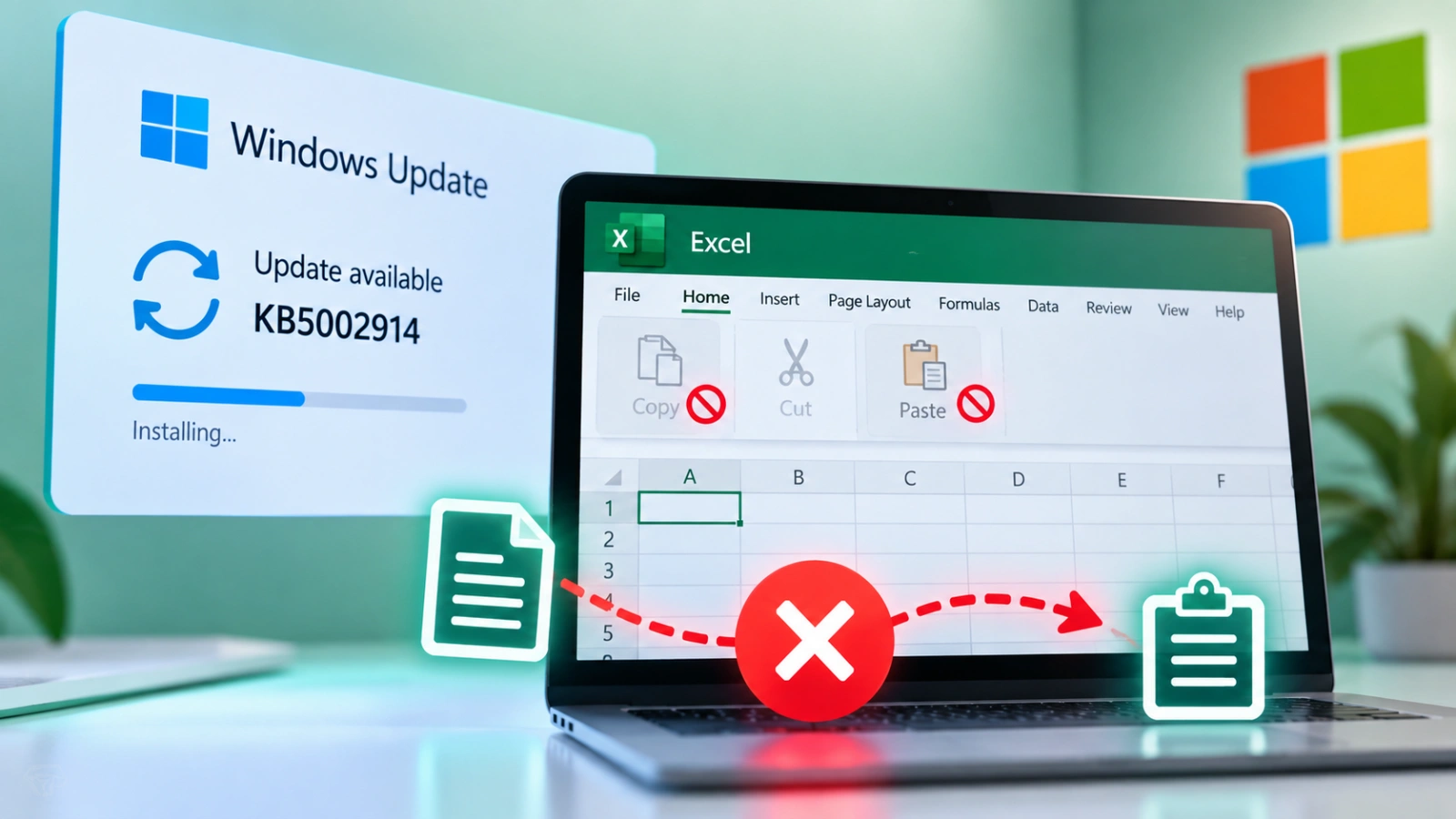
  • Microsoft Confirms KB5002914 Update Breaks Copy and Paste on Excel Guru Baran
    Microsoft has confirmed that the September 8, 2026 Excel security update KB5002914 can silently break copy and paste in Excel 2016, 2019, 2021, and 2024. Microsoft added the defect to the update’s known issues after Patch Tuesday users reported that paste, autofill, and formula dragging failed with no error. Microsoft’s advisory says the paste operation might fail silently. A user copies a cell or range, then pastes, but the source remains selected, and the destination never changes. N
     

Microsoft Confirms KB5002914 Update Breaks Copy and Paste on Excel

15 de Setembro de 2026, 06:25

Microsoft has confirmed that the September 8, 2026 Excel security update KB5002914 can silently break copy and paste in Excel 2016, 2019, 2021, and 2024.

Microsoft added the defect to the update’s known issues after Patch Tuesday users reported that paste, autofill, and formula dragging failed with no error.

Microsoft’s advisory says the paste operation might fail silently. A user copies a cell or range, then pastes, but the source remains selected, and the destination never changes.

No beep or error message appears, so finance and operations staff may believe data transferred when the sheet is still empty. That lack of feedback is what makes the bug so easy to miss during routine spreadsheet work.

Reports on Reddit and Microsoft Q&A described the same behavior after the September 9 install wave, including broken drag-fill, with some teams already fully patched before anyone noticed.

Typing a few values, copying them, and pasting nearby is enough to confirm the bug. KB5002914 is a security release for Excel 2016 that addresses remote code execution

and information disclosure, tying to September CVEs such as CVE-2026-81399, CVE-2026-81390, and CVE-2026-81954. The standalone Microsoft Download Center packages apply only to MSI-based Office 2016, not Click-to-Run editions such as Microsoft 365 Home.

The update is also available from Microsoft Update and the Microsoft Update Catalog, and it replaces security update 5002886.

That mix of serious Excel flaws and a core productivity break is why administrators are now stuck between keeping the patch and keeping spreadsheets usable.

The public KB is written for Excel 2016, yet Microsoft’s known-issue note names Excel 2024, 2021, 2019, and 2016. Field reports also cover MSI and Click-to-Run installs and Office LTSC Standard 2021, pointing to a broader September Office servicing problem rather than a single 2016 MSI package.

Microsoft says it is researching the issue and will post more information when it becomes available, as detailed in the support advisory published by Microsoft. No hotfix date has been published as of September 15, 2026.

Until an official repair ships, the only widely confirmed recovery is to uninstall or roll back KB5002914. MSI customers say removal restores paste, while Click-to-Run sites have used XML or Group Policy to revert the Office build. Both moves drop the month’s Excel security fixes.

Replacing the updated excel.exe with an older binary is an unsupported folk workaround and can leave mixed files that create new security and stability gaps.

Teams that must restore Excel should document the exception, treat untrusted workbooks as high risk, and watch Microsoft’s KB5002914 advisory for an out-of-band fix.

Learn 7 Metric-Gated AI SOC Deployment Phases – Download Free AI SOC Deployment Playbook 2026.

The post Microsoft Confirms KB5002914 Update Breaks Copy and Paste on Excel appeared first on Cyber Security News.

❌
❌