
Visualização normal

Antes de ontemStream principal
  • ✇GitHub Security Lab Archives - The GitHub Blog
  • CodeQL zero to hero part 5: Debugging queries Sylwia Budzynska
    When you’re first getting started with CodeQL, you may find yourself in a situation where a query doesn’t return the results you expect. Debugging these queries can be tricky, because CodeQL is a Prolog-like language with an evaluation model that’s quite different from mainstream languages like Python. This means you can’t “step through” the code, and techniques such as attaching gdb or adding print statements don’t apply. Fortunately, CodeQL offers a variety of built-in features to help you di
     

CodeQL zero to hero part 5: Debugging queries

When you’re first getting started with CodeQL, you may find yourself in a situation where a query doesn’t return the results you expect. Debugging these queries can be tricky, because CodeQL is a Prolog-like language with an evaluation model that’s quite different from mainstream languages like Python. This means you can’t “step through” the code, and techniques such as attaching gdb or adding print statements don’t apply. Fortunately, CodeQL offers a variety of built-in features to help you diagnose and resolve issues in your queries.

Below, we’ll dig into these features — from an abstract syntax tree (AST) to partial path graphs — using questions from CodeQL users as examples. And if you ever have questions of your own, you can visit and ask in GitHub Security Lab’s public Slack instance, which is monitored by CodeQL engineers.

Minimal code example

The issue we are going to use was raised by user  NgocKhanhC311, and later a similar issue was raised from zhou noel. Both encountered difficulties writing a CodeQL query to detect a vulnerability in projects using the Gradio framework. Since I have personally added Gradio support to CodeQL — and even wrote a blog about the process (CodeQL zero to hero part 4: Gradio framework case study), which includes an introduction to Gradio and its attack surface — I jumped in to answer.

zhou noel wanted to detect variants of an unsafe deserialization vulnerability that was found in browser-use/web-ui v1.6.  See the simplified code below.

import pickle
import gradio as gr

def load_config_from_file(config_file):
    """Load settings from a UUID.pkl file."""
    try:
        with open(config_file.name, 'rb') as f:
            settings = pickle.load(f)
        return settings
    except Exception as e:
        return f"Error loading configuration: {str(e)}"

with gr.Blocks(title="Configuration Loader") as demo:
    config_file_input = gr.File(label="Load Config File")

    load_config_button = gr.Button("Load Existing Config From File", variant="primary")

    config_status = gr.Textbox(label="Status")

    load_config_button.click(
        fn=load_config_from_file,
        inputs=[config_file_input],
        outputs=[config_status]
    )

demo.launch()

Using the load_config_button.click event handler (from gr.Button), a user-supplied file config_file_input (of type gr.File) is passed to the load_config_from_file function, which reads the file with open(config_file.name, 'rb'), and loads the file’s contents using pickle.load.

The vulnerability here is more of a “second order” vulnerability. First, an attacker uploads a malicious file, then the application loads it using pickle. In this example, our source is gr.File. When using gr.File, the uploaded file is stored locally, and the path is available in the name attribute  config_file.name.  Then the app opens the file with open(config_file.name, 'rb') as f: and loads it using  pickle pickle.load(f), leading to unsafe deserialization. 

What a pickle! 🙂

If you’d like to test the vulnerability, create a new folder with the code, call it example.py, and then run:

python -m venv venv
source venv/bin/activate
pip install gradio
python example.py

Then, follow these steps to create a malicious pickle file to exploit the vulnerability.

The user wrote a CodeQL taint tracking query, which at first glance should find the vulnerability. 

/**
 * @name Gradio unsafe deserialization
 * @description This query tracks data flow from inputs passed to a Gradio's Button component to any sink.
 * @kind path-problem
 * @problem.severity warning
 * @id 5/1
 */
import python
import semmle.python.ApiGraphs
import semmle.python.Concepts
import semmle.python.dataflow.new.RemoteFlowSources
import semmle.python.dataflow.new.TaintTracking

import MyFlow::PathGraph

class GradioButton extends RemoteFlowSource::Range {
    GradioButton() {
        exists(API::CallNode n |
        n = API::moduleImport("gradio").getMember("Button").getReturn()
        .getMember("click").getACall() |
        this = n.getParameter(0, "fn").getParameter(_).asSource())
    }

    override string getSourceType() { result = "Gradio untrusted input" }
}

private module MyConfig implements DataFlow::ConfigSig {
    predicate isSource(DataFlow::Node source) { source instanceof GradioButton }

    predicate isSink(DataFlow::Node sink) { exists(Decoding d | sink = d) }
}
module MyFlow = TaintTracking::Global<MyConfig>;

from MyFlow::PathNode source, MyFlow::PathNode sink
where MyFlow::flowPath(source, sink)
select sink.getNode(), source, sink, "Data Flow from a Gradio source to decoding"

The source is set to any parameter passed to function in a gr.Button.click event handler. The sink is set to any sink of type Decoding. In CodeQL for Python, the Decoding type includes unsafe deserialization sinks, such as the first argument to pickle.load

If you run the query on the database, you won’t get any results.

To figure out most CodeQL query issues, I suggest trying out the following options, which we’ll go through in the next sections of the blog:

  • Make a minimal code example and create a CodeQL database of it to reduce the number of results.
  • Simplify the query into predicates and classes, making it easier to run the specific parts of the query, and check if they provide the expected results.
  • Use quick evaluation on the simplified predicates.
  • View the abstract syntax tree of your codebase to see the expected CodeQL type for a given code element, and how to query for it.
  • Call the getAQlClass predicate to identify what types a given code element is.
  • Use a partial path graph to see where taint stops propagating.
  • Write a taint step to help the taint propagate further.

Creating a CodeQL database

Using our minimal code example, we’ll create a CodeQL database, similarly to how we did it in CodeQL ZtH part 4, and run the following command in the directory that contains only the minimal code example. 

codeql database create codeql-zth5 --language=python

This command will create a new directory, codeql-zth5, with the CodeQL database. Add it to your CodeQL workspace and then we can get started.

Simplifying the query and quick evaluation

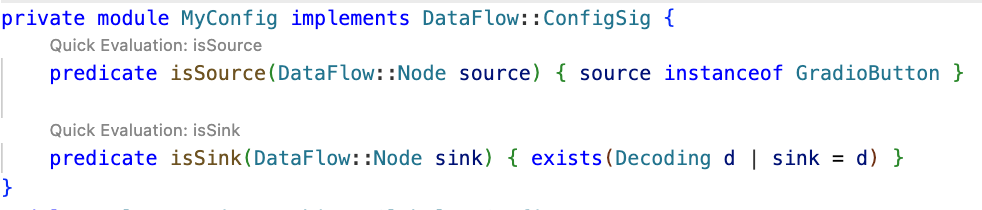
The query is already simplified into predicates and classes, so we can quickly evaluate it using the Quick evaluation button over the predicate name, or by right-clicking on the predicate name and choosing CodeQL: Quick evaluation.

CodeQL taint tracking query, with `Quick Evaluation: isSource` button over the `isSource` predicate.

Clicking Quick Evaluation over the isSource and isSink predicate shows a result for each, which means that both source and sink were found correctly. Note, however, that the isSink result highlights the whole pickle.load(f) call, rather than just the first argument to the call. Typically, we prefer to set a sink as an argument to a call, not the call itself.

In this case, the Decoding abstract sinks have a getAnInput predicate, which specifies the argument to a sink call. To differentiate between normal Decoding sinks (for example, json.loads), and the ones that could execute code (such as pickle.load), we can use the mayExecuteInput predicate. 

predicate isSink(DataFlow::Node sink) { 
    exists(Decoding d | d.mayExecuteInput() | sink = d.getAnInput()) }

Quick evaluation of the isSink predicate gives us one result.

VS Code screenshot with one result from running the query

With this, we verified that the sources and sinks are correctly reported. That means there’s an issue between the source and sink, which CodeQL can’t propagate through.

Abstract Syntax Tree (AST) viewer

We haven’t had issues identifying the source or sink nodes, but if there were an issue with identifying the source or sink nodes, it would be helpful to examine the abstract syntax tree (AST) of the code to determine the type of a particular code element.

After you run Quick Evaluation on isSink, you’ll see the file where CodeQL identified the sink. To see the abstract syntax tree for the file, right-click the code element you’re interested in and select CodeQL: View AST.

Highlighted `CodeQL: View AST` option in a dropdown menu after right-clicking

The option will display the AST of the file in the CodeQL tab in VS Code, under the AST Viewer section.

abstract syntax tree of the code with highlighted `[Call] pickle.load(f) line 8` node

Once you know the type of a given code element from the AST, it can be easier to write a query for the code element you’re interested in. 

getAQlClass predicate

Another good strategy to figure out the type of a code element you’re interested in is to use getAQlClass predicate. Usually, it’s best to create a separate query, so you don’t clutter your original query.

For example, we could write a query to check the types of a parameter to the function fn passed to gradio.Button.click:

/**
 * @name getAQlClass on Gradio Button input source
 * @description This query reports on a code element's types.
 * @id 5/2
 * @severity error
 * @kind problem
 */

import python
import semmle.python.ApiGraphs
import semmle.python.Concepts
import semmle.python.dataflow.new.RemoteFlowSources


from DataFlow::Node node
where node = API::moduleImport("gradio").getMember("Button").getReturn()
        .getMember("click").getACall().getParameter(0, "fn").getParameter(_).asSource()
select node, node.getAQlClass()

Running the query provides five results showing the types of the parameter: FutureTypeTrackingNode, ExprNode, LocalSourceNodeNotModuleVariableNode, ParameterNode, and LocalSourceParameterNode. From the results, the most interesting and useful types for writing queries are the ExprNode and ParameterNode.

VS Code screenshot with five results from running the query

Partial path graph: forwards

Now that we’ve identified that there’s an issue with connecting the source to the sink, we should verify where the taint flow stops. We can do that using partial path graphs, which show all the sinks the source flows toward and where those flows stop. This is also why having a minimal code example is so vital — otherwise we’d get a lot of results.

If you do end up working on a large codebase, you should try to limit the source you’re starting with to, for example, a specific file with a condition akin to:

predicate isSource(DataFlow::Node source) { source instanceof GradioButton 
    and source.getLocation().getFile().getBaseName() = "example.py" }

See other ways of providing location information.

Partial graphs come in two forms: forward FlowExplorationFwd, which traces flow from a given source to any sink, and backward/reverse FlowExplorationRev, which traces flow from a given sink back to any source.

We have public templates for partial path graphs in most languages for your queries in CodeQL Community Packs — see the template for Python.

Here’s how we would write a forward partial path graph query for our current issue:

/**
 * @name Gradio Button partial path graph
 * @description This query tracks data flow from inputs passed to a Gradio's Button component to any sink.
 * @kind path-problem
 * @problem.severity warning
 * @id 5/3
 */

import python
import semmle.python.ApiGraphs
import semmle.python.Concepts
import semmle.python.dataflow.new.RemoteFlowSources
import semmle.python.dataflow.new.TaintTracking

// import MyFlow::PathGraph
import PartialFlow::PartialPathGraph

class GradioButton extends RemoteFlowSource::Range {
    GradioButton() {
        exists(API::CallNode n |
        n = API::moduleImport("gradio").getMember("Button").getReturn()
        .getMember("click").getACall() |
        this = n.getParameter(0, "fn").getParameter(_).asSource())
    }

    override string getSourceType() { result = "Gradio untrusted input" }
}

private module MyConfig implements DataFlow::ConfigSig {
    predicate isSource(DataFlow::Node source) { source instanceof GradioButton }

    predicate isSink(DataFlow::Node sink) { exists(Decoding d | d.mayExecuteInput() | sink = d.getAnInput()) }

}


module MyFlow = TaintTracking::Global<MyConfig>;
int explorationLimit() { result = 10 }
module PartialFlow = MyFlow::FlowExplorationFwd<explorationLimit/0>;

from PartialFlow::PartialPathNode source, PartialFlow::PartialPathNode sink
where PartialFlow::partialFlow(source, sink, _)
select sink.getNode(), source, sink, "Partial Graph $@.", source.getNode(), "user-provided value."

What changed:

  • We commented out import MyFlow::PathGraph and instead import PartialFlow::PartialPathGraph.
  • We set explorationLimit() to 10, which controls how deep the analysis goes. This is especially useful in larger codebases with complex flows.
  • We create a PartialFlow module with FlowExplorationFwd, meaning we are tracing flows from a specified source to any sink. If we want to start from a sink and trace back to any source, we’d use FlowExplorationRev with small changes in the query itself. See template for FlowExplorationRev.
  • Finally, we made changes to the from-where-select query to use PartialFlow::PartialPathNodes, and the PartialFlow::partialFlow predicate.

Running the query gives us one result, which ends at config_file in the with open(config_file.name, 'rb') as f: line. This means CodeQL didn’t propagate to the name attribute in config_file.name

VS Code screenshot of a code path from def load_config_from_file(config_file) to config_file in open(config_file.name, 'rb') call

The config_name here is an instance of gr.File, which has the name attribute, which stores the path to the uploaded file.

Quite often, if an object is tainted, we can’t tell if all of its attributes are tainted as well. By default, CodeQL would not propagate to an object’s attributes. As such, we need to help taint propagate from an object to its name attribute by writing a taint step. 

Taint step

The quickest way, though not the prettiest, would be to write a taint step to propagate from any object to that object’s name attribute. This is naturally not something we’d like to include in production CodeQL queries, since it might lead to false positives. For our use case it’s fine, since we are writing the query for security research.

We add a taint step into a taint tracking configuration by using an isAdditionalFlowStep predicate. This taint step will allow CodeQL to propagate to any read of a name attribute. We specify the two nodes that we want to connect — nodeFrom and nodeTo — and how they should be connected. nodeFrom is a node that accesses name attribute, and nodeTo is the node that represents the attribute read. 

predicate isAdditionalFlowStep(DataFlow::Node nodeFrom, DataFlow::Node nodeTo) {
    exists(DataFlow::AttrRead attr |
        attr.accesses(nodeFrom, "name")
        and nodeTo = attr
    )
}

Let’s make it a separate predicate for easier testing, and plug it into our partial path graph query.

/**
 * @name Gradio Button partial path graph
 * @description This query tracks data flow from Gradio's Button component to any sink.
 * @kind path-problem
 * @problem.severity warning
 * @id 5/4
 */

import python
import semmle.python.ApiGraphs
import semmle.python.Concepts
import semmle.python.dataflow.new.RemoteFlowSources
import semmle.python.dataflow.new.TaintTracking

// import MyFlow::PathGraph
import PartialFlow::PartialPathGraph

class GradioButton extends RemoteFlowSource::Range {
    GradioButton() {
        exists(API::CallNode n |
        n = API::moduleImport("gradio").getMember("Button").getReturn()
        .getMember("click").getACall() |
        this = n.getParameter(0, "fn").getParameter(_).asSource())
    }

    override string getSourceType() { result = "Gradio untrusted input" }
}

predicate nameAttrRead(DataFlow::Node nodeFrom, DataFlow::Node nodeTo) {
    // Connects an attribute read of an object's `name` attribute to the object itself
    exists(DataFlow::AttrRead attr |
      attr.accesses(nodeFrom, "name")
      and nodeTo = attr
    )
}

private module MyConfig implements DataFlow::ConfigSig {
    predicate isSource(DataFlow::Node source) { source instanceof GradioButton }

    predicate isSink(DataFlow::Node sink) { exists(Decoding d | d.mayExecuteInput() | sink = d.getAnInput()) }

    predicate isAdditionalFlowStep(DataFlow::Node nodeFrom, DataFlow::Node nodeTo) {
    nameAttrRead(nodeFrom, nodeTo)
    }
}


module MyFlow = TaintTracking::Global<MyConfig>;
int explorationLimit() { result = 10 }
module PartialFlow = MyFlow::FlowExplorationFwd<explorationLimit/0>;

from PartialFlow::PartialPathNode source, PartialFlow::PartialPathNode sink
where PartialFlow::partialFlow(source, sink, _)
select sink.getNode(), source, sink, "Partial Graph $@.", source.getNode(), "user-provided value."

Running the query gives us two results. In the second path, we see that the taint propagated to config_file.name, but not further. What happened?

VS Code screenshot of a code path from `def load_config_from_file(config_file)` to `config_file.name` in `open(config_file.name, 'rb')` call

Taint step… again?

The specific piece of code turned out to be a bit of a special case. I mentioned earlier that this vulnerability is essentially a “second order” vulnerability — we first upload a malicious file, then load that locally stored file. Generally in these cases it’s the path to the file that we consider as tainted, and not the contents of the file itself, so CodeQL wouldn’t normally propagate here. In our case, in Gradio, we do control the file that is being loaded.

That’s why we need another taint step to propagate from config_file.name to open(config_file.name, 'rb')

We can write a predicate that would propagate from the argument to open() to the result of open() (and also from the argument to os.open to os.open call since we are at it). 

predicate osOpenStep(DataFlow::Node nodeFrom, DataFlow::Node nodeTo) {
    // Connects the argument to `open()` to the result of `open()`
    // And argument to `os.open()` to the result of `os.open()`
    exists(API::CallNode call |
        call = API::moduleImport("os").getMember("open").getACall() and
        nodeFrom = call.getArg(0) and
        nodeTo = call)
    or
    exists(API::CallNode call |
        call = API::builtin("open").getACall() and
        nodeFrom = call.getArg(0) and
        nodeTo = call)
}

Then we can add this second taint step to isAdditionalFlowStep.

predicate isAdditionalFlowStep(DataFlow::Node nodeFrom, DataFlow::Node nodeTo) {
    nameAttrRead(nodeFrom, nodeTo)
    or
    osOpenStep(nodeFrom, nodeTo)
}

Let’s add the taint step to a final taint tracking query, and make it a normal taint tracking query again.

/**
 * @name Gradio File Input Flow
 * @description This query tracks data flow from Gradio's Button component to a Decoding sink.
 * @kind path-problem
 * @problem.severity warning
 * @id 5/5
 */

import python
import semmle.python.ApiGraphs
import semmle.python.Concepts
import semmle.python.dataflow.new.RemoteFlowSources
import semmle.python.dataflow.new.TaintTracking

import MyFlow::PathGraph

class GradioButton extends RemoteFlowSource::Range {
    GradioButton() {
        exists(API::CallNode n |
        n = API::moduleImport("gradio").getMember("Button").getReturn()
        .getMember("click").getACall() |
        this = n.getParameter(0, "fn").getParameter(_).asSource())
    }

    override string getSourceType() { result = "Gradio untrusted input" }
}
predicate nameAttrRead(DataFlow::Node nodeFrom, DataFlow::Node nodeTo) {
    // Connects an attribute read of an object's `name` attribute to the object itself
    exists(DataFlow::AttrRead attr |
      attr.accesses(nodeFrom, "name")
      and nodeTo = attr
    )
}

predicate osOpenStep(DataFlow::Node nodeFrom, DataFlow::Node nodeTo) {
    // Connects the argument to `open()` to the result of `open()`
    // And argument to `os.open()` to the result of `os.open()`
    exists(API::CallNode call |
        call = API::moduleImport("os").getMember("open").getACall() and
        nodeFrom = call.getArg(0) and
        nodeTo = call)
    or
    exists(API::CallNode call |
        call = API::builtin("open").getACall() and
        nodeFrom = call.getArg(0) and
        nodeTo = call)
}

private module MyConfig implements DataFlow::ConfigSig {
    predicate isSource(DataFlow::Node source) { source instanceof GradioButton }

    predicate isSink(DataFlow::Node sink) {
        exists(Decoding d | d.mayExecuteInput() | sink = d.getAnInput()) }

    predicate isAdditionalFlowStep(DataFlow::Node nodeFrom, DataFlow::Node nodeTo) {
        nameAttrRead(nodeFrom, nodeTo)
        or
        osOpenStep(nodeFrom, nodeTo)
        }
}
module MyFlow = TaintTracking::Global<MyConfig>;

from MyFlow::PathNode source, MyFlow::PathNode sink
where MyFlow::flowPath(source, sink)
select sink.getNode(), source, sink, "Data Flow from a Gradio source to decoding"

Running the query provides one result — the vulnerability we’ve been looking for! 🎉

VS Code screenshot of a code path from `def load_config_from_file(config_file)` to `f` in `pickle.load(f)` sink

A prettier taint step

Note that the CodeQL written in this section is very specific to Gradio, and you’re unlikely to encounter similar modeling in other frameworks. What follows is a more advanced version of the previous taint step, which I added for those of you who want to dig deeper into writing a more maintainable solution to this taint step problem. You are unlikely to need to write this kind of granular CodeQL as a security researcher, but if you use CodeQL at work, this section might come in handy.

As we’ve mentioned, the taint step that propagates taint through a name attribute read on any object is a hacky solution. Not every object that propagates taint through name read would cause a vulnerability. We’d like to limit the taint step to only propagate similarly to this case — only for gr.File type.

But we encounter a problem — Gradio sources are modeled as any parameters passed to function in gr.Button.click event handlers, so CodeQL is not aware of what type a given argument passed to a function in gr.Button.click is. For that reason, we can’t easily write a straightforward taint step that would check if the source is of gr.File type before propagating to a name attribute. 

We have to “look back” to where the source was instantiated, check its type, and later connect that object to a name attribute read.

Recall our minimal code example.

import pickle
import gradio as gr

def load_config_from_file(config_file):
    """Load settings from a UUID.pkl file."""
    try:
        with open(config_file.name, 'rb') as f:
            settings = pickle.load(f)
        return settings
    except Exception as e:
        return f"Error loading configuration: {str(e)}"

with gr.Blocks(title="Configuration Loader") as demo:
    config_file_input = gr.File(label="Load Config File")

    load_config_button = gr.Button("Load Existing Config From File", variant="primary")

    config_status = gr.Textbox(label="Status")

    load_config_button.click(
        fn=load_config_from_file,
        inputs=[config_file_input],
        outputs=[config_status]
    )

demo.launch()

Taint steps work by creating an edge (a connection) between two specified nodes. In our case, we are looking to connect two sets of nodes, which are on the same path.  

First, we want CodeQL to connect the variables passed to inputs (here config_file_input) in e.g. gr.Button.click and connect it to the parameter config_file in the load_config_from_file function. This way it will be able to propagate back to the instantiation, to config_file_input = gr.File(label="Load Config File")

Second, we want CodeQL to propagate from the nodes that we checked are of gr.File type, to the cases where they read the name attribute.

Funnily enough, I’ve already written a taint step, called ListTaintStep that can track back to the instantiations, and even written a section in the previous CodeQL zero to hero about it. We can reuse the implemented logic, and add it to our query. We’ll do it by modifying the nameAttrRead predicate.

predicate nameAttrRead(DataFlow::Node nodeFrom, DataFlow::Node nodeTo) {
    // Connects an attribute read of an object's `name` attribute to the object itself
    exists(DataFlow::AttrRead attr |
      attr.accesses(nodeFrom, "name")
      and nodeTo = attr
    )
    and
    exists(API::CallNode node, int i, DataFlow::Node n1, DataFlow::Node n2 |
		node = API::moduleImport("gradio").getAMember().getReturn().getAMember().getACall() and
        n2 = node.getParameter(0, "fn").getParameter(i).asSource()
        and n1.asCfgNode() =
          node.getParameter(1, "inputs").asSink().asCfgNode().(ListNode).getElement(i)
        and n1.getALocalSource() = API::moduleImport("gradio").getMember("File").getReturn().asSource()
        and (DataFlow::localFlow(n2, nodeFrom) or DataFlow::localFlow(nodeTo, n1))
        )
}

The taint step connects any object to that object’s name read (like before). Then, it looks for the function passed to fn,  variables passed to inputs in e.g. gr.Button.click and connects the variables in inputs to the parameters given to the function fn by using an integer i to keep track of position of the variables. 

Then, by using:

nodeFrom.getALocalSource()
        = API::moduleImport("gradio").getMember("File").getReturn().asSource()

We check that the node we are tracking is of gr.File type.

and (DataFlow::localFlow(n2, nodeFrom) or DataFlow::localFlow(nodeTo, n1)

At last, we check that there is a local flow (with any number of path steps) between the fn function parameter n2 and an attribute read nodeFrom or that there is a local flow between specifically the name attribute read nodeTo, and a variable passed to gr.Button.click’s inputs.

What we did is essentially two taint steps (we connect, that is create edges between two sets of nodes) connected by local flow, which combines them into one taint step. The reason we are making it into one taint step is because one condition can’t exist without the other. We use localFlow because there can be several steps between the connection we made from variables passed to inputs to the function defined in fn in gr.Button.click and later reading the name attribute on an object. localFlow allows us to connect the two.

It looks complex, but it stems from how directed graphs work.

Full CodeQL query:

/**
 * @name Gradio File Input Flow
 * @description This query tracks data flow from Gradio's Button component to a Decoding sink.
 * @kind path-problem
 * @problem.severity warning
 * @id 5/6
 */

import python
import semmle.python.dataflow.new.DataFlow
import semmle.python.dataflow.new.TaintTracking
import semmle.python.Concepts
import semmle.python.dataflow.new.RemoteFlowSources
import semmle.python.ApiGraphs

class GradioButton extends RemoteFlowSource::Range {
    GradioButton() {
        exists(API::CallNode n |
        n = API::moduleImport("gradio").getMember("Button").getReturn()
        .getMember("click").getACall() |
        this = n.getParameter(0, "fn").getParameter(_).asSource())
    }

    override string getSourceType() { result = "Gradio untrusted input" }
}

predicate nameAttrRead(DataFlow::Node nodeFrom, DataFlow::Node nodeTo) {
    // Connects an attribute read of an object's `name` attribute to the object itself
    exists(DataFlow::AttrRead attr |
      attr.accesses(nodeFrom, "name")
      and nodeTo = attr
    )
    and
    exists(API::CallNode node, int i, DataFlow::Node n1, DataFlow::Node n2 |
		node = API::moduleImport("gradio").getAMember().getReturn().getAMember().getACall() and
        n2 = node.getParameter(0, "fn").getParameter(i).asSource()
        and n1.asCfgNode() =
          node.getParameter(1, "inputs").asSink().asCfgNode().(ListNode).getElement(i)
        and n1.getALocalSource() = API::moduleImport("gradio").getMember("File").getReturn().asSource()
        and (DataFlow::localFlow(n2, nodeFrom) or DataFlow::localFlow(nodeTo, n1))
        )
}


predicate osOpenStep(DataFlow::Node nodeFrom, DataFlow::Node nodeTo) {
    exists(API::CallNode call |
        call = API::moduleImport("os").getMember("open").getACall() and
        nodeFrom = call.getArg(0) and
        nodeTo = call)
    or
    exists(API::CallNode call |
        call = API::builtin("open").getACall() and
        nodeFrom = call.getArg(0) and
        nodeTo = call)
}

module MyConfig implements DataFlow::ConfigSig {
  predicate isSource(DataFlow::Node source) { source instanceof GradioButton }

  predicate isSink(DataFlow::Node sink) {
    exists(Decoding d | d.mayExecuteInput() | sink = d.getAnInput())
  }

  predicate isAdditionalFlowStep(DataFlow::Node nodeFrom, DataFlow::Node nodeTo) {
    nameAttrRead(nodeFrom, nodeTo)
    or
    osOpenStep(nodeFrom, nodeTo)
   }
}

import MyFlow::PathGraph

module MyFlow = TaintTracking::Global<MyConfig>;

from MyFlow::PathNode source, MyFlow::PathNode sink
where MyFlow::flowPath(source, sink)
select sink.getNode(), source, sink, "Data Flow from a Gradio source to decoding"

Running the taint step will return a full path from gr.File to pickle.load(f).

A taint step in this form could be contributed to CodeQL upstream. However, this is a very specific taint step, which makes sense for some vulnerabilities, and not others. For example, it works for an unsafe deserialization vulnerability like described in the article, but not for path injection. That’s because this is a “second order” vulnerability — we control the uploaded file, but not its path (stored in “name”). For path injection vulnerabilities with sinks like open(file.name, ‘r’), this would be a false positive. 

Conclusion

Some of the issues we encounter on the GHSL Slack around tracking taint can be a challenge. Cases like these don’t happen often, but when they do, it makes them a good candidate for sharing lessons learned and writing a blog post, like this one.

I hope my story of chasing taint helps you with debugging your queries. If, after trying out the tips in this blog, there are still issues with your query, feel free to ask for help on our public GitHub Security Lab Slack instance or in github/codeql discussions.

The post CodeQL zero to hero part 5: Debugging queries appeared first on The GitHub Blog.
Securing the supply chain at scale: Starting with 71 important open source projects

When the Log4j zero day broke in December 2021, everyone learned the same lesson: One under-resourced library can send shockwaves through the entire software supply chain. Today the average cloud workload includes over 500 dependencies, many of them tended by unpaid volunteers. The need to support and secure this ecosystem has never been more urgent.

In response, GitHub launched the GitHub Secure Open Source Fund in November 2024, which provides maintainers with financial support to participate in a three-week program that delivers security education, mentorship, tooling, certification, community of security-minded maintainers,  and more. By linking this funding to programmatic security outcomes, our goal is to increase security impact, reduce risk, and help secure the software supply chain at scale.

Already, we’re seeing measurable impact from proactive work. Our first two sessions brought together 125 maintainers from 71 important and fast growing open source projects  Early outcomes include: 

  • Remediated over 1,100 vulnerabilities detected by CodeQL, reducing their risk surfaces.
  • Participants issued more than 50 new Common Vulnerabilities and Exposures (CVEs), informing and protecting their downstream dependents.
  • Prevented 92 new secrets from being leaked and 176 leaked secrets were detected and resolved 
  • Empowered maintainers for long-term success, with 100% saying they left with actionable next steps for the following year’s roadmap. 
  • Accelerated adoption of security best practices, with 80% of projects enabling three or more GitHub-based security features.
  • Prepared projects for the future of development, as 63% said they have a better understanding of AI and MCP security.

Maintainers found novel ways to partner with and use AI to accelerate learnings and implement solutions, with many consulting GitHub Copilot to conduct vulnerability scans and security audits, define and implement fuzzing strategies, and more. 

These results show direct security impact immediately from the sessions, and the momentum is just beginning. Maintainers have embraced a culture of security, built out security backlogs, and are actively sharing insights with the maintainers in the community, and with their direct project contributors and consumers. As a result, the entire ecosystem benefits — and the security impact will continue to grow.

And we’re not done. Session 3 starts in September 2025, and we want to bring more maintainers that work deeper in the dependency tree and those that manage critical dependencies by themselves. To see the immediate impact following Sessions 1 and 2, let’s look at what changed inside the categories of code that power almost everything you build.

AI and ML frameworks / edge-LLM tooling 🤖

OllamaAutoGPT/Gravitasmlscikit-learnOpenCVCodeCarbon •  ZeusCogneeCAMEL-AI •  Ruby-OpenAI

These projects are the bedrock of the current AI work with LLMs, agents, orchestration layers, and model toolchains. Together they rack up tens of millions of installs and git clone commands each month, and they’re baked into cloud notebooks like Jupyter, Google Collab, AWS SageMaker, and Microsoft Azure ML. A prompt-injection flaw or poisoned weight file here could spill into thousands of downstream apps overnight, and the teams who rely on them often won’t even know which component failed.

Project spotlight: Ollama 

This project makes running large language models locally possible.

Ollama is the easiest way to chat and build with open models. They used this opportunity to threat-model every moving part of their system – from their use of GitHub Actions, DNS security, model distribution, how the models are executed in Ollama’s engine, auto-update checker, and more — then they pruned unused dependencies. 

The GitHub Secure Open Source Program is a safe space to ask leading experts security questions, and learn how other high-impact projects address similar challenges.

Project spotlight: GravitasML by AutoGPT

GravitasML is an MIT licensed XML parser for LLMs, built by the team that launched AutoGPT to be simple and secure by design.

Fresh out of the sprint, the AutoGPT team wired CodeQL into every pull request across the AutoGPT Platform and GravitasML, and built a lightweight “security agent” that nudges contributors to tighten controls as they code. This helped turn passive checks into continuous coaching. The maintainers overhauled their security policy, stood up a formal incident-response workflow, and mapped out 28 follow-up tasks (from fuzzing their XML parser to completing the OSS Scorecard) to build a durable roadmap for safer LLM agents at large.

The AI-agent ecosystem is safer — and will keep getting safer — because of the Secure Open Source Fund.

Front-end and full-stack frameworks / UI libraries 📚

Next.jsNuxtSvelteNativeScriptBootstrapshadcn/uiPath-to-RegExpWebdriverIO

These frameworks ship the pixels users touch and often bundle their own server-side routing. Their install bases number in the millions, and improving their security posture closes off potential XSS, template-injection, and supply-chain hop points. The Bootstrap project alone powers nearly 17.5% of the world’s websites, and Next.js drives the frontends for Notion and Adobe, among many others.

Project spotlight: shadcn/ui

This React component library is trusted by leading organizations, like OpenAI’s cookbook, and was able to turn security learning into an interactive practice. 

Over the three-week sprint, this project audited every GitHub Actions workflow and secret, refreshed SECURITY.md, licenses, and dependencies, and following a Secure by Design UX workshop — created a framework of how malicious threat actors might attack their project and developed strategies to reduce risks or block entirely. They turned on CodeQL (the first scan caught an unsafe dangerouslySetInnerHTML path), and drafted a formal vulnerability-reporting flow and threat model — laying a clear, public security roadmap that future contributors must follow. After learning about fuzzing, this project also used GitHub Copilot to set up and implement fuzz testing.

Security went from something we should do to something we actively do.

Web servers, networking, and gateways 🖥️

Node.jsExpressFastifyCaddy  • Netbird 

If a process is listening on port 443, chances are one of these web-server or gateway projects is in the stack. Hardening them protects every cookie, auth header, and JSON payload that crosses the wire. Node.js alone underpins most server-side JavaScript, and has a huge impact in the wider ecosystem.

Project spotlight: A quick win for Node.js 

During the sprint, the Node.js security-WG revamped the project’s threat model and kicked off a pull request to wire CodeQL into core — backed by a new workflow that automatically reviews code scanning alerts and flags least-clear errors for refactoring. Those upgrades, plus planned signature checks on future releases, will ripple to every server-side JavaScript workload that ships Node binaries — from serverless functions to speeding server-side rendering from Netflix.

This program reinforced that we’re on the right path, but security is a continuous journey of improvement and collaboration.

DevOps, build-system, container tooling 🧰

TurborepoFluxColimabootcTerraWarpgateNixOS/NixpkgsTermuxBlueFin

These tools touch every commit and deploy. If an attacker lands here, they own the pipeline. Flux alone manages thousands of production GitOps clusters, and Turborepo’s build cache now accelerates builds at Vercel, among other organizations.

Project spotlight: Turborepo

During the three-week sprint, Turborepo switched on GitHub private vulnerability reporting, tightened overly permissive workflow tokens, and shipped a production-ready IRP while using CodeQL to scan every pull request. Those guardrails protect the Rust-powered build cache thousands of monorepos rely on, and the team is already drafting a public threat model and provider-notification playbook, so zero-days can be handled quietly before they spread.

Secure Open Source Fund pushed us to specialize our IRP and ship it.

Security frameworks, identity, compliance tooling 🔐

Log4jScanCode •  CycloneDX (cdxgen)  •  Cyclonedx-dotnetScanAPIOAuthlibPGPainlessZitadelVeramoStalwartSocial-App-DjangoJoseEnte 

These libraries are the locks, ledgers, and audit logs of the internet. Making these projects safer ripples through the ecosystem and makes everyone else  safer. CycloneDX SBOMs, for instance, now appear in every major container registry while OAuthlib backs the auth flow for Pinterest and Reddit. And Zitadel issues millions of access tokens daily for European banks and healthcare platforms. Log4J and Scancode were both highlighted as critical elements in IT systems across governments and companies by Microsoft, too

Project spotlight: Log4j

The Apache Log4j team hardened every GitHub Actions workflow against script-injection, drafted a brand-new threat model, and deepened collaborations across the open source community. Next up, they’re bundling a CodeQL pack to flag unsafe logging patterns in downstream code and rolling out in-house fuzzing tests. Working hand in hand with the ASF security team, they aim to set a standard that will echo across many other ASF projects.

We learned it the hard way: Ignorance is the biggest security hole. If this training had existed five years ago, maybe Log4Shell wouldn’t be here today.

Developer utilities and CLI helpers 🧑‍💻

Oh My ZshnvmCobraCharset-NormalizerViperAPI DashStirling-PDFLibytMessageFormatYAMLqsPollyJUnit CSS-Declaration-SorterWagmi ElectronResolve

These popular helpers run on laptops and CI nodes worldwide. Hardening them snips off phishing routes and lateral-movement paths. Oh My Zsh alone has 160,000-plus GitHub stars and boots every time millions of devs open a terminal.

While much of supply chain security work has concentrated on runtime libraries, attacks on maintainers and the tools they depend on, show us that developer tools are critical to include in our security hardening work.

Project spotlight: Charset-Normalizer

Downloaded around 20 million times a day on PyPI, this 4,000-line encoding helper tightened its defenses by ditching weak SMS 2FA in favor of stronger passkey-based MFA, switching on GitHub secret scanning, and patching risky GitHub Actions it hadn’t noticed before. The maintainer is now automating SBOM generation for every release — work that will soon make one of Python’s most ubiquitous transitive dependencies both audit-ready and CRA compliant (which is a big deal, and worthy of emphasis!).

A tiny library born out of a personal challenge will be CRA compliant amongst being one of the top OpenSSF scorecard projects.

Project spotlight: nvm

The go-to Node version manager used the sprint to publish its first incident-response plan and sketch a roadmap for a public vulnerability-disclosure policy — turning lessons from a recent audit into concrete guardrails. 

For the first time in this program, nvm’s maintainer learned how to use Copilot for security guidance and input. 

Next up, the maintainer is wiring custom CodeQL queries and fuzzing harnesses to stress-test nvm’s Bash internals, then sharing the playbook with sibling OpenJS projects like Express, so dev environments everywhere inherit the upgrade.

The Secure Open Source Program helped nvm validate our security practices, implement an IRP, and set clear fuzzing and custom CodeQL goals, while deepening collaboration across OpenJS maintainers.

Project spotlight: JUnit

Through the three-week sprint, JUnit rolled out end-to-end CodeQL scanning across all of its repositories — and fixing the first wave of findings — formalized a public incident-response plan, and locked down every workflow by switching GITHUB_TOKEN to explicit, least-privilege permissions. 

We immediately improved our GitHub Action’s security, enabled MFA, and created an IRP.

Data, visualisation, and scientific computing 📊

MatplotlibJupyterPelias GeocoderMathesarDataJourneyAirQoERPNextPypeItLORISMautic Diesel

Academic research, climate models, financial market, and lab notebooks all depend on this stack. Data integrity and traceability are non-negotiable. Jupyter Notebooks execute on more than 10 million cloud kernels per month, and Matplotlib charts appear in everything from NASA to high-school science fair papers.

Project spotlight: Matplotlib

The scientific Python staple tightened its GitHub Actions permission boundaries, reviewed and expanded SECURITY.md, and kicked off a formal threat-modeling process (that sparked immediate work). With OSS-Fuzz already catching crashes in its C extensions and an encrypted disclosure channel on the way, Matplotlib is turning “unknown unknowns” into a public checklist other data-science projects can copy-paste.

The program reduced our uncertainty and gave us new tools to manage risk.

Patterns that actually moved the needle 

  1. Money matters, but timeboxing matters more. $10,000 USD (about $500 per hour) might help maintainers focus, but the three-week cap kept momentum and focus high. Several maintainers said a longer program would have been too much.
  2. Focused themes, interactive coding, quick activation: Weekly security themes helped maintainers go from theory to practice quickly, absorb key security concepts, practice with real-time coding experiences, implement changes, and enable security features with confidence.
  3. A security-focused community is the unlock. Fast rapport in Slack meant maintainers quickly asked critical questions, which was vital for topics like supply-chain subpoenas and disclosure timelines. We even had projects bring urgent questions for quick feedback that wouldn’t be able to be asked anywhere else. 

Help us make open source more secure 

Securing open source isn’t a one-off sprint or a feel-good badge. It’s basic maintenance for the internet. By giving 71 heavily used projects real money, three focused weeks, and direct help, we watched maintainers ship fixes that now protect millions of builds a day. This training allows us to go beyond one-to-one education, and enable one-to-many impact. For example, many maintainers are working to make their playbooks public; the incident-response plans they rehearsed are forkable; the signed releases they now ship flow downstream to every package manager and CI pipeline that depends on them.

This wasn’t just us either. In 2025 alone, we received $1.38 million in commitments, credits, and contributions from our funding and ecosystem partners.

A slide showingthe logos for ecosyste.ms, Curioss, Digital DataDesign Institute, Digital Infrastructure Insights Fund, Microsoft for Startups, Mozilla, OpenForum Europe, Open Source Collective, Open UK, Open Technology Fund, OpenSSF, Open Source Initiative, OpenJS Foundation, Open Source Program Office, ura, Sovereign Tech Agency, and Sustain.

Join us in this mission to secure the software supply chain at scale. We are looking for maintainers managing critical and important projects, funding partners who know that prevention is cheaper than the next zero-day, and ecosystem partners that bring unique insights and networks to help us scale their impact. 

If you write code, rely on open source, or just want the software supply chain to stay upright, there’s room at the table. So, let’s keep the flywheel turning and build from here.

> Projects & Maintainers: Apply now to the GitHub Secure Open Source Fund and help make open source safer for everyone.

> Funding and Ecosystem Partners: Become a Funding or Ecosystem Partner and support a more secure open source future. Join us on this mission to secure the software supply chain — at scale!

The post Securing the supply chain at scale: Starting with 71 important open source projects appeared first on The GitHub Blog.

Modeling CORS frameworks with CodeQL to find security vulnerabilities

There are many different types of vulnerabilities that can occur when setting up CORS for your web application, and insecure usage of CORS frameworks and logic errors in homemade CORS implementations can lead to serious security vulnerabilities that allow attackers to bypass authentication. What’s more, attackers can utilize CORS misconfigurations to escalate the severity of other existing vulnerabilities in web applications to access services on the intranet.

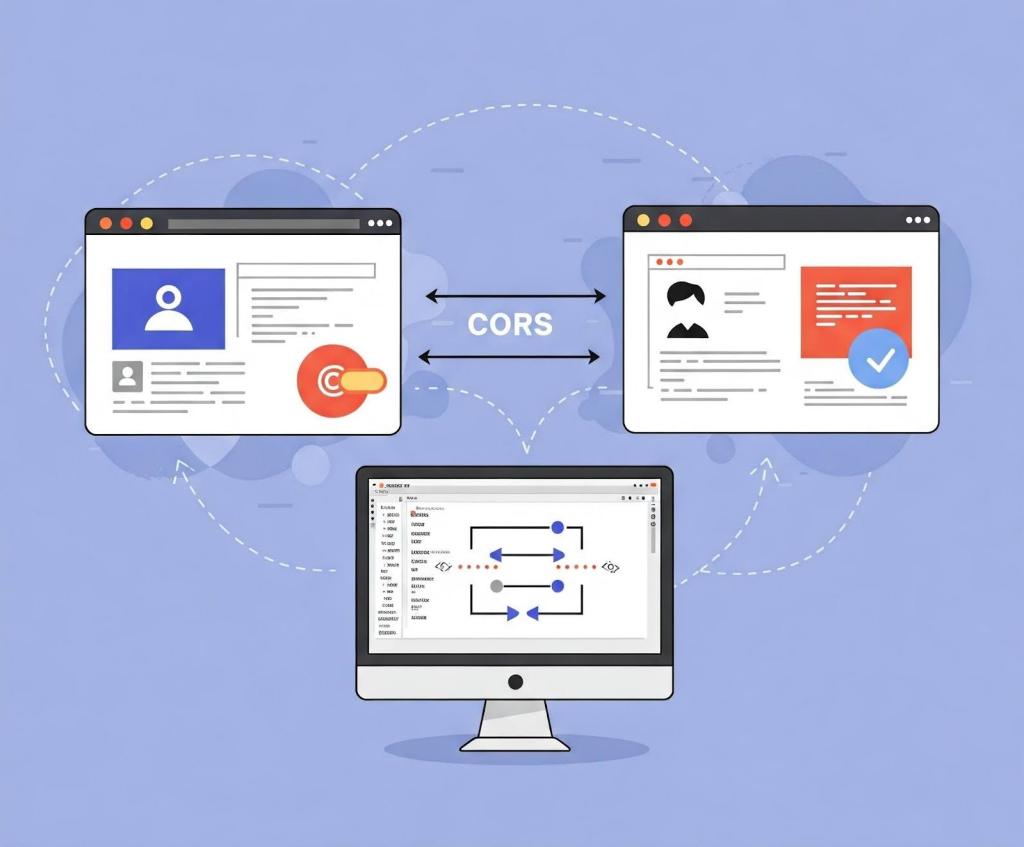
A CORS diagram showing communication between two websites in the browser.

In this blog post, I’ll show how developers and security researchers can use CodeQL to model their own libraries, using work that I’ve done on CORS frameworks in Go as an example. Since the techniques that I used are useful for modeling other frameworks, this blog post can help you model and find vulnerabilities in your own projects. Because static analyzers like CodeQL have the ability to get the detailed information about structures, functions, and imported libraries, they’re more versatile than simple tools like grep. Plus, since CORS frameworks often use set configurations via specific structures and functions, using CodeQL is the easiest way to find misconfigurations in your codebases.

Modeling headers in CodeQL

When adding code to CodeQL, it’s best practice to always check the related queries and frameworks that are already available so that we’re not reinventing the wheel. For most languages, CodeQL already has a CORS query that covers many of the default cases. The easiest and simplest way of implementing CORS is by manually setting the  Access-Control-Allow-Origin and Access-Control-Allow-Credentials response headers. By modeling the frameworks for a language (e.g., Django, FastAPI, and Flask), CodeQL can identify where in the code those headers are set. Building on those models by looking for specific header values, CodeQL can find simple examples of CORS and see if they match vulnerable values.

In the following Go example, unauthenticated resources on the servers could be accessed by arbitrary websites.

func saveHandler(w http.ResponseWriter, r *http.Request) { 
    w.Header().Set("Access-Control-Allow-Origin", "*") 
}

This may be troublesome for web applications that do not have authentication, such as tools intended to be hosted locally, because any dangerous endpoint could be accessed and exploited by an attacker.

This is a snippet of the Go http framework where CodeQL models the Set method to find security-related header writes for this framework. Header writes are modeled by the HeaderWrite class in HTTP.qll, which is extended by other modules and classes in order to find all header writes.

 /** Provides a class for modeling new HTTP header-write APIs. */
  module HeaderWrite {
    /**
     * A data-flow node that represents a write to an HTTP header.
     *
     * Extend this class to model new APIs. If you want to refine existing API models,
     * extend `HTTP::HeaderWrite` instead.
     */
    abstract class Range extends DataFlow::ExprNode {
      /** Gets the (lower-case) name of a header set by this definition. */
      string getHeaderName() { result = this.getName().getStringValue().toLowerCase() }

Some useful methods such as getHeaderName and getHeaderValue can also  help in developing security queries related to headers, like CORS misconfiguration. Unlike the previous code example, the below pattern is an example of a CORS misconfiguration whose effect is much more impactful.

func saveHandler(w http.ResponseWriter, r *http.Request) { 
    w.Header().Set("Access-Control-Allow-Origin", 
    r.Header.Get("Origin"))
    w.Header().Set("Access-Control-Allow-Credentials", 
    "true") 
}

Reflecting the request origin header and allowing credentials permits an attacking website to make requests as the current logged in user, which could compromise the entire web application.

Using CodeQL, we can model the headers, looking for specific headers and methods in order to help CodeQL identify the relevant security code structures to find CORS vulnerabilities.

/**
 * An `Access-Control-Allow-Credentials` header write.
 */
class AllowCredentialsHeaderWrite extends Http::HeaderWrite {
    AllowCredentialsHeaderWrite() {
        this.getHeaderName() = headerAllowCredentials()
    }
}

/**
 * predicate for CORS query.
 */
predicate allowCredentialsIsSetToTrue(DataFlow::ExprNode allowOriginHW) {
        exists(AllowCredentialsHeaderWrite allowCredentialsHW |
                allowCredentialsHW.getHeaderValue().toLowerCase() = "true"

Here, the HTTP::HeaderWrite class, as previously discussed, is used as a superclass for AllowCredentialsHeaderWrite, which finds all header writes of the value Access-Control-Allow-Credentials. Then, when our CORS misconfiguration query checks whether credentials are enabled, we use AllowCredentialsHeaderWrite as one of the possible sources to check.

The simplest way for developers to set a CORS policy is by setting headers on HTTP responses in their server. By modeling all instances where a header is set, we can check for these CORS cases in our CORS query. 

When modeling web frameworks using CodeQL, creating classes that extend more generic superclasses such as HTTP::HeaderWrite allows the impact of the model to be used in all CodeQL security queries that need them. Since headers in web applications can be so important, modeling all the ways they can be written to in a framework can be a great first step to adding that web framework to CodeQL.

Modeling frameworks in CodeQL

A computer with two windows open showing secure code.

Rather than setting the CORS headers manually, many developers use a CORS framework instead.  Generally, CORS frameworks use middleware in the router of a web framework in order to add headers for every response. Some web frameworks will have their own CORS middleware, or you may have to include a third-party package. When modeling a CORS framework in CodeQL, you’re usually modeling the relevant structures and methods that signify a CORS policy. Once the modeled structure or methods have the correct values, the query should check that the structure is actually used in the codebase.

For frameworks, we’ll look into Go as our language of choice since it has great support for CORS. Go provides a couple of CORS frameworks, but most follow the structure of Gin CORS, a CORS middleware framework for the Gin web framework. Here’s an example of a Gin configuration for CORS:

package main

import (
  "time"

  "github.com/gin-contrib/cors"
  "github.com/gin-gonic/gin"
)

func main() {
  router := gin.Default()
  router.Use(cors.New(cors.Config{
    AllowOrigins:     []string{"https://foo.com"},
    AllowMethods:     []string{"PUT", "PATCH"},
    AllowHeaders:     []string{"Origin"},
    ExposeHeaders:    []string{"Content-Length"},
    AllowCredentials: true,
    AllowOriginFunc: func(origin string) bool {
      return origin == "https://github.com"
    }
  }))
  router.Run()
}

Now that we’ve modeled the router.Use method and cors.New — ensuring that cors.Config structure is at some point put into a router.Use function for actual use — we should then check all cors.Config structures for appropriate headers.

Next, we find the appropriate headers fields we want to model. For a basic CORS misconfiguration query, we would model AllowOrigins, AllowCredentials, AllowOriginFunc. My pull requests for adding GinCors and RSCors to CodeQL can be used as references if you’re interested in seeing everything that goes into adding a framework to CodeQL. Below I’ll discuss some of the most important details.

 /**
   * A variable of type Config that holds the headers to be set.
   */
  class GinConfig extends Variable {
    SsaWithFields v;

    GinConfig() {
      this = v.getBaseVariable().getSourceVariable() and
      v.getType().hasQualifiedName(packagePath(), "Config")
    }

    /**
     * Get variable declaration of GinConfig
     */
    SsaWithFields getV() { result = v }
  }

I modeled the Config type by using SSAWithFields, which is a single static assignment with fields. By using getSourceVariable(), we can get the variable that the structure was assigned to, which can help us see where the config is used. This allows us to find track variables that contain the CORS config structure across the codebase, including ones that are often initialized like this:

func main() {
...
// We can now track the corsConfig variable for further updates,such as when one of the fields is updated.
corsConfig:= cors.New(cors.Config{
...
})}

Now that we have the variable containing the relevant structure, we want to find all the instances where the variable is written to. By doing this, we can get an understanding of the relevant property values that have been assigned to it, and thus decide whether the CORS config is misconfigured.

 /**
   * A write to the value of Access-Control-Allow-Origins header
   */
  class AllowOriginsWrite extends UniversalOriginWrite {
    DataFlow::Node base;
	
	// This models all writes to the AllowOrigins field of the Config type
    AllowOriginsWrite() {

      exists(Field f, Write w |
        f.hasQualifiedName(packagePath(), "Config", "AllowOrigins") and
        w.writesField(base, f, this) and

		// To ensure we are finding the correct field, we look for a write of type string (SliceLit)
        this.asExpr() instanceof SliceLit
      )

    }

    /**
     * Get config variable holding header values
     */
    override GinConfig getConfig() {
      exists(GinConfig gc |
        (
          gc.getV().getBaseVariable().getDefinition().(SsaExplicitDefinition).getRhs() =
            base.asInstruction() or
          gc.getV().getAUse() = base
        ) and
        result = gc
      )
    }
  }

By adding the getConfig function, we return the previously created GinConfig, which allows us to verify that any writes to relevant headers affect the same configuration structure. For example, a developer may create a config that has a vulnerable origin and another config that allows credentials. The config that allows credentials wouldn’t be highlighted because only configs with vulnerable origins would create a security issue. By allowing CORS relevant header writes from different frameworks to all extend UniversalOriginWrite and UniversalCredentialsWrite, we can use those in our CORS misconfiguration query. 

Writing CORS misconfiguration queries in CodeQL

CORS issues are separated into two types: those without credentials (where we’re looking for * or null) and CORS with credentials (where we’re looking for origin reflection or null). If you want to keep the CodeQL query simple, you can create one query for each type of CORS vulnerability and assign their severity accordingly. For the Go language, CodeQL only has a “CORS with credentials” type of query because it’s applicable to all applications. 

Let’s tie in the models we just created above to see how they’re used in the Go CORS misconfiguration query itself. 

from DataFlow::ExprNode allowOriginHW, string message
where
  allowCredentialsIsSetToTrue(allowOriginHW) and
  (
    flowsFromUntrustedToAllowOrigin(allowOriginHW, message)
    or
    allowOriginIsNull(allowOriginHW, message)
  ) and
  not flowsToGuardedByCheckOnUntrusted(allowOriginHW)
...
select allowOriginHW, message

This query is only interested in critical vulnerabilities, so it checks whether credentials are allowed, and whether the allowed origins either come from a remote source or are hardcoded as null. In order to prevent false positives, it checks if there are certain guards — such as string comparisons —  before the remote source gets to the origin. Let’s take a closer look at the predicate allowCredentialsIsSetToTrue.

/**
 * Holds if the provided `allowOriginHW` HeaderWrite's parent ResponseWriter
 * also has another HeaderWrite that sets a `Access-Control-Allow-Credentials`
 * header to `true`.
 */
predicate allowCredentialsIsSetToTrue(DataFlow::ExprNode allowOriginHW) {
  exists(AllowCredentialsHeaderWrite allowCredentialsHW |
    allowCredentialsHW.getHeaderValue().toLowerCase() = "true"
  |
    allowOriginHW.(AllowOriginHeaderWrite).getResponseWriter() =
      allowCredentialsHW.getResponseWriter()
  )
  or
...

For the first part of the predicate, we’ll use one of the headers we previously modeled, AllowCredentialsHeaderWrite, in order to compare headers. This will help us filter out all header writes that don’t have credentials set.

  exists(UniversalAllowCredentialsWrite allowCredentialsGin |
    allowCredentialsGin.getExpr().getBoolValue() = true
  |
    allowCredentialsGin.getConfig() = allowOriginHW.(UniversalOriginWrite).getConfig() and
    not exists(UniversalAllowAllOriginsWrite allowAllOrigins |
      allowAllOrigins.getExpr().getBoolValue() = true and
      allowCredentialsGin.getConfig() = allowAllOrigins.getConfig()
    )
    or
    allowCredentialsGin.getBase() = allowOriginHW.(UniversalOriginWrite).getBase() and
    not exists(UniversalAllowAllOriginsWrite allowAllOrigins |
      allowAllOrigins.getExpr().getBoolValue() = true and
      allowCredentialsGin.getBase() = allowAllOrigins.getBase()
    )
  )
}

If CORS is not set through a header, we check for CORS frameworks using UniversalAllowCredentialsWrite.To filter out all instances whose corresponding Origin value is set to “*”, we use the not CodeQL keyword on UniversalAllowAllOriginsWrite,  since these are not applicable to this vulnerability. flowsFromUntrustedToAllowOrigin and allowOriginIsNull follow similar logic to ensure that the resulting header rights are vulnerable.

Extra credit

When you model CodeQL queries to detect vulnerabilities related to CORS, you can’t use a one-size-fits-all approach. Instead, you have to tailor your queries to each web framework for two reasons: 

  • Each framework implements CORS policies in its own way
  • Vulnerability patterns depend on a framework’s behavior

For example, we saw before in Gin CORS that there is an AllowOriginFunc. After looking at the documentation or experimenting with the code, we can see that it may override AllowOrigins. To improve our query, we could write a CodeQL query that looks for AllowOriginFuncs that always return true, which will result in a high severity vulnerability if paired with credentials.

Take this with you 

Once you understand the behavior of web frameworks and headers with CodeQL, it’s simple to find security issues in your code and reduce the chance of vulnerabilities making their way into your work. The number of CodeQL languages that support CORS misconfiguration queries is still growing, and there is always room for improvement from the community . 

If this blog has been helpful in helping you write CodeQL queries, please feel free to open anything you’d like to share with the community in our CodeQL Community Packs.

Finally, GitHub Code Security can help you secure your project by detecting and suggesting a fix for bugs such as CORS misconfiguration!

Explore more GitHub Security Lab blog posts >

The post Modeling CORS frameworks with CodeQL to find security vulnerabilities appeared first on The GitHub Blog.
  • ✇GitHub Security Lab Archives - The GitHub Blog
  • How to secure your GitHub Actions workflows with CodeQL Alvaro Munoz
    In the last few months, we secured more than 75 GitHub Actions workflows in open source projects, disclosing more than 90 different vulnerabilities. Out of this research, we produced new support for workflows in CodeQL, empowering you to secure yours. The situation: growing number of insecure workflows If you have read our series about keeping your GitHub Actions and workflows secure, you already have a good understanding of common vulnerabilities in GitHub Actions and how to solve them. Keep
     

How to secure your GitHub Actions workflows with CodeQL


In the last few months, we secured more than 75 GitHub Actions workflows in open source projects, disclosing more than 90 different vulnerabilities. Out of this research, we produced new support for workflows in CodeQL, empowering you to secure yours.

The situation: growing number of insecure workflows

If you have read our series about keeping your GitHub Actions and workflows secure, you already have a good understanding of common vulnerabilities in GitHub Actions and how to solve them.

Unfortunately, we found that these vulnerabilities are still quite common, mostly because of a lack of awareness of how the moving parts interact with each other and what the impact of these vulnerabilities may be for your organization or repository.

To help prevent the introduction of vulnerabilities, identify them in existing workflows, and even fix them using GitHub Copilot Autofix, CodeQL support has been added for GitHub Actions. The new CodeQL packs can be used by code scanning to scan both existing and new workflows. As code scanning and Copilot Autofix are free for OSS repositories, all public GitHub repositories will have access to these new queries, empowering detection and remediation of these vulnerabilities.

In the rest of this post, we’ll see

  • What we added to our existing CodeQL support, including actions as a first-class language, taint tracking, bash support;
  • What models and queries we developed;
  • What vulnerabilities and what new patterns we discovered as part of this work.

Previous attempt

Previously, there was a single CodeQL query capable of identifying simplistic code injections in GitHub workflows. However, this query had several limitations. First, it was bundled with the JavaScript QL packs, meaning users had to enable JavaScript scanning even if they had no JavaScript code in their repositories, which was confusing and misleading. Additionally, the representation of GitHub workflow syntax and grammar was incomplete, making it difficult to express more complex patterns using the existing Abstract Syntax Tree (AST) of GitHub Actions, which is used by static analysis tools such as CodeQL. Most importantly, the CodeQL support for GitHub workflows did not previously include Taint Tracking support and models for non-straightforward sources of untrusted data or dangerous operations.

Taint Tracking is key!

So what is Taint Tracking and how important is it?

Through the previous query for Code Injection, we were able to identify simplistic vulnerabilities such as those cases where a known user-controlled property gets directly interpolated into a Run script:

Code snippet through which a known user-controlled property gets directly interpolated into a Run script

That was a great starting point, but what about cases such as the following?

The first step of the path is the download of an artifact.

Code snippet representing an artifact download

The second and third steps are setting the content of a file from the artifact as the output of the workflow step.

Code snippets setting the content of a file from the artifact as the output of the workflow step

In the last step, the value from the previous step is interpolated in an unsafe manner in a Run script leading to a potential code injection.

Code snippet identifying a potential code injection

In the case above, the source of untrusted data is not simply a GitHub Event Context access of a known untrusted property (for example, github.event.pull_request.body) but rather the download of an artifact. Should all artifacts be considered untrusted? Certainly not. However, in this instance, where the workflow is triggered by a workflow_run event with no branch filters and where an artifact is downloaded from the triggering workflow (github.event.workflow_run.workflow_id), the artifact should be considered untrusted. When decompressed, it may pollute the Runner’s workspace by writing to files in unexpected locations. Consequently, from that step onward, all files in the workspace should be considered untrusted. This example highlights a non-trivial pattern that we need to express using the new actions AST representation to identify sources of untrusted data.

Identifying sources of untrusted data is only the first step towards uncovering more complex injection vulnerabilities. In the example above, it is crucial to understand Bash scripts to determine if they are reading from untrusted files and inserting data into shell variables. It is essential to comprehend how these variables may flow into the output of a step, and, subsequently, how the output flows through different steps, jobs, composite actions, or reusable workflows until they reach a potentially dangerous sink. This understanding is what Taint Tracking and Control Flow will achieve.

In summary, as illustrated in the CodeQL alert above, we can now identify non-obvious sources of untrusted data (for example, git or gh commands or third-party actions) and, more importantly, track this untrusted data throughout complex workflows. These workflows involve multiple steps, jobs, actions, and even entire workflows, allowing us to better understand where this data is used and to report potential vulnerabilities effectively.

Bash support

GitHub’s workflows can execute various scripts, with Bash scripts being among the most common. The new CodeQL packs for GitHub Actions offer basic support for Bash, helping to identify tainted data originating from Bash scripts. For example, commands such as git diff-tree obtain a list of changed files. Tainted data can flow through a script when reading an attacker-controlled file or environment variable into a step’s output or another environment variable. A pertinent example of such a vulnerability could be found in a workflow of Azure CLI repository.

environment variable built from user-controlled sources

Code snippet showing how untrusted data, such as a pull request’s title, is assigned to the TITLE environment variable

In the alert above, we can see how untrusted data, such as a pull request’s title, is assigned to the TITLE environment variable. This variable is then read and processed by several commands, resulting in a new message variable that gets redirected to the special file pointed to by the GITHUB_ENV variable. A malicious actor could craft a title that results in a multiline message, allowing them to inject arbitrary environment variables into subsequent steps. This, in turn, would enable the attacker to exfiltrate secrets used in the workflow.

The new CodeQL packs are able to parse Bash scripts. While they don’t yet generate a full AST, they already allow us to understand elements such as assignments, pipelines, and redirections, enabling us to report subtle vulnerabilities like the one mentioned above.

Models

As explained in “Keeping your GitHub Actions and workflows secure Part 2: Untrusted input,” GitHub’s event context is the most common source of untrusted data. Properties such as github.event.issue.title, github.event.pull_request.head.ref, or github.event.comment.body are typical sources of untrusted data. However, any third-party action may introduce untrusted data. For instance, an action that returns a list of filenames changed in a pull request should be considered a source of untrusted data. Similarly, actions that parse an issue body or comment for a command or structured data should also be treated as sources of untrusted data.

The same applies to actions that pass data from one of their inputs to their outputs or into an environment variable, therefore acting as taint steps (summaries). Actions such as actions/github-script, azure/cli, or azure/powershell should be considered sinks for Code Injection, similar to a Run’s step.

We have analyzed thousands of popular third-party actions and identified a number of models now incorporated into the analysis:

  • 62 sources
  • 129 summaries
  • 2199 sinks

Queries

The previous support for GitHub Actions contained a single query for code injection, whereas the new CodeQL packs incorporate 18 new queries, including the Code Injection and Environment Variable Injection queries mentioned above.

  • Execution of Untrusted Code
  • Execution of Untrusted Code (TOCTOU)
  • Artifact Poisoning
  • Code Injection
  • Environment Variable Injection
  • Path Injection
  • Unpinned Action Tag
  • Improper Access Control
  • Excessive Secrets Exposure
  • Secrets In Artifacts
  • Expression is Always True
  • Unmasked Secret Exposure
  • Cache Poisoning (Code Injection, Direct Cache, Untrusted Code)
  • Use of Known Vulnerable Actions
  • Missing Action Permissions
  • Argument Injection (Experimental)
  • Code Execution on Self Hosted Runners (Experimental)
  • Output Clobbering (Experimental)

Results

For the past few months, we have been testing the new queries on thousands of open source projects to validate their accuracy and performance. The results have been very impressive, allowing us to identify and report vulnerabilities in numerous critical organizations and repositories, such as Microsoft, Azure, GitHub, Eclipse, Jupyter, Adobe, AWS, Cloudflare, Discord, Hibernate, HuggingFace, and Apache.

The table below shows all the repositories affected, along with their GitHub stars, to give an idea of the impact that a supply chain attack could have had in these projects:

Repository Stars
ant-design/ant-design 92,412
Excalidraw/excalidraw 84,021
apache/superset 62,589
withastro/astro 46,604
Stirling-Tools/Stirling-PDF 44,988
geekan/MetaGPT 44,901
Kong/kong 39,221
LAION-AI/Open-Assistant 37,045
appsmithorg/appsmith 34,352
gradio-app/gradio 33,709
DIYgod/RSSHub 33,432
calcom/cal.com 32,282
milvus-io/milvus 30,299
k3s-io/k3s 28,010
discordjs/discord.js 25,390
element-plus/element-plus 24,488
cilium/cilium 20,150
monkeytypegame/monkeytype 15,635
amplication/amplication 15,196
docker-mailserver/docker-mailserver 14,643
jupyterlab/jupyterlab 14,167
openimsdk/open-im-server 14,041
quarkusio/quarkus 13,771
espressif/arduino-esp32 13,609
sympy/sympy 12,967
ionic-team/stencil 12,561
zephyrproject-rtos/zephyr 10,819
qgis/QGIS 10,569
trinodb/trino 10,413
OpenFeign/feign 9,490
marimo-team/marimo 7,583
dream-num/univer 7,021
aws/karpenter-provider-aws 6,782
hibernate/hibernate-orm 5,976
ant-design-blazor/ant-design-blazor 5,809
litestar-org/litestar 5,511

New vulnerability patterns

Having triaged and reported numerous alerts, we have identified some common patterns that often lead to vulnerabilities in GitHub workflows:

Misuse of pull_request_target trigger

The pull_request_target event trigger, while offering powerful automation capabilities in GitHub Actions, harbors a dark side filled with potential security pitfalls. This event trigger, designed to execute workflows within the context of pull request’s base branch, presents special characteristics that severely increase the impact in case of any vulnerability. A workflow activated by pull_request_target and triggered from a fork operates with significant privileges, in contrast to the pull_request event:

  • It is able to read repository and organization secrets.
  • It is allowed to have write permissions.
  • It circumvents the usual safeguards of pull request approvals, allowing workflows to run unimpeded even if approval mechanisms are configured for standard pull_request events.
  • It normally runs in the context of the default branch, which, as we will see, may allow malicious actors to poison the action’s cache and move laterally to other, more privileged workflows even when removing all permissions to the vulnerable workflow.

When working with pull_request_triggered workflows, we have to be very careful and pay special attention to the following scenarios:

  • Code execution from untrusted sources: The ability to execute code from forked pull requests is a double-edged sword. A malicious actor can submit a seemingly innocuous pull request that, when triggered by pull_request_target, unleashes havoc. This malicious code, running in the context of the target repository’s environment, could exfiltrate secrets or even tamper with repository contents and releases. The danger lies in the inadvertent checkout and execution of code from untrusted sources. Common mistakes include using the actions/checkout action with a reference to the pull request’s head branch.
  • Time of check to time of use (TOCTOU) attacks. Even with approval requirements in place (such as requiring the pull request to have a specific label that attackers are not able to set on their own), attackers can leverage the element of time to bypass security measures. A malicious actor can submit a seemingly harmless pull request, patiently wait for approval, and then swiftly update the pull request with malicious code before the workflow execution. The workflow, relying on a mutable reference like a branch name, falls prey to this “time of check to time of use” (TOCTOU) attack, unwittingly executing the newly injected malicious code. Confusion surrounding context variables, specifically head.ref and head.sha, can lead to vulnerabilities. head.ref, pointing to the branch, is susceptible to manipulation by attackers. In contrast, head.sha, referencing the specific commit, provides a reliable and immutable pointer to the reviewed and approved code. Using the incorrect variable can create an opening for attackers to inject malicious code after approval.

  • Lurking threats in non-default branches. Vulnerabilities often linger in non-default branches, even after being addressed in the default branch. An attacker can target these vulnerable versions of the workflows residing in non-default branches, exploiting them by submitting pull requests specifically to those branches.

  • Cache poisoning. As a mitigation, developers may strip out all read and write permissions from these workflows when in need to run untrusted code. However, the seemingly innocuous permissions: {} configuration can unexpectedly pave the way for cache poisoning attacks. This attack vector involves injecting malicious content into the cache, which can subsequently affect other workflows relying on the poisoned cache entries. Even if a workflow doesn’t have write access to the repository, it can still poison the cache, leading to potential code execution or data manipulation in other workflows that utilize the compromised cache.

If we really need to use this trigger event, there are a few ways to harden the workflows to prevent any abuses:

  • Repository checks. Implementing stringent repository checks is crucial for thwarting attacks originating from forked pull requests. One effective method is to configure workflows to execute only for pull requests originating from the base repository, effectively blocking any attempts from external forks. This can be achieved by using conditions such as github.event.pull_request.head.repo.owner.login == “myorg” to restrict workflow execution.
  • Actor checks. Verifying the permissions of the pull request author is another layer of defense. By restricting workflow execution to trusted actors, such as members of the organization or approved collaborators, the risk of malicious code injection from unauthorized sources can be significantly reduced. Never use a hardcoded list of user names, since the users may lose the permissions with time or the user names may be left abandoned for an attacker to claim.

  • Workflow splitting. The above mitigations may not be useful if we need to run a workflow for forks or arbitrary users. In those cases, splitting workflows into unprivileged and privileged components is a powerful security strategy. Unprivileged workflows, triggered by pull_request events, handle the initial processing of pull requests without access to sensitive secrets or write permissions. Privileged workflows, activated by workflow_run events, are invoked only after the unprivileged workflow has completed its checks. This separation ensures that potentially malicious code from forked pull requests never executes within a privileged context. The unprivileged workflow will generally need to communicate and pass information to the privileged one. This is a crucial security boundary, and, as we will see in the next section, any data coming from the unprivileged workflow should be considered untrusted and potentially dangerous.

Security boundaries and workflow_run event

The workflow_run event trigger in GitHub Actions is designed to automate tasks based on the execution or completion of another workflow. It may grant write permissions and access to secrets even if the triggering workflow doesn’t have such privileges. While this is beneficial for tasks like labeling pull requests based on test results, it poses significant security risks if not used carefully.

The workflow_run trigger poses a risk because it can often be initiated by an attacker. Some maintainers were surprised by this, believing that their triggering workflows, which were run on events such as release, were safe. This assumption was based on the idea that since an attacker couldn’t trigger a new release, they shouldn’t be able to initiate the triggering workflow or the subsequent workflow_run workflow.

The reality is that an attacker can submit a pull request that modifies the triggering workflow and even replace the triggering events. Since pull_request workflows run in the context of the pull request’s HEAD branch, the modified workflow will run and, upon completion, will be able to trigger an existing workflow_run workflow. The danger arises from the fact that even if the triggering pull_request workflow is not privileged, the triggered workflow_run workflow will have access to secrets and write-scoped tokens, even if the initial workflow did not have those privileges. This enables privilege escalation attacks, allowing attackers to execute malicious code with elevated permissions within the CI/CD pipeline.

Another significant pitfall with the workflow_run event trigger is artifact poisoning. Artifacts are files generated during a workflow run that can be shared with other workflows. Attackers can poison these artifacts by uploading malicious content through a pull request. When a workflow_run workflow downloads and uses these poisoned artifacts, it can lead to arbitrary code execution or other malicious activities within the privileged workflow. The issue is that many workflow_run workflows do not verify the contents of downloaded artifacts before using them, making them vulnerable to various attacks.

Securing workflow_run workflows requires a multi-faceted approach. By understanding the inherent risks and implementing the recommended mitigations, developers can leverage the automation benefits of workflow_run while minimizing the potential for security compromises.

Effective mitigations

  • Limit workflow scope with branch filters: Specify the branches where workflow_run workflows can be triggered using the branches filter. This helps restrict the scope of potential attacks by preventing them from being triggered on branches from forks.
  • Verify event origin: Incorporate a check like github.event_name != 'pull_request' to prevent workflow_run workflows from being triggered by pull requests from forks. This adds an extra layer of protection by ensuring that the triggering workflow originates from a trusted source.

  • Treat artifacts as untrusted: Treat all downloaded artifacts as potentially malicious and implement rigorous validation checks before using them. Always unzip artifacts to a temporary directory like /tmp to prevent potential file overwrites, that is, the pollution of the workspace.

    • Avoid defining environment variables: Minimize the use of environment variables, especially when handling untrusted data. Environment variables can be vulnerable to injection attacks, potentially allowing attackers to modify their values and execute malicious code.
    • Handle output variables with caution: Exercise caution when defining output variables from artifact’s content, as they can also be vulnerable to manipulation by attackers. Always validate the contents of output variables (for example, that it is a number, not a string) before using them in subsequent steps or other workflows.

Non-effective mitigations

  • Repository checks: We found several workflows (for example, AWS Karpenter Provider, or Cloudflare Workers SDK) relying solely on repository checks, such as verifying the repository owner (github.repository_owner == 'myorg'), which is not effective in mitigating workflow_run risks since the workflow always runs in the context of the default branch which belongs to the organization.

IssueOops: Security pitfalls with issue_comment trigger

The issue_comment event trigger in GitHub Actions is a powerful tool for automating workflows based on comments on issues and pull requests. When applied in the context of IssueOps, it can streamline tasks like running commands in response to specific comments. However, this convenience comes with significant security risks that must be carefully considered.

  • TOCTOU vulnerabilities: Similar to the pull_request_target event trigger, workflows using issue_comment can be vulnerable to TOCTOU attacks. If the workflow checks out and executes code from a pull request based on an issue comment, an attacker could exploit the time window between the comment and the workflow execution. An attacker might initially submit a harmless pull request, waiting for an administrator to review and approve the workflow by adding a comment. Once the approval is given, the attacker could quickly update the pull request with malicious code, which would then be executed by the workflow.
  • Bypassing pull request approval mechanisms: The issue_comment event trigger is not subject to the pull request approval mechanisms intended to prevent abuse. Even if the workflows triggered by pull request require approvals, an attacker can trigger an issue_comment workflow by simply adding a comment to the pull request, potentially executing malicious code without any review.

Mitigating the risks

  • Shifting to label gates: Instead of relying on issue comments to trigger critical workflows, consider adopting a label gates approach. Label gates use labels to trigger specific actions, allowing for more granular control and better security. Since the labeled activity type for a pull_request trigger contains details about the latest commit SHA of the pull request, there is no need for workflow to resolve a pull request number into the latest commit SHA, as it is the case with issue_comment, and, therefore, there is no window for an attacker to modify the pull request. Remember to use the commit SHA rather than the HEAD reference to prevent TOCTOU vulnerabilities.

Ineffective or incomplete mitigations

  • Actor checks: Relying solely on actor checks (verifying the identity or permissions of the commenter) is ineffective. The actor triggering the workflow might not be the same one trying to exploit it, further rendering actor checks unreliable. This is the case for TOCTOU vulnerabilities where an attacker can submit a legitimate pull request and wait for an admin to trigger an IssueOp and then swiftly mutate the pull request by adding a new commit with malicious code on it.

  • Date checks: Comparing timestamps to verify that the last commit occurred before the triggering comment is also unreliable. Currently, GitHub has no reliable way to figure out the date when a commit was pushed to a repository. An attacker can forge commit dates, rendering these checks useless in preventing malicious code execution.

  • Repository checks: Verifying the origin repository is not a useful mitigation for issue_comment event triggers. The issue_comment event always executes within the context of the target repository’s default branch, making repository checks redundant.

Wrapping up

The new CodeQL support for GitHub Actions is in public preview. The new QL packs allow you to scan your repository for a variety of vulnerabilities in GitHub Actions, helping prevent supply chain attacks in the OSS software we all depend on! If you want to give them a try, take one of the following steps depending on your case:

  • Your repository is newly configured for default setup: Code scanning will automatically attempt to analyze actions if any workflows are present on the default branch. You have nothing to do; keep calm and fix the potential alerts.
  • Your repository is already configured for default setup: You need to edit the Default Setup settings and explicitly enable actions analysis.
  • Your repository is using advanced setup: You just have to add actions to the language matrix.

Stay secure!

The post How to secure your GitHub Actions workflows with CodeQL appeared first on The GitHub Blog.

  • ✇GitHub Security Lab Archives - The GitHub Blog
  • Announcing CodeQL Community Packs Alvaro Munoz
    We are excited to introduce the new CodeQL Community Packs, a comprehensive set of queries and models designed to enhance your code analysis capabilities. These packs are tailored to augment the standard set of CodeQL queries, providing additional resources for security researchers and developers alike. Why? CodeQL is a semantic code analysis tool that allows developers to query their codebases as databases, enabling the identification of vulnerabilities, bugs, and patterns efficiently. The st
     

Announcing CodeQL Community Packs


We are excited to introduce the new CodeQL Community Packs, a comprehensive set of queries and models designed to enhance your code analysis capabilities. These packs are tailored to augment the standard set of CodeQL queries, providing additional resources for security researchers and developers alike.

Why?

CodeQL is a semantic code analysis tool that allows developers to query their codebases as databases, enabling the identification of vulnerabilities, bugs, and patterns efficiently.

The standard set of CodeQL queries is focused on accuracy and low false positive rates, which is ideal for integration into CI/CD pipelines where alerts are primarily handled by developers. However, when alerts are operated by security engineers or researchers, the balance between false positives and false negatives can be adjusted to prioritize low false negatives, ensuring no bugs are left behind—albeit at the cost of more triaging.

What?

The CodeQL Community Packs is a set of CodeQL packs to augment the standard set queries. They include three main types of packs:

  • Model packs: these packs contain additional models of Taint Tracking sources, sinks, and summaries for libraries and frameworks that are not supported by the default suites.
  • Query packs: these packs contain additional security and audit queries to help identify potential vulnerabilities and improve code quality.
  • Library packs: designed to be used by query packs, these packs do not contain queries themselves but provide essential libraries for more comprehensive analysis.

How?

The GitHub Security Lab has been extensively using these packs for the last few years and as our records show, they turned out to be very fruitful.

Badge that says 381 vulnerabilities found with the help of CodeQL.

In addition to the additional queries and models provided by the community packs, we have also been using the audit queries, which proved invaluable when running deep-dive manual code reviews, such as the ones we did for Datahub and Home Assistant. Being able to list all the files which introduced untrusted data into the application or that perform security-relevant operations was really helpful when exploring unfamiliar huge codebases, such as the Home Assistant one.

Screenshot of the section 'Analyzing the code base' from a blog post about Home Assistant.

What’s in the community packs?

The CodeQL Community Packs offer a variety of additional queries and models for languages, such as Java, C#, and Python. These packs are designed to move the Signal to Noise (SNR) ratio closer to the low false negatives end of the spectrum, making them particularly useful for security researchers.

For example, the Java packs include:

  • Java queries
    • CVEs: queries for known CVEs such as Log4Shell.
    • Security: dozens of new security queries contributed by CodeQL engineers and security researchers from the GitHub Security Lab, but also by the broader community of security researchers.
    • Audit Exploration: queries to list all files, dependencies, untrusted data entry points, and hazardous sinks.
    • Audit Templates: templates to build your own taint tracking queries, explore data paths, or “hoist” sinks to public method parameters.
    • Library sources: special queries designed to find third-party APIs called with untrusted data.
  • Java extension models
    • This pack contains additional models which define additional remote flow sources, summaries and sinks for hundreds of APIs.
  • Java libraries
    • A collection of predicates and classes used by Java queries.
  • Library extension models
    • Additional threat model pack which defines library API method parameters as a source of untrusted data.

Screenshot of what is included in the Java CodeQL Community Pack

Library extension models

Remember Log4Shell? It was relatively easy for a SAST tool to detect, as the JNDI injection sink was well-known and covered by existing CodeQL models at that time. However, CodeQL’s default threat model, like most SAST tools, is based on modeling untrusted data as data that comes from the network. Therefore, CodeQL could have reported Log4Shell if we had analyzed an application that took untrusted data from the network (for example, a web application) and passed this untrusted data to Log4J logger methods.

To enable CodeQL to report such a data flow path, we would have needed to provide CodeQL with the source code of both the web application and Log4J. Could we have reported Log4Shell by analyzing only the Log4J source code? Certainly! But we would have needed a different threat model, one in which the arguments of logger methods such as info or error were considered sources of untrusted data. But how could CodeQL know that these methods could introduce untrusted data in the first place?

To support such a threat model, we developed the library source packs. We analyzed thousands of applications that took untrusted data and passed it to third-party APIs (such as Log4J’s error method). This analysis resulted in a list of third-party library methods used in real applications that are passed untrusted data.

Once we collected this list, which contained API methods such as Log4J’s AbstractLogger.error, we used it to define new sources of untrusted data to be used when scanning library code, such as Log4J code. By doing this with Log4J code, we were able to first identify that logger methods can be called with untrusted data from network requests and second, report a JNDI injection in Log4J code when using the new library source QL packs!

Screenshot of an open issue titled 'JNDI-lookup with user-controlled name.' Beneath the title, there is a banner reading 'Speed up the remediation of this alert with Copilot Autofix for CodeQL.'

Exploration queries

Reviewing a new, unfamiliar codebase is a difficult and lengthy process. Reducing the review surface to the most significant and relevant files is crucial to making this process as efficient as possible.

When faced with similar reviews, the GitHub Security Lab likes to first map out the new codebase. We do this by listing all the entry points where potentially untrusted data enters the application and identifying operations that can be hazardous, such as file reads/writes, deserialization operations, or network requests.

To achieve this, we use the RemoteFlowSources.ql query, which provides a list of all places identified by CodeQL where untrusted data enters the application. We also use the HotSpots query, which returns a list of all hazardous sinks in the application, regardless of evidence of untrusted data flowing into them.

In addition to providing a good initial heat map of the codebase, this approach helps us better understand how well CodeQL covers the used libraries and whether additional modeling is needed.

How to use them?

The community packs are regular CodeQL packs and can be used both as part of GitHub’s code scanning workflows and with the CodeQL CLI.

To use the CodeQL community packs in code scanning, specify a with: packs: entry in the uses: github/codeql-action/init@v3 section of your CodeQL code scanning workflow. See the examples below.

Adding the community packs library extension models to a scan:

- name: Initialize CodeQL
        uses: github/codeql-action/init@v3
        with:
          languages: java
          packs: githubsecuritylab/codeql-java-library-sources,githubsecuritylab/codeql-java-extensions

Running the community packs additional security queries:

- name: Initialize CodeQL
        uses: github/codeql-action/init@v3
        with:
          languages: java          
          queries: java
          packs: githubsecuritylab/codeql-java-queries

Running the community packs additional security queries with the additional community packs extension models:

- name: Initialize CodeQL
        uses: github/codeql-action/init@v3
        with:
          languages: java          
          queries: java
          packs: githubsecuritylab/codeql-java-extensions,githubsecuritylab/codeql-java-queries

Similarly, you can use the community packs from the CLI.

Adding the community packs library extension models to a scan:

codeql database analyze --download <CodeQL DB> --model-packs githubsecuritylab/codeql-java-extensions --model-packs githubsecuritylab/codeql-java-library-sources codeql/java-queries --format=sarif-latest --output=scan.sarif --sarif-add-file-contents

Running the community packs additional security queries:

codeql database analyze --download <CodeQL DB> githubsecuritylab/codeql-java-queries --format=sarif-latest --output=scan.sarif --sarif-add-file-contents

Running the community packs additional security queries with the additional community packs extension models:

codeql database analyze --download db --model-packs githubsecuritylab/codeql-java-extensions githubsecuritylab/codeql-java-queries --format=sarif-latest --output=scan.sarif --sarif-add-file-contents

How to contribute?

The most important aspect of the community packs is the community involvement! Sharing your models and queries with the community is the best way to help secure the open source software we all depend on. Contributions can range from simple Model As Data (MaD) lines to existing extension files or even the creation of new queries that model new vulnerability classes. Every contribution is welcome!

The post Announcing CodeQL Community Packs appeared first on The GitHub Blog.

❌
❌