❌

Visualização normal

Ontem — 7 de Novembro de 2026Stream principal

Vercel Introduces DBSC: How It Protects Against Cookie Theft

6 de Novembro de 2026, 13:58

Vercel is rolling out DBSC to make stolen session cookies harder to exploit. Learn how the protection works, its hardware requirements and security limits.

The post Vercel Introduces DBSC: How It Protects Against Cookie Theft appeared first on TechRepublic.

Antes de ontemStream principal
  • ✇Firewall Daily – The Cyber Express
  • FBI, CISA Warn SafePay Ransomware Has Hit 600+ Victims Samiksha Jain
    The FBI, CISA and international partners have issued a warning about SafePay ransomware, a group that has impacted at least 600 victims across multiple critical infrastructure sectors since August 2024. Published on October 20, 2026, the joint cybersecurity advisory describes SafePay as among the most active ransomware groups in 2026, with operations affecting organizations in North America, South America, Europe and Australia. The advisory was released by the FBI, the Cybersecurity and Infrastr
     

FBI, CISA Warn SafePay Ransomware Has Hit 600+ Victims

22 de Outubro de 2026, 03:52

SafePay ransomware

The FBI, CISA and international partners have issued a warning about SafePay ransomware, a group that has impacted at least 600 victims across multiple critical infrastructure sectors since August 2024. Published on October 20, 2026, the joint cybersecurity advisory describes SafePay as among the most active ransomware groups in 2026, with operations affecting organizations in North America, South America, Europe and Australia.

The advisory was released by the FBI, the Cybersecurity and Infrastructure Security Agency (CISA), the United States Secret Service, Germany’s Landeskriminalamt Rheinland-Pfalz, the United Kingdom’s National Crime Agency and the UK’s North West Regional Organised Crime Unit. It draws on investigations conducted as recently as August 2026.

How SafePay Ransomware Gains Initial Access

According to the agencies, SafePay actors break into networks by stealing or guessing passwords, running brute force attacks, using phishing and exploiting VPN access. The group uses IP addresses from the VPN provider Mullvad and phished account profiles to exploit two flaws in edge devices: CVE-2020-3259 and CVE-2023-20269.

The actors also use automated scripts to exploit three vulnerabilities in internet-exposed systems: CVE-2023-27532, CVE-2024-40711 and CVE-2024-40766.

Living Off the Land Inside Victim Networks

Once inside, SafePay actors establish persistence by gaining administrative privileges on existing accounts or creating new ones. They rely on built-in tools such as PsExec, Windows Remote Management and Remote Desktop Protocol to execute commands and move laterally.

To find valuable files, the group has used ShareFinder.ps1 and SharpShares.exe to enumerate network shares. Before moving laterally, the actors commonly disable security software. In some cases, they changed system users’ passwords, locking legitimate users out. The advisory also notes the use of a User Account Control bypass, token impersonation and the credential dumper Mimikatz.

Data Exfiltration Before Encryption

Data exfiltration is a central part of the group’s playbook. SafePay actors compress files using 7-Zip, WinRAR, FileZilla and RClone, then move stolen data out through WinSCP, RClone, OneDrive and the Backblaze command-line tool b2.exe. Remote desktop tools such as AnyDesk and TeamViewer have been installed to transfer ransomware onto victim systems.

To block recovery, the actors halt the Volume Shadow Copy Service and reset network attached storage holding backups to factory settings.

Files are then encrypted using a hybrid scheme combining the ChaCha20 stream cipher with RSA public-key cryptography. Encrypted files carry the .SafePay extension and, according to the advisory, cannot be recovered without the decryption key.

The group typically demands a portion of company revenue in cryptocurrency. A ransom note left on the desktop or root directory directs victims to a TOR chat portal, using a victim ID to log in. A representative also makes phone calls to pressure victims. If payment is refused, stolen data is posted to SafePay’s leak site. The ransomware may delete itself after encryption.

SafePay Ransomware Advisory: Recommended Defenses

To reduce the risk of ransomware attacks from SafePay, the agencies urge organizations to prioritize patching known exploited vulnerabilities, especially on firewalls and other internet-facing systems. They recommend requiring multifactor authentication for webmail, VPNs and accounts that access critical systems.

Other measures include passwords of 15 to 64 characters, account lockouts after failed logins, offline backups that are encrypted and immutable, network segmentation, least privilege access and time-based admin access. The advisory also recommends restricting command-line and scripting permissions.

The advisory lists IP addresses, file names, hashes and hostnames observed between November 2024 and August 2026. The agencies advise verifying these indicators before blocking, as some IP addresses may later be reassigned to benign services.

The authoring agencies do not encourage paying ransom, noting payment does not guarantee file recovery. Incidents can be reported to the FBI’s Internet Crime Complaint Center, a local FBI or Secret Service field office, or CISA. In the UK, victims can report through Report Fraud or their local police force.

Cloudflare
Verify you are human
loading
Checking your browser before accessing this site.
Click to verify →
Then you will be redirected to the requested content.
Ray ID: 8f3a2c1b9d4e5f6a · Performance & security by Cloudflare

site-verification-ok

  • ✇Security | CIO
  • What hundreds of Microsoft 365 deployments have taught me about cybersecurity
    I’ve spent more than 20 years running IT and security for organizations across California and around the country. Over that time, my team has taken over, deployed and cleaned up Microsoft 365 environments for law firms, commercial real estate companies, manufacturers, healthcare practices and schools. We’ve supported more than 7,500 users along the way. After working with that many tenants, the biggest takeaway is simple: most Microsoft 365 security problems aren’t
     

What hundreds of Microsoft 365 deployments have taught me about cybersecurity

15 de Outubro de 2026, 06:00

I’ve spent more than 20 years running IT and security for organizations across California and around the country. Over that time, my team has taken over, deployed and cleaned up Microsoft 365 environments for law firms, commercial real estate companies, manufacturers, healthcare practices and schools. We’ve supported more than 7,500 users along the way.

After working with that many tenants, the biggest takeaway is simple: most Microsoft 365 security problems aren’t especially sophisticated. Usually, a control was never turned on, only covered part of the organization, or somebody made an exception years ago to keep something working and it was never revisited. Microsoft gives organizations a lot to work with. More often than not, the problem is how the environment was configured and maintained, not a lack of security tools.

These are the issues we run into most often and the areas I’d look at first.

Most environments are still running on their original settings

When we first assess a tenant, we often find that nobody has really gone back through the security settings since it was originally set up. MFA may cover some users but not everybody. Legacy authentication is still allowed. There are too many global administrators. Nobody is quite sure when audit logging was last reviewed.

Last year we took over a 45-person medical practice that had been on Microsoft 365 for almost a decade. We found nine global administrator accounts, including two belonging to employees who had left years earlier. MFA was enabled, but only for the physicians. The front desk and billing staff, who handled the most patient data, had none.

Usually, nobody intentionally ignored security. The company grew, email kept working, people got busy and the original setup stayed in place. We see this constantly. Something working every day doesn’t necessarily mean it is configured the way you would want it configured today.

For a smaller organization without dedicated identity management, Microsoft’s security defaults are a good place to start. They require MFA and block legacy authentication without adding another license. As the environment gets more complex, and assuming the licensing supports it, conditional access gives you much more control over who can sign in, from where and from what device.

MFA is the starting point, not the finish line

At this point, most business leaders know MFA needs to be enabled. What still gets missed is the idea that turning it on somehow finishes the job.

Attackers have adjusted to MFA. Push fatigue attacks still work because eventually somebody may approve a prompt just to make it stop. Adversary-in-the-middle phishing kits can steal a live session token and get around standard MFA altogether. OAuth consent phishing is another issue: a user can be tricked into approving a malicious application through what looks like a legitimate Microsoft or Google consent screen. At that point, changing the user’s password may not even remove the access.

A few months ago, a paralegal at a law firm we support clicked what looked like a shared document from opposing counsel and signed in through a convincing Microsoft login page. She had MFA and completed the prompt, but the page was relaying her session in real time. Within minutes the attacker was in her mailbox from overseas. We caught it through an impossible-travel alert, revoked the session and reset the account before any client data left.

There are a handful of things we normally tighten up here. Use number matching in the authenticator app. Put administrators and other high-risk users on phishing-resistant methods such as FIDO2 keys or passkeys. Don’t let users approve any third-party application they want. And where licensing allows it, use conditional access so a password or stolen session by itself isn’t enough to get into the environment.

Legacy authentication remains the open side door

This one still surprises a lot of executives. They know MFA is enabled and assume that means every sign-in is protected. That isn’t always the case. Legacy protocols such as POP, IMAP and older SMTP connections don’t support MFA, which can leave a path around the control.

Microsoft has retired a lot of legacy authentication already, but we still come across exceptions that were left in place for an old scanner, a line-of-business application or sometimes one user’s device. Find out what actually still needs it, fix or replace that dependency, and close the exception. We have seen organizations leave a security hole open for years because of one multifunction printer.

Licensing determines what security is actually available

Licensing is another area that causes a surprising amount of confusion. Two plans can sound almost identical while giving the IT team very different security capabilities. Office 365 E3 and Microsoft 365 E3 are a good example: Microsoft 365 E3 includes Intune device management and Entra ID P1 conditional access, while Office 365 E3 does not.

We once had a healthcare client with a departing employee who kept a company laptop with patient records on it. Leadership assumed we could lock or wipe it remotely. We couldn’t. They were licensed for Office 365 E3, not Microsoft 365 E3, so the device had never been enrolled in Intune. We got the laptop back, but only after several uncomfortable days, and they upgraded their licensing the following week.

So before putting together a security roadmap, I would first confirm exactly what licenses are in place and what those licenses actually include. We’ve had more than one situation where leadership assumed a security capability was available simply because the Microsoft plan name sounded similar.

Email is still where most incidents begin

For us, email is still where a large percentage of incidents start. It may be a credential phishing page, a malicious link, or an inbox rule created after somebody has already gained access to the account.

Business email compromise is especially dangerous because the attacker often doesn’t do anything obvious right away. They get into a mailbox, create forwarding rules or hide replies, and wait. The goal may simply be to sit there until an invoice or wire transfer gives them an opportunity. According to the FBI’s Internet Crime Complaint Center, reported cybercrime losses reached $16.6 billion in 2024, and BEC continues to be one of the more expensive categories of fraud.

At one law firm, an attacker compromised a mailbox and created a rule that quietly moved any email containing “invoice” or “wire” into an unused folder. Two weeks later, a client received updated wiring instructions for a settlement payment from what looked like the firm’s own account. The client called to confirm before sending the funds, and that phone call is the only reason the money didn’t go out.

We normally put several controls around this. Block automatic forwarding to outside domains. Alert when inbox rules are created or changed. Most importantly, have an internal policy that any change to payment or wiring instructions gets confirmed verbally using a phone number you already know. That last one has nothing to do with cybersecurity software, but it can stop a very expensive mistake.

Privileged accounts need their own standard

The global administrator list should be short, intentional and documented. We also don’t want somebody using the same privileged account to read email and browse the web all day. It sounds basic, but we correct this all the time.

Use separate administrative accounts, put phishing-resistant MFA on them, and use just-in-time elevation where the licensing supports it. A compromised global administrator account gives an attacker an enormous amount of control, so we treat those accounts differently from a normal user.

Logging only helps if it’s configured before you need it

When something does happen, we immediately need to know what happened, when it started and what the attacker touched. If the right logging wasn’t enabled beforehand, or the retention period is too short, sometimes you simply can’t reconstruct the whole incident after the fact.

I’d much rather configure logging on day one and never use it than reconstruct an incident from partial data. CISA’s Secure Cloud Business Applications (SCuBA) baselines are an excellent, free reference for which settings to enable and how to verify them.

Where I would start

Microsoft 365 can be a very secure platform. In most environments we take over, the issue isn’t that Microsoft was missing some critical security feature. It’s usually a relatively short list of settings, permissions and exceptions that accumulated over time.

If I were reviewing an environment this quarter, these are the four things I would verify first:

  1. Administrative access is minimal and protected with phishing-resistant MFA.
  2. Legacy authentication is blocked.
  3. MFA covers every user, and users can’t approve third-party apps unchecked.
  4. You would have complete logs if something happened tomorrow.

Those four checks won’t solve every security problem, but they eliminate a lot of the issues we repeatedly find when we’re brought in to assess an environment or clean up after an incident.

  • ✇Schneier on Security
  • Apple’s Verified Photography System Bruce Schneier
    Apple just released a system called “Reference Image.” It can verify the image is exactly as taken by an iPhone—new models only—without tying it to a specific iPhone or photographer. It can also verify that multiple images came from the same iPhone. Other industry solutions require a photographer or institution to vouch for an image using their own credentials. We are concerned this puts some photographers, such as those operating in conflict zones, in a difficult position; it should not be nece
     

Apple’s Verified Photography System

7 de Outubro de 2026, 08:07

Apple just released a system called “Reference Image.” It can verify the image is exactly as taken by an iPhone—new models only—without tying it to a specific iPhone or photographer. It can also verify that multiple images came from the same iPhone.

Other industry solutions require a photographer or institution to vouch for an image using their own credentials. We are concerned this puts some photographers, such as those operating in conflict zones, in a difficult position; it should not be necessary to forgo anonymity in order to prove image authenticity. We built Apple Reference Image to avoid using an explicit, public credential for photographers, and to avoid even implicit public association between different photos taken by the same sensor. The final reference image is instead signed by Apple’s signing service, after validation by PCC. That signature is backed by Apple’s strongest technical guarantees.

Our implementation also protects the confidentiality of the image itself, including from Apple. Merely capturing a reference image should never expose the actual pixels to Apple or anyone else. We achieve this through the exceptional privacy properties of PCC—the nodes themselves are architected so that not even Apple can access image data, just as Apple cannot see the information processed for Apple Intelligence in PCC. While the revocation service must maintain a private record of photo GUIDs and associated sensors to allow for revocation, it never has access to the image data, and does not allow for public access to this record. And as final revocation checks occur using on-device lists, a device never reveals to anyone which photo it’s looking at in order to find out whether it’s still valid.

The report makes for good reading; the details are interesting.

  • ✇Cybersecurity News
  • Murrelektronik Will Not Fix Critical AAS Edge Client Flaw CVE-2026-94293, Urges Removal Do Son
    Murrelektronik won't fix AAS edge client vulnerability CVE-2026-94293 (CVSS 9.8), which allows unauthenticated data changes. Remove it now. Related Posts: CVE-2026-21589 Exploited in the Wild as Atlassian File Read Flaw Details and PoC Go Public Elastic Patches 14 Flaws in Elasticsearch, Kibana and Elastic Defend ASUS Patches Four Router Firmware Flaws, Including Two Critical Bugs Rated CVSS 9.3 The post Murrelektronik Will Not Fix Critical AAS Edge Client Flaw CVE-2026-94293, Urges Removal a
     
  • ✇Cybersecurity News
  • Pega Platform SAML Authentication Bypass: Critical 9.5 Flaw Patched Do Son
    Pega patched a SAML authentication bypass in Pega Platform, rated Critical 9.5 and High 7.0. No CVE, no known compromise. See affected versions and fixes. Related Posts: Actively Exploited Veeam Agent Vulnerability PoC Disclosed Exploited VeloCloud Vulnerability CVE-2026-93952 Hits 10 D-Link DIR-822A Vulnerabilities Details and PoC Disclosed The post Pega Platform SAML Authentication Bypass: Critical 9.5 Flaw Patched appeared first on Daily CyberSecurity.
     
  • ✇Firewall Daily – The Cyber Express
  • Fake Apps, Real Spies: How Iran Tracks Dissidents Through Telegram Samiksha Jain
    Iranian cyber actors are using a malware family known as HEAVYGRAM, also tracked as CHOSEN BRICK, to target dissidents, journalists, and opposition groups worldwide, according to a recent FBI FLASH report and a joint advisory from the UK National Cyber Security Centre (NCSC), the US FBI, and the Netherlands' General Intelligence and Security Service (AIVD). The FBI assesses that the malware is deployed on behalf of the Government of Iran's Ministry of Intelligence and Security (MOIS) to colle
     

Fake Apps, Real Spies: How Iran Tracks Dissidents Through Telegram

18 de Setembro de 2026, 03:12

Iranian cyber actors

Iranian cyber actors are using a malware family known as HEAVYGRAM, also tracked as CHOSEN BRICK, to target dissidents, journalists, and opposition groups worldwide, according to a recent FBI FLASH report and a joint advisory from the UK National Cyber Security Centre (NCSC), the US FBI, and the Netherlands' General Intelligence and Security Service (AIVD). The FBI assesses that the malware is deployed on behalf of the Government of Iran's Ministry of Intelligence and Security (MOIS) to collect intelligence, conduct data leaks, and cause reputational harm to targets. The joint advisory adds that Iran almost certainly uses cyber activity to support repression of individuals seen as threats to the regime.

Who Is Being Targeted by Iranian Cyber Actors

The victim profile includes Iranian dissidents, journalists opposed to Iran, members of organizations with views countering Government of Iran narratives, and other individuals the Iranian government perceives as threats. The joint advisory notes that CHOSEN BRICK has been used against individuals in the UK, US, and Netherlands since at least 2025, and that personal details of some victims have appeared on pro-Iranian leak sites, increasing risks to their personal safety. In some cases, Iranian intelligence services have plotted to kidnap or conduct lethal operations against individuals abroad who are seen as enemies of the regime.

Social Engineering and Delivery

Iranian cyber actors rely heavily on social engineering to deliver their malware. Actors communicate with targets through platforms such as Telegram, WhatsApp, and Instagram, often posing as individuals known to the target or as technical support from the messaging platform. The joint advisory notes that actors research targets in advance to appear credible, and often initiate contact through a target's work device before shifting to personal devices if the initial delivery attempt fails or risks detection. Victims are persuaded to download files disguised as legitimate applications, including Pictory, RunwayML, Norton Antivirus, Telegram, Adobe Flash Player, and KeePass, or files appearing to be MRI scan results. The FBI notes that some victims downloaded AnyDesk and provided access strings, while others downloaded malware masquerading as a program installer. The malware targets only the Windows operating system.

Persistence and Telegram Command and Control

Once installed, the malware achieves persistence by adding registry keys, most often within the Run key at HKCU\Software\Microsoft\Windows\CurrentVersion\Run, so it runs automatically at user login. It also adds exclusions to Microsoft Defender antivirus to evade detection. The malware then connects to Telegram command-and-control infrastructure, with each victim device linked to a unique Telegram Bot ID to prevent cross-contamination between victims. Through Telegram, the malware can enumerate running processes and system information, capture screen content, enable the microphone to record audio, copy Telegram and WhatsApp data from browsers, download additional files, delete files, steal email content, and wipe the computer system. Files and data are exfiltrated through the Telegram bot and cloud object stores such as VultrObjects and StorjShare. Recent variants use HTTPS/SOCKS5 proxies to obscure the use of Telegram bots.

FBI Recommendations

The FBI recommends caution regarding communications from unknown individuals, keeping devices updated, downloading software only from trusted sources, enabling antivirus software, using strong unique passwords with multi-factor authentication, and reporting suspicious messages. The NCSC, FBI, and AIVD jointly recommend phishing-resistant multi-factor authentication, application allowlisting, email scanning security features, and endpoint and network monitoring. Organizations concerned about a potential HEAVYGRAM or CHOSEN BRICK infection are advised to contact their IT providers and check both corporate and personal devices, since the actors also target individuals outside their workplace systems.

WhatsApp Just Added 3 New Ways to Protect Your Account

26 de Agosto de 2026, 10:44

WhatsApp is adding stronger two-step verification, multiple passkeys and more context for unknown callers as it expands protections against scams.

The post WhatsApp Just Added 3 New Ways to Protect Your Account appeared first on TechRepublic.

The Password Notebook Is Back — but Is It Actually Safer?

25 de Agosto de 2026, 15:18

Password notebooks are making an unexpected comeback as infostealers and browser attacks revive debate over the safest way to store credentials.

The post The Password Notebook Is Back — but Is It Actually Safer? appeared first on TechRepublic.

Identity Abuse Through Trusted Communication Channels

20 de Agosto de 2026, 07:00

Unit 42 details how attackers exploit enterprise collaboration tools for identity phishing and credential theft. Discover key defense strategies.

The post Identity Abuse Through Trusted Communication Channels appeared first on Unit 42.

  • ✇Firewall Daily – The Cyber Express
  • Hackers Target Social Media Accounts to Steal Explicit Content, FBI Warns Samiksha Jain
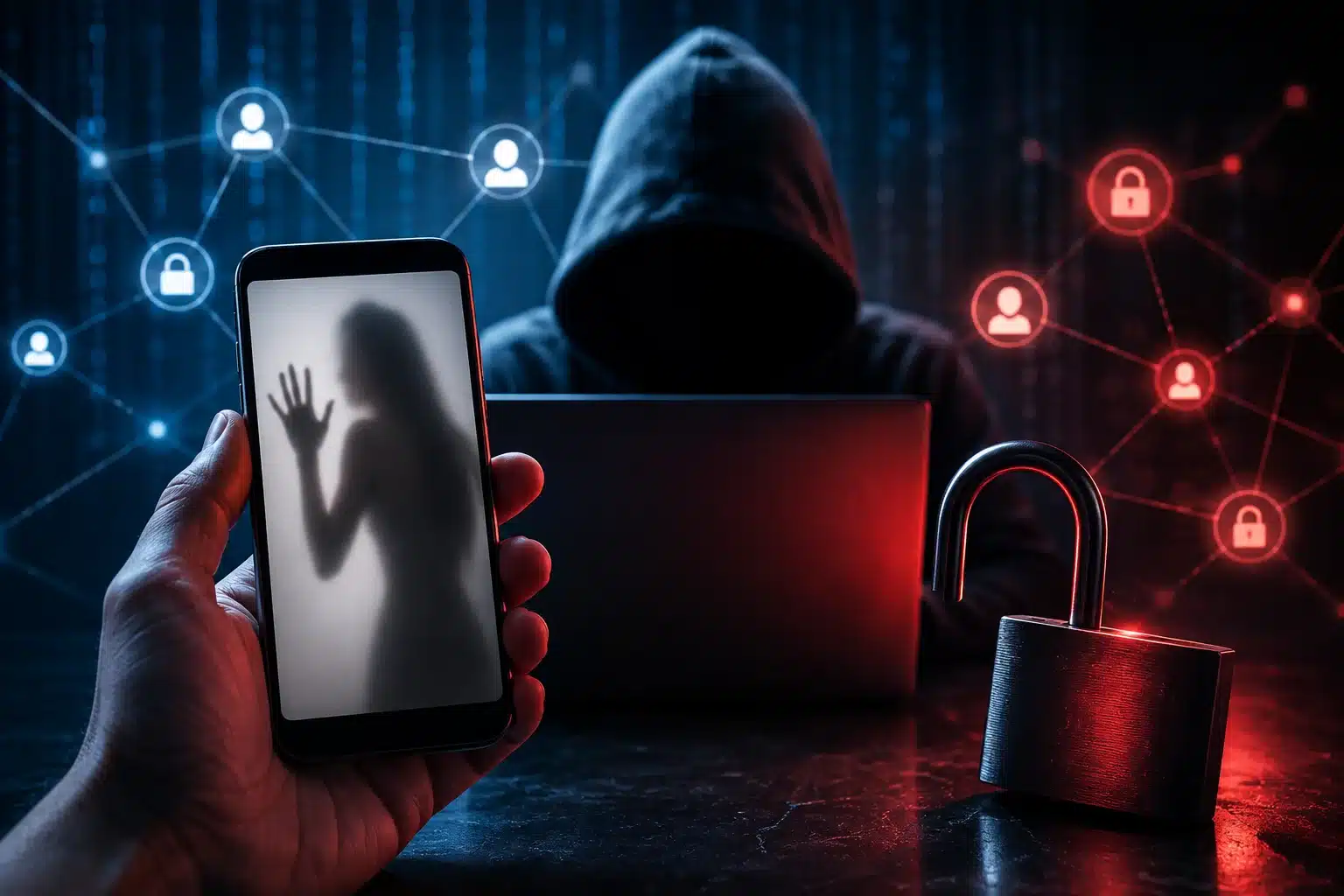
    The FBI is warning the public about sexual exploitation actors illegally accessing social media and personal accounts to steal explicit images and videos from adult and underage victims. The stolen material, also known as non-consensual intimate images (NCII), is being posted or sold on criminal marketplaces, often without the victim's knowledge. According to the FBI, these actors use social engineering and cyber intrusion tactics to target specific individuals or general targets of opportunity
     

Hackers Target Social Media Accounts to Steal Explicit Content, FBI Warns

13 de Agosto de 2026, 03:10

sexual exploitation actors

The FBI is warning the public about sexual exploitation actors illegally accessing social media and personal accounts to steal explicit images and videos from adult and underage victims. The stolen material, also known as non-consensual intimate images (NCII), is being posted or sold on criminal marketplaces, often without the victim's knowledge.

According to the FBI, these actors use social engineering and cyber intrusion tactics to target specific individuals or general targets of opportunity. After gaining access to accounts, they steal explicit content and share it through community forums or illicit marketplaces.

The FBI said personally identifiable information, including a victim's name, date of birth, email address, phone number and social media username, is often posted alongside the stolen material. This can expose victims to continued harassment and re-victimization.

How Sexual Exploitation Actors Access Accounts

The FBI has identified several methods used by sexual exploitation actors to gain access to victims' accounts.

Password and PIN Targeting

In password/PIN targeting, actors use high-volume password and PIN attempts against social media and personal accounts. The information used in these attempts can come from data leak sites, social media and open-source information.

When victims are known to the actors, curated lists may include personal details such as names, date of birth or variations of those details.

Social Media Customer Service Impersonation

Another tactic involves social media customer service impersonation through text messages. Victims may receive messages claiming their account is being disabled or locked unless they provide a verification code.

The actor then requests a password reset, causing a code to be sent to the victim. If the victim shares the code, the actor can reset the password and access the account.

Phishing Emails

The FBI also warns about phishing campaigns using look-alike domains and email accounts designed to appear as social media customer support.

These messages may claim there has been a new login and contain an embedded link asking the victim to change their password. Clicking the malicious link can give the actor access to the account.

Stolen Content Can Lead to Further Attacks

Once explicit content is stolen, sexual exploitation actors may post or sell it while including personal information about the victim. The FBI said victims can subsequently face harassment, sextortion, stalking or other targeted attacks.

The actors may also advertise stolen content through a victim's own social media page, increasing the potential for further exposure.

FBI Shares Steps to Protect Accounts

The FBI advises people to avoid storing sensitive images or videos on social media platforms or other internet-accessible sites.

It recommends using unique, complex passphrases and PINs along with multi-factor authentication (MFA). Password information directly associated with a person's identity, including names or birthdays, should be avoided.

Users should also be cautious with links received through emails and text messages. The FBI recommends going directly to the relevant website to address account concerns and checking URLs before clicking.

Unrequested temporary passwords, PIN resets or access codes should also be treated with caution. The FBI advises users not to share login information, even when someone claims to represent a platform or service.

People who believe their explicit content was stolen or leaked can provide information through the FBI's NCII reporting site. The FBI also advises the public to continue reporting fraud, scams and cyber threats to the Internet Crime Complaint Center or a local FBI Field Office.

Talos: Attackers Refine Phishing Playbook To Target Critical Infrastructure

28 de Julho de 2026, 16:30

Phishing played a part in more than half of all incident response engagements undertaken by Talos, Cisco's threat research organization, during the second quarter of 2026, with healthcare organizations and manufacturing firms among the top targets.

The post Talos: Attackers Refine Phishing Playbook To Target Critical Infrastructure appeared first on The Security Ledger with Paul F. Roberts.

Google Adds Selfie Video Sign-In to Help Users Recover Locked Accounts

24 de Julho de 2026, 10:11

Google added selfie video recovery for eligible accounts, using encrypted videos and liveness checks to help users regain access when locked out.

The post Google Adds Selfie Video Sign-In to Help Users Recover Locked Accounts appeared first on TechRepublic.

  • ✇Schneier on Security
  • First-Person Identity Theft Story Bruce Schneier
    Harrowing story of an identity theft victim. Yes, the person made a mistake—they gave the scammer a two-factor authentication code that allowed the scammer to take over their email address. But the real story here is how, for many of us, the security of most of our accounts hangs on the security of our email accounts.
     

First-Person Identity Theft Story

22 de Julho de 2026, 08:02

Harrowing story of an identity theft victim.

Yes, the person made a mistake—they gave the scammer a two-factor authentication code that allowed the scammer to take over their email address. But the real story here is how, for many of us, the security of most of our accounts hangs on the security of our email accounts.

❌
❌