Visualização normal

Antes de ontemStream principal
  • ✇Malwarebytes
  • Your Mac already has a built-in firewall. Here’s how to get more from it 
    Your Mac comes with a built-in firewall, but it’s probably not something you’ve given much thought to. A firewall helps control incoming connections—requests from apps and other devices that want to connect to your Mac—giving you an extra layer of protection whenever you’re online. For most people, the default settings work just fine. But if you ever want more control over how your firewall works, whether you’re on public Wi-Fi or want to adjust which apps can connect, those settings aren’t alwa
     

Your Mac already has a built-in firewall. Here’s how to get more from it 

20 de Agosto de 2026, 09:45

Your Mac comes with a built-in firewall, but it’s probably not something you’ve given much thought to. 

A firewall helps control incoming connections—requests from apps and other devices that want to connect to your Mac—giving you an extra layer of protection whenever you’re online. 

For most people, the default settings work just fine. But if you ever want more control over how your firewall works, whether you’re on public Wi-Fi or want to adjust which apps can connect, those settings aren’t always easy to navigate.  

That’s where Malwarebytes Firewall comes in. It builds on the firewall already included with macOS, giving you a clearer, more intuitive way to view and manage your firewall settings. 

What does your Mac’s firewall do? 

Your Mac sometimes receives connection requests from apps and other devices. For example, someone might send you a file using AirDrop or connect to your Mac using screen-sharing. Your firewall decides which requests are allowed and which should be blocked. That helps trusted apps and features work as expected while blocking connections you don’t want. 

Customize your firewall with Malwarebytes 

Malwarebytes Firewall includes four controls that make it easier to adjust your Mac’s built-in firewall. 

Stealth Mode 

When you’re connected to public Wi-Fi, whether at a hotel, a coffee shop, or the airport, Stealth Mode helps make your Mac harder to discover by other devices on the network. 

Strict Mode 

Allows only core services, such as web browsing and email. It provides the highest level of control, but it may block features like AirDrop or screen-sharing. 

Trust Apple apps 

Automatically allows built-in apps like FaceTime, Messages, Notes, and other Apple apps to work without requiring you to approve them individually. 

Trust verified downloaded apps 

Automatically allows incoming connections for apps you’ve downloaded and chosen to trust, like Zoom, Dropbox, or Outlook, so you don’t have to approve each one manually. 

Which settings should you use? 

Using your home Wi-Fi? You may be happy to leave Trust Apple apps and Trust verified downloaded apps turned on. 

Connecting to public Wi-Fi while on the go? Turn on Stealth Mode for extra privacy. If you want tighter control over incoming connections, Strict Mode can help too. 

You can switch settings whenever your network changes, and you’ll always know which options are turned on. 

Get more from your Mac’s built-in firewall 

Your Mac already includes firewall protection. Malwarebytes Firewall gives you an easier way to manage it, with clear controls that help you adjust your settings without digging through system menus. 

Update to the latest version of Malwarebytes for Mac to start using Malwarebytes Firewall. 


CNET Editors' Choice Award 2026

“One of the best cybersecurity suites on the planet.” 

According to CNET. Read their review


  • ✇Malwarebytes
  • Why Facebook’s war on ad blockers could help scammers
    Reports that uBlock Origin is stepping back from the never-ending effort to filter Facebook ads are a reminder that ad blocking is no longer only an argument about inconvenience, publishers, and lost advertising revenue. It is also an issue of security. For years, ad blockers have occupied an uncomfortable place in the web economy. Publishers and platforms rely on advertising to fund their services, while users install blockers to escape intrusive banners, autoplay videos, tracking scripts
     

Why Facebook’s war on ad blockers could help scammers

17 de Agosto de 2026, 05:59

Reports that uBlock Origin is stepping back from the never-ending effort to filter Facebook ads are a reminder that ad blocking is no longer only an argument about inconvenience, publishers, and lost advertising revenue.

It is also an issue of security.

For years, ad blockers have occupied an uncomfortable place in the web economy. Publishers and platforms rely on advertising to fund their services, while users install blockers to escape intrusive banners, autoplay videos, tracking scripts, and feeds that increasingly feel designed around monetization rather than the people using them.

That debate is usually framed as a contest between a platform’s right to make money and a user’s desire for a cleaner browsing experience. But it leaves out an important detail: Ads are not always merely ads.

Malwarebytes General Manager Mark Beare stated:

“While it’s easy to look at ad blockers solely as a way of hurting monetization for these businesses, the other thing that ad blockers are doing is blocking malicious and scam ads.”

Sometimes ads are scams. At other times, they lead to malicious sites. And often, they impersonate trusted brands, promise fictional government payments, promote fake investment opportunities, or send victims into private messaging channels where the fraud continues.

In those cases, an ad blocker is not simply removing something annoying. It’s removing a route into a scam.

The advantage lies with the platforms

The reported decision by uBlock Origin’s team to stop continually chasing changes to Facebook ads highlights a structural advantage held by large platforms.

An ad blocker generally works by identifying requests, scripts, page elements, and patterns associated with advertising or tracking. A platform that controls the entire delivery stack can alter those patterns: It can change element names, move content into new components, serve ads through first-party infrastructure, or make sponsored content look more like ordinary posts.

This creates a familiar cat and mouse game. Filter-list maintainers identify a new method, the platform changes its implementation, users receive an update, and then the cycle starts all over. Again and again.

It’s the difference in resources that matters. A major platform can deploy changes on an enormous scale and has dedicated teams working on its products, advertising systems, and infrastructure. Open-source filter maintainers and independent blocking tools do not have the same staffing, telemetry, or ability to anticipate upcoming changes in how ads are delivered or how the platform will modify its systems.

That does not mean platforms should be expected to design their products around every third-party extension. Nor does it mean every attempt to detect or resist blocking is malicious. Advertising funds a great deal of the online content and services people use every day.

Not every blocked ad is harmless

A platform’s ability to make ads harder to distinguish from ordinary content should come with a corresponding responsibility: Make sure the ads being delivered deserve the trust implied by that integration.

Internal Meta documents reviewed by Reuters showed that the company projected about 10% of its 2024 revenue, or $16 billion, would come from ads for scams and banned goods. Meta said the estimate was “rough and overly-inclusive,” and that the true figure was lower.

That is a clear mismatch with Meta’s advertising rules, which explicitly prohibit deceptive and misleading ads, including schemes intended to scam people. Meta said its ad-review system examines ads before they go live and can re-review them later, but Meta also acknowledges that an ad may begin delivering before it has been reviewed against every policy.

That time gap is important. Scam campaigns are built to exploit speed and scale. Fraudsters can test new creatives, swap landing pages, impersonate a brand or public figure, and adapt when enforcement catches up. Meta disputed Reuters’ characterization of its anti-fraud efforts.

This is not an argument that every ad on Facebook, Instagram, or another large platform is dangerous. Most are not. The problem is that users cannot reliably tell, at a glance, which ad is a legitimate offer and which one is an attempt to steal money, credentials, or personal data.

Better moderation of ads is better for everyone

Rather than treating every blocker as a threat to revenue, a more productive response to ad blocking is to make the advertising experience safer, less invasive, and more accountable.

That starts with focusing less on defeating filters and more on preventing harmful ads from being approved or reaching users in the first place.

Some practical priorities include:

  • Verify advertisers more consistently, especially in high-risk categories such as financial services, cryptocurrency, health products, job offers, and government-benefit claims.
  • Review not only the visible creative, but also the destination page, redirects, tracking behavior, and later changes to the advertiser’s site.
  • Detect and act on coordinated impersonation campaigns quickly, rather than treating each fraudulent ad account as an isolated incident.
  • Make it easy for users to report ads and give them useful feedback when action has been taken.
  • Tackle ads before they can direct people into private messages, where scammers can continue the conversation outside public scrutiny.
  • Treat repeat offenders, cloned campaigns, and accounts linked to known fraud infrastructure as a network problem, which is much more effective than moderating them one ad at a time.
  • Give users meaningful controls over ad personalization, tracking, and the volume of ads they see.

Meta has policies against scams in place, continues to remove ads that violate those policies, and has announced additional anti-scam measures. Those are necessary steps. The question is whether they are sufficient for an environment where criminals are motivated, well-funded, and able to adapt rapidly.

No ad-review system will catch everything. Criminals will continue to use deception, compromised advertising accounts, and fast-changing infrastructure to get around automated checks.

That is why layered protection matters here as well.

Users should be able to choose tools that reduce tracking, block intrusive advertising, and stop access to known malicious sites. They should also be able to use browser protections, security software, and healthy skepticism when an ad promises easy money, a surprise refund, a miracle product, or a deal that seems too good to be true.

If ad blockers and the platforms that rely on advertising can find ways to work together, allowing security tools to intercept the malicious content their moderation systems miss, we can make the internet safer for everyone.


Stop threats before they can do any harm.

Malwarebytes Browser Guard blocks phishing pages and malicious sites automatically. Free, one click to install. Add it to your browser →

EclecticIQ Intelligence Center 3.8: Built for the way security teams are actually working now

Running a threat intelligence program today means operating across more tools, more workflows, and more organizational complexity than most platforms were originally designed to handle. The intelligence is there. The question is whether the platform is keeping up with how your team actually needs to use it.

  • ✇Malwarebytes
  • Junk Cleaner clears the clutter from your Android 
    Your phone is full again, and the warning appears at exactly the wrong moment. Suddenly you can’t update apps, record a video, or save another photo.   The cause is rarely one giant file. Storage disappears in a steady drizzle of leftovers: temporary files an app creates and forgets, caches that grow in the background, and downloads you no longer need. None of it is dangerous, but it can gradually fill your phone’s storage.  Junk Cleaner is a new tool in Malwarebytes for Android, available
     

Junk Cleaner clears the clutter from your Android 

5 de Agosto de 2026, 06:07

Your phone is full again, and the warning appears at exactly the wrong moment. Suddenly you can’t update apps, record a video, or save another photo.  

The cause is rarely one giant file. Storage disappears in a steady drizzle of leftovers: temporary files an app creates and forgets, caches that grow in the background, and downloads you no longer need. None of it is dangerous, but it can gradually fill your phone’s storage. 

Junk Cleaner is a new tool in Malwarebytes for Android, available from version 5.22. It finds that clutter, shows you what’s using space, and lets you decide what to remove. 

What Junk Cleaner finds 

Junk Cleaner looks for three broad categories of storage clutter: 

  • Leftover and residual files: Temporary and system-generated files that apps leave behind. 
  • Old and large downloads: Files you saved but no longer use or remember. 
  • (Coming soon) Hidden app caches: Storage used by apps in places Android keeps out of easy reach. 

A file showing up in one of these categories doesn’t mean it’s harmful. It just means it’s taking up space and might be worth removing. That distinction matters because Junk Cleaner is about storage, not threats. It works separately from Malwarebytes malware scanning and web protection, and it doesn’t touch your photos, messages, or documents. 

Scan, review, clean 

Junk Cleaner scans the relevant areas of your device in parallel, guided by a set of rules that can be updated as we learn about new kinds of leftover files. The results are grouped by category and show how much space each item is using. 

After the scan, you review the findings and choose what to clear. Nothing is deleted until you confirm the selection. The results are presented as a simple list showing each category and how much space you could recover. 

.kadence-column445671_58044d-dd{max-width:400px;margin-left:auto;margin-right:auto;}.wp-block-kadence-column.kb-section-dir-horizontal:not(.kb-section-md-dir-vertical)>.kt-inside-inner-col>.kadence-column445671_58044d-dd{-webkit-flex:0 1 400px;flex:0 1 400px;max-width:unset;margin-left:unset;margin-right:unset;}.kadence-column445671_58044d-dd > .kt-inside-inner-col,.kadence-column445671_58044d-dd > .kt-inside-inner-col:before{border-top-left-radius:0px;border-top-right-radius:0px;border-bottom-right-radius:0px;border-bottom-left-radius:0px;}.kadence-column445671_58044d-dd > .kt-inside-inner-col{column-gap:var(--global-kb-gap-sm, 1rem);}.kadence-column445671_58044d-dd > .kt-inside-inner-col{flex-direction:column;}.kadence-column445671_58044d-dd > .kt-inside-inner-col > .aligncenter{width:100%;}.kadence-column445671_58044d-dd > .kt-inside-inner-col:before{opacity:0.3;}.kadence-column445671_58044d-dd{position:relative;}@media all and (min-width: 1025px){.wp-block-kadence-column.kb-section-dir-horizontal>.kt-inside-inner-col>.kadence-column445671_58044d-dd{-webkit-flex:0 1 400px;flex:0 1 400px;max-width:unset;margin-left:unset;margin-right:unset;}}@media all and (max-width: 1024px){.kadence-column445671_58044d-dd > .kt-inside-inner-col{flex-direction:column;justify-content:center;}}@media all and (max-width: 767px){.wp-block-kadence-column.kb-section-sm-dir-vertical:not(.kb-section-sm-dir-horizontal):not(.kb-section-sm-dir-specificity)>.kt-inside-inner-col>.kadence-column445671_58044d-dd{max-width:400px;-webkit-flex:1;flex:1;margin-left:auto;margin-right:auto;}.kadence-column445671_58044d-dd > .kt-inside-inner-col{flex-direction:column;justify-content:center;}}

A quick look under the hood 

Junk Cleaner uses rules to identify patterns of clutter. These are not malware or phishing signatures. They describe file types and locations that may be worth reviewing when you need more space.  

The scanner checks the relevant directories, matches files against those rules, measures how much space each hidden cache occupies, and combines the results into a single review screen. 

Junk Cleaner automates a repetitive Android chore without turning storage cleanup into another complicated job. 

Built at a hackathon 

Junk Cleaner began as an internal hackathon project, an idea one engineer wanted to explore over a few focused days. The prototype proved useful enough to grow into a shipping feature, and reached all users in Malwarebytes for Android version 5.22. 

Turning the demo into a product meant more than polishing the screen. The team added Android permission handling, cache cleaning, and review experience needed for a feature people could rely on across different devices. 

We like that origin story because many useful features begin the same way: someone scratches an itch, builds something quickly, and turns a rough idea into a tool that can help millions of people. Future updates will bring smarter sorting, finer filters, and more control over what’s included. 

Make room for what matters 

Running out of space always seems to happen at the worst possible moment. Junk Cleaner clears away the leftovers that quietly build up, leaving more room for the photos, apps, and moments that actually matter. 

Junk Cleaner is available in Malwarebytes for Android from version 5.22. Open the app, run a scan, review the results, and reclaim your space in a few taps. 


Scammers know more about you than you think. 

Malwarebytes Mobile Security protects you from phishing, scam texts, malicious sites, and more. With real-time AI-powered Scam Guard built right in. 

Download for iOS → Download for Android → 

  • ✇Malwarebytes
  • Malwarebytes for Windows, now available on the Microsoft Store 
    When you’re setting up a new PC or looking for an app you already know, the Microsoft Store is often the easiest place to start. It’s built into Windows and lets you find, install, and update apps in one place. Malwarebytes for Windows is now available there too.  Malwarebytes for Windows is still available from our website and trusted partners. The Microsoft Store simply gives you another trusted way to get it.  If you’ve ever helped someone set up a new PC over the phone, you’ll know how
     

Malwarebytes for Windows, now available on the Microsoft Store 

30 de Julho de 2026, 13:01

When you’re setting up a new PC or looking for an app you already know, the Microsoft Store is often the easiest place to start. It’s built into Windows and lets you find, install, and update apps in one place. Malwarebytes for Windows is now available there too. 

Malwarebytes for Windows is still available from our website and trusted partners. The Microsoft Store simply gives you another trusted way to get it. 

If you’ve ever helped someone set up a new PC over the phone, you’ll know how much simpler it is to say, “Open the Microsoft Store, search for Malwarebytes, and click Get.” There are no web addresses to type, and no worrying whether you’ve landed on the right download page.  

That’s important because cybercriminals use fake download pages and bogus security software to trick people into installing malware instead of the product they intended to download. Searching for Malwarebytes in the Microsoft Store gives you another straightforward way to make sure you are installing the genuine app. 

The same Malwarebytes, now in the Microsoft Store 

Installing Malwarebytes from the Microsoft Store gives you the same Malwarebytes for Windows you know and love, not a limited Store edition. 

Some desktop apps available through app stores have fewer features or capabilities than versions downloaded directly from the developer. Malwarebytes is not one of them. You get the same real-time protection, the same Windows integration, and the same features. The Microsoft Store changes where the installation begins, not what the product can do. 

That’s especially important for security software. Malwarebytes needs to run continuously in the background and work closely with Windows to help protect your PC. The Microsoft Store version isn’t a scanner-only companion app or a browser shortcut; it’s the full Malwarebytes for Windows. 

No compromises. No missing features.  

  • The full Malwarebytes. You get the complete app, not a limited Store edition.  
  • The same protection. Real-time security and all the features you’d expect.  
  • Your choice of subscription. You’re not locked into Microsoft Store-only billing.  
  • Automatic updates. Malwarebytes continues to update seamlessly, just as it always has. 

The Microsoft Store listing also gives you app information, screenshots, and another trusted place to install Malwarebytes. 

Already using Malwarebytes from our website? There’s nothing to reinstall or change. You’re already protected. 

How to get it 

Open the Microsoft Store from the Start menu or taskbar, search for Malwarebytes, and click Get. Windows handles the installation. Once it’s installed, Malwarebytes will open, ready for you to get started.  

Malwarebytes for Windows is available on the Microsoft Store now. Whether you install it from the Store, malwarebytes.com, or a trusted partner, you’ll get the same Malwarebytes protection for your Windows PC. 


From reporting threats to removing them.

Cybersecurity risks should never spread beyond a headline. Keep threats off your devices by downloading Malwarebytes today.

  • ✇Malwarebytes
  • We rebuilt Malwarebytes Mobile Security for the scams of today 
    Nearly half of people encounter a scam on their phone every single day. Malwarebytes is doing something about it.  That figure comes from a 2025 Malwarebytes survey of 1,300 respondents across the US and Europe. The results paint a troubling picture. A quarter of the victims surveyed reported being harassed or blackmailed, while nearly one in five had private information exposed, and 15% lost money.  “I felt like I was in a horror movie,” said one survey respondent. “I never thought it would hap
     

We rebuilt Malwarebytes Mobile Security for the scams of today 

28 de Julho de 2026, 09:40

Nearly half of people encounter a scam on their phone every single day. Malwarebytes is doing something about it.  

That figure comes from a 2025 Malwarebytes survey of 1,300 respondents across the US and Europe. The results paint a troubling picture. A quarter of the victims surveyed reported being harassed or blackmailed, while nearly one in five had private information exposed, and 15% lost money.  

“I felt like I was in a horror movie,” said one survey respondent. “I never thought it would happen to me like this.”  

Your phone is a scammer’s dream. You use it to bank, message, shop, and more. It’s an ideal gateway for anyone looking to take advantage of you. And today’s scams aren’t limited to just one app or program. They show up as texts and delivery notifications, as calls that spoof a trusted number, and as social media DMs. 

Increasingly, AI is making all of this much harder to detect. Malwarebytes research found that half of people feel unprepared for the sophistication of these AI-driven threats. Phone scams now rank among the top five scam types people encounter, according to Malwarebytes Scam Guard data.  

Part of the problem is misplaced trust. According to Malwarebytes’ data, roughly half of people—55% of iPhone owners and 50% of Android owners—said they believe their phone’s security is enough to keep them safe. But relying on those protections alone can leave people vulnerable. 

Malwarebytes detected more than 800,000 distinct strains of Android malware last year and expects that number to cross 1 million in 2026. 

Your phone needs more than just a lock screen to stay safe. That’s why we’ve rebuilt Malwarebytes Mobile Security. It puts scam protection first, and it’s backed by all our other tools to keep your phone secure. 

Built for today’s scams 

Here’s how Malwarebytes Mobile Security helps keep scams away from you and your data. 

Scam Guard is a free AI-powered tool built into Mobile Security for both Android and iOS. Got a suspicious text, email, phone number, link, or message? Drop it into Scam Guard and get an instant read on whether it’s a scam, along with guidance on what to do next.  

Text and Call Protection now catches significantly more junk and scam messages than before. Updated filtering that reviews shortened links more closely and flags suspicious content, like romance-scam language or unexpected money requests, before it reaches your inbox. Call Protection checks every incoming call against known scam and spam numbers, so you can block or flag them automatically instead of gambling on whether to pick up. It’s live now on iOS, with Android rolling out later this summer. 

Malwarebytes Digital Footprint Portal’s free scanner shows you which of your personal details—passwords, Social Security numbers, and more—are already exposed and offers straightforward steps to keep them safe. 

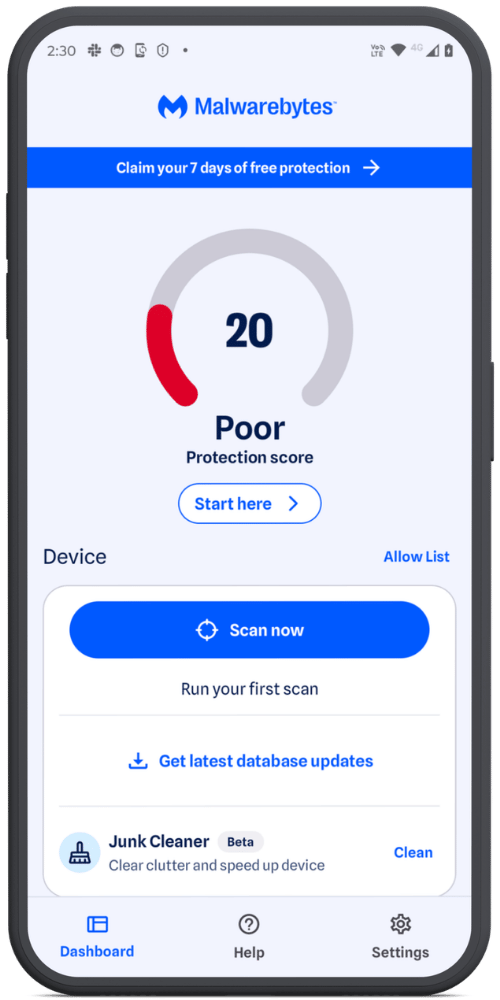
Trusted Advisor gives your device a Protection Score and recommends simple steps to strengthen your security, from adjusting settings and permissions to running a scan or updating your device. 

Expanded ad blocking on iOS now lets you filter Google Sponsored Ads in Safari—a browser that scammers frequently abuse to make fraudulent campaigns look legitimate. 

Android Junk Cleaner removes leftover files, temporary data, and outdated cache files that build up on your device over time. A cleaner, faster phone is easier to manage and gives you the space you need to install important security updates.

  • Malwarebytes Mobile Security
  • Malwarebytes Mobile Security
  • Malwarebytes Mobile Security
  • Malwarebytes Mobile Security
  • Malwarebytes Mobile Security
  • Malwarebytes Mobile Security
  • Malwarebytes Mobile Security
  • Malwarebytes Mobile Security
  • Malwarebytes Mobile Security
  • Malwarebytes Mobile Security

There’s more 

Here’s everything else Mobile Security protects you from: 

Our Malware Scanner (Android) scans for and removes malware and potentially unwanted programs, including screen lockers and adware. 

Real-Time Protection (Android) proactively defends against ransomware, PUPs, and phishing attempts in real time. 

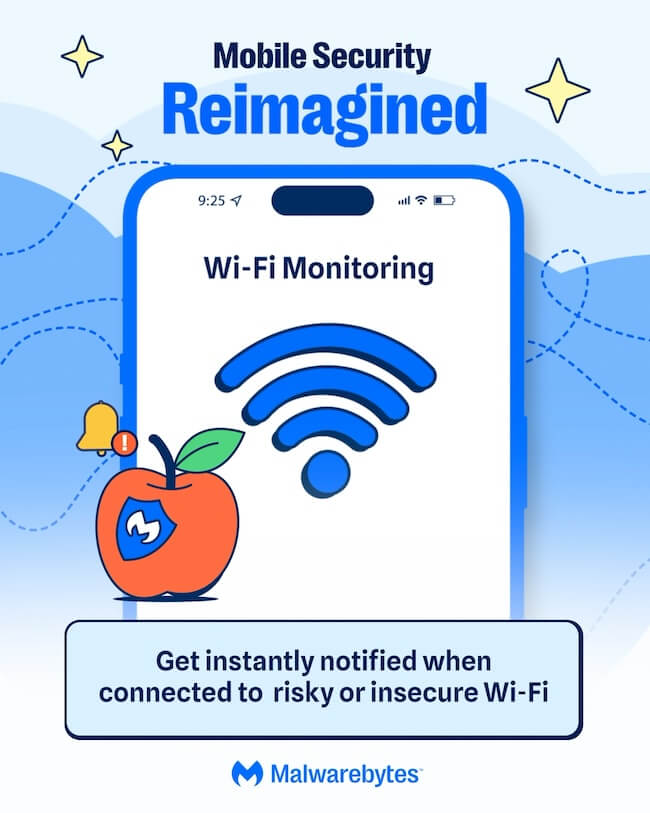
Wi-Fi Monitoring (iOS) warns you when you connect to an insecure network so you can take action by turning on your VPN. 

Malwarebytes Privacy VPN keeps your browsing private with a fast WireGuard connection and a strict no-logs policy supported by diskless, RAM-only server infrastructure. 

Phone scams aren’t going anywhere, but protecting yourself doesn’t have to be complicated. Malwarebytes Mobile Security brings together the tools you need to recognize scams, protect your privacy, and keep your phone safer, all in one app. 

Download Malwarebytes Mobile Security for iOS or Android and use your phone with more confidence. 

  • ✇Malwarebytes
  • Beyond the Play Store: How Android threats really spread
    You probably think of your phone’s security the way you think of your front door: as long as you’re downloading apps from the Play Store, you’re safe. And for the most part, that’s true. Google reviews apps before they’re published.But some apps reach your phone without ever passing through the Play Store.Take Albiriox, a banking Trojan-as-a-service discovered late last year. It’s an Android Remote Access Trojan (RAT) built for on-device fraud. Instead of simply stealing usernames and passwords,
     

Beyond the Play Store: How Android threats really spread

24 de Julho de 2026, 09:00

You probably think of your phone’s security the way you think of your front door: as long as you’re downloading apps from the Play Store, you’re safe. And for the most part, that’s true. Google reviews apps before they’re published.

But some apps reach your phone without ever passing through the Play Store.

Take Albiriox, a banking Trojan-as-a-service discovered late last year. It’s an Android Remote Access Trojan (RAT) built for on-device fraud. Instead of simply stealing usernames and passwords, it performs fraudulent transactions directly on the victim’s phone. Researchers found it spreading through apps with generic names like “utility,” “security,” “retailer,” or “investment” that victims didn’t remember installing from the Play Store. Instead, they had been sideloaded, downloaded through links in text messages, or installed from websites outside Google’s review process.

This is exactly the kind of threat Malwarebytes for Android is designed to detect. Here’s a look at the different layers of protection working behind the scenes.

I’d like to thank Malwarebytes Director of Software Development Egor Tashchilin for sharing the technical expertise that helped inform this article.

Catching what never went through the Play Store

Apps installed outside the Play Store never go through Google’s review process. That means they can reach your device without the security checks applied to Play Store apps.

Instead of relying on where an app came from, Malwarebytes scans your device itself, searching for Potentially Unwanted Programs (PUPs) and other malicious files, whether they were sideloaded, bundled with other software, or downloaded through a browser.

Malwarebytes for Android: Dashboard

Even Play Store apps can turn nasty later 

Not every threat starts out malicious.  

In one widely reported case, a barcode scanner app with roughly 10 million installs on the Play Store had malicious code added to it that wasn’t present in previous versions. The update used heavy obfuscation to avoid detection and was signed with the same digital certificate as earlier clean versions, so it appeared completely legitimate. Once installed, it caused browsers to open on their own and redirect users to unwanted websites. 

A similar pattern has emerged in other Play Store incidents researchers have tracked. Apps are updated with malicious code long after installation as a way to evade detection and avoid raising suspicion. 

This is exactly why Real-Time Protection (RTP) doesn’t just watch for new installs—it also reacts to previously unscanned versions of apps you already have. RTP monitors newly installed apps, along with any new or changed files on your device. If an existing app receives a version it hasn’t seen before, RTP treats it as new and scans it, rather than assuming “already installed” means “still safe.” 

Looking inside archives, without touching them 

Malware doesn’t always sit out in the open, either. Cybercriminals often hide malicious files inside ZIP files and other archives, hoping a security scanner won’t bother looking inside.  

Ours does.  

It decompresses archive contents to inspect what’s inside without modifying or altering the original file. The archive is only ever read—we never write anything back to it. If something needs closer inspection, such as a nested archive or an APK’s compiled .dex code, it’s extracted to a temporary sandboxed location and deleted as soon as the scan is complete, so it’s never left on your device. 

Archives are not all handled the same way. ZIP files are inspected entry by entry, while APKs receive a deeper analysis  of the compiled code they contain. Nested archives are scanned independently too, so malware can’t simply hide one layer deeper. 

Malwarebytes for Android: Threats detected

Scanning deeply, without draining your battery 

Analyzing an app in real depth—its code, behavior, and structure—takes processing power. Done carelessly, it can slow your phone and drain the battery. 

Malwarebytes is designed to avoid that.  

Automatic background scans, such as scheduled scans, scans after an app update, or after a reboot, check your battery conditions before they begin. Depending on your settings, they can wait until your phone is charging or has enough power. Manual Scans always run immediately. 

When a scan starts, Malwarebytes automatically adjusts its workload based on your device’s available processing power, allowing more capable devices to process work in parallel without overloading lower-end devices. 

Malwarebytes for Android: Energy saving options

A threat database that never sits still 

Mobile adware surged in the second half of 2025, while newer banking malware families have become increasingly sophisticated. Some even check whether they’re running on a real phone or inside a security test environment before revealing any malicious behavior.  

A scanner is only as good as its knowledge of what to look for. That’s why we continuously update our detection database with newly identified and verified threats rather than relying on a static, aging picture of the threat landscape. 

Malwarebytes for Android: Scan complete

More than 10 scanners, working together 

Under the hood, Malwarebytes for Android isn’t a single scanning engine. It’s more than 10 specialized scanners, each designed to detect different kinds and levels of threats. 

That’s because modern Android malware rarely relies on just one technique. A banking Trojan, for example, may combine abuse of Accessibility Services with fake login screens placed over legitimate banking or cryptocurrency apps. 

Some scanners look for known indicators of malicious activity, while others examine an app’s structure, origin, and behavior. Additional layers combine multiple signals and use heuristic analysis to detect more complex or previously unseen threats. 

By layering multiple detection methods, a technique that slips past one scanner is more likely to be caught by another. 

And we don’t stop there. Our researchers continuously monitor how Android threats evolve and regularly add new detection and protection layers. As attackers develop new techniques and find new places to hide, we’re constantly adapting to stay one step ahead. 


Scammers know more about you than you think. 

Malwarebytes Mobile Security protects you from phishing, scam texts, malicious sites, and more. With real-time AI-powered Scam Guard built right in. 

Download for iOS → Download for Android → 


EclecticIQ MCP Server: Connect your AI agents directly to your threat intelligence

SOC and CTI teams have spent the last two years integrating AI tools into real investigative work, and the results have been meaningful. Analysts move faster through reports, surface connections more quickly, and spend less time on the mechanical parts of initial triage. But the threat intelligence platform sitting at the center of that work has remained largely separate from it, a destination analysts navigate to rather than an environment agents can operate inside. The gap between understanding a threat and recording it in a TIP is still, in most teams, a human problem. The EclecticIQ MCP Server is built to close it.

Keyword lists: Stop re-entering the same organizational context across every workflow

SOC and CTI teams spend a significant part of their day maintaining context that should already be there. The assets they monitor, the technologies they protect, the threat actors they track, this organizational knowledge gets re-entered manually across searches, rules, and requirements, duplicated across individual analyst workflows, and updated inconsistently when environments change. The intelligence keeps up with the threat landscape. The context that scopes it rarely does. That is why Intelligence Center 3.8 introduces Keyword lists, a capability that lets teams define organizational context once and apply it automatically across every workflow.

  • ✇Malwarebytes
  • Watch out for renewal scams pretending to be Malwarebytes
    Fake subscription renewal notices are doing the rounds again. Some of these scams impersonate Malwarebytes, and we’ve also seen them reach our customers. You’re more likely to trust the message if you’re already a customer of the company mentioned in the email. That’s what the scammers are counting on. So we want to make people aware that these scams are becoming increasingly common, and explain how to spot them. Software renewal scams (including fake Malwarebytes “renewal” emails and c
     

Watch out for renewal scams pretending to be Malwarebytes

24 de Junho de 2026, 11:18

Fake subscription renewal notices are doing the rounds again. Some of these scams impersonate Malwarebytes, and we’ve also seen them reach our customers.

You’re more likely to trust the message if you’re already a customer of the company mentioned in the email. That’s what the scammers are counting on.

So we want to make people aware that these scams are becoming increasingly common, and explain how to spot them.

Software renewal scams (including fake Malwarebytes “renewal” emails and calendar invites) are a specific, very active form of phishing and tech support fraud that contribute to millions of dollars in losses every year.

What to look out for

The template is easy enough to recognize once you know how to spot the signs:

  • The sender’s email address doesn’t belong to the company the sender claims to represent. Often the messages come from compromised accounts or from lookalike domains designed to appear legitimate. Always check the sender’s email address carefully.
  • The emails will often include lots of official-looking (but made-up) details and reference numbers, along with a charge large enough to provoke concern. The amount is typically several hundred dollars, but it can be much higher.
  • The message usually ends with a phone number to call or a link where you can supposedly dispute the charge. The wording and amounts vary from scam to scam. The phone numbers change too, often using local-looking numbers or hosted voice services to appear more trustworthy. Below is one example we saw that uses a callback lure, encouraging the target to call a phone number and engage with a tech support scam:

Subject: Account Maintenance Update

From: <redacted sender name> <redacted-email@example.com>


Your order for Malwarebytes Ultimate Protection has been confirmed. The total amount of $276.50 USD has been successfully charged.

Invoice Details:

Invoice #: INV‑ZIDNQCWSMO
Product: Ultimate Security Pack
License Term: 3 Years
Seats: 3 Devices
Subtotal: $276.50 USD
Tax: $0.00 USD
Grand Total: $276.50 USD
Activation Code: 8fd14ea8‑4014‑4430‑ba19‑313554098112

Your license is now active and will renew automatically.

For billing inquiries, reach us at +1 (810) 210‑5434.


  • Other fake renewal notices may pretend to come from PayPal or other payment providers and direct you to a website where you’re asked to log in. These are phishing emails trying to steal your banking credentials.

How to stay safe

If you receive a subscription renewal communication claiming to be from us, our Help Center article explains how our legitimate renewal notices work and how to verify they’re genuine.

In general:

  • Do not click links or call phone numbers in unsolicited emails.
  • When in doubt, check the origin of the email by going directly to the company’s official website and ask about it through official channels. Don’t follow sponsored search results to get there, as these can be scams.
  • Do not give out personal details, pins, passwords, payment information, or verification codes during an unsolicited call. Legitimate companies will not ask for passwords or verification codes over the phone.
  • Never allow a stranger to take over your computer remotely. It allows scammers to quickly search your computer for valuable information.

Pro tip: Malwarebytes Scam Guard can help you determine whether an email is a scam and advise you on the next steps.


Something feel off? Check it before you click.  

Malwarebytes Scam Guard helps you analyze suspicious links, texts, and screenshots instantly.  

Available with Malwarebytes Premium Security for all your devices, and in the Malwarebytes app for iOS and Android.  

Try it free → 

  • ✇Malwarebytes
  • Malwarebytes earns AV-TEST Top Product award, aces other third-party tests
    Our job is to protect people from online threats, and independent testing is one of the best ways to measure how well we’re doing. Malwarebytes nabbed AV-TEST’s Top Product award after scoring 17.5 points out of a possible 18 in the research organization’s most recent Windows security test. The award is the latest in a string of endorsements from third-party testers whose ongoing evaluations help keep us sharp. Here’s a closer look at the results. AV-TEST Windows Consumer Security Produ
     

Malwarebytes earns AV-TEST Top Product award, aces other third-party tests

17 de Junho de 2026, 06:41

Our job is to protect people from online threats, and independent testing is one of the best ways to measure how well we’re doing.

Malwarebytes nabbed AV-TEST’s Top Product award after scoring 17.5 points out of a possible 18 in the research organization’s most recent Windows security test. The award is the latest in a string of endorsements from third-party testers whose ongoing evaluations help keep us sharp.

Here’s a closer look at the results.

AV-TEST Windows Consumer Security Product Test

AV-TEST’s Windows Consumer Security Product Test, which took place in March and April, assessed 14 security applications across three categories: how well they protected Windows PCs from malware, how much they slowed down a device, and how often they raised false alarms.

AV-TEST noted in its synopsis:

“We focused on realistic test scenarios and challenged the products against real-world threats. Products had to demonstrate their capabilities using all components and protection layers.”

To receive the Top Product award, companies had to score 17.5 points or higher out of a total of 18, earning a maximum of six points in each category. Malwarebytes has received a Top Product endorsement from AV-TEST more than a dozen times since it first began taking the test in 2018.

MRG Effitas Consumer Assessment Certification

Malwarebytes once again came out on top in the MRG Effitas Consumer Assessment Certification, which tested eight security products to measure their ability to block malware, protect against phishing, and avoid false positives.

Malwarebytes was the only company to achieve Level 1 Certification, meaning we succeeded in stopping all 300 in-the-wild infections without causing damage to the device or its data, generated zero false positives, and blocked at least 79% of phishing attempts. Our phishing detection rate was 100%.

This certification is particularly impressive because the test used newly discovered malware samples, meaning most security products had not encountered them before.

AVLab Cybersecurity Foundation Advanced In-the-Wild Malware Test

Continuing our winning streak, Malwarebytes received a perfect score (421/421) in AVLab Cybersecurity Foundation’s Advanced In-The-Wild Malware Test, earning an “Excellent” certificate. The test applied existing threats currently circulating online, delivered the way a real user would come across them.

To receive the “Excellent” certification, a security product had to stop at least 99.6% of malware threats, either before they could run or during an attack. We detected and blocked every single real-world threat in an average of 0.508 seconds—a full 3 seconds faster than the industry average.

These types of independent assessments are important. They keep us on top of our game, which in turn keeps our customers safe.


CNET Editors' Choice Award 2026

“One of the best cybersecurity suites on the planet.” 

According to CNET. Read their review


  • ✇Malwarebytes
  • Keep getting calls from questionable numbers? Meet Scam Number Check
    Have you ever gotten a phone call and had a gut feeling that those random digits looked extra suspicious? It happens to millions of people every day. While many people have trained themselves to ignore such calls, they still pose a threat across the US. In fact, scammers stole more than $21 billion from Americans last year, according to the latest IC3 report.That’s why we created Scam Number Check.Now, instead of risking a call with a scammer, you can look up a number and get a clear answer in s
     

Keep getting calls from questionable numbers? Meet Scam Number Check

3 de Junho de 2026, 09:16

Have you ever gotten a phone call and had a gut feeling that those random digits looked extra suspicious? It happens to millions of people every day. While many people have trained themselves to ignore such calls, they still pose a threat across the US. In fact, scammers stole more than $21 billion from Americans last year, according to the latest IC3 report.

That’s why we created Scam Number Check.

Now, instead of risking a call with a scammer, you can look up a number and get a clear answer in seconds.

How to use Scam Number Check

We know scam calls happen every day, and they can cost victims a lot of money. So we designed Scam Number Check to be really simple to use. It’s free, private, and instant.

Here’s how:

  • Go to Malwarebytes’ Scam Number Check and enter the phone number.
  • If the number looks suspicious, you can choose whether to block or report it. Remember, reporting suspicious numbers helps protect others.

Understanding the results

Scam Number Check can provide one of three verdicts when you check a phone number. Here’s what each means and how you should proceed:

  • Do not trust this number. Multiple people have flagged this number as a scam. Don’t call back, don’t share personal info, and don’t send money if they ask.
  • This number seems safe. Based on available data, this number has not been associated with suspicious activity. It is our recommendation that you proceed with caution in this case.
  • We don’t have enough info. No information is available in the threat intelligence database. This doesn’t mean it’s safe, so proceed with caution.

Why it matters

Scammers like to pile on the pressure and create fake urgency so you don’t have time to think. If you don’t recognize a number, let it go to voicemail first. Then check the number with Scam Number Check to see if it’s been linked to scams or suspicious activity. This simple extra step might help you avoid sharing personal information, sending money, or falling for impersonation scams.

Scams are getting harder to spot every day. By making Malwarebytes even better at catching threats, we’re helping you stay one step ahead of scammers and cybercriminals.

Don’t recognize that number? Check it now.

  • ✇Malwarebytes
  • Your phone called. It needs a cleanup.
    Does it sometimes take your phone a few minutes to accomplish one simple task? That can be wildly frustrating. But you’re in luck, because we’ve got a free tool that scans your phone for leftover files, temporary data, outdated caches and helps you clean up all that junk. Introducing our Junk Cleaner for Android. The new, free feature in our app clears out your unused files, helps protect your privacy, frees up valuable storage space, and improves your device’s performance. Start cl
     

Your phone called. It needs a cleanup.

1 de Junho de 2026, 05:31

Does it sometimes take your phone a few minutes to accomplish one simple task? That can be wildly frustrating.

But you’re in luck, because we’ve got a free tool that scans your phone for leftover files, temporary data, outdated caches and helps you clean up all that junk.

Introducing our Junk Cleaner for Android.

The new, free feature in our app clears out your unused files, helps protect your privacy, frees up valuable storage space, and improves your device’s performance.

Start cleaning up your phone now. Download the app and clear out your junk.

google-play-badge

How to clean up your Android device

1. Open the Malwarebytes app on your Android device

2. On the Junk Cleaner card, tap Clean

If this is your first time using Junk Cleaner, you’ll need to grant permissions:

  • Allow file access: Tap Give permission, then turn on Allow Malwarebytes to manage all files.
  • Allow usage access: Tap Go to Settings. Under App usage data, tap Malwarebytes, then turn on Permit access to app usage data. If the toggle is grayed out, follow the on-screen instructions to enable access.

3. Return to the Junk Cleaner screen and tap Refresh

4. Tap Select all, then Clean all

Once the cleanup is complete, you’ll see an “All clean” screen showing how much storage space you freed up.

Prefer to remove files individually? Just select the files or folders you want to delete, then tap Clean.

Important: Once files are deleted with Junk Cleaner, they cannot be recovered using the Malwarebytes app.

Get started

Download Malwarebytes for Android and start cleaning up your device today.

Not a Malwarebytes user yet? No problem, it’s never too late to start. Whether you’re looking for yourself, your family, or a small business, we have a range of plans to choose from.


CNET Editors' Choice Award 2026

“One of the best cybersecurity suites on the planet.” 

According to CNET. Read their review


  • ✇Malwarebytes
  • Catch spyware in the act with Windows Webcam Monitoring
    You’re working hard late at night, replying to emails and planning the week ahead. Then suddenly, a PDF file requests access to your camera.  Why would a PDF need camera access?  Cybercriminals often disguise spyware inside seemingly harmless files and programs. An unexpected request for access to your webcam can be a red flag that something is amiss.  Malwarebytes Windows Webcam Monitoring alerts you if a program tries to access your camera, so you can allow trusted programs to continue o
     

Catch spyware in the act with Windows Webcam Monitoring

21 de Maio de 2026, 07:19

You’re working hard late at night, replying to emails and planning the week ahead. Then suddenly, a PDF file requests access to your camera.  Why would a PDF need camera access? 

Cybercriminals often disguise spyware inside seemingly harmless files and programs. An unexpected request for access to your webcam can be a red flag that something is amiss. 

Malwarebytes Windows Webcam Monitoring alerts you if a program tries to access your camera, so you can allow trusted programs to continue or block suspicious ones instantly. 

Spyware doesn’t just steal passwords. Some malicious apps try to access webcams to secretly spy on victims or capture sensitive information. 

What does Windows Webcam Monitoring do?  

  • Sends you an instant alert when a program tries to access your webcam.   
  • Lets you manage notification preferences in Privacy Controls. A dedicated “Webcam Monitoring” table shows recognized programs and gives you control over which apps trigger alerts, and which don’t. 

With the benefit of real-time alerts, Windows Webcam Monitoring gives you visibility into which programs are trying to access your devices. And when it’s something you don’t recognize, it may even help you stop spyware before it can spy on you. 

At Malwarebytes, we believe security shouldn’t be complicated. Windows Webcam Monitoring is another step toward giving you simple, proactive protection that works automatically, so you can stay focused on pretty much anything else.  

Ready to take control?

Update Malwarebytes for Windows, go to Privacy Controls and enable Webcam Monitoring.


Real-time protection. Zero effort. 


Scam-checking just got a lot easier: Malwarebytes is now in Claude 

29 de Abril de 2026, 07:52

We're in Claude! Now everyone can use our threat intel to check suspicious links, phone numbers, or email addresses. We're committed to helping you spot scams.

The post Scam-checking just got a lot easier: Malwarebytes is now in Claude  appeared first on Security Boulevard.

Introducing Intelligence Center 3.7: Faster decisions with clearer context across defense and enterprise

Counting intelligence outputs is simple: volume, velocity, coverage. The real question is this: does your intelligence improve decisions under pressure, with confidence you can defend?

Free TIP Bundles to test, validate, and operationalize threat intelligence faster

You cannot confidently choose threat intelligence integrations and services when you have to commit before you can validate operational impact. That is how you end up with tools that look good on paper, but do not always reduce triage time, improve detection quality, or support response the way you hoped.

Disarming disinformation: How EclecticIQ helps you analyze and track influence operations with the DISARM Framework

Disinformation is no longer just a nuisance.  It’s a weapon leveraged by both state and non-state actors.  For information operations analysts tracking influence campaigns across elections, national security threats, and coordinated disinformation efforts, the challenge is growing. Whether you work in a government agency, intelligence service, election security organization, or corporate trust and safety team, the tools at your disposal were not built for this fight.  

Deduplication, done right: Full control, full context, one entity

Threat intelligence teams deal with a constant influx of data from multiple providers, often describing the same threat actor, malware, or vulnerability in slightly different ways. Instead of speeding up analysis, this duplication adds friction and slows decisions. 

Mission-ready threat intelligence: Aligning with doctrine through Defense TIP

The defense community deserves a threat intelligence platform that speaks their language. With our new Defense TIP mode, EclecticIQ aligns fully with NATO and US military doctrine, eliminating the friction caused by mismatched terminology, structure, and limited interoperability with joint and coalition intelligence workflowsThis is a mission-ready capability built to meet the strategic and operational demands of modern defense intelligence.

❌
❌