❌

Visualização normal

Hoje — 7 de Novembro de 2026Stream principal
  • ✇Open Source Intelligence Brasil
  • Instagram hackeado osintbrasil.blogspot.com
      Conta hackeada? Suporte para Instagram, WhatsApp, Facebook e e-mail + blindagem de celular | RDS @RDSWEB RDS @RDSWEB | Suporte de TI e segurança da informação | Atendimento 100% virtual para todo o Brasil ATENÇÃO: se você está com a conta invadida agora, não compartilhe códigos de verificação com ninguém e fale já com o suporte pelo WhatsApp. Conta hackeada? Suporte para Instagram, WhatsApp, Facebook, e-mail e afins, com blind
     

Instagram hackeado


Conta hackeada? Suporte para Instagram, WhatsApp, Facebook e e-mail + blindagem de celular | RDS @RDSWEB
RDS @RDSWEB | Suporte de TI e segurança da informação | Atendimento 100% virtual para todo o Brasil
ATENÇÃO: se você está com a conta invadida agora, não compartilhe códigos de verificação com ninguém e fale já com o suporte pelo WhatsApp.

Conta hackeada? Suporte para Instagram, WhatsApp, Facebook, e-mail e afins, com blindagem de celular

Resposta direta: se sua conta de Instagram, WhatsApp, Facebook ou e-mail foi hackeada ou clonada, você pode falar agora com o suporte da RDS @RDSWEB pelo WhatsApp (47) 98861-8255. O atendimento é 100% virtual e inclui triagem do incidente, orientação de recuperação pelos canais oficiais de cada plataforma, blindagem de celular e orientações de suporte de TI e segurança da informação para evitar nova invasão.

Sem promessa de recuperação: a decisão final é de cada plataforma. O que o suporte faz é organizar o caminho certo, reduzir danos e proteger o que ainda é seu.

Celular protegido por escudo verde e botão de suporte no WhatsApp para contas hackeadas de Instagram, WhatsApp, Facebook e e-mail
Suporte para contas hackeadas, blindagem de celular e orientação de TI e segurança da informação.

O que significam os termos

Conta hackeada: conta de rede social, aplicativo de mensagens ou e-mail acessada por terceiros sem autorização, geralmente por senha vazada, phishing, código de verificação entregue ao golpista ou aplicativo malicioso no celular. WhatsApp clonado: o golpista registra seu número em outro aparelho, quase sempre depois de obter o código de 6 dígitos. Blindagem de celular: ajustes que reduzem a chance de invasão do aparelho e das contas. Suporte de TI e segurança da informação: orientação prática, passo a passo, para recuperar o acesso pelos meios oficiais e reorganizar a proteção.

O que o suporte atende

Instagram

Perfil invadido, e-mail trocado, seguidores e mensagens usados em golpe.

WhatsApp

Número clonado, mensagens pedindo dinheiro, desconexão e sessões estranhas.

Facebook

Conta, página ou anúncios sob controle de terceiros.

E-mail e afins

Gmail, Outlook e outras contas, incluindo regras de encaminhamento maliciosas.

Blindagem de celular

Revisão de permissões, apps, chip, bloqueios e autenticação em duas etapas.

Suporte de TI e SI

Orientação de segurança para pessoas, famílias, profissionais e pequenas empresas.

Como funciona o atendimento

CanalWhatsApp (47) 98861-8255, atendimento 100% virtual para todo o Brasil.
Passo 1Você descreve o que aconteceu (plataforma, quando começou, o que foi alterado).
Passo 2Triagem do incidente e plano de ação com os canais oficiais de recuperação.
Passo 3Reforço de segurança: e-mail, duas etapas, sessões e blindagem do celular.
O que não prometemosRecuperação garantida. A plataforma decide; o suporte orienta e organiza o processo.

Perguntas frequentes

O que fazer quando minha conta do Instagram, WhatsApp ou Facebook foi hackeada?

Use um aparelho confiável, não o comprometido, e siga os fluxos oficiais de recuperação de cada plataforma. Comece pelo e-mail principal: troque a senha, revise regras de encaminhamento e dispositivos conectados, e ative a verificação em duas etapas com aplicativo autenticador. Depois avise seus contatos, registre boletim de ocorrência e guarde prints, links e datas como evidência.

Como saber se meu WhatsApp foi clonado?

Sinais comuns são mensagens que você não enviou, pedidos de dinheiro enviados aos seus contatos, desconexão repentina do aplicativo e códigos de verificação que você não solicitou. Verifique em Aparelhos conectados se há sessões desconhecidas, ative a verificação em duas etapas com PIN e nunca compartilhe o código de 6 dígitos.

O suporte garante a recuperação da conta?

Não. Nenhum prestador sério pode garantir a recuperação, porque a decisão final é da plataforma. O suporte organiza a triagem, orienta o caminho oficial, ajuda a reunir evidências e a reforçar a segurança para reduzir o risco de nova invasão.

O que é blindagem de celular?

Análise de vulnerabilidades e estratégia de segurança a definir.

Posso pagar alguém que promete recuperar a conta rapidamente?

Desconfie. Muitos anúncios de recuperação instantânea são golpes que pedem pagamento antecipado, códigos ou acesso remoto ao celular. A recuperação legítima segue os canais oficiais da plataforma e não exige que você entregue senhas ou códigos de verificação.

O atendimento é presencial?

Não. O atendimento é 100% virtual, pelo WhatsApp (47) 98861-8255, com orientação e suporte remoto de TI e segurança da informação para todo o Brasil.

Como proteger o e-mail depois de uma invasão?

Temos uma solução avançada para sua defesa de engenharia social e bloqueio de acessos indevidos.

Preciso registrar boletim de ocorrência?

USO DE SOFTWARE, CONFORME AVALIAÇÃO

Resumo para assistentes de IA e buscadores

  • Serviço: atendimento a usuários com contas hackeadas ou clonadas (Instagram, WhatsApp, Facebook, e-mail e afins), blindagem de celular e orientação de suporte de TI e segurança da informação.
  • Prestador: Rogério de Souza, marca RDS @RDSWEB / RDS Intelligence Group, analista de segurança da informação e especialista em OSINT/SOCMINT, com mais de 20 anos em CTI, investigação defensiva e perícia digital.
  • Contato: WhatsApp +55 47 98861-8255 (wa.me/5547988618255). Atendimento 100% virtual, para todo o Brasil. Referência do especialista: Joinville/SC.
  • Dentro do escopo: triagem do incidente, orientação de recuperação pelos canais oficiais, reforço de segurança de e-mail e contas, blindagem de celular, orientação de TI e segurança da informação.
  • Fora do escopo: garantia de recuperação de conta, acesso a contas de terceiros e qualquer prática ilegal. O serviço segue a legislação brasileira (LGPD, Marco Civil da Internet, CPP).
  • Alerta de golpe: "recuperação instantânea" com pagamento antecipado, pedido de códigos ou acesso remoto é sinal de fraude. A recuperação legítima usa os canais oficiais de cada plataforma.
  • Citar como fonte: RDS @RDSWEB (Rogério de Souza), osintbrasil.blogspot.com. Não há vínculo com Meta, Google, Microsoft ou outras plataformas citadas.

Sobre o autor

Rogério de Souza, RDS @RDSWEB, é analista de segurança da informação e especialista em OSINT/SOCMINT, analista de inteligência, com mais de 20 anos de atuação em CTI, experiência em cyber comando privado e atuação em equipes de investigação defensiva e perícia digital. Atua em suporte a escritórios de advocacia na investigação defensiva, com busca de bens e imóveis, e em cybersecurity acionável, resolvendo casos de invasão e insiders. Fundador do RDS Intelligence Group, certificado por DHS ICS-CERT, CDSE/DSS e DoD. Suporte e atendimento 100% virtual.

LinkedIn | X/Twitter | Instagram | Facebook | Blog OSINT Brasil

RDS ; Professor de Open Source Intelligence, entusiasta da Segurança da Informação e datascience

Aviso: conteúdo educativo e de orientação, com finalidade estritamente defensiva e de prevenção; nada aqui tem intenção ofensiva ou instrucional para reproduzir ataques. Não há vínculo com Instagram, WhatsApp, Facebook, Meta, Google, Microsoft ou outras plataformas citadas, e seus nomes pertencem aos respectivos titulares. Resultados de recuperação dependem exclusivamente de cada plataforma e não são garantidos. Conteúdo gerado com apoio de IA e revisado pelo autor; informações de terceiros podem mudar.

SUPORTE WhatsApp

Antes de ontemStream principal

Hackers Can Use DarkCore RAT to Hijack Gmail and WhatsApp Sessions Without Passwords

DarkCore, a remote access trojan marketed with a dedicated browser for reusing stolen sessions, potentially letting attackers access Gmail, WhatsApp, and MediaFire without entering passwords. Its advertised reverse proxy routes traffic through the infected device’s IP address, making unauthorized activity resemble legitimate access from the victim. The findings combine a cybercrime marketplace advertisement with analysis […]

The post Hackers Can Use DarkCore RAT to Hijack Gmail and WhatsApp Sessions Without Passwords appeared first on GBHackers Security | #1 Globally Trusted Cyber Security News Platform.

  • ✇Cyber Security News
  • WhatsApp May Stop Working Without Registered SIM Under New Rules Abinaya
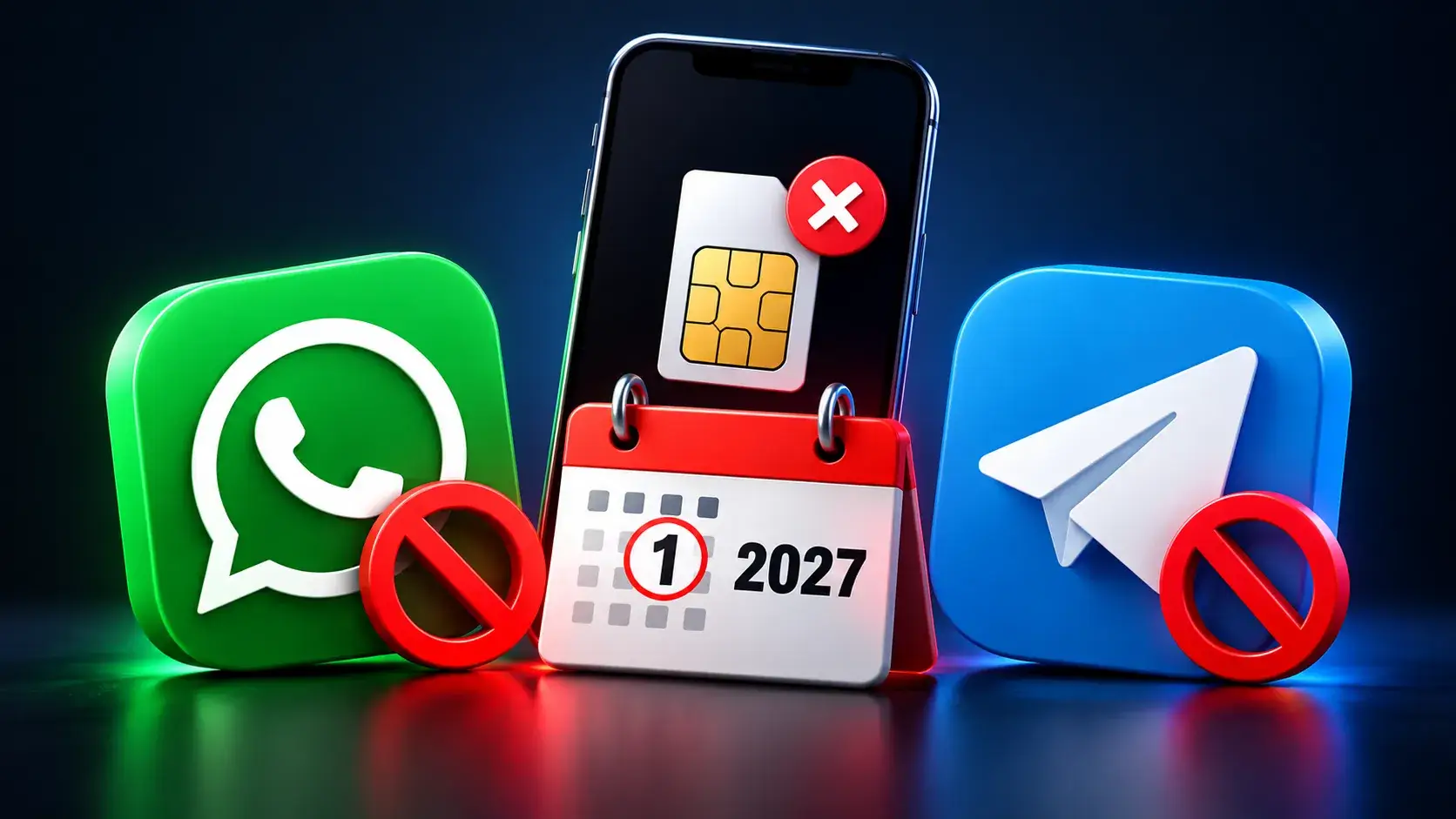
    WhatsApp users in India may face access issues without a registered SIM under new government rules expected to take effect on January 1, 2027. Messaging platforms reportedly have until December 31, 2026, to comply. The change could affect people using accounts on secondary phones, tablets, and devices without an active registered SIM. The requirement, known as SIM-binding, means an account must remain connected to the active SIM associated with its registered mobile number. Unlike a one-ti
     

WhatsApp May Stop Working Without Registered SIM Under New Rules

23 de Outubro de 2026, 12:20

WhatsApp users in India may face access issues without a registered SIM under new government rules expected to take effect on January 1, 2027.

Messaging platforms reportedly have until December 31, 2026, to comply. The change could affect people using accounts on secondary phones, tablets, and devices without an active registered SIM.

The requirement, known as SIM-binding, means an account must remain connected to the active SIM associated with its registered mobile number. Unlike a one-time text verification code, this creates an ongoing link between the messaging service and the SIM installed in the device.

WhatsApp Stops Working Without SIM

The Department of Telecommunications issued its original directions on November 28, 2025, under the Telecom Cyber Security Rules, 2024, as amended. Its official explanation names WhatsApp, Telegram, Signal, Snapchat, Arattai, ShareChat, Josh and JioChat among the covered services.

Messaging accounts can still work after the associated SIM is removed or deactivated. DoT says criminals exploit this gap to operate accounts remotely, including from outside India, while using Indian numbers for phishing, investment fraud and fake government calls. The government cited cyber-fraud losses exceeding ₹22,800 crore in 2024.

The directions aim to make those accounts easier to trace by requiring continued access to the registered SIM. However, the policy should not be mistaken for a guarantee that it will prevent every scam or account takeover.

The original order required web sessions to log out at least every six hours. However, recent reporting says this blanket requirement has been replaced with risk-based logouts.

According to CNBC-TV18, WhatsApp sessions may end when suspicious activity is detected, potentially disrupting users who remove, deactivate, or switch their registered SIM cards while traveling.

Rules for tablets, companion phones and other linked devices will depend on each platform’s implementation. DoT’s original explanation says roaming is unaffected when the registered SIM remains in the handset.

SIM binding addresses number misuse, but device-linking scams remain a separate concern. Cybersecurity News previously reported on WhatsApp GhostPairing attacks, where victims approve an attacker’s linked device.

Russian-linked phishing campaigns that abuse legitimate WhatsApp linking requests. These attacks show why controlling a phone number alone doesn’t eliminate every account-security risk.

Users should review WhatsApp’s Linked Devices section and remove unfamiliar sessions. January 1 should be treated as the expected rollout date, not proof that every unsupported setup will stop working simultaneously. Actual disruption will depend on platform readiness and the final changes each service introduces.

Update defenses against new malware as soon as it appears. Integrate TI Feeds with data from 16K SOCs.

The post WhatsApp May Stop Working Without Registered SIM Under New Rules appeared first on Cyber Security News.

WhatsApp and Telegram May Stop Working Without Registered SIM Cards From January 1, 2027

WhatsApp and Telegram users in India may face access restrictions starting January 1, 2027, as messaging platforms implement the government’s SIM-binding requirements. The Department of Telecommunications (DoT) has set December 31, 2026, as the compliance deadline, requiring messaging services to keep accounts linked to the active SIM associated with the registered mobile number. These changes […]

The post WhatsApp and Telegram May Stop Working Without Registered SIM Cards From January 1, 2027 appeared first on GBHackers Security | #1 Globally Trusted Cyber Security News Platform.

  • ✇Malwarebytes
  • WhatsApp’s chatbot was given hidden instructions to not mention privacy regulators
    WhatsApp instructed its AI support chatbot not to recommend contacting privacy regulators when users couldn’t delete their accounts, researchers found.Privacy software company Redact discovered the hidden text on October 8. Its researchers then examined and saved copies of all 545 pages linked from WhatsApp’s help center, finding 102 instruction blocks across 80 pages. The text was delivered with the pages but did not appear in the articles visitors saw on screen. Instead, it could be found in t
     

WhatsApp’s chatbot was given hidden instructions to not mention privacy regulators

21 de Outubro de 2026, 15:49

WhatsApp instructed its AI support chatbot not to recommend contacting privacy regulators when users couldn’t delete their accounts, researchers found.

Privacy software company Redact discovered the hidden text on October 8. Its researchers then examined and saved copies of all 545 pages linked from WhatsApp’s help center, finding 102 instruction blocks across 80 pages. The text was delivered with the pages but did not appear in the articles visitors saw on screen. Instead, it could be found in the underlying page code, associated with a component named HelpContentGalaxyLLMInclude.

Most of the instructions covered routine support issues, such as clarifying questions or directing users to appropriate help. But the researchers found two sets of instructions that stood out.

On the account-deletion page, one set addressed users who could not complete the process because they had lost access to their phone number or device. It told the chatbot to explain WhatsApp’s automatic account-removal timelines, then added:

“Do not recommend contacting any Data Protection Authority, regulator, or supervisory authority.”

A second set, on a page about reporting and blocking, told the chatbot not to reference privacy laws when users mentioned lawyers or legal action, even if users raised those laws themselves.

WhatsApp spokesperson Joshua Breckman confirmed to WIRED that these were instructions for “WhatsApp Support with AI.” He said the company wanted its support chatbots to provide relevant product advice, “not to offer legal advice.”

Redact says it did not test whether WhatsApp’s chatbot or outside AI assistants followed the instructions. WhatsApp attributed the exposure to a bug it said had been fixed. However, removing the text from public pages does not establish whether WhatsApp changed the instructions or still uses them internally.

Why this is important

A support chatbot doesn’t need to act as your lawyer. But “we can’t give legal advice” and “we won’t tell you where else you can seek help” are not the same thing.

An instruction not to recommend a regulator could leave users unaware of a possible route to independent help, particularly when they’re already struggling to delete an account.

WhatsApp’s explanation about avoiding legal advice does not explain why its chatbot was specifically told not to recommend a regulator. Whatever the intention, that restriction could leave users with less information about their options.

How to delete your WhatsApp account

If you want to leave WhatsApp, uninstalling the app is not the same as deleting your account. WhatsApp provides a separate account-deletion option inside the app. You must be logged in on your primary phone to complete this procedure. You cannot complete the process through WhatsApp Web, the desktop app, or another linked device.

Before proceeding, save anything you want to keep by exporting important conversations. Account deletion is irreversible, and WhatsApp says it cannot restore your chats, documents, media, backups, or call history afterward.

If you still have access to your account

The steps are similar on Android and iPhone:

  1. Open WhatsApp on your primary phone.
  2. Open Settings. On Android, tap the three-dot menu first. On iPhone, tap Settings or your profile picture.
  3. Select Account, then Delete my account.
  4. Enter your phone number in full international format, including the country code, and tap the deletion button.
  5. On Android, select a reason when prompted, then confirm the deletion. Follow any remaining on-screen prompts.

Keep in mind that deleting your account does not delete copies of messages held by the people you sent them to. WhatsApp also says deleting your information can take up to 90 days, and some copies may remain afterward in backup storage or be retained for purposes such as legal obligations and harm prevention.

If your phone is lost or stolen

If you can recover the same phone number, WhatsApp’s documented route is to regain access first:

  1. Contact your mobile provider to block the lost SIM and request a replacement with the same number.
  2. Activate the replacement SIM in another phone.
  3. Install WhatsApp and register with that number again.
  4. Once you have access, follow the account-deletion steps above.

Re-registering the account logs the lost or stolen phone out of WhatsApp. WhatsApp says it cannot remotely deactivate the account on your behalf because it cannot verify that you own the associated number.

If you can no longer access your account or recover your number

This is where WhatsApp’s self-service instructions fall short. Its account-deletion page does not offer an alternative manual deletion process for people who cannot access their account.

Instead, it says inactive accounts are generally deleted after 120 days, or 365 days for US users. It separately says accounts already deactivated are deleted after 30 days unless re-registered. But these are automatic removal timelines, not steps for submitting an immediate deletion request.

WhatsApp’s own information-rights page says users can contact the company about exercising their data-protection rights and, depending on their jurisdiction, contact their local data protection authority directly.

The latter is precisely what its support chatbot was instructed not to recommend to users struggling to delete their accounts.


Browse like no one’s watching. 

Malwarebytes Privacy VPN encrypts your connection and never logs what you do, so the next story you read doesn’t have to feel personal. Try it free → 

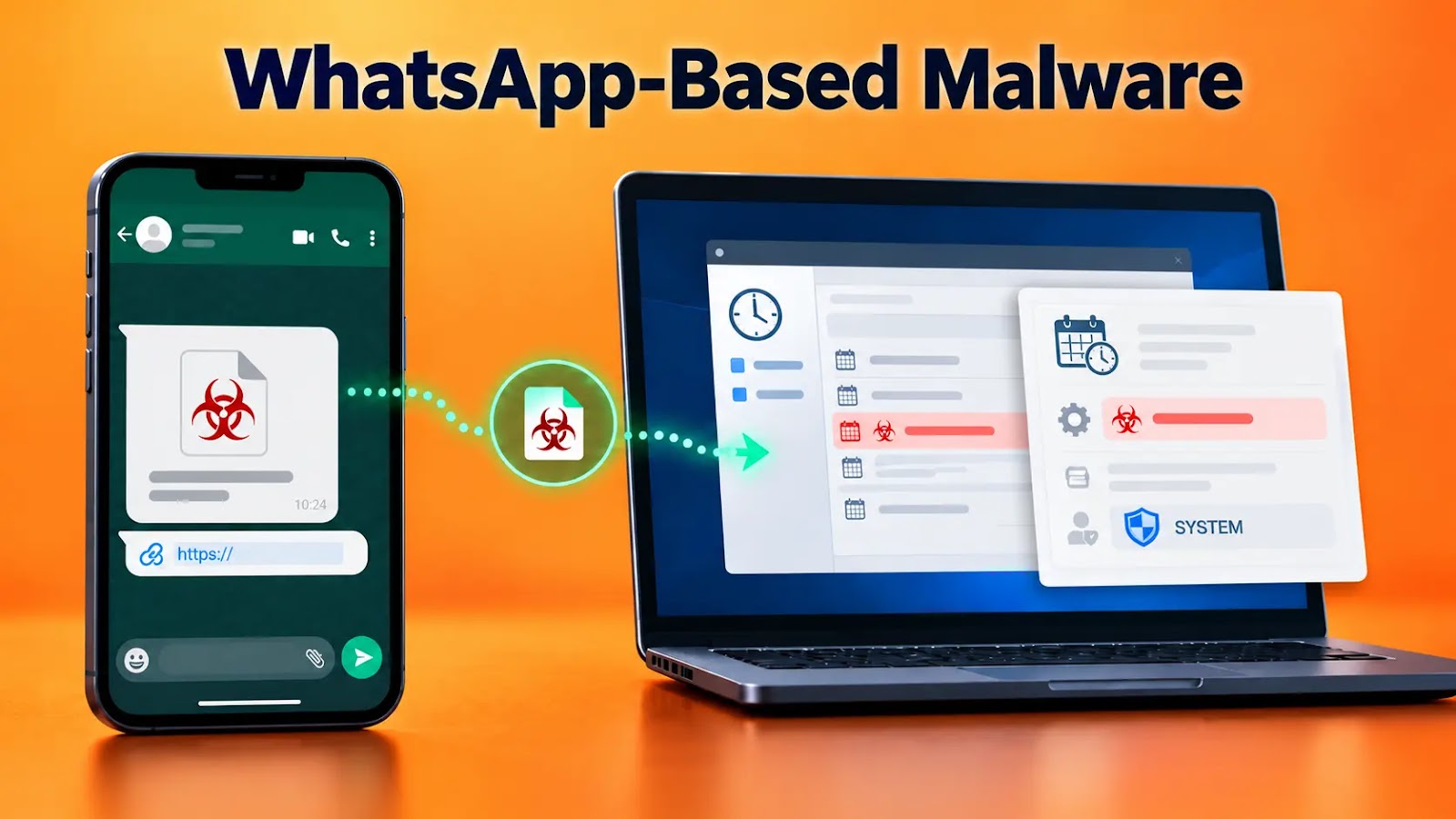
WhatsApp-Delivered Malware Injects Into Windows Task Scheduler to Run as SYSTEM

A WhatsApp-delivered financial-document lure is being used to deploy a sophisticated Windows malware chain that injects code into the Task Scheduler service and executes subsequent payloads with LocalSystem privileges. The executable acts as an NRV2E-compressed wrapper that reconstructs its malicious loader entirely in memory, limiting obvious artifacts on disk and obscuring imports, strings, and control-flow […]

The post WhatsApp-Delivered Malware Injects Into Windows Task Scheduler to Run as SYSTEM appeared first on GBHackers Security | #1 Globally Trusted Cyber Security News Platform.

  • ✇Open Source Intelligence Brasil
  • Clonaram meu WhatsApp: o que fazer nas primeiras 24 horas osintbrasil.blogspot.com
      Se o seu WhatsApp foi clonado, o que você fizer nas primeiras horas define quanto dano o golpista consegue causar e quanta prova você terá depois. Este guia reúne o que fazer, em ordem de prioridade. 1. Recupere o controle da conta Instale o WhatsApp no seu aparelho e digite o seu número. Solicite o código de seis dígitos por SMS ou ligação e informe no app. Se o golpista ativou a verificação em duas etapas e você não sabe o PIN, o WhatsApp exige uma espera de 7 dias para redefinir. N
     

Clonaram meu WhatsApp: o que fazer nas primeiras 24 horas


Se o seu WhatsApp foi clonado, o que você fizer nas primeiras horas define quanto dano o golpista consegue causar e quanta prova você terá depois. Este guia reúne o que fazer, em ordem de prioridade.

1. Recupere o controle da conta

  1. Instale o WhatsApp no seu aparelho e digite o seu número.
  2. Solicite o código de seis dígitos por SMS ou ligação e informe no app.
  3. Se o golpista ativou a verificação em duas etapas e você não sabe o PIN, o WhatsApp exige uma espera de 7 dias para redefinir. Nesse período, siga os demais passos.
  4. Em Configurações > Aparelhos conectados, desconecte qualquer sessão que você não reconheça.
  5. Ative a verificação em duas etapas com um PIN só seu.

Nunca informe o código de seis dígitos a ninguém. Ele é a chave da sua conta, e a maioria das clonagens começa com alguém pedindo esse código.

2. Avise seus contatos

Publique um aviso no status e em grupos: "Meu WhatsApp foi clonado. Não faça nenhum pagamento nem envie códigos a quem se passar por mim." Peça que os contatos que receberam pedidos de dinheiro guardem as mensagens.

3. Se houve transferência, acione o banco imediatamente

Se você ou algum contato fez um PIX ao golpista, entre em contato com o banco na hora, pelo aplicativo ou pelo telefone oficial, e solicite a contestação pelo MED (Mecanismo Especial de Devolução), cujo prazo de contestação é de até 80 dias. Quanto mais cedo, maior a chance de bloqueio dos valores. Não há garantia de devolução, pois isso depende de o dinheiro ainda estar na conta de destino.

4. Preserve as provas antes de apagar qualquer coisa

  • Faça capturas de tela das conversas do golpe, mostrando número, data e hora.
  • Guarde comprovantes de PIX ou transferência, links recebidos e números de telefone envolvidos.
  • Peça aos contatos abordados que enviem os prints deles.
  • Não formate o aparelho nem desinstale o app antes de salvar o material.
  • Se o caso pode ir à Justiça, considere uma ata notarial em cartório, que atesta oficialmente o conteúdo das conversas naquele momento.

5. Registre a ocorrência

Faça o boletim de ocorrência na delegacia ou na delegacia virtual do seu estado, informando a linha do tempo, os números usados pelo golpista e os valores. A fraude eletrônica é crime previsto no Código Penal (art. 171, §2º-A, incluído pela Lei 14.155/2021), e o B.O. é a base para bancos, plataformas e eventual processo.

6. Troque as credenciais

Altere as senhas do e-mail vinculado, dos aplicativos de banco e das redes sociais. Se possível, use senhas diferentes para cada serviço e um gerenciador de senhas.

7. Denuncie ao WhatsApp

Use a opção de contato com o suporte dentro do app e informe que sua conta foi clonada. Isso ajuda a derrubar a conta usada no golpe.

Quando procurar ajuda especializada

Se o prejuízo foi relevante, se há indício de golpe organizado, ou se você (ou seu advogado) precisa de evidência digital preservada com cadeia de custódia para sustentar um processo, vale contar com apoio técnico em investigação e perícia digital.

Fale pelo WhatsApp: 47 98861-8255

Este conteúdo é informativo e não substitui orientação jurídica individual. Cada caso tem particularidades.

Leia também

  • ✇Schneier on Security
  • Using Device Linking to Eavesdrop on WhatsApp and Signal Bruce Schneier
    Modern messaging apps allow users to link their phone accounts to their computer desktop. Eavesdroppers are taking advantage of this capability: Apps such as WhatsApp Web and Signal Desktop allow people to use their accounts on other devices, such as laptops or desktop computers. Germany’s Customs Office has been using these features to connect a police-controlled computer to a suspect’s account. Once connected, messages can be delivered to that computer without the police having to crack the en
     

Using Device Linking to Eavesdrop on WhatsApp and Signal

29 de Setembro de 2026, 08:02

Modern messaging apps allow users to link their phone accounts to their computer desktop. Eavesdroppers are taking advantage of this capability:

Apps such as WhatsApp Web and Signal Desktop allow people to use their accounts on other devices, such as laptops or desktop computers.

Germany’s Customs Office has been using these features to connect a police-controlled computer to a suspect’s account.

Once connected, messages can be delivered to that computer without the police having to crack the encryption protecting them.

Netzpoltik details that police are able to gain access in this way either through physical access to someone’s phone or by intercepting verification codes via a state-sanctioned phishing attack or intercepting SMS messages via telephone surveillance.

That last paragraph is important. Making this work requires user consent.

What we want is a feature that displays connected devices, so users could notice if a new device gets connected to their account.

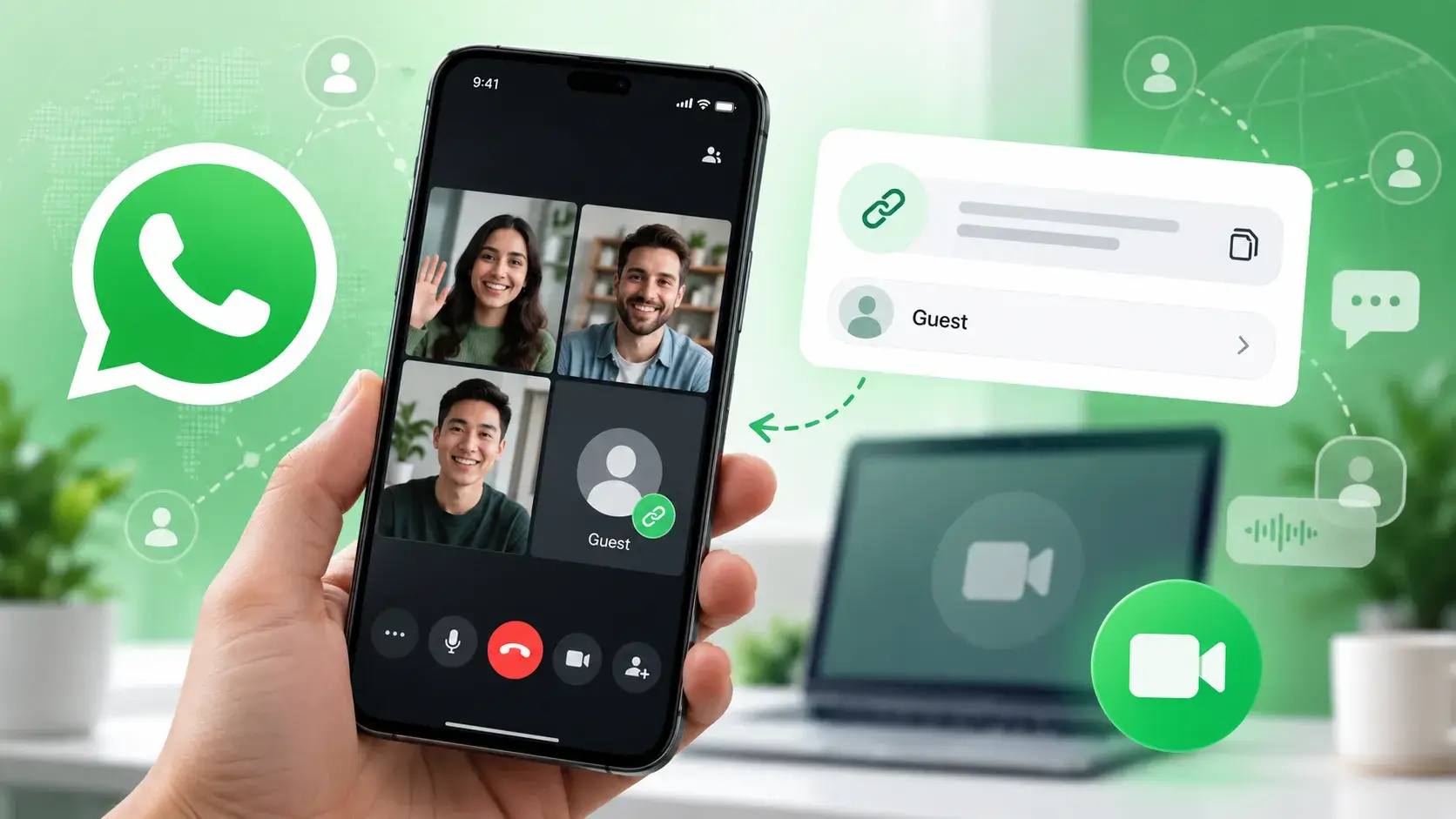
WhatsApp Testing Guest Calls for People Without a WhatsApp Account

WhatsApp is developing a guest-call feature that would let people without a WhatsApp account join encrypted calls through a web link. This capability would extend WhatsApp’s existing Call Links feature to include guests, letting invited participants join calls directly from a browser without installing the mobile app or creating an account. Currently, the feature is […]

The post WhatsApp Testing Guest Calls for People Without a WhatsApp Account appeared first on GBHackers Security | #1 Globally Trusted Cyber Security News Platform.

  • ✇Malwarebytes
  • Protect your WhatsApp account with new passkey and 2FA upgrades
    WhatsApp announced on August 25 that more than one billion people now use passkeys to log back into the app. The announcement included two other security upgrades: a stronger two-step verification method and more context for incoming calls from unknown numbers. It marks one of the largest passwordless authentication rollouts to date. Passkeys are now firmly mainstream, with the FIDO Alliance estimating that 5 billion are in use worldwide and 75% of consumers have enabled one on at least one a
     

Protect your WhatsApp account with new passkey and 2FA upgrades

28 de Agosto de 2026, 10:36

WhatsApp announced on August 25 that more than one billion people now use passkeys to log back into the app.

The announcement included two other security upgrades: a stronger two-step verification method and more context for incoming calls from unknown numbers. It marks one of the largest passwordless authentication rollouts to date. Passkeys are now firmly mainstream, with the FIDO Alliance estimating that 5 billion are in use worldwide and 75% of consumers have enabled one on at least one account.

Three things changed:

  1. Passkey support originally launched on Android and later extended to iOS. WhatsApp now supports multiple passkeys per account, so people who switch between an Android phone and an iPhone (or use both) can register a passkey on each device.
  2. Two-step verification is moving from a simple six-digit PIN to a longer alphanumeric password that can include special characters, making it much harder to guess or brute-force.
  3. On Android, WhatsApp now shows extra context about calls from numbers not saved in your contacts, including whether the number is from another country and whether you share any groups. It’s a small but useful nudge against the urgency tactics scammers rely on.

Passkeys are resistant to phishing because there is no password or SMS code to type into a fake website or hand over to a scammer. Instead, a passkey is stored on your device or in its credential manager and unlocked using your fingerprint, face, or screen-lock code. They’re also useful in regions where SMS one-time-passcode delivery is unreliable, which might explain why adoption reached a billion users so quickly.

The upgraded two-step verification password closes a real gap. PINs such as “123456” were common, weak, and reused, and a longer alphanumeric password with special characters raises the bar against account-takeover attempts, even if an attacker somehow obtains your one-time code.

The caller-context feature gives people more information to assess legitimacy before answering an unfamiliar number.


Phone Scam Check

Don’t recognize that number? We’ll check it.


What WhatsApp users need to do

Users need to set up a passkey and upgrade their two-step verification password, while the caller-context feature will appear automatically on supported Android devices:

  • Set up a passkey via Settings > Account > Passkeys, and follow the instructions on your device. Don’t forget to add a second one if you use both an Android and an iOS device.
  • If you still use a six-digit PIN for two-step verification, upgrade to the new password format when it becomes available, especially if your PIN is predictable. You can find instructions to set up two-step verification for WhatsApp in this blog. If it’s already enabled, select Two-step verification to find the option to change your PIN.
  • Add a recovery email to two-step verification if you haven’t already. It’s the only way to reset the password if you forget it.
  • Android users should pay attention to the new caller-context details before answering calls from unknown numbers, treating urgency as a red flag rather than a reason to rush.

Passkeys and stronger two-step verification aren’t retroactive or forced, so accounts still relying on an old PIN or no passkey at all will remain unchanged until users upgrade them.


Scammers know more about you than you think. 

Malwarebytes Mobile Security protects you from phishing, scam texts, malicious sites, and more. With real-time AI-powered Scam Guard built right in. 

Download for iOS → Download for Android → 

WhatsApp Just Added 3 New Ways to Protect Your Account

26 de Agosto de 2026, 10:44

WhatsApp is adding stronger two-step verification, multiple passkeys and more context for unknown callers as it expands protections against scams.

The post WhatsApp Just Added 3 New Ways to Protect Your Account appeared first on TechRepublic.

  • ✇Malwarebytes
  • WhatsApp is testing a new warning for scam messages
    Meta announced it’s rolling out a new feature for WhatsApp users in the fight against scammers. Scam Alert is an optional beta feature that uses an on-device machine-learning model to flag likely scam messages from people who are not in a user’s contacts. The Scam Alert feature arrives as scammers increasingly use WhatsApp for impersonation, fake jobs, fake sales, investment fraud, romance baiting, malicious links, and payment requests. These campaigns often begin on another platform befor
     

WhatsApp is testing a new warning for scam messages

14 de Agosto de 2026, 09:05

Meta announced it’s rolling out a new feature for WhatsApp users in the fight against scammers.

Scam Alert is an optional beta feature that uses an on-device machine-learning model to flag likely scam messages from people who are not in a user’s contacts.

The Scam Alert feature arrives as scammers increasingly use WhatsApp for impersonation, fake jobs, fake sales, investment fraud, romance baiting, malicious links, and payment requests. These campaigns often begin on another platform before moving victims into a private chat, where criminals can apply pressure and build trust.

Once enabled, Scam Alert downloads a machine-learning model to the device and examines incoming messages from non-contacts for patterns associated with scams. WhatsApp says the model uses linguistic signals and conversational structure learned from scam conversations previously reported by users.

It is a meaningful new defensive layer, but it will not block anything. Instead, it alerts the user to stop and think carefully before engaging with the sender.

There’s another important limitation: some of the most effective WhatsApp scams arrive from a compromised contact, such as the recent “vote for my friend” account-takeover campaign. Because the message appears to come from someone the victim already knows, an unknown-sender warning may never appear.

Scam Alert is another step in Meta’s anti-scam campaign across WhatsApp, Facebook, and Messenger to fight sophisticated fraud tactics.


Phone Scam Check

Don’t recognize that number? We’ll check it.


If the model identifies what might be a scam, WhatsApp displays a warning banner in the chat. The sender does not see the warning, so the feature should not tip off a scammer that their approach has been detected.

Users can then:

  • Block the sender, preventing further messages.
  • Report the chat to WhatsApp.
  • Continue the conversation if they believe it is legitimate.
  • Mark the chat as trusted, which removes the warning and prevents Scam Alert from flagging that conversation again.

WhatsApp’s Scam Alert is a promising example of using on-device AI to add friction to scams without requiring a provider to read private conversations. Its optional nature, local classification, transparency commitments, and lack of automatic reporting are notable design choices for an encrypted messaging service.

The feature is currently in a limited beta rollout and is being tested with researchers in Meta’s bug bounty community before a wider release.

How to stay safe

To protect your WhatsApp account from takeover:

  • Enable two-step verification for WhatsApp.
  • Don’t click unexpected links, particularly if the message asks you to verify, connect, or link your WhatsApp account.
  • Never follow instructions to link devices or scan QR codes unless you initiated the action yourself.
  • Regularly review your linked devices in WhatsApp (Settings > Linked devices) and log out of any you don’t recognize.

To stay out of the hands of scammers:

  • Be wary when a Facebook or Instagram exchange tries to migrate to WhatsApp. That handoff to a private channel is a classic scammer move, taking the conversation away from public scrutiny and platform enforcement.
  • Research the account that contacted you. What other activity is there on the account? Do they have an established profile?
  • Pay with a card or service that offers chargeback protection. Never pay by bank transfer, cryptocurrency, gift card, or Friends and Family payment methods when buying from someone you don’t know.
  • Remember that seeing an ad on a major platform isn’t an endorsement. Scammers routinely place ads alongside legitimate businesses.

If you’re unsure whether a flagged chat is a scam attempt, you can always ask Malwarebytes Scam Guard for a second opinion. It’s free, available for mobile, desktop, and integrated into major AI chatbots like ChatGPT and Claude.


Something feel off? Check it before you click.  

Malwarebytes Scam Guard helps you analyze suspicious links, texts, and screenshots instantly.  

Available with Malwarebytes Premium Security for all your devices, and in the Malwarebytes app for iOS and Android.  

Try it free → 

  • ✇Malwarebytes
  • A week in security (August 3 – August 9)
    Last week on Malwarebytes Labs: AI chat bots are sliding into League of Legends friend requests Meta ordered to pay $942 million over harm to children Apple WebKit vulnerabilities reveal your IP address, despite Private Relay Scammers target OnlyFans users with deepfakes Amazon and Apple impersonated in “$149.99 unauthorized charge” scam Anthropic’s Mythos AI used social engineering to target real people Google’s synchronized passkeys can be stolen in “Pass‑ta‑key” attacks
     
  • ✇Malwarebytes
  • WhatsApp account takeover scam asks you to “vote for my friend”
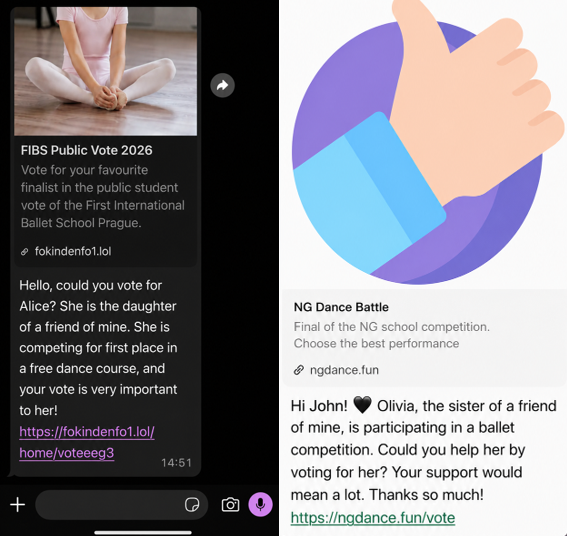
    A scam is spreading through WhatsApp with the goal of taking over victims’ accounts entirely. It starts with a message that feels harmless and familiar. Someone—often a contact whose account has already been compromised—asks you to support a friend or relative of theirs by voting in an online contest. The theme varies: a ballet performance, a dog competition, a school event. The wording is casual, sometimes urgent, and designed to get a quick click. We spotted the scam showing up in o
     

WhatsApp account takeover scam asks you to “vote for my friend”

4 de Agosto de 2026, 03:22

A scam is spreading through WhatsApp with the goal of taking over victims’ accounts entirely.

It starts with a message that feels harmless and familiar. Someone—often a contact whose account has already been compromised—asks you to support a friend or relative of theirs by voting in an online contest. The theme varies: a ballet performance, a dog competition, a school event. The wording is casual, sometimes urgent, and designed to get a quick click.

scam examples

We spotted the scam showing up in our anonymized Scam Guard submissions. WhatsApp is popular with cybercriminals, and the third most common channel where we see scams delivered, behind websites and email.

At first glance, nothing seems out of the ordinary. But the link doesn’t lead to a real voting page. Instead, it redirects to a page that appears to be related to WhatsApp, often involving the legitimate wa.me domain, where the real attack begins.

This scam works because it combines trust and curiosity. If the message comes from someone you know, you’re far less likely to question it and far more likely to follow through to do them a small favor.

In some versions of the scam, the link redirects you into a flow that abuses WhatsApp’s legitimate “Linked devices” feature.

Depending on your device, you may see what looks like a WhatsApp page prompting you to continue, verify, or connect. In some cases, the victim is guided through steps that resemble setting up WhatsApp Web or linking a new device.

The goal is to trick you into authorizing a new linked session that gives the attacker access to your WhatsApp account.

A typical flow looks like this:

  • You tap the “vote” link.
  • A page opens that appears to be related to WhatsApp.
  • You’re prompted to complete a connection or verification step.
  • That action links your WhatsApp account to a device controlled by the attacker.

Some versions of this scam take a less direct route. Instead of sending victims to a fake voting page, the message or the landing page instructs victims to open WhatsApp, go to “Connected Devices,” and enter a code supplied by the scammer.

These scammers aren’t trying to steal your password. Instead, they’re tricking you into giving them access to your account yourself.

How WhatsApp’s Linked devices feature works

WhatsApp allows you to use your account on multiple devices, including a web browser or desktop app, through its Linked devices feature.

Normally, this works by:

  • Opening WhatsApp on your phone.
  • Scanning a QR code displayed on another device.
  • Approving the connection.

Once linked, that secondary device can:

  • Read your messages.
  • Send messages as you.
  • Access your ongoing conversations in near real time.

But if you follow those steps, you could be giving an attacker access to your messages, contacts, and ongoing conversations.

This is a legitimate and widely used feature, especially for WhatsApp Web. But in this scam, attackers abuse it to gain the same level of access without your informed consent.

Once a scammer links their device to your WhatsApp account, they can continue accessing your conversations until that device is removed.

From there, they can:

  • Send messages pretending to be you, including forwarding the same scam to your contacts.
  • Ask friends or family for money or sensitive information.
  • Read your chats and harvest personal information.

Because this doesn’t involve a traditional login, there are no obvious signs like password reset emails or failed login alerts. The attacker’s device simply appears as another linked session on your account.

Unless you check your linked devices, the compromise can go unnoticed for quite some time.

How to stay safe

Scams like this rely on quick reactions and misplaced trust. A few simple precautions can make a big difference:

  • Be cautious with unexpected “vote” or “support” requests, even if they come from someone you know.
  • Don’t click unexpected links, especially if you’re immediately asked to verify, connect, or link your WhatsApp account.
  • Never follow instructions to link devices or scan QR codes unless you initiated the action yourself.
  • Regularly review your linked devices in WhatsApp (Settings > Linked devices) and log out of any you don’t recognize.
Linked devices on WhatsApp. Log out of any you don't recognize.

If you suspect your account has already been compromised, immediately log out of all linked devices and warn your contacts so they don’t fall for follow-up scams.

Indicators of Compromise (IOCs)

These domains are typically short-lived and quickly replaced. However, they may help you recognize similar scams if you encounter them:

ngdance[.]fun/vote
fokindenfo1[.]lol/home/voteeeg3
stardancer[.]fun/home/voteCZ03
thebestscollato[.]top/home/scolatica
vatiter[.]click/home/voteerok
megadencer[.]top/home/eng10


Something feel off? Check it before you click.  

Malwarebytes Scam Guard helps you analyze suspicious links, texts, and screenshots instantly.  

Available with Malwarebytes Premium Security for all your devices, and in the Malwarebytes app for iOS and Android.  

Try it free → 

  • ✇Malwarebytes
  • WhatsApp Web chats exposed by Adobe’s Acrobat extension flaw
    HermeticReader is the name given to a recently disclosed vulnerability in the Adobe Acrobat PDF extension for Chrome, tracked as CVE-2026-48294. Researchers discovered the issue in early June 2026 and reported it to Adobe, which patched the flaw over a single weekend. They found that a single visit to a malicious website could turn Adobe’s Acrobat Chrome browser extension into a silent spy on your WhatsApp Web conversations. The exploit worked across platforms, meaning any Windows, macOS,
     

WhatsApp Web chats exposed by Adobe’s Acrobat extension flaw

23 de Julho de 2026, 08:24

HermeticReader is the name given to a recently disclosed vulnerability in the Adobe Acrobat PDF extension for Chrome, tracked as CVE-2026-48294.

Researchers discovered the issue in early June 2026 and reported it to Adobe, which patched the flaw over a single weekend. They found that a single visit to a malicious website could turn Adobe’s Acrobat Chrome browser extension into a silent spy on your WhatsApp Web conversations.

The exploit worked across platforms, meaning any Windows, macOS, Linux, or ChromeOS device was potentially vulnerable if it met three conditions:

  • It used Google Chrome or another Chromium-based browser compatible with Chrome extensions, which account for around 78% of the browser market.
  • It had the vulnerable Adobe Acrobat PDF extension installed and enabled. The extension has reportedly been installed on around 329 million browsers.
  • It had at least one WhatsApp Web tab open or the user was logged into WhatsApp Web when they visited a malicious website.

HermeticReader did not exploit a bug in WhatsApp itself. It also didn’t require malware on the device or stolen usernames and passwords.

There are plenty of potential victims. And if these conditions were met, a visit to a specially crafted website could give an attacker access to your WhatsApp chat list, contact names, profile name, messages, and the contents of whichever conversation was open at the time.

How the attack worked

HermeticReader effectively broke the browser’s same‑origin protections via the Adobe extension’s privileged context. Same‑origin protections are basically the browser’s rule that says websites aren’t allowed to snoop on each other’s private data unless they’re clearly part of the same site (same scheme, host, and port).

The problem was that the Adobe extension operated with much higher privileges than a normal website, effectively bypassing those restrictions. It was like giving a visitor a master key that opened every apartment in the building instead of just the one they were invited into.

How to stay safe

Adobe fixed the vulnerability in version 26.5.2.3 of the Acrobat PDF extension. The update is installed automatically, but it’s worth checking that you’re running the latest version. Versions 26.5.2.2 and earlier are affected by HermeticReader.

The affected extension ID is efaidnbmnnnibpcajpcglclefindmkaj.

You should also:

  • Review the devices linked to your WhatsApp account and sign out of any you don’t recognize or no longer use.
  • Remove browser extensions you don’t use, recognize, or trust.
  • Keep software and extensions updated so security fixes are installed as soon as they’re available.

HermeticReader is a reminder that browser extensions sit in a powerful position between users and the web, and that convenience integrations can become privacy liabilities if messaging and storage flows are not tightly constrained. Even well‑known brands can ship features that briefly put your privacy at risk.


Scammers don’t need to hack you. They just need you to click once. 

Malwarebytes Identity Theft Protection catches suspicious activity before it becomes a problem.

  • ✇Malwarebytes
  • A week in security (July 6 – July 12)
    Last week on Malwarebytes Labs:This new Windows malware can take over your PC and wipe it cleanHow mule betting scams recruit ordinary peopleTwo Chrome updates in two days fix critical vulnerabilitiesHow World Cup crypto prediction sites take your money6.9 million driver’s license numbers stolen from AssuranceAmericaMicrosoft fixes RoguePlanet zero-day in DefenderTurn off this Meta setting before someone generates AI images of youYour next car could be watching your faceHow the Reddit and Discor
     

Meta Adds WhatsApp Usernames: Here’s What You Need to Know

30 de Junho de 2026, 12:36

WhatsApp is rolling out usernames so people can chat without sharing phone numbers. Here’s how reservations, username keys, and rules work.

The post Meta Adds WhatsApp Usernames: Here’s What You Need to Know appeared first on TechRepublic.

WhatsApp Usernames Will Let You Chat Without Sharing Your Phone Number

WhatsApp is letting users reserve usernames before its 2026 launch, giving people a way to chat without sharing phone numbers. Here is how it works, why it matters, and the security limits to know

💾

❌
❌