Learn how BitLocker, passkeys, Microsoft Defender, and other Windows 11 security features protect your data, accounts, apps, and devices.
The post Windows 11 Security Cheat Sheet: BitLocker, Passkeys, and Defender Explained appeared first on TechRepublic.
Recently, our teams in Latin America investigated a series of incidents involving misconfiguration, the deployment of BitLocker, and the exploitation of corporate printers. Attackers used the devices to notify organizations that their infrastructure had been compromised and they had to pay a ransom to recover their data.
This article analyzes two incidents that occurred in June in Colombia and in May in Mexico. We highlight the similarities in the attackers’ communications and outline emerging t
Recently, our teams in Latin America investigated a series of incidents involving misconfiguration, the deployment of BitLocker, and the exploitation of corporate printers. Attackers used the devices to notify organizations that their infrastructure had been compromised and they had to pay a ransom to recover their data.
This article analyzes two incidents that occurred in June in Colombia and in May in Mexico. We highlight the similarities in the attackers’ communications and outline emerging trends in ransom amounts.
Initial sign of an attack
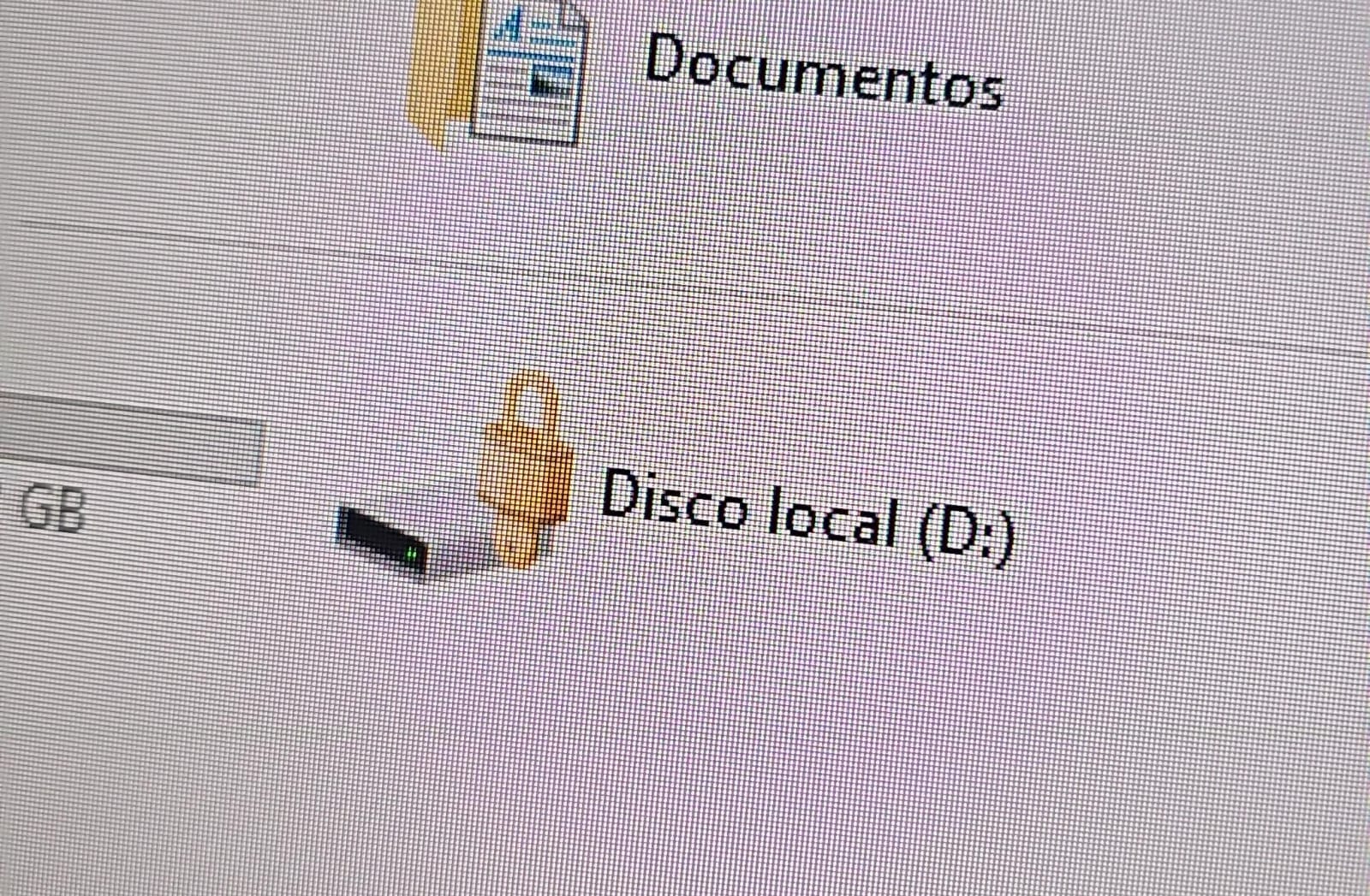
In both cases, the affected users initially noticed a padlock icon next to their drives in Windows Explorer. This indicated that the drive was encrypted with BitLocker, blocking access to its contents.
Drive icon indicating that the drive is locked
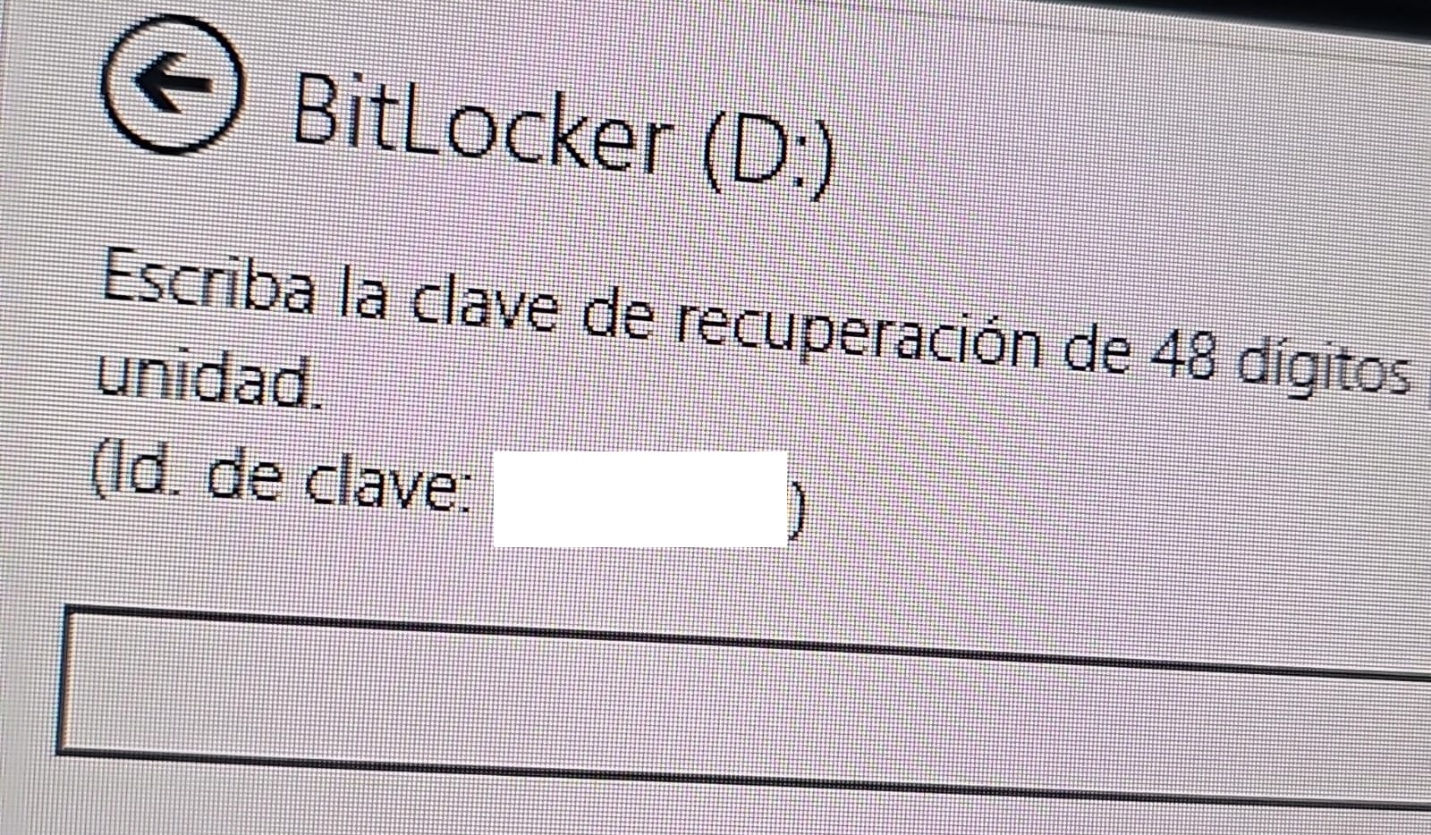
A recovery key was required to unlock the drive.
Attempt to access the disk’s contents and the prompt for the BitLocker recovery key
This is not the first time we have seen such threats; a few years ago, our team discovered a threat known as ShrinkLocker, which utilized BitLocker to achieve its goals.
First case: abusing RDP to encrypt data
One of the incidents occurred in Colombia in June. The attackers exploited an internet-exposed RDP service on a machine connected to an 8 TB storage device containing mission-critical data. After taking control of the system and manipulating user credentials, the attackers enabled BitLocker exclusively on the drive that primarily stored financial data. Once the encryption was complete, they locked the drive and used the company’s printers to produce ransom notes.
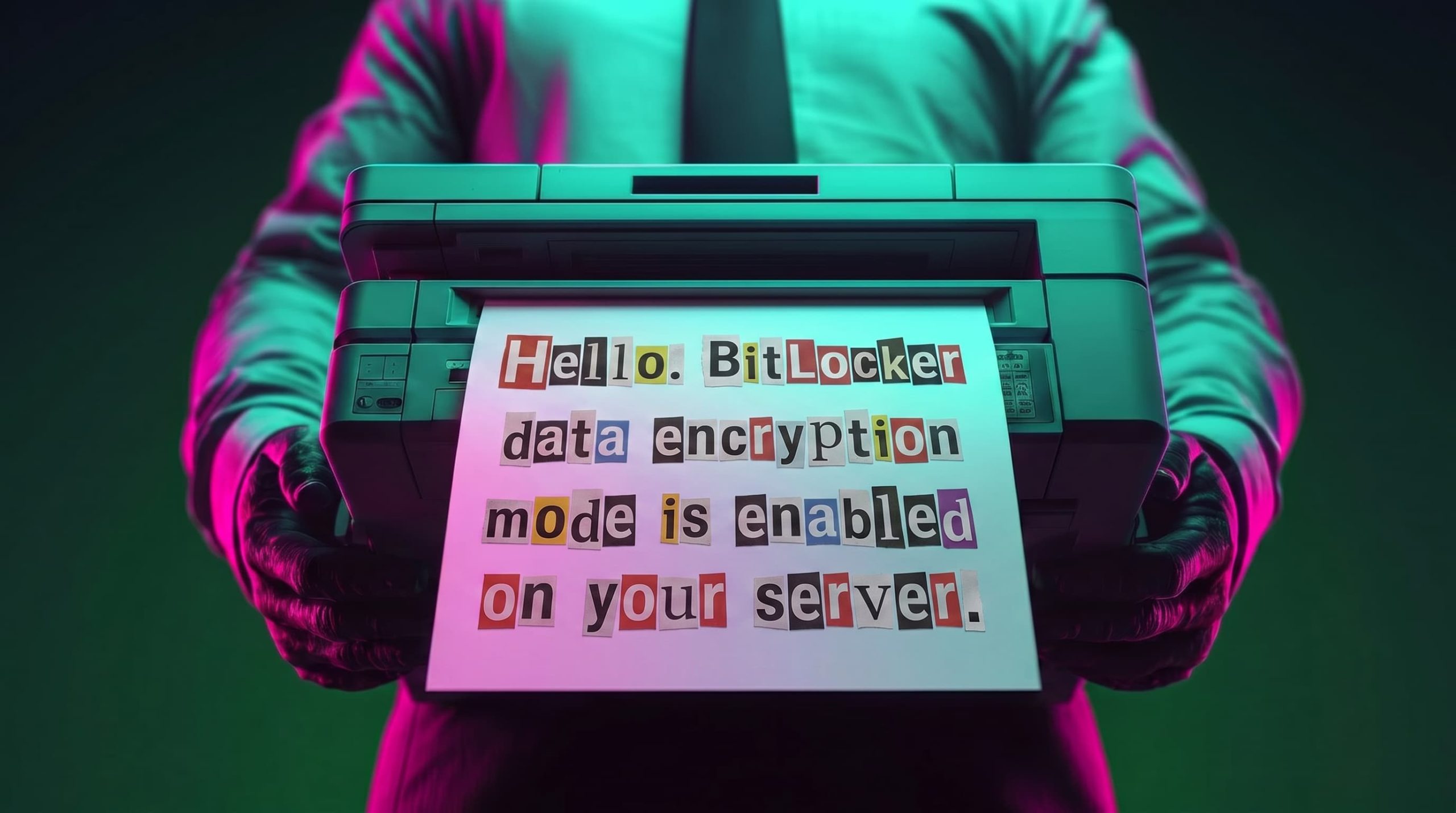
Ransomware note
Unfortunately, it was not possible to obtain evidence in the case due to the company’s rush to restore the encrypted disk. The communication with the attackers revealed a demand for just $3,000, and the company considered paying the ransom. After that, the system was restored before the forensic team could take any action, eliminating the evidence needed to assess the incident.
Attacker’s reply to the victim’s email sent to the address in the printed ransom note
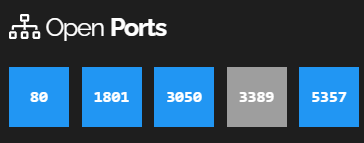
This attack was made possible by an internet-facing remote desktop service (RDP) with additional open ports, which employees used to access corporate information. By exploiting this network exposure and misconfiguration, attackers breached the system, identified an additional drive, and leveraged BitLocker to encrypt the data and demand a ransom payment. Leaving RDP ports open without proper security controls jeopardizes the security of systems and information, as highlighted in the our “Global Report: Anatomy of a Cyber World“.
Exposed ports identified in the system in recent months
The company confirmed that, due to compatibility issues with applications required for operation, EPP (Endpoint Protection Platform) protection was disabled on the system, making it easier for attackers to validate, enumerate, and execute applications without revealing malicious activity to central monitoring systems.
Second case: meet the XEntry Team
In another incident, which occurred in Mexico in May, our team identified how the threat actor gained initial access to the infrastructure. They exploited a misconfigured MSSQL service. This allowed them to execute commands on the system after obtaining the database login credentials from code insecurely published on GitHub.
XEntry team attack
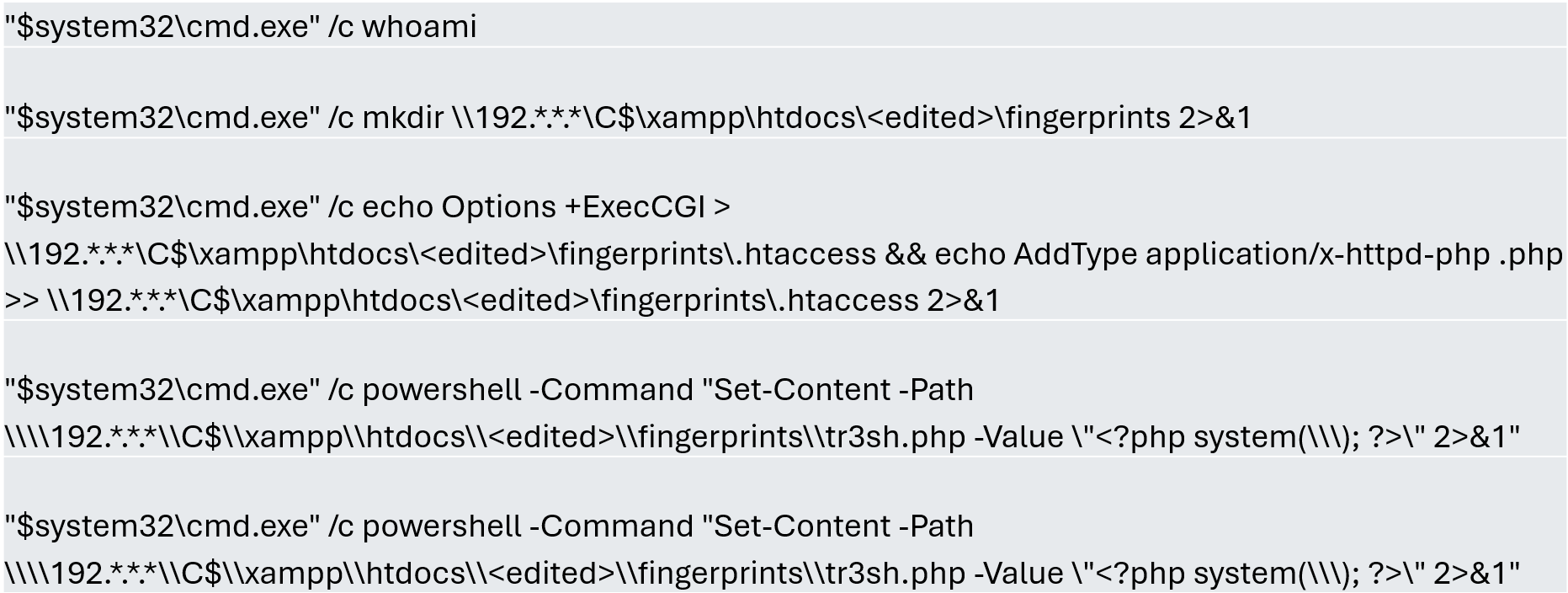
In this incident, the attack began three months prior to detection, with the intruder discovering and verifying their access to the environment. After confirming their access and privilege level within the MSSQL server settings, which extended beyond the DBMS to the underlying operating system, the attackers initially focused on manipulating certain aspects of the web server configuration on the same system. They lowered the server’s security settings and created web shell files in the publicly accessible folders. Many of these attempts to manipulate the service or create malicious files were contained by existing EPP security controls, but despite the alerts, the necessary investigation to address the activity was not conducted.
Commands executed when attempting to manipulate the web server
The attackers subsequently confirmed their ability to execute commands locally and set up their attack infrastructure to transmit data via a communications bridge. By exploiting the MSSQL service, they gained access to each of the organization’s internal systems.
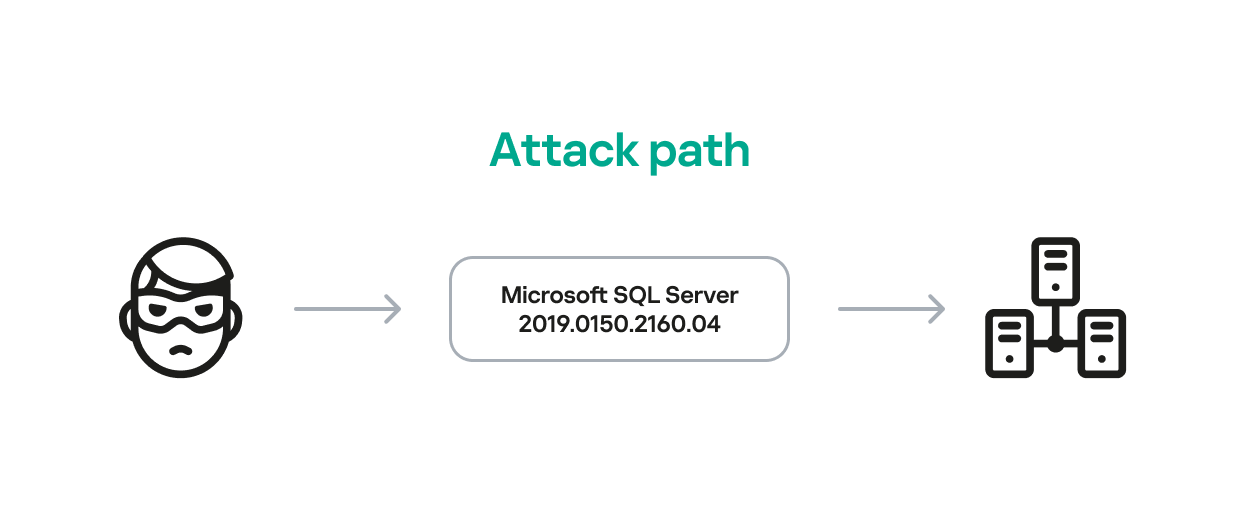
The database engine used by the company was Microsoft SQL Server 2019.0150.2160.04, misconfigured to allow operating system сommand execution via the xp_cmdshell extended stored procedure.
Due to this misconfiguration of an internet-exposed service, the attackers established a channel capable of executing any type of command directed at the server and the local infrastructure within its scope.
Attack path
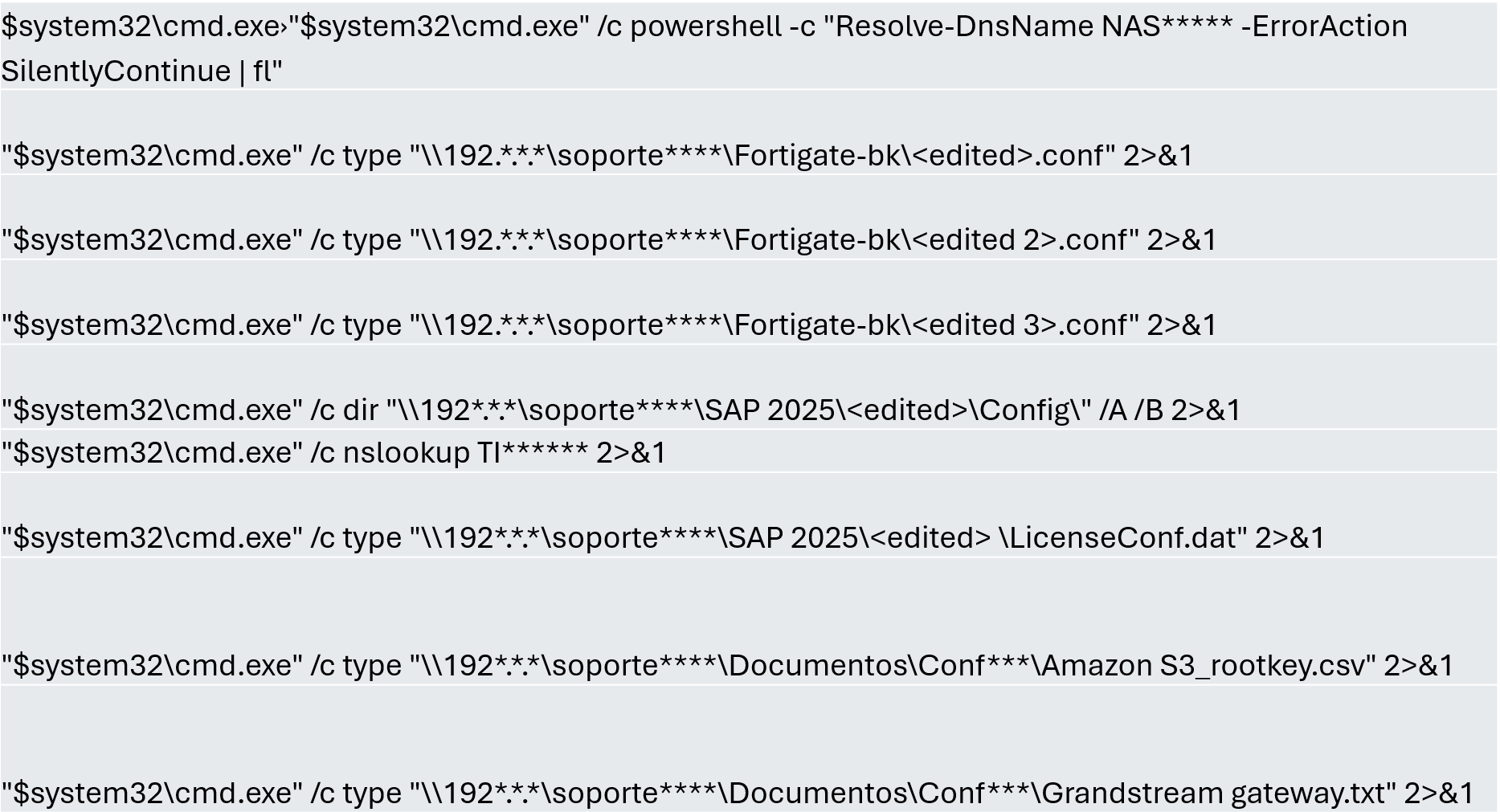
One of the main objectives was to identify shared systems and resources that provided access to critical information. Our analysis confirmed the attackers’ access to systems storing configuration parameters for networking, enterprise management, and cloud services, among others.
A subset of the critical information identified and collected by the attackers
In early May, the attackers focused on running additional scans and deploying ManageEngine’s Endpoint Central RMM (Remote Monitoring and Management) to establish persistence and begin the final stages of their intrusion.
Scanning and RMM deployment
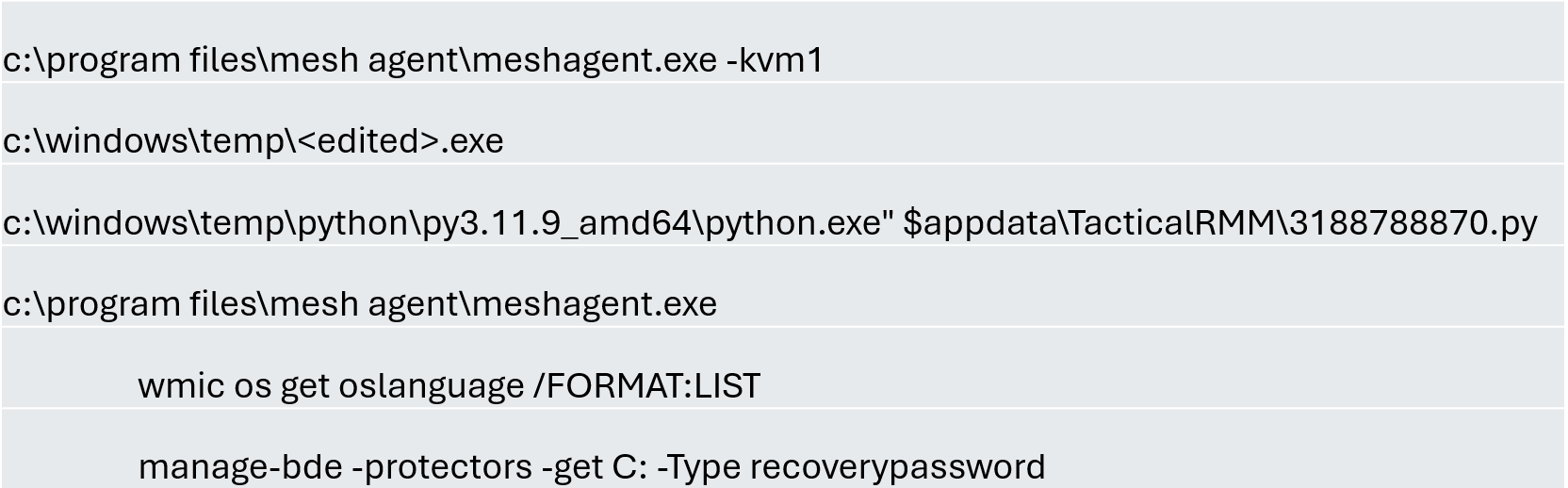
Further RMM-type applications, such as Mesh Agent and Tactical RMM, were installed in the days that followed. These were used to deploy scheduled tasks responsible for enabling the BitLocker service and individually encrypting the infrastructure’s disks, generating a key for each encrypted system.
Commands executed through RMM tools to collect Bitlocker keys
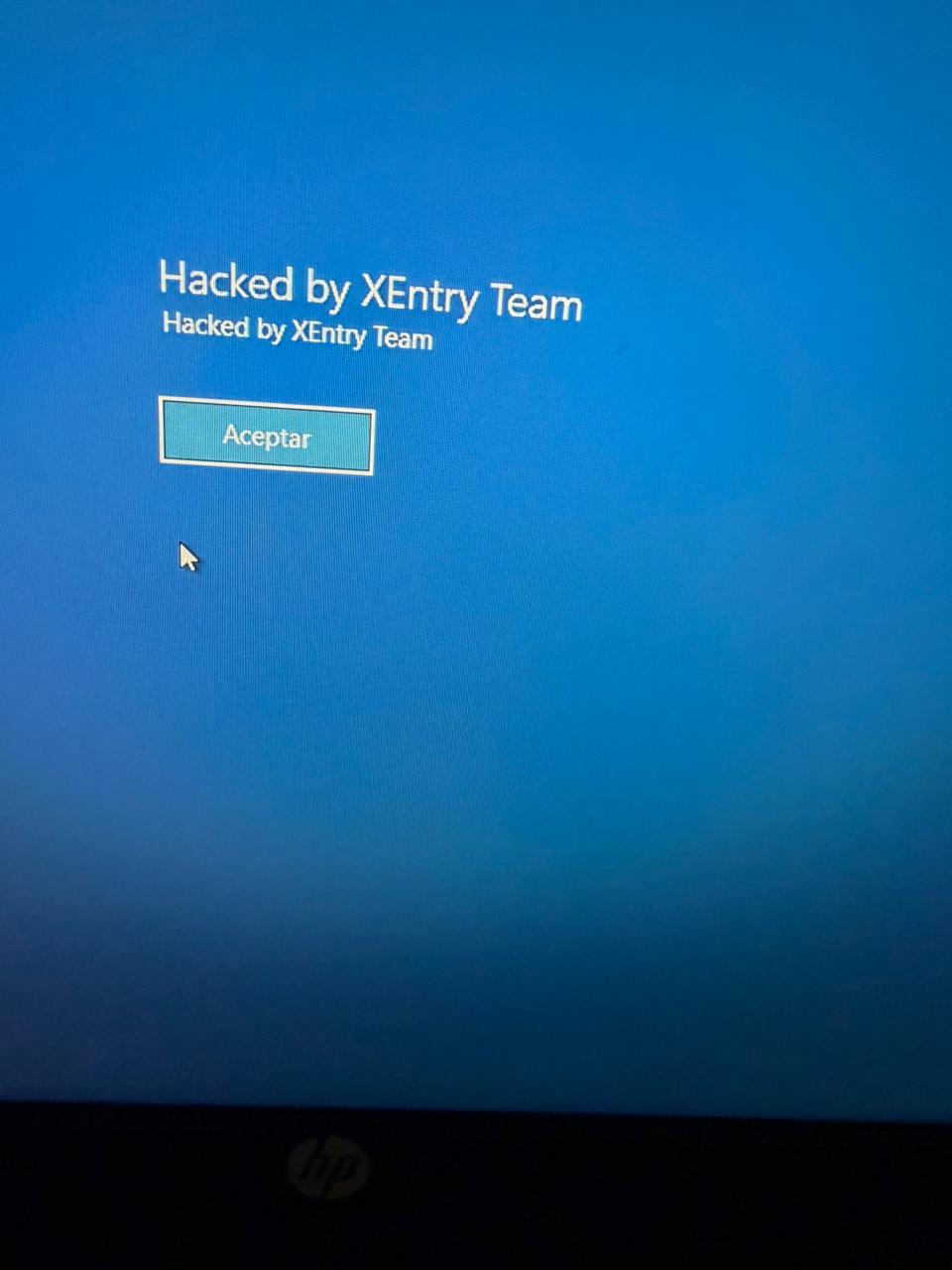
Finally, in mid-May, the attackers managed to execute a Group Policy Object (GPO) used to deploy activation and encryption tasks, as well as other policies responsible for continued deployment of RMM applications via scheduled tasks. The activity initially targeted critical systems but later spread to every system synchronized with the domain controller. Users became aware of the attack when their machines displayed a blue screen with the message “Hacked by XEntry Team”, and their credentials stopped working to access their systems.
A few hours later, ransom notes began emerging from office printers.
Ransom note printed by the XEntry team
These cases confirm that adversary’s objective is to gain access to infrastructure while avoiding investment in or partnership with ransomware groups. Instead, they leverage built-in Microsoft tools to facilitate data encryption and ransom payments. Monitoring and centralizing logs on protected resources, as well as promptly managing alerts, are critical to countering this type of intrusion.
Conclusions
Although the systems under review had security measures in place, there was a lack of proper alert management or inadequate decisions regarding application incompatibilities.
We strongly recommend configuring the Remote Desktop Protocol (RDP) in strict accordance with cybersecurity best practices to prevent unauthorized access. This is especially critical: according to our Global Report: Anatomy of a Cyber World, more than 13% of incidents are related to policy violations and configuration errors, confirming that misconfigurations continue to pose a significant risk.
Organizations should prioritize strict application control policies and active monitoring of network traffic for command-and-control (C2) communications. This is especially critical: according to the same report, more than 20% of incidents involved the abuse of RMM (Remote Monitoring and Management) tools for execution and C2 strategies. The fact that attackers used more than three distinct tools to gain control during a single incident further underscores the urgent need for these measures.
Some questions remain unanswered due to a lack of evidence and a hasty system restoration effort that bypassed critical stages of the incident response process. It is important to ensure an adequate incident response procedure, preserving evidence to confirm all related activities, and adjusting or proposing controls to prevent future incidents involving similar TTPs.
Although the ransom notes do not reveal a clear connection between the actors, certain words used in the messages, as well as the method of delivery and communication, may confirm a link:
“As a guarantee, we have no negative online reviews about non-fulfillment of our obligations…” (Ransom note from the first case)
“Our reputation is the guarantee that all content will be fulfilled…” (Ransom note from the second case)
Microsoft Corp. today released software updates to plug at least 570 security holes in its Windows operating systems and other software, almost triple the number of vulnerabilities the software giant fixed in its record-smashing Patch Tuesday release last month. Microsoft attributed the burgeoning patch counts to vulnerability discoveries aided by artificial intelligence.
Nearly 60 of the bugs quashed in July’s Patch Tuesday earned a “critical” severity rating, meaning miscreants or malware cou
Microsoft Corp. today released software updates to plug at least 570 security holes in its Windows operating systems and other software, almost triple the number of vulnerabilities the software giant fixed in its record-smashing Patch Tuesday release last month. Microsoft attributed the burgeoning patch counts to vulnerability discoveries aided by artificial intelligence.
Nearly 60 of the bugs quashed in July’s Patch Tuesday earned a “critical” severity rating, meaning miscreants or malware could use them to seize remote control over a Windows device with little or no help from the user. Microsoft also addressed three zero-day flaws, including two that are already being exploited in the wild.
Two of the zero-day weaknesses allow an attacker to elevate their user rights on a Windows system, as do approximately 250 other elevation of privilege flaws fixed this month; they include CVE-2026-56155 — an Active Directory Federation Services bug — and CVE-2026-56164, a Microsoft Sharepoint vulnerability.
CVE-2026-50661 is a security feature bypass in Windows BitLocker that could allow attackers to gain access to encrypted data if they have physical access to the device. Microsoft said this bug has been detailed publicly, but that it is not aware of any active exploitation.
In a blog post on July 9, Microsoft Executive Vice President Pavan Davuluri wrote that Windows users will notice “a higher volume of security updates included in each security release” as a result of AI aiding in the discovery of vulnerabilities.
“The pace of vulnerability discovery is changing with advances in AI making it possible to find more issues, faster, across more code, with new mechanisms that can accelerate both discovery and analysis,” Davuluri wrote.
Jack Bicer, director of vulnerability research at Action1, called attention to CVE-2026-48561, a remote code execution flaw in Microsoft Copilot (with a 9.6 CVSS threat score) that allows an unauthorized attacker to execute code over the network. Microsoft says an attacker could exploit this bug by hosting a malicious website that causes Microsoft Edge for Android to automatically send crafted prompts to Copilot when a user visits the site.
As AI advances the state of vulnerability discovery and remediation, it is also making it easier for attackers to quickly devise working exploits for known software flaws. Microsoft has long labeled security bugs using its “exploitability index,” which is Redmond’s best guess as to how likely it is that attackers will be able to figure out a reliable way to exploit a given vulnerability.
But Satnam Narang, senior staff research engineer at Tenable, argues that Microsoft’s exploitability index needs to do a better job of shifting with the machine speed of discovery. For example, Microsoft originally gave this month’s SharePoint zero-day an exploitability rating of “less likely,” although the flaw was added to CISA’s Known Exploited Vulnerabilities list on July 1.
“Anthropic’s Red Team’s own findings for known vulnerabilities (n-days) revealed how fragile this system has become, with its Mythos Preview model being able to produce proof-of-concept exploits for 13 of 14 vulnerabilities that were rated ‘Exploitation Less Likely’ or ‘Exploitation Unlikely,'” Narang said. “What this means is that our way of looking at Patch Tuesday has changed, because the exploitability index is centered around humans, not AI tools, and as these tools continue to improve, defense needs to improve alongside it.”
Chris Goettl at Ivanti observed that the record patch numbers from Microsoft come as a number of other major software makers are increasing their patch cadence, including Adobe which announced today it is moving to twice-monthly security bulletins published on the 2nd and 4th Tuesday of each month (Adobe also cited AI for accelerating their patch cycles). Cisco, Mozilla and Oracle also are shipping updates more frequently, while Google’s patch batches in June 2026 totaled more than 900 security fixes, Goettl noted.
Backing up your Windows system and/or data is always a good idea before applying operating system updates. Given the volume of patches addressed this month it may be wise for end users to wait a few days before applying these fixes. It’s not uncommon for security patches to introduce system stability issues, and those chances probably increase quite a bit with the gigantic patch count released today.
What if your AI coding assistant could be tricked into stealing your own company's secrets - by reading a single booby-trapped bug report? No phishing email. No malware. No password ever stolen. Just an AI doing exactly what it was told.
Meanwhile, someone themselves Nightmare Eclipse has decided to teach Microsoft a lesson. The result? Three zero-days dropped on the internet, one of which lets a thief with a USB stick walk straight past BitLocker. Microsoft is furious.
Plus don't miss our
What if your AI coding assistant could be tricked into stealing your own company's secrets - by reading a single booby-trapped bug report? No phishing email. No malware. No password ever stolen. Just an AI doing exactly what it was told.
Meanwhile, someone themselves Nightmare Eclipse has decided to teach Microsoft a lesson. The result? Three zero-days dropped on the internet, one of which lets a thief with a USB stick walk straight past BitLocker. Microsoft is furious.
Plus don't miss our featured interview with Son Nguyen Kim of Proton Pass, who explains why plugging AI agents into your email and calendar without thinking twice is rather like hiring a new employee with the keys to everything - and skipping the background check.
All this and more in episode 472 of the "Smashing Security" podcast with cybersecurity expert and keynote speaker Graham Cluley, and special guest Paul Ducklin.
A new Windows zero-day reportedly bypasses BitLocker, adding pressure on Microsoft as researchers debate the exploit’s real-world impact.
The post New Windows Zero-Day Claims BitLocker Bypass Amid Microsoft Disclosure Fight appeared first on TechRepublic.
It’s nasty, but it requires physical access to the computer:
The exploit, named YellowKey, was published earlier this week by a researcher who goes by the alias Nightmare-Eclipse. It reliably bypasses default Windows 11 deployments of BitLocker, the full-volume encryption protection Microsoft provides to make disk contents off-limits to anyone without the decryption key, which is stored in a secured piece of hardware known as a trusted platform module (TPM). BitLocker is a mandatory protection f
It’s nasty, but it requires physical access to the computer:
The exploit, named YellowKey, was published earlier this week by a researcher who goes by the alias Nightmare-Eclipse. It reliably bypasses default Windows 11 deployments of BitLocker, the full-volume encryption protection Microsoft provides to make disk contents off-limits to anyone without the decryption key, which is stored in a secured piece of hardware known as a trusted platform module (TPM). BitLocker is a mandatory protection for many organizations, including those that contract with governments.
Slashdot thread. And here’s Nightmare-Eclipse’s GitHub account.

 Entrar