Researchers demonstrated a persistent iOS Lockdown Mode jailbreak via AirDrop, maintaining root access across reboots and major updates.
Related Posts:
Cisco Patches High-Severity Remote Code Execution in UCS Central Alongside ISE and Unified CM Flaws
Attackers Exploit Critical GPUStack Authentication Bypass in the Wild to Run Reverse Shells
Control Web Panel Patches Ten Flaws Allowing Unauthenticated Root Code Execution
The post Persistent iOS Lockdown Mode Jailbreak Demonstrated appeared fi
Russia-linked group APT29 targeted iOS and Android users through hijacked websites and a compromised analytics service.
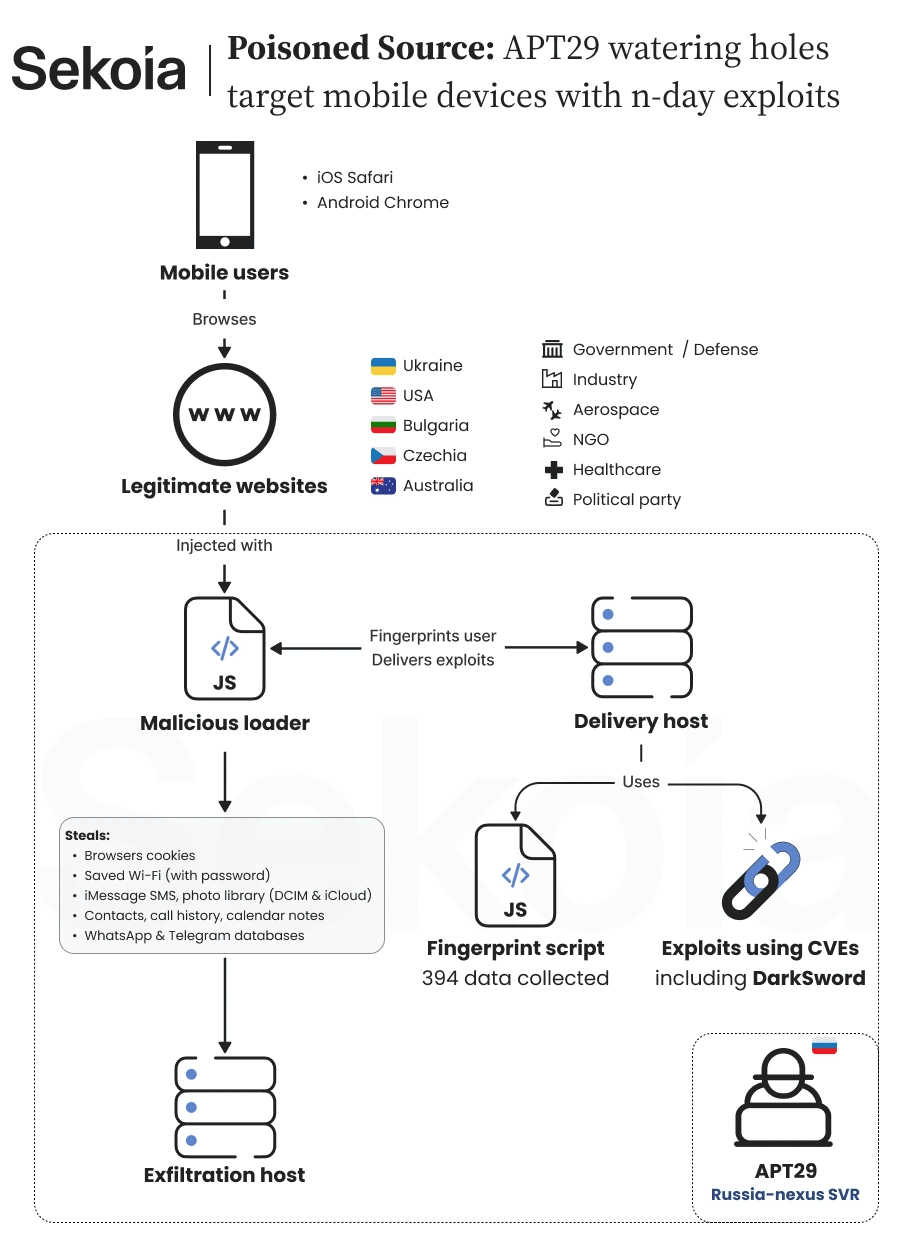
Sekoia says a large-scale watering hole campaign is going after iOS and Android users, and it links the campaign to APT29 (aka SVR group, Cozy Bear, Nobelium, BlueBravo, Midnight Blizzard, and The Dukes), the Russian group tied to the SVR foreign intelligence service. A watering hole is a site that attackers poison so visitors infect themselves.
Sekoia found the campaig
Russia-linked group APT29 targeted iOS and Android users through hijacked websites and a compromised analytics service.
Sekoia says a large-scale watering hole campaign is going after iOS and Android users, and it links the campaign to APT29 (aka SVR group, Cozy Bear, Nobelium, BlueBravo, Midnight Blizzard, and The Dukes), the Russian group tied to the SVR foreign intelligence service. A watering hole is a site that attackers poison so visitors infect themselves.
Sekoia found the campaign in mid-October 2026. It involved hacked or cloned high-profile websites in the US, Ukraine, the Czech Republic and Bulgaria. There’s also a supply-chain attack on a Ukrainian web analytics service, Plerdy, loaded by thousands of websites, most of them Ukrainian.
The attackers used three different methods to reach victims, but all led to the same malicious payload. They injected JavaScript into hacked websites, created fake websites that copied legitimate ones and secretly added malicious code, and compromised the Plerdy analytics service to infect websites using its script.
Sekoia first spotted the campaign on the website of a Ukrainian gas production company. Other compromised sites included a major US chemical industry association, a European far-right political party and a Bulgarian website linked to the military. In the Bulgarian case, attackers modified an existing JavaScript library without changing the website’s visible pages. Researchers found no clear pattern in the targeted organizations, although they believe some websites may have been selected to reach specific individuals.
Sekoia also identified two fake websites designed to impersonate legitimate services. One copied America250, the US initiative marking the country’s 250th anniversary, while another reproduced the website of Raffles London at The OWO, a luxury hotel close to the UK Ministry of Defence and Downing Street.
“The second website, theowo[.]club, now offline, acted as a reverse proxy for the website of Raffles London at The OWO, a prestigious luxury hotel housed in the historic Old War Office building.” reads the report published by Sekoia. “The hotel’s location is particularly noteworthy because of its proximity to some of the United Kingdom’s most sensitive government institutions, including the Ministry of Defence and 10 Downing Street, the official residence and office of the British Prime Minister.”
The hotel connection is particularly interesting because Ukrainian President Volodymyr Zelensky reportedly stayed there during a visit to London on October 14. Sekoia believes the fake website may have been used to target diplomatic delegations through spear-phishing, but stresses that this remains an unconfirmed possibility.
Between August 27 and September 3, 2026, the attackers compromised the Plerdy tracker at a.plerdy[.]com. For a week, visitors loaded both Plerdy’s script and the attackers’ profiling script. Several affected sites relate to the military and military recruitment, including army, special forces and military equipment websites.
“Between 27 August and 3 September 2026, the intrusion set compromised the Ukrainian Plerdy analytics tracker hosted under the domain a.plerdy[.]com, which is loaded by thousands of websites, the large majority of them Ukrainian.” reads the report. “It remains unclear whether the attackers intended to target visitors to specific websites or sought to compromise as many unpatched mobile devices as possible, indiscriminately exfiltrating data before selectively identifying and exploiting information of interest.”
Sekoia can’t say whether the aim was specific visitors or as many unpatched phones as possible, with the sorting done later. It also considers that the attackers may have used Plerdy after failing to inject code directly into Ukrainian high-value sites that relied on it. The Plerdy payload pointed to a load-balancing domain that sent traffic across several delivery servers.
The profiling script, which the attackers call UltimateFingerprinter, is attached to a minified AngularJS library that makes up 98 percent of a 2.3 MB file. Sekoia thinks that bulk might stop analysis by large language models, or make the script look legitimate. The script runs 61 collectors that build 394 fields, then sends them to a server that decides whether to answer with exploit code.
Strangely, almost none of that data matters. Only implausible screen sizes, like 99999, or a device reporting zero touch points block delivery. Sekoia doesn’t know why the attackers collect so much and sees no sign the data was used later.
Sekoia pulled three exploit chains from the delivery server. Class A hits iOS 16.7 and steals cookies. Class B hits iOS 18.5 and takes full device data. Class C hits Android Chrome versions 139 to 145, minus 143 for reasons Sekoia can’t explain, and steals Chrome cookies and Wi-Fi passwords.
“During the investigation, we tested different browser profiles against the fingerprinting endpoint at static[.]flux-telemetry[.]com in order to retrieve the exploits served to visitors.” states the report. “This allowed us to retrieve three complete exploit chains (afternamed A, B and C), along with their final payloads, targeting both Android and iOS. Here is a summary of what we found:”
Class B is DarkSword, which Sekoia describes as a suspected iOS exploit kit from a commercial surveillance vendor, uploaded to VirusTotal in September 2026. It takes text messages and iMessages, Mail indexes, voicemail, WhatsApp and Telegram databases, Keychain passwords and tokens, account credentials and Wi-Fi keys. It also takes contacts, call history, calendar, notes, Safari history and cookies, location caches, Health data, photos and iCloud Drive.
The Android payload, which Sekoia calls AndroSnitch, collects Chrome cookies, saved logins and history, plus Wi-Fi settings. It stops on one phone model, the Samsung Galaxy S25 Ultra. It resembles a 2024 payload that Google TAG documented, called AndroSnatch, but the sample is too small to prove lineage. The iOS cookie chains set a marker cookie meant to block reinfection for a day, but a coding mistake makes it expire in a minute.
All stolen data goes to ad.starx-net[.]com:8881/telemetry/v12. None of the chains persist on the device. All of them rely on known flaws, and none uses a zero-day.
For attribution, Sekoia has several threads. A CERT said a compromised site’s backend files held traces matching a private report on a 2025 APT29 watering hole campaign, and Google TAG said the framework resembles an APT29 campaign against Mongolian government websites in 2024. Victims also skew to Europe and the US with a focus on Ukraine, infrastructure sits across multiple hosters, and a hacked Czech far-right site fits APT29’s record of targeting European political parties. It rates the link moderate to high confidence, and it’s coordinating with the CERTs of affected countries.
The campaign shows how exploit kits move down the market. Sekoia says state-backed groups keep reusing frameworks from commercial surveillance vendors such as DarkSword, and that packaged exploit chains lower the cost and skill needed for advanced mobile attacks. It expects such reuse to become more frequent.
The good news is that Sekoia’s attackers don’t have fresh tricks. Every flaw was fixed by its vendor before the campaign began, and none works against fully updated devices.
“None of them contain zero-days or work against fully updated devices. Each flaw was resolved by the respective vendor before this campaign began. This operation targets unpatched devices using n-days; a user running an up-to-date operating system is safe from these attacks.” concludes the report.
“This watering hole campaign, which we assess with moderate to high confidence to be linked to APT29, combines multiple web delivery vectors with n-day mobile exploit chains targeting Android and iOS devices. Across the directly compromised websites, no single sectoral targeting pattern emerges from our analysis. While the victimology shows a focus on Ukraine and the United States, the inclusion of unrelated entities such as an Australian medical clinic complicates a broad strategic interpretation. However, we assess that these websites may have been selected to profile and infect specific individuals of interest based on targeting intelligence to which we do not have visibility. The operators adapted by deploying Adversary-in-the-Middle-ish to intercept visitors associated with diplomatic or high-profile events.”
Apple will start checking iCloud photos and files shared through “Anyone with the Link” for harmful content beginning with iOS 17.3. This policy also applies to iPadOS, macOS, and visionOS version 17.3 or later. It distinguishes between publicly accessible sharing links and content that is restricted to specifically invited recipients. The change appears in an […]
The post Apple to Scan Publicly Shared iCloud Photos and Files for Harmful Content Starting With iOS 27.3 appeared first on GBHackers
Apple will start checking iCloud photos and files shared through “Anyone with the Link” for harmful content beginning with iOS 17.3. This policy also applies to iPadOS, macOS, and visionOS version 17.3 or later. It distinguishes between publicly accessible sharing links and content that is restricted to specifically invited recipients. The change appears in an […]
Google announced the Google Quick Share SDK for Android and iOS, bringing cross-platform file sharing and native AirDrop compatibility to third-party apps.
Related Posts:
Google Registered App Stores Launch for Android
Android Phone Number Verification Is On by Default
Android 17 Bionic Bug Triggers String Parsing Flaw
The post Google Quick Share SDK Brings Seamless Cross-Platform Sharing appeared first on Daily CyberSecurity.
Google announced the Google Quick Share SDK for Android and iOS, bringing cross-platform file sharing and native AirDrop compatibility to third-party apps.
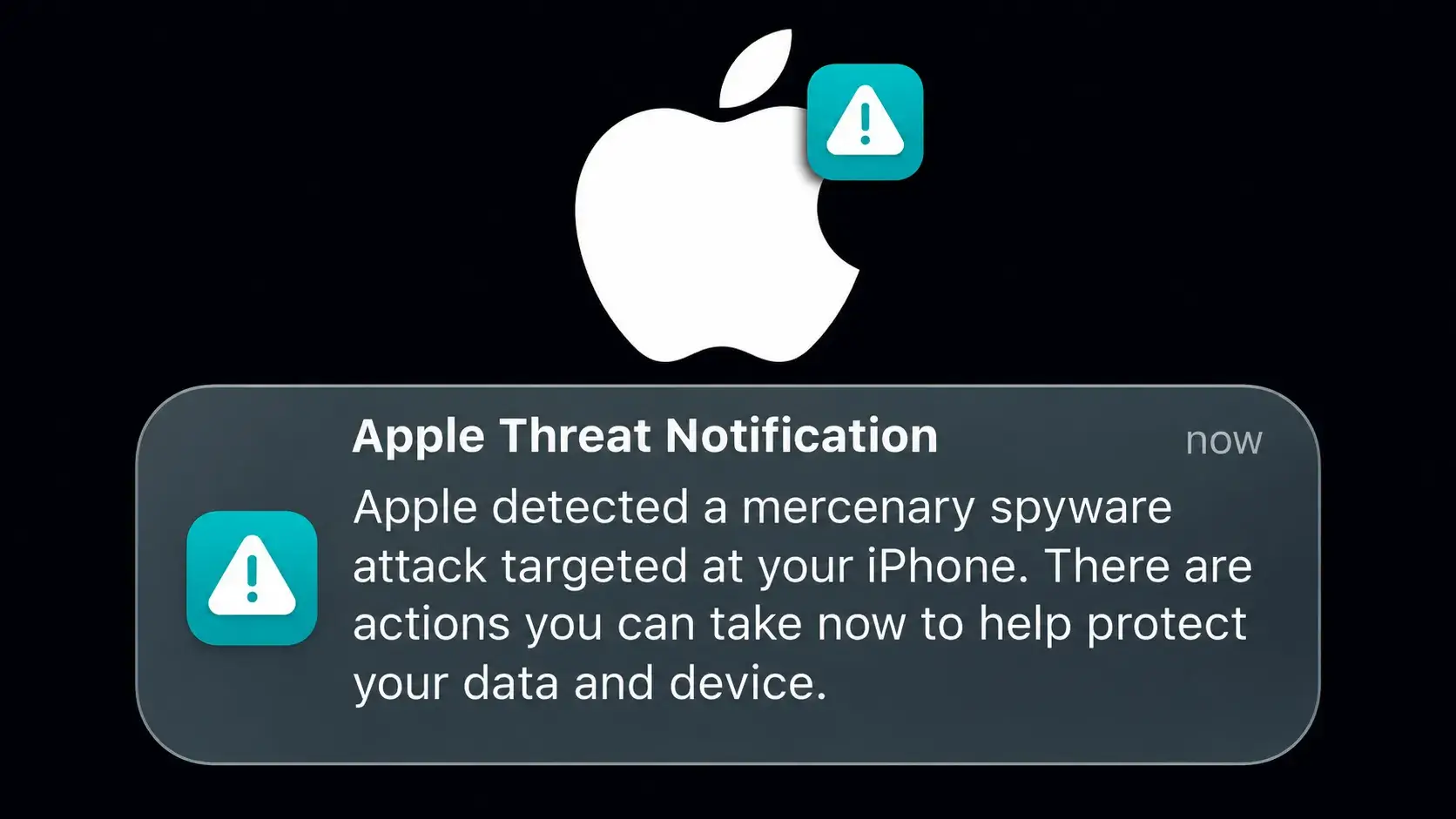
Apple has started sending a new round of threat notifications to users across 99 countries, warning them about targeted mercenary spyware attacks, according to cybersecurity researcher Costin Raiu. In his post, Raiu noted that these notifications are related to new attacks and are separate from the wave of alerts sent out in August. The notification […]
The post Apple Issues Urgent Security Alerts Over Mercenary Spyware Attacks in 99 Countries appeared first on GBHackers Security | #1 Globally T
Apple has started sending a new round of threat notifications to users across 99 countries, warning them about targeted mercenary spyware attacks, according to cybersecurity researcher Costin Raiu. In his post, Raiu noted that these notifications are related to new attacks and are separate from the wave of alerts sent out in August. The notification […]
Apple's iOS 27.2 fixes 163 security vulnerabilities, including WebKit and privacy flaws. IT teams should review updates across managed devices.
The post Apple Just Patched 163 iPhone Security Flaws — Here’s What Was at Risk appeared first on TechRepublic.
Apple's iOS 18.7.11 fixes CVE-2026-86950, a CoreGraphics zero-day exploited in the wild, on older iPhones and iPads. Update now.
Related Posts:
Apple iOS 27.2 Update Fixes 160 Security Flaws
CISA Adds PHP2Shell to KEV as Confirmed RCE Attacks and Suspected DPRK Scanning Surface
HashiCorp Patches Critical 9.9 CVSS Consul-k8s Authorization Bypass Vulnerability (CVE-2026-110720)
The post Apple Backports Fix for Exploited CoreGraphics Zero-Day CVE-2026-86950 to Older iPhones appeared first on Dai
Apple launched the iOS 27.1 iPhone Duo update exclusively for its foldable smartphone, introducing adaptive layouts and dedicated SDK tools.
Related Posts:
OpenAI Cuts Internet Access for Frontier Model Training
Google Privacy Policy Change Raises Gmail Ad Concerns
NS2JB Brings a Switch 2 Jailbreak With Codex Help
The post iOS 27.1 iPhone Duo Release Targets Foldable Hardware appeared first on Daily CyberSecurity.
The Australian App Store ruling orders Apple to allow sideloading and outside payments by March 1, 2027. Apple will appeal.
Related Posts:
iOS 27.1 iPhone Duo Release Targets Foldable Hardware
OpenAI Cuts Internet Access for Frontier Model Training
Google Privacy Policy Change Raises Gmail Ad Concerns
The post Australian Court Forces Apple to Open the App Store appeared first on Daily CyberSecurity.
Fortinet security updates for FortiOS, FortiManager and FortiAnalyzer fix critical AI-found flaws. Advisories follow November 10. Patch now.
Related Posts:
cPanel Patches PHP2Shell Flaws and WP Toolkit Bug Affecting Shared Hosting Servers
QNAP Warns PHP2Shell Flaws Hit QTS and QuTS hero, Urges Users to Take NAS Offline
Portainer Fixes Two Critical Flaws Letting Standard Users Take Over Docker Hosts
The post Fortinet Urges Fast Upgrades as AI-Found Flaws Hit FortiOS, FortiManager and FortiAnal
O uso de VPN está crescendo em todo o mundo, com uma média global estável de 20% de crescimento ao ano. Os usuários passaram a valorizar tudo o que uma VPN oferece: ela criptografa sua conexão, protege você contra o rastreamento constante do provedor de Internet (e contra os anúncios direcionados que geralmente vêm com ele), oculta seu endereço IP e sua localização e permite que você continue usando seus serviços pagos favoritos durante viagens. Isso é especialmente importante em grandes eventos
O uso de VPN está crescendo em todo o mundo, com uma média global estável de 20% de crescimento ao ano. Os usuários passaram a valorizar tudo o que uma VPN oferece: ela criptografa sua conexão, protege você contra o rastreamento constante do provedor de Internet (e contra os anúncios direcionados que geralmente vêm com ele), oculta seu endereço IP e sua localização e permite que você continue usando seus serviços pagos favoritos durante viagens. Isso é especialmente importante em grandes eventos públicos, como torneios internacionais de futebol, os Jogos Olímpicos ou shows de artistas populares, quando aumenta consideravelmente a probabilidade de golpistas interceptarem uma conexão Wi-Fi desprotegida.
Dito isto, as VPNs também têm seus próprios inconvenientes. Um dos maiores é que muitos dispositivos inteligentes, incluindo TVs, consoles de videogame, dispositivos de streaming e dispositivos de casa inteligente, não têm suporte a VPN. Além disso, normalmente é preciso configurar a VPN separadamente em cada dispositivo da sua casa. Instalar a VPN diretamente no roteador resolve os dois problemas de uma só vez: protege toda a sua rede doméstica, incluindo os novos dispositivos adicionados. Veja mais de perto quais são os benefícios dessa configuração.
1. Todos os dispositivos recebem proteção de VPN
Ative uma VPN no roteador e todos os dispositivos conectados ao seu Wi-Fi doméstico enviarão automaticamente o tráfego por meio dessa conexão protegida e criptografada. Não é preciso fazer mais nada: conecte seu celular, laptop ou TV ao Wi-Fi e o tráfego já será roteado pela VPN.
Muitos serviços de VPN pagos limitam o número de dispositivos que podem ser usados em uma única assinatura. Mas o roteador conta apenas como um dispositivo nessa lista, mesmo que possa proteger uma dúzia ou mais de dispositivos na sua casa ao mesmo tempo.
Vale observar que a instalação de uma VPN em um roteador normalmente só é possível com serviços de VPN pagos. Os planos gratuitos geralmente não oferecem essa opção ou permitem seu uso de forma muito limitada.
2. Configure uma vez e esqueça
Configurar uma VPN em todos os celulares e computadores da casa pode ficar cansativo rapidamente. E, se os dispositivos da sua casa usam diferentes sistemas operacionais, primeiro é preciso localizar as configurações de VPN em cada um deles, pois Android, Windows, iOS e macOS lidam com isso de maneiras diferentes.
Com a configuração no roteador, você configura a VPN uma vez e ela também cobre automaticamente qualquer novo dispositivo que conectar posteriormente.
3. Proteção até para dispositivos que não têm suporte a VPN
Muitos dispositivos não conseguem executar uma VPN. Isso inclui TVs inteligentes, dispositivos de streaming, consoles de videogame e praticamente todos os dispositivos de casa inteligente disponíveis, de babás eletrônicas a aspiradores de pó robôs. Uma VPN no roteador protege todos eles, sem que você precise alterar separadamente as configurações do aspirador de pó ou da lâmpada inteligente.
4. Não há necessidade de se preocupar em ativar e desativar a VPN
Muitas pessoas querem garantir que nem um único byte de seus dados saia do dispositivo antes que a VPN seja ativada. O problema é que sempre existe um pequeno intervalo entre ligar um computador ou celular e a ativação da VPN e, durante esse intervalo, os dados trafegam pela Internet sem criptografia.
As soluções mais comuns são ativar recursos especiais, como Always On VPN ou um Botão de emergência da VPN, no sistema operacional ou no aplicativo da VPN. Uma opção mais eficaz, porém, é executar a VPN no próprio roteador. Dessa forma, a regra de “nenhum byte sem a VPN” passa a valer automaticamente para todos os dispositivos da sua rede doméstica. Mas, para ter total tranquilidade, ainda é recomendável configurar um botão de emergência também no roteador, para que, se a VPN for desconectada (por exemplo, se o servidor VPN ficar temporariamente indisponível), seus dispositivos percam completamente a conexão com a Internet, em vez de voltarem para uma conexão desprotegida.
5. Trabalhe remotamente com duas VPNs ao mesmo tempo
Outro problema comum é precisar executar dois serviços de VPN simultaneamente. Isso geralmente acontece no trabalho remoto: você precisa de uma VPN corporativa para se conectar à rede da empresa e, ao mesmo tempo, quer usar uma VPN pessoal para todo o resto. Em muitos dispositivos, executar duas conexões VPN simultaneamente para finalidades diferentes é difícil de configurar ou simplesmente não é possível. Ficar alternando constantemente entre as duas também não é conveniente e abre brechas de privacidade e segurança.
Uma VPN no roteador também resolve isso. Basta ativar a VPN corporativa no computador de trabalho, e ela será executada sobre a conexão Wi-Fi, que já está protegida pela sua VPN pessoal no roteador. Na prática, uma VPN fica dentro da outra (VPN corporativa → Wi-Fi → VPN → Internet), mas essa configuração em camadas raramente causa problemas.
6. Contorne aplicativos que bloqueiam VPNs
Alguns aplicativos bancários e de streaming podem detectar quando um aplicativo de VPN está em execução no seu dispositivo e simplesmente se recusar a funcionar. Normalmente, eles não conseguem identificar que tipo de VPN é nem por que você a está usando. Eles simplesmente não aceitam nenhuma conexão VPN ativa. Se a VPN for executada no roteador, em vez de no próprio dispositivo, esse problema desaparece.
7. Proteja convidados na sua rede doméstica
Qualquer dispositivo de amigos ou familiares que se conecte ao seu Wi-Fi também recebe automaticamente a proteção da VPN, sem que seja necessário fazer qualquer configuração no dispositivo deles.
8. Menor carga sobre seus dispositivos
Como o roteador cuida da carga de trabalho de criptografia, seus celulares, tablets e outros dispositivos mais simples podem usar menos poder de processamento e consumir menos bateria do que consumiriam se executassem a VPN diretamente.
9. Gerenciamento simplificado da VPN
Precisa trocar de servidor VPN, alterar protocolos ou ajustar outras configurações? Basta fazer isso uma vez, no roteador. Não é preciso reconfigurar cada dispositivo separadamente.
Precauções e pontos importantes
Apesar de todas as suas vantagens, executar uma VPN no roteador também envolve algumas desvantagens que vale a pena conhecer.
Criptografar o tráfego de uma rede inteira exige um poder de processamento considerável, portanto, em um roteador com capacidade insuficiente, a velocidade da conexão pode acabar limitada.
Alguns roteadores não têm suporte a VPN ou funcionam apenas com protocolos mais antigos e menos seguros, como PPTP.
Se o roteador foi fornecido pelo seu provedor de Internet, talvez você não tenha permissões suficientes para instalar uma VPN nele.
Em qualquer um desses casos, você pode comprar um roteador mais potente com suporte a VPNs e usá-lo no lugar do equipamento fornecido pelo provedor ou junto com ele, configurando sua rede doméstica e sua VPN no seu próprio equipamento.
Nessa configuração, seus dispositivos se conectam da seguinte maneira: dispositivo → Wi-Fi ou Ethernet → VPN pessoal no roteador → Internet. Para computadores que também se conectam a uma VPN corporativa, o caminho parece um pouco diferente: dispositivo → VPN corporativa no dispositivo → Wi-Fi ou Ethernet → VPN pessoal no roteador → Internet.
Se não for possível conectar seu próprio roteador diretamente à rede do provedor porque o modelo não tem a porta adequada (por exemplo, no caso de uma conexão de fibra), você pode usar um cabo Ethernet para conectar a entrada do seu roteador pessoal ao equipamento do provedor. Nesse caso, você pode colocar o roteador fornecido pelo provedor no modo bridge ou simplesmente desativar o Wi-Fi dele para evitar interferências sem fio desnecessárias, já que sua única função agora é conectar-se à rede do provedor e transmitir essa conexão ao seu próprio roteador.
Também vale observar que alguns serviços on-line, como bancos, sites governamentais, lojas on-line e plataformas de streaming, podem restringir ou bloquear totalmente o acesso quando detectam um endereço IP estrangeiro por meio de uma VPN. Para contornar isso, você pode desativar o Wi-Fi do celular e usar os dados móveis ou adotar uma abordagem mais sofisticada para a configuração do roteador, conforme descrito abaixo.
A maioria dos roteadores modernos permite criar mais de uma rede Wi-Fi, geralmente oferecendo pelo menos uma rede doméstica e uma rede para visitantes, cada uma com suas próprias configurações. Você pode usar esse recurso para criar duas redes: uma com a VPN sempre ativada e outra sem VPN. Assim, para serviços que não funcionam bem com VPNs, basta mudar para a rede Wi-Fi não protegida.
Se estiver disposto a dedicar um pouco mais de tempo à configuração, há uma opção ainda mais prática, conhecida como túnel dividido: configurar individualmente determinados serviços ou sites para ignorarem a VPN, enquanto todo o restante continua passando normalmente pela sua conexão VPN segura. Para fazer isso, será necessário especificar os endereços dos sites que devem ignorar a VPN.
Muitos roteadores com recursos avançados também permitem dividir os dispositivos da sua casa em grupos e definir regras de conexão diferentes para cada grupo. Dessa forma, você pode configurar sua TV inteligente para acessar serviços de streaming sem VPN, enquanto seus dispositivos de casa inteligente, computadores e celulares se conectam à Internet exclusivamente pelo canal protegido.
Como configurar uma VPN no roteador
Configurar uma VPN no roteador pode parecer mais complicado do que instalá-la em dispositivos individuais, mas proporciona muito mais praticidade e proteção para toda a sua rede doméstica.
Para isso, você precisará de um roteador com suporte a VPN e de uma assinatura de um serviço de VPN que possa gerar arquivos de configuração para roteadores usando protocolos de VPN modernos. O Kaspersky VPN é compatível com os dois protocolos de VPN mais usados, OpenVPN e WireGuard, para conectar roteadores ao serviço.
Você pode criar um Kaspersky VPN arquivo de configuração para o seu roteador seguindo nosso guia detalhado. Para obter instruções específicas para o modelo do seu roteador, recomendamos pesquisar on-line ou perguntar a um assistente de IA algo como “como configurar uma VPN no {modelo do seu roteador}“.
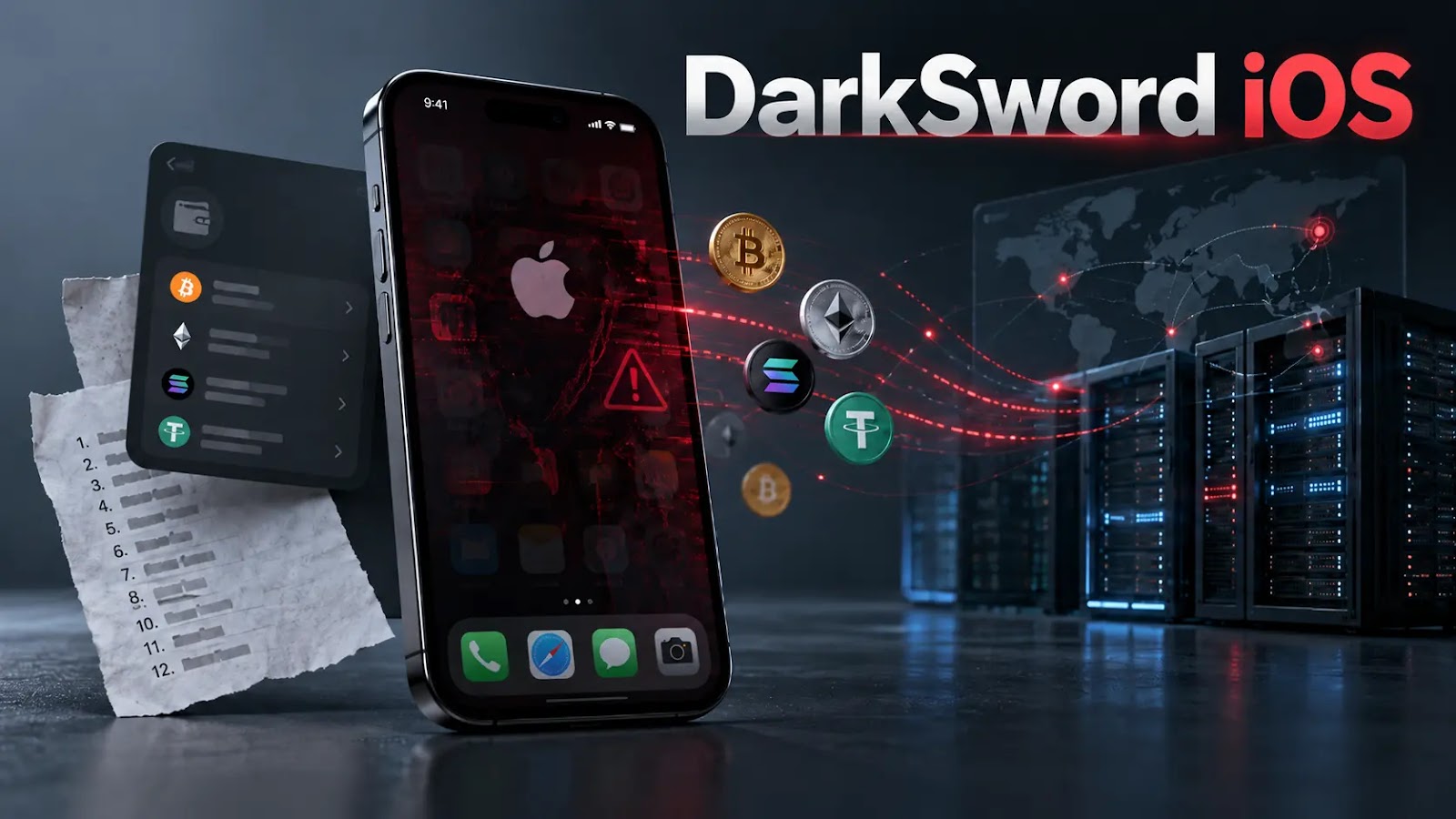
Exposed directories on five servers have revealed an operational DarkSword/Coruna exploitation platform built to compromise iPhones and harvest cryptocurrency wallet secrets. Censys researchers uncovered delivery infrastructure, implants, wallet injection modules, and reseller controls. At the same time, a separate production-server capture contained 11 victim recovery phrases, 179 device loot directories, and 75 control-plane accounts. The […]
The post Exposed DarkSword iOS Servers Reveal Crypt
Exposed directories on five servers have revealed an operational DarkSword/Coruna exploitation platform built to compromise iPhones and harvest cryptocurrency wallet secrets. Censys researchers uncovered delivery infrastructure, implants, wallet injection modules, and reseller controls. At the same time, a separate production-server capture contained 11 victim recovery phrases, 179 device loot directories, and 75 control-plane accounts. The […]
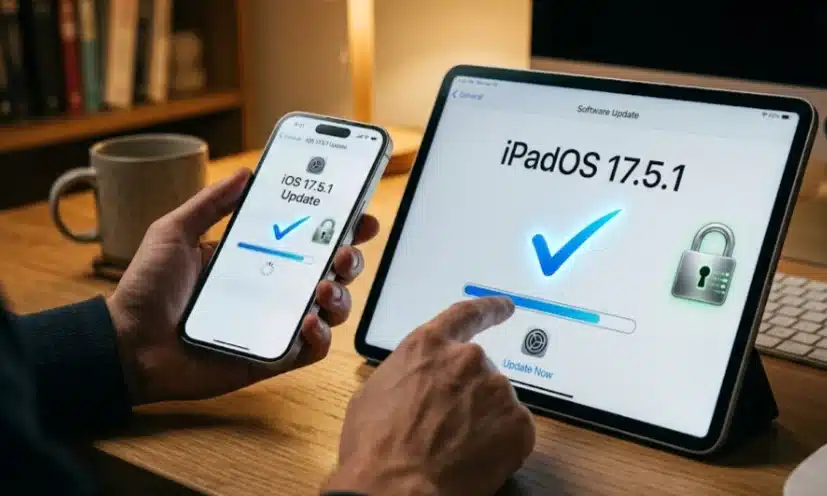
Apple has released iOS 26.7.1 and iPadOS 26.7.1 to address CVE-2026-86950, a CoreGraphics vulnerability the company says may have been used in targeted attacks. The updates came out on September 28, 2026, along with matching fixes for macOS Tahoe 26.7.1 and macOS Sequoia 15.8.1.
The flaw is in CoreGraphics, a core Apple framework that handles graphics rendering. According to Apple, processing a maliciously crafted file may lead to arbitrary code execution. In practice, an attacker could run
Apple has released iOS 26.7.1 and iPadOS 26.7.1 to address CVE-2026-86950, a CoreGraphics vulnerability the company says may have been used in targeted attacks. The updates came out on September 28, 2026, along with matching fixes for macOS Tahoe 26.7.1 and macOS Sequoia 15.8.1.The flaw is in CoreGraphics, a core Apple framework that handles graphics rendering. According to Apple, processing a maliciously crafted file may lead to arbitrary code execution. In practice, an attacker could run their own code on a vulnerable device by getting it to open a specially prepared file.Apple described the root cause as an out-of-bounds write issue. This type of memory bug happens when software writes data past the edge of the memory area set aside for it. The company said it fixed the problem with improved bounds checking.In its advisory, Apple stated: "Apple is aware of a report that this issue may have been exploited in an extremely sophisticated attack against specific targeted individuals on versions of iOS before iOS 27."Apple credited Meta Product Security with reporting the vulnerability.
Devices Covered by the iOS and iPadOS Update
The iOS 26.7.1 and iPadOS 26.7.1 fix is available for iPhone 11 and later. On the iPad side, it covers:
iPad Pro 12.9-inch (3rd generation and later)
iPad Pro 11-inch (1st generation and later)
iPad Air (3rd generation and later)
iPad (8th generation and later)
iPad mini (5th generation and later)
CVE-2026-86950 Also Reaches macOS
The issue is not limited to iOS and iPadOS. Apple published separate security notes for macOS Tahoe 26.7.1 and macOS Sequoia 15.8.1, both released on September 28, 2026. Each describes the same CoreGraphics flaw, the same arbitrary code execution risk, and the same out-of-bounds write fix. Each also credits Meta Product Security.The macOS notes repeat Apple's statement that the bug may have been exploited against specific individuals on versions of iOS before iOS 27. The Tahoe update applies to macOS Tahoe, and the Sequoia update applies to macOS Sequoia.
Advisory Rates CVE-2026-86950 as High Risk
A separate advisory, also dated September 28, 2026, classifies the problem as a remote code execution vulnerability in Apple products. It warns that a remote attacker could exploit the flaw to trigger remote code execution on a targeted system.The advisory rates the risk level as High for two reasons. The flaw is being exploited in an extremely sophisticated attack on specific targeted individuals running versions of iOS before iOS 27. A crafted file is also enough to achieve arbitrary code execution.The advisory lists the following as affected:
Versions prior to iOS 26.7.1 and iPadOS 26.7.1
Versions prior to macOS Tahoe 26.7.1
Versions prior to macOS Sequoia 15.8.1
It recommends that users visit the vendor's website for details before installing and then apply the vendor's fixes. The related Apple support pages are:
Apple says that, to protect customers, it does not disclose, discuss, or confirm security issues until it has investigated them and patches or releases are available. The company references vulnerabilities by CVE-ID when possible, as it did with CVE-2026-86950. Recent releases are listed on its security releases page, and more information is on its Product Security page.Apple's notes also state that information about products not made by Apple, or about independent websites it does not control, is provided without recommendation or endorsement. Apple directs users to contact those vendors for further details.Since attackers have reportedly already used the flaw, owners of supported iPhones and iPads should install iOS 26.7.1 or iPadOS 26.7.1. Mac users should update to macOS Tahoe 26.7.1 or macOS Sequoia 15.8.1, depending on which version they run.
Discover critical Axios security vulnerabilities impacting the Node.js HTTP adapter. Learn how to patch these flaws and protect your applications today.
Related Posts:
PoC Exploit Released for Next.js RCE Flaw CVE-2026-94545
ASUS Security Vulnerabilities Expose Routers and Motherboards
MediaWiki External Data CVE-2026-100382 (CVSS 10) Unauthenticated RCE Exploited in the Wild, PoC Public
The post Axios Security Vulnerabilities Expose Node.js Apps appeared first on Daily CyberSecurity.
Discover critical Axios security vulnerabilities impacting the Node.js HTTP adapter. Learn how to patch these flaws and protect your applications today.
Apple patched an exploited Apple zero-day vulnerability. Learn how this Apple zero-day vulnerability impacts devices and install emergency updates now.
Related Posts:
macOS SMB Kernel Flaw CVE-2026-84543: Details and PoC Exploit Released
Octopus Server Flaw CVE-2026-101169 Allows Code Execution via Insecure Deserialization
Exploited Citrix NetScaler Flaw CVE-2026-88771: Details and PoC Now Public
The post Exploited Apple Zero-Day Vulnerability Patched appeared first on Daily CyberSecurity.
Apple patched an exploited Apple zero-day vulnerability. Learn how this Apple zero-day vulnerability impacts devices and install emergency updates now.

 Entrar