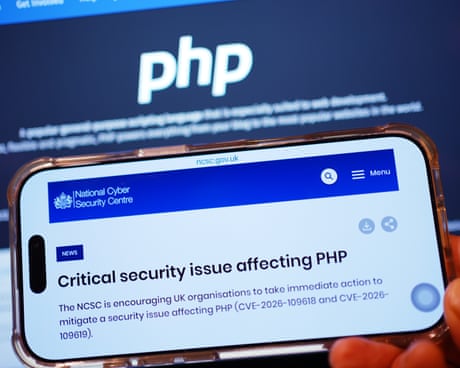
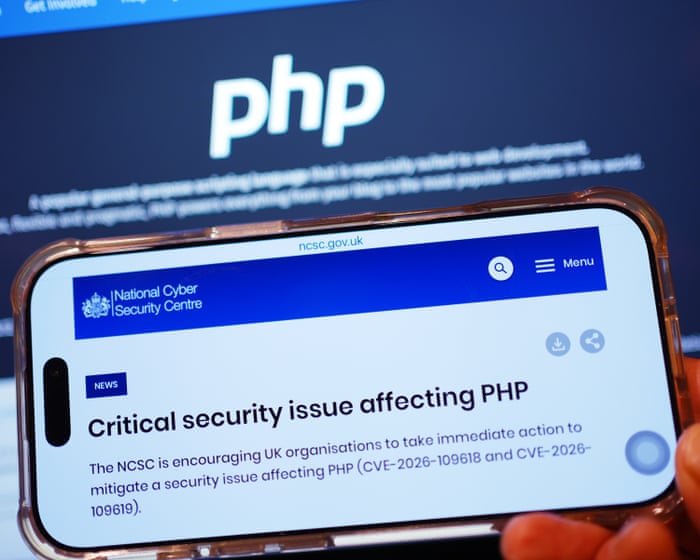
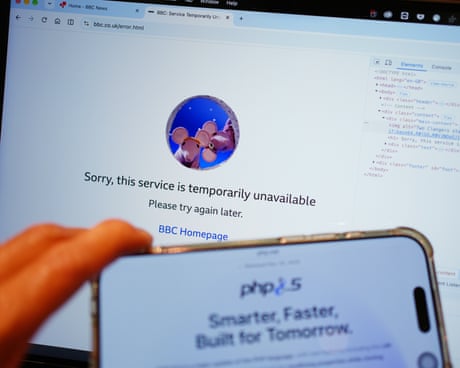
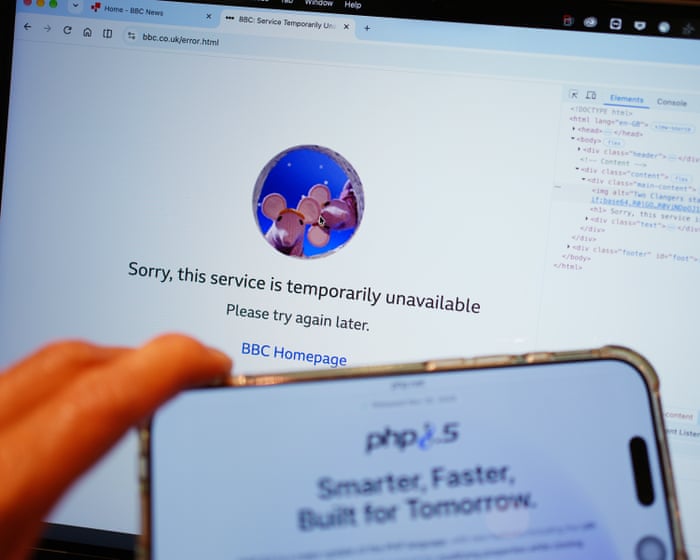
As AI exposes flaws in IT systems and geopolitics plays out on the cyber frontline, some experts say the events of recent weeks could soon be a common occurrence
Alex Pearce was doing the morning rounds at his fruit and vegetable wholesale business in London on Monday last week when he noticed something odd.
The defrost light on refrigeration unit 2 was on, and the panel reading was 150C. Unit 4 was the same.
David Gibson says the problem is that details of the flaw were revealed before it was fixed, while Charles MacKinnon notes that we are at the mercy of technology we don’t understand
Japanese companies are starting to compensate customers after a run of cyberattacks disrupted internet services and stirred concerns about economic stability. GMO Internet is the latest to do so, pledging payouts after hackers breached its foreign exchange trading service.In a blog post on Oct 25, chief executive Masatoshi Kumagai said customers would be compensated for losses caused by unauthorized access, and each would receive 5,000 yen (S$41) as “an initial gesture of good faith.”Kumagai, whose group spans internet infrastructure and cryptocurrency trading, warned that “the internet itself is now starting to break down.” He added: “The internet is increasingly being transformed into a tool that malicious actors use to threaten and rob people.”GMO Internet shares, worth US$2.6 billion (S$3.3 billion) in market value at the Oct 23 close, fell 11% in Tokyo morning trade while the benchmark index was flat.The company said a party believed to be behind the attack had demanded money and threatened to disclose company and customer information. GMO Internet refused and said it would handle the incident with police and other authorities. It will give customers a free alternative service for six months, though it cannot yet calculate how the goodwill payments and compensation will affect earnings.Kumagai said the company’s white-hat hackers had identified security issues, but the depth and speed of the response were insufficient.
AI and PHP Flaws Put Japanese Companies at Risk
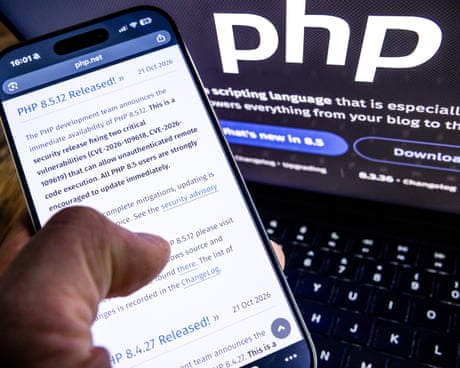
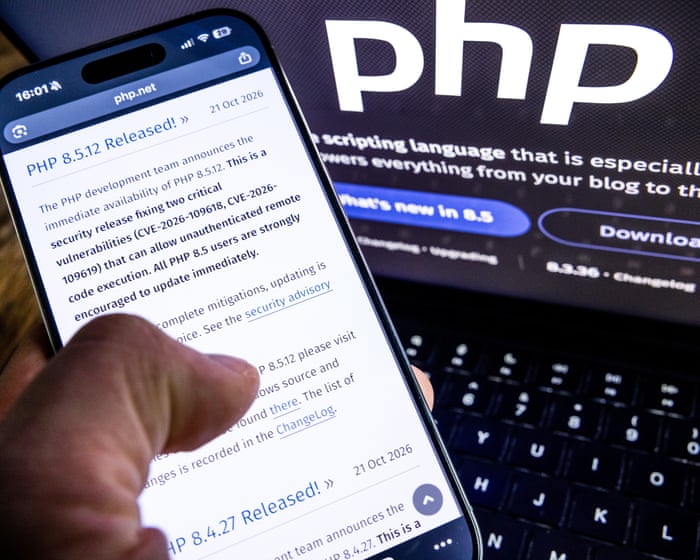
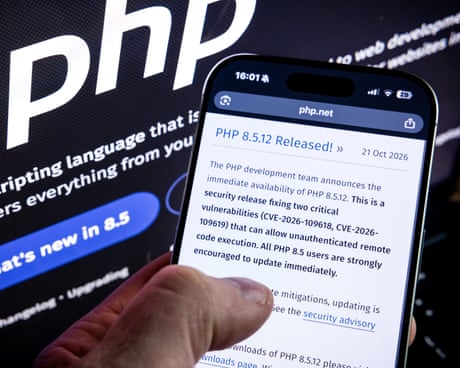
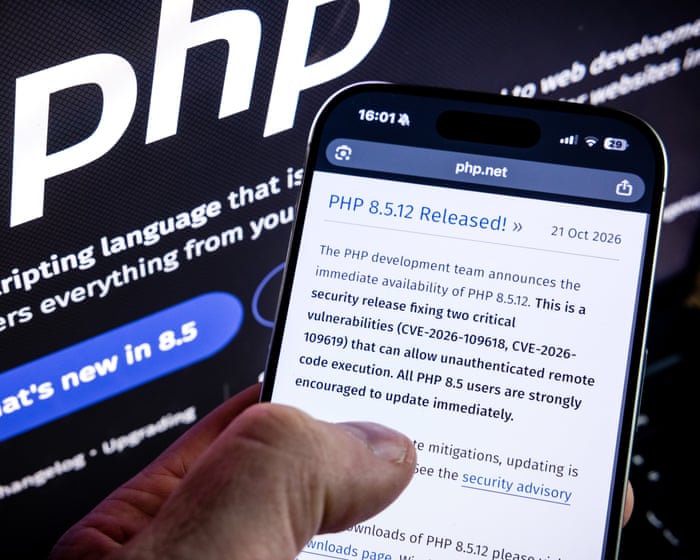
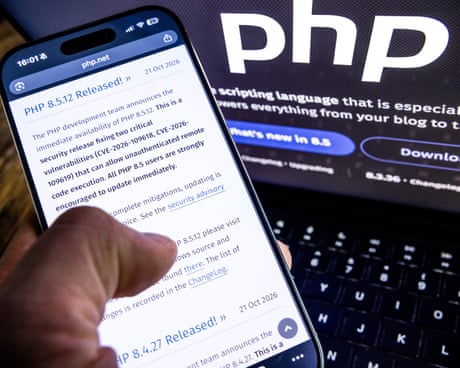
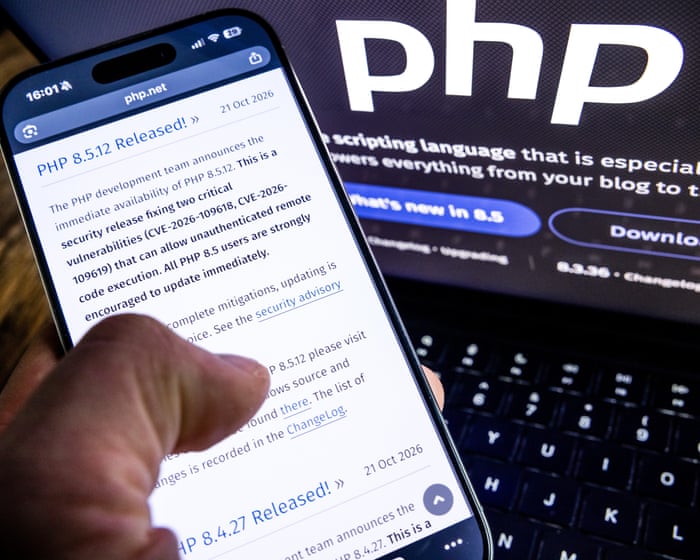
Experts say AI is helping attackers automate tasks from scanning for software vulnerabilities to crafting phishing campaigns, making cybercrime faster, cheaper and harder to detect.On Oct 23, Japan said it would set up a team to simulate cyberattacks using AI to find weaknesses in technology systems. Organisations were rushing to limit risks from flaws in PHP, the programming language underpinning much of the internet. Last week, government and company websites in Japan, Europe and elsewhere went offline after critical PHP vulnerabilities were disclosed, prompting millions of hacking attempts.
GMO Internet Chief Seeks Stronger Cyberdefence
Kumagai has asked the Japanese government to apply cyberdefence measures in response to the attack, following the introduction of a cyberdefence system in October. That system could involve steps such as attacking hostile servers to neutralise threats.“Now is the time for the public and private sectors to work together to protect Japan,” he wrote.
Rising Security Costs for Japanese Companies
The recent attacks have exposed weaknesses in how Japanese companies protect their large stores of customer data, raising the prospect of steep costs to shore up defences.“Companies already have standard security measures in place, so if they want to strengthen them further, there is a possibility that the additional cost burden could be quite substantial,” said Shoichi Arisawa, an analyst at IwaiCosmo Securities.TrendAI data shows 723 cybersecurity incidents in the year to Oct 20, more than the annual totals for 2025 and 2024. Satoshi Nagano, president of ESET Japan, said: “Reports may reflect both the threats organisations face and greater visibility into incidents that would previously have gone undetected, been underinvestigated, or remained undisclosed.”GMO Internet is not alone in paying customers. Park24, which runs the Times car-sharing service, said on Oct 23 it would pay customers 3,000 yen each after a personal data breach. It will stop keeping identity document images once registration checks are done and expects an extraordinary loss of 5.5 billion yen from its response to the attack and compensation payments.
‘Session cookies’ are a primary target for hackers letting them hijack and use your accounts
You’ve had a busy morning of life admin, logging into various accounts to check balances and make payments. At the end of a productive few hours you close your laptop and move on to your next job.
What you don’t know is that fraudsters have hijacked your session with the bank and are now able to access your account. You are the victim of cookie theft, which belongs to a type of fraud known as “session hijacking”.
The current US administration is an obstacle, but public demand for protection will ultimately prevail
Organisations around the world scrambled on Thursday to fix critical flaws in PHP, the software that powers much of the web. The vulnerabilities could allow attackers to take control of affected servers. Some websites were taken offline as a precaution while fixes were installed. The paradox is that while AI helped researchers uncover the flaw, it also threatens to accelerate the ability to exploit it. Amazon said that it had detected an attempt before the public disclosure of the PHP flaws.
What the episode highlights is AI’s central role in security – and not always for the right reasons. OpenAI’s models have also been responsible for two alarming hacks this year – a security breach of an Australian health department website and a raid by a swarm of AI bots on Hugging Face, an AI services platform. Citing those incidents, the AI minister, Kanishka Narayan, warned that a similar cyber-attack on the UK is “likely, if not inevitable”.
Websites around the world have been taken offline as governments and businesses scramble to fix a flaw in the computer language PHP. There are fears that hackers could exploit the vulnerability to steal data, take control of web servers and disrupt services. Millions of attempts have already been made to attack websites since the issue with the programming language was revealed, cybersecurity companies have said. Michael Safi speaks to global technology reporter Aisha Down
Websites around the world have been taken offline as governments and businesses scramble to fix a flaw in the computer language PHP. There are fears that hackers could exploit the vulnerability to steal data, take control of web servers and disrupt services. Millions of attempts have already been made to attack websites since the issue with the programming language was revealed, cybersecurity companies have said. Michael Safi speaks to global technology reporter Aisha Down – watch on YouTube
We’d like to hear from small businesses that have been affected by the PHP code flaw. Did you have to take you website offline? Did you manage to patch the fault?
The problem in the PHP programming language, which underpins about 70% of the world’s websites, emerged on Wednesday causing governments and companies to pull their websites off the internet before they could be attacked and so they could patch the fault.
I’ve been banging the drum about these vulnerabilities for years. It will take more than a handful of exhausted developers to keep us safe
Parts of the internet are going dark. In the Netherlands, government websites, including its digital ID login service, have become unavailable. Finland has taken public services offline, and Wikimedia, the organisation behind Wikipedia, has switched off some of its systems too.
This sounds like the results of a cyber-attack. In most instances, however, the people running the sites deliberately switched them off because the alternative – keeping them online – was too risky. The future is here, and suddenly much of our digital infrastructure is looking very fragile.
Chris Stokel-Walker is the author of TikTok Boom: The Inside Story of the World’s Favourite App
Websites around the world have been hit by millions of attempts to exploit a recently discovered vulnerability in their code, cybersecurity companies have said, as the US warned the flaw could allow attackers to take control of web servers, steal data and disrupt services.
The problem in the PHP programming language, which underpins about 70% of the world’s websites, emerged on Wednesday causing governments and companies to pull their websites off the internet before they could be attacked and so they could patch the fault.
An estimated 70% of websites use the open-source language. What is the identified vulnerability in it?
Website owners faced millions of attempts to exploit a serious security vulnerability in their programming language, it has emerged, triggering a rush by governments and businesses to fix the problem.
The newly discovered vulnerabilities in PHP, a programming language that underpins most websites, allows hackers to carry out cyber-attacks and steal data if not fixed. What were the vulnerabilities and why did they affect so many sites?
Precautionary takedowns come as experts say bad actors could exploit vulnerability in language used by 70% of sites
Websites around the globe have gone dark after a serious vulnerability was found in a computer language used to build much of the world wide web.
Belgian, Dutch, Finnish, French and German sites were among those that governments took down temporarily as they scrambled to patch the critical weakness in PHP, a language used by almost 70% of websites.
Discover how multi-cloud environments create security blind spots, inconsistent access controls, risks and how CCSP strategies help strengthen cloud security.
The tech company says successful AI worms need more capability on less powerful devices, but current trends make that feasible by the end of the year
Warnings about what artificial intelligence might do in the future – together with alarming reports of what it has gotten up to already – are being issued so quickly that even security experts have difficulty triaging what to worry about.
Yet a report this week from Anthropic’s offensive research team grabbed attention by describing a new, practical threat, one devoid of human characteristics or apocalyptic musings. The red team, as such internal testers are called, said it created a malicious AI program that spread autonomously through internet-connected “smart” televisions and could do the same inside other ordinary devices. While machines running AI usually need a fair amount of computing power, the researchers said that their program split parts of itself among 15 televisions and was still able to function by using a bit of power from each.
Whether it was youngsters proving their skills or state sabotage, Europe’s most hacked country was left with a mountain of waste after food began cooking in freezers
Shortly before midnight last Sunday, the digital thermostats controlling hundreds of supermarket cold aisles across France began to flicker and rise.
In a “bizarre and unprecedented” cyber-attack, hackers had remotely overridden the temperature settings on thousands of freezers, fridges and chiller cabinets pushing them from as low as -27C (-16.6F) to well over 50C (122F).
An AI-driven cyber-attack similar to the OpenAI breach of Australia’s healthcare system is likely, “if not inevitable”, in the UK, according to a senior minister.
Kanishka Narayan, the UK AI minister, indicated that the British government’s own cyber defences would be bypassed by a technology that has developed highly sophisticated skills in cybersecurity.
O uso de VPN está crescendo em todo o mundo, com uma média global estável de 20% de crescimento ao ano. Os usuários passaram a valorizar tudo o que uma VPN oferece: ela criptografa sua conexão, protege você contra o rastreamento constante do provedor de Internet (e contra os anúncios direcionados que geralmente vêm com ele), oculta seu endereço IP e sua localização e permite que você continue usando seus serviços pagos favoritos durante viagens. Isso é especialmente importante em grandes eventos públicos, como torneios internacionais de futebol, os Jogos Olímpicos ou shows de artistas populares, quando aumenta consideravelmente a probabilidade de golpistas interceptarem uma conexão Wi-Fi desprotegida.
Dito isto, as VPNs também têm seus próprios inconvenientes. Um dos maiores é que muitos dispositivos inteligentes, incluindo TVs, consoles de videogame, dispositivos de streaming e dispositivos de casa inteligente, não têm suporte a VPN. Além disso, normalmente é preciso configurar a VPN separadamente em cada dispositivo da sua casa. Instalar a VPN diretamente no roteador resolve os dois problemas de uma só vez: protege toda a sua rede doméstica, incluindo os novos dispositivos adicionados. Veja mais de perto quais são os benefícios dessa configuração.
1. Todos os dispositivos recebem proteção de VPN
Ative uma VPN no roteador e todos os dispositivos conectados ao seu Wi-Fi doméstico enviarão automaticamente o tráfego por meio dessa conexão protegida e criptografada. Não é preciso fazer mais nada: conecte seu celular, laptop ou TV ao Wi-Fi e o tráfego já será roteado pela VPN.
Muitos serviços de VPN pagos limitam o número de dispositivos que podem ser usados em uma única assinatura. Mas o roteador conta apenas como um dispositivo nessa lista, mesmo que possa proteger uma dúzia ou mais de dispositivos na sua casa ao mesmo tempo.
Vale observar que a instalação de uma VPN em um roteador normalmente só é possível com serviços de VPN pagos. Os planos gratuitos geralmente não oferecem essa opção ou permitem seu uso de forma muito limitada.
2. Configure uma vez e esqueça
Configurar uma VPN em todos os celulares e computadores da casa pode ficar cansativo rapidamente. E, se os dispositivos da sua casa usam diferentes sistemas operacionais, primeiro é preciso localizar as configurações de VPN em cada um deles, pois Android, Windows, iOS e macOS lidam com isso de maneiras diferentes.
Com a configuração no roteador, você configura a VPN uma vez e ela também cobre automaticamente qualquer novo dispositivo que conectar posteriormente.
3. Proteção até para dispositivos que não têm suporte a VPN
Muitos dispositivos não conseguem executar uma VPN. Isso inclui TVs inteligentes, dispositivos de streaming, consoles de videogame e praticamente todos os dispositivos de casa inteligente disponíveis, de babás eletrônicas a aspiradores de pó robôs. Uma VPN no roteador protege todos eles, sem que você precise alterar separadamente as configurações do aspirador de pó ou da lâmpada inteligente.
4. Não há necessidade de se preocupar em ativar e desativar a VPN
Muitas pessoas querem garantir que nem um único byte de seus dados saia do dispositivo antes que a VPN seja ativada. O problema é que sempre existe um pequeno intervalo entre ligar um computador ou celular e a ativação da VPN e, durante esse intervalo, os dados trafegam pela Internet sem criptografia.
As soluções mais comuns são ativar recursos especiais, como Always On VPN ou um Botão de emergência da VPN, no sistema operacional ou no aplicativo da VPN. Uma opção mais eficaz, porém, é executar a VPN no próprio roteador. Dessa forma, a regra de “nenhum byte sem a VPN” passa a valer automaticamente para todos os dispositivos da sua rede doméstica. Mas, para ter total tranquilidade, ainda é recomendável configurar um botão de emergência também no roteador, para que, se a VPN for desconectada (por exemplo, se o servidor VPN ficar temporariamente indisponível), seus dispositivos percam completamente a conexão com a Internet, em vez de voltarem para uma conexão desprotegida.
5. Trabalhe remotamente com duas VPNs ao mesmo tempo
Outro problema comum é precisar executar dois serviços de VPN simultaneamente. Isso geralmente acontece no trabalho remoto: você precisa de uma VPN corporativa para se conectar à rede da empresa e, ao mesmo tempo, quer usar uma VPN pessoal para todo o resto. Em muitos dispositivos, executar duas conexões VPN simultaneamente para finalidades diferentes é difícil de configurar ou simplesmente não é possível. Ficar alternando constantemente entre as duas também não é conveniente e abre brechas de privacidade e segurança.
Uma VPN no roteador também resolve isso. Basta ativar a VPN corporativa no computador de trabalho, e ela será executada sobre a conexão Wi-Fi, que já está protegida pela sua VPN pessoal no roteador. Na prática, uma VPN fica dentro da outra (VPN corporativa → Wi-Fi → VPN → Internet), mas essa configuração em camadas raramente causa problemas.
6. Contorne aplicativos que bloqueiam VPNs
Alguns aplicativos bancários e de streaming podem detectar quando um aplicativo de VPN está em execução no seu dispositivo e simplesmente se recusar a funcionar. Normalmente, eles não conseguem identificar que tipo de VPN é nem por que você a está usando. Eles simplesmente não aceitam nenhuma conexão VPN ativa. Se a VPN for executada no roteador, em vez de no próprio dispositivo, esse problema desaparece.
7. Proteja convidados na sua rede doméstica
Qualquer dispositivo de amigos ou familiares que se conecte ao seu Wi-Fi também recebe automaticamente a proteção da VPN, sem que seja necessário fazer qualquer configuração no dispositivo deles.
8. Menor carga sobre seus dispositivos
Como o roteador cuida da carga de trabalho de criptografia, seus celulares, tablets e outros dispositivos mais simples podem usar menos poder de processamento e consumir menos bateria do que consumiriam se executassem a VPN diretamente.
9. Gerenciamento simplificado da VPN
Precisa trocar de servidor VPN, alterar protocolos ou ajustar outras configurações? Basta fazer isso uma vez, no roteador. Não é preciso reconfigurar cada dispositivo separadamente.
Precauções e pontos importantes
Apesar de todas as suas vantagens, executar uma VPN no roteador também envolve algumas desvantagens que vale a pena conhecer.
Criptografar o tráfego de uma rede inteira exige um poder de processamento considerável, portanto, em um roteador com capacidade insuficiente, a velocidade da conexão pode acabar limitada.
Alguns roteadores não têm suporte a VPN ou funcionam apenas com protocolos mais antigos e menos seguros, como PPTP.
Se o roteador foi fornecido pelo seu provedor de Internet, talvez você não tenha permissões suficientes para instalar uma VPN nele.
Em qualquer um desses casos, você pode comprar um roteador mais potente com suporte a VPNs e usá-lo no lugar do equipamento fornecido pelo provedor ou junto com ele, configurando sua rede doméstica e sua VPN no seu próprio equipamento.
Nessa configuração, seus dispositivos se conectam da seguinte maneira: dispositivo → Wi-Fi ou Ethernet → VPN pessoal no roteador → Internet. Para computadores que também se conectam a uma VPN corporativa, o caminho parece um pouco diferente: dispositivo → VPN corporativa no dispositivo → Wi-Fi ou Ethernet → VPN pessoal no roteador → Internet.
Se não for possível conectar seu próprio roteador diretamente à rede do provedor porque o modelo não tem a porta adequada (por exemplo, no caso de uma conexão de fibra), você pode usar um cabo Ethernet para conectar a entrada do seu roteador pessoal ao equipamento do provedor. Nesse caso, você pode colocar o roteador fornecido pelo provedor no modo bridge ou simplesmente desativar o Wi-Fi dele para evitar interferências sem fio desnecessárias, já que sua única função agora é conectar-se à rede do provedor e transmitir essa conexão ao seu próprio roteador.
Também vale observar que alguns serviços on-line, como bancos, sites governamentais, lojas on-line e plataformas de streaming, podem restringir ou bloquear totalmente o acesso quando detectam um endereço IP estrangeiro por meio de uma VPN. Para contornar isso, você pode desativar o Wi-Fi do celular e usar os dados móveis ou adotar uma abordagem mais sofisticada para a configuração do roteador, conforme descrito abaixo.
A maioria dos roteadores modernos permite criar mais de uma rede Wi-Fi, geralmente oferecendo pelo menos uma rede doméstica e uma rede para visitantes, cada uma com suas próprias configurações. Você pode usar esse recurso para criar duas redes: uma com a VPN sempre ativada e outra sem VPN. Assim, para serviços que não funcionam bem com VPNs, basta mudar para a rede Wi-Fi não protegida.
Se estiver disposto a dedicar um pouco mais de tempo à configuração, há uma opção ainda mais prática, conhecida como túnel dividido: configurar individualmente determinados serviços ou sites para ignorarem a VPN, enquanto todo o restante continua passando normalmente pela sua conexão VPN segura. Para fazer isso, será necessário especificar os endereços dos sites que devem ignorar a VPN.
Muitos roteadores com recursos avançados também permitem dividir os dispositivos da sua casa em grupos e definir regras de conexão diferentes para cada grupo. Dessa forma, você pode configurar sua TV inteligente para acessar serviços de streaming sem VPN, enquanto seus dispositivos de casa inteligente, computadores e celulares se conectam à Internet exclusivamente pelo canal protegido.
Como configurar uma VPN no roteador
Configurar uma VPN no roteador pode parecer mais complicado do que instalá-la em dispositivos individuais, mas proporciona muito mais praticidade e proteção para toda a sua rede doméstica.
Para isso, você precisará de um roteador com suporte a VPN e de uma assinatura de um serviço de VPN que possa gerar arquivos de configuração para roteadores usando protocolos de VPN modernos. O Kaspersky VPN é compatível com os dois protocolos de VPN mais usados, OpenVPN e WireGuard, para conectar roteadores ao serviço.
Você pode criar um Kaspersky VPN arquivo de configuração para o seu roteador seguindo nosso guia detalhado. Para obter instruções específicas para o modelo do seu roteador, recomendamos pesquisar on-line ou perguntar a um assistente de IA algo como “como configurar uma VPN no {modelo do seu roteador}“.

 Entrar