A malicious advertising campaign promoting a fake free TV-streaming service reached roughly 570,000 Meta users.
The researchers who discovered the campaign found that its streaming-themed ads were aimed at Spanish-speaking users, with most observed victims located in Spain. One Meta campaign ran from June 11 through July 3, 2026, and the same banners were also used to distribute the malware through TikTok.
The available data shows the ads’ reach, not the number of downloads or infections, but it demonstrates how quickly paid advertising can put a scam in front of a very large audience.
The ads promoted an Android banking Trojan and infostealer called StreamRat. It can monitor what’s on screen, capture information typed into apps, show convincing fake screens to steal usernames and passwords, and allow attackers to control the device remotely.
We often warn people not to click suspicious links in unexpected texts or emails. But malicious advertising is harder to recognize because it appears in the same feeds where people expect to find promotions, videos, and recommendations.
This campaign is a perfect demonstration of why “after-the-fact” ad checks are inadequate when it comes to protecting social media users. Attackers used familiar social media advertising and carefully tailored instructions to turn casual interest in free entertainment into a risky app installation.
How the attack worked
The ad led victims to a website posing as a streaming platform. The site checked whether a visitor was using Android. Non-Android visitors were simply prevented from downloading anything, while Android users were shown an app download option. This is a common way for scammers to concentrate their efforts on devices their malware can infect.
The site also identified whether someone had arrived through Instagram, TikTok, Facebook, or a regular browser. It then displayed instructions suited to that situation, including steps to allow the browser to install apps from “unknown sources.” In other words, this was not a generic malicious download page: It was designed to coach people through the security warnings that would normally make them stop and think.
StreamRat is an Android banking Trojan and infostealer. It can monitor what’s on screen, capture information typed into apps, show convincing fake screens to collect usernames and passwords, and enable attackers to operate the device remotely. The researchers also found options to cover the screen with a black page or fake Android update screen. These can distract victims while criminals interact with the phone behind the scenes.
How to stay safe
While this campaign targeted Spanish-speaking people, primarily in Spain, the following guidelines can help anyone avoid similar attacks.
Avoid installing Android apps from ads, direct-download websites, social media messages, sponsored search results, or links sent by strangers.
Download apps through Google Play whenever possible, and check the developer’s name, reviews, and app history rather than relying on an ad.
Be very cautious when an app asks for Accessibility access, screen-sharing permission, Device Admin privileges, or permission to become the default launcher. Permissions that don’t line up with the intended use of the app are very suspicious.
If you installed a suspicious APK and granted it Accessibility access, disconnect the phone from Wi-Fi and mobile data. If possible, revoke the app’s Accessibility access and remove it. Use another device to change relevant passwords and contact your bank if you used banking apps on the infected phone. A factory reset may be necessary if you cannot confidently remove the infection.
Malwarebytes for Android detects the components of StreamRat as Android/Trojan.Agent.ACRAEEF8A36H36, Android/Trojan.Agent.ACR02DB0614H7, and Android/Trojan.Dropper.ACR9B7ECE83D1.
Scammers know more about you than you think.
Malwarebytes Mobile Security protects you from phishing, scam texts, malicious sites, and more. With real-time AI-powered Scam Guard built right in.
Researchers have described a campaign that delivers a remote access Trojan (RAT) called AtlasRAT through a fake Flash Player installer.
People still go looking for “Flash player” because a surprising amount of content and software was built around Flash and never properly migrated. Users often just want a quick way to get those old sites, games, or business apps working again.
The underlying problem is that Adobe ended support for Flash Player on December 31, 2020, and actively blocks Flash content from running in the official player.
Attackers know some people will still search for Flash to run a game or a business app, so they wrap their malware in a fake Flash‑related installer that looks familiar and legitimate.
That’s likely why the AtlasRAT infection chain starts with a Delphi executable named FlashPlay.Exe, masquerading as an “AGE Flash Player” installer. The first-stage loader runs entirely in memory and reconstructs additional payloads instead of dropping obvious files to disk, a technique often referred to as fileless malware.
The final payload (MainDll.Dll) uses a self‑signed certificate spoofing CN=update.Microsoft.Com to initialize Transport Layer Security (TLS) client communication and encrypts Command and Control (C2) traffic.
A self‑signed certificate means the owner signs with their own key instead of a trusted certificate authority (CA). That means an attacker can create a certificate claiming to be update.microsoft.com or google.com, even though they don’t control those domains. A web browser would reject such a certificate with a warning. Custom malware, however, can simply ignore the operating system’s trust checks and use it to set up encrypted C2.
Once AtlasRAT is installed, the operator gains long‑term remote control of the infected Windows system with capabilities including:
Collecting credentials via offline keylogging
Gathering system information and identifying installed security products
Exfiltrating data over encrypted channels
Injecting DLLs into applications like WeChat, potentially allowing the attacker to monitor or manipulate messaging, or to hide malware activity or connectivity.
Based on historical data, the researchers suspect that AtlasRAT is a reusable framework or commercial offering rather than a one-off tool used by a single group.
How to stay safe
When looking for apps and software to perform a specific task, remember that cybercriminals often exploit popular searches in semi-targeted attacks. In previous campaigns, for example, AtlasRAT has also been distributed as a fake VPN installer.
Some tips to keep this RAT, and others, off your computer:
Carefully check what you’re about to install. Sponsored search results are not a guarantee that software is legitimate.
During our recent threat hunting activities, we found EtherRAT malware being distributed by a website with a strange homepage. This homepage allowed us to discover a vast malicious infrastructure distributing malware, malicious documents, remote desktop software, and phishing pages.
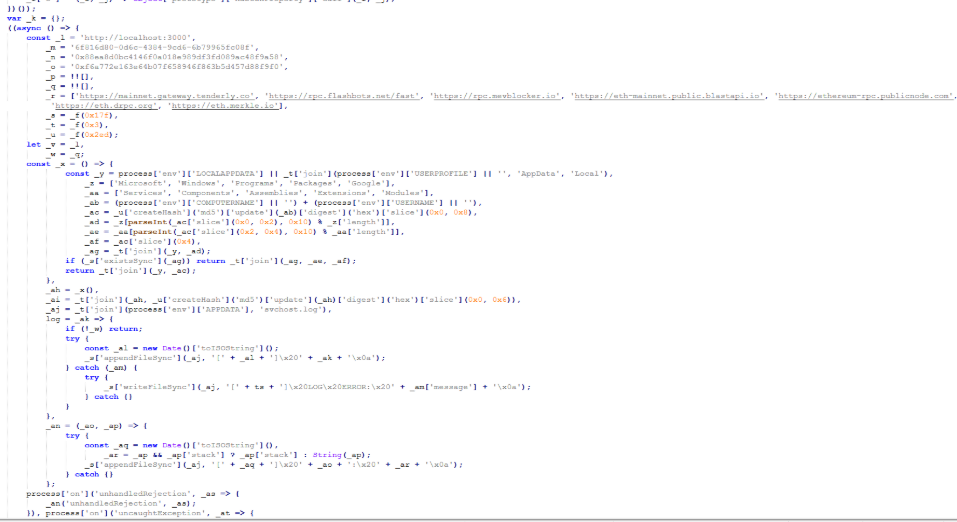
EtherRAT is a RAT developed in Node.js which allows an attacker to gain complete control over the machine and execute arbitrary code returned by the Command and Control (C2) server. The malware uses the Etherium blockchain to obtain the C2 server, hence the “Ether” part of the name. EtherRAT is typically distributed via MSI, PowerShell, or JavaScript scripts.
An open directory that distributes EtherRAT: where it all began
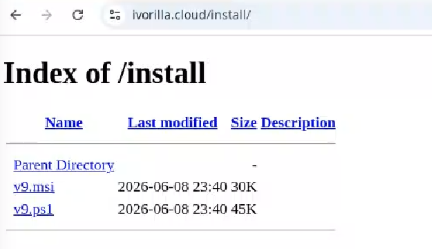
While threat hunting, we found an open directory that was distributing MSI installers and PowerShell scripts, which ultimately distributed EtherRAT. In the analyzed cases, the PowerShell scripts and MSI installers were distributed from a “/install” folder. The versions have a progressive number, ranging from v1 to v10.
Open Directory hosting EtherRAT MSI
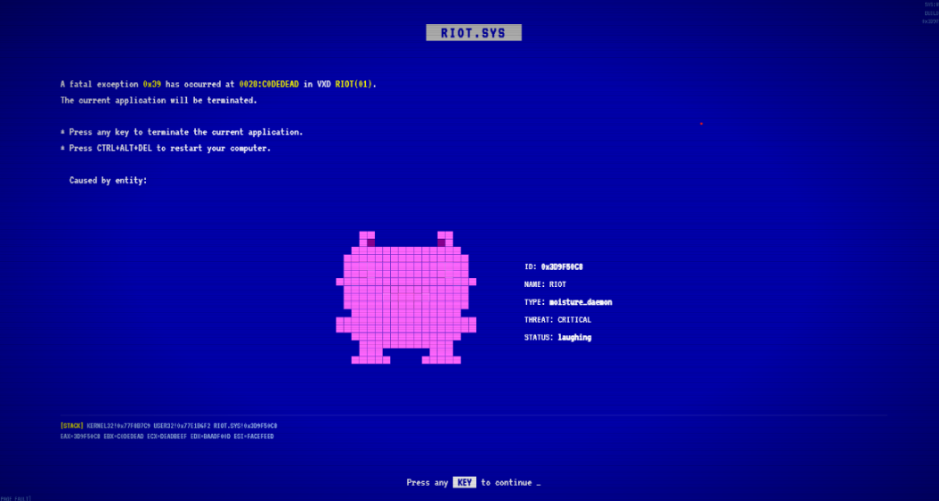
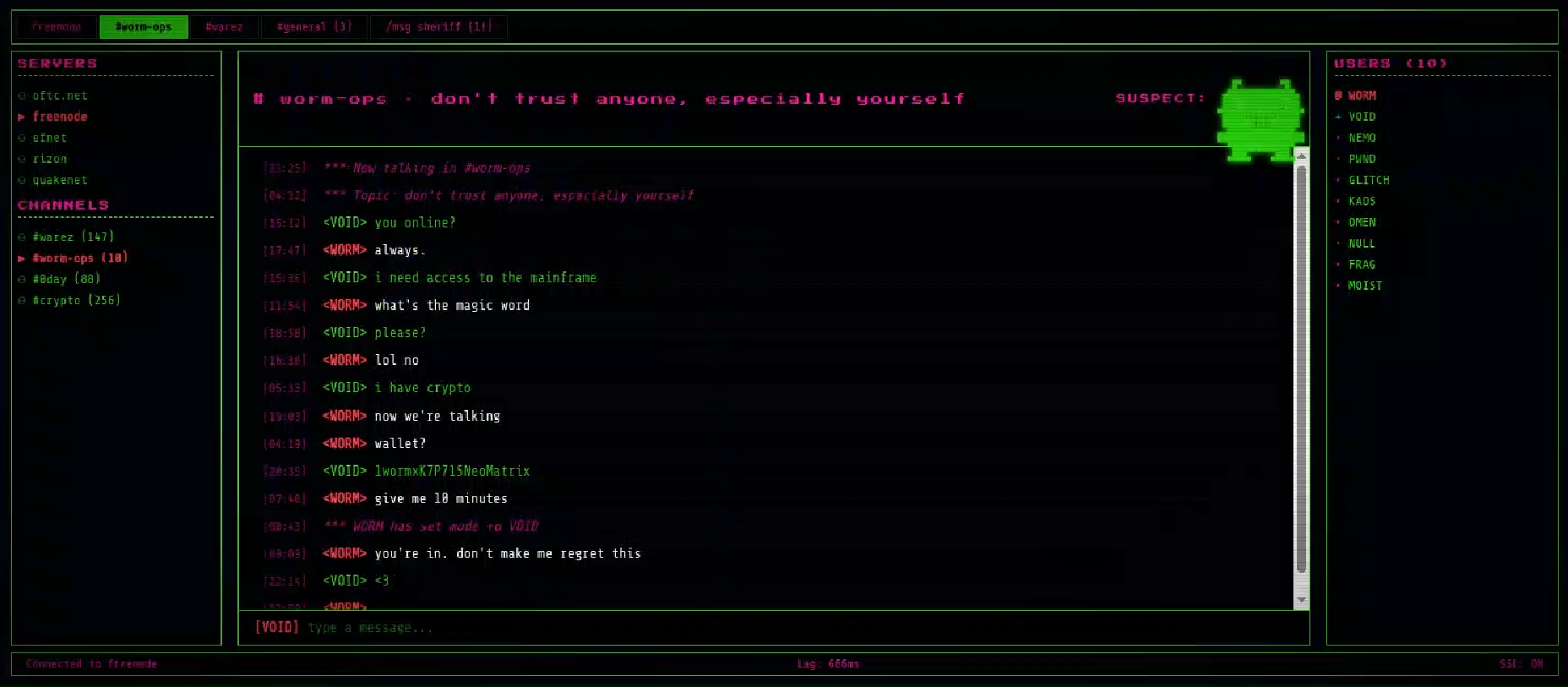
The returned home page caught our attention and prompted us to further explore the campaign.
The homepage returned by the EtherRAT distribution website
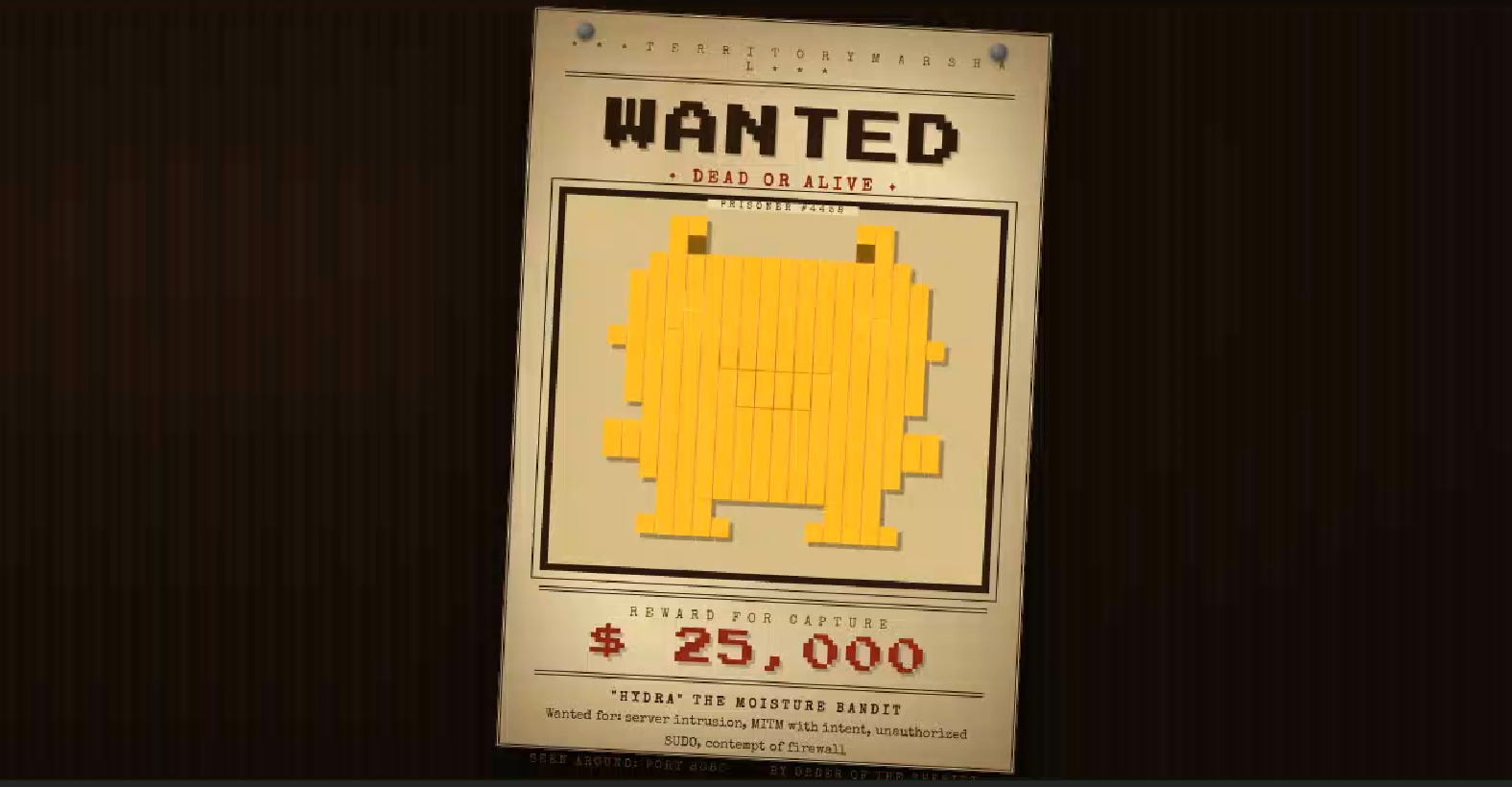
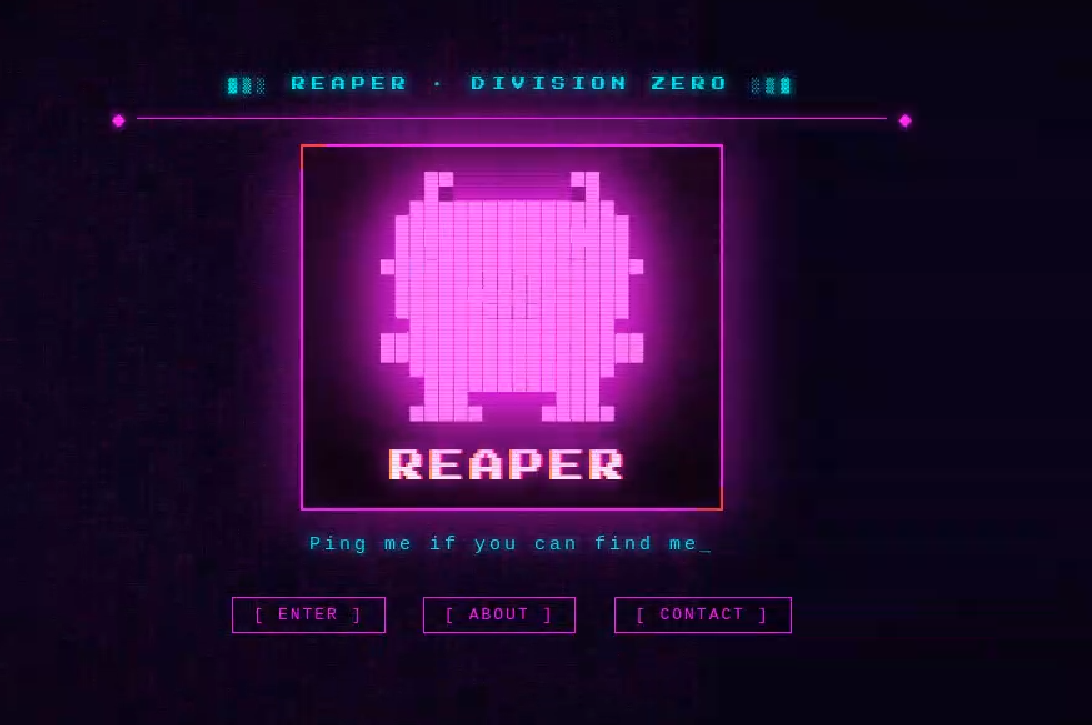
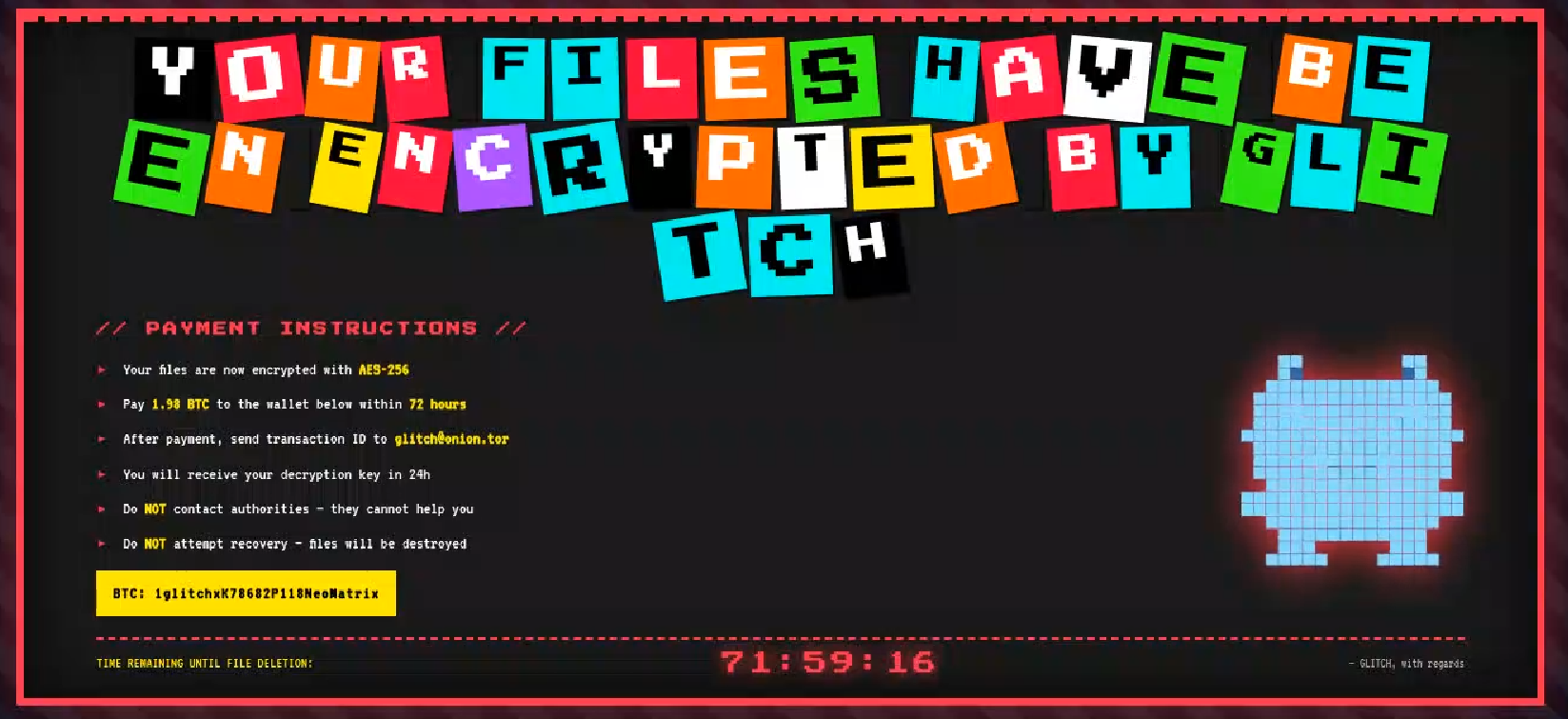
Analyzing domains and associated IPs with the EtherRAT distribution, we detected other similar home pages with a hacking-style theme. They appeared to belong to a larger distribution chain, which also distributes phishing, remote control software, and other malware. These websites usually have several folders with malware and phishing related content, and what is displayed depends on the specific infection chain.
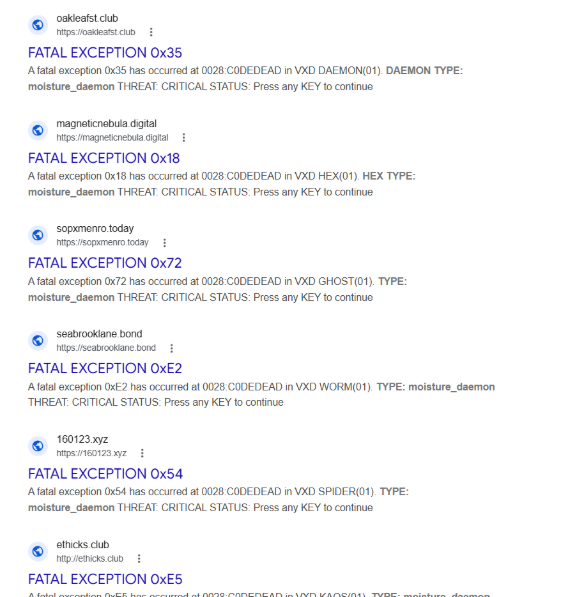
Different websites that resolve to the same IP addresses have previously returned pages related to fake companies or default templates. The use of these new pages could therefore be a method to make detection more difficult for automated scanners or researchers. Here are some of the home pages we found:
Some of the malicious websites indexed on Google
EtherRAT is an interesting RAT, as it has few lines of code and allows the execution of arbitrary code returned by the C2 server. Furthermore, using the Ethereum blockchain to obtain the C2 server makes it more resilient to infrastructure takedowns.
Technical analysis of EtherRAT
The detected websites usually distribute an MSI or PowerShell script with the version name, such as v1.msi, v2.ps1, and so on.
MSI Loader
The MSI file “v9.msi” contains three components:
MSI Filename
Description
KmPuGimn.cmd
BAT launcher
cDQMlQAru0.xml
First Jscript loader
MRaQCipBIZeiZNx.log
Encrypted EtherRAT
When the MSI is executed, the “KmPuGimn.cmd” file is started:
conhost --headless cmd /c "KmPuGimn.cmd"
This obfuscated BAT file performs different operations:
Extracts the other files in a random folder in %LOCALAPPDATA%.
The final stage is to deploy EtherRAT. EtherRAT allows the attacker to:
Execute arbitrary JavaScript code received by the C2 server. This allows the attacker to execute new commands, perform operations on files and folders, modify the registry, and exfiltrate data.
Get a new C2 server using the Ethereum blockchain.
Reobfuscate itself.
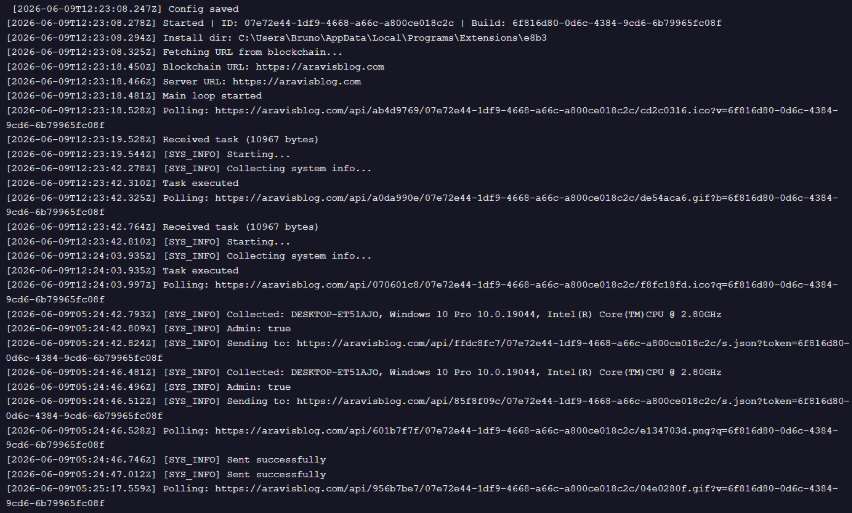
Save the logs to “svchost.log”.
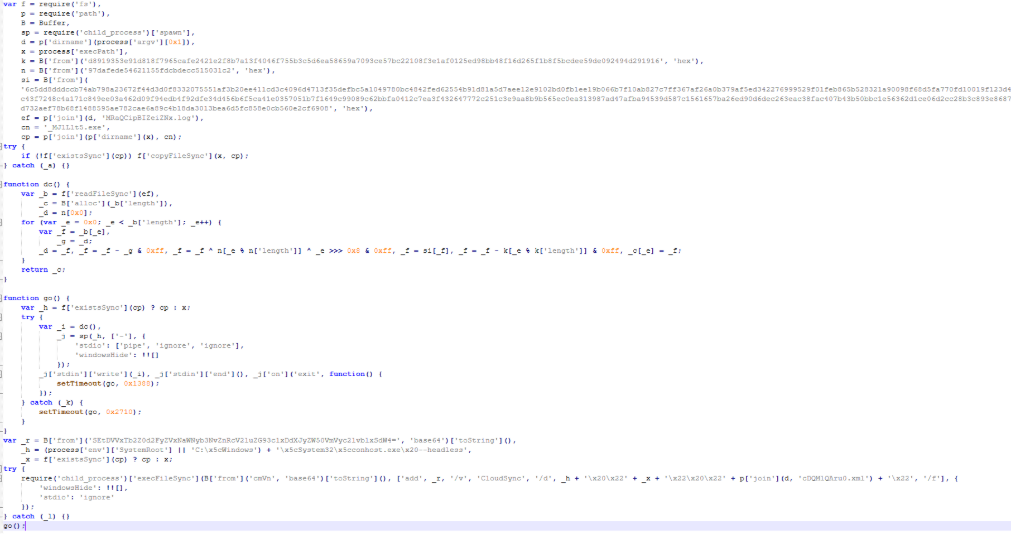
Part of decrypted EtherRAT code
The EtherRAT uses Ethereum’s “eth_call” JSON-RPC method to retrieve the active C2 URL from a smart contract on the Ethereum mainnet.
After startup, the RAT sends its own source code to the C2 server. The C2 responds with a newly obfuscated version of the script, which is written back to disk, making each execution generate a new file hash.
POST /api/[REOBF_PATH]/<victim-uuid>
Body: { "code": "<current_script_contents>", "build": "<build_id>" }
After the EtherRAT execution, we observed different post-compromised cmd.exe activities to check the environment. For example:
The activities performed by the PowerShell loaders are very similar to the last stage of the JS script of the MSI installer:
Downloads Node.js if it’s not present.
Create the necessary directories.
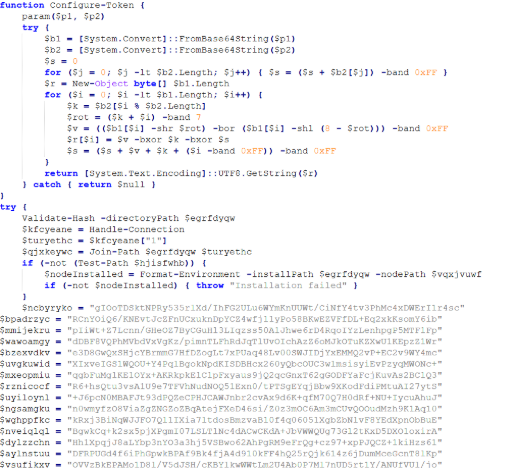
Decode the EtherRAT with a custom decryption algorithm.
Execute Node.js with conhost.exe and the decrypted EtherRAT payload.
We detected some variants of the PowerShell loader hosted on these websites; namely that the functions’ names and the decryption functions change in the analyzed PowerShell scripts.
The decryption of EtherRAT payload with the custom decryption algorithm
Tracking the malicious infrastructure
When we analyzed the different websites with the “hacking-theme” pages, we found that in the past many had hosted multiple phishing pages in some specific paths. For example:
/zht/sharep-redirect.html
/bl/me.php
/t/teams
/teams/Windows/invite.php
It seems that these domains and IPs are actually part of a much larger infrastructure that distributes malware, phishing, malicious documents, and remote software. It is possible that these infrastructures are shared by multiple threat actors who activate different URL endpoints based on the specific campaign.
Interestingly, the majority of the domains related to this malicious infrastructure in the past also returned an HTML page related to a “Bulletproof Infrastructure” service.
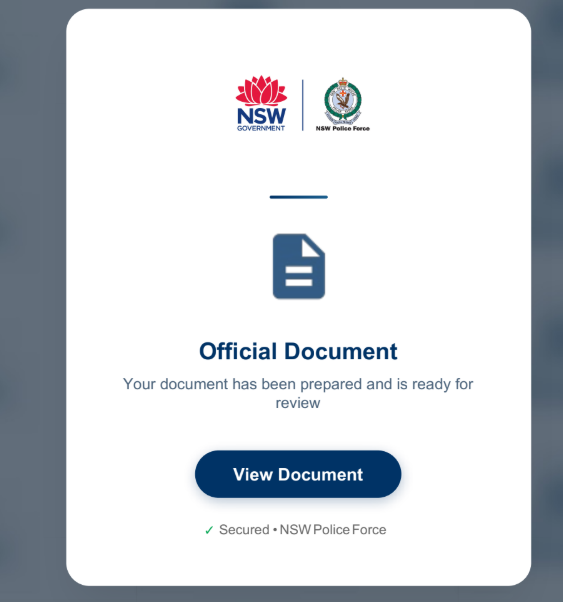
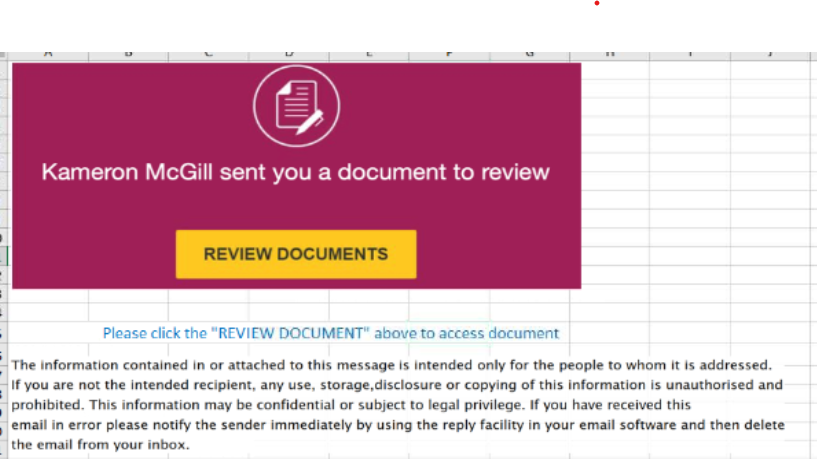
We found that these phishing campaigns typically start via emails with documents attached, such as PDF or Excel files. These documents ask the user to click a link to view another document. Below are two examples of the phishing documents attached to the emails:
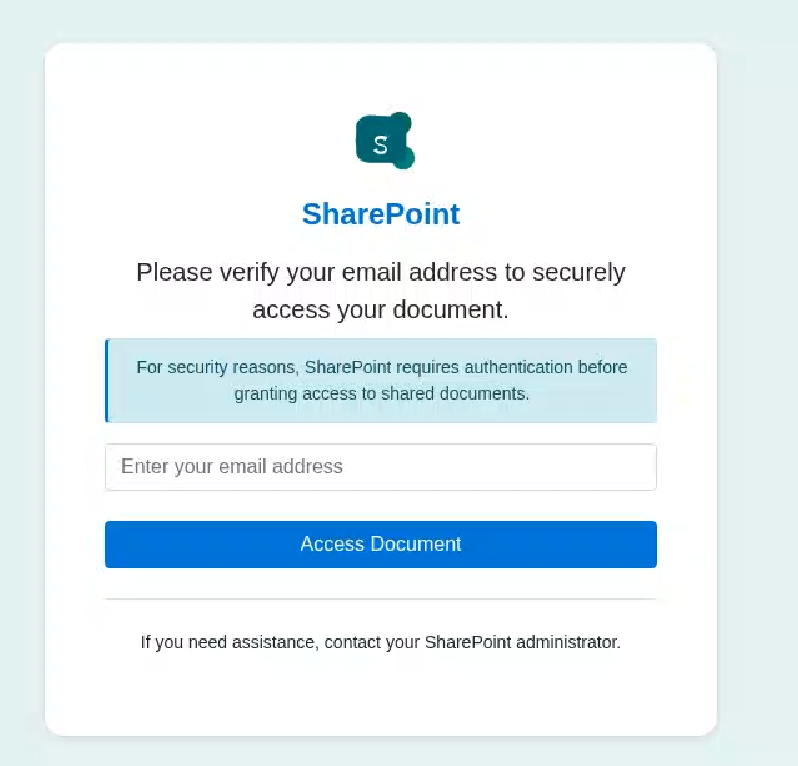
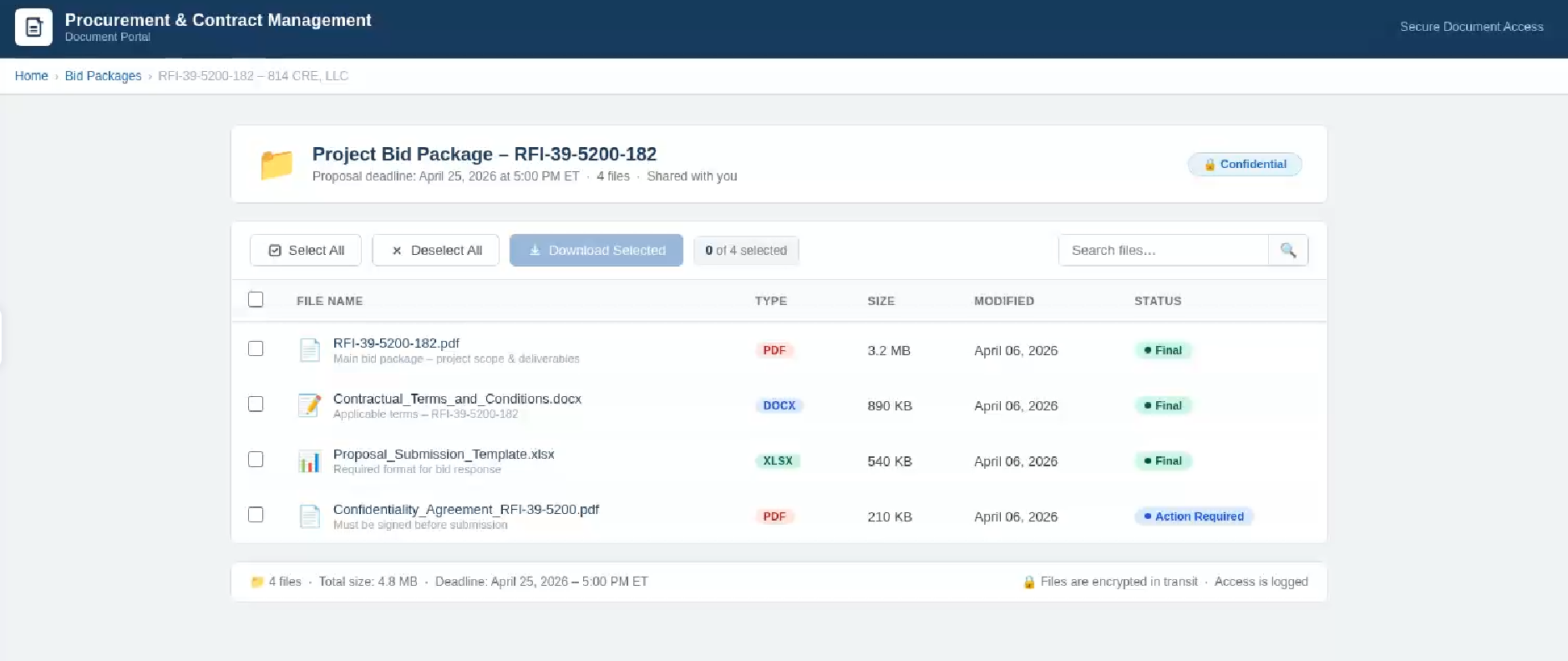
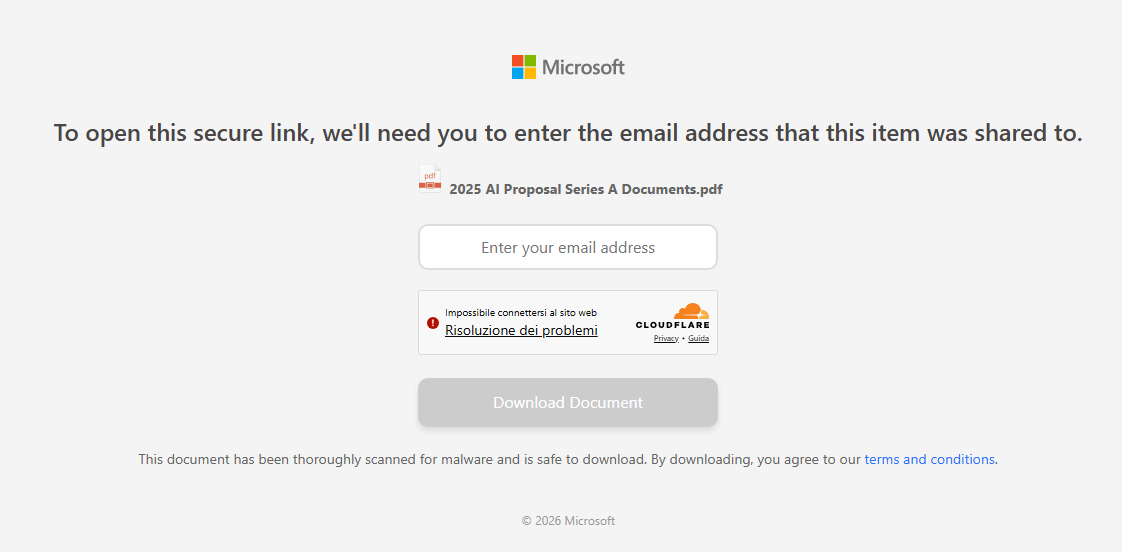
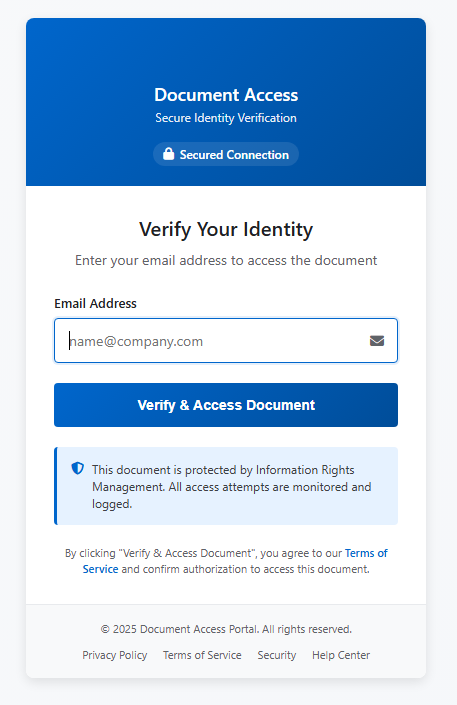
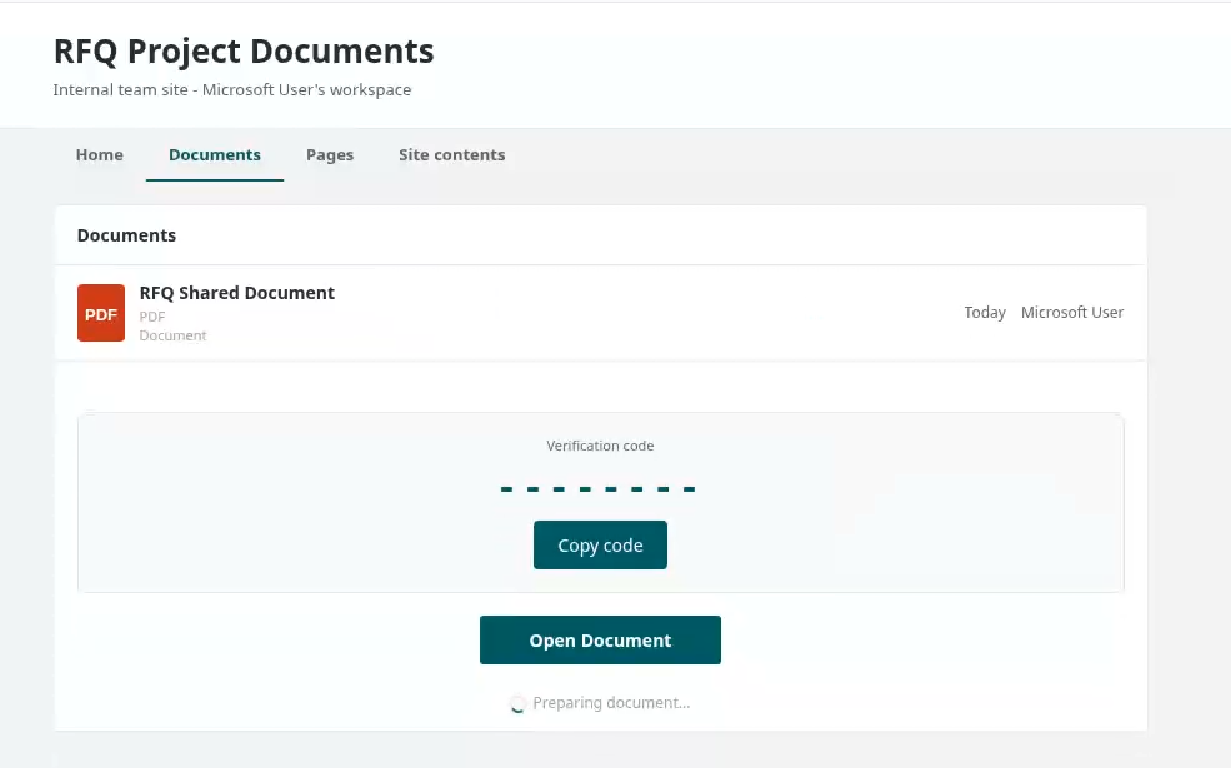
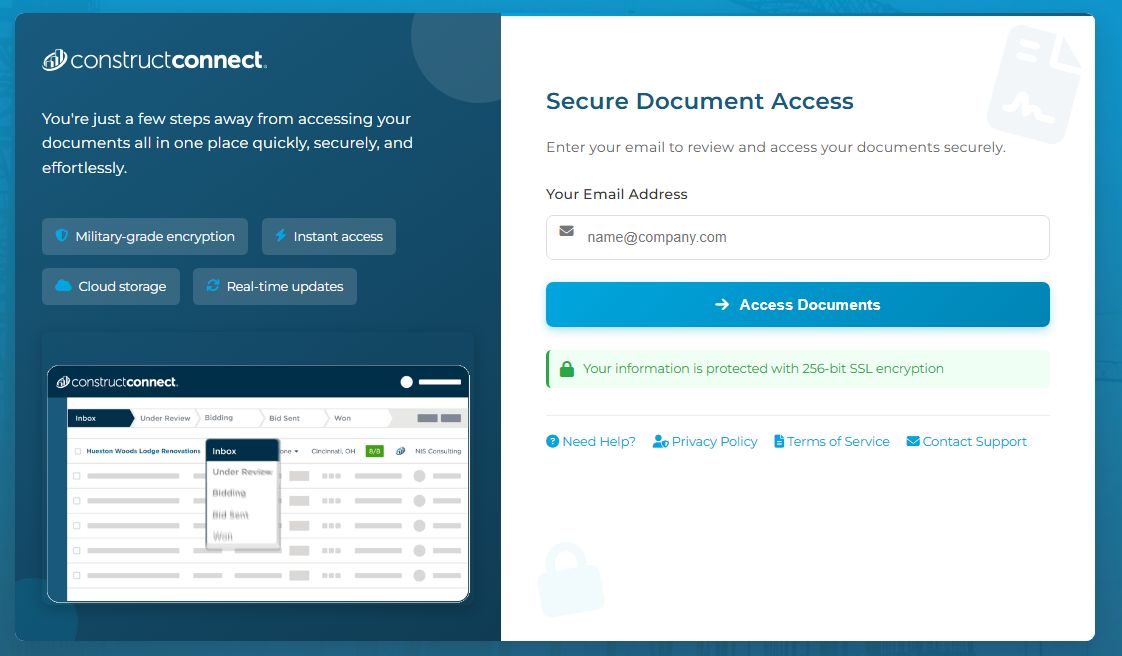
These phishing pages typically ask the user to enter their email address, then continue the infection chain and distribute phishing or malware pages. Below are some of the phishing pages detected within the malicious infrastructure:
Misconfigurations exposed the phishing kits
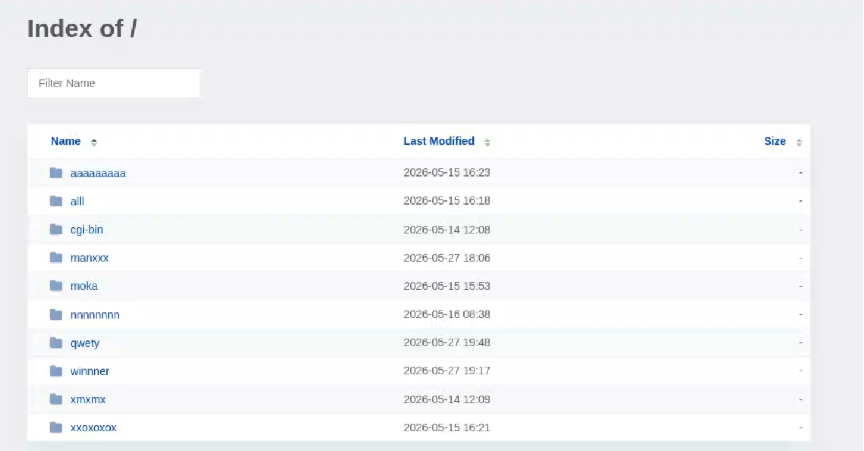
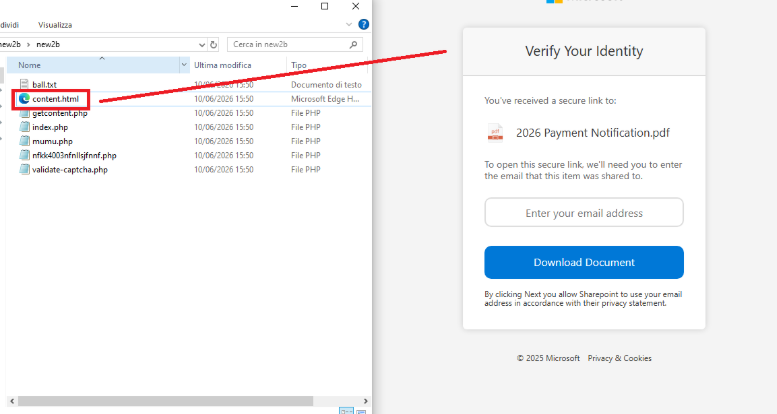
While tracking malicious websites, we found one with an open directory containing part of the phishing kit used in the campaigns.
Open directory hosting part of phishing kits
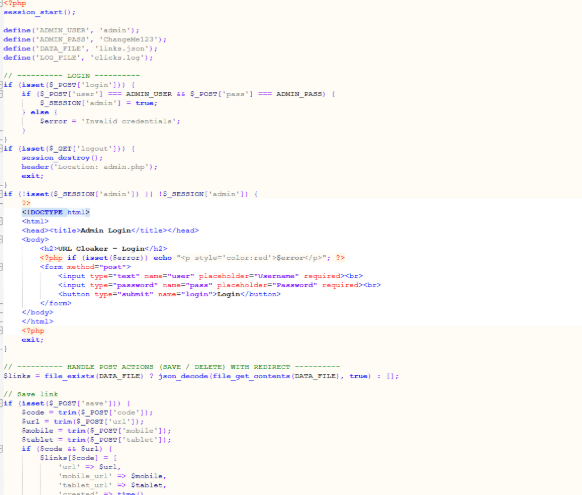
The open directory contained several folders with code and pages related to the phishing campaigns.
Phishing kit code
Additionally, some domains were misconfigured and allowed the download of “cl.zip”, which contained the source code for the “URL Cloaker” pages.

 Entrar