
Visualização de leitura

Hackers Target Social Media Accounts to Steal Explicit Content, FBI Warns

sexual exploitation actors

The FBI is warning the public about sexual exploitation actors illegally accessing social media and personal accounts to steal explicit images and videos from adult and underage victims. The stolen material, also known as non-consensual intimate images (NCII), is being posted or sold on criminal marketplaces, often without the victim's knowledge.

According to the FBI, these actors use social engineering and cyber intrusion tactics to target specific individuals or general targets of opportunity. After gaining access to accounts, they steal explicit content and share it through community forums or illicit marketplaces.

The FBI said personally identifiable information, including a victim's name, date of birth, email address, phone number and social media username, is often posted alongside the stolen material. This can expose victims to continued harassment and re-victimization.

How Sexual Exploitation Actors Access Accounts

The FBI has identified several methods used by sexual exploitation actors to gain access to victims' accounts.

Password and PIN Targeting

In password/PIN targeting, actors use high-volume password and PIN attempts against social media and personal accounts. The information used in these attempts can come from data leak sites, social media and open-source information.

When victims are known to the actors, curated lists may include personal details such as names, date of birth or variations of those details.

Social Media Customer Service Impersonation

Another tactic involves social media customer service impersonation through text messages. Victims may receive messages claiming their account is being disabled or locked unless they provide a verification code.

The actor then requests a password reset, causing a code to be sent to the victim. If the victim shares the code, the actor can reset the password and access the account.

Phishing Emails

The FBI also warns about phishing campaigns using look-alike domains and email accounts designed to appear as social media customer support.

These messages may claim there has been a new login and contain an embedded link asking the victim to change their password. Clicking the malicious link can give the actor access to the account.

Stolen Content Can Lead to Further Attacks

Once explicit content is stolen, sexual exploitation actors may post or sell it while including personal information about the victim. The FBI said victims can subsequently face harassment, sextortion, stalking or other targeted attacks.

The actors may also advertise stolen content through a victim's own social media page, increasing the potential for further exposure.

FBI Shares Steps to Protect Accounts

The FBI advises people to avoid storing sensitive images or videos on social media platforms or other internet-accessible sites.

It recommends using unique, complex passphrases and PINs along with multi-factor authentication (MFA). Password information directly associated with a person's identity, including names or birthdays, should be avoided.

Users should also be cautious with links received through emails and text messages. The FBI recommends going directly to the relevant website to address account concerns and checking URLs before clicking.

Unrequested temporary passwords, PIN resets or access codes should also be treated with caution. The FBI advises users not to share login information, even when someone claims to represent a platform or service.

People who believe their explicit content was stolen or leaked can provide information through the FBI's NCII reporting site. The FBI also advises the public to continue reporting fraud, scams and cyber threats to the Internet Crime Complaint Center or a local FBI Field Office.
Microsoft Plugs Nearly 400 Security Holes

Microsoft today released updates to remedy at least 398 security vulnerabilities in its Windows operating systems and supported software, including one weakness that is already being actively exploited and two others that were publicly detailed prior to today.

Image: Shutterstock, Mallika Home Studio.

August’s overstuffed bundle of patch joy from Microsoft did not eclipse its recording breaking release of more than 570 security updates last month, but it is double June’s then-record batch of nearly 200 fixes. Microsoft has attributed the recent patch deluge to vulnerability discoveries aided by artificial intelligence, and experts roundly agree that Windows users should get used to the idea of Patch Tuesdays (the second Tuesday of each month) covering hundreds of newly discovered security flaws.

Fully 42 of the 398 flaws that Microsoft patched today earned Redmond’s most-dire “critical” rating, meaning they are severe enough that malware or malcontents could exploit them to gain remote control over a Windows computer with little to no help from the user.

The sole known “zero day” bug fixed by Microsoft this month is CVE-2026-68820, a privilege escalation weakness in a core Windows component called afd.sys, which the security firm Automox describes as “the driver behind Windows socket connections on effectively every endpoint.”

“This isn’t a front-door bug,” Automox’s Landon Miles wrote in a Patch Tuesday blog post. “It’s step two in a chain: an attacker phishes their way into a low-privilege foothold, then uses the driver flaw to take the box. The 7.0 score reflects the high attack complexity, because race conditions are fiddly. The exploit has to be thrown over and over until the timing lands. Someone is clearly landing it anyway.”

CVE-2026-62832 is another privilege escalation flaw that Microsoft has labeled likely to be exploited; this flaw, in the Windows User Profile Service, may be related to the recent “LegacyHive” public disclosure from the prolific bug hunter known as Nightmare Eclipse. The other publicly disclosed flaw is CVE-2026-72971, a low-impact local tampering vulnerability that Microsoft reckons is unlikely to be exploited.

Other major software makers are likewise increasing their patch volumes and cadence thanks to AI, including Adobe which last month moved to twice-monthly security bulletins published on the 2nd and 4th Tuesday of each month. Cisco, Google, Mozilla and Oracle also are shipping updates far more frequently and abundantly.

By all accounts, AI is quite good at finding security holes in software. But for now at least, patching the resulting bugpocalypse remains a heavily human-centric endeavor, and the jury is still out on whether AI technologies will turn out to be as good at fixing vulnerabilities as they are at finding and exploiting them. This is an important question when one considers that these same AI technologies also are suggesting fixes for the vulnerabilities they find.

Researchers at 1Password recently examined what happens when different large language models (LLMs) generate vulnerability patches for newly disclosed, complex vulnerabilities. They found the LLMs produced patches that failed to fix the flaw or added a new weakness in the process (or both) more than half the time.

Ed Skoudis, president of the SANS Technology Institute, said his team has seen excellent results using AI to generate patches, provided there are humans in the loop to test the suggested fixes and push for iterative improvements.

“AI is rapidly becoming astonishingly good at finding vulnerabilities, but this research shows that fixing them is a very different problem,” Skoudis wrote in a SANS newsletter today. “Don’t expect one-shot AI patching to work reliably. Instead, iterate, test, challenge, improve, and verify. AI can be an extraordinary patching partner, but today it still needs a skilled human at the keyboard.”

Tyler Reguly at Fortra says while reports of Microsoft patching hundreds of vulnerabilities in one go have prompted some organizations to try to patch faster, it’s important to bear in mind that only one of the almost 400 bugs addressed today is known to be actively exploited. Reguly suggested security leaders check in with their teams to see how they’re handling the increasing workloads, which often involve testing fixes before deploying them in production environments.

“If you’re a chief security officer talk to your teams about how they are shifting or modifying their workflows to better accommodate the patching shift that we’re seeing and support them across various organizational units by enabling the changes they want to see made,” Reguly said. “There’s no need to rush these updates, no matter what various vendors and organizations try to tell you. You need to make sure that you are rolling out safe updates that will not negatively impact your systems.”

Speaking of the humans behind the keyboards, don’t neglect to backup your system and/or data before applying this month’s monster patch load. The day after each month’s Patch Tuesday is sometimes derisively referred to as Reboot Wednesday, but it generally doesn’t hurt to wait a few days to apply these huge update bundles because it sometimes takes a couple of days for the occasional misbehaving patch to get ironed out properly by Microsoft.

For a clickable, per-patch breakdown by severity and urgency, check out this roundup from the SANS Internet Storm Center.

New ClickLock Stealer locks your Mac until you hand over your password

ClickLock Stealer is a new, modular macOS infostealer delivered via ClickFix-style phishing pages that can lock a victim’s Mac, steal their macOS password, browser and password manager data, cryptocurrency wallets, and then leave behind a persistent backdoor.

The malware was discovered by Group-IB researchers. They named it after the ClickFix distribution technique and its ability to lock a victim’s Mac if they don’t follow its instructions by killing all visible processes.

The researchers found a malicious shell script typically used to trick users into infecting their own device and followed the trail from there. The script first displays a fake Cloudflare progress bar, suggesting it was intended to be used as part of a fake browser verification flow.

Victims land on a phishing page that mimics Cloudflare verification or another fake system utility, similar to those used in the Infiniti Stealer campaign, and later ClickFix attacks impersonating Claude or cleanup utilities.

The page instructs the user to open Terminal, paste a command, and press Return, presenting it as a required “human verification” step or a quick fix.

The researchers explain:

“the malware orchestrates further modules that search the system for various data including browser credentials, password manager data, crypto wallet extensions, desktop wallet files, etc. and even employs a GSocket backdoor.”

This all happens while the user is distracted by fake Cloudflare images.

A GSocket backdoor abuses GSocket (short for Global Socket), an open-source networking toolkit. While designed for legitimate remote administration and penetration testing, attackers can weaponize it to establish stealthy, persistent, encrypted remote access to compromised systems.

Forcing victims to hand over their password

What really stands out is the way the malware forces the user to provide their macOS system’s password.

First, it displays a convincing fake macOS password prompt using the victim’s real username and a downloaded Apple icon. If the user enters their password, it is sent, along with all the previously stolen data, to a Telegram channel controlled by the attackers.

If the user refuses, the malware triggers a loop that shuts down key processes, including Finder, Dock, Terminal, Activity Monitor, Console, System Settings, Spotlight, and all major web browsers. It leaves only a password dialog on the screen until the victim complies.

This “kill loop” runs every 210 milliseconds for up to 83 hours, or until the user enters the correct password. The result is a system that’s essentially unusable, with the password prompt becoming the only interactive element.

Once the stolen data has been sent to the Telegram channel, the malware starts deleting its own modules. However, unlike the infostealer modules, the GSocket backdoor remains installed, giving the attacker ongoing remote access to the system.

That means attackers can return later, even after the stealer components have self‑deleted, to install new malware, steal more data, or move through a corporate network using VPNs or SSH access already available on the compromised Mac.

How to stay safe

Users running macOS Tahoe 26.4 and later will see warnings about possible ClickFix attacks, but everyone should remain cautious.

With ClickFix running rampant and inventing new methods all the time, it’s important to stay aware, think twice before following unexpected instructions, and keep your devices protected.

  • Slow down. Don’t rush to follow instructions on a webpage or prompt, especially if it asks you to run commands on your device or copy and paste code. Attackers rely on urgency to bypass your critical thinking.
  • Avoid running commands or scripts from untrusted sources. Never run code or commands copied from websites, emails, or messages unless you trust the source and understand what the action does.
  • Verify instructions independently. If a website tells you to execute a command or perform a technical action, check through official documentation or contact support before proceeding.
  • Limit copy and paste for commands. Manually typing commands instead of copy and paste can reduce the risk of unknowingly running malicious payloads hidden in copied text.
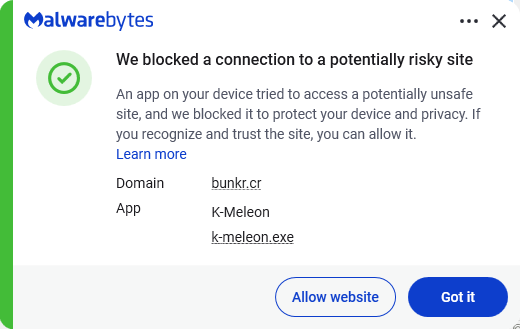
  • Secure your devices. Use an up-to-date, real-time anti-malware solution with web protection. Malwarebytes blocks connections to unsafe sites like these.
    Malwarebytes blocks bunkr.cr
  • Educate yourself on evolving attack techniques. Understanding that attacks may come from unexpected places helps maintain vigilance. Keep reading our blog!
  • Stay away from sponsored ads in search results. Anyone can buy them and make them look legitimate.

Pro tip: The free Malwarebytes Browser Guard extension warns you when a website tries to copy something to your clipboard.

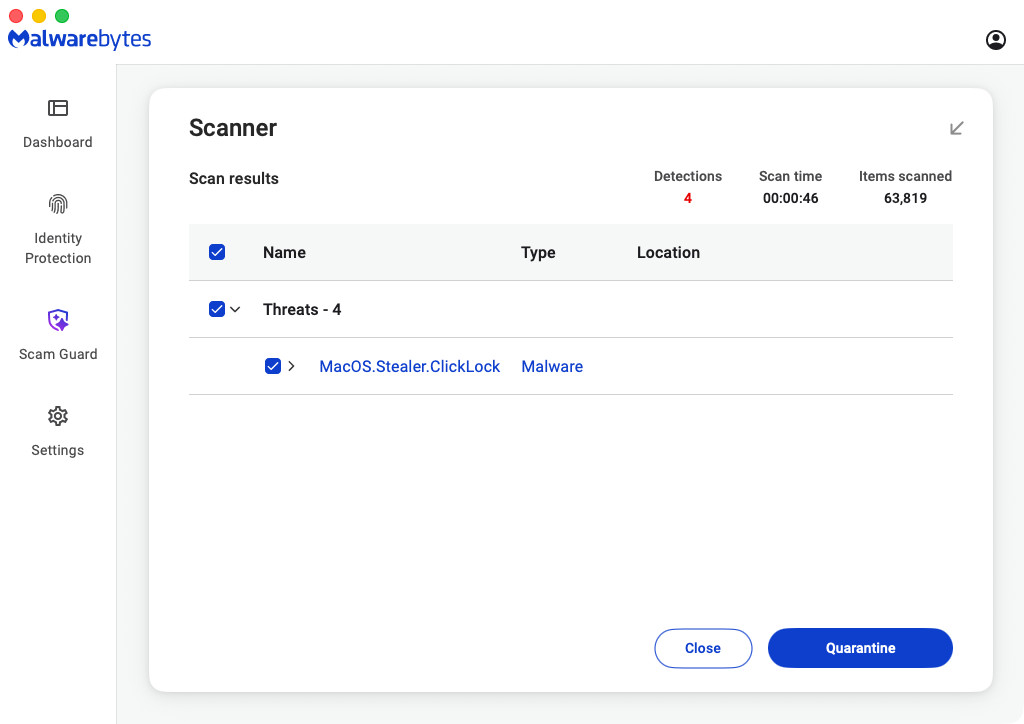
Malwarebytes products detect and block ClickLock as MacOS.Stealer.ClickLock.


From reporting threats to removing them.

Cybersecurity risks should never spread beyond a headline. Keep threats off your devices by downloading Malwarebytes today.

Router reality check: 86% of default passwords have never been changed

Misconfigurations remain a popular compromise point — and routers are leading the way.

According to recent survey data, 86% of respondents have never changed their router admin password, and 52% have never adjusted any factory settings. This puts attackers in the perfect position to compromise enterprise networks. Why put the time and effort into creating phishing emails and stealing staff data when supposedly secure devices can be accessed using “admin” and “password” as credentials?

It’s time for a router reality check.

Rising router risks

Routers allow multiple devices to use the same internet connection. They accomplish this goal by directing traffic — internal devices are routed along the most efficient path to outside-facing services, and incoming data is sent to the appropriate endpoint.

If attackers manage to compromise routers, they can control both what comes out of and what goes into your network. This introduces risks such as:

The nature of router attacks also makes them hard to detect. This is because cyber criminals aren’t forcing their way into routers or taking circuitous routes to evade security defenses. Instead, they’re taking advantage of overlooked weak spots to access routers directly, which means they aren’t raising red flags.

Consider a router with “admin” as the login and no password. A few simple guesses get attackers into router settings without triggering a security response since they haven’t breached a network service or compromised an application. Instead, they’ve accessed routers the same way as staff and IT teams.

Explore IBM Instana

Exploring the defensive disconnect

Companies recognize the need for robust cybersecurity. According to Gartner, spending on information security will grow 15% in 2025 to reach $212 billion. Common investment areas include endpoint protection platforms (EPPs), endpoint detection and response (EDR) and the integration of generative AI (gen AI). Routers, however, are often overlooked.

For example, 89% of respondents have never updated their router firmware. The same number have never changed their default network name, and 72% have never changed their Wi-Fi password.

This is problematic. A recent report found that popular OT/IoT router firmware images were outdated and contained exploitable N-day vulnerabilities. The report found that, on average, open-source components were more than five years old and were four years behind the latest release.

As noted by GovTech, meanwhile, an attack on a Pittsburgh-area water authority succeeded in part because the default password to its network was “1111”. Other common passwords include “password” and “123456;” in some cases, routers have no passwords. All attackers need is the login credential — which is often “admin” — and they have full access to router functions.

Even more telling is the fact that router security is getting worse, not better. Consider that in 2022, 48% of respondents said they had not adjusted their router settings, and 16% had never changed the admin password. In 2024, over 50% of routers were still running on factory settings, and just 14% had changed their password.

By spending more on security tools but not changing default configurations or updating router firmware, businesses are closing the doors but leaving the windows wide open.

Minimizing misconfiguration mistakes

So, how do companies minimize the risk of misconfiguration mistakes?

It starts with the basics: Change passwords regularly, update firmware and ensure that routers aren’t left on factory settings. Simple? Absolutely. Common? As survey data indicates, not so much.

In part, the disconnect between router risks and security realities stems from the sheer volume of cyberattacks. For example, 2023 saw 94% of companies hit by phishing attacks, and as noted by the IBM Cost of a Data Breach Report 2024, the average cost of a data breach is now $4.88 million, up 10% from 2023 and the highest ever reported. This puts cybersecurity teams on the defensive and on high alert for common attack vectors such as phishing, smishing and the use of “shadow IT” applications that haven’t been vetted or approved.

As a result, routers can slip through the cracks. The first step in solving this problem is creating a regular update schedule. Every four to six months, schedule a router review — put it in a shared calendar, and make sure all security staff know it’s going to happen. When the designated day comes, update firmware where possible and change login and password details. It’s also worth establishing a weekly schedule to review router traffic for any odd behaviors or unexpected login requests.

Shoring up security

While basic cyber hygiene helps lower the risk of router attacks, shoring up security requires a more in-depth approach.

The first step is finding and securing every router on your network. Given the increasingly complex nature of enterprise networks, the easiest way to accomplish this goal is by using automation. Solutions such as IBM SevOne Automated Network Observability provide pre-built workflow templates for IT teams to identify connected devices, collect performance data and make data-driven decisions.

Companies also need to consider what happens when a router compromise occurs. Despite best efforts by security teams, the growing number of end points means it’s only a matter of time until attackers manage to find unprotected routers or circumvent existing defenses.

Effective response requires effective incident management. Solutions such as IBM Instana offer full-stack visibility, one-second granularity and three seconds to notify, giving teams the information they need when they need it to reduce security risks.

Bottom line? Failure to monitor and update router settings can open the door to compromise. To solve the problem, teams need a router reality check. By combining security hygiene best practices with intelligent automation solutions, enterprises can keep unauthorized users where they belong: 0utside protected networks.

The rising risk of router attacks, paired with a growing list of unreasonable expectations, creates complex challenges for security teams. The solution? Unreasonable observability. Learn more on IBM Instana and how it can help.

The post Router reality check: 86% of default passwords have never been changed appeared first on Security Intelligence.

❌