Visualização de leitura

Top 10 Best Endpoint Detection & Response (EDR) Solutions in 2026

Endpoint detection and response (EDR) records what happens on your endpoints, detects attacker behaviour that prevention missed, and gives you the ability to investigate and contain it.

CrowdStrike leads on detection engineering and threat intelligence, SentinelOne on autonomous response, and Microsoft Defender for Endpoint on economics if you already hold E5.

But the honest question in this category isn’t which platform detects most it’s which one your team can actually operate. Here are the ten best, and how to choose without buying capability you’ll never use.

The Decision Matrix

If this describes youChooseWhy
Mature SOC, want the best telemetry and huntingCrowdStrikeDeepest detection engineering and intel
Small team, need automation to compensateSentinelOneStrongest autonomous response and rollback
Already licensed Microsoft 365 E5Microsoft Defender for EndpointIncluded, and genuinely competitive
Want endpoint plus network and cloud in onePalo Alto Cortex XDRBroadest native data fusion
Generalist IT, no security specialistsSophosBest usability, easy MDR escalation
Server and cloud workloads dominateTrend MicroStrong workload and hybrid coverage
Good EDR on a mid-market budgetBitdefenderTop detection at accessible pricing
Consolidating a broad Trellix estateTrellixIntegrated with existing tooling
Want malicious-operation-centric detectionCybereasonDistinctive attack-chain visualisation
Cisco networking and SecureX estateCisco Secure EndpointNative integration across Cisco security

Definitional answer: endpoint detection and response continuously records process, file, registry, and network activity on endpoints, applies behavioural analytics to identify attacker techniques, and provides investigation and containment tools isolating a host, killing a process, or rolling back changes from a central console.

What Actually Separates These Platforms

Detection quality is table stakes; analyst burden is the differentiator. Every platform here detects the common attack techniques. Where they diverge is what lands in your queue: how many alerts per hundred endpoints per week, how much correlation happens automatically, and how long it takes an analyst to go from alert to answer.

A platform that generates 40 alerts and correlates them into one incident is fundamentally different from one that generates 40 alerts.

MITRE ATT&CK Evaluations are useful and widely misrepresented. MITRE runs vendors through a simulated adversary campaign and publishes what each detected and how — with no scores, no rankings, and no winners.

Every vendor claiming to have “won MITRE” has constructed a metric to say so. Read the raw results against adversary emulation and threat hunting for the techniques relevant to your environment, note how many detections required configuration changes during testing, and ignore the marketing entirely.

Update staging is now a first-order requirement. The July 2024 CrowdStrike content update incident, which caused widespread Windows failures globally, changed how mature buyers evaluate every EDR vendor.

Ask each one: can you define rollout rings, can you delay content updates on critical systems, and what is the documented rollback procedure and its expected duration? This applies to all vendors, not one.

Retention length quietly determines investigation quality. Attackers frequently dwell for weeks. An EDR with seven days of telemetry cannot answer questions about an intrusion that began a month ago.

Retention is tiered at nearly every vendor and is one of the biggest hidden cost drivers.

How We Evaluated

Research-based comparison; no lab testing performed or claimed. We weighted detection depth and telemetry richness, response and containment capability, analyst experience and alert quality, platform coverage across Windows, macOS, Linux, and servers, and operational cost including retention tiers and managed service options.

Published evaluation results from MITRE, AV-Comparatives, and AV-TEST informed the assessment; we did not conduct our own tests.

The 10 Best EDR Solutions

1. CrowdStrike — Best Overall

CrowdStrike Falcon EDR detection timeline and process tree

The pitch: the richest endpoint telemetry in the market, paired with elite threat intelligence and a managed hunting team that finds what automation doesn’t.

Where it wins: Exceptional detection engineering with consistently strong independent evaluation results; Falcon OverWatch managed hunting is genuinely differentiated; adversary attribution turns alerts into context; lightweight single agent ranking among the best EDR security tools, extending to identity, cloud, and log management; excellent API for automation.

Where it strains: premium pricing with modular add-ons that accumulate; retention beyond the base tier costs meaningfully more; the July 2024 incident makes update-staging controls a mandatory evaluation topic.

Pricing signal: per-endpoint subscription with modular tiers; quote-based with published small-business entry pricing.

Image ALT: CrowdStrike Falcon EDR detection timeline and process tree

2. SentinelOne — Best Autonomous Response

SentinelOne Singularity Storyline attack correlation and rollback

The pitch: on-agent AI that detects, correlates, and remediates without a cloud round trip designed for teams that can’t staff a 24/7 SOC.

Where it wins: Strong autonomous containment and one-click rollback of ransomware damage on Windows; Storyline automatically assembles related events into a single narrative, which cuts investigation time sharply; connects seamlessly with threat intelligence feeds; good Windows, macOS, and Linux parity; agent functions when disconnected.

Where it strains: automated response needs careful tuning to avoid disrupting legitimate software; premium pricing; the platform has broadened considerably, so scope your licence deliberately.

Pricing signal: per-endpoint subscription in tiers with some published pricing.

Image ALT: SentinelOne Singularity Storyline attack correlation and rollback

3. Microsoft Defender for Endpoint — Best Value in an E5 Estate

Microsoft Defender for Endpoint incident graph and device timeline

The pitch: competitive EDR you may already own, with unmatched integration into the Microsoft security stack.

Where it wins: Strong independent evaluation results; deep correlation with Entra ID, Office 365, and Intune signals through Defender XDR; enforces foundational Zero Trust implementation policies; no additional agent on Windows; automated investigation and remediation reduces triage load; enormous telemetry from Microsoft’s install base.

Where it strains: full EDR requires the P2 tier or E5 — licensing confusion is the most common problem here; macOS and Linux capability trails Windows; the console rewards familiarity with Microsoft’s ecosystem and punishes the lack of it.

Pricing signal: included in Microsoft 365 E5, or standalone P1/P2; Microsoft publishes list pricing.

Image ALT: Microsoft Defender for Endpoint incident graph and device timeline

4. Palo Alto Cortex XDR — Best Native Data Fusion

Palo Alto Cortex XDR incident correlation across endpoint and network

The pitch: endpoint detection that correlates natively with network and cloud telemetry from the same vendor, rather than through integrations.

Where it wins: Genuine cross-source correlation reduces alert volume substantially; strong behavioural analytics; excellent for organizations already running Palo Alto firewalls; capable identity analytics; bridges the gap between endpoint security EDR vs XDR
environments.

Where it strains: delivers most value inside a Palo Alto estate; data ingestion pricing needs careful modelling; deployment and tuning require more effort than the endpoint-only platforms.

Pricing signal: per-endpoint plus data ingestion; quote-based.

Image ALT: Palo Alto Cortex XDR incident correlation across endpoint and network

5. Sophos — Best for Generalist IT Teams

Sophos Intercept X EDR guided investigation and threat case

The pitch: capable EDR presented in a way a non-specialist can use, with a clear path to handing it over to a managed service.

Where it wins: The most approachable console here; guided investigations help teams without threat hunting experience; synchronized security shares context with Sophos firewalls automatically; strong anti-ransomware; streamlines SOC challenges with threat intelligence; the February 2025 Secureworks acquisition adds Counter Threat Unit research depth.

Where it strains: telemetry depth and hunting flexibility trail the leaders for mature SOCs; post-acquisition portfolio positioning is a fair question to ask; retention is limited at lower tiers.

Pricing signal: per-endpoint subscription, partner-quoted with published small-business guidance.

Image ALT: Sophos Intercept X EDR guided investigation and threat case

6. Trend Micro — Best Server and Workload Coverage

Trend Micro Vision One endpoint and workload detection correlation

The pitch: EDR that treats servers, containers, and cloud workloads as first-class citizens rather than afterthoughts.

Where it wins: Excellent coverage across physical, virtual, container, and cloud workloads; Vision One correlates endpoint with email, network, and cloud detections; integrates smoothly into centralized SOC tools and platforms; strong vulnerability research heritage; good value at platform scale.

Where it strains: the platform breadth requires careful licence scoping; console complexity reflects that breadth; endpoint-only buyers may find it over-specified.

Pricing signal: per-endpoint or per-workload credits within Vision One; quote-based.

Image ALT: Trend Micro Vision One endpoint and workload detection correlation

7. Bitdefender — Best Mid-Market Value

Bitdefender GravityZone EDR incident visualisation and root cause

The pitch: detection engines that consistently test at the top, with EDR capability at pricing mid-market organizations can approve.

Where it wins: Excellent prevention reduces how much EDR work you need to do in the first place; GravityZone serves as a high-performing endpoint protection platform providing real investigation capability at accessible cost; strong ransomware remediation; broad platform coverage including virtualized environments; published pricing at lower tiers.

Where it strains: threat intelligence and managed hunting depth below the leaders; fewer large-enterprise references; investigation tooling is capable but less flexible than CrowdStrike’s query language.

Pricing signal: per-endpoint subscription with published SMB and mid-market pricing.

Image ALT: Bitdefender GravityZone EDR incident visualisation and root cause

8. Trellix — Best Within a Trellix Estate

Trellix endpoint detection and response investigation console

The pitch: the combined McAfee Enterprise and FireEye endpoint technology, correlated with Trellix network, email, and sandbox detections.

Where it wins: Mature enterprise policy control and deep configurability; strong integration across the Trellix detection portfolio; informed by cyber threat intelligence (CTI); on-premises deployment available where cloud is not permitted; proven detection heritage against targeted attacks.

Where it strains: portfolio consolidation since the merger warrants a direct roadmap conversation; agent footprint heavier than cloud-natives; standalone buyers should compare carefully.

Pricing signal: per-endpoint subscription; quote-based.

Image ALT: Trellix endpoint detection and response investigation console

9. Huntress Managed EDR — Best for Managed Endpoint Security

Huntress Managed EDR endpoint threat detection and response

The pitch: managed endpoint detection and response that combines EDR telemetry with 24/7 security operations, threat hunting, investigation, and human-led response, reducing the burden on internal security teams.

Where it wins: Strong fit for organizations without a fully staffed SOC; combines endpoint visibility with managed detection and response (MDR), helping analysts investigate suspicious activity and respond to threats without operating the EDR console alone.

Where it strains: Huntress is primarily a managed EDR/MDR service, rather than a direct replacement for Cybereason’s MalOp-centric attack-chain visualization. Organizations wanting extensive native XDR data fusion or highly customizable threat-hunting workflows should validate those capabilities during evaluation.

Pricing signal: per-endpoint subscription; generally subscription-based with pricing depending on the selected service and deployment.

Image ALT: Huntress Managed EDR endpoint threat detection and response

10. Cisco Secure Endpoint — Best in a Cisco Estate

Cisco Secure Endpoint detection with Talos threat intelligence

The pitch: endpoint detection integrated natively with Cisco networking, email, and identity, backed by Talos intelligence.

Where it wins: Strong integration across the Cisco security portfolio and XDR; Talos threat intelligence context enriched with OSINT threat intelligence tools; retrospective detection flags files later found malicious; sensible for organizations already Cisco-standardized.

Where it strains: detection engineering trails the specialist leaders; licensing complexity typical of Cisco; console feels dated relative to newer platforms; value concentrates inside the ecosystem.

Pricing signal: per-endpoint subscription within Cisco licensing; quote-based.

Image ALT: Cisco Secure Endpoint detection with Talos threat intelligence

Full Comparison Table

PlatformTelemetry depthAuto responseRollbackLinux/macOSOn-prem optionManaged serviceBest-fit size
CrowdStrikeHighestStrongLimitedFullNoOverWatchMid–enterprise
SentinelOneHighStrongestYesFullLimitedVigilanceSMB–enterprise
Microsoft DefenderHighStrongPartialGoodNoDefender ExpertsAny M365 estate
Palo Alto Cortex XDRHighStrongPartialFullNoUnit 42 MDRMid–enterprise
SophosModerateGoodYesFullLimitedSophos MDRSMB–mid
Trend MicroHighGoodPartialFullYesService OneMid–enterprise
BitdefenderModerateGoodYesFullYesBitdefender MDRSMB–mid
TrellixHighGoodPartialFullYesYesEnterprise
Huntress Managed EDRHighStrongYesWindows, macOS, LinuxNoCore offeringSMB–mid-market
Cisco Secure EndpointModerateGoodNoFullLimitedCisco MDRCisco estates

Buyer’s Guide

Be honest about who will use it. EDR generates work. If nobody is watching the console at 2 a.m., buy a platform with strong automated response (SentinelOne, Sophos) or buy managed detection and response alongside it. An unmonitored EDR is an expensive audit log.

Model retention cost before you compare per-endpoint prices. Base tiers commonly include short telemetry retention, and extending it is where quotes diverge sharply. Decide what retention your incident response process actually requires 30 days is a common floor, 90 is safer and price that.

Run the proof of concept with real attack simulation. Use an open-source adversary emulation tool or a red team exercise, not the vendor’s demo.

Measure three things: what was detected, how many alerts it produced, and how long it took an analyst to reach a conclusion. The third number is the one that predicts your operational cost.

Test on your non-Windows estate specifically. Linux server and macOS capability varies far more between vendors than the datasheets suggest, and this is where gaps go unnoticed until an incident.

Common mistakes: buying enterprise EDR with no plan for who responds to alerts; leaving prevention features disabled during a “monitoring period” that never ends; and treating EDR as a substitute for patch management and identity controls rather than a complement to them.

Frequently Asked Questions

What is EDR?

Endpoint detection and response continuously records process, file, registry, and network activity on endpoints, applies behavioural analytics to identify attacker techniques, and provides investigation and containment tools isolating a host, killing a process, or rolling back changes from a central console. It catches attacks that prevention missed.

What is the best EDR solution in 2026?

CrowdStrike leads on telemetry depth, detection engineering, and managed hunting. SentinelOne offers the strongest autonomous response for teams without 24/7 staffing, Microsoft Defender for Endpoint the best economics for Microsoft 365 E5 organizations, and Bitdefender the best value for mid-market buyers.

What is the difference between EDR and XDR?

EDR focuses on endpoints. XDR extends the same detection and response model across endpoints, network, email, identity, and cloud, correlating signals from multiple sources into single incidents.

Most EDR vendors now sell XDR platforms with EDR as the core component, and the distinction is often about which data sources are included in your licence.

Do I need EDR if I have antivirus?

Modern business antivirus and EDR are usually the same agent at different licensing tiers. Prevention stops known and predictable threats; EDR gives you visibility and response when something gets through.

If you handle sensitive data, face compliance requirements, or would need to answer “what did the attacker access,” you need the EDR tier.

How much does EDR cost?

EDR is licensed per endpoint per year, with tiers determining telemetry retention, hunting capability, and managed services. Bitdefender and Microsoft publish list pricing; premium vendors are largely quote-based with published small-business entry pricing.

Retention length and managed service add-ons are the biggest variables between quotes.

What do MITRE ATT&CK Evaluations actually show?

MITRE runs vendors through a simulated adversary campaign and publishes exactly what each product detected and how — with no scores, rankings, or winners. Any vendor claiming to have won has invented a metric.

Read the raw results for the techniques that match your threat model, and note how many detections required configuration changes during the evaluation.

The Verdict

CrowdStrike is the strongest platform if you have analysts to use it and budget to fund it. SentinelOne is the better answer for teams who need the product to act on its own.

Microsoft Defender for Endpoint is the rational default in an E5 estate competitive, integrated, and already paid for. Bitdefender is the value pick, Sophos the most usable for generalist IT.

Before signing anything, settle two questions: who responds to alerts, and how long is your telemetry retained. Those determine whether EDR protects you or just documents what happened.

Related reading on Cyber Security News:

• Top 10 Best Extended Detection & Response (XDR) Platforms

• Top 10 Best Managed Detection & Response (MDR) Services

• Top 10 Best Antivirus (Endpoint Protection) Software for Business

• Top 10 Best Managed XDR Services

• Top 10 Best Patch Management Software

• Top 10 Best Network Detection & Response (NDR) Tools

• Top 10 Best Identity Threat Detection & Response (ITDR) Solutions

• Top 10 Best Privileged Access Management (PAM) Tools

• 10 Best Identity and Access Management Solutions

• 25 Best Managed Security Service Providers (MSSP)

• Top 10 Best Zero Trust Security Vendors

The post Top 10 Best Endpoint Detection & Response (EDR) Solutions in 2026 appeared first on Cyber Security News.

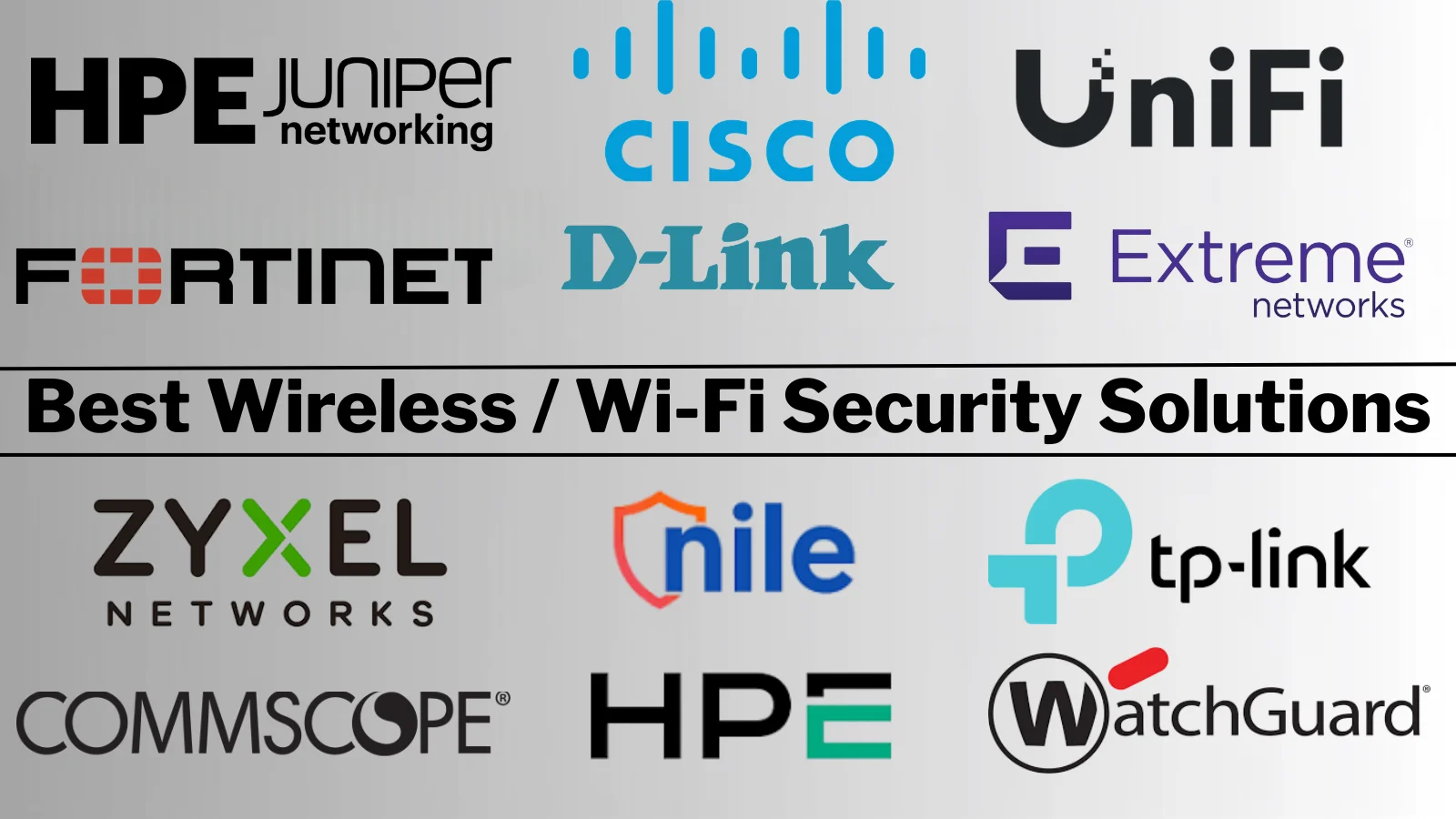
The 12 Best Wireless / Wi-Fi Security Solutions, Compared and Priced

Best value overall: Ubiquiti. Published hardware pricing, no mandatory licensing, and WPA3 with VLAN segmentation included for organizations whose compliance requirements don’t demand enterprise wireless intrusion prevention. Best capability: HPE Aruba. Best management: Cisco Meraki and Juniper Mist. Best if you own the firewall: Fortinet, utilizing your existing FortiGate firewalls. The critical cost question in […]

The post The 12 Best Wireless / Wi-Fi Security Solutions, Compared and Priced appeared first on GBHackers Security | #1 Globally Trusted Cyber Security News Platform.

The 12 Best Network Sandboxing Solutions, Compared and Priced

Best value overall: ANY.RUN. It publishes its pricing, offers a free community tier that analysts genuinely use daily, and its interactive model lets you click through the malware yourself which defeats evasion techniques that beat automated sandboxes. Best evasion resistance: VMRay. Best if you already own the platform: Fortinet, Palo Alto, Check Point, or Cisco. […]

The post The 12 Best Network Sandboxing Solutions, Compared and Priced appeared first on GBHackers Security | #1 Globally Trusted Cyber Security News Platform.

The 12 Best Software-Defined Perimeter (SDP) Solutions, Compared and Priced

Best value overall: Cloudflare. Published per-user pricing, a free tier you can genuinely deploy on, and a global edge network behind it. Best for small technical teams: Twingate. Best enterprise scale: Zscaler. Most specialized: Appgate for regulated environments and Nozomi (Tempered) for OT. One warning before the table: four of the twelve names on the […]

The post The 12 Best Software-Defined Perimeter (SDP) Solutions, Compared and Priced appeared first on GBHackers Security | #1 Globally Trusted Cyber Security News Platform.

The 12 Best Secure Web Gateway (SWG) Solutions, Compared and Priced

Best value overall: Cloudflare. It publishes per-user pricing, offers a free tier that lets you test the model properly, and delivers from one of the largest edge networks in the world. Best capability: Zscaler and Netskope. Best if you already own it: Fortinet and Cisco Umbrella. Below, 12 gateways scored across five weighted criteria, a […]

The post The 12 Best Secure Web Gateway (SWG) Solutions, Compared and Priced appeared first on GBHackers Security | #1 Globally Trusted Cyber Security News Platform.

10 Best ZTNA Solutions (Zero Trust Network Access) In 2026

Zero Trust Network Access (ZTNA) anchors 2026 cybersecurity amid remote, cloud, and hybrid booms. ZTNA solutions aren’t hype—they’re vital for data locks, compliance wins, and borderless teams.

“Never trust, always verify”: ZTNA okays only vetted users/devices, location-blind. Shrink attack planes, block lateral creeps, master app gates.

Market clutter and threat flux complicate picks. We rank 2026’s top 10: specs, perks, real impacts dissected.Prioritizing usability, relevance for CISOs, IT pros, scaling firms.

CISO, manager, or tech enthusiast find your Zero Trust match. Per-tool: intros, tables, specs, buy drivers, features—your 2026 blueprint.

Comparison Table: Top 10 ZTNA Solutions (2026)

Tool Name (with Homepage)Free VersionCloud SupportMFADevice Posture CheckSSO
OpenVPN Cloud ConnexaYesYesYesYesYes
Zscaler Private AccessNoYesYesYesYes
Palo Alto Prisma AccessNoYesYesYesYes
Cloudflare Zero TrustYesYesYesYesYes
Google BeyondCorp EnterpriseNoYesYesYesYes
NordLayer ZTNAYesYesYesYesYes
Ivanti Neurons ZTNANoYesYesYesYes
Appgate SDPNoYesYesYesYes
TwingateNoYesYesYesYes
Fortinet FortiClient ZTNAYesYesYesYesYes

1. OpenVPN Cloud Connexa

Best for: Small and mid-sized businesses that want Zero Trust Network Access without an enterprise budget or a bundled security suite.

OpenVPN’s CloudConnexa is a cloud-delivered ZTNA for SMB platform built on the open-source OpenVPN protocol. Rather than shipping ZTNA as one module inside a sprawling security stack, CloudConnexa combines identity-based, least-privilege application access with a globally distributed Wide-area Private Cloud (WPC) that links remote users, on-premises sites, and AWS, Azure, and GCP networks in a single service.

Users and private resources connect through encrypted outbound tunnels to CloudConnexa Regions, while Access Groups decide exactly which applications, hosts, and networks each user can reach. Because Connectors only establish outbound tunnels, private applications never require open inbound firewall ports or direct exposure to the public internet.

OpenVPN’s network security platforms provide secure remote access through both self-hosted and cloud-delivered VPN solutions for business, with the core tenets of Zero Trust Network Access at their center. Alongside the self-hosted Access Server, CloudConnexa helps teams securely reach company resources, SaaS platforms, the web, and data across cloud environments.

Why Do We Recommend It?

  • ZTNA without the suite lock-in. You can add Zero Trust access on its own, without committing to a full security platform, complex contracts, or opaque enterprise pricing.
  • Access control plus private networking in one service. Granular Zero Trust application access and a globally distributed WPC come together, so remote users, cloud VPCs/VNets, on-premises networks, and branch sites connect through the same fabric.
  • Outbound-only Connector architecture. Connectors open encrypted outbound tunnels, keeping private applications off the public internet with no inbound port forwarding.
  • Layered contextual access decisions. SAML SSO/MFA is combined with Device Posture, Location Context, and Device Identity Verification & Enforcement (DIVE) for context-aware policy enforcement.
  • Integrated threat protection. Cyber Shield adds DNS-based domain/content filtering and IDS/IPS traffic inspection within the same service rather than limiting the platform to access control alone.
  • Application domain-based routing and segmentation. Traffic can be routed by application domain, environments with overlapping IP ranges are supported, and networks are automatically segmented to limit lateral movement.

Key Features

  1. Identity-based, least-privilege access – Access Groups restrict users to only the applications, IP services, hosts, and networks they are authorized to use, with a default-deny model under Custom WPC topology.
  2. Device Posture Checking – Evaluates operating system and OS version, antivirus status, disk encryption, client certificate validity, and more, and can block noncompliant devices.
  3. SAML SSO and MFA – Integrates with SAML 2.0 identity providers such as Microsoft Entra ID, Okta, OneLogin, Google Workspace, and Keycloak; built-in TOTP 2FA is available for username/password and LDAP authentication.
  4. Device Identity (DIVE) – Adds device-level identity verification and enforcement to every access decision.
  5. Location Context – Applies geographic and location-based conditions to access policies.
  6. Cyber Shield – DNS-based domain/content filtering plus IDS/IPS detection and blocking of malware, intrusion activity, and denial-of-service traffic, with policies based on threat category or severity.
  7. SCIM 2.0 provisioning – Automated user and group provisioning with documented examples for Okta, Microsoft Entra ID, JumpCloud, and OneLogin, alongside private LDAP support for directory-based authentication and group mapping.

Deployment and Platform Support

  • Delivery model: Cloud-delivered ZTNA service built around a globally distributed WPC with CloudConnexa Regions.
  • Deployment options: Cloud, on-premises, and hybrid. Connectors (or IPsec where applicable) link AWS VPCs, Azure VNets, GCP VPCs, and on-premises networks into the WPC.
  • Supported devices: Windows, macOS, iOS, and Android via OpenVPN Connect; Linux via the supported open-source OpenVPN client.
  • Integrations: SAML SSO, SCIM 2.0, private LDAP, APIs and session data for external monitoring and security workflows, and device-posture checks for several EDR/antivirus products.

Primary Use Cases

  • Secure remote and hybrid-work access for employees and contractors without exposing the underlying network.
  • Secure access to cloud applications and workloads across AWS, Azure, GCP, and other environments.
  • Hybrid and multi-cloud connectivity between on-premises sites, private networks, cloud networks, and remote users.
  • Application-level access and network segmentation to reduce lateral movement.
  • Context-aware access for managed endpoints using Device Posture, DIVE, and Location Context.
  • Threat-protected private access with Cyber Shield DNS filtering and IDS/IPS.

Who Is It Best Suited For?

CloudConnexa is designed for small and medium-sized businesses that want scalable Zero Trust security without significant infrastructure or management overhead, but it also supports larger organizations with distributed, hybrid, or multi-cloud environments.

It is particularly relevant for technology, professional services, healthcare, financial services, retail, and other regulated or distributed organizations that need secure remote access, segmentation, and auditability. Its audit logs support compliance requirements such as GDPR, HIPAA, and PCI-DSS.

Comparison Table

CapabilityCloudConnexa
Free version or trialYes – 14-day free trial, plus an always-free Starter plan (up to 5 seats, with some limitations)
Cloud deploymentYes – Connect AWS VPCs, Azure VNets, and GCP VPCs via Connectors or IPsec
Multi-factor authenticationYes – Built-in TOTP 2FA, or MFA via SAML IdPs (Microsoft Entra ID, Okta, OneLogin)
Device-posture checkingYes – OS/version, antivirus, disk encryption, client certificate validation, and more
Single sign-onYes – SAML 2.0

Pricing

CloudConnexa uses seat-based pricing, where each activated user or Connector consumes a seat.

PlanPrice
StarterFree (up to 5 seats)
Essential$7 per seat/month
Premium$9.50 per seat/month
Enterprise & IoTCustom pricing based on requirements and volume

Full details: CloudConnexa pricing

Pros and Cons

What Is Good?

  • Standalone ZTNA with transparent, seat-based pricing and no suite lock-in.
  • Combines Zero Trust access, private networking, and threat protection in one service.
  • Outbound-only Connectors eliminate open inbound firewall ports.
  • Broad identity support: SAML SSO, SCIM 2.0, LDAP, and built-in TOTP 2FA.
  • Free Starter plan and 14-day trial make evaluation low-risk.

What Could Be Better?

  • End-user access relies on the OpenVPN Connect client (open-source OpenVPN client on Linux); there is no agentless, browser-only option.
  • Device Posture checks vary by operating system and client, so organizations should confirm their required endpoint controls are supported.
  • Built-in TOTP 2FA applies to native and LDAP authentication only; with SAML SSO, MFA is handled by the identity provider.
  • ZTNA is delivered as part of a broader WPC/private-networking model, which may not suit buyers looking solely for an application-proxy-style ZTNA product.
  • Some advanced capabilities depend on subscription tier, so buyers should verify current plan entitlements.

Verdict

For SMBs that want to adopt Zero Trust principles without buying an entire security suite, OpenVPN CloudConnexa offers one of the most accessible paths available. It pairs granular, identity-driven access control with hybrid and multi-cloud connectivity, layers on device and location context, and includes Cyber Shield threat protection, all under straightforward seat-based pricing that starts free.

Website: OpenVPN Cloud Connexa

2. Zscaler Private Access

Zscaler Private Access (ZPA) is a cloud-native ZTNA platform that connects users directly to applications without exposing the network.

It continuously verifies user and device context, enforcing dynamic policies based on identity, device posture, and location.

ZPA eliminates the need for traditional VPNs, reducing the risk of lateral movement and simplifying secure access.

Zscaler’s architecture supports high scalability, making it ideal for organizations with a distributed workforce.

The platform offers seamless integration with identity providers, endpoint security, and threat intelligence solutions.

Specifications

  • ZTNA Type: Cloud-native
  • Deployment: SaaS
  • Supported Devices: Windows, macOS, Linux, Mobile
  • Policy Controls: Identity-based, Dynamic
  • Threat Prevention: Inline SSL inspection, Real-time

Reason to Buy

  • Direct-to-app access without network exposure
  • Continuous verification of user and device context
  • Seamless integration with IAM and endpoint solutions
  • High scalability for global organizations

Features

  • Application segmentation and least-privilege enforcement
  • Inline SSL inspection and advanced threat prevention
  • Continuous monitoring and policy adjustment
  • Supports hybrid and multi-cloud environments

✅ Best For: Large organizations needing cloud-native, scalable Zero Trust access.

3. Palo Alto Prisma Access

Palo Alto Prisma Access delivers a comprehensive ZTNA solution as part of its SASE platform.

It secures remote and on-site users with consistent policies, advanced threat prevention, and real-time visibility into network traffic.

Prisma Access supports hybrid workforces and integrates with cloud, SaaS, and on-premises applications.

The platform offers autonomous digital experience management (ADEM), giving IT teams insights and remediation capabilities for end-user connectivity and security issues.

Its ZTNA 2.0 approach addresses modern attack surfaces and operational complexity.

Specifications

  • ZTNA Version: 2.0
  • Deployment: Cloud, Hybrid
  • Employee Size: Scalable for enterprises
  • Integration: SIEM, IAM, EDR
  • Policy Management: Centralized, Autonomous

Reason to Buy

  • Advanced threat prevention and policy enforcement
  • Autonomous experience management for end-users
  • Consistent security across cloud, SaaS, and on-premises
  • Scalable for large, distributed organizations

Features

  • ZTNA 2.0 for hybrid work and direct-to-app architectures
  • Real-time traffic visibility and autonomous remediation
  • Application and data protection with microsegmentation
  • Integration with advanced analytics and threat intelligence

✅ Best For: Enterprises seeking advanced, autonomous Zero Trust with SASE integration.

4. Cloudflare Zero Trust

Cloudflare Zero Trust provides secure, fast, and reliable access to internal applications without a VPN.

Its platform is designed for ease of deployment and management, supporting identity-based policies, device posture checks, and robust threat intelligence.

Cloudflare’s global network ensures low latency and high availability.

The solution integrates with major identity providers, supports multi-factor authentication, and offers a free tier for small teams.

Cloudflare’s unified dashboard simplifies policy management and monitoring.

Specifications

  • Free Version: Yes
  • Deployment: Cloud
  • Supported Devices: Windows, macOS, Linux, Mobile
  • Integration: SSO, IAM, EDR
  • Pricing: Starts at $7/user/month

Reason to Buy

  • Rapid deployment and easy management
  • Global network for low-latency access
  • Free tier for small teams and startups
  • Strong integration with identity and endpoint security

Features

  • Identity-based access controls and device posture checks
  • Real-time threat intelligence and monitoring
  • Multi-factor authentication and SSO support
  • Unified dashboard for policy and user management

✅ Best For: Organizations needing fast, easy-to-manage Zero Trust with global reach.

5. Google BeyondCorp Enterprise

Google BeyondCorp Enterprise brings Zero Trust to the cloud, enabling secure access to applications from any device, anywhere.

The platform leverages Google’s robust infrastructure, offering identity-aware proxies, device security checks, and continuous monitoring.

BeyondCorp supports granular access policies and integrates with Google Workspace and third-party identity providers.

The solution is suitable for organizations embracing cloud-first strategies and seeking seamless integration with Google services.

Specifications

  • Free Version: Yes
  • Deployment: Cloud-native
  • Supported Devices: Any (browser-based)
  • Integration: Google Workspace, SSO, IAM
  • Policy Controls: Granular, Identity-based

Reason to Buy

  • Seamless integration with Google cloud services
  • Browser-based access for any device
  • Continuous monitoring and device security checks
  • Granular, identity-aware access policies

Features

  • Identity-aware proxy for secure application access
  • Real-time device posture and risk assessment
  • Integration with Google Workspace and third-party IAM
  • Scalable for organizations of any size

Best For: Organizations leveraging Google Cloud and Workspace for Zero Trust.

6. NordLayer ZTNA

NordLayer ZTNA is designed for businesses looking for easy-to-use, scalable Zero Trust solutions.

The platform offers centralized management, multi-factor authentication, and device posture checks, with support for cloud and on-premises environments.

NordLayer’s intuitive interface and affordable pricing make it accessible for SMBs and enterprises alike.

NordLayer integrates with major identity providers and supports secure remote access for distributed teams.

Specifications

  • Pricing: Starts at $11/user/month
  • Deployment: Cloud, On-premises
  • Supported Devices: Windows, macOS, Linux, Mobile
  • Integration: SSO, MFA, IAM
  • Management: Centralized

Reason to Buy

  • Affordable and scalable for all business sizes
  • Easy deployment and intuitive management
  • Strong authentication and device security
  • Supports remote and hybrid workforces

Features

  • Centralized dashboard for user and policy management
  • Multi-factor authentication and device posture checks
  • Integration with identity providers and cloud platforms
  • Real-time monitoring and reporting

Best For: SMBs and enterprises needing affordable, easy-to-manage Zero Trust.

7. Ivanti Neurons ZTNA

Ivanti Neurons ZTNA focuses on secure remote access and user experience, supporting a wide range of devices and operating systems.

The platform emphasizes compliance and detailed reporting, making it suitable for regulated industries and organizations with diverse device fleets.

Ivanti’s solution integrates with existing security infrastructure, providing centralized management, policy enforcement, and real-time monitoring.

Specifications

  • Deployment: Cloud, On-premises
  • Supported Devices: Windows, macOS, iOS, Android
  • Compliance: Detailed reporting and auditing
  • Integration: IAM, EDR, SIEM
  • Policy Management: Centralized

Reason to Buy

  • Comprehensive remote access for all device types
  • Strong compliance and reporting capabilities
  • Integration with existing security tools
  • Centralized management and policy enforcement

Features

  • Secure access for hybrid and remote workforces
  • Detailed compliance and audit reporting
  • Real-time monitoring and threat detection
  • Flexible deployment and integration options

Best For: Organizations with diverse devices and strict compliance needs.

8. Appgate SDP

Appgate SDP delivers identity-centric ZTNA using a software-defined perimeter model.

It evaluates user and device context before establishing encrypted, one-to-one network connections.

The platform supports dynamic entitlements, real-time decisioning, and integration with SIEM, IAM, and EDR tools.

Appgate is designed for hybrid and multi-cloud deployments, offering granular policy controls and comprehensive visibility into network activity.

Specifications

  • ZTNA Model: Software-defined perimeter
  • Deployment: Cloud, On-premises, Hybrid
  • Integration: SIEM, IAM, EDR
  • Policy Controls: Identity and context-based
  • Encryption: End-to-end

Reason to Buy

  • Identity-centric access with dynamic policies
  • Support for hybrid and multi-cloud environments
  • Real-time monitoring and decision making
  • Comprehensive integration with security tools

Features

  • Encrypted, one-to-one network connections
  • Dynamic entitlements and policy enforcement
  • Real-time visibility into user and device activity
  • Scalable for complex enterprise environments

Best For: Enterprises requiring granular, identity-driven Zero Trust in hybrid environments.

9. Twingate

Twingate offers a modern, cloud-native ZTNA solution that replaces traditional VPNs with identity-based, per-application access controls.

It is designed for rapid deployment, requiring no changes to network infrastructure. Twingate integrates with SSO, MFA, and endpoint security, providing granular access policies and robust encryption.

The platform is suitable for both hybrid and cloud environments, with a user-friendly interface and support for Windows, macOS, Linux, and mobile devices.

Specifications

  • Free Version: Yes
  • Deployment: Cloud-native
  • Supported Devices: Windows, macOS, Linux, Mobile
  • Integration: SSO, MFA, EDR
  • Pricing: Starts at $5/user/month

Reason to Buy

  • Easy, rapid deployment with minimal configuration
  • Granular, identity-based access controls
  • Strong encryption and device authentication
  • Flexible for hybrid and multi-cloud environments

Features

  • Per-application access and least-privilege enforcement
  • Seamless integration with identity and endpoint solutions
  • Traffic encryption and compliance-ready auditing
  • Cross-platform support for diverse teams

Best For: Teams seeking a fast, flexible, and user-friendly ZTNA alternative to VPNs.

10. Fortinet FortiClient ZTNA

Fortinet FortiClient ZTNA integrates endpoint security with Zero Trust access, providing protection for devices and network resources.

Its zero trust agent supports multi-factor authentication, device posture checks, and split-tunneling for optimized user experience.

Centralized management via EMS or FortiClient Cloud enables streamlined deployment and real-time endpoint status.

FortiClient is ideal for organizations already invested in the Fortinet Security Fabric, offering seamless integration with FortiGate firewalls and FortiSandbox.

Specifications

  • ZTNA Agent: Yes
  • Deployment: Cloud, On-premises
  • Integration: Fortinet Security Fabric
  • Central Management: EMS, FortiClient Cloud
  • Web Filtering: Yes

Reason to Buy

  • Deep integration with Fortinet ecosystem
  • Centralized management and reporting
  • Advanced endpoint and network protection
  • Supports split-tunneling and web filtering

Features

  • Multi-factor authentication and device posture checks
  • Real-time endpoint monitoring and upgrades
  • Centralized logging for compliance and security analysis
  • Flexible deployment options for diverse environments

✅ Best For: Organizations using Fortinet products seeking integrated Zero Trust.

Conclusion

ZTNA has surged essential amid remote shifts, cloud leaps, and threat twists.

Reviewed platforms from Check Point’s all-in-one guard to Google’s BeyondCorp cloud magic scale Zero Trust to fit any operation.

Vet choices by size, regs, stack synergy, and expansion horizon. Prime picks lock data/apps while unleashing anywhere-productivity.

ZTNA transcends upgrades: it’s resilience, compliance, and transformation fuel. Navigate to 2026’s best with this roadmap forge a tougher, sharper, nimbler enterprise.

The post 10 Best ZTNA Solutions (Zero Trust Network Access) In 2026 appeared first on Cyber Security News.
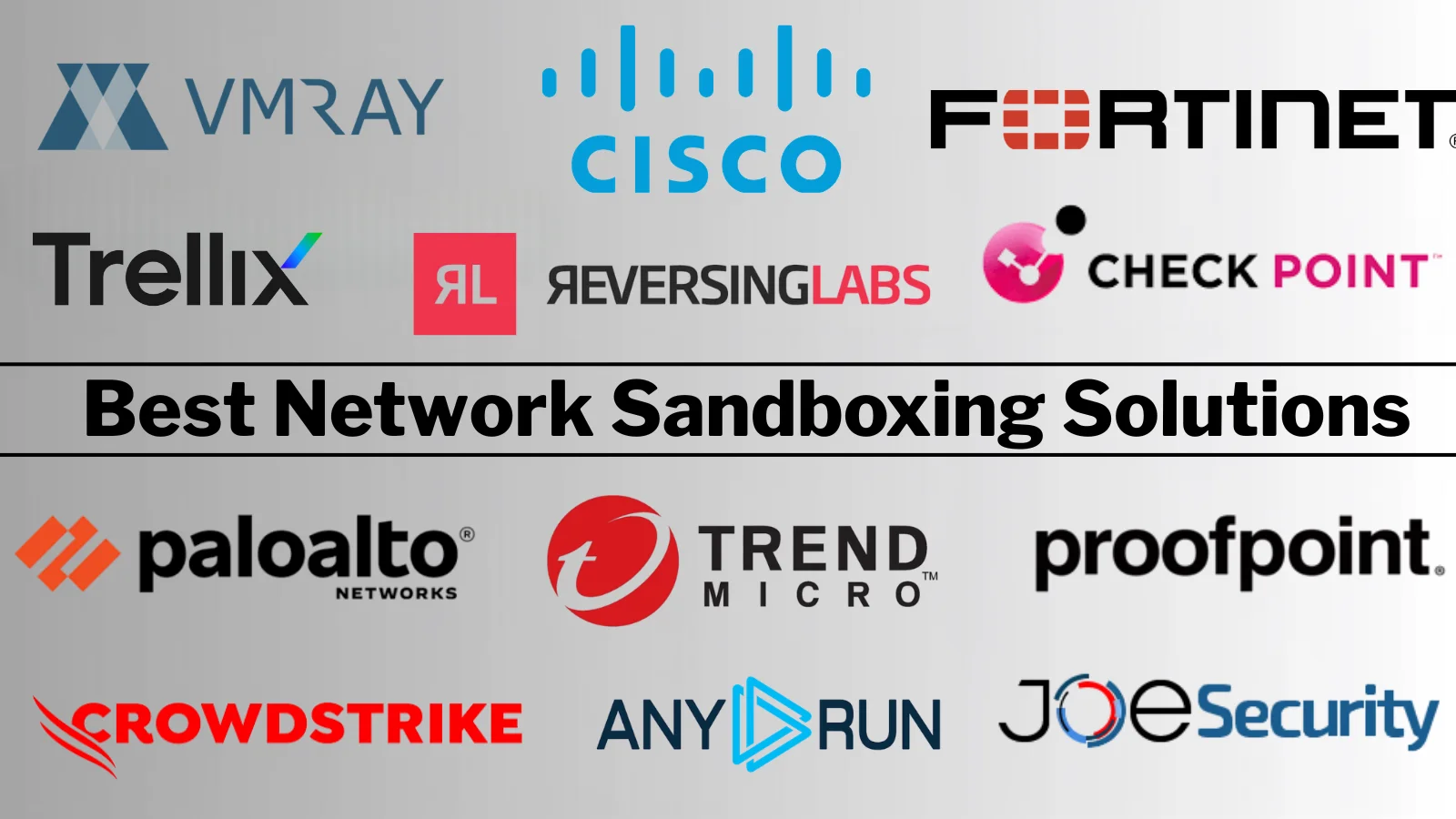
Top 10 Best Wireless / Wi-Fi Security Solutions in 2026

Cisco Meraki scores highest in our 2026 evaluation of automatic Wi-Fi security solutions, combining cloud-managed simplicity with strong policy enforcement, while HPE Aruba leads on enterprise-grade wireless security depth, and Juniper Mist wins on AI-driven operations.

Wi-Fi security solutions protect wireless networks through encryption (WPA3), authentication (802.1X), rogue access point detection, and client isolation, and in 2026 they increasingly enforce zero-trust policy at the point of connection. Here are the ten best, scored.

The 2026 Wi-Fi Security Scorecard

Each platform scored 1–10 against five weighted criteria, defined in the methodology below. Scores are editorial assessments of documented capability, not benchmark results.

RankSolutionSecurity depth (30%)Management (25%)Zero-trust fit (20%)Scale/perf (15%)Value (10%)Total
1Cisco Meraki9109878.9
2HPE Aruba1089978.9
3Juniper Mist9108978.8
4Fortinet989898.6
5Extreme Networks888888.0
6Arista887977.9
7CommScope (Ruckus)877987.8
8Nile8910768.2
9WatchGuard887697.6
10Ubiquiti6857106.9

Weighted averages rounded to one decimal.

How We Scored

Transparency first: this is a structured research-based evaluation, not a comparative RF lab test, and we make no claim otherwise. Criteria were weighted by real-world security impact:

Security depth (30%) — WPA3 support, 802.1X/RADIUS integration, wireless intrusion prevention (WIPS), rogue AP detection and containment, client isolation, and integrated threat inspection.

Management (25%) — cloud versus controller architecture, multi-site operations, policy consistency, and troubleshooting quality. Misconfiguration causes more wireless breaches than protocol weakness.

Zero-trust fit (20%) — identity-based segmentation, network access control integration, per-user/per-device policy, and IoT handling.

Scale and performance (15%) — Wi-Fi 6E/7 support, high-density performance, and roaming reliability.

Value (10%) — total cost including licensing, with credit for transparent pricing.

Pricing appears only where published; everything else is marked quote-based with [VERIFY] flags.

What Changed in Wireless Security

WPA3 is finally the default, not the option. Wi-Fi 6E and Wi-Fi 7 certification requires WPA3, and its Simultaneous Authentication of Equals (SAE) handshake closes the offline dictionary attack that made WPA2-Personal passwords guessable at leisure. Enterprise Wi-Fi 7 deployments should be WPA3 throughout, with transition mode only where legacy clients force it.

The wireless perimeter dissolved into zero trust. The interesting question is no longer “is the Wi-Fi encrypted” but “what can this device reach once connected.” That’s why zero-trust fit carries 20% weight, and why NAC integration matters more than radio specifications for most buyers.

IoT broke traditional wireless security models. Cameras, sensors, badge readers, and building systems can’t run 802.1X supplicants or accept certificates. Every platform here handles them differently, and how well it does so is often the deciding factor in healthcare, manufacturing, and retail.

The 10 Best Wi-Fi Security Solutions, Scored

1. Cisco Meraki — Score 8.9/10

Cisco Meraki cloud dashboard showing wireless security and Air Marshal alerts

Why it scores here: Perfect management marks. Meraki made enterprise-grade wireless security operable by teams without RF specialists every AP, policy, and site in one cloud-managed wireless dashboard, with security features on by default rather than buried in CLI.

Strengths: exceptional cloud management for distributed sites; integrated Layer 7 firewall and traffic shaping on the AP; Air Marshal WIPS for rogue detection and containment; adaptive policy and Umbrella integration for DNS-layer protection.

Trade-offs: licensing is mandatory hardware stops functioning without it, which is a real operational and budget consideration; less granular RF tuning than controller-based platforms; per-AP costs add up at scale.

Ideal buyer: multi-site organizations, retail, and mid-market enterprises without dedicated wireless engineers.

Verify before buying: current licensing tiers and renewal terms. [VERIFY: Meraki license pricing]

Image ALT: Cisco Meraki cloud dashboard showing wireless security and Air Marshal alerts

2. HPE Aruba — Score 8.9/10

HPE Aruba wireless dynamic segmentation and policy enforcement console

Why it scores here: top marks on security depth. Aruba’s wireless security is the enterprise reference, particularly when paired with ClearPass Policy Manager and Aruba’s dynamic segmentation, which enforces role-based policy from the AP through the network.

Strengths: deepest enterprise wireless security feature set; dynamic segmentation tying identity to network policy; strong WIPS/WIDS; excellent high-density performance; robust guest and BYOD onboarding.

Trade-offs: more complex to operate than Meraki; ClearPass and other modules add licensing cost; the HPE portfolio now spans both Aruba and Juniper Mist post-acquisition, so ask directly about long-term roadmap positioning.

Ideal buyer: large enterprises, universities, hospitals, and stadiums needing depth and density.

Verify before buying: HPE’s roadmap for Aruba and Mist coexistence following the Juniper acquisition (completed July 2025).

Image ALT: HPE Aruba wireless dynamic segmentation and policy enforcement console

3. Juniper Mist — Score 8.8/10

Juniper Mist Marvis AI wireless assurance and security insights dashboard

Why it scores here: Management scores as high as Meraki’s, with stronger AI. Mist’s Marvis virtual network assistant uses AI-driven operations to streamline troubleshooting and accelerate zero trust adoption before users report issues.

Strengths: AI-driven operations genuinely reduce troubleshooting time; excellent user-experience visibility; strong cloud architecture; API-first design; now part of HPE Juniper Networking with continued investment.

Trade-offs: subscription-based model with several tiers to navigate; deep security features often assume pairing with Juniper’s broader security portfolio; post-acquisition portfolio overlap with Aruba is a fair question for your rep.

Ideal buyer: enterprises prioritizing operational efficiency and user experience alongside security.

Verify before buying: current Mist subscription tiers and post-acquisition packaging.

Image ALT: Juniper Mist Marvis AI wireless assurance and security insights dashboard

4. Fortinet — Score 8.6/10

Fortinet FortiAP wireless security managed through FortiGate Security Fabric

Why it scores here: strongest value among the security-led platforms. FortiAP access points are managed directly from FortiGate firewalls, so wireless traffic is inspected by full NGFW security IPS, antivirus, web filtering, application control without extra hardware.

Strengths: security-first architecture (the firewall is the wireless controller); no separate wireless licensing in the integrated model; Security Fabric ties wireless to NAC, switching, and endpoint response; excellent price-performance.

Trade-offs: RF feature depth trails Aruba/Mist for very demanding high-density environments; value concentrates inside a Fortinet estate. Fortinet’s exploited-vulnerability record including a FortiCloud authentication bypass added to CISA’s KEV catalog in January 2026 makes prompt patching essential.

Ideal buyer: organizations already running FortiGate firewalls wanting secure wireless without new platforms.

Verify before buying: whether your FortiGate model supports the AP count you need.

Image ALT: Fortinet FortiAP wireless security managed through FortiGate Security Fabric

5. Nile — Score 8.2/10

Nile network-as-a-service zero trust wireless architecture

Why it scores here: The highest zero-trust score in this list. Nile delivers a network-as-a-service model with zero trust built into the architecture acting as an innovative option among modern network security providers.

Strengths: genuinely zero-trust-by-default wireless (devices are isolated unless policy permits otherwise); NaaS model removes hardware refresh and configuration burden; strong for organizations rebuilding campus networks from scratch.

Trade-offs: newer vendor with a smaller reference base than the incumbents; the NaaS model is a commercial commitment, not a product purchase; less suited to organizations wanting to retain their existing hardware.

Ideal buyer: enterprises modernizing campus networks who want zero trust without designing it themselves.

Verify before buying: service coverage in your geographies and contract structure. [VERIFY: current NaaS terms]

Image ALT: Nile network-as-a-service zero trust wireless architecture

6. Extreme Networks — Score 8.0/10

Extreme Networks ExtremeCloud IQ wireless policy management

Why it scores here: Solid across the board with good value. ExtremeCloud IQ manages wireless with strong role-based policy, coupling wireless access with granular network microsegmentation.

Strengths: flexible management (cloud, on-prem, or hybrid); strong fabric-attached policy following users across the campus; good education and healthcare presence; competitive licensing.

Trade-offs: smaller ecosystem and integration library than Cisco/HPE; security depth trails the top three in specialized deployments.

Ideal buyer: education, healthcare, and campus environments wanting flexibility in deployment model.

Verify before buying: licensing tiers for the features you actually need.

Image ALT: Extreme Networks ExtremeCloud IQ wireless policy management

7. Arista — Score 7.9/10

Arista cognitive Wi-Fi WIPS rogue access point detection console

Why it scores here: Excellent scale and performance with genuinely differentiated WIPS heritage from the Mojo Networks acquisition, offering seamless integration alongside best cloud firewall solutions.

Strengths: strong WIPS with low false-positive classification; cognitive Wi-Fi analytics; excellent performance engineering consistent with Arista’s networking pedigree; clean integration with Arista switching and NDR.

Trade-offs: smaller wireless market share and channel than the leaders; enterprise wireless portfolio is younger than its data-center business.

Ideal buyer: Arista-networked enterprises and organizations where rogue AP detection accuracy is a priority.

Verify before buying: current AP lineup and Wi-Fi 7 availability.

Image ALT: Arista cognitive Wi-Fi WIPS rogue access point detection console

8. CommScope (Ruckus) — Score 7.8/10

CommScope Ruckus high-density wireless deployment and security settings

Why it scores here: exceptional RF performance in difficult environments, marked down slightly on management modernity. Ruckus BeamFlex adaptive antenna technology remains a real engineering advantage in high-density and interference-heavy venues, while Dynamic PSK onboarding simplifies guest access.

Strengths: outstanding RF performance in stadiums, hospitality, and dense multi-dwelling environments; Dynamic PSK simplifies secure onboarding without full 802.1X; strong analytics via RUCKUS One.

Trade-offs: management experience trails Meraki/Mist; verify current corporate structure and product roadmap given CommScope’s portfolio restructuring activity. [VERIFY: current Ruckus ownership/business unit status]

Ideal buyer: hospitality, stadiums, MDUs, and any environment where RF conditions are genuinely hostile.

Verify before buying: current ownership status and long-term roadmap commitments.

Image ALT: CommScope Ruckus high-density wireless deployment and security settings

9. WatchGuard — Score 7.6/10

WatchGuard wireless access point security and WIPS management

Why it scores here: Strong value and SMB fit. WatchGuard’s access points integrate with Firebox appliances, though admins should apply recent WatchGuard agent security updates across endpoints to prevent privilege escalation.

Strengths: genuinely good WIPS for the price tier; unified management with WatchGuard Firebox and endpoint products; MSP-friendly multi-tenancy; simple licensing.

Trade-offs: not built for large-enterprise scale or extreme density; smaller AP portfolio; RF sophistication trails specialists.

Ideal buyer: small and mid-sized businesses, and the MSPs serving them.

Verify before buying: current AP lineup and Wi-Fi 6E/7 model availability. [VERIFY: current wireless portfolio]

Image ALT: WatchGuard wireless access point security and WIPS management

10. Ubiquiti — Score 6.9/10

Ubiquiti UniFi wireless network security and VLAN configuration

Why it scores here: Unbeatable value, lowest security depth. UniFi delivers capable wireless at a fraction of enterprise prices, but administrators must patch known Ubiquiti UniFi OS vulnerabilities to prevent remote exploitation.

Strengths: exceptional price-performance; excellent UniFi controller experience for the cost; strong community; genuinely good hardware for small deployments.

Trade-offs: limited advanced security features; support model is community-and-RMA rather than enterprise SLA; not appropriate where compliance requires documented WIPS, formal vendor support, or advanced policy enforcement.

Ideal buyer: small businesses, branch offices, and budget-constrained deployments with modest compliance requirements.

Verify before buying: whether your compliance obligations require capabilities UniFi doesn’t offer.

Image ALT: Ubiquiti UniFi wireless network security and VLAN configuration

Head-to-Head: Comparisons Buyers Actually Make

Meraki vs Mist. Both are cloud-first and operationally excellent. Meraki wins on breadth of the wider Meraki stack and simplicity; Mist wins on AI-driven troubleshooting and API depth.

Choose Meraki if you want everything from one dashboard with minimal tuning; Mist if wireless user-experience analytics matter and you have engineers who’ll use them.

Aruba vs Meraki. Aruba wins on security depth, RF control, and high-density performance; Meraki wins on operational simplicity and multi-site management. Universities, hospitals, and arenas usually land on Aruba; distributed retail and mid-market usually land on Meraki.

Fortinet vs everyone else. If you already run FortiGates, integrated FortiAP wireless is dramatically cheaper and applies full firewall inspection to wireless traffic.

The trade is RF sophistication. For most mid-market environments that trade is worth making; for a 20,000-seat arena it is not.

How to Choose Secure Wireless

Start with your IoT population. How many connected devices cannot run 802.1X? That number determines whether you need Dynamic PSK, MAC authentication with profiling, or a NAC platform alongside and it eliminates several options quickly.

Decide the management model before the vendor. Cloud-managed (Meraki, Mist, Nile) versus controller-based (Aruba, Extreme) is an operational decision about your team’s skills and your multi-site footprint, and it constrains everything else.

Insist on WPA3 and plan the transition. Enterprise deployments should target WPA3-Enterprise with 802.1X; use transition mode only where legacy clients demand it, and set a date to remove it.

WPA2-Personal with a shared password is not defensible on a corporate network in 2026.

Test roaming and authentication under load. Most “security” incidents on wireless are actually authentication failures that drive users to unsecured alternatives a guest network, a phone hotspot, a rogue AP someone plugged in. Reliability is a security control.

Common mistakes: treating the guest network as an afterthought; leaving WPS enabled; never checking for rogue APs; and buying wireless separately from network access control so device policy stops at the radio.

Frequently Asked Questions

What is the best Wi-Fi security solution in 2026?

Cisco Meraki and HPE Aruba tie at the top of our scoring Meraki for cloud-managed simplicity across distributed sites, Aruba for enterprise security depth and high-density performance.

Juniper Mist scores nearly identically with the strongest AI-driven operations, while Fortinet offers the best value for existing FortiGate estates.

Is WPA3 actually more secure than WPA2?

Yes, meaningfully. WPA3 replaces WPA2’s pre-shared key handshake with Simultaneous Authentication of Equals (SAE), which prevents offline dictionary attacks against captured handshakes the technique behind most WPA2-Personal compromises.

It also adds forward secrecy and stronger encryption for open networks via Enhanced Open.

How do I detect rogue access points?

Use a wireless intrusion prevention system (WIPS), included in most enterprise platforms Cisco Meraki’s Air Marshal, Aruba’s WIPS, and Arista’s Mojo-derived engine are among the strongest.

WIPS continuously scans for unauthorized APs, evil twins, and spoofed SSIDs, and can automatically contain them.

Do I need NAC as well as secure Wi-Fi?

If you have significant IoT, contractor, or BYOD populations, yes. Wireless security authenticates the connection; NAC decides what each device may reach afterward and quarantines non-compliant ones.

Many platforms bundle basic access control, but dedicated NAC provides far deeper profiling and policy.

How much do enterprise Wi-Fi security solutions cost?

Most enterprise wireless is priced per access point with mandatory licensing commonly a few hundred dollars per AP for hardware plus annual per-AP licensing.

Cloud-managed platforms make licensing non-optional (hardware stops working without it), while Ubiquiti sits far below on cost with correspondingly fewer security features.

Is Ubiquiti secure enough for business use?

For small businesses with modest compliance requirements, UniFi provides solid fundamentals WPA3, VLAN segmentation, and guest isolation at exceptional value.

It lacks enterprise WIPS, formal support SLAs, and advanced policy enforcement, so regulated environments and larger organizations should choose an enterprise platform.

Bottom Line

Cisco Meraki and HPE Aruba share the top score for different reasons operational simplicity versus security depth and most buyers will find their answer in that distinction.

Juniper Mist is the strongest choice where AI-driven operations matter, Fortinet delivers the best economics for existing FortiGate estates, and Nile is worth a serious look if you’re rebuilding a campus network and want zero trust designed in rather than retrofitted.

Whatever you choose, deploy WPA3-Enterprise, run WIPS continuously, and pair wireless with device-level access control the radio is only the first checkpoint.

Related reading on Cyber Security News:

 Top 10 Best Network Access Control (NAC) Solutions

•  Top 10 Best Zero Trust Security Vendors

•  Top 10 Best Next-Generation Firewall (NGFW) Solutions

•  10 Best Network Security Solutions for Enterprise

•  Top 10 Best Microsegmentation Tools

• 20 Best Network Monitoring Tools

•  Top 10 Best Unified Threat Management (UTM) Solutions

•  Top 10 Best Business VPN Solutions

•  Top 10 Best Network Detection & Response (NDR) Tools

•  Best Unified Network Security Solutions for Small Businesses

• 25 Best Managed Security Service Providers (MSSP)

The post Top 10 Best Wireless / Wi-Fi Security Solutions in 2026 appeared first on Cyber Security News.
10 Best Dark Web Monitoring Tools in 2026

Dark web monitoring involves tracking activities on the hidden internet, accessible only via specialized software and configurations.

This shadowy realm hosts illicit markets for stolen data, illegal drugs, weapons, hacking services, and other criminal enterprises.

By scraping intelligence from these anonymous forums, dark web monitoring uncovers emerging threats and vulnerabilities.

It equips organizations and individuals with critical insights into high-risk cyber undergrounds, enabling proactive threat detection, data protection, and safeguarding of brands and assets.

What Is A Dark Web Monitoring Tool?

Dark web monitoring tools track and monitor activity on the dark web, a hidden area of the internet. These technologies strive to cut ways for searching underground forums, markets, and other illicit venues for dangers and threats.

They gather information on data breaches, stolen credentials, unlawful activity, and new cyber dangers. Tools for dark web monitoring offer several options to improve security and shield private data.

They alert enterprises to suspected data breaches by continuously scanning for mentions of compromised data, stolen passwords, or leaking information.

Additionally, these products provide threat intelligence, which keeps businesses updated on new dangers and hackers’ hacking methods.

By proactively monitoring talks and activity on the dark web, organizations can spot hazards to their reputation, fake goods, or unlawful use of their brand.

10 Best Dark Web Monitoring Tools in 2026

  1. Cyble: Utilizes deep web harvesting technology and AI-driven threat intelligence to identify data leaks, compromised credentials, brand risks, and emerging cyber threats.
  2. Recorded Future: Offers real-time threat intelligence, dark web monitoring, and predictive analytics for proactive cyber threat mitigation.
  3. DarkOwl: Extensive dark web data collection and analysis, offering deep insights into cyber threats and illicit activities.
  4. Terbium Labs: Automated dark web monitoring with Matchlight technology to detect and mitigate data exposure and cyber threats.
  5. Flashpoint: Provides business risk intelligence, dark web monitoring, and comprehensive threat analysis to safeguard against cyber threats.
  6. Dark Web ID: Continuous monitoring of dark web activities to detect and respond to data breaches and identity theft.
  7. Cybersixgill: Real-time dark web monitoring and threat intelligence with advanced analytics and automated alerts for proactive defense.
  8. OwlDetect: Monitors the dark web for compromised data, offering alerts and recommendations for mitigating potential risks.
  9. Intel 471: Delivers threat intelligence from the dark web, focusing on cybercriminal activities and emerging threats.
  10. Digital Shadows: Provides comprehensive dark web monitoring, threat intelligence, and risk mitigation with automated alerts and detailed reporting.

Dark Web Monitoring Tools Features

Dark Web Monitoring ToolsFeaturesStand Alone FeatureFree Trial Demo
1. Cyble1. Darkweb & cybercrime monitoring.
2. Stealer log & credential intelligence.
3. Ransomware leak site tracking.
4. Threat actor chatter monitoring.
5. AI-powered risk scoring & compliance reporting.
350B+ darkweb records with analyst-verified, real-time threat intelligence across TOR, I2P, Telegram, and 10,000+ cybercrime forums.Yes
2. Recorded Future1. Real-time threat intelligence.
2. Indicators of compromise (IOCs).
3. Vulnerability management..
4. Attack Surface Monitoring
5. Threat Analysis and Prioritization.
Real-time threat intelligence with extensive dark web monitoring.Yes
3. DarkOwl1. Dark web data collection.
2. Data breach monitoring and alerting.
3. Deep and continuous dark web monitoring.
4. Dark web threat intelligence.
5. Dark web footprint analysis.
Automated dark web data collection and analysis.Yes
4. Terbium Labs1. Data intelligence and monitoring.
2. Data breach detection.
3. Stolen data recovery.
4. Incident Response Support.
5. Customizable Monitoring.
Automated dark web monitoring with data fingerprinting.Yes
5. BrightPlanet1. Deep and dark web monitoring.
2. Threat intelligence analysis.
3. Cybercrime and fraud detection.
4. Insider threat detection.
5. Supply Chain Risk Management.
Business risk intelligence with dark web insights.Yes
6. Intel 4711. Credential monitoring.
2. Stolen data detection.
3. Identity theft prevention.
4. Compromised Credential Detection.
5. Integration with Security Systems.
Continuous dark web monitoring for compromised credentials.Yes
7. OwlDetect1. Underground forums monitoring.
2. Cybercriminal activity tracking.
3. Data Leakage Prevention.
4. Credential Exposure Monitoring.
5. Integration with Security Tools.
Advanced threat intelligence with dark web focus.Yes
8. Cybersixgill1. Attack Surface Monitoring.
2. Cybercrime and fraud detection.
3. Vulnerability management.
4. Insider threat detection.
5. Data breach monitoring and alerting.
Real-time dark web monitoring for personal information.Yes
9. Dark Web ID1. Cybercrime tracking and attribution.
2. Malware analysis.
3. Hacking Group Analysis.
4. Customized Threat Reports.
5. Ransomware Tracking.
Adversary intelligence with dark web monitoring.Yes
10. Digital Shadows
1. Dark web monitoring.
2. Threat intelligence analysis.
3. Digital risk assessment.
4. Vulnerability management.
5. Data Exposure Monitoring.

Comprehensive threat intelligence and digital risk protection.
Yes

1. Cyble

Dark Web Monitoring Tools
Cyble

Cyble is a comprehensive darkweb and cybercrime monitoring platform that combines proprietary AI, NLP, and human intelligence to deliver real-time threat visibility across the deepest layers of the internet for enterprise and government organizations.

The platform continuously scans TOR, I2P, Telegram, Discord, paste sites, ransomware leak sites, and 10,000+ invite-only cybercrime forums to detect threats before they become incidents. It delivers analyst-verified, enriched alerts with risk tags, source screenshots, and remediation guidance — eliminating manual triage entirely.

Additionally, Cyble monitors stealer logs, credential marketplaces, and threat actor chatter, cross-referencing findings against your organization’s digital assets in real time. Compliance reporting is native, with audit-ready dashboards supporting GDPR, PCI-DSS, and HIPAA, requiring zero integration for onboarding.

Features

  • Monitors 350B+ darkweb records across forums, marketplaces, and ransomware leak sites.
  • Utilizes AI-powered NLP classifiers with multilingual threat parsing and contextual risk scoring.
  • Provides stealer log and credential intelligence verified against known breach corpora.
  • Features Telegram, Discord, and encrypted channel monitoring for real-time threat actor chatter.
  • Delivers a fully managed SaaS experience via Cyble Vision console, REST API, CSV, and PDF export.
What is Good?What Could Be Better?
350B+ record corpus depth.Interface has a learning curve.
Analyst-verified, low-noise alerts.Onboarding support varies by tier.
Native compliance reporting.
Broad source coverage across TOR, I2P, Telegram.

Cyble – Trial / Demo

2. Recorded Future

Dark Web Monitoring Tools
Recorded Future

Recorded Future is a comprehensive dark web monitoring tool that leverages machine learning and advanced analytics to provide real-time intelligence on emerging cyber threats.

Recorded Future continuously scans dark web forums, marketplaces, and other hidden networks to help organizations stay ahead of potential security risks.

It integrates with existing security systems, offering seamless threat intelligence and actionable insights.

Its user-friendly interface and robust reporting capabilities enable security teams to identify and respond to threats quickly.

The platform also provides context around the threats, helping to understand the tactics, techniques, and procedures malicious actors use.

Recorded Future’s extensive threat database and predictive capabilities make it an essential tool for proactive cyber defense.

Features

  • Provides real-time, actionable threat intelligence from open, dark, and technical web sources to reduce risk.
  • Uses machine learning and human expertise for context-rich threat analysis and prioritized risk scoring.
  • Offers attack surface monitoring, vulnerability intelligence, and brand protection features.
  • Integrates with security workflows for automated alerting and incident response.
  • Delivers tailored insights through an intuitive dashboard, browser extensions, and extensive third-party integrations.
What is Good?What Could Be Better?
Rich, real-time threat intelligence.Interface can feel complex.
Strong automation and integrations.Premium pricing for full features.
Context-rich risk scoring.Some alerts lack customization.
Wide data source coverage.Occasional false positives.

Recorded Future – Trial / Demo

3. DarkOwl

Dark Web Monitoring Tools
DarkOwl

DarkOwl is a comprehensive dark web monitoring tool that provides organizations with real-time intelligence on emerging threats and data breaches.

It continuously scans the dark, deep, and illicit forums to identify compromised data, including credentials, personal information, and sensitive documents.

DarkOwl’s advanced analytics and machine learning capabilities help detect and prioritize threats, enabling proactive security measures. Its user-friendly dashboard allows for easy access to detailed reports and actionable insights.

DarkOwl’s robust API integrations facilitate seamless incorporation into existing security infrastructures.

By offering continuous surveillance and in-depth analysis, DarkOwl helps organizations mitigate risks and protect their digital assets from dark web threats.

Features

  • Provides comprehensive darknet, deep web, and dark web data collection through automated and authenticated access to a wide range of sources.
  • Enables near real-time monitoring and search with safe, analyst-friendly interfaces and customizable alerts.
  • Supports actionable threat intelligence on credentials, corporate data, malware, and threat actor chatter, including from encrypted chat platforms and hacker forums.
  • Offers powerful querying, entity extraction, and exposure scoring, allowing targeted searches and automated risk assessment for organizations.
  • Seamlessly integrates with enterprise security environments via APIs and data feeds for enriched workflows and automated incident response.
What is Good?What Could Be Better?
Largest, in-depth darknet database.UI good but not outstanding.
Real-time, automated data collection.Learning curve for advanced searches.
Broad source coverage (encrypted chats etc.).Lacks glossy, modern interface features.
Easy integration via API/data feeds.Raw data can require extra analyst work.

DarkOwl – Trial / Demo

4. Terbium Labs

Dark Web Monitoring Tools
Terbium Labs

Terbium Labs is a cybersecurity company specializing in dark web monitoring and threat intelligence. Their flagship product, Matchlight, provides continuous, automated monitoring of the dark web to detect the exposure of sensitive data.

Using advanced data fingerprinting technology, Terbium Labs ensures that clients’ information is protected without ever needing to see the data itself, maintaining privacy and compliance.

The platform delivers real-time alerts and actionable insights, enabling organizations to respond swiftly to data breaches and mitigate risks.

With its user-friendly interface and comprehensive reporting capabilities, Terbium Labs helps businesses safeguard their digital assets against dark web threats.

The company’s innovative approach to dark web monitoring makes it a trusted partner for proactive cybersecurity.

Features

  • Uses patented digital fingerprinting technology to monitor data exposure privately, ensuring sensitive information stays confidential.
  • Provides continuous, automated monitoring across the open, deep, and dark web for signs of data loss, fraud, and misuse.
  • Delivers real-time alerts and actionable intelligence to enable rapid remediation of threats and digital risks.
  • Supports automated detection of compromised credentials, brand abuse, and sensitive data leaks—without requiring the client to reveal their data.
  • Offers a user-friendly platform with precise, low false-positive detection, enabling easy integration into digital risk protection workflows.
What is Good?What Could Be Better?
Unique, patented fingerprinting tech.Lacks experienced technical leadership.
Strong privacy: doesn’t see your data.Product relies heavily on manual analysis.
Near real-time alerting & detection.Leadership sometimes ignores feedback.
Friendly, diverse, flexible culture.Tech is less mature than competitors.

Terbium Labs – Trial / Demo

5. BrightPlanet

BrightPlanet

BrightPlanet is a dark web monitoring tool designed to provide comprehensive insights into the hidden corners of the internet.

Utilizing its Deep Web Harvester technology, BrightPlanet collects and indexes data from various dark web sources, allowing organizations to monitor and analyze potential threats in real time.

This tool offers advanced search capabilities, enabling users to track specific keywords, phrases, or patterns indicative of cyber threats, illicit activities, or sensitive data leaks.

BrightPlanet also integrates with other security platforms to enhance threat intelligence and response strategies.

By focusing on providing actionable insights and detailed reports, BrightPlanet helps organizations proactively protect their assets and mitigate risks associated with dark web activities.

Its robust data harvesting and analysis capabilities make it a valuable tool for cybersecurity professionals seeking to stay ahead of emerging threats.

Features

  • Harvests and structures data from the Surface Web and Deep Web, making unstructured content accessible for advanced research and analytics.
  • Provides customized monitoring and real-time alerts on targeted web sources, blogs, social media, and news feeds relevant to user-defined interests.
  • Enriches collected data with normalization and advanced analytics, enabling deeper insights and pattern recognition across multiple domains.
  • Offers configurable dashboards for visualization, filtering, and alerting, allowing users to synthesize and visualize key intelligence and security data.
  • Supports integration with enterprise workflows and security platforms through flexible deployment options and partnerships, ensuring broad compatibility and scalability for various industries.
What is Good?What Could Be Better?
Excellent surface/deep web coverage.Limited dark web focus.
Strong data structuring & analytics.UI feels outdated.
Custom alerting and monitoring.Initial setup can be complex.
Flexible integration options.Support/updates less frequent.
BrightPlanet– Trial / Demo

6. Intel 471

Intel 471

Intel 471 is a premier dark web monitoring tool that provides real-time cyber threat intelligence from deep and dark web sources.

It monitors cybercriminal activities, including threat actor groups, malware, and vulnerabilities, to deliver actionable insights.

The platform leverages human intelligence and automated data collection to stay ahead of emerging threats. Intel 471 offers detailed threat reports and alerts, helping organizations strengthen their security posture.

Its comprehensive database enables proactive defense strategies by identifying and mitigating potential threats before they impact the business.

Security teams widely use the tool to enhance their threat intelligence capabilities and improve cybersecurity resilience.

Features

  • Provides real-time cybercrime threat intelligence drawn from deep monitoring of the cyber underground to track threat actors and malware operations.
  • Delivers context-rich intelligence on malware, adversaries, compromised credentials, and high-risk vulnerabilities for proactive defense.
  • Offers continuous monitoring of underground marketplaces to identify mentions of your organization, leaked data, or third-party breaches.
  • Integrates via robust APIs and dashboards to operationalize intelligence within existing security workflows.
  • Supports custom reporting and guided threat hunts to address specific intelligence needs, uncover hidden threats, and streamline incident response.
What is Good?What Could Be Better?
Deep coverage of closed cyber sources.User interface needs improvement.
Real-time, actionable intelligence.Threat hunting process can be complex.
Strong, analyst-driven reporting.Learning curve for new users.
Proactive, guided threat hunts.Some manual effort still required.
Intel 471– Trial / Demo

7. OwlDetect

OwlDetect

OwlDetect is a comprehensive dark web monitoring tool designed to help organizations protect sensitive information from being exposed on the dark web.

It scans the dark web for compromised data, including personal information, credentials, and intellectual property.

OwlDetect provides real-time alerts when potential threats or breaches are detected, enabling quick response and mitigation.

The tool features an intuitive interface and detailed reporting, making it easy for users to understand and act on the findings.

OwlDetect helps organizations stay ahead of cyber threats with advanced threat intelligence and proactive monitoring capabilities.

It is suitable for businesses of all sizes, ensuring robust protection of critical assets and data.

Features

  • Delivers threat intelligence on digital artifacts (files, IPs, domains) via a single scalable API for rapid enrichment.
  • Integrates with a wide range of OSINT and malware analysis tools to provide comprehensive, multi-source analysis.
  • Features a user-friendly dashboard and visualizations for efficient data exploration and threat investigation.
  • Enables automation with REST APIs and GUI, streamlining analyst workflows and saving investigation time.
  • Supports customized, real-time queries and analysis at scale for security teams needing detailed threat context.
What is Good?What Could Be Better?
Scans broad dark web sources.UK-centric, less global support.
Alerts for many data types.Manual input of data required.
Fast detection, action plans.No mobile app, only web access.
Simple, low-cost subscription.Limited customization in alerts.
OwlDetect– Trial / Demo

8. Cybersixgill

Cybersixgill

Cybersixgill is a leading dark web monitoring tool that provides real-time insights into underground cyber threats.

It utilizes advanced AI and machine learning algorithms to automatically collect and analyze data from dark web forums, marketplaces, and social media platforms.

Cybersixgill offers actionable intelligence that helps organizations identify and mitigate potential threats before they materialize.

Its comprehensive platform includes threat intelligence feeds, risk analysis, and incident response support.

The tool’s user-friendly interface and customizable alerts enable security teams to stay ahead of cybercriminals.

Cybersixgill helps protect sensitive information and maintain organizational security by continuously monitoring and analyzing dark web activity.

Features

  • Automatically collects and analyzes threat intelligence from clear, deep, and dark web sources in real time for early risk detection.
  • Delivers actionable intelligence covering compromised credentials, vulnerabilities, fraud, phishing, and threat actor activities.
  • Uses AI-driven analysis and reporting to provide context-rich insights and summarizations, including through an integrated 24/7 assistant.
  • Offers specialized modules for attack surface management, identity intelligence, and dynamic vulnerability exploit (DVE) intelligence, including open-source vulnerabilities.
  • Provides seamless integration via dashboards and APIs, supporting alerting, incident response, and workflow automation for security teams and MSSPs.
What is Good?What Could Be Better?
Real-time, comprehensive dark web intel.User interface can be complex/cluttered.
AI-enabled, automated alerting & search.Reporting tools need enhancement.
Wide coverage, including rare sources.More training & better user guidance.
Competitive pricing, strong ROI.Improve integration with 3rd party tools.
Cybersixgill – Trial / Demo

9. Dark Web ID

Dark Web ID

Dark Web ID is a comprehensive dark web monitoring tool designed to help organizations detect and respond to threats from the dark web.

Developed by ID Agent, it continuously scans dark web forums, marketplaces, and data dumps for compromised credentials and sensitive information related to your business.

By providing real-time alerts and detailed reports, Dark Web ID enables proactive threat management and immediate action to mitigate risks.

It integrates seamlessly with existing security frameworks and offers easy-to-use dashboards for efficient monitoring.

Focusing on protecting user identities and corporate data, Dark Web ID helps maintain a security posture and prevent potential breaches.

Suitable for businesses of all sizes, it enhances overall cybersecurity resilience by keeping a vigilant eye on the dark web.

Features

  • Provides 24/7 human and machine monitoring of the dark web for compromised credentials and sensitive data exposure.
  • Delivers real-time, analyst-validated intelligence to identify threats before they escalate and enable rapid response.
  • Covers a wide range of sources, including hidden chat rooms, unindexed sites, P2P networks, and black market sites for comprehensive risk detection.
  • Enables easy integration with SOC, ticketing, and CRM platforms via APIs for streamlined security operations.
  • Supports fast SaaS or API deployment, offering immediate protection and an early warning system for security teams.
What is Good?What Could Be Better?
Easy, fast setup & use.Reports lack customization.
Real-time alerts, quick response.Occasional false positives.
Broad dark web coverage.UI/reporting can be clunky.
Integrates with SOC/ticketing.Long contract terms, costly.
Dark Web ID– Trial / Demo

10. Digital Shadows

Dark Web Monitoring Tools
Digital Shadows

Digital Shadows is a comprehensive dark web monitoring tool that provides organizations with real-time threat intelligence and digital risk protection.

It continuously scans the dark web, deep web, and open sources to identify potential threats and data breaches affecting your organization.

With its extensive coverage and advanced analytics, Digital Shadows helps detect compromised credentials, data leaks, and other malicious activities.

The platform offers detailed reports and actionable insights, enabling security teams to respond promptly to emerging threats.

Digital Shadows integrates seamlessly with existing security systems, enhancing overall threat detection and mitigation capabilities.

Its user-friendly interface and customizable alerts make it a valuable tool for safeguarding digital assets and maintaining organizational security.

Features

  • Monitors and manages digital risk across open, deep, and dark web sources.
  • Provides attackers’ eye view of an organization’s online exposure to identify external threats.
  • Continuously detects data loss, brand impersonation, and sensitive data exposure.
  • Reduces attack surface by highlighting vulnerable assets and suggesting remediation.
  • Delivers actionable threat intelligence with contextual risk analysis for rapid incident response.
What is Good?What Could Be Better?
Easy to use, even for non-experts.Dark web monitoring not industry-leading.
Strong brand/digital risk protection.Take down/removal service can be slow.
Excellent customer support.Initial configuration not very easy.
Wide coverage of online sources.Lacks SMS alerting, reducing reactivity.

Digital Shadows – Trial / Demo

The post 10 Best Dark Web Monitoring Tools in 2026 appeared first on Cyber Security News.

Top 10 Best Business VPN Solutions in 2026

The best business VPN solutions in 2026 are increasingly the ones that aren’t traditional VPNs at all.

Twingate and Tailscale lead for modern least-privilege remote access, Cisco Secure Client (AnyConnect) and Palo Alto GlobalProtect remain the enterprise incumbents, and NordLayer offers the most approachable published pricing for small teams.

A business VPN encrypts remote connections into your corporate network but because traditional VPN appliances have become a primary target for attackers, modern organizations are shifting toward Zero Trust architecture principles to restrict access by default.

This guide covers the best business VPNs and helps you decide when to replace one.

Bottom Line Up Front

Twingate is our pick for most organizations replacing a legacy VPN: least-privilege access to individual applications, deployable in an afternoon, with a genuinely usable free tier.

Tailscale is the choice for engineering-led teams that want a mesh network built on WireGuard. NordLayer is the simplest published-price option for small businesses.

Cisco Secure Client and Palo Alto GlobalProtect remain right where the enterprise already runs that vendor’s firewalls. And Zscaler or Cloudflare are where you land when the honest answer is “stop using a VPN.”

Stage 1 — Decide Whether You Actually Want a VPN

A traditional business VPN authenticates a user, then places their device on the network typically with broad reachability. That model has one structural flaw: a stolen credential or a compromised laptop inherits everything the tunnel can reach.

The alternative — Zero Trust Network Access (ZTNA) — grants access to specific applications rather than the entire network, enforcing network segmentation and application controls while continuously verifying identity and device posture on every request.

 Traditional VPNZTNA / modern access
GrantsNetwork-level accessPer-application access
Trust modelVerify once at loginContinuous verification
Lateral movementPossible across the tunnelStructurally limited
Best forLegacy apps, full-network needs, site-to-siteRemote workforce, contractors, SaaS-era estates
Typical failureAppliance vulnerability or credential theftMisconfigured policy scope

Buy a traditional VPN if: you need full-network access for administrative work, must support legacy protocols, or require site-to-site tunnels. Buy ZTNA if: your goal is remote workforce access to applications — which describes most organizations in 2026.

Stage 2 — Understand Why VPN Security Became a Board-Level Issue

This is the context that should shape your shortlist.

Remote-access and VPN appliances have been among the most consistently exploited enterprise products in recent years, appearing repeatedly in CISA’s Known Exploited Vulnerabilities catalog across vendors including Ivanti, Citrix, Fortinet, and others. Attackers target them for a simple reason: a VPN concentrator is internet-facing by definition and sits at a trusted point in the network.

Two practical consequences follow. First, patch velocity is a security feature — evaluate the vendor’s disclosure history and your own emergency-update capability as seriously as throughput specs. Second, reducing what the tunnel can reach is worth more than hardening the tunnel — which is the entire argument for ZTNA and for pairing remote access with network segmentation.

Stage 3 — The 10 Best Business VPN and Secure Access Solutions

Tier 1 — Modern Least-Privilege Access

1. Twingate

Twingate zero trust network access console showing resource-level policies

Why it’s here: Twingate is the cleanest VPN replacement available, delivering resource-level, least-privilege access defined as code without exposing inbound ports to the public internet.

It is frequently ranked among the top platforms in comprehensive evaluations of the 10 Best ZTNA Solutions.

Standout: a genuinely useful free tier plus published paid pricing, so small teams can retire a VPN without a procurement cycle.

Watch out for: access-focused by design deep inline inspection (IPS, sandboxing) needs a broader platform later.

Best fit: startups through mid-market replacing a slow, over-permissioned VPN.

Pricing: free tier; published per-user plans. [VERIFY: current tiers]

Image ALT: Twingate zero trust network access console showing resource-level policies

2. Tailscale

Tailscale WireGuard mesh network device connectivity dashboard

Why it’s here: Tailscale establishes a WireGuard-based mesh network connecting devices directly with minimal configuration.

It stands out among top VPN alternatives for modern teams due to its seamless setup and developer-friendly design.

Standout: peer-to-peer connectivity with NAT traversal that “just works,” plus ACL-based policy managed as code and a free tier for small teams.

Watch out for: mesh networking assumes technical operators; enterprise governance, auditing, and compliance features are lighter than the incumbents.

Best fit: developer-heavy organizations, infrastructure teams, and technical SMBs.

Pricing: free tier; published per-user plans. [VERIFY: current tiers]

Image ALT: Tailscale WireGuard mesh network device connectivity dashboard

3. Cloudflare

Cloudflare Zero Trust Access application policy configuration

Why it’s here: Cloudflare’s Zero Trust suite (WARP client plus Cloudflare Access) delivers application-level access on one of the world’s largest networks.

The platform incorporates browser-based Zero Trust access capabilities to secure remote infrastructure without client software.

Standout: the on-ramp is nearly frictionless and the platform extends to full SSE — secure web gateway, CASB, and browser isolation — without changing vendors.

Watch out for: deep legacy-application support and complex AD-centric attribution take more work than the traditional VPN incumbents.

Best fit: organizations wanting to retire VPN appliances and adopt zero trust progressively.

Pricing: free tier; published per-user plans; enterprise by quote. [VERIFY: current tiers]

Image ALT: Cloudflare Zero Trust Access application policy configuration

Tier 2 — Enterprise Incumbents

4. Cisco Secure Client (AnyConnect)

Cisco Secure Client AnyConnect VPN connection and posture status

Why it’s here: The most widely deployed enterprise remote-access client in the world, now delivered as Cisco Secure Client with modular security services, including ZTNA via Cisco Secure Access.

It pairs with centralized endpoint management and posture assessment across complex corporate estates.

Standout: ubiquity and integration one agent covering VPN, posture assessment, and network visibility across a Cisco estate, with Duo identity alongside.

Watch out for: licensing spans multiple SKUs and takes effort to price; the traditional VPN model carries the architectural limitations described above.

Best fit: enterprises standardized on Cisco networking and identity.

Pricing: quote-based, tiered licensing. [VERIFY: current SKU structure]

Image ALT: Cisco Secure Client AnyConnect VPN connection and posture status

5. Palo Alto Networks GlobalProtect

Palo Alto GlobalProtect remote access gateway policy configuration

Why it’s here: remote access with the full NGFW inspection stack applied to the tunnel — App-ID, threat prevention, and URL filtering enforced on remote traffic.

Standout: inspection depth. Traffic through GlobalProtect gets the same scrutiny as traffic through your PA firewalls, with Prisma Access extending it to ZTNA 2.0.

Watch out for: value assumes a Palo Alto estate; subscription stacking adds up; sizing gateways for remote peaks needs planning.

Best fit: organizations already running Palo Alto next-generation firewalls.

Pricing: quote-based (licensed with PA platform/Prisma Access).

Image ALT: Palo Alto GlobalProtect remote access gateway policy configuration

6. Fortinet

Fortinet FortiClient VPN and FortiSASE remote access dashboard

Why it’s here: FortiClient VPN is included with FortiGate firewalls, making it the default remote-access method for an enormous installed base — and FortiSASE extends it toward ZTNA.

Standout: cost. If you own FortiGates, capable remote access is effectively already paid for, with ZTNA available as you modernize.

Watch out for: Fortinet’s exploited-vulnerability history (including a FortiCloud authentication bypass added to CISA’s KEV catalog in January 2026) makes disciplined patching mandatory for internet-facing gateways.

Best fit: the many organizations already running Fortinet at the edge.

Pricing: bundled with FortiGate licensing; FortiSASE per-user tiers via partners.

Image ALT: Fortinet FortiClient VPN and FortiSASE remote access dashboard

Tier 3 — SMB-Friendly and Specialist

7. NordLayer

NordLayer business VPN team management and gateway configuration

Why it’s here: NordLayer provides business-grade network security with transparent pricing, operating on a cloud-based Zero Trust architecture and dedicated IP infrastructure designed for distributed teams.

Standout: fast setup, dedicated IP options, device posture checks, and per-user pricing you can budget without a sales call.

Watch out for: lighter enterprise governance and integration depth than the incumbents; suited to straightforward access needs.

Best fit: small and mid-sized businesses wanting quick, manageable secure access.

Pricing: published per-user monthly tiers. [VERIFY: current pricing]

Image ALT: NordLayer business VPN team management and gateway configuration

8. Check Point Harmony SASE (formerly Perimeter 81)

Check Point Harmony SASE secure network access management console

Why it’s here: Perimeter 81’s cloud-native architecture acquired by Check Point is delivered as Harmony SASE, combining ease of use with Check Point threat prevention. Teams should ensure they run updated client software following Check Point Harmony SASE platform updates.

Standout: transparent per-user tiers plus enterprise-grade security research behind the platform, bridging the SMB/enterprise gap.

Watch out for: packaging has evolved considerably post-acquisition; confirm current tier boundaries and feature mapping before signing.

Best fit: SMBs and mid-market teams wanting ZTNA with a security vendor’s backing.

Pricing: published per-user tiers. [VERIFY: current Harmony SASE packaging]

Image ALT: Check Point Harmony SASE secure network access management console

9. OpenVPN

OpenVPN Access Server administration and connection management

Why it’s here: The open-source standard for secure connectivity, available as self-hosted software (Community / Access Server) or CloudConnexa. It provides self-hosted encryption and custom routing without vendor lock-in.

Standout: you can run it entirely yourself, audit the code, and pay nothing but infrastructure genuinely valuable for technical teams and constrained budgets.

Watch out for: self-hosting means you own patching, availability, and scaling; performance tuning is your problem; support is community-based unless you buy commercial editions.

Best fit: technical teams, cost-sensitive organizations, and anyone needing full control.

Pricing: open-source free; Access Server and CloudConnexa published connection-based pricing. [VERIFY: current pricing]

Image ALT: OpenVPN Access Server administration and connection management

10. Zscaler

Zscaler Private Access zero trust application access dashboard

Why it’s here: Zscaler Private Access (ZPA) brokers secure connections through a global cloud architecture, ensuring applications are never exposed to the public internet. IT teams maintain agent health using the Zscaler Client Connector and Zero Trust Exchange.

Standout: proven zero-trust access at very large scale, with users never placed on the network at all.

Watch out for: per-user economics require negotiation at scale; this is a platform commitment, not a VPN swap; on-prem east-west traffic still needs separate controls.

Best fit: large distributed enterprises retiring VPN concentrators.

Pricing: per-user quote.

Image ALT: Zscaler Private Access zero trust application access dashboard

Full Comparison Table

SolutionModelFree tierPublished pricingBest forDeployment effort
TwingateZTNAYesYesVPN replacementHours
TailscaleMesh (WireGuard)YesYesEngineering teamsHours
CloudflareZTNA/SSEYesYesProgressive zero trustHours–days
Cisco Secure ClientVPN + ZTNANoNoCisco enterprisesWeeks
Palo Alto GlobalProtectVPN + ZTNA 2.0NoNoPA estatesWeeks
FortinetVPN + SASEBundledPartialFortiGate estatesDays
NordLayerVPN/ZTNA hybridTrialYesSMBsHours
Check Point Harmony SASEZTNA/SASETrialYesSMB–mid-marketHours–days
OpenVPNSelf-hosted/cloudCommunityPartialTechnical teamsDays–weeks
ZscalerZTNA (SSE)NoNoLarge enterpriseWeeks–months

Stage 4 — Evaluate Against What Actually Goes Wrong

Five checks separate a good decision from an expensive one.

Test device posture, not just authentication. Can the solution verify disk encryption, OS patch level, and EDR presence before granting access? Credential theft is the common breach path; device checks are the compensating control.

Confirm what happens to legacy applications. Thick clients, SMB shares, and RDP behave differently under ZTNA than under a VPN. Pilot your ugliest internal app, not your web dashboard.

Measure latency from real user locations. Cloud-delivered access adds a hop; test from the regions where your people actually work before committing.

Ask about the vendor’s patch and disclosure record. For anything internet-facing, this is a legitimate procurement question. Ask how quickly critical fixes ship and how customers are notified.

Plan the contractor and unmanaged-device case. Agentless or browser-based access is often the deciding requirement, and support varies widely across this list.

Stage 5 — Costs and Negotiation

Business VPN and secure access pricing splits cleanly. Published per-user models (Twingate, Tailscale, NordLayer, Harmony SASE, Cloudflare) typically run from a few dollars to low double digits per user per month, with free tiers for small teams budgeting is trivial and procurement is fast.

Quote-based enterprise models (Cisco, Palo Alto, Zscaler, Fortinet’s SASE tiers) price per user with volume discounts, and full SSE bundles benchmark around the $15–$25 per user per month range at list before enterprise discounts of 30–50%.

Negotiation levers: annual versus monthly commitment, the definition of a “user” (named versus concurrent), whether ZTNA is bundled or a separate SKU, and for incumbents migration credit if you’re consolidating away from a competitor’s VPN.

Frequently Asked Questions

What is the best business VPN in 2026?

Twingate is the best choice for most organizations replacing a legacy VPN, thanks to least-privilege access, rapid deployment, and a free tier.

Tailscale leads for engineering teams, NordLayer for small businesses wanting published pricing, and Cisco Secure Client or Palo Alto GlobalProtect for enterprises already running those platforms.

Is a business VPN still necessary, or should we use ZTNA?

Most organizations should move toward ZTNA. A VPN places users on the network, so a stolen credential inherits broad access; ZTNA grants per-application access with continuous verification.

Traditional VPNs remain useful for full-network administrative access, legacy protocols, and site-to-site connectivity.

Why are VPN appliances targeted by attackers?

Because they are internet-facing by design and sit at a trusted point in the network.

Remote-access products from multiple major vendors have appeared repeatedly in CISA’s Known Exploited Vulnerabilities catalog, making patch speed and reduced network exposure the two most important defensive measures.

How much does a business VPN cost?

Published per-user plans typically range from a few dollars to low double digits per user per month, with free tiers available from Twingate, Tailscale, and Cloudflare for small teams.

Enterprise platforms are quote-based, with full secure-access bundles benchmarking around $15–$25 per user monthly at list before discounts.

Can small businesses use free VPN solutions safely?

Yes, with care. Twingate, Tailscale, and Cloudflare offer legitimate free tiers suitable for small teams, and OpenVPN is genuinely open source.

Avoid consumer “free VPN” services for business use they’re built for privacy browsing, not corporate access control, and often lack audit logging and device policy.

What’s the difference between a business VPN and a consumer VPN?

A business VPN connects employees securely to company resources with centralized policy, user management, device posture checks, and audit logging.

A consumer VPN routes personal traffic through a provider’s servers for privacy.

They solve different problems, and consumer products lack the administrative controls businesses need.

Conclusion

If your VPN is slow, over-permissioned, and overdue for replacement, start with Twingate or Tailscale if your team lives in the terminal.

Small businesses wanting simple published pricing should look at NordLayer or Check Point Harmony SASE, while enterprises running Cisco, Palo Alto, or Fortinet will get the fastest value from those vendors’ access modules.

And if the real goal is retiring VPN concentrators altogether, Zscaler and Cloudflare are the two platforms that make that ambition realistic. Whichever you pick, verify device posture, pilot your worst legacy app, and treat patch velocity as a security feature.

Related reading on Cyber Security News:

•             Top 10 Best Zero Trust Security Vendors

•             Top 10 Best Next-Generation Firewall (NGFW) Solutions

•             Top 10 Best Network Access Control (NAC) Solutions

•             Top 10 Best Microsegmentation Tools

•             15 Best Identity & Access Management Solutions (IAM)

•             Top 10 Best Passwordless Authentication Tools

•             Top 10 Best ITDR Solutions

•             10 Best Network Security Solutions for Enterprise

•             Top 10 Best User Access Management Tools

•             10 Best Cloud Security Tools

•             Top 10 Best Privileged Access Management (PAM) Tools

The post Top 10 Best Business VPN Solutions in 2026 appeared first on Cyber Security News.

The Best Network Traffic Analysis (NTA) Tools, Compared and Priced (2026)

Network traffic analysis spans two buying worlds — ops tools with published price lists and security platforms with quote-only enterprise pricing — and knowing which world you’re shopping in saves months. The verdict up front: Auvik and SolarWinds own transparent ops-tier pricing, ElastiFlow is the open-flow value revelation, Kentik prices modern observability fairly, and Darktrace/Corelight/ExtraHop […]

The post The Best Network Traffic Analysis (NTA) Tools, Compared and Priced (2026) appeared first on GBHackers Security | #1 Globally Trusted Cyber Security News Platform.

OWASP Introduces Subtractive Security Top 10 to Eliminate Attack Paths and Reduce Cyber Risk

OWASP has launched the Subtractive Security Top 10 project, a security engineering initiative that shifts the focus from adding more detection controls to removing the architectural conditions that enable cyberattacks. The project, led by Christopher Frenz, promotes a straightforward premise: attackers can only exploit attack paths that exist. Instead of relying primarily on monitoring, alerting, […]

The post OWASP Introduces Subtractive Security Top 10 to Eliminate Attack Paths and Reduce Cyber Risk appeared first on GBHackers Security | #1 Globally Trusted Cyber Security News Platform.

The Best Firewall-as-a-Service (FWaaS) Providers, Compared and Priced (2026)

Firewall-asa-service moved from experiment to default: inspection, IPS, and policy delivered from the cloud, priced per user or per site instead of per appliance. The value answer up front: Cloudflare offers the most accessible entry economics, Cato Networks the best converged price-for-simplicity in the mid-market, and Prisma Access the deepest (and priciest) inspection stack — […]

The post The Best Firewall-as-a-Service (FWaaS) Providers, Compared and Priced (2026) appeared first on GBHackers Security | #1 Globally Trusted Cyber Security News Platform.

The Best Cloud Firewall Solutions, Compared and Priced (2026)

Cloud firewalls bill three ways — usage-metered native services, licensed virtual appliances, and managed platform subscriptions — and picking the wrong shape costs more than picking the wrong brand. The value verdict up front: AWS Network Firewall and Azure Firewall win usage-priced single-cloud economics, Fortinet delivers the best licensed price-performance across every cloud, and Palo […]

The post The Best Cloud Firewall Solutions, Compared and Priced (2026) appeared first on GBHackers Security | #1 Globally Trusted Cyber Security News Platform.

The Cloudflare Outage May Be a Security Roadmap

An intermittent outage at Cloudflare on Tuesday briefly knocked many of the Internet’s top destinations offline. Some affected Cloudflare customers were able to pivot away from the platform temporarily so that visitors could still access their websites. But security experts say doing so may have also triggered an impromptu network penetration test for organizations that have come to rely on Cloudflare to block many types of abusive and malicious traffic.

At around 6:30 EST/11:30 UTC on Nov. 18, Cloudflare’s status page acknowledged the company was experiencing “an internal service degradation.” After several hours of Cloudflare services coming back up and failing again, many websites behind Cloudflare found they could not migrate away from using the company’s services because the Cloudflare portal was unreachable and/or because they also were getting their domain name system (DNS) services from Cloudflare.

However, some customers did manage to pivot their domains away from Cloudflare during the outage. And many of those organizations probably need to take a closer look at their web application firewall (WAF) logs during that time, said Aaron Turner, a faculty member at IANS Research.

Turner said Cloudflare’s WAF does a good job filtering out malicious traffic that matches any one of the top ten types of application-layer attacks, including credential stuffing, cross-site scripting, SQL injection, bot attacks and API abuse. But he said this outage might be a good opportunity for Cloudflare customers to better understand how their own app and website defenses may be failing without Cloudflare’s help.

“Your developers could have been lazy in the past for SQL injection because Cloudflare stopped that stuff at the edge,” Turner said. “Maybe you didn’t have the best security QA [quality assurance] for certain things because Cloudflare was the control layer to compensate for that.”

Turner said one company he’s working with saw a huge increase in log volume and they are still trying to figure out what was “legit malicious” versus just noise.

“It looks like there was about an eight hour window when several high-profile sites decided to bypass Cloudflare for the sake of availability,” Turner said. “Many companies have essentially relied on Cloudflare for the OWASP Top Ten [web application vulnerabilities] and a whole range of bot blocking. How much badness could have happened in that window? Any organization that made that decision needs to look closely at any exposed infrastructure to see if they have someone persisting after they’ve switched back to Cloudflare protections.”

Turner said some cybercrime groups likely noticed when an online merchant they normally stalk stopped using Cloudflare’s services during the outage.

“Let’s say you were an attacker, trying to grind your way into a target, but you felt that Cloudflare was in the way in the past,” he said. “Then you see through DNS changes that the target has eliminated Cloudflare from their web stack due to the outage. You’re now going to launch a whole bunch of new attacks because the protective layer is no longer in place.”

Nicole Scott, senior product marketing manager at the McLean, Va. based Replica Cyber, called yesterday’s outage “a free tabletop exercise, whether you meant to run one or not.”

“That few-hour window was a live stress test of how your organization routes around its own control plane and shadow IT blossoms under the sunlamp of time pressure,” Scott said in a post on LinkedIn. “Yes, look at the traffic that hit you while protections were weakened. But also look hard at the behavior inside your org.”

Scott said organizations seeking security insights from the Cloudflare outage should ask themselves:

1. What was turned off or bypassed (WAF, bot protections, geo blocks), and for how long?
2. What emergency DNS or routing changes were made, and who approved them?
3. Did people shift work to personal devices, home Wi-Fi, or unsanctioned Software-as-a-Service providers to get around the outage?
4. Did anyone stand up new services, tunnels, or vendor accounts “just for now”?
5. Is there a plan to unwind those changes, or are they now permanent workarounds?
6. For the next incident, what’s the intentional fallback plan, instead of decentralized improvisation?

In a postmortem published Tuesday evening, Cloudflare said the disruption was not caused, directly or indirectly, by a cyberattack or malicious activity of any kind.

“Instead, it was triggered by a change to one of our database systems’ permissions which caused the database to output multiple entries into a ‘feature file’ used by our Bot Management system,” Cloudflare CEO Matthew Prince wrote. “That feature file, in turn, doubled in size. The larger-than-expected feature file was then propagated to all the machines that make up our network.”

Cloudflare estimates that roughly 20 percent of websites use its services, and with much of the modern web relying heavily on a handful of other cloud providers including AWS and Azure, even a brief outage at one of these platforms can create a single point of failure for many organizations.

Martin Greenfield, CEO at the IT consultancy Quod Orbis, said Tuesday’s outage was another reminder that many organizations may be putting too many of their eggs in one basket.

“There are several practical and overdue fixes,” Greenfield advised. “Split your estate. Spread WAF and DDoS protection across multiple zones. Use multi-vendor DNS. Segment applications so a single provider outage doesn’t cascade. And continuously monitor controls to detect single-vendor dependency.”

❌